
If you record interviews, podcasts or videos with anyone who isn’t sitting in the same room, you already know the pain: a standard video call compresses your audio, drops frames the moment someone’s Wi-Fi wobbles, and then leaves you stitching everything back together across three or four separate tools. Riverside was built to erase that whole workflow. It’s a browser-based studio that records locally on each participant’s own device — capturing up to 4K video and uncompressed 48kHz audio that holds up even if the internet stutters mid-session — and then layers AI on top to edit, clip, caption, transcribe, host and publish your content from one place. Founded in 2019 by brothers Nadav and Gideon Keyson and headquartered in Tel Aviv, the platform has raised around $47 million, is used by names like Spotify, Marvel, Microsoft, The New York Times, TED, Tim Ferriss, Mel Robbins and Guy Raz, and carries a 4-star rating across roughly 466 reviews on Trustpilot.
For solopreneurs, creators, coaches and small businesses, the value proposition is immediate: studio-grade video and audio straight from your laptop, plus an AI co-pilot that turns one recording into a week of clips, show notes and captions — replacing what used to be a stack of five subscriptions. But Riverside isn’t flawless, and an honest look turns up real trade-offs around customer support, auto-renewal billing, occasional glitches and recording-hour caps that climb in price fast once you add live streaming or webinars. This 2026 review walks through Riverside’s full feature set, the local recording tech, the complete plan and pricing structure, head-to-head comparisons against Descript and Zencastr, the genuine pros and cons, and exactly who should — and shouldn’t — build their content workflow around it.
Riverside Review 2026: The All-in-One Studio That Records, Edits and Publishes Studio-Quality Video Anywhere
Overview and Background
Riverside (formerly Riverside.fm, now at riverside.com) is an all-in-one, browser-based platform for recording, editing, repurposing, live streaming, hosting and publishing studio-quality video and podcasts. It isn’t a general video-conferencing tool, and it isn’t just an editor — it’s purpose-built around one idea: broadcast-quality remote content without the production maze of multiple apps, an expensive studio, or deep technical skill. You send a guest a link, they join from their browser with no download or account, you hit record, and the platform handles capture, post-production and distribution in a single workflow.
The technical core is local recording. Instead of streaming audio and video over the internet — where it gets compressed and degraded — Riverside records each participant directly on their own device, then uploads the high-quality files to the cloud afterward. The result is up to 2160p (4K) video and uncompressed 48kHz WAV audio captured as separate tracks for every person, for up to eight participants in a session. Because the recording lives locally, a dropped connection mid-call doesn’t ruin your file; the quality is independent of bandwidth.
Riverside was founded in 2019 by brothers Nadav Keyson (CEO) and Gideon Keyson (CTO), who immigrated to Israel from the Netherlands. The company is headquartered in Tel Aviv with additional offices in New York and Amsterdam, has grown to a team of well over 100 people, and raised roughly $47 million in total funding — including a $35 million Series B in 2022 led by Oren Zeev with participation from Lachy Groom and Alexis Ohanian’s Seven Seven Six. It struck an early partnership with Spotify’s Anchor and joined the AWS Partner Network, and it reports an AI engine that transcribes in 100+ languages with high accuracy. This is a venture-backed, design-led company competing on engineering and an ever-expanding feature set, not a no-name marketplace product.
Why Riverside Stands Out in 2026
Local recording makes quality internet-proof: This is Riverside’s defining feature and the entire reason to choose it over a Zoom or Google Meet recording. Because each person’s audio and video is captured on their own device before any internet compression, you get clean, studio-grade files even when someone’s connection is shaky. Editors consistently say it spares them the artifacting, dropped frames and muddy audio that plague standard web calls.
Separate tracks for every participant: Riverside delivers isolated audio and video tracks for each of up to eight people in a session, up to 4K and uncompressed 48kHz WAV. That separation is gold in post-production — you can fix one person’s levels, cut a cough, or reframe a single speaker without touching anyone else, which is impossible with the single merged file a video call produces.
Guests join in one click — no friction: Participants record straight from their browser using a link, with no app to install and no account to create. For a host interviewing busy executives, creators or first-time guests, removing that setup hurdle is a huge practical advantage and one of the most praised parts of the experience.
AI does the heavy lifting after you stop recording: Riverside’s AI Co-Creator, Magic Clips, Magic Audio, automatic transcription, AI show notes, captions and translation turn a raw recording into a polished, ready-to-share package. Magic Clips finds shareable moments and auto-titles them; Magic Audio cleans up sound and rescues weak guest mics; the Co-Creator acts as an editing and repurposing agent. Many users report it saving 10–15 hours per episode.
Text-based editing anyone can do: Riverside lets you edit video and audio by editing the transcript — delete a sentence in the text, and the corresponding footage disappears. Combined with one-click silence and filler-word removal, it makes professional-feeling edits accessible to people who have never opened a traditional editor.
It’s genuinely all-in-one: Beyond recording and editing, Riverside handles full-HD live streaming and multistreaming, webinars, podcast hosting, publishing to YouTube and podcast directories, and built-in analytics. For many creators it consolidates a recorder, an audio cleaner, a clip maker, a streaming tool and a host into a single subscription.
Trust and a relentless update cadence: Backed by a roster of major brands and independent stars, Riverside has real credibility — and users repeatedly note how quickly new features ship. The pace of improvement (new AI tools, hooks scoring for clips, hosting, translation) is one of the most common reasons long-time subscribers stay.
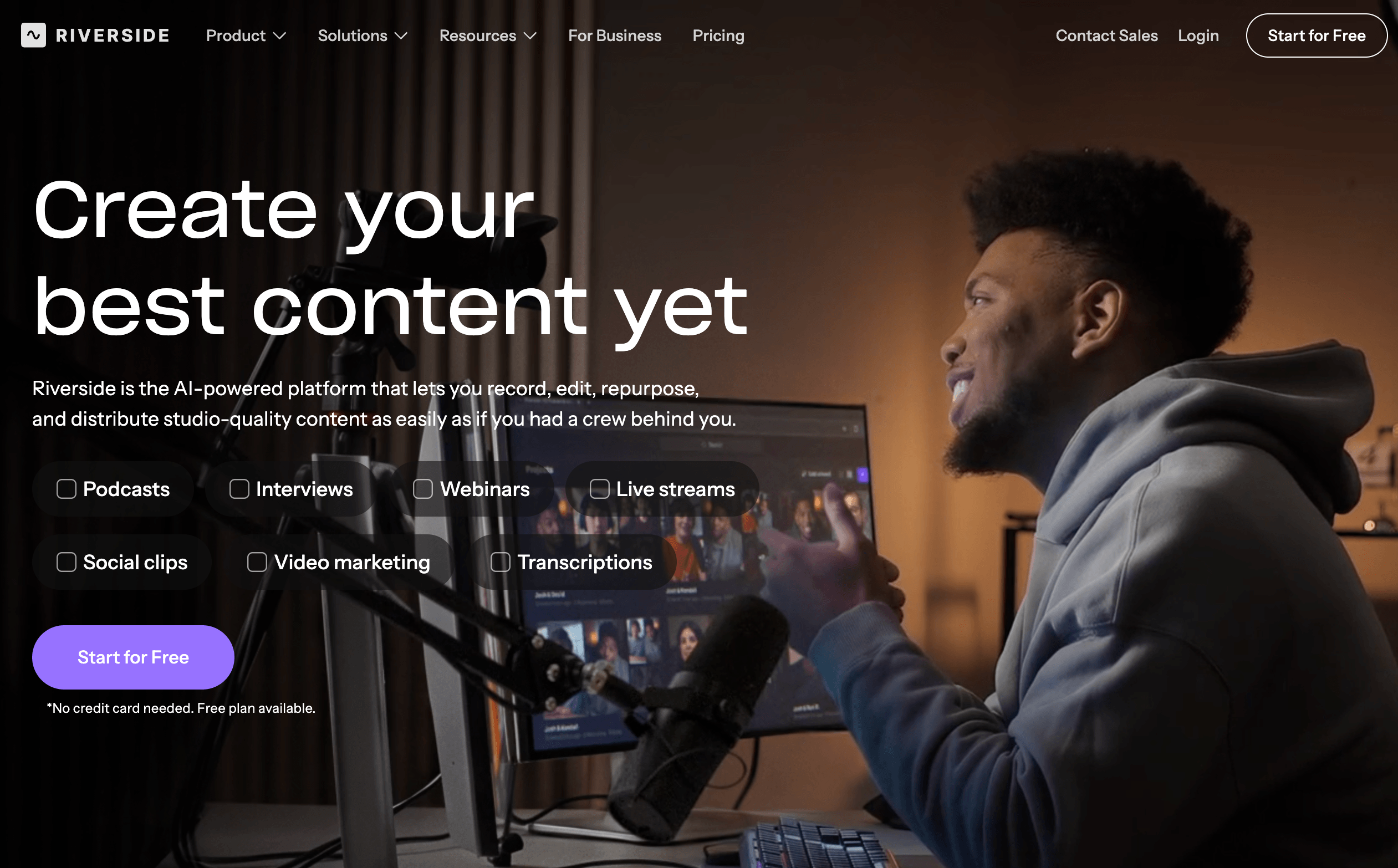
Local recording captures studio-quality 4K video and uncompressed audio for every guest — even on shaky internet.
Key Features and Technology
Riverside organizes everything around a virtual studio: you set up branding and projects, schedule and record sessions, edit and repurpose, then stream, host and publish — all in the browser. Here’s how the major pieces fit together.
Local Multi-Track Recording
The foundation is device-side capture. Each participant’s computer or phone records up to 4K video and uncompressed 48kHz WAV audio locally, then uploads it to the cloud once the session ends. You get separate, synchronized tracks per person (up to eight participants), screen recording up to 1080p, and a virtual green room and live studio so the host can monitor everything in real time. Because the file isn’t dependent on the live connection, a momentary internet drop doesn’t cost you the recording.
The AI Toolkit
This is where Riverside has invested hardest in 2026. AI Co-Creator is an editing and repurposing agent built into the editor that can assemble a polished cut and a suite of promotional assets. Magic Clips automatically pulls short, social-ready highlights with generated titles and layouts; Magic Audio cleans and enhances sound, including weak guest microphones; and automatic transcription, captions, AI show notes and translation (100+ languages) generate the supporting copy you’d otherwise write by hand. One-click removal of silences and filler words and an eye-contact correction feature round it out. These outputs are a strong starting point rather than final copy — you’ll still want to scan transcripts and tweak titles — but they collapse hours of manual work into minutes.
Text-Based Editor
Riverside’s editor lets you cut by editing the transcript and includes a smart, scene-switching layout that puts whichever person is talking on screen — useful for multi-guest video without manual switching. You can export to a range of social dimensions for YouTube, TikTok, Instagram and more. It’s fast and approachable, though serious editors note that deep color grading and audio mastering still benefit from a dedicated tool.
Live Streaming & Webinars
On the right plans, Riverside streams in full HD (1080p) and multistreams simultaneously to YouTube, Facebook, LinkedIn, Instagram, X and Twitch, with custom RTMP for other platforms. Audience tools include Omnichat, live call-ins, custom overlays and lower thirds, plus backstage speaker management. The webinar tier adds registration with branded forms, automated email reminders, lead capture, and a HubSpot integration, scaling up to 100 registrants — and up to 10,000 on Business. Every stream and webinar is also recorded in high quality and can be instantly turned into clips and summaries.
Hosting, Publishing & Analytics
Riverside now includes built-in podcast hosting on Pro and above, so you can publish directly to YouTube, Spotify, Apple Podcasts and other directories from inside the platform, then track episode performance and audience behavior with built-in analytics. For creators who want a true record-to-publish pipeline without bolting on a separate host, it’s a meaningful convenience.
Apps, Mobile and Extras
There are iOS and Android apps and a Mac app, plus a Multicam mode that turns your phone into a second camera for your desktop (often a better lens than a laptop webcam). Additional touches include a teleprompter, a media board for clips and sound effects, studio branding and overlays, async recording, and screen recording. Business plans layer on producer mode, collaborative editing, custom roles and workspaces, a Salesforce integration, API access, SSO, and SOC 2 Type II and ISO 27001 certification.
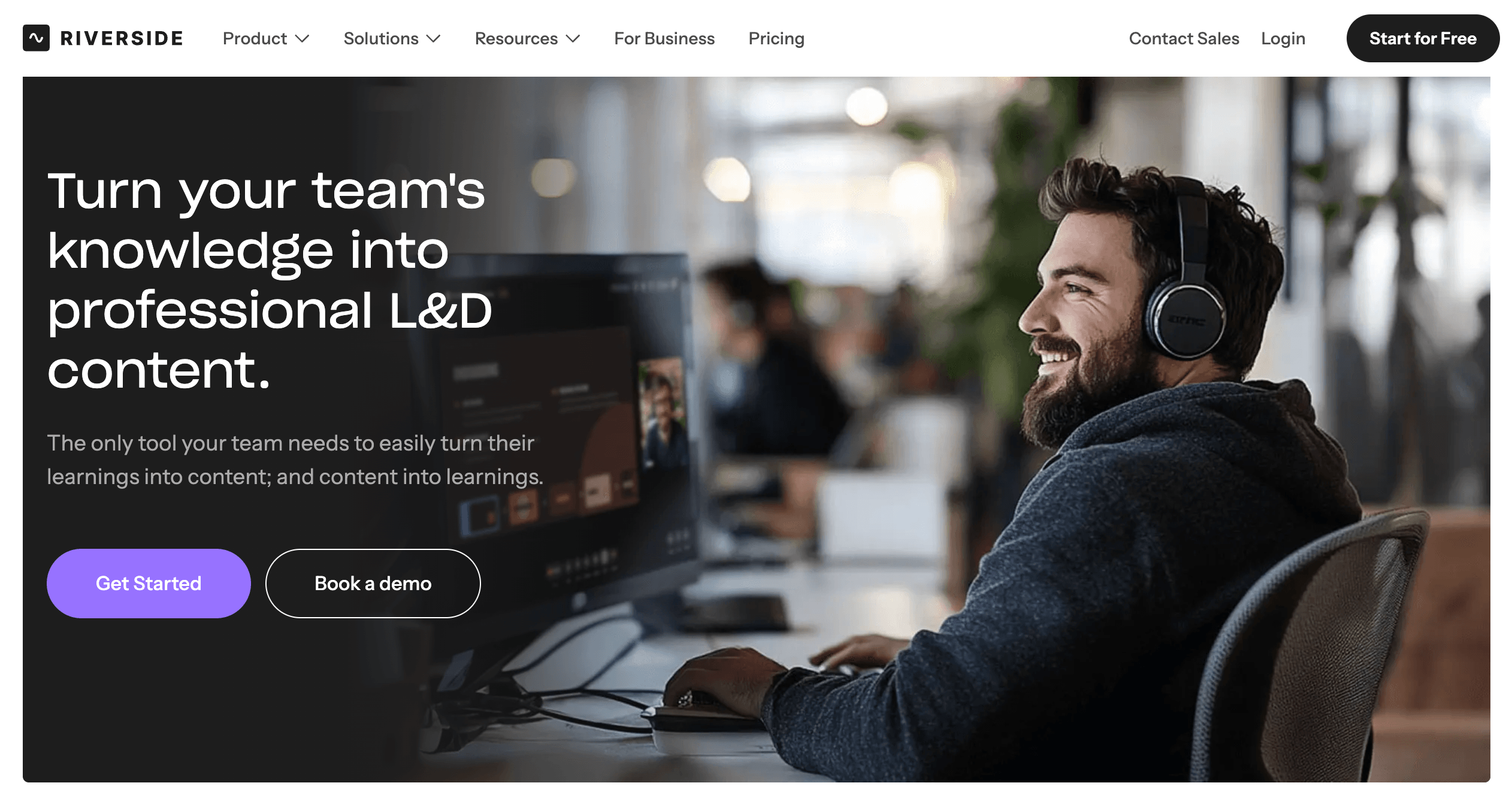
Editing by transcript plus Magic Clips and Co-Creator turns one recording into a week of content.
Pricing, Plans, and Package Structure
Riverside uses a tiered model with a genuinely usable free plan and paid tiers that add resolution, recording hours, AI tools, live streaming and webinars. All prices are in USD; annual billing saves up to roughly 20% over monthly. The figures below are monthly, with the discounted per-month annual rate in parentheses.
| Plan | Price | What It Is | Best For |
|---|---|---|---|
| Free | $0 | 2 hours of multi-track recording to try, up to 720p, 44.1kHz, watermarked exports, plus unlimited single-track recording, Magic Clips and video calls. | Testing the platform before you commit. |
| Pro (most popular) | $29/mo ($24/mo annually) | Up to 4K, 48kHz, 15 hours/month multi-track, no watermark, full AI toolkit (Co-Creator, Magic Audio, transcription, Magic Clips, show notes), publishing and podcast analytics. | Solo podcasters, creators and small businesses. |
| Live | $39/mo ($34/mo annually) | Everything in Pro plus full-HD live streaming and multistreaming, custom RTMP, Omnichat, live call-ins, overlays and backstage controls. | Creators who stream live to multiple platforms. |
| Webinar | $99/mo ($79/mo annually) | Everything in Live plus webinars up to 100 registrants, branded registration, automated reminders, lead capture, webinar analytics and HubSpot. | Marketers and small teams running events. |
| Business | Custom (contact sales) | Unlimited multi-track recording and storage, webinars up to 10,000, producer mode, collaborative editing, custom roles, API, SSO and enterprise security. | Agencies, media teams and enterprises. |
How Riverside Compares to Alternatives
Riverside’s two closest rivals pull in different directions: Descript leads on editing and AI voice, while Zencastr is the most direct recording-and-hosting competitor. Here’s how they stack up.
| Factor | Riverside | Descript | Zencastr |
|---|---|---|---|
| Core strength | All-in-one record, edit, stream, host and publish | Text-based editing and AI voice tools | Remote podcast recording, hosting and monetization |
| Recording quality | Local, up to 4K + uncompressed 48kHz, internet-proof | Recording is secondary; SquadCast now bundled in | Local recording, separate tracks; 4K needs a higher tier |
| Editing | Transcript-based + AI Co-Creator; basic for deep work | Best-in-class text editing, Overdub voice cloning | Transcript editing, AI clips, filler-word removal |
| Live + webinars | Full-HD multistreaming + webinars built in | Limited / not a focus | Some broadcasting; not a streaming-first tool |
| Price (approx.) | Free; Pro $24/mo annually | Free; paid from ~$16–35/mo | Paid from ~$20/mo (4K on higher tiers) |
| Best for | Creators who want quality recording and publishing in one place | Editing-first creators who want voice manipulation | Podcasters wanting recording, hosting and ads together |
vs. Descript: Descript is editing-first. Its strength is text-based editing and AI voice — including Overdub voice cloning to fix mistakes without re-recording — and it now bundles SquadCast for recording. If your priority is editing flexibility and synthetic-voice features, Descript may suit you better. If recording quality, guest reliability and built-in live streaming and webinars matter more, Riverside is the stronger all-rounder.
vs. Zencastr: Zencastr is the closest like-for-like rival — local recording, separate tracks, transcript editing, AI clips, hosting and monetization, with paid plans starting around $20/month. It’s a strong, focused podcast tool, but 4K and some features sit on pricier tiers, and it draws its own share of support and billing complaints. Riverside’s edge is the broader ecosystem: deeper AI tooling, full-HD multistreaming and webinars in the same place.
vs. Zoom and StreamYard: Zoom records a single compressed file and isn’t built for publishable content. StreamYard is excellent for pure live streaming but lighter on high-quality local recording and AI repurposing — and several creators moved to Riverside after StreamYard’s pricing climbed. If you want to record, edit, repurpose and publish rather than just broadcast, Riverside covers far more of the workflow.
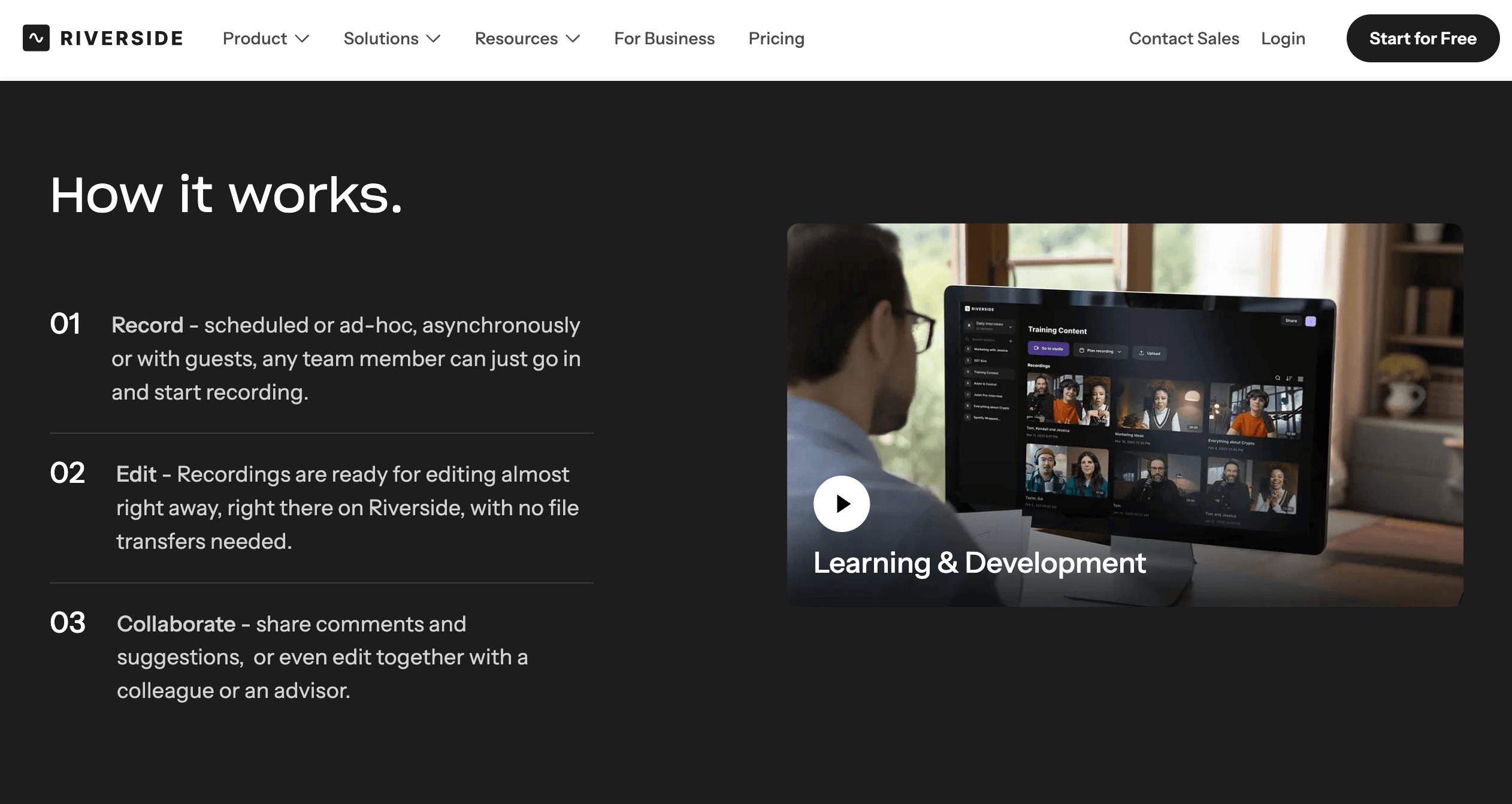
Riverside wins on all-in-one breadth; Descript on editing depth; Zencastr on focused podcast value.
Pros and Cons
What Users Love
Recording quality that genuinely delivers: The most consistent praise across Trustpilot and G2 is the local-recording output — clean 4K video and isolated, uncompressed audio tracks that survive bad internet and save the editing timeline from artifacting and dropped frames. For remote interviews especially, reviewers call it a lifesaver.
Separate tracks that save hours: Getting each participant on their own synchronized track gives editors flexibility a standard video call simply can’t, and it’s repeatedly cited as a core reason people switch and stay.
AI that meaningfully cuts production time: Users describe Magic Clips, transcription, show notes and the Co-Creator turning one recording into a full set of social assets, with several reporting 10–15 hours saved per episode. Magic Audio is a repeated favorite for rescuing poor guest mic quality.
Beginner-friendly for hosts and guests alike: Self-described non-technical users — including first-time podcasters — say Riverside made the process approachable, helped along by the company’s tutorials and the no-download, link-based guest experience.
A true one-stop shop: A common refrain is that Riverside let people cancel other editing and hosting subscriptions, consolidating recording, editing, clipping, hosting and publishing into a single platform.
A platform that keeps improving: Long-time subscribers repeatedly highlight how often new, useful features ship — and several name Riverside the best content tool they’ve adopted, recommending it to clients and peers.
Limitations Worth Knowing
Customer support is the number-one complaint: This is the most repeated criticism by far. Despite “24/7” messaging, users report waits of 48 hours or more on time-sensitive issues, and replies that feel generic or AI-generated, leading to long back-and-forth chains. When things work, people love it; when they break, support is the weak link.
Auto-renewal and billing friction: Several reviewers describe being charged on auto-renewal without a reminder, difficulty getting refunds, and terms-and-conditions disputes — including refunds that deducted more than a pro-rata amount. Keep your receipts and watch your renewal date closely.
Occasional technical glitches: A minority report lag, slow uploads (sometimes far longer than the advertised few minutes), 404 errors, audio sync issues, sluggishness with heavy video, and in rare cases recordings stuck “processing” or missing tracks. Most sessions are smooth, but the failure cases are painful when a client’s time is on the line.
Recording-hour caps and a limited free tier: Pro includes 15 hours of multi-track recording per month, which can pinch heavy daily producers, and the free plan is genuinely limited — 2 hours of multi-track, 720p and watermarked exports — so most serious users need to upgrade.
Price climbs quickly for live and webinars: Pro is competitive, but stepping up to Live or Webinar — or to Business for teams — adds up fast. If you only record, you may be paying for headroom you don’t use; if you need everything, budget accordingly.
Browser-dependent, and not a full post-production suite: Performance leans on a capable machine and an up-to-date browser, the iPhone-as-camera mode can be laggy for some, and editors chasing the highest-end color grading or audio mastering will still finish in a dedicated tool.
Who Should Use Riverside
Remote interview podcasters: This is Riverside’s sweet spot. If you record guests in other cities or countries and need studio-quality, internet-proof audio and separate tracks, the local-recording approach earns its keep every session.
Video creators and YouTubers: If you publish both audio and video versions, getting separate 4K tracks per participant gives you editing flexibility that’s impossible on a standard call, and the AI clip tools make short-form repurposing fast.
Solopreneurs, coaches and small businesses: For customer testimonials, brand podcasts, course content and client interviews, Riverside delivers professional output without a studio or a producer — and the all-in-one workflow keeps a one-person operation moving.
Marketers and small teams: Webinars, lead capture, multistreaming and AI repurposing in one platform make it a strong fit for teams producing content and events at scale, with CRM integrations to feed the pipeline.
Beginners who want quality without complexity: Link-based guest access, transcript editing and one-click AI cleanup lower the barrier dramatically for people who’ve never edited before.
Who should look elsewhere: Budget-focused pure live-streamers may prefer StreamYard; editing perfectionists who want deep voice manipulation or a full DAW/NLE may prefer Descript, Premiere or Audition; and very occasional or casual users can start with Zoom or Riverside’s free tier. Anyone who records mission-critical sessions with no margin for error should also weigh the support and billing complaints before committing.
Getting Started: Step by Step
- Pick your plan. Start on the free plan or the 14-day trial of paid features to test recording quality and the editor. Most solo creators and small businesses will land on Pro; only choose Live or Webinar if you actually stream or run events.
- Create your studio and invite guests. Set up your studio branding (logo, colors, overlays), then send guests a simple browser link — no download or account needed on their end. Schedule the session in advance if you like.
- Run a quick tech check. Before recording, confirm your mic, camera and connection, and have guests do the same in the green room. Use a good external mic where possible — local recording preserves quality, but it can’t fix poor source equipment.
- Record. Hit record and let each device capture locally in up to 4K and uncompressed audio on separate tracks. Close unnecessary browser tabs and heavy apps so the session stays smooth, especially with multiple cameras.
- Edit and repurpose with AI. Once tracks upload, edit by trimming the transcript, run Magic Audio to clean the sound, and let Magic Clips and the Co-Creator generate short clips, captions, show notes and a title. Review and tweak the AI output rather than publishing it untouched.
- Publish, host or stream — and set a renewal reminder. Publish straight to YouTube and podcast directories, host on Riverside with built-in analytics, or multistream live on the right plan. Then add a calendar reminder before your billing date and keep a downloaded backup of your raw tracks.
Tips for Getting Maximum Value
Bill annually to capture the roughly 20% discount, and lean hard on the AI tools — the Co-Creator and Magic Clips can turn a single recording into a week of social content, while Magic Audio quietly rescues guests with bad microphones. Record locally and keep your browser lean (close spare tabs, quit heavy apps) so multi-camera sessions stay smooth, and download your raw separate tracks promptly rather than relying on indefinite cloud retention. Resist over-buying: most creators thrive on Pro, so only move up to Live or Webinar when you truly need streaming or events. Because Riverside auto-renews and support can be slow, set a calendar reminder before each billing date and keep your order and receipt details handy — that small bit of admin removes the single most common source of buyer frustration. Finally, treat the AI output as a polished first draft: scan transcripts for accuracy and refine titles and clips before you hit publish.
Future Outlook and Final Assessment
The content-creation market in 2026 is consolidating around all-in-one platforms that fold recording, AI editing, repurposing, streaming and hosting into one workflow — and Riverside is among the most polished, complete and design-led players in that shift. Its rebrand from riverside.fm to riverside.com signals ambition well beyond podcasting, the AI feature cadence is relentless, and a roster of major brands and independent stars gives it real credibility. As local-recording tech and AI tooling keep improving, the core promise — broadcast-quality content from a browser, with the busywork automated — only gets stronger.
The honest caveats remain: customer support is the recurring sore point, the auto-renewal billing model frustrates a vocal minority, technical glitches hit some users, and the price climbs once you add live streaming or webinars. Rivals like Zencastr undercut it on focused podcast recording and Descript leads on editing depth. But within those boundaries, on the central job of studio-quality remote recording paired with fast AI repurposing and publishing, Riverside is a benchmark — and for most creators it consolidates several tools into one.
Conclusion
Riverside set out to remove the hardest parts of remote content creation — unreliable quality, fiddly guest setup and hours of multi-tool editing — and on those fronts it largely succeeds. By recording locally in up to 4K and uncompressed audio, delivering separate tracks for every participant, and automating editing, clipping, captions, hosting and publishing with AI, it lets a one-person operation produce content that looks and sounds professional. It rewards a little setup discipline and realistic expectations around support and billing, and it isn’t the right call for budget live-streamers or editing purists — but for podcasters, creators, coaches and small teams who take audio and video seriously, few platforms deliver more in one place. Confirm the current pricing, start on the free plan or trial, and Riverside can take the friction out of recording and publishing and make studio-quality content genuinely easy.
Ready to record studio-quality podcasts and videos from anywhere?
Explore more honest reviews, tutorials and tech comparisons to find the right tools for the way you work, create and grow — at World Of Tech, where we make everything easy.
👉 Try Riverside: https://worldoftech.space/riverside
👉 Our YouTube Channel: youtube.com/@world_tech79
👉 Our Facebook Fanpage: Facebook
👉 Our X (Twitter): @worldoftech79
Pricing, specifications and policy details in this review were verified against riverside.com and independent review sources (including Trustpilot and G2) as of June 2026. Software pricing, plans and features change frequently, so confirm current details on the official site before subscribing. Competitor prices are approximate and subject to change.





