
If you own a Mac and have ever typed “why is my Mac so slow” into Google, you’ve almost certainly stumbled across MacKeeper. Few Mac utilities carry as much baggage — or as much genuine capability — under one name. Built by Clario Tech, MacKeeper bundles antivirus protection, a VPN, an adware and ad-blocker, junk-file cleaning, app uninstalling, duplicate finding, memory optimization, and 24/7 live chat support into a single dashboard, all wrapped in one of the most polished interfaces in the Mac utility space. It also carries a genuinely controversial history: a decade-plus reputation for aggressive scareware-style pop-ups and a 2014 class-action lawsuit that still shapes how some longtime Mac users talk about the brand.
The good news is that the MacKeeper of 2026 is not the MacKeeper of 2013. Since Clario Tech took over in late 2019, the app has been rebuilt, Apple-notarized, ISO 27001 and AppEsteem certified, and independently AV-TEST certified with strong detection scores. But an honest review has to hold both truths at once: real, useful technology wrapped in a brand that still has to work to earn back trust, and a price tag that sits above most of its direct competitors. This 2026 review walks through what MacKeeper actually does, its full pricing structure, how it stacks up against CleanMyMac X and Intego ONE, the genuine pros and cons from real user feedback, and exactly who should — and shouldn’t — install it.
MacKeeper Review 2026: Is This All-in-One Mac Cleaner and Antivirus Worth It?
Overview and Background
MacKeeper is a Mac-exclusive security and optimization suite, currently developed by Clario Tech FZCO, a Dubai-based cybersecurity company. It isn’t a Windows tool ported over to macOS — it’s built specifically for Apple hardware, from Intel Macs through the latest Apple Silicon chips, and positions itself as a single app that replaces the need for separate antivirus, VPN, ad-blocker, and cleanup utilities. The pitch is simplicity: one dashboard, four pillars — Cleaning, Performance, Security, and Privacy — and a big status circle that turns green when your Mac is “Protected.”
The brand’s history matters here, and a balanced review can’t skip it. MacKeeper was originally developed by Zeobit, then acquired by Kromtech Alliance in 2013, a period during which it earned a reputation for aggressive advertising, alarming pop-ups claiming to find problems that didn’t exist, and a 2014 class-action lawsuit in Pennsylvania alleging deceptive marketing practices. That history is precisely why some longtime Mac users still flinch at the name. Since Clario Tech’s acquisition at the end of 2019, the product has been substantially rebuilt: it’s Apple notarized, holds ISO 27001 certification, is listed as AppEsteem-certified, and undergoes annual independent AV-TEST evaluations, most recently scoring a perfect 6/6 across protection, performance, and usability with detection rates reported around 99.7%.
Today, MacKeeper reports over 60 million downloads and users across 150+ countries, with a Trustpilot score that independent reviewers put in the 4.3–4.6 out of 5 range across thousands of reviews — a genuinely strong figure, though it’s worth noting MacKeeper’s support team replies to nearly every review, positive or negative, which is common practice among subscription software brands managing their public reputation. The company also sells a separate, more expensive add-on called MacKeeper Premium Services for hands-on remote tech support, priced on a case-by-case basis rather than listed publicly.
Why MacKeeper Stands Out in 2026
A genuinely broad bundle at one price: Real-time antivirus, an unlimited-data VPN, an adware/ad-blocker (StopAd), a junk-file cleaner, a memory cleaner, an app uninstaller, a duplicate finder, and ID theft/breach monitoring are all included in a single Premium subscription. Buying each of those separately from specialist apps would typically cost more.
Apple notarized and independently certified: Every copy of MacKeeper is notarized by Apple, meaning it’s been scanned for malicious components before distribution. On top of that, MacKeeper holds ISO 27001 certification and AppEsteem compliance — credentials the earlier, controversial version of the app never had.
Strong independent antivirus scores: MacKeeper has undergone annual AV-TEST evaluations since March 2021, most recently earning top marks across protection, performance, and usability, with detection rates reported around 99.7%. In hands-on EICAR test-file checks, multiple reviewers report instant detection and quarantine.
A real VPN, not a limited add-on: MacKeeper’s Private Connect VPN ships with every paid plan and offers unlimited data — a feature many rival security suites either omit entirely or gate behind their most expensive tier.
24/7 human chat support built into the app: Rather than routing you to an email queue or an AI-only bot, MacKeeper’s live chat connects to real support staff around the clock, directly from the app’s interface. Independent reviewers and Trustpilot users consistently rank this as one of the product’s strongest points.
A clean, beginner-friendly dashboard: The interface centers on one large status circle with four icons — Cleaning, Performance, Security, Privacy — that turn green once each area is resolved. Reviewers across PCMag, Macworld, and TechRadar have repeatedly praised how approachable it is for non-technical users.
A brand that’s actively rebuilding trust: Rather than hiding its past, MacKeeper’s leadership has publicly acknowledged the brand’s earlier mistakes and pointed to its current certifications as proof of a changed approach. For buyers willing to judge the 2026 product on its current merits, that’s a meaningfully different company than the one that made headlines a decade ago.
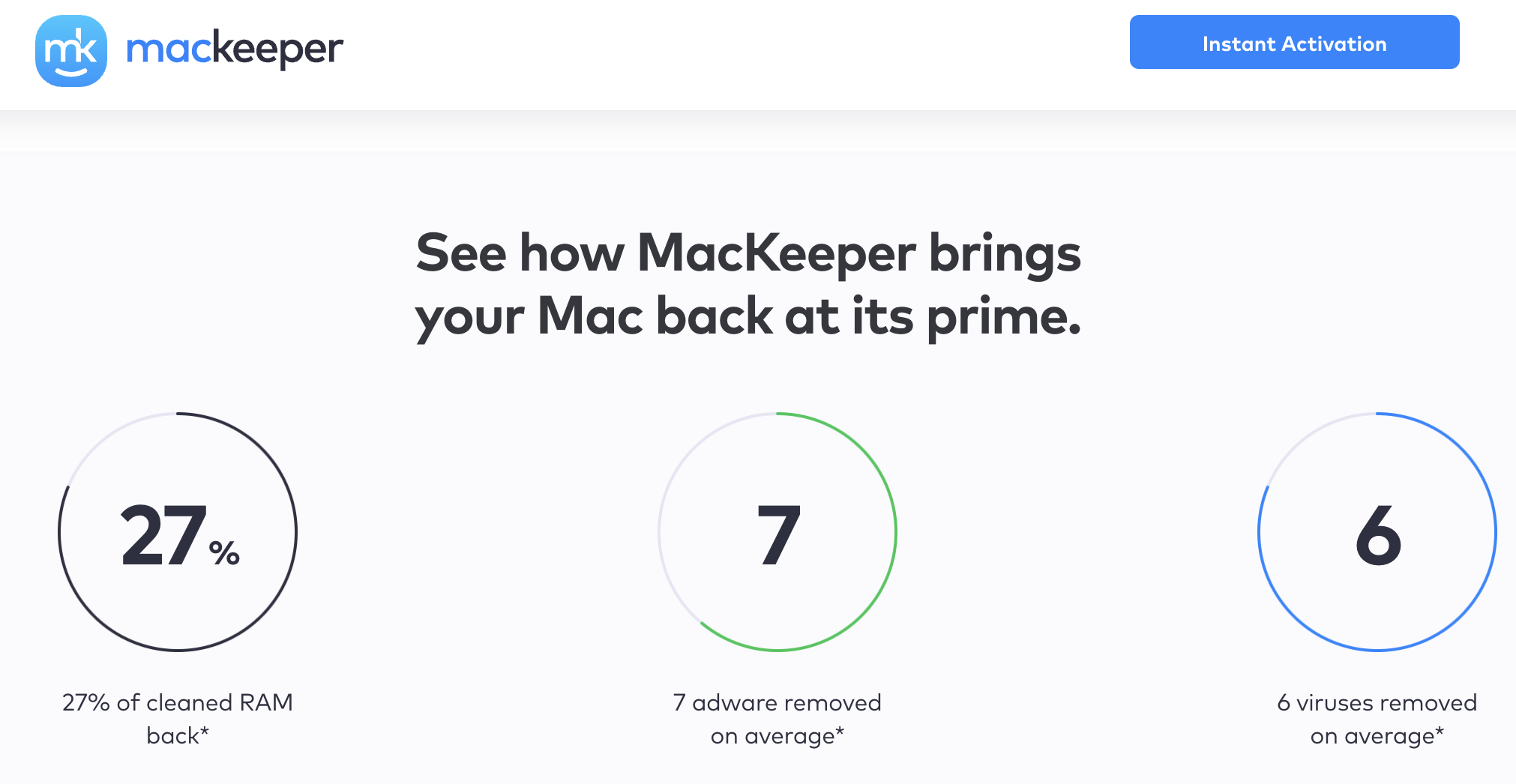
MacKeeper’s dashboard puts cleaning, performance, security, and privacy tools behind one status circle — built for Mac users who want protection without digging through menus.
Key Features and Technology
MacKeeper organizes its toolset into four pillars. Here’s what each one actually does under the hood.
Antivirus and Real-Time Security
MacKeeper’s antivirus engine scans for and quarantines Mac-targeted malware, adware, and cross-platform threats (so a malicious Windows file sitting in your Downloads folder gets flagged, even though it can’t run on macOS). Real-time protection runs continuously in the background, and manual on-demand scans are available too. The trade-off: there’s no option to schedule recurring scans, so you’re relying on real-time protection plus manual runs — a gap that more security-focused competitors like Intego ONE cover with built-in scheduling.
VPN, Ad-Blocking and ID Theft Guard
The Private Connect VPN encrypts your traffic and lets you browse with an unlimited data allowance — useful for public Wi-Fi or accessing geo-restricted content. StopAd, MacKeeper’s ad-blocker, runs as separate Safari and Chrome browser extensions, blocking ads, muting notifications, and stopping trackers; independent testers have measured 100% ad-blocking rates on standard test suites. ID Theft Guard rounds out the privacy pillar by monitoring your email addresses for appearances in known data breaches and alerting you if your password or personal records surface online.
Cleaning, Duplicate Finder and Uninstaller
The cleaning tools scan for junk files, cache, old logs, and unused language packs, then let you clear them in a couple of clicks. The Duplicate Finder locates redundant photos, documents, and files eating up storage, while the Uninstaller removes apps along with their associated leftover files — something Apple’s own Finder-based “drag to trash” method typically fails to do fully. Several long-term users report reclaiming well over 100GB of space on older Macs during their first full cleanup.
Memory Cleaner and Optimizer
The Memory Cleaner frees up RAM tied up by apps you’ve closed but that are still running background processes, aiming to speed up a sluggish Mac without a restart. The Optimizer manages startup items and login processes so your Mac boots faster and doesn’t launch a dozen unnecessary apps every time you log in. Neither tool is unique to MacKeeper, but having them alongside security and privacy tools in the same dashboard is the core convenience argument for the whole product.
24/7 Live Chat and Premium Services
Live chat support is built directly into the MacKeeper app and website, staffed around the clock rather than restricted to business hours. For most subscribers this is enough to resolve installation questions, billing issues, or confusion about a scan result. For users who want a technician to actively remote into their Mac and fix problems for them — beyond what a chat conversation can walk through — MacKeeper also sells Premium Services as a separate, individually priced add-on. It’s worth treating this add-on as optional rather than assuming it’s bundled with your subscription, since it’s marketed and billed independently from the core Premium plan.
Pricing, Plans, and Package Structure
MacKeeper keeps its pricing simpler than most security suites: there’s a limited free version, and a single Premium subscription billed either monthly or annually, for either one Mac or three. All plans unlock the same full feature set — antivirus, VPN, cleaning, and support — the only difference is billing duration and device count. As with most subscription security software, these are typically introductory rates, and MacKeeper’s renewal price is usually higher than the first-term price, so always confirm the exact figure at checkout before subscribing.
| Product | Price (USD) | What It Is | Best For |
|---|---|---|---|
| Free Version | $0 | One-time scan and one-time fix per tool; no VPN or real-time protection | Testing before you commit |
| Premium Monthly (1 Mac) | ~$10.95/month | Full suite, billed month-to-month, no long-term commitment | Short trial runs beyond the free tier |
| Premium Annual (1 Mac) | ~$5.95/month (~$71.40/year) | Full suite billed once a year for a single Mac | Single-Mac households wanting the best per-month rate |
| Premium Annual (3 Macs) | ~$7.45/month (~$89.40/year) | Full suite covering up to three Macs on one license | Families or small teams with multiple Macs |
| Premium Services (Tech Support) | Custom quote, varies widely | Optional add-on for hands-on remote tech support beyond chat | Users who want a technician to do the work for them |
How MacKeeper Compares to Alternatives
| Factor | MacKeeper | CleanMyMac X | Intego ONE |
|---|---|---|---|
| Core focus | All-in-one: antivirus + VPN + cleaning | Cleaning and optimization-first | Security-first, with cleanup add-on |
| Antivirus scoring | AV-TEST 6/6/6, ~99.7% detection | Basic malware removal, not a full AV suite | Strong; caught all samples in independent testing |
| VPN included | Yes, unlimited data, on every paid plan | No | Only on the top Complete plan |
| Firewall | No | No | Yes, customizable 2-way firewall |
| 24/7 live chat support | Yes, built into the app | Email support only | Chat available, AI-first with human hand-off |
| Entry price | ~$5.95/mo billed annually | ~$34.95–$39.95/year (~$3/mo) | ~$40+/year (Essential tier) |
| Best for | One subscription covering security, privacy and cleanup | Storage cleanup and app management | Buyers who specifically want a firewall |
vs. CleanMyMac X: CleanMyMac X is the more famous name in Mac cleanup, and it’s cheaper if optimization is genuinely all you want. But its malware protection is basic compared to MacKeeper’s AV-TEST certified engine, and it offers no VPN at all. If you want cleaning plus a real security layer in the same app, MacKeeper covers more ground for a comparable annual price.
vs. Intego ONE: Intego is the more security-focused rival, with a customizable two-way firewall MacKeeper simply doesn’t offer, plus strong independent malware detection. Intego’s VPN, however, is limited to its priciest Complete plan and lacks features like split tunneling, while MacKeeper bundles an unlimited VPN into every paid tier. If a firewall is a hard requirement for you, Intego wins; if you want VPN access without paying for the top tier, MacKeeper is the better value.
vs. Norton 360 for Mac: Norton brings a bigger security brand name, a broader cross-platform license (useful if your household mixes Mac, Windows, and mobile), and dark web monitoring. But Norton’s Mac feature set is noticeably thinner than its Windows version, it doesn’t include the same depth of Mac-specific cleanup tools, and multi-device Norton bundles frequently price above MacKeeper’s 3-Mac annual plan. If every device in your home runs macOS, MacKeeper’s Mac-first design generally delivers more relevant tools for less money.
vs. built-in macOS protections: macOS already includes XProtect and Gatekeeper, and many Mac users go years without a dedicated antivirus. MacKeeper’s case rests on the extras — VPN, cleanup, ID theft monitoring, and human support — not on the idea that macOS is defenseless without it. If all you want is baseline malware protection, Apple’s built-in tools plus careful download habits may be enough; MacKeeper earns its subscription through convenience and breadth, not through filling a security gap that doesn’t otherwise exist.
Pros and Cons
What Users Love
Genuinely responsive 24/7 support: The single most consistent theme across Trustpilot reviews is praise for MacKeeper’s live chat — users repeatedly mention specific support agents by name and describe patient, effective troubleshooting sessions, including with users who describe themselves as non-technical or elderly.
Real, measurable performance gains: Long-term users, including some who’ve run the app for close to a decade, report that the Memory Cleaner and Optimizer keep older Macs running noticeably smoother without needing a hardware upgrade.
Everything in one place: Owners consistently highlight not having to juggle separate apps for antivirus, VPN, and cleanup — one login, one dashboard, one subscription covers the whole workflow.
Effective malware and junk detection: Reviewers across independent test labs and hands-on reviews describe MacKeeper catching test malware files instantly and clearing meaningful amounts of disk space — some report tens of gigabytes freed on a first scan.
A genuinely simple interface: Multiple independent outlets, including PCMag and Macworld, specifically call out how approachable MacKeeper is for less technical users compared to more security-jargon-heavy competitors.
A VPN that doesn’t feel like an afterthought: Because the VPN is unlimited and included by default rather than gated behind a top-tier plan, users who’d otherwise pay for a separate VPN service report real savings by consolidating into MacKeeper.
Limitations Worth Knowing
A reputation still being rebuilt: MacKeeper’s aggressive-marketing history and a 2014 class-action lawsuit are a matter of public record, and some skepticism from longtime Mac users is a rational response even to the improved, notarized 2026 product. Buyers should judge the current app on today’s certifications, but shouldn’t dismiss the history either.
More expensive than most rivals: At roughly $5.95–$10.95 per month depending on plan, MacKeeper costs more than CleanMyMac X and sits above Intego ONE’s entry-level Essential tier, without including a firewall.
Missing firewall and phishing protection: Two features a security-first buyer might expect from a suite in this price range simply aren’t here. If network-level protection and dedicated anti-phishing matter to you, MacKeeper alone doesn’t cover them.
No scheduled scans: You’re limited to real-time protection plus manual scans — there’s no built-in way to automatically run a full scan every week, which several competitors offer as a basic setting.
Mac-only, with no mobile app: MacKeeper doesn’t extend to Windows, iOS, or Android, so mixed-device households will need a separate solution for non-Mac hardware.
A minority still report pushy upsell prompts: Some recent reviews mention occasional in-app upsell notifications, and a small number of negative Trustpilot and Software Advice reviews describe frustrating cancellation or remote-access experiences. These are a minority of overall feedback, but they exist and are worth reading before you commit.
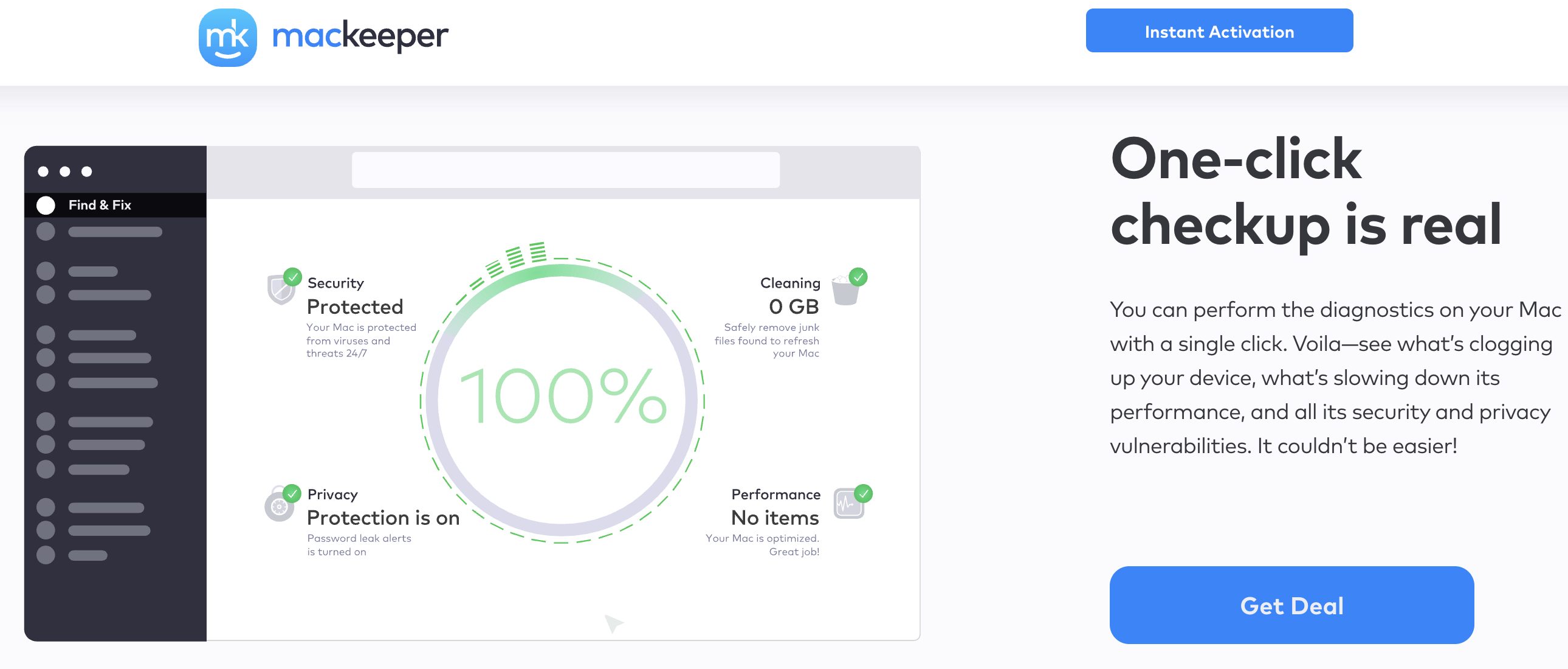
MacKeeper’s real-time antivirus scans, quarantines threats, and pairs with an unlimited-data VPN — all included in the same subscription.
Who Should Use MacKeeper
Non-technical and less experienced Mac users: The simple dashboard and built-in 24/7 live chat make MacKeeper a strong fit for anyone who’d rather have a real person walk them through a problem than dig through System Settings alone.
Single-app convenience seekers: If you currently juggle a separate antivirus, VPN, and cleanup tool, consolidating into one subscription at MacKeeper’s annual rate can genuinely simplify your setup and, in many cases, cost less than the sum of the parts.
Owners of older or storage-strapped Macs: The combination of junk-file cleanup, duplicate finding, and memory optimization directly addresses the two most common complaints about aging Macs — slow performance and vanishing storage.
Anyone who wants a VPN without paying extra for one: Because the unlimited-data VPN is included in every paid tier, MacKeeper effectively bundles two subscriptions’ worth of tools for the price of one for buyers who’d use both anyway.
Who should look elsewhere: Security purists who specifically want a firewall and dedicated anti-phishing protection will find Intego ONE a better fit. Budget-focused users who only care about storage cleanup will get more value per dollar from CleanMyMac X. And anyone who still associates the MacKeeper name with its pre-2019 reputation and isn’t willing to re-evaluate based on current certifications should sit this one out — there are enough other capable Mac utilities on the market that you don’t need to overcome that discomfort to stay protected.
Getting Started: Step by Step
- Download the free version. Install MacKeeper directly from the official site and let it run its free scan across Cleaning, Performance, Security, and Privacy to see exactly what it finds on your Mac before spending anything.
- Review what the scan found. Each pillar will show specific junk files, potential threats, or optimization opportunities. Use your one free fix per tool to get a real sense of the before-and-after difference.
- Choose your plan. Pick the annual 1-Mac plan for the best per-month rate on a single machine, or the annual 3-Mac plan if you’re covering a household or small team of Macs.
- Turn on real-time protection and the VPN. These are the two features locked behind the free tier — activating them is what actually makes MacKeeper function as ongoing protection rather than a one-time cleanup.
- Set a manual scan routine. Since there’s no scheduled-scan option, put a recurring reminder on your calendar — weekly or biweekly — to run a manual full scan, since real-time protection alone won’t catch everything.
- Use live chat when something’s unclear. If a scan result or a setting doesn’t make sense, open the in-app chat rather than guessing — it’s one of MacKeeper’s strongest features, and it’s included at no extra cost.
Tips for Getting Maximum Value
Commit to the annual plan rather than the monthly one if you’re confident you’ll keep using it — the difference between roughly $11/month and $6/month adds up fast over a year. Since MacKeeper doesn’t support scheduled scans, pair it with a simple calendar reminder so real-time protection isn’t your only line of defense. Take advantage of the built-in live chat proactively, not just when something breaks — support staff can walk you through settings you might otherwise never discover, like fine-tuning the StopAd browser extensions or configuring ID Theft Guard to monitor multiple email addresses. If you’re on a 3-Mac plan, install it across every eligible device right away so you’re not paying for coverage you’re not using. Run the Duplicate Finder and Uninstaller together during your first session — clearing out abandoned apps first often reveals a surprising amount of orphaned cache and leftover files those apps left behind, which the cleanup tools can then catch on the next pass. Enable the StopAd browser extension in every browser you actually use, not just your default one, since it only blocks trackers and pop-ups in browsers where it’s installed. And always confirm your renewal price in your account settings before your first billing cycle ends, since introductory annual rates are common in this category and the renewal figure can be noticeably higher.
Future Outlook and Final Assessment
The Mac utility market in 2026 is more crowded and more scrutinized than ever, with independent labs like AV-TEST and AV-Comparatives now routinely testing macOS-specific tools and publishing results that make it much harder for any brand — including MacKeeper — to coast on marketing alone. That scrutiny has, on balance, been good for MacKeeper: its current certifications, notarization, and consistent AV-TEST scores are independently verifiable in a way its earlier reputation never was. As more Mac users adopt Apple Silicon machines and expect security software to feel native rather than bolted-on, MacKeeper’s clean, Mac-first interface is a genuine advantage over suites ported from Windows.
The honest caveats remain real, too: the price sits above most direct competitors, the feature set is missing a firewall and scheduled scans, and the brand’s pre-2019 history is the kind of thing a portion of the Mac community won’t fully forget regardless of how many certifications follow. Competitors like Intego ONE will keep winning the security-purist audience, and CleanMyMac X will keep winning the budget-cleanup audience. But for buyers who specifically want one subscription that covers antivirus, VPN, and cleanup with strong support behind it, MacKeeper’s 2026 version earns a fair look on its current merits.
Conclusion
MacKeeper’s story is a genuine turnaround: a decade-old reputation for aggressive marketing, now sitting alongside Apple notarization, ISO 27001 certification, and consistently strong AV-TEST results. That combination makes it a reasonable choice for Mac users who want antivirus, an unlimited VPN, and cleanup tools under one login, backed by support that’s repeatedly praised as fast and genuinely helpful. It’s not the cheapest option, and it’s not built for buyers who specifically need a firewall — but for everyday Mac users who value simplicity and are comfortable judging the brand on its current, independently verified state rather than its history, MacKeeper earns its place on the shortlist. Confirm the live price on the official site, start with the free scan, and decide from there.
Ready to give your Mac a real clean-up and security check?
Explore more honest reviews, tutorials and tech comparisons to find the right gear for the way you work, travel and live — at World Of Tech, where we make everything easy.
👉 Shop MacKeeper: https://worldoftech.space/mackeeper
👉 Our YouTube Channel: youtube.com/@world_tech79
👉 Our Facebook Fanpage: Facebook
👉 Our X (Twitter): @worldoftech79
Pricing, specifications and policy details in this review were verified against mackeeper.com and independent review sources (including Trustpilot, AV-TEST, and hands-on reviewer testing) as of July 2026. Antivirus and utility software pricing and features change frequently, so confirm current details on the official site before purchasing. Competitor prices are approximate and subject to change.





