
If you’ve read our V2Fun review, you already know the AI 3D generation space is crowded and moving fast. Tripo Studio (from Tripo3D, at studio.tripo3d.ai) is one of the category’s more established names, and it takes a slightly different bet than V2Fun’s animation-and-mocap focus: instead of trying to be everything, Tripo doubles down on being the cleanest, most production-minded pipeline for turning a prompt or image into a mesh you can actually ship — with genuinely strong retopology, segmentation, texturing, auto-rigging and one-click sends into Blender, Unreal, Unity, Maya, 3ds Max, Cocos and Godot via its DCC Bridge.
For indie game developers, 3D-printing hobbyists, and product designers who need a fast, controllable starting point rather than a flashy all-in-one animation suite, that focus is a real strength. Tripo also carries a meaningfully better independent trust record than some rivals in this space — a solid 4-star Trustpilot rating across hundreds of reviews — though it isn’t spotless, with real complaints around subscription cancellation and credit-consumption bugs worth knowing before you subscribe. This 2026 review covers what Tripo Studio actually does, real current pricing, how it stacks up against Meshy and V2Fun, the genuine pros and cons, and who should build a 3D pipeline around it.
Tripo Studio Review 2026: The Production-Focused AI 3D Workspace for Game Assets and 3D Printing
Overview and Background
Tripo Studio is the browser-based workspace from Tripo3D that bundles the whole AI 3D generation pipeline — text-to-3D, image-to-3D, AI segmentation, smart retopology, AI texturing, and auto-rigging with animation presets — into one connected tab rather than a set of separate tools. Rather than requiring a round trip through Blender for every intermediate step, Tripo Studio keeps generation, refinement and export inside the same workspace, and only hands a project off to an external DCC tool when you’re genuinely ready to finish it there.
The platform’s technical differentiator worth knowing about is its rigging system: Tripo built and open-sourced UniRig, its own auto-rigging technology, which automatically generates a skeleton and skin weights for a compatible model in one click. That’s not a marketing claim dressed up as innovation — the underlying research is publicly documented and available on GitHub, giving Tripo more credibility on this specific feature than platforms that only describe auto-rigging in vague terms.
The other standout piece of Tripo’s architecture is DCC Bridge — a dedicated plugin-based connection that sends generated meshes, textures, rigs and animations directly into Blender, Unreal Engine, Unity, Maya, 3ds Max, Cocos, or Godot without the usual download-import-fix-relink cycle that plagues most AI-to-DCC workflows. For studios and solo developers who live in one of those tools daily, that single feature removes a genuinely tedious point of friction most competitors still leave to manual export and re-import.
Why Tripo Studio Stands Out in 2026
Genuinely strong retopology and mesh quality: Reviewers across G2 and Trustpilot repeatedly single out Tripo’s retopology as more reliable and consistent than competitors, particularly for multi-view image-to-3D generation, where Tripo is specifically praised for following reference guides more precisely than rivals like Meshy.
Open-sourced UniRig auto-rigging technology: Rather than a black-box rigging claim, Tripo’s UniRig system is publicly documented and open-sourced on GitHub — a rare level of technical transparency in this category that gives real credibility to its one-click skeleton and skin-weight generation.
DCC Bridge covers seven major platforms: One-click send-to for Blender, Unreal Engine, Unity, Maya, 3ds Max, Cocos and Godot is a broader native-integration list than most AI 3D competitors offer, and it includes animations and rigs, not just static meshes.
A genuinely usable free tier: With around 200–300 credits per month at no cost, Tripo’s free plan is generous enough to test real projects before paying — a meaningful advantage over rivals whose free tiers only cover a handful of generations.
High-resolution output for print and hero assets: The platform’s higher-detail generation mode supports up to roughly 2 million polygons, aimed specifically at 3D printing and visual-art use cases where fine surface detail matters more than real-time performance.
A meaningfully solid independent trust record: Tripo3D carries roughly a 4-star Trustpilot rating across hundreds of reviews — a genuinely stronger signal than several competitors in the AI 3D generation category, with the large majority of feedback specifically praising output quality and ease of use.

Tripo Studio combines text-to-3D, image-to-3D, segmentation, retopology, texturing and auto-rigging into one connected browser workspace.
Key Features and Technology
Tripo Studio’s toolset maps closely to the actual stages of a real 3D production pipeline, all accessible from the same workspace tab.
Text-to-3D, Image-to-3D and Sketch-to-3D
A text prompt, a single reference image, multiple reference views, or even a rough sketch can all serve as starting points. Multi-view generation — feeding front, side and back images — is specifically recommended by Tripo and by independent reviewers for higher geometric accuracy on character or product work, and reviewers note it tends to follow multi-view reference guides more consistently than some competing tools.
AI Segmentation and Smart Retopology
Tripo can automatically divide a complex model into logical, editable parts, letting you texture, retopologize, or rig individual components rather than the whole mesh at once. The retopology engine then generates a clean, optimized mesh with either quad or triangle topology, balancing editing flexibility, animation compatibility and surface fidelity — with a Smart Low Poly mode aimed at real-time engines, VR/AR, and web viewers.
AI Texturing With PBR Materials
Physically accurate PBR materials, including metallic and roughness maps, generate automatically from text prompts or reference images and are included by default on one-click models. A Magic Brush tool allows localized manual adjustments — highlights, wear, stylized effects — and Ultra HD texture output preserves finer surface detail for hero or close-up assets.
Auto-Rigging and Animation (UniRig)
One click on Auto Rig runs Tripo’s open-sourced UniRig system, generating a skeleton and skin weights for a compatible model automatically. From there, a preset animation library can be applied, and the result exports as .fbx or .glb ready for a game engine or animation software. Because UniRig is publicly documented, technically inclined users and studios can verify how the rigging actually works rather than taking a black-box claim at face value.
DCC Bridge for Direct Software Integration
Rather than exporting a file and manually re-importing it (often losing material links or scale in the process), DCC Bridge sends a finished mesh, texture set, rig or animation directly into Blender, Unreal Engine, Unity, Maya, 3ds Max, Cocos or Godot via a dedicated plugin connection. This is one of the more practically useful features in the entire AI 3D category for anyone working inside a specific engine or DCC tool daily.
Creator Hub and Community Gallery
Tripo also runs a public gallery and Creator Hub where users can browse and share generated models across categories like characters, vehicles, animals, architecture and props, alongside a monetization program for creators whose models get featured. It’s a useful way to gauge realistic output quality before signing up — browsing the gallery gives a much better sense of what the platform actually produces across a range of prompt types than any single marketing screenshot could.
Pricing, Plans, and Package Structure
Tripo runs on a credit-based subscription model with a genuinely usable free tier and three paid tiers, with annual billing offering meaningful savings (commonly cited around 30–40% off monthly pricing, though confirm the current discount on the site directly). Free-tier models are limited to non-commercial use; commercial rights unlock starting on the Pro tier.
| Plan | Price (USD/mo) | Monthly Credits | Best For |
|---|---|---|---|
| Free | $0 | ~200–300 credits/mo, non-commercial use only | Hobbyists, students, testing the platform |
| Pro | $19.90 | ~3,000 credits/mo, commercial rights unlocked | Solo creators and designers selling their work |
| Max | $89.90 | Higher allowance, priority queue, more concurrent tasks | Power users and small studios in active production |
| Team | $109.90/seat | Shared workspace, centralized billing, priority support | Studios and teams needing shared assets and billing |
How Tripo Studio Compares to Alternatives
| Factor | Tripo Studio | Meshy | V2Fun |
|---|---|---|---|
| Core strength | Retopology, rigging (UniRig), DCC integration | General text/image-to-3D volume generation | Full pipeline incl. AI motion capture from video |
| DCC / engine integration | DCC Bridge: 7 platforms, one-click send | Standard export formats, manual import | Standard export formats, manual import |
| Free tier | Yes, ~200–300 credits/mo | Yes, ~100–200 credits/mo (approx.) | Yes, trial credits (approx., pricing unverified) |
| Entry paid price | $19.90/mo (verified official) | ~$20/mo (approx.) | ~$10–29/mo (unverified, disputed) |
| Trustpilot signal (approx.) | ~4 / 5, hundreds of reviews, mostly positive | Not independently verified here | No established profile (young product) |
| AI motion capture from video | Not a core feature | Not a core feature | Yes — core differentiator |
| Best for | Game assets, 3D printing, DCC-integrated pipelines | High-volume general-purpose 3D asset generation | Animated characters, VTubers, digital humans |
vs. Meshy: Meshy remains a strong general-purpose generator with broad name recognition in the category, and reviewers describe it as roughly comparable to Tripo on raw output quality. Where Tripo pulls ahead specifically is multi-view consistency and its DCC Bridge — reviewers who’ve used both note Tripo tends to follow multi-view reference guides more precisely and offers a smoother path into external software for finishing work.
vs. V2Fun: If AI motion capture from ordinary video and full character animation is your priority, V2Fun’s pipeline is purpose-built for that in a way Tripo doesn’t attempt to match. If your priority is clean topology, reliable rigging you can verify the technology behind, and direct integration with the DCC tool or game engine you already use daily, Tripo’s more production-focused approach — and its stronger current independent trust record — is the better-supported choice.
vs. manual 3D modeling: For a studio-quality hero asset with full manual control over every polygon, a skilled 3D artist working in Blender or ZBrush from scratch still outperforms any AI generator on precision. Tripo’s real value is compressing the first 70–80% of that process — blocking, base mesh, initial UVs and textures — into minutes, leaving the final polish to manual tools if the asset needs it.
Pros and Cons
What Users Love
Consistently strong mesh and texture quality: Across hundreds of Trustpilot and G2 reviews, output quality is the single most repeated praise point — reviewers specifically call out clean topology, good texture fidelity, and results that closely match their original prompt or reference image.
The DCC Bridge genuinely saves real workflow time: G2 reviewers specifically highlight the ability to send meshes, animations and rigged models directly into their platform of choice without the usual manual export/import friction as one of the platform’s strongest practical benefits.
Approachable for beginners, capable enough for professionals: Product Hunt reviewers repeatedly describe the interface as intuitive and beginner-friendly while still being good enough for professional prototyping and portfolio work.
A genuinely generous free tier: Enough monthly credits to test real projects, not just a single throwaway prompt, gives new users a much clearer picture of fit before paying than many competitors’ more restrictive free plans.
Open-source technical credibility: Publishing UniRig’s rigging technology openly is a meaningful trust signal in a category where most competitors describe their core technology in vague, unverifiable marketing terms.
Limitations Worth Knowing
Limited in-browser manual editing tools: A recurring, detailed criticism from experienced 3D artists is that once a model needs real correction — fixing distorted limbs, edge-flow issues, or deformation problems — Tripo’s own workspace tools aren’t robust enough, and the work has to move to Blender or ZBrush to finish properly, breaking the promised “stay in one tab” workflow for anything beyond a clean generation.
Occasional cancellation and refund friction: A small but real number of Trustpilot reviews describe difficulty cancelling a subscription despite repeated attempts, and at least one reported refusal to refund a trial purchase. This isn’t the dominant theme in Tripo’s reviews the way it is for some competitors, but it’s present and worth a cautious approach before committing to annual billing.
Credit-consumption bugs on specific workflows: Multiple reviewers report being asked to redo a step (like re-generating an already-completed texture) before proceeding to the next stage, consuming credits each time — an execution bug rather than a pricing complaint, but one that has real financial impact if it happens repeatedly.
Some skepticism about underlying technology sourcing: A handful of reviewers have questioned whether parts of the platform repackage freely available open-source AI models behind a paid subscription. This is a common critique across the AI-tooling space broadly rather than a claim specific to or verified about Tripo, but it’s present in the public review record.
Occasional anatomical or structural anomalies: Like every current AI 3D generator, distorted limbs or unexpected geometry artifacts show up on more complex or unusual prompts, requiring the external cleanup pass mentioned above.
Who Should Use Tripo Studio
Indie game developers with an established engine pipeline: If you already work in Unity, Unreal, Godot or Cocos, DCC Bridge’s one-click send-to workflow removes a genuine daily friction point that most AI 3D tools leave you to solve manually.
3D-printing hobbyists and small manufacturers: The high-polygon detail mode and clean, watertight mesh output are well suited to producing print-ready models, and the Pro tier’s commercial rights let you legally sell what you print.
Product designers and concept artists: Fast iteration from a sketch or reference image to a validated 3D concept is a genuine time-saver for early-stage design work, marketing visuals, or client presentations.
Blender or Maya users who already do their own finishing work: Because Tripo pairs well with external DCC tools rather than trying to replace them, users who plan to do their own manual polish anyway get the most value from Tripo’s fast, clean base generation plus DCC Bridge.
Who should look elsewhere: anyone hoping to stay entirely inside a browser tab for a complex, hero-quality asset with zero external cleanup should temper expectations — the in-browser manual editing tools aren’t there yet for that level of correction. Creators specifically looking for video-driven motion capture and full character animation, rather than static or rigged-but-unanimated assets, will find V2Fun’s pipeline more purpose-built for that need. And anyone considering annual billing should read the small number of cancellation-friction reviews first and confirm the cancellation process before committing.
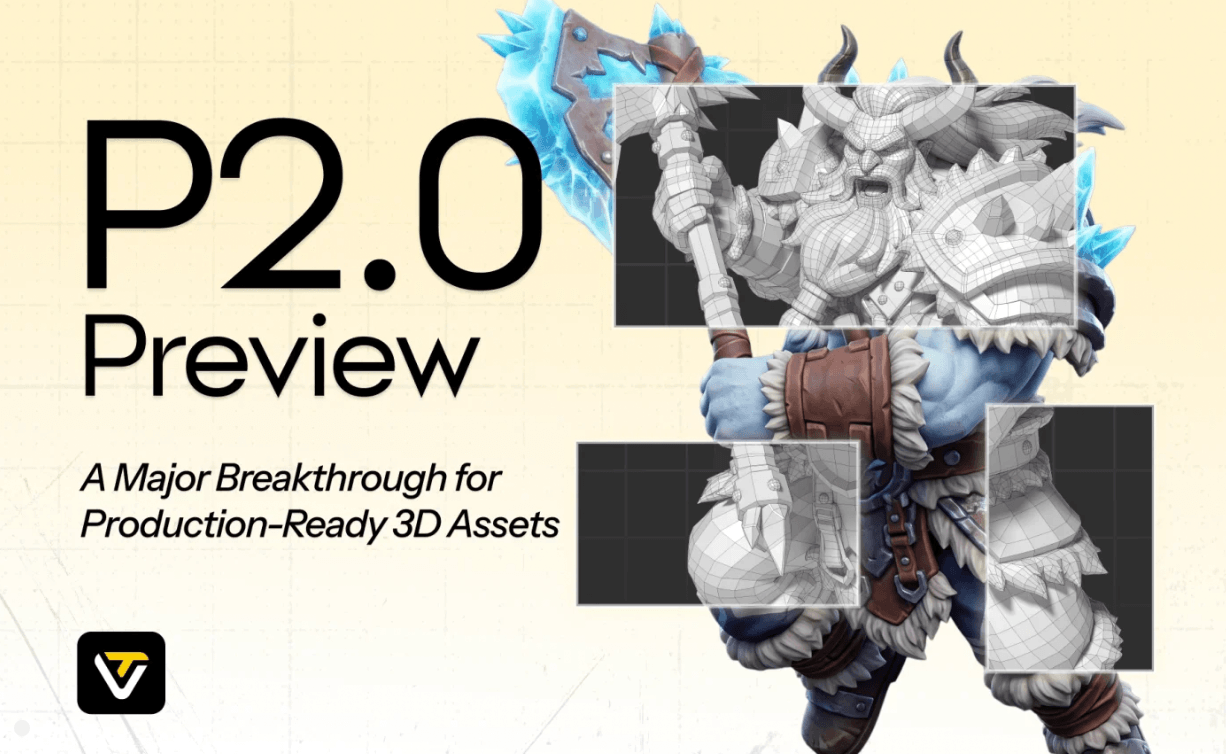
Tripo’s DCC Bridge sends generated meshes, textures, rigs and animations directly into Blender, Unreal Engine, Unity, Maya, 3ds Max, Cocos or Godot with one click.
Getting Started: Step by Step
- Sign up for the free tier and generate a real test project. Use your actual reference images or prompt rather than a throwaway test — 200–300 free monthly credits is enough to evaluate genuine output quality.
- Use multi-view reference images for anything requiring accuracy. Front, side and back images produce more structurally reliable results than a single reference photo, especially for characters or products.
- Run segmentation and retopology before texturing. Clean up the mesh structure first so texturing and rigging work against a solid geometric foundation rather than raw generation artifacts.
- Auto-rig with UniRig for animatable characters. One click generates a skeleton and skin weights for compatible humanoid models; apply a preset animation to test the rig before exporting.
- Use DCC Bridge to send the finished asset into your engine or DCC tool. Install the relevant plugin for Blender, Unreal, Unity, Maya, 3ds Max, Cocos or Godot, and send the model directly rather than manually exporting and re-importing.
- Budget time for manual cleanup on anything complex. If the model needs correction beyond what Tripo’s in-browser tools offer, plan a finishing pass in Blender or ZBrush before considering the asset production-ready.
Tips for Getting Maximum Value
Favor multi-view reference images over single-image generation whenever geometric accuracy matters — it’s consistently what separates a clean, structurally correct mesh from one that needs significant rework. Segment complex models into parts before texturing or rigging, since Tripo’s tools work more reliably against individual components than a single dense mesh. If a workflow step seems to be re-requesting something you’ve already completed (like asking for a texture that already exists), stop before continuing and check your asset status rather than repeating the step and burning credits. Install the DCC Bridge plugin for your specific engine or DCC tool early, even before you have a finished asset to send, so the integration is ready to go the moment a model is complete. And if you’re evaluating an annual subscription, spend a few minutes locating the cancellation flow in your account settings first — a small number of reviews describe real friction there, and knowing the process in advance avoids being caught out later.
Future Outlook and Final Assessment
The AI 3D generation category is consolidating around platforms that offer more than just raw mesh generation — retopology, rigging, texturing and direct DCC integration are becoming table stakes rather than differentiators, and Tripo Studio has genuinely invested in exactly that direction. Open-sourcing UniRig is a meaningful signal of technical confidence rather than pure marketing, and the DCC Bridge’s seven-platform coverage puts real practical distance between Tripo and competitors who still leave export and re-import entirely manual.
The honest caveats are real but manageable: in-browser manual editing tools need to mature before Tripo can claim to be a true end-to-end pipeline for complex hero assets, and the small cluster of cancellation and credit-bug complaints, while a minority in an otherwise solidly positive review record, deserve a cautious approach rather than being dismissed outright. None of that erodes what Tripo does well — it just means treating it as an excellent fast first-pass generator with genuinely useful pipeline integration, not a full replacement for manual finishing tools when a model needs real correction.

Tripo’s credit-based plans scale from a genuinely usable free tier to a Team plan with shared workspace and centralized billing.
Conclusion
Tripo Studio isn’t chasing the flashiest single feature in AI 3D generation — it’s betting on being the most production-ready link in the chain, with clean retopology, open-sourced rigging technology, and a DCC Bridge that actually removes friction rather than just promising to. That focus, backed by a genuinely solid independent trust record, makes it a strong default choice for indie developers, 3D-printing creators and product designers who need a fast, reliable starting point they can hand off to Blender, Unity, Unreal or another DCC tool without a fight. Test it on the free tier, lean on multi-view references, and plan for manual cleanup on anything complex — and Tripo earns its place as one of 2026’s more dependable AI 3D platforms.
Ready to turn your next idea into a 3D asset?
Explore more honest reviews, tutorials and tech comparisons to find the right gear for the way you work, travel and live — at World Of Tech, where we make everything easy.
👉 Try Tripo Studio: https://worldoftech.space/tripo
👉 Our YouTube Channel: youtube.com/@world_tech79
👉 Our Facebook Fanpage: Facebook
👉 Our X (Twitter): @worldoftech79
Pricing, specifications and policy details in this review were verified against studio.tripo3d.ai and independent review sources (including Trustpilot and G2) as of August 2026. AI 3D generation pricing, credit costs and plan features change frequently, so confirm current details on the official site before purchasing. Competitor prices referenced for comparison are approximate and subject to change.





