
Running a small business usually means being the marketer, the salesperson, the support rep, and the data analyst all before lunch. Sintra AI was built around a simple pitch: instead of one general chatbot trying to do everything, you get a roster of 12 named, role-specific “AI helpers” — a sales manager, an SEO specialist, a copywriter, a social media manager, and more — all sharing one brand-aware knowledge base called Brain AI. It’s positioned less like a productivity app and more like a small digital team you hire for a fraction of the cost of one employee, with plans running from roughly $15.60 a month during promotions up to $97 a month at standard pricing. Sintra has grown into one of the more recognizable names in the “AI employees” category, with tens of thousands of users and thousands of Trustpilot reviews behind it.
But the model has a catch that shapes almost everything about the experience: every helper draws from the same shared pool of 250 monthly credits, and that credit system is the single biggest source of both praise and frustration in user reviews. Get the fit right and Sintra genuinely replaces a stack of separate subscriptions for solo founders and small teams. Get it wrong — by expecting unlimited, high-volume output — and the credit ceiling shows up fast. This 2026 review walks through Sintra’s 12 helpers and Brain AI system, full pricing and the credit-cap mechanics, how it stacks up against Lindy AI and Dume AI, the genuine pros and cons from real user feedback, and exactly who should — and shouldn’t — sign up.
Sintra AI Review 2026: Is a 12-Helper AI Team Worth the Credit Trade-Off?
Overview and Background
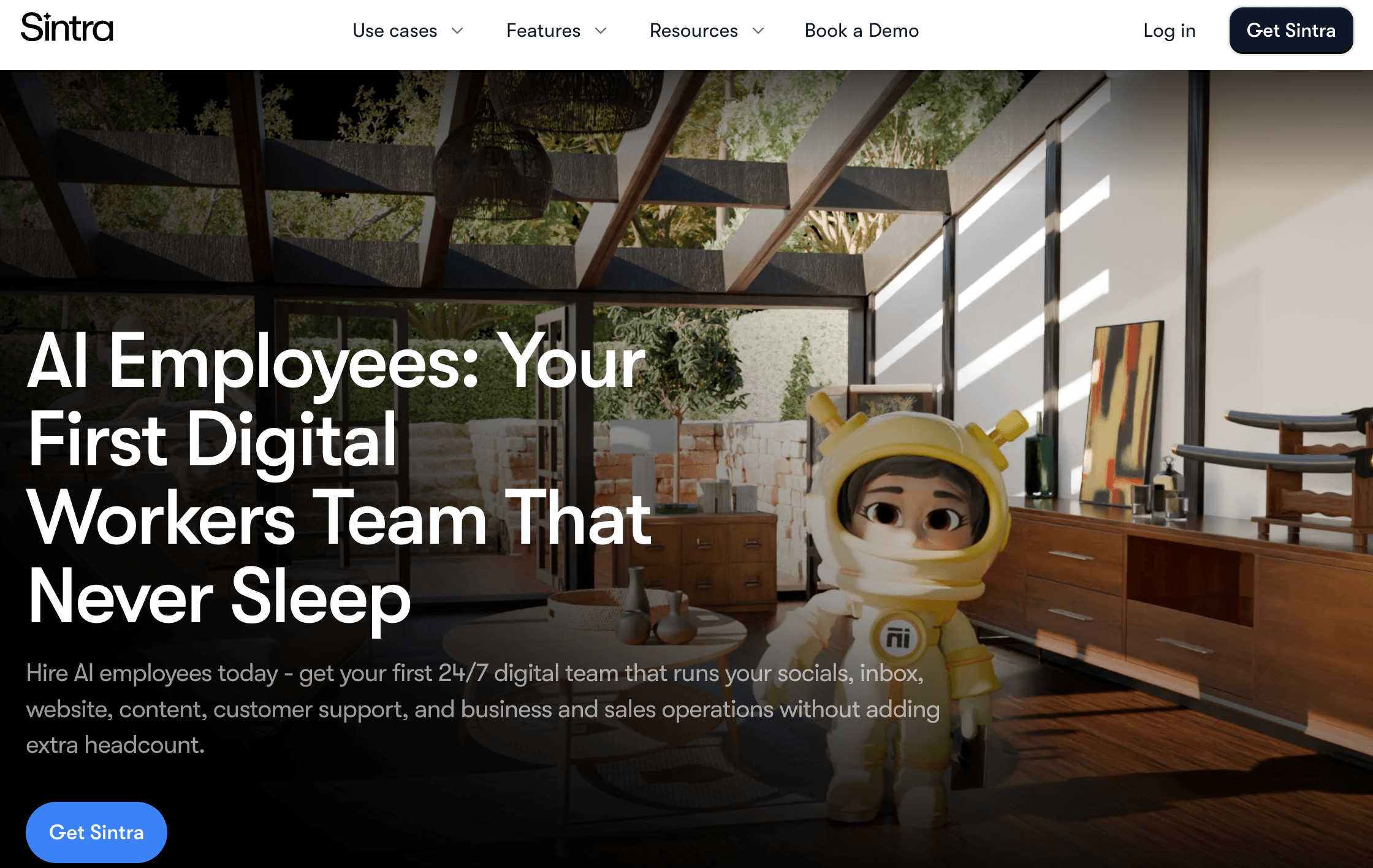
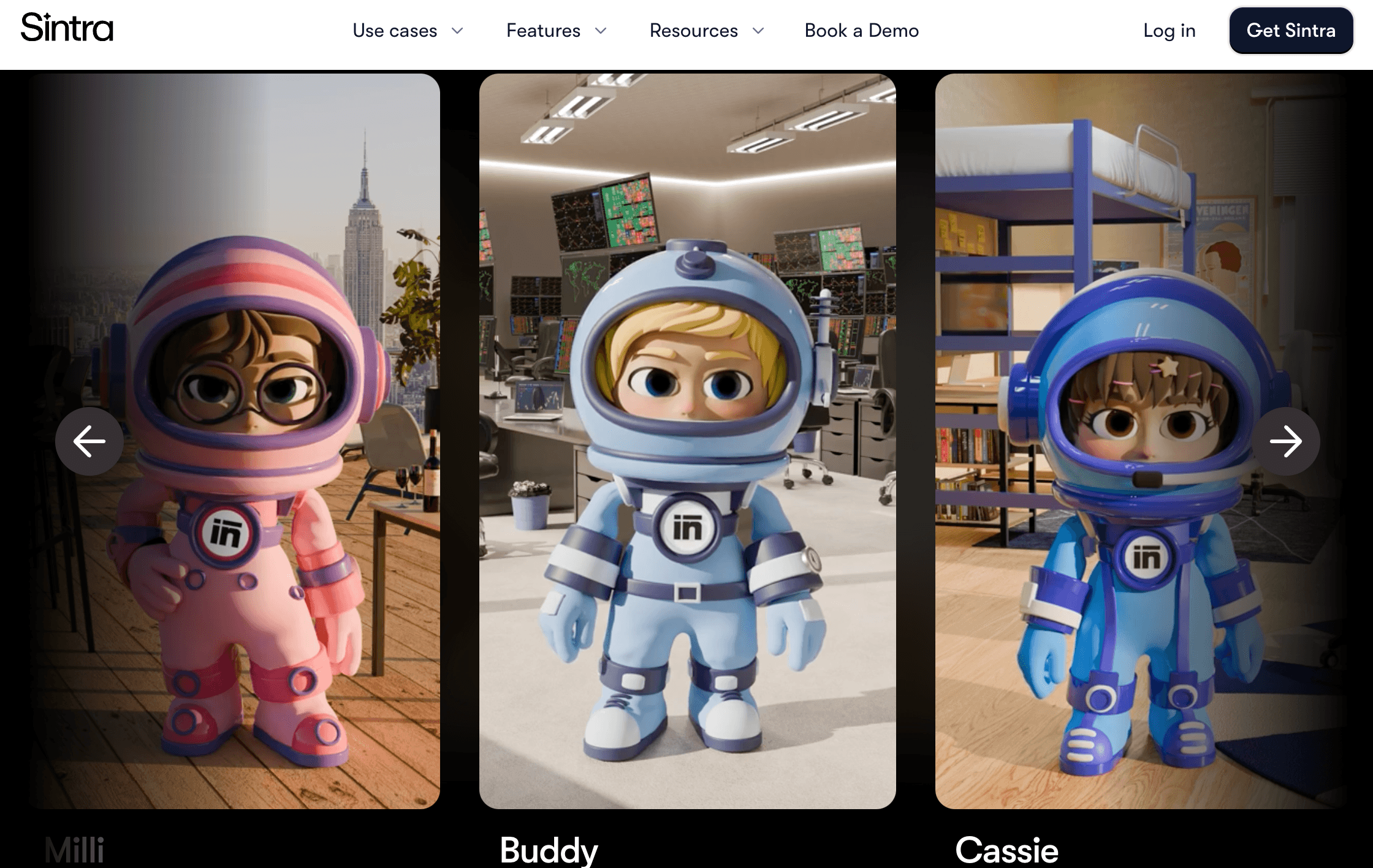
Sintra AI is a browser-based platform built around the idea of “AI employees” rather than a single chat window. Instead of typing prompts into one blank box and hoping for a relevant answer, you assign work to a specific named helper — Milli for sales outreach, Seomi for SEO, Cassie for customer support, Soshie for social media, and eight others — each pre-loaded with role-specific knowledge and its own visual identity in the interface. The idea is that a specialist helper produces more usable output than a generalist chatbot asked to context-switch between roles all day.
Underpinning all 12 helpers is Brain AI, a shared knowledge layer where you upload brand guidelines, documents, website URLs, and files so every helper can produce on-brand, context-aware output rather than generic text. Agencies and multi-brand operators can also set up separate workspaces, each with its own Brain AI profile, assets, and helper configuration — useful if you’re running Sintra across several clients or ventures at once. Sintra also runs on a credit system: every plan includes 250 credits a month, and those credits are spent on chatting, generating images, running scheduled tasks, and firing off integrations, regardless of which helper is doing the work.
On the credibility side, Sintra carries a Trustpilot presence in the thousands of reviews with a headline score generally reported between 4 and 4.6 out of 5 — a strong average, though one that sits alongside a real, recent cluster of one-star complaints tied specifically to a shift from an older “unlimited helpers” promise toward the current metered credit model. That divergence between the strong average and the pointed recent complaints is worth knowing before you buy, and we’ll unpack it in the Limitations section below.
It’s also important to understand what Sintra is not. As of 2026, several independent reviewers report that Sintra’s helpers primarily draft and suggest rather than natively execute — meaning in many workflows you’re copying AI-generated content into the tool that actually publishes it, rather than watching Sintra post, send, or update systems on its own. Sintra’s own marketing and mobile app listings do describe some native automation (auto-posting social content, automated email replies), so the honest read is that execution capability varies by helper and workflow — confirm what a specific helper can do natively before assuming it replaces a dedicated automation tool.
Why Sintra AI Stands Out in 2026
Role-based helpers beat a blank chatbox: Rather than one AI trying to be everything, each of Sintra’s 12 helpers stays in its lane — Milli understands sales context, Seomi understands SEO, Cassie understands support tone. Reviewers consistently describe this as producing more usable, less generic output than a single general-purpose assistant asked to switch roles mid-conversation.
Brain AI actually gets smarter with use: The shared knowledge system learns your brand voice, files, and preferences over time, so output improves the longer you use it — a real advantage over tools that start from a blank slate in every session.
No prompt engineering required: Sintra is built for non-technical founders and solopreneurs. You describe what you need in plain language and the relevant helper handles it — there’s no learning curve around advanced prompting or technical setup.
Genuinely broad functional coverage: Between sales (Milli), SEO (Seomi), support (Cassie), copywriting (Penn), social (Soshie), email marketing (Emmie), data (Dexter), recruiting (Scouty), e-commerce (Commet), business development (Buddy), virtual assistance (Vizzy), and personal productivity (Gigi), Sintra covers more distinct business functions from one subscription than almost any competitor in its price range.
Multi-brand workspaces for agencies: Agency owners and serial entrepreneurs can spin up separate, secure workspaces for each client or venture, each with its own brand profile and knowledge base — a feature that plenty of comparable tools simply don’t offer.
Aggressive promotional pricing: While the standard rate is $97/month for the full Sintra X plan, the brand runs frequent sales that drop the effective monthly cost as low as roughly $15.60–$23.60 on annual commitments — a price point that undercuts hiring even part-time freelance help for the same range of tasks.
Strong social proof at scale: With reportedly over 50,000 users and thousands of Trustpilot reviews, Sintra has real market traction rather than being a niche or unproven product — it’s become one of the go-to names whenever “best AI executive assistant” or “AI employees” comes up in search.
Key Features and Technology
Sintra’s platform is organized around a few core pillars: the 12 helpers themselves, the shared Brain AI knowledge layer, the credit-based usage system, and workspace management for multi-brand use. Here’s how each actually works.
The 12 Named AI Helpers
Sintra’s roster covers: Milli (Sales Manager — cold outreach, prospecting emails, negotiation scripts), Seomi (SEO Specialist — keyword research, on-page audits, ranking checks), Cassie (Customer Support — ticket replies, tone fixes, inbox automation), Penn (Copywriter — blog posts, landing pages, ad copy), Soshie (Social Media Manager — content calendars, captions, AI image generation and scheduling), Emmie (Email Marketing — campaigns, sequences, automation), Dexter (Data Analyst — reports, forecasts, performance summaries), Vizzy (Virtual Assistant — scheduling, notes, image generation, trip planning), Buddy (Business Development), Commet (eCommerce — listings, promotions, storefront tasks), Scouty (Recruiter — job descriptions, CV screening, interview planning), and Gigi (Personal Growth — goal-setting, routines, focus). Each helper has a distinct color and avatar in the interface so it’s easy to tell at a glance who you’re talking to.
Brain AI: The Shared Knowledge Layer
Brain AI is Sintra’s central memory system. You feed it documents, PDFs, website URLs, brand guidelines, and SOPs, and every helper draws on that same context when generating output — meaning a request to Penn for a landing page and a request to Emmie for a launch email should both reflect the same brand voice and facts, without you re-explaining your business each time. The more material you feed it, the more consistent and on-brand the output becomes across all 12 helpers.
The 250-Credit System
Every Sintra plan — Individual or Sintra X — includes 250 credits a month, described in Sintra’s own materials as “energy bars that power helpers.” Chatting, generating an image, running a scheduled task, and using an integration all draw from the same shared pool. This is the mechanic that decides whether Sintra feels generous or restrictive: light, occasional use across a few helpers fits comfortably inside 250 credits, but reviewers who lean on Sintra heavily — daily content generation, frequent SEO checks, active social scheduling — report burning through the entire monthly allocation in as little as two to three days.
Integrations and Workspaces
Sintra connects to common business tools including Gmail, Google Calendar, Google Drive, Notion, LinkedIn, and Instagram, with some listings citing a much broader claimed catalog of 1,000+ app integrations — a figure that comes from Sintra’s own vendor materials and hasn’t been independently verified in third-party testing, so treat it as marketing until confirmed on your own account. For agencies or anyone running multiple ventures, workspaces let you keep each brand’s helpers, Brain AI data, and assets fully separate.
Pricing, Plans, and Package Structure
Sintra has no permanently free tier, and reviewers note it does not offer a traditional free trial — instead, purchases are backed by a 14-day money-back guarantee. There are two core plan structures: a single Individual Helper plan, and the full Sintra X bundle covering all 12 helpers. Both are frequently discounted through seasonal and first-time-user promotions, so the price you’re quoted on the pricing page can vary significantly from the standard rate below.
| Product | Price (USD) | What It Is | Best For |
|---|---|---|---|
| Individual Helper | $39/month | One helper of your choice + 250 monthly credits | Solo users needing just one function (e.g. only social or only SEO) |
| Sintra X (Monthly) | $97/month | All 12 helpers, Brain AI, 90+ Power-Ups, 250 monthly credits | SMBs and agencies wanting broad, all-in-one AI coverage |
| Sintra X (Annual) | ~$54/month, billed yearly | Same Sintra X plan at a reduced annual rate | Users confident they’ll stick with Sintra long-term |
| Sintra X (Promotional) | As low as ~$15.60–$23.60/month (limited-time) | Full Sintra X plan during active seasonal sale campaigns | Budget-conscious first-time subscribers watching for a sale |
| Credit top-ups / upgrade | Variable — confirm on site | Additional credits or a higher tier once the 250 monthly credits run out | Heavy users who regularly exceed the monthly credit cap |
How Sintra AI Compares to Alternatives
| Factor | Sintra AI | Lindy AI | Dume AI |
|---|---|---|---|
| Core model | 12 fixed, role-based helpers | One customizable AI agent / executive assistant | One assistant reachable via browser, WhatsApp, or phone |
| Entry price | $39/mo (1 helper) or $97/mo (all 12) | $49.99/mo (Plus) | Free forever tier, paid plans from $8/mo |
| Custom agent building | No — fixed helper roles only | Yes — build agents in plain English | Narrower — one assistant, not custom-built |
| Task execution | Mostly drafts/suggests; some native automation varies by helper | Executes across 3,000+ integrations, including web navigation | Executes end-to-end across 50+ tools (Google Workspace, Notion, Jira, Slack) |
| Usage model | 250 shared credits/month across all helpers | Unpublished usage quota; compute-based credit burn on complex tasks | Tiered plans by usage volume |
| Functional breadth | Very broad — sales, SEO, support, content, data, HR, e-commerce | Broad, but centered on inbox, calendar, meetings, outreach | Narrow — inbox, calendar, and briefing-focused |
| Best for | Solo founders wanting many roles covered in one place | Users who want custom, actually-executing automations | Budget users wanting a lightweight, multi-channel EA |
vs. Lindy AI: Lindy is a customizable agent-builder — you describe a workflow in plain English and Lindy actually executes it across thousands of integrations, including navigating websites and making calls. That execution depth is Lindy’s strength and Sintra’s acknowledged weak point, but it comes at a higher entry price and a genuinely confusing, compute-based credit system where a single automated phone call can burn through hundreds of credits. If you need work done, not just drafted, Lindy is the stronger pick; if you want broad, low-effort coverage across many business functions without building anything yourself, Sintra is simpler.
vs. Dume AI: Dume takes the opposite approach to Sintra’s breadth — one assistant, reachable from your browser, WhatsApp, or a phone call, focused tightly on inbox, calendar, and daily briefings, with a free-forever tier and paid plans starting at just $8/month. It genuinely executes tasks end-to-end rather than mostly drafting, but it doesn’t attempt to cover the wide range of business functions Sintra’s 12 helpers span. Choose Dume if your real need is a lean executive assistant; choose Sintra if you want one subscription to touch sales, content, SEO, and support all at once.
vs. hiring specialized tools separately: Sintra’s own comparisons note that assembling equivalent coverage from standalone tools — a writing tool, an SEO platform, a social scheduler, a support inbox — would typically cost well more per month than Sintra X’s $97 rate, let alone its discounted price. That math holds up reasonably well for founders who need shallow coverage across many functions, but breaks down the moment any single function needs deep, high-volume, specialist-grade output.
Pros and Cons
What Users Love
Genuine time savings across many small tasks: The most common praise across Trustpilot is relief from juggling content, emails, and social posts — users describe Sintra as “opening their eyes to new ideas” and helping them overcome blank-page syndrome across multiple functions at once.
Specialized helpers feel more useful than a generic chatbot: Reviewers repeatedly single out the role-based approach — Milli for sales, Seomi for SEO — as producing more usable, on-target output than a blank-slate assistant that has to be told what role to play every time.
Fast, low-friction onboarding: Setting up Brain AI, picking a helper, and getting first output takes minutes, with no prompt engineering or technical setup required — a genuine advantage for non-technical solo founders.
Output improves with use: Because Brain AI accumulates brand context over time, long-term users report noticeably better, more personalized output the longer they stick with the platform.
Strong value at promotional pricing: At sale rates near $15.60–$23.60/month, reviewers consistently describe the breadth of coverage as a clearly good deal relative to hiring even part-time help for the same range of tasks.
Real multi-brand utility for agencies: Reviewers running multiple client accounts or ventures specifically call out the workspace system as letting them keep brand voice, files, and helpers cleanly separated per client.
Limitations Worth Knowing
The 250-credit cap is the top complaint: Because every helper draws from the same shared pool, heavy users report burning through the entire monthly allocation in as little as two to three days. This is the most consistent frustration in reviews, and it directly limits how “unlimited” the AI-team promise really feels in practice.
A vocal cluster of “bait-and-switch” complaints: Sintra’s Trustpilot page carries a recent wave of angry reviews from long-time users who describe purchasing annual “unlimited helpers” plans and later being shifted onto the metered credit system without a refund for remaining time. This is a real, documented pattern worth weighing against the platform’s otherwise strong average rating — and a reminder to read current terms carefully before an annual commitment.
Refund terms don’t cover everything: The 14-day money-back guarantee is a genuine protection, but several reviewers report it does not extend to separately purchased credit top-ups — meaning if you top up and then decide to leave, that additional spend is typically non-refundable.
No custom agents or workflow chaining: Unlike agent-builder platforms, Sintra doesn’t let you design your own multi-step automations across tools — you’re limited to the 12 predefined helper roles. Advanced automation needs will hit this ceiling quickly.
Depth doesn’t match dedicated tools: Independent testers are consistent on this point — Seomi’s SEO audits are “not as detailed as a full Ahrefs audit,” and no single helper is built to replace a purpose-built platform in its category. Marketing professionals or teams needing expert-grade depth in any one function will likely outgrow Sintra fast.
Mixed support and access complaints on Reddit: While Trustpilot skews strongly positive, some Reddit discussion reports friction accessing the platform post-purchase and slower-than-expected customer support responses — a reminder to cross-reference more than one review source before committing.
Who Should Use Sintra AI
Solo founders and solopreneurs: This is Sintra’s clearest sweet spot. If you’re wearing every hat in the business and need light, bursty help across sales copy, SEO, support replies, and social captions, the breadth of 12 helpers under one subscription is hard to match at this price.
Small agencies managing multiple clients: The multi-brand workspace system makes Sintra genuinely practical for agencies juggling several client accounts, each with distinct brand voice and assets.
Non-technical business owners: If prompt engineering, agent-building interfaces, or automation platforms feel intimidating, Sintra’s plain-language, role-based interface is built specifically for that comfort level.
Budget-conscious buyers willing to wait for a sale: Given how frequently Sintra discounts, buyers who track for a promotional window and commit at the reduced annual rate get meaningfully more value than paying the $97/month standard rate.
Who should look elsewhere: High-volume content teams, marketing professionals needing real SEO or analytics depth, and anyone who needs an AI tool to actually execute multi-step automations across systems will hit Sintra’s limits fast. For those cases, a dedicated agent-builder like Lindy, or purpose-built tools in each specific function, will serve better despite the higher combined cost.
Getting Started: Step by Step
- Decide between Individual and Sintra X. If you genuinely only need one function — say, just social content — the $39/month Individual Helper plan is cheaper. If you’ll touch two or more functions in a normal month, Sintra X’s $97/month (or discounted rate) works out cheaper than stacking multiple Individual plans.
- Wait for or search out a promotional rate. Before subscribing at the standard price, check for an active sale — Sintra runs frequent promotions that can cut the effective monthly cost by more than half.
- Build out Brain AI first. Upload your brand guidelines, key documents, and website URL before assigning your first task — every helper’s output quality depends directly on how much context Brain AI has to work with.
- Start with one or two helpers, not all twelve at once. Pick the two functions costing you the most time — commonly content and social, or SEO and support — and learn how quickly they consume your 250 monthly credits before spreading usage across every helper.
- Track credit burn for two weeks. Before committing to an annual plan, monitor exactly how fast your real workload consumes the monthly credit allocation, since that number — not the sticker price — determines whether Sintra is actually good value for you.
- Set up workspaces if managing multiple brands. Agencies and multi-venture founders should create a separate workspace per brand from day one, rather than mixing brand voices inside a single Brain AI profile.
Tips for Getting Maximum Value
Treat the 250 monthly credits as the real budget you’re managing, not the dollar price — spend a few minutes early on figuring out which tasks (chatting, image generation, scheduled tasks, integrations) burn credits fastest for your workflow, and route heavy, repetitive work to the cheapest method available. Feed Brain AI generously and revisit it periodically as your brand evolves, since stale brand context is one of the fastest ways to get generic, off-tone output from any of the 12 helpers. If you’re testing the waters, start on the monthly Individual or Sintra X plan rather than committing to annual billing immediately, so a credit shortfall doesn’t lock you into a full year at a rate that doesn’t match your actual usage. Watch for seasonal sales — Sintra’s pricing swings widely between full price and promotional rates, so timing a purchase around an active discount is one of the simplest ways to improve the platform’s overall value. And keep the refund window front of mind: request a refund inside the 14-day guarantee if the fit isn’t right, since top-up purchases made after that window typically aren’t covered.
Future Outlook and Final Assessment
The “AI employees” category Sintra helped popularize is only getting more crowded in 2026, with agent-builder platforms like Lindy pushing toward genuine task execution and leaner, cheaper assistants like Dume competing on price and focus. Sintra’s differentiator — broad, role-based coverage from one non-technical interface — remains genuinely useful, and Brain AI’s ability to accumulate brand context over time is a real long-term advantage as usage compounds. But the shift from an earlier unlimited-usage promise to the current 250-credit model has left a visible scar in the review base, and it’s a signal worth taking seriously about how the platform’s economics may continue to evolve.
The honest caveats stand: the shared credit pool is restrictive for heavy users, execution depth trails dedicated automation platforms, and a real minority of long-time customers feel the pricing model changed under them. Within those boundaries, though, Sintra remains one of the most accessible ways for a solo founder to get broad, specialized-feeling AI help across sales, content, support, and SEO from a single subscription — provided you go in with realistic expectations about the credit ceiling and confirm current pricing and terms before you commit.
Conclusion
Sintra AI isn’t trying to be one deep AI expert — it’s trying to be a whole small team of shallow specialists, and for the right buyer, that trade-off works well. By pairing 12 role-based helpers with a shared, brand-aware Brain AI, it removes a lot of the friction of juggling separate tools and subscriptions for solo founders and small agencies. It rewards buyers who track their credit usage and time their purchase around a promotion, and it’s not the right call for anyone needing deep, high-volume output in a single function or genuine multi-step automation. Confirm the current promotional price, read the credit-cap terms closely, and Sintra can take a meaningful amount of scattered daily work off a founder’s plate for less than the cost of a single freelance hire.
Ready to build your own AI-powered team?
Explore more honest reviews, tutorials and tech comparisons to find the right tools for the way you work, build and grow — at World Of Tech, where we make everything easy.
👉 Shop Sintra AI: https://worldoftech.space/sintra
👉 Our YouTube Channel: youtube.com/@world_tech79
👉 Our Facebook Fanpage: Facebook
👉 Our X (Twitter): @worldoftech79
Pricing, specifications and policy details in this review were verified against sintra.ai and independent review sources (including Trustpilot, vendor comparison sites and hands-on reviewer testing) as of July 2026. AI SaaS pricing and promotional discounts change frequently, so confirm current details on the official site before purchasing. Competitor prices are approximate and subject to change.





