
AI video generation has gone from novelty to near-daily creative tool in the space of two years, and Hailuo AI — the consumer video app built by Shanghai-based MiniMax — is one of the names that keeps coming up in that conversation. It turns a single photo or a short text prompt into a several-second clip with camera movement, physics-aware motion, and increasingly cinematic lighting, and it’s earned a reputation as one of the faster, cheaper entry points into the category. It has also earned a second reputation: a pile of billing and support complaints that are hard to ignore. Both things can be true about the same product, and untangling them is the point of this 2026 review.
We looked at what Hailuo AI actually does well on the model side, where its credit-based pricing quietly costs more than it appears to, what independent reviewers and Trustpilot users report about the account and billing experience, and how it stacks up against Kling AI and Runway, its two closest rivals. If you’re deciding whether to trust a monthly card charge to this platform, this 2026 review walks through everything you need to know before you commit.
Hailuo AI Review 2026: Fast, Cheap AI Video With a Billing Problem
Overview and Background
Hailuo AI is the consumer-facing video and image generation product of MiniMax, an AI company founded in December 2021 by computer vision researchers with backgrounds at SenseTime, one of China’s most established AI labs. The company builds multimodal models spanning text, video, image, audio and music, and in January 2026 it completed a high-profile IPO on the Hong Kong Stock Exchange, raising roughly $619 million at a reported $4 billion valuation with backing from investors including Tencent and Alibaba. That capital and research depth show up directly in the product: Hailuo’s underlying video model, Hailuo 02, has placed near the top of independent benchmark leaderboards, including a #1 ranking for physics simulation accuracy on WorldModelBench and a top-two global placement on Artificial Analysis’s video model rankings.
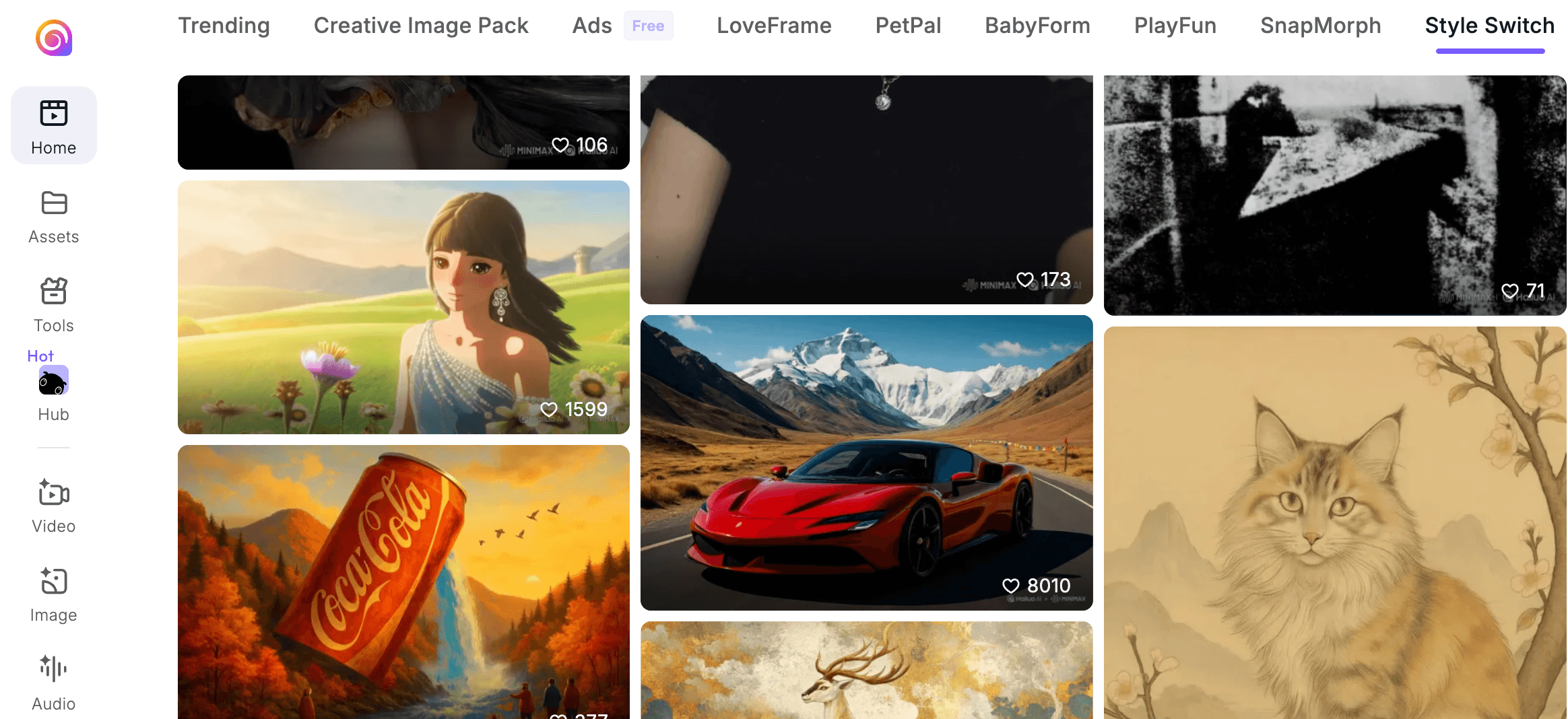
The platform at hailuoai.video covers text-to-video, image-to-video, a start/end-frame mode for controlling how a clip opens and closes, an image generator, an audio branch shared with MiniMax’s broader suite, and a newer “Hailuo Agent” workflow layer. Around the core generator sits a library of trend-driven templates — dance videos, pet animations, baby content, meme generators, cinematic style transfers, ASMR clips — clearly aimed at short-form social content rather than professional production. An affiliate program and a creator partnership program round out the ecosystem, both aimed at growing the user base through influencers and referral content rather than paid advertising alone.
MiniMax operates several regional and legacy domains for the same underlying product — hailuoai.video, hailuo.ai, hailuoai.net, and a handful of others — a fragmentation that has itself become a minor source of user confusion, since it means separate Trustpilot listings, separate login flows in some cases, and occasional uncertainty about which domain is the “real” one for billing support. For this review, we treated hailuoai.video, the domain most commonly linked from MiniMax’s own marketing and social channels, as the canonical product, while still drawing on user feedback left across the other domains where it clearly describes the same underlying service and billing system.
Why Hailuo AI Stands Out in 2026
Genuinely strong physics modeling: Hailuo’s video model ranks #1 for physics simulation accuracy on WorldModelBench, an independent evaluation suite, which shows up in practice as more believable collisions, cloth movement, hair motion and weight than many rival models produce at similar price points.
Among the fastest generation speeds in class: Clips typically render in 30 to 90 seconds, which is noticeably quicker than Google Veo or the discontinued Sora consumer app and roughly on par with Runway’s fastest turbo mode.
Natural image-to-video animation: Uploading a portrait, product photo or illustration and animating it with subtle, realistic camera and subject motion is where Hailuo consistently draws praise from hands-on reviewers, making it a popular pick for product showcases and mood-board style social clips.
Low technical barrier to entry: There’s no timeline, no keyframes, no layers to learn. You write a prompt or upload an image, and the interface gets out of the way, which makes it approachable for creators who have never touched a video editor.
Competitive entry-level pricing: The Standard plan undercuts Runway’s entry tier by a meaningful margin, and Hailuo’s pay-as-you-go API access through aggregators like fal.ai can beat subscription pricing entirely for anyone generating under roughly three dozen 1080p clips a month.
Character and style consistency tools: Subject-reference generation helps keep a character’s appearance stable across multiple clips, a feature that matters for anyone building a short-form series or branded content sequence rather than one-off clips.
A trend-content library that saves setup time: Templates like LoveFrame, PetPal, BabyForm and PlayFun package popular social-video formats into one-click starting points, which is useful for creators chasing short-form trends without wanting to reverse-engineer a viral prompt themselves.
Key Features and Technology
Hailuo’s toolset is organized around a handful of generation modes plus a growing layer of packaged, trend-specific tools. On the model side, the underlying architecture is what MiniMax calls Hailuo 02, a video diffusion model trained with a particular emphasis on physical plausibility — how cloth drapes, how liquids move, how weight shifts when a subject turns — which is the technical reason it scores so well on physics-focused benchmarks rather than pure visual fidelity ones. That distinction matters in practice: a Hailuo clip may not always look as glossy as a top-tier Veo render, but it’s less likely to show the floating, weightless motion that breaks immersion in generated video. Here’s what actually matters inside each part of the toolset.
Text-to-Video and Image-to-Video
The core generator accepts either a natural-language prompt or an uploaded still image and produces a short clip, typically capped at six seconds per generation at standard settings. Output resolution scales from 512p base renders up to 1080p “premium” renders, with the credit cost climbing sharply at each resolution step — a detail that matters more than it sounds like it should, covered in the pricing section below.
Start/End Frame Control
This mode lets you specify how a clip begins and ends by supplying two reference frames, giving more directorial control than a single text prompt allows. It’s particularly useful for transition effects, product reveals, or stitching a sequence of generated clips together with a consistent visual thread. In hands-on testing by third-party reviewers, this mode is described as one of the more reliable ways to reduce the “random result” feeling that plagues pure text-to-video prompting, since anchoring both ends of the clip gives the model far less room to drift from what the creator actually wants.
Hailuo Agent and Image Generation
Hailuo Agent is MiniMax’s newer attempt at a more automated, multi-step creative workflow inside the same account, while the standalone image generator and audio tools (shared with the broader MiniMax product suite) let creators build a full short-form asset — image, animated clip, and voice or music — without leaving the platform. This matters most for solo creators and small teams who would otherwise need to bounce between three or four separate subscriptions to assemble a finished short-form video; consolidating image generation, animation and audio under one account and one credit pool is a genuine convenience, even if each individual component isn’t necessarily best-in-class on its own.
Trend Templates and Tools Tab
A dedicated Tools tab packages popular social formats — pet dance videos, baby content, meme generators, cinematic relighting, ASMR-style clips, and photo-transformation effects — into guided one-click flows. This is where casual users are most likely to spend their credits, and it’s a smart onboarding funnel, though it’s worth remembering these still draw from the same credit pool as manual prompts.
Pricing, Plans, and Package Structure
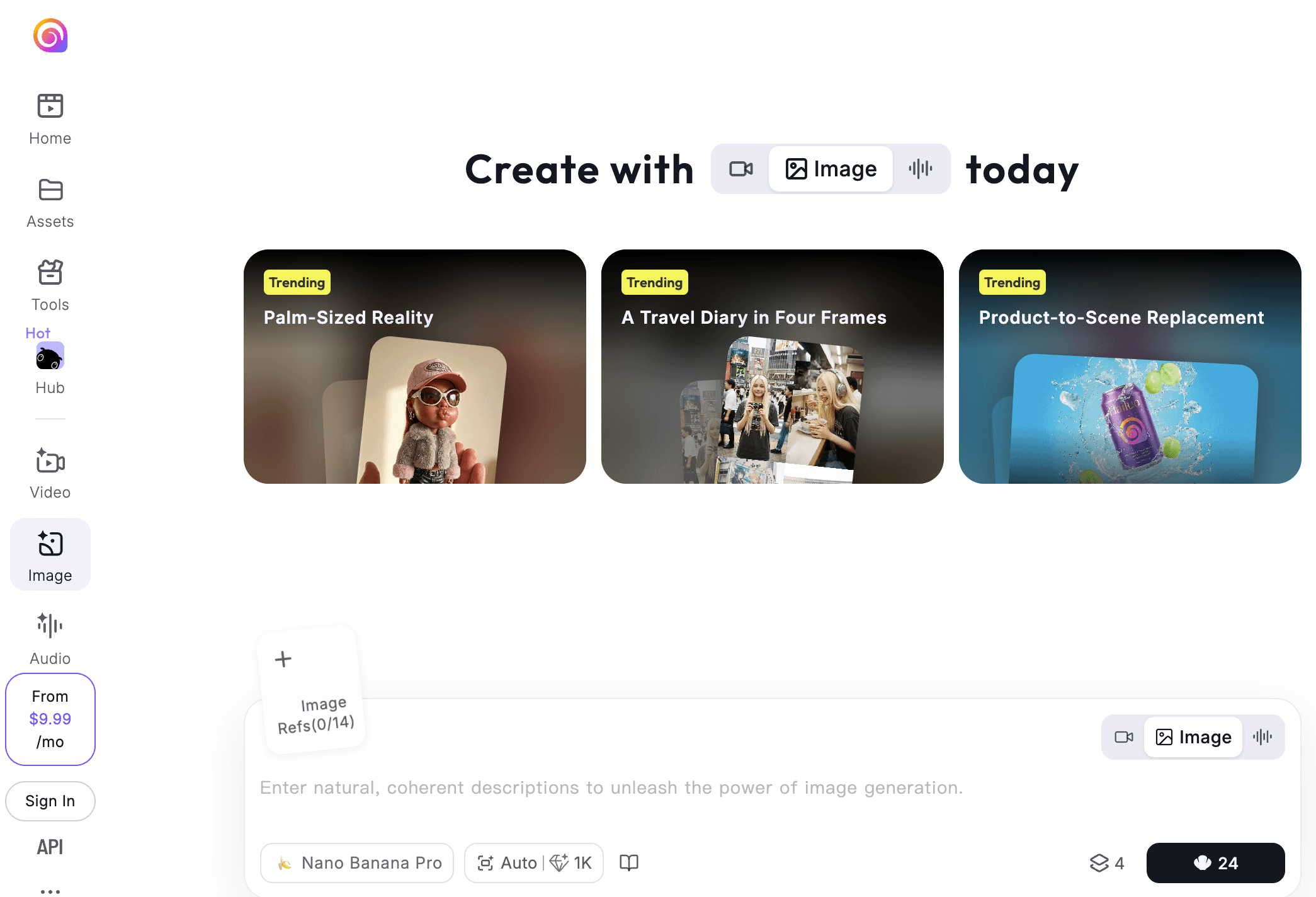
Hailuo AI runs on a credit-based subscription model across roughly five tiers, from a free trial plan up to a $199.99/month Max tier. Every paid plan removes the watermark and grants commercial usage rights. The structure has been reworked more than once since launch, and figures below reflect the pricing reported as current through mid-2026 — treat all numbers as approximate and confirm on the official site before subscribing, since promotional discounts (commonly 47–49% off annual billing) are frequently in effect.
The part of this pricing structure that trips up new subscribers isn’t the sticker price on any individual tier — it’s the credit-to-video conversion rate, which scales non-linearly with resolution. A base 512p, six-second render costs around 12 credits, while a premium 1080p or “Cinematic” render can run 50 to 80 credits for the same clip length. That means the headline number on a plan (say, 1,000 credits on Standard) can look generous until you realize it only funds around 12 to 40 usable 1080p clips a month, depending on your failure rate. Annual billing knocks the effective monthly cost down meaningfully across every paid tier, but it also locks you into a longer commitment on a platform where cancellation and refund complaints are one of the most consistent themes in user feedback — worth weighing before choosing yearly over monthly.
| Plan | Price | What It Is | Best For |
|---|---|---|---|
| Free | $0 | A small daily/trial credit pool, roughly 4–8 test videos, capped at 768p with a watermark and low queue priority | Testing the model before spending anything |
| Standard | ~$9.99/mo (1,000 credits) | Watermark removed, commercial rights, 1080p unlocked at a steep credit cost | Casual creators making a few clips a week |
| Pro | ~$34.99/mo (4,500 credits) | More monthly headroom for higher-resolution renders and re-generations | Regular content creators posting weekly |
| Master | ~$63.99/mo | Higher credit allowance and generation priority | Professional creators with high-volume needs |
| Max | ~$199.99/mo (20,000 credits) | Top-tier credit pool, roughly $0.15 per 1080p video at full volume | Studios and agencies with high-volume production |
How Hailuo AI Compares to Alternatives
| Factor | Hailuo AI | Kling AI | Runway |
|---|---|---|---|
| Entry price | ~$9.99/mo | ~$6.99–$10/mo (approx.) | ~$12–$15/mo (approx.) |
| Generation speed | 30–90 seconds, fastest in class | Roughly 60–90 seconds | Fast, ~30–60s in turbo mode |
| Strength | Physics accuracy, image-to-video, speed | Human subjects, motion quality, clip length | Editing suite, multi-model access, workflow control |
| Support quality | Email + Discord only; slow, templated responses reported | Standard SaaS support channels | More established enterprise support |
| Trustpilot signal | ~1.5/5, billing complaints dominate | Similarly low across AI video category | Mixed, fewer billing-specific complaints |
| Best for | Budget-conscious social creators wanting fast, physics-accurate clips | Creators prioritizing realistic people and longer clips | Professionals wanting one subscription across several AI models |
Hailuo vs. Kling: Kling AI is Hailuo’s closest rival on price and audience, and independent reviewers generally rate Kling ahead on human-subject realism and maximum clip length, while giving Hailuo the edge on physics accuracy and raw generation speed. Both carry similarly rough Trustpilot reputations in the AI-video category as a whole, so neither wins cleanly on trust.
Hailuo vs. Runway: Runway costs more but delivers a genuinely different product — a full editing suite with motion tracking, style transfer and multi-model access (including Kling and Veo inside the same subscription) rather than a single-model generator. For creators who want to composite, grade and finish inside one tool, Runway’s higher price buys real capability; for those who just want a fast clip out of a prompt or photo, Hailuo’s lower entry point is the more efficient choice.
One trend worth flagging: several 2026 industry write-ups note that heavier users are increasingly consolidating onto “hub” platforms — tools like Runway or third-party API aggregators that bundle access to Hailuo, Kling, Veo and others under one subscription or pay-per-second bill, rather than juggling separate accounts and separate credit pools for each generator. If you expect to outgrow a single-model tool, it’s worth weighing a hub approach from the start rather than migrating later.
Pros and Cons
What Users Love
Cinematic, physics-accurate motion: Reviewers consistently point to Hailuo’s lighting and physical realism as a step above budget-tier competitors, even from simple prompts.
Excellent for image-to-video work: Portraits, product shots and illustrations animate with subtle, believable camera movement, a use case where Hailuo is repeatedly rated above average.
Very fast turnaround: 30–90 second render times mean far less waiting per iteration than several rival tools, which matters when a prompt needs several passes.
Low learning curve: Prompt in, clip out — no editing software knowledge required, which opens the tool up to complete beginners.
Real free tier: Unlike tools that gate every feature behind a card number, Hailuo’s free plan lets you generate a handful of watermarked clips with no payment details required upfront.
Strong value for anime and stylized work: Reviewers specifically call out Hailuo as one of the better budget options for anime-style and non-photorealistic content, a niche where several higher-priced competitors underperform.
Limitations Worth Knowing
Widespread billing complaints: Trustpilot listings for Hailuo’s various domains sit in a consistently poor range — roughly 1.4 to 1.7 out of 5 across dozens of reviews — with recurring reports of charges continuing after cancellation, trial periods converting to paid without clear warning, and duplicate charges on the same billing cycle. Anyone subscribing should screenshot the cancellation confirmation and monitor the next billing date closely.
Failed generations still cost credits: Community reports describe failure rates around 30–50% on complex, multi-subject prompts, and those credits are not automatically refunded, which meaningfully raises the real cost per usable clip beyond the sticker price.
Thin customer support: There’s no live chat, no phone line, and no self-service billing portal. Support runs through email and Discord, and independent testers who filed support tickets reported multi-day response times and templated replies that didn’t resolve the specific issue.
Strict, inconsistent content filtering: The moderation system has flagged innocuous prompts — certain proper nouns and everyday objects among them — as policy violations, which can be frustrating when a legitimate creative idea gets rejected without clear explanation.
Short clip length: Standard generations top out around six seconds, so longer narrative sequences require stitching multiple clips together rather than generating one continuous shot.
Multiple lookalike domains: Because MiniMax operates the same product across several domains (hailuoai.video, hailuo.ai, hailuoai.net and others), it’s worth double-checking that you’re on the official site before entering payment details, since brand fragmentation like this is also a pattern scam mirror sites tend to exploit.
Who Should Use Hailuo AI
Social-first creators on a budget: If your priority is fast, physics-accurate short clips for Reels, TikTok or Shorts and you’re comfortable managing credits carefully, Hailuo’s entry-level pricing and speed make it a practical fit.
Product and e-commerce marketers: Turning still product photography into subtle animated shots is one of Hailuo’s genuine strengths, and it’s a low-cost way to add motion to a catalog without a video shoot.
Developers already comfortable with APIs: Accessing Hailuo through fal.ai rather than the consumer subscription sidesteps most of the billing friction described above while unlocking more generation control.
Anime, stylized and physics-heavy content creators: Hailuo’s benchmark-leading physics simulation and anime-friendly rendering make it a strong pick for these specific niches over more photorealism-focused competitors.
Trend-chasing short-form creators: If your content strategy revolves around riding viral video formats — dance transitions, pet content, transformation effects — the built-in template library removes most of the prompt-engineering guesswork.
Who should look elsewhere: anyone who has been burned by subscription billing before, needs bulletproof customer support, or produces longer-form, human-centered narrative video should weigh Kling AI or Runway more heavily — both carry stronger reputations in at least one of those specific areas, even if neither is spotless. Agencies or brands billing client work through the platform should also think twice, since an unresolved billing dispute or a multi-day support delay is a harder problem to explain to a client than to absorb personally.
Getting Started: Step by Step
- Create a free account. Sign up at hailuoai.video with no payment details required and confirm your trial credit balance in the account panel.
- Test with low-cost settings first. Run several prompts at 768p or the “Fast” render mode before spending higher-cost credits on 1080p output.
- Try both text-to-video and image-to-video. Upload a still image to see the image-to-video results, since this is where Hailuo tends to perform best.
- Compare the credit math against your actual usage. Estimate how many clips you’ll realistically generate per month, then compare the Standard plan’s cost-per-video against the fal.ai API rate.
- If you upgrade, screenshot your plan and billing date. Given the billing complaint pattern on Trustpilot, keep a record of your subscription tier, renewal date and any cancellation confirmation.
- Set a calendar reminder before renewal. Cancel or downgrade a few days ahead of the billing date rather than on it, to avoid the “charged despite cancelling” complaints reported by other users.
Tips for Getting Maximum Value
Treat every prompt as a two-stage process: draft at 768p or Fast mode to lock in composition and motion, then spend the far more expensive 1080p credits only on the version you actually plan to use, since a failed 1080p generation burns through roughly three times the credits of a failed low-resolution one. Keep prompts single-subject where possible — multi-subject scenes are where the reported failure rate climbs highest — and composite separate clips together in a lightweight editor if you need a complex scene. If your content filter rejections seem inconsistent, try rewording rather than resubmitting the same prompt, since the moderation system appears to key off specific phrasing rather than underlying intent. Finally, if your monthly output is modest — under roughly three dozen clips — actually run the numbers on the fal.ai pay-as-you-go API before committing to a recurring subscription; for lighter users it’s frequently the cheaper and lower-friction route in, since it also sidesteps the subscription cancellation issues reported by Trustpilot reviewers. And regardless of which access route you choose, save your best-performing prompts somewhere outside the platform — a simple notes document works fine — since a documented prompt library is the single biggest time-saver once you’ve learned what phrasing this specific model responds to well.
Future Outlook and Final Assessment
MiniMax’s fresh capital from its January 2026 Hong Kong IPO and its benchmark-topping model research suggest the underlying Hailuo technology will keep improving on quality and speed; the harder question is whether the surrounding product — billing clarity, refund handling, and support responsiveness — improves at a similar pace. That gap between model quality and platform trust is the single biggest variable for anyone considering a paid plan in 2026, and it hasn’t meaningfully closed over the past several review cycles.
It’s also worth watching the competitive pressure from below: Kling continues to undercut Hailuo on entry pricing while closing the gap on generation speed, and Runway’s move toward a multi-model “hub” subscription reduces the advantage of picking any single-model tool, Hailuo included. For MiniMax to keep its price-to-quality edge over the next year, resolving the support and billing friction documented across Trustpilot may matter as much to growth as any further model upgrade — a well-funded company with a technically excellent product still loses users over unresolved refund tickets and unexpected renewal charges.
For now, Hailuo AI earns a genuine recommendation on the strength of its model — fast, physically accurate, and easy to pick up — but only for users who go in with clear eyes about the billing risk and a plan to manage their subscription actively rather than passively.

Conclusion
Hailuo AI delivers genuinely impressive video generation for the money — fast, physics-aware, and simple enough for anyone to use — backed by a well-funded research team producing some of the higher-ranked video models on the market today. But the product experience around that model, particularly billing transparency and support responsiveness, has drawn consistent, credible criticism, and it’s the deciding factor for whether this tool is worth trusting with a recurring card charge. Test it free first, understand the credit math before you upgrade, and manage your subscription actively if you do commit.
Ready to try AI video generation for yourself?
Explore more honest reviews, tutorials and tech comparisons to find the right gear for the way you work, travel and live — at World Of Tech, where we make everything easy.
👉 Check Out Hailuo AI: https://worldoftech.space/hailuoai.ai
👉 Our YouTube Channel: youtube.com/@world_tech79
👉 Our Facebook Fanpage: Facebook
👉 Our X (Twitter): @worldoftech79
Pricing, specifications and policy details in this review were verified against hailuoai.video and independent review sources, including Trustpilot, as of July 2026. AI video generator pricing and features change frequently, so confirm current details on the official site before purchasing. Competitor prices for Kling AI and Runway are approximate and subject to change.





