
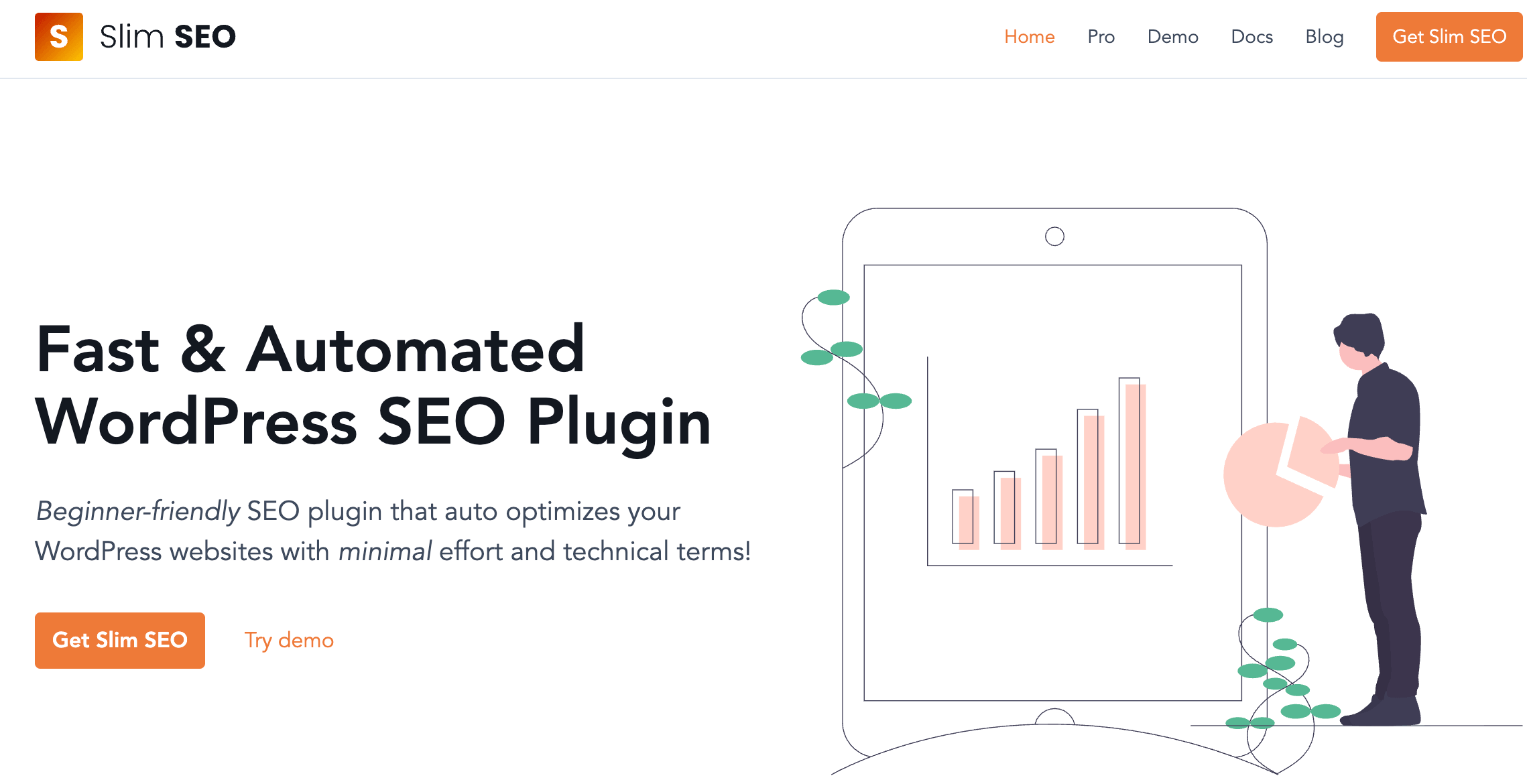
Most WordPress SEO plugins ask you to become a part-time SEO technician before they actually help you rank: a wall of toggles, a nagging “SEO score” widget, and an upsell every time you open the editor. Slim SEO takes the opposite bet. It installs, configures itself automatically, and gets out of your way — auto-generating meta titles, Open Graph tags, XML sitemaps, breadcrumbs and structured data with essentially zero setup. Built by the team behind the 600,000-install Meta Box plugin, Slim SEO has quietly become one of the most-loved “invisible” SEO tools on WordPress.org, and its paid companion, Slim SEO Pro, layers on a visual schema builder, internal link monitoring and Google Search Console reporting for anyone who wants more control without more complexity.
With 70,000+ active installations and a 4.7/5 rating from real users, Slim SEO free is already a genuinely complete plugin, not a stripped-down teaser — and Slim SEO Pro is designed to sit comfortably alongside Yoast, Rank Math or any other SEO tool rather than force a full replacement. That combination of automation, performance and flexibility is exactly what this 2026 review walks through.
Slim SEO Review 2026: The Zero-Config WordPress SEO Plugin That Just Works
Overview and Background
Slim SEO is developed by eLightUp, led by WordPress plugin author Anh Tran, the same team behind Meta Box — a custom fields plugin with more than 600,000 active installs and over a decade of WordPress development experience. That pedigree shows: Slim SEO’s free version, listed on WordPress.org, currently sits at version 4.9.11, requires WordPress 6.6+ and PHP 7.4+, and has racked up 70,000+ active installations with a 4.7 out of 5 average across 135 ratings (120 five-star, versus a small handful of one- and two-star reviews). The free plugin genuinely has no dedicated settings page for most of its core features — install it, and meta tags, sitemaps and basic schema start working immediately.
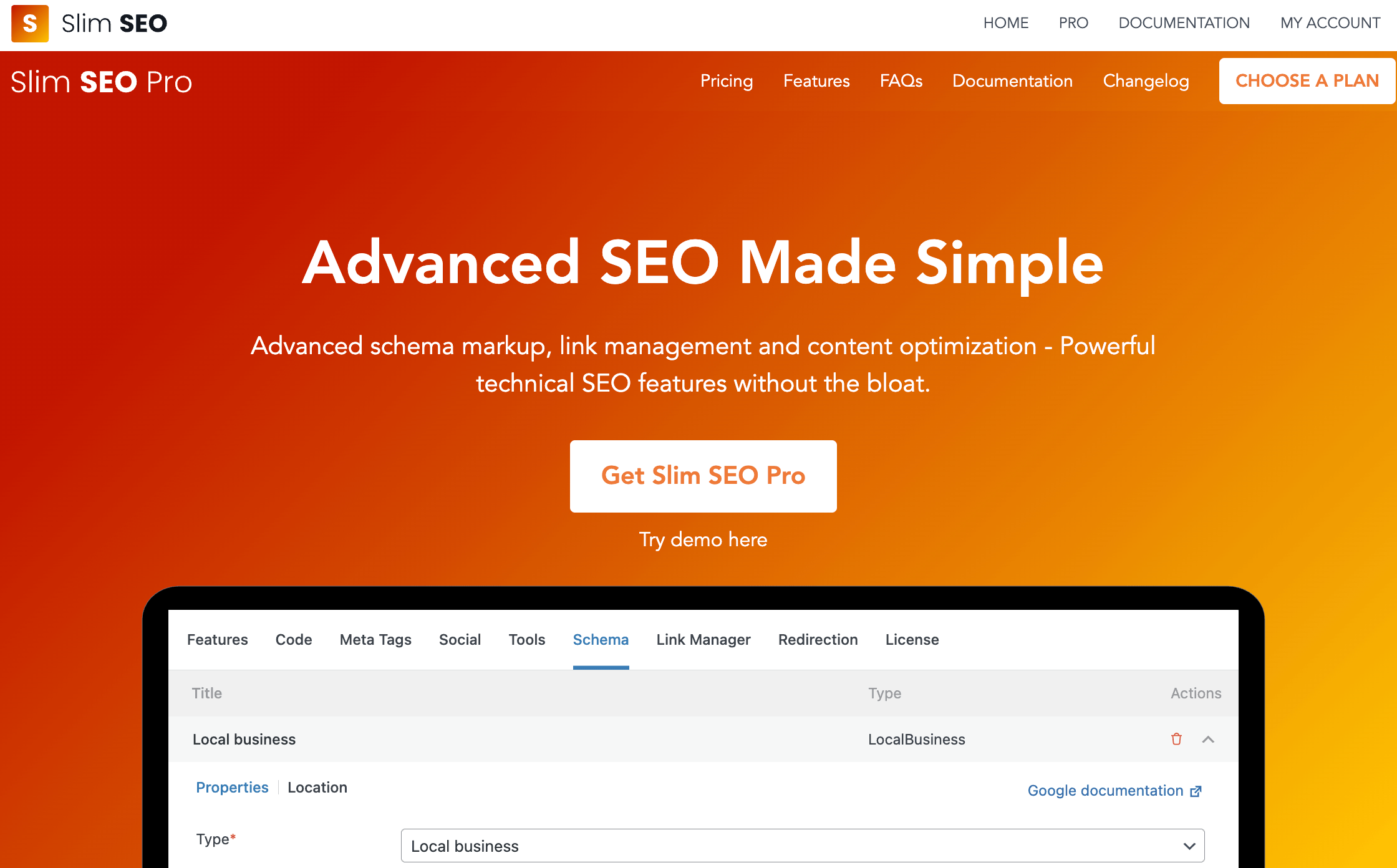
Slim SEO Pro, launched as a separate paid product, takes a different approach from most “SEO plugin premium tiers.” Rather than gatekeeping features the free version already does well, Pro adds an entirely new layer: a visual schema builder with 30+ pre-built types, real-time internal and external link health monitoring, bulk link updating, a Google Search Console dashboard inside wp-admin, and an AI-assisted writing assistant. Slim SEO Pro is explicitly built to be plugin-agnostic — it’s designed to complement Yoast, Rank Math, SEOPress or any other SEO tool you’re already running, not replace it outright.
Why Slim SEO Stands Out in 2026
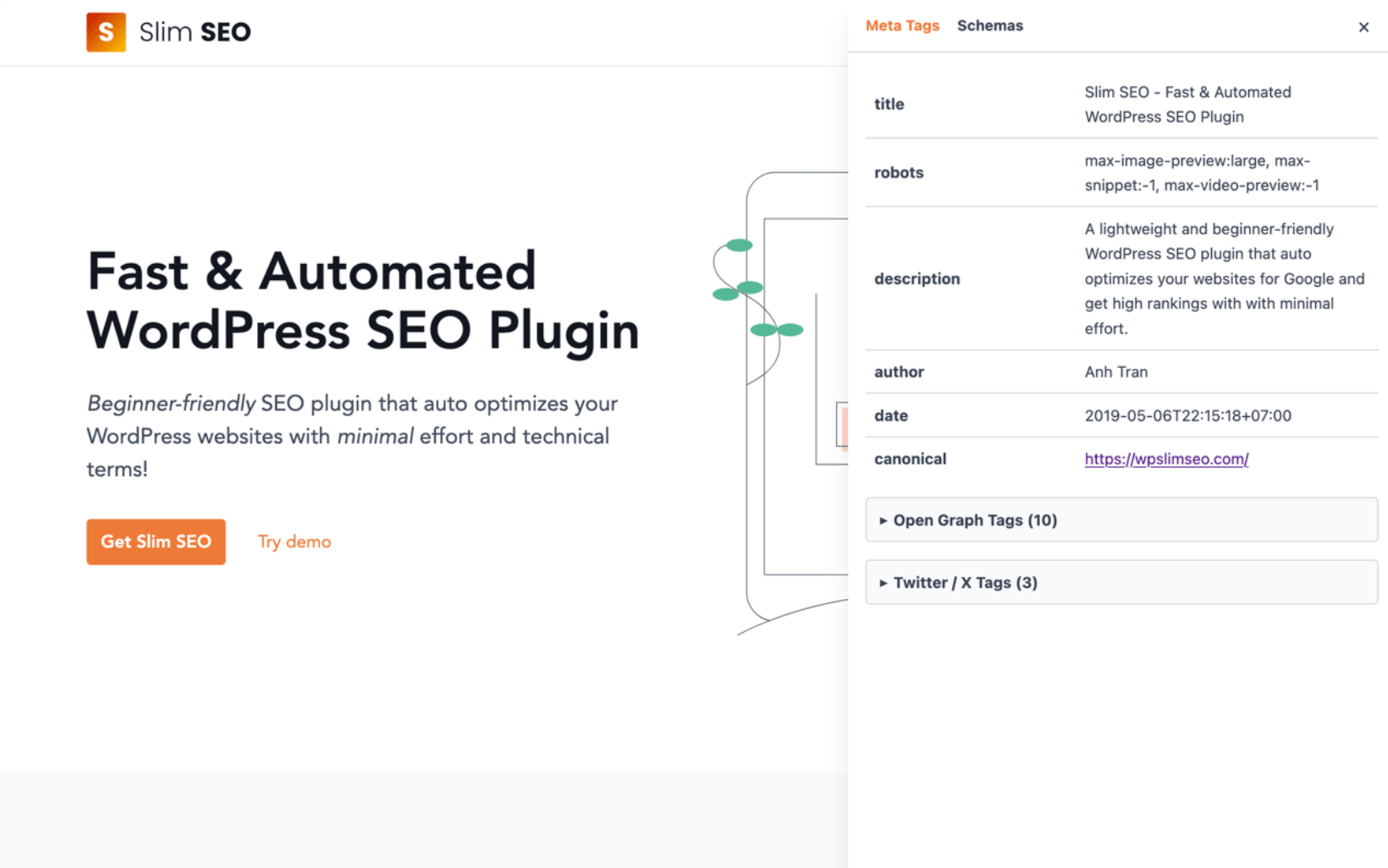
True zero-configuration automation: Slim SEO’s core philosophy — “decision over option,” borrowed from WordPress itself — means meta titles, descriptions, Open Graph and Twitter Card tags, and canonical URLs are generated automatically from your existing content the moment the plugin is active. There’s no onboarding wizard to click through and no mandatory “SEO score” to chase.
Genuinely lightweight code: Performance is one of Slim SEO’s most consistently repeated selling points among reviewers, including from users who migrated off larger plugins specifically to reduce database queries and admin bloat on high-traffic sites.
Multi-provider AI meta generation: Since its 4.9.0 release, Slim SEO lets you connect your own API key from Anthropic (Claude), Google (Gemini), OpenAI (GPT) or OpenRouter to auto-generate meta titles and descriptions for posts and taxonomy terms, with one-click regeneration if you don’t like the first draft.
Plays well with your existing stack: Slim SEO integrates with Elementor, Bricks, Divi, Beaver Builder, Oxygen, WooCommerce, WPML, Polylang and more, and Slim SEO Pro is explicitly built to run alongside Yoast or Rank Math rather than compete with them for the same settings page.
Backed by an established WordPress team: eLightUp has shipped Meta Box for over a decade to 600,000+ active sites, and Slim SEO inherits that same engineering discipline — modern, modular code rather than a legacy codebase bolted onto new features.
Fast security response: The plugin’s public changelog shows the team patching disclosed issues — including an XSS vector in schema output and an unauthorized content-disclosure bug — within the same release cycle they were reported, a good sign for a plugin that touches every page’s markup.
No forced upsells inside the editor: Multiple long-time users specifically call out the absence of nag screens and “unlock this feature” popups, which is a common complaint about larger competitors’ free tiers.
Key Features and Technology
Slim SEO’s feature set splits cleanly between the always-free core plugin and the optional Pro add-on. Here’s what each layer actually does.
Automated Meta Tags and Social Sharing
Meta title, meta description, meta robots, Open Graph tags for Facebook, Twitter Card tags and LinkedIn tags are generated automatically from post/page content or excerpts, with a “Search Engine Optimization” meta box available below the editor if you ever want to override a specific page manually.
AI-Powered Meta Title and Description Generation
Bring your own API key for Claude, Gemini, GPT or OpenRouter and generate on-brand meta titles and descriptions in seconds, for individual posts or in bulk across your library — useful for sites migrating large archives of thin or missing metadata.
Schema (Structured Data)
The free plugin auto-generates connected JSON-LD schema for your site, pages and posts with no configuration. Slim SEO Pro replaces that with a visual, click-to-build schema editor covering 30+ Google and schema.org types, dynamic data binding to post fields, custom fields (including deep Meta Box/ACF integration), site details and user details, plus a raw JSON-LD field for anything the visual builder doesn’t cover yet.
XML Sitemaps, Breadcrumbs and Redirection
An XML sitemap (with image and Google News sub-sitemaps) is generated automatically at domain.com/sitemap.xml, breadcrumbs can be inserted via a block or shortcode and styled to match your theme, and the built-in redirection module handles broken-URL redirects, www/non-www normalization and 404 monitoring — plus, in Pro, drag-and-drop redirect reordering and deleted-URL notifications.
Link Management and Search Console Integration (Pro)
Slim SEO Pro scans every post for internal and external links and reports on status, orphan pages and keyword usage in real time; it can bulk-fix broken or redirected links and automatically updates internal links sitewide when you change a post’s slug. A Google Search Console panel surfaces performance, keyword and per-page reports directly inside wp-admin, and a writing assistant gives real-time feedback on keywords, images, links and readability as you draft.
Pricing, Plans, and Package Structure
Slim SEO’s core plugin is, and always will be, free on WordPress.org — the developer is explicit that it’s a complete plugin on its own, not a limited trial. Slim SEO Pro is sold as an annual license directly from wpslimseo.com, billed yearly with automatic renewal at the same listed price (no surprise renewal hikes advertised). All tiers unlock the identical feature set; the only difference between plans is how many websites you can activate the license on.
| Plan | Price | What It Is | Best For |
|---|---|---|---|
| Slim SEO (Free) | $0 | Full automated meta tags, sitemap, basic schema, breadcrumbs, redirection | Any WordPress site, any budget |
| Pro — Personal | $59/year | Visual schema builder, link management, GSC integration, writing assistant — 1 website | Solo bloggers and small business owners |
| Pro — Freelancer | $119/year | Same full feature set — up to 10 websites | Freelancers and consultants managing several client sites |
| Pro — Agency | $179/year | Same full feature set — unlimited websites* | Agencies and site owners running multiple properties |
How Slim SEO Compares to Alternatives
| Factor | Slim SEO | Rank Math | Yoast SEO |
|---|---|---|---|
| Setup philosophy | Zero-config, automatic | Setup wizard, many manual options | Setup wizard, focus-keyword driven |
| Free version depth | Complete, unrestricted core feature set | Very generous — schema, redirects, unlimited keywords | Solid but single focus-keyword limit |
| Paid tier (approx.) | $59–$179/year (schema + links add-on) | ~$60–$110/year for unlimited personal sites (promo pricing common) | ~$99/year, single site only |
| Keyword rank tracking | Not included | Included in Pro (up to 500 keywords) | Not included natively |
| Visual schema builder | Yes (Pro), 30+ types, dynamic data | Yes, ~18 schema types on free | Basic schema, limited customization |
| Link health monitoring | Real-time reports + bulk fix (Pro) | Limited, not a core focus | Basic internal linking suggestions (Premium) |
| Best for | Performance-focused sites, hands-off SEO | Users who want one all-in-one dashboard | Beginners wanting guided content scoring |
Slim SEO vs. Rank Math: Rank Math’s free version is arguably the most feature-dense free SEO plugin on WordPress, and its Pro tier bundles keyword rank tracking that Slim SEO simply doesn’t offer at any price. If you want one dashboard that does strategy, tracking and technical SEO together, Rank Math is the more complete single-plugin answer. If you already have a rank tracker (or don’t need one) and just want the technical layer to be fast and invisible, Slim SEO is lighter and less opinionated about your workflow.
Slim SEO vs. Yoast SEO: Yoast remains the most recognizable name in WordPress SEO and its content-analysis traffic-light system is genuinely useful for writers learning on-page SEO fundamentals. But Yoast Premium is priced per single site and, per user and third-party reports, costs more than Rank Math or Slim SEO Pro for a comparable feature set. Slim SEO’s philosophy of “no options, it just works” is close to the opposite of Yoast’s guided, checklist-driven editor experience — the right pick depends on whether you want to learn SEO as you go or hand the technical mechanics off entirely.
Pros and Cons
What Users Love
Actually simple: The single most repeated comment across WordPress.org reviews and third-party coverage is that Slim SEO does exactly what it says — install it, and SEO fundamentals are handled without a maze of menus.
Fast on large sites: Users managing high-content-volume sites specifically praise the low query overhead compared to bigger, more feature-heavy SEO plugins.
No upsell fatigue: Reviewers consistently contrast Slim SEO’s clean interface with competitors’ constant “upgrade to unlock” prompts inside the free version.
Broad builder compatibility: Owners of Oxygen, Bricks, Elementor and Divi sites specifically call out that Slim SEO works cleanly with their page builder, which isn’t universally true of every SEO plugin.
Responsive core development: The plugin ships frequent, focused updates — the public changelog shows near-monthly releases through 2026 addressing compatibility fixes, new integrations and security patches.
Limitations Worth Knowing
No built-in keyword rank tracking: Unlike Rank Math Pro, neither the free plugin nor Slim SEO Pro tracks where your keywords rank in search results — you’ll need a separate tool if that’s a requirement.
Sparse controls for power users: The same automation that beginners love can frustrate advanced users who want granular, per-field control over every meta tag — one WordPress.org reviewer specifically flagged unwanted sitemap redirect behavior with no obvious toggle to disable it.
Reported Pro schema bugs: At least one detailed, verified WordPress.org review describes the Pro schema builder breaking after an update — entries disappearing when editing or re-viewing them — a reminder to test schema output after any plugin update before relying on it in production.
Inconsistent support speed for some buyers: The same review reported a multi-day wait for a response from the paid-support channel on a broken-feature ticket — worth factoring in if you need guaranteed fast turnaround for a client site.
PHP 8.0+ requirement for Pro: Sites still on older shared hosting with PHP 7.x can run the free plugin but will need a hosting upgrade before Slim SEO Pro will activate.
Who Should Use Slim SEO
Bloggers and solo site owners: If you just want correct meta tags, a working sitemap and basic schema without ever opening a settings page, the free plugin alone covers the job completely.
Performance-conscious site owners: Anyone running a large content site, membership site or WooCommerce store where every database query matters will appreciate the lighter footprint compared to bigger all-in-one plugins.
Freelancers and small agencies: The Freelancer (10 sites) and Agency (unlimited, non-resale) plans make Slim SEO Pro’s schema builder and link reports affordable to standardize across a client portfolio.
Users layering advanced schema onto an existing SEO plugin: Because Slim SEO Pro is designed to run alongside Yoast or Rank Math, it’s a sensible add-on purely for its visual schema builder and link monitoring, without switching your whole SEO workflow.
Who should look elsewhere: Users who want one plugin that also does keyword rank tracking, content scoring and competitor research out of the box are better served by Rank Math Pro or Semrush’s WordPress integration. Site owners who want maximum manual control over every meta field, or who dislike automation-first tools, may also find Slim SEO’s hands-off approach frustrating rather than freeing.
Getting Started: Step by Step
- Install the free plugin first. Go to Plugins > Add New in wp-admin, search “Slim SEO,” install and activate. There’s no setup wizard — meta tags, sitemap and basic schema start working immediately.
- Spot-check the automatic output. View source on your homepage, a post and a category page to confirm meta title, description and Open Graph tags look right, and adjust anything manually through the “Search Engine Optimization” meta box on individual posts if needed.
- Confirm your PHP version before buying Pro. Slim SEO Pro needs WordPress 6.5+ and PHP 8.0+ — check under Tools > Site Health in wp-admin, and upgrade hosting first if you’re behind.
- Purchase and activate the right Pro tier. Pick Personal, Freelancer or Agency based on how many sites you’ll license, then activate with your license key under the plugin’s settings.
- Set up schema and connect an AI provider (optional). Use the visual schema builder to add types relevant to your content (Article, Product, LocalBusiness, FAQ, etc.), and if you want AI-assisted meta generation, add your Anthropic, Gemini, OpenAI or OpenRouter API key in the AI settings tab.
- Connect Search Console and monitor link health. Link your Google Search Console property for in-dashboard performance data, and check the link reports periodically for broken or orphaned pages, especially after a redesign or bulk content migration.
Tips for Getting Maximum Value
Don’t skip step two above — spot-checking auto-generated meta tags on a handful of representative pages takes five minutes and catches most edge cases (thin excerpts, missing featured images for Open Graph) before Google ever sees them. If you’re migrating from Yoast or Rank Math, use the built-in import tool rather than starting from scratch, since Slim SEO can pull over existing meta titles and descriptions so you don’t lose accumulated SEO equity. For AI meta generation, review the first batch of AI-written titles and descriptions manually before trusting bulk regeneration across your entire archive — treat it as a fast first draft, not a final answer. And if you’re testing the Pro schema builder after any update, re-check a sample schema entry in Google’s Rich Results Test before assuming it’s still rendering correctly, given the update-related bug reported by at least one Pro user. Finally, since Slim SEO Pro is billed annually with no forced feature gating between tiers, buy the smallest plan that covers your current site count — upgrading later if you add more sites is straightforward.
Future Outlook and Final Assessment
WordPress SEO plugins in 2026 are converging on two very different philosophies: “do everything in one dashboard” (Rank Math, All in One SEO) versus “automate the technical layer, stay out of the way” (Slim SEO). Slim SEO’s recent releases — multi-provider AI meta generation, deepening Meta Box/ACF schema integration, and steady security patching — suggest the team is doubling down on the automation-first lane rather than chasing feature parity with the all-in-one suites. That’s a coherent strategy: it keeps the plugin lightweight, which is increasingly valuable as Core Web Vitals and page-experience signals matter more to rankings.
The honest caveats are real: no native rank tracking, occasional Pro-tier bugs that a small but vocal minority of reviewers have flagged, and support response times that aren’t guaranteed to be fast for every ticket. But at 70,000+ installs and a 4.7/5 rating built from real, mostly unprompted reviews, Slim SEO has earned its reputation as one of the cleanest, most genuinely lightweight SEO plugins in the WordPress ecosystem — and Pro’s schema and link tools are a low-risk, 14-day-refundable way to extend that into more advanced technical SEO without switching your whole stack.
Conclusion
Slim SEO isn’t trying to be the biggest SEO plugin on WordPress — it’s trying to be the one you forget is even running, because it just handles the technical fundamentals correctly from the moment you activate it. For site owners who’ve been burned by bloated, upsell-heavy SEO plugins, that restraint is the entire pitch, and the 70,000+ installs and consistently strong ratings suggest it’s landing with the right audience. It’s not the right call if you specifically need built-in keyword rank tracking or maximum manual control over every field — but for fast, automated, no-nonsense technical SEO, few WordPress plugins do less asking and more delivering.
Ready to let your WordPress SEO run itself?
Explore more honest reviews, tutorials and tech comparisons to find the right tools for the way you build, publish and grow online — at World Of Tech, where we make everything easy.
👉 Shop Slim SEO: https://worldoftech.space/slimseo
👉 Our YouTube Channel: youtube.com/@world_tech79
👉 Our Facebook Fanpage: Facebook
👉 Our X (Twitter): @worldoftech79
Pricing, specifications and policy details in this review were verified against wpslimseo.com and independent review sources (including WordPress.org ratings and reviews) as of August 2026. WordPress plugin pricing and features change frequently, so confirm current details on the official site before purchasing. Competitor prices are approximate and subject to change.





