
If you’ve trained alone before, you know the problem: you either chase your own balls around the room, or you spend hundreds on a bulky, fixed-position robot that sits at one end of the table and fires balls on a boring, predictable loop. PongBot (store.pongbotsports.com), built by China-based Shanghai Future Mind Co. with backing from Qualcomm’s venture arm, set out to fix that with a lineup of app-controlled table tennis robots — the portable Nova S Pro, the clamp-mounted Omni S Series, and the floor-standing Halo S Pro — plus a newer AI-powered tennis ball machine line (Pace S / Pace S Pro) that made its CES 2026 debut. The pitch across the whole range is the same: programmable spin, speed, and placement that actually mimics how a real opponent plays, controlled from your phone rather than a clunky physical dial.
We dug into PongBot’s actual product lineup, pulled current US pricing directly from the official store, cross-referenced an independent 50+ hour hands-on test from a qualified coach, and checked the brand’s Trustpilot record — including a mix-up-prone similarly named domain worth flagging before you buy. This 2026 review walks through what each PongBot robot actually does, what it costs, how it holds up under real use, and who’s likely to get their money’s worth.
PongBot Review 2026: Are These AI Table Tennis Robots Worth It?
Overview and Background
PongBot started in the table tennis robot space in 2019, building on movement-analysis and adaptive-training concepts before recently expanding into tennis with the Pace S and Pace S Pro ball machines, which debuted at CES 2026 with “Recovery Trigger” technology — a system that tracks player position via UWB and waits for the player to actually recover before firing the next ball, rather than shooting on a fixed timer. The company is backed by Shanghai Future Mind Co., which secured funding led by Qualcomm’s venture arm, and the brand has partnered with 15+ tennis clubs and 200+ coaches across 29 countries, alongside its flagship (and far pricier) $15,000 M-One robot that actually swings a racket.
For most home and club buyers, though, the table tennis lineup is where PongBot earns its reputation: the Nova S Pro (portable, clip-free, fits in a backpack), the Omni S Series (clamp-mounted directly to the table), and the Halo S Pro (a premium floor-standing unit with automatic full-table oscillation). All three share the same underlying philosophy — app-programmable drills with real spin, speed, and placement variety — at three distinct price and feature tiers.
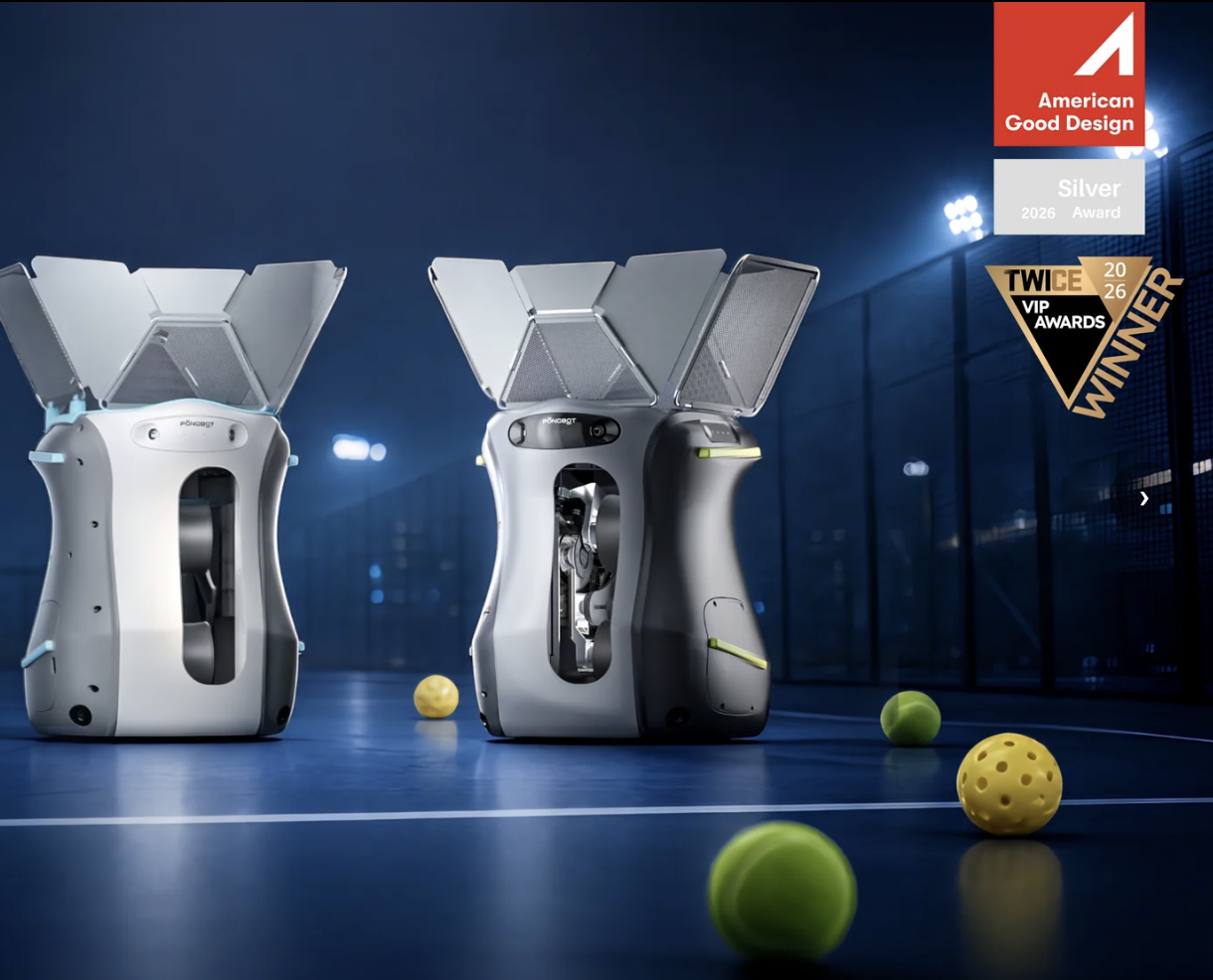
The Nova S Pro is PongBot’s portable entry point, fitting in a backpack for training on the go.
Why PongBot Stands Out in 2026
Independently verified value at the entry tier: A qualified coach’s 50+ hour hands-on test of the Nova S Pro scored it 4.5/5 overall, specifically praising build quality (5/5) and value for money (5/5), concluding it delivers “roughly 80% of what $1,000+ robots provide at one-third of the price” — a genuinely strong independent verdict, not just marketing copy.
Real app-based programming, not just speed/spin dials: Across the lineup, the PongBot app lets you visually place up to 5 chained shots per custom drill (more on higher-tier models), preview ball trajectories, and share drills with the community — a meaningfully deeper feature set than the twist-knob controls most budget robots ship with.
A genuine tiered lineup instead of one-size-fits-all: Nova S Pro for portability, Omni S Series for a stable clamp-mounted setup with a built-in ball recycling net, and Halo S Pro for full-table automatic oscillation — buyers can match spend to actual training needs rather than overpaying for features they won’t use or underbuying and hitting a wall.
Backed by real engineering credibility: Qualcomm-affiliated venture funding and a flagship $15,000 racket-swinging M-One robot signal this isn’t a shell dropshipping operation repackaging generic hardware — there’s genuine R&D behind the brand, and the CES 2026 recognition for the Pace S Pro’s Recovery Trigger technology reinforces that.
Coach and player testimonials from real names in the sport: Endorsements from working coaches (Alex Slabinsky, Patrik Broddfelt, Julien Olivari) and an ATP doubles player (Hendrik Jebens) give the brand a credibility layer that generic Amazon-only robot brands typically lack.
Genuinely useful accessory ecosystem: Carry bags, portable power banks (for playing away from an outlet), and ball collection nets are sold as add-ons or bundles, addressing the real friction points — chasing loose balls, needing a wall outlet — that plague cheaper standalone robots.
Key Features and Product Range
PongBot’s table tennis lineup splits into three tiers by mounting style and automation level. Picking the right one depends mostly on how much you value portability versus full-table automatic coverage.
Nova S Pro — Portable Entry Point
A 4kg unit that sits directly on the table (no clamp needed), holds 150 balls, and can be placed anywhere around the table — including near-net positions most fixed robots can’t reach. Speed runs 2–15 m/s across 11 frequency levels and 21 speed levels, with 9 spin types and manual head rotation for spin changes. It ships with 264 pro-designed drills and full custom-drill programming via the app. The independent 50+ hour test praised its build quality and portability but noted spin/side adjustments require manually rotating the head — there’s no automatic side-to-side oscillation or ball recycling net standard (though both are available as add-ons).
Omni S Series (Plus / Pro) — Clamp-Mounted Stability
A step up in both stability and automation: the Omni clamps directly to the table for a fixed, consistent delivery position, holds 250 balls, and adds automatic (not manual) side spin and oscillation control. The Omni S Pro adds the E-Pad S touchscreen controller and jumps to 522 built-in drills (versus 198 on the Plus), along with a higher max spin rate (100 r/s vs. 80 r/s) and finer speed/spin level granularity. Both include a ball recycling net standard, addressing one of the Nova’s biggest gaps.
Halo S Pro — Floor-Standing Flagship
The premium tier: a floor-standing, wheeled unit that supports multiple placement positions (like the Nova, but with fully automatic oscillation like the Omni), 702 built-in drills, 250-ball capacity, and the fastest spin rate in the lineup (up to 100 r/s with 23 levels). This is the closest PongBot gets to replicating a genuinely unpredictable human opponent, aimed squarely at clubs, coaches, and serious players who’ve outgrown the entry-tier models.
Pace S / Pace S Pro — The Tennis Expansion
PongBot’s newest line applies the same adaptive-AI philosophy to full-size tennis courts, with the Pace S Pro’s headline “Recovery Trigger” feature using UWB tracking to wait for a player’s actual recovery position before serving the next ball — a genuinely different approach from the fixed-timer ball machines that have dominated tennis training for decades. At roughly €1,399.99–€1,879.99 (~$1,500–$2,000), this sits well above the table tennis lineup and is a separate purchase decision aimed at serious tennis players and coaches rather than casual buyers.
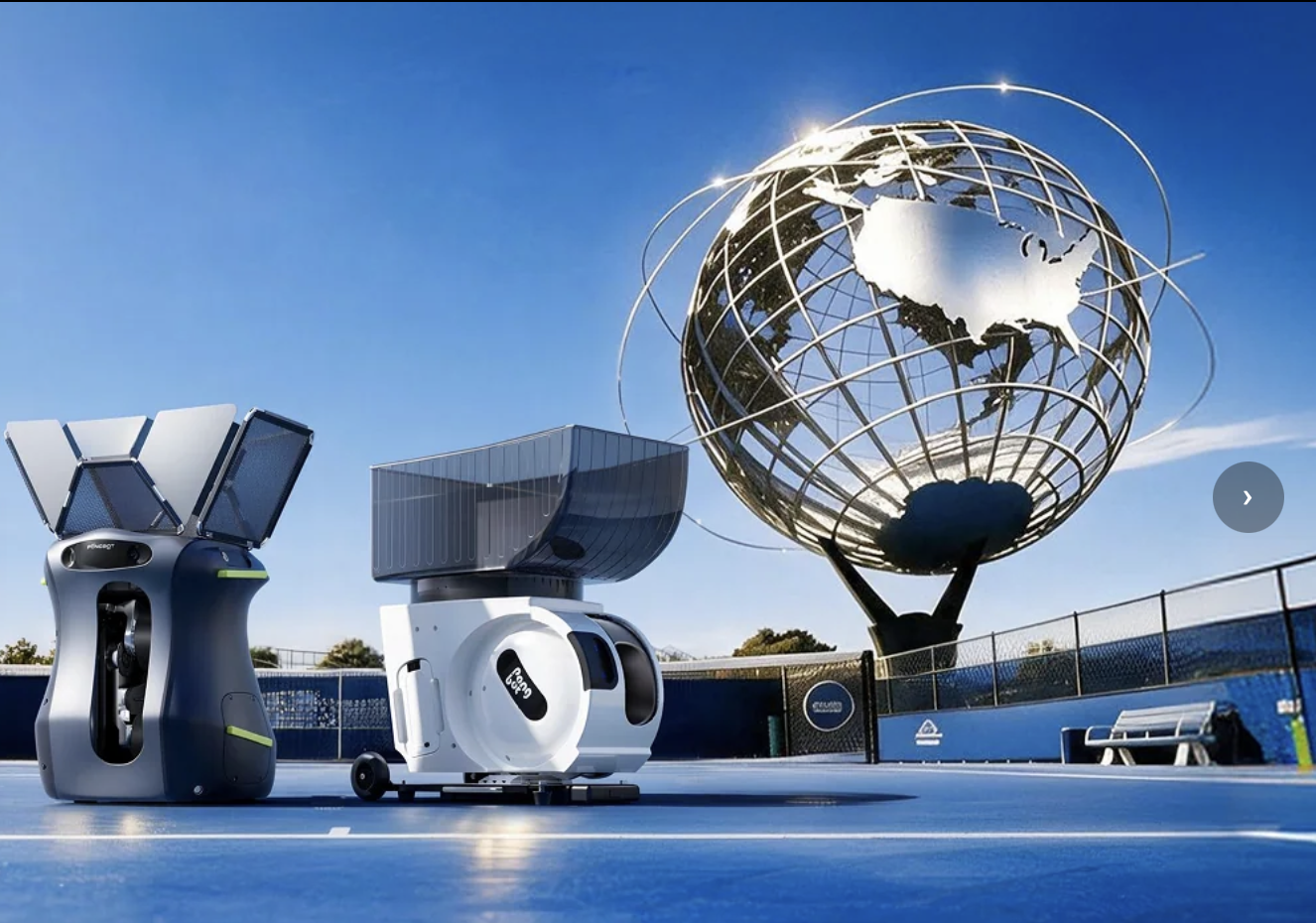
The Omni S Pro adds a dedicated E-Pad S touchscreen controller and automatic oscillation.
Pricing, Plans, and Package Structure
Every PongBot purchase is a one-time hardware purchase — there’s no subscription, though the app itself is free to use with any unit. Pricing runs on an almost-constant “sale” discount off a higher listed price, so the sale price below is effectively what most buyers pay. All models support 4-installment interest-free payment plans at checkout.
| Product | Price | What It Is | Best For |
|---|---|---|---|
| Nova S Pro | $299.99 | Portable, 150-ball, 264 drills, manual spin/oscillation | First robot, home training, travel/club flexibility |
| Nova S Pro Bundle (full set) | $499.99 | Nova S Pro + power bank + carry bag + ball collection net + ball picker | Buyers who want the full accessory kit from day one |
| Omni S Plus | $749.99 | Clamp-mounted, 250-ball, 198 drills, automatic oscillation | Stable, higher-automation setup without the touchscreen |
| Omni S Pro | $1,099.99 | Adds E-Pad S touchscreen, 522 drills, up to 100 r/s spin | Serious players/coaches wanting dedicated hardware control |
| Halo S Pro | $1,499.99 | Floor-standing, 702 drills, full auto oscillation, 100 r/s spin | Clubs, coaches, and serious players wanting the most realistic rallies |
| Pace S / Pace S Pro (Tennis) | ≈ $1,500–$2,000 | AI tennis ball machine with UWB-based Recovery Trigger tracking | Serious tennis players and coaches, separate purchase from table tennis line |
How PongBot Compares to Alternatives
PongBot’s table tennis lineup sits in an interesting middle position: more app-sophisticated than budget fixed-position robots, meaningfully cheaper than the legacy premium brands.
| Factor | PongBot (Nova S Pro) | Premium Legacy Brand (e.g., Butterfly Amicus) | Generic Budget Robot |
|---|---|---|---|
| Typical price | $299.99 | ≈ $1,000+ (approximate, subject to change) | $100–$250, highly variable |
| App control & drill programming | Deep — custom 5-shot drills, visual placement, community sharing | Typically strong, brand-specific software | Usually basic dial/button control only, no app |
| Placement flexibility | Anywhere on table, including near-net positions | Usually fixed at table end | Almost always fixed at table end |
| Independent review verdict | 4.5/5 from a 50+ hour coach-led test | Generally strong, established track record | Sparse, often no dedicated equipment-reviewer coverage |
| Best for | Home/club players wanting premium-feeling features at a mid-budget price | Buyers who want an established legacy brand and don’t mind the premium | Absolute lowest budget, casual occasional use only |
PongBot vs. a premium legacy brand like Butterfly’s Amicus line comes down to whether the established name and (typically) larger parts/service network is worth roughly three times the price. The independent hands-on test’s verdict — that the Nova S Pro delivers “80% of a $1,000 robot” — is a genuinely useful anchor point, though it’s specific to one reviewer’s testing and one particular model in the lineup.
PongBot vs. a generic budget robot is a clearer win for PongBot on features: most sub-$250 no-name robots are fixed-position units with basic button controls and no real app, while even the entry-tier Nova S Pro offers flexible placement and genuine drill programming. The tradeoff is price — PongBot costs more than the absolute cheapest options — but the feature gap is large enough that the extra spend buys real, usable functionality rather than just a brand name.
Pros and Cons
What Users Love
Build quality that surprises people at this price: Both the independent coach review and product-page reviewers consistently describe the hardware as sturdy and well-constructed rather than flimsy — a recurring theme even among reviewers who’ve owned pricier robots before.
The app genuinely elevates the training experience: Custom drill creation, ball trajectory visualization, and the ability to save and share drills are repeatedly singled out as the standout feature — reviewers specifically say it makes solo practice “fun” rather than a chore.
Fast, responsive customer support: Multiple product-page reviewers specifically praise quick, professional replies from the support team, including help over WhatsApp — a meaningful signal for a category where after-sales service quality varies wildly.
Quick setup and genuine portability (Nova S Pro specifically): The independent test clocked setup at under 2 minutes, and reviewers consistently praise the backpack-friendly form factor for practicing away from home.
Limitations Worth Knowing
Manual spin adjustment on the entry-tier Nova S Pro: Changing between spin types requires physically rotating the robot’s head rather than automatic in-drill switching — a real limitation for players wanting to simulate an opponent who mixes spin types unpredictably within a single rally.
No ball recycling net standard on the Nova S Pro: You’ll spend real time picking balls up off the floor unless you buy the collection net add-on separately — factor this into your actual budget rather than comparing only the base unit price.
A minority of reviews describe hardware reliability issues: Trustpilot reviews on the broader PongBot domain family include reports of machines failing after minimal use, and even a positive product-page review flagged a mesh basket that didn’t unfold properly out of the box and an inconsistent ball-pickup mechanism — not the dominant pattern, but a real minority worth knowing about.
Domain confusion is a genuine risk: The similarly named pongbotstore.com carries a meaningfully worse independent Trustpilot record than the official pongbotsports.com/store.pongbotsports.com storefronts — verify you’re on the right domain before you check out.
Returns from outside the US and Europe ship back to China: PongBot’s return policy routes US and EU returns to local service warehouses, but returns from other regions must be shipped back to China — a real cost and time consideration if you’re outside those two markets.
Feature gaps mean higher tiers cost meaningfully more: Wanting automatic oscillation, a touchscreen controller, or the largest drill library means stepping up from the $299.99 Nova S Pro to the $1,099.99+ Omni S Pro or Halo S Pro — a large price jump that’s worth planning for rather than assuming you can add later.
Who Should Use PongBot
Solo home players wanting real practice without a training partner: The Nova S Pro’s combination of price, portability, and genuine drill programming makes it a strong first robot for anyone training alone regularly.
Intermediate to advanced club players developing specific techniques: The independent test specifically recommends the Nova S Pro for players transitioning from basic to intermediate skill, and the Omni/Halo tiers extend that further for more advanced spin and placement needs.
Coaches and clubs wanting a shared training tool: The Omni S Pro and Halo S Pro’s larger drill libraries, automatic oscillation, and touchscreen controllers suit shared or high-volume use better than the more personal, portable Nova S Pro.
Serious tennis players curious about AI-adaptive training: The Pace S Pro’s Recovery Trigger technology is a genuinely novel approach worth considering for players who’ve outgrown fixed-timer ball machines, though it’s a separate, higher-priced purchase decision.
Who should look elsewhere: professional-level players needing maximum spin intensity and fully automated multi-spin sequences may find even the Halo S Pro’s specs fall short of what they can generate themselves, and anyone uncomfortable with a China-manufactured product routing non-US/EU returns back to China should factor that into their decision before buying.
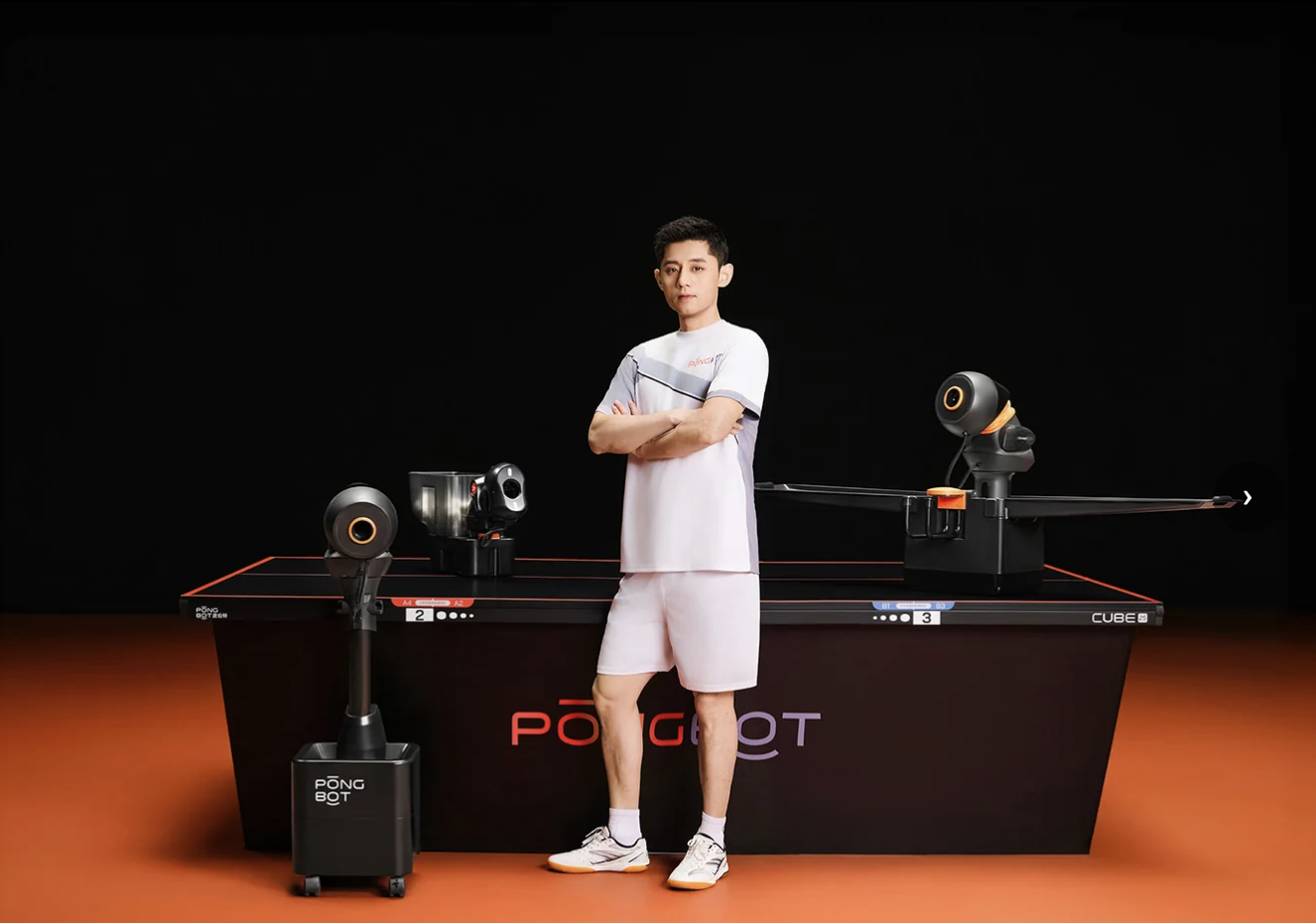
The Halo S Pro’s floor-standing design supports fully automatic full-table oscillation.
Getting Started: Step by Step
- Confirm you’re on the official store. Go to store.pongbotsports.com directly rather than clicking a search ad, given the confusingly similar pongbotstore.com domain with weaker independent reviews.
- Match the tier to your actual training pattern. Nova S Pro for portability and solo home use, Omni S Series for a stable clamp-mounted setup with recycling, Halo S Pro for full-table automatic coverage.
- Budget for the accessories you’ll actually use. If you’re getting the Nova S Pro, decide upfront whether you want the ball collection net and carry bag — the bundle price is usually better than adding them individually later.
- Download the app and create an account before your first session. The app requires account setup (a one-time step), and it’s worth doing before your first practice rather than mid-session.
- Start with pre-programmed drills before building custom ones. The 264–702 built-in, coach-designed drills (depending on model) are a faster path to productive practice than immediately diving into the custom drill builder.
- Use the app for control, not the included remote. Reviewers and the independent test both note the remote’s small screen and limited layout make it noticeably less pleasant to use than the smartphone app.
Tips for Getting Maximum Value
Get the most out of a PongBot robot by using the app’s calibration feature early — the independent test specifically found default drill settings didn’t always land exactly where the app previewed, and a quick calibration pass fixes that mismatch. Start with the pre-programmed drills to learn the interface before building complex 5-shot custom sequences, and if you’re on the Nova S Pro, seriously consider the ball collection net add-on — the time saved not chasing loose balls adds up fast over regular sessions. If you experience any hardware inconsistency out of the box (a folded basket, an inconsistent pickup mechanism), photograph it immediately and reach out to support right away — reviewers who did this generally report fast, professional resolution. And if you’re deciding between tiers, remember the independent verdict specifically endorsed the entry-tier Nova S Pro as excellent value for intermediate players — you don’t necessarily need to start at the top of the lineup to get a genuinely capable training tool.
Future Outlook and Final Assessment
PongBot’s expansion into tennis with the Pace S Pro’s Recovery Trigger technology, its CES 2026 recognition, and its continued growth in coach and club partnerships all point to a company genuinely investing in its AI-adaptive training thesis rather than resting on one hit product. That’s a good sign for long-term software support and feature updates across the existing table tennis lineup, since a company actively pushing into new categories has real incentive to keep its core product line current.
The most useful thing PongBot could do for buyers specifically is tighten up the brand’s domain and review-platform clarity — the gap between the strong independent hands-on test results and the more mixed Trustpilot picture (especially around the similarly named pongbotstore.com) creates real confusion for anyone researching the brand before buying. Until that’s cleaned up, the burden falls on buyers to double-check the exact URL and read recent reviews on the specific model they’re considering.
Conclusion
PongBot has built a genuinely credible table tennis robot lineup, backed by real engineering investment, coach endorsements, and — notably — a rigorous independent hands-on test that verified the entry-tier Nova S Pro delivers premium-feeling features at a fraction of legacy-brand pricing. The tiered lineup (Nova, Omni, Halo) lets buyers match spend to actual training needs, and the app’s drill programming genuinely elevates solo practice beyond what budget alternatives offer. The real caveats — manual spin adjustment on the cheapest model, a minority of hardware reliability reports, and a confusingly similar lower-rated domain to watch out for — are all manageable if you go in informed. For solo practice, club training, or coaching use in 2026, PongBot is a well-engineered, independently verified choice as long as you order from the correct official store and pick the tier that actually matches how you’ll train.
Ready to train smarter without needing a partner every session?
Explore more honest reviews, tutorials and tech comparisons to find the right gear for the way you work, travel and live — at World Of Tech, where we make everything easy.
👉 Shop PongBot: https://worldoftech.space/pongbot
👉 Our YouTube Channel: youtube.com/@world_tech79
👉 Our Facebook Fanpage: Facebook
👉 Our X (Twitter): @worldoftech79
Pricing, specifications and policy details in this review were verified against store.pongbotsports.com and independent review sources (Racket Insight, Trustpilot) as of August 2026. Pricing, promotions, and specifications change frequently, so confirm current details on the official site before purchasing. Competitor prices are approximate and subject to change.





