
Most people who want an app don’t want to learn Kotlin and Swift — they want to describe an idea and see it running on their phone. That’s the exact problem Appy Pie was built to solve. It’s an AI-powered, no-code platform that turns a plain-English prompt into a real native Android and iOS app, complete with a backend, push notifications and payments already wired up, and then walks you through publishing it to Google Play and the App Store. Founded in 2015 by Abhinav Girdhar and now serving a claimed 10 million-plus users across 190 countries, Appy Pie has grown from a simple drag-and-drop app maker into a broader suite that also includes an AI website builder, a chatbot maker, and a Zapier-style automation tool called Appy Pie Automate.
For small business owners, restaurant chains, churches, fitness coaches and solo founders who can’t justify a $10,000+ custom development quote, that pitch is genuinely compelling — a working native app preview in under a minute, for a starting price of $16 a month. But Appy Pie isn’t magic, and it isn’t a fit for every project: pricing is charged per app rather than per account, deeper customization runs into real limits, and user reviews are split between people who love the support team and people frustrated by upsells and cancellation friction. This 2026 review walks through what Appy Pie actually builds, its full pricing structure across the app builder and its wider AI Generator suite, how it stacks up against BuildFire and Adalo, the honest pros and cons from real users, and exactly who should — and shouldn’t — build their next app on it.
Appy Pie Review 2026: The AI App Builder That Turns a Prompt Into a Published App
Overview and Background
Appy Pie LLP is a no-code software company, publicly listed as operating out of Hampton, Virginia, that has been in the app-building space since 2015 — long before “AI app generator” became a category. Its original product was a drag-and-drop app builder aimed squarely at non-technical small business owners: pick a template, add your content, publish. Over the past two years the company has layered a genuine AI engine on top of that foundation, so the current flagship experience starts with a text prompt (“build a restaurant app with loyalty rewards and Stripe payments”) rather than a blank canvas.
What comes out the other end is not a web-wrapped shortcut. Appy Pie generates a genuine Kotlin build for Android and a genuine Swift/SwiftUI build for iOS, both signed and submission-ready, rather than a Progressive Web App pretending to be native. That distinction matters: apps that are actually native install from the stores, run offline, support push notifications properly, and show up correctly in app-store search — something PWA-based generators can’t fully replicate. Appy Pie backs this with real scale claims (10M+ users, apps live in 190 countries) and third-party validation: a 4.7/5 rating from 1,388 reviewers on G2 and a 4.6/5 rating from 1,389 reviewers on Capterra, according to figures posted on Appy Pie’s own site, alongside a roughly 4-star TrustScore from more than 4,400 reviewers on Trustpilot.
Appy Pie isn’t a single tool anymore — it’s a suite. The core App Builder generates native mobile apps from a prompt or from scratch with a visual editor. Alongside it sit an AI Website Builder and a template-based Website Builder, a website-to-app converter for businesses that already have a site, an AI-powered Chatbot Maker for lead qualification and support, and Appy Pie Automate, a workflow-automation tool that connects apps the way Zapier does. Each product is billed and sold somewhat separately, which is convenient if you only need one piece, but means the “full Appy Pie stack” quote can add up quickly if you need several.
Why Appy Pie Stands Out in 2026
A real prompt-to-native-app pipeline: Type a description and Appy Pie’s AI assembles screens, navigation, a data model and the integrations to make it functional — and the output is an actual Android .aab and iOS .ipa, not a browser shell. Most AI app tools in this price range (Lovable, Bolt.new, Base44, Replit AI) generate web apps; Appy Pie’s whole differentiator is shipping something that installs from Google Play and the App Store.
Backend, payments and push are pre-wired: User accounts (email, phone, Google, Apple sign-in), Stripe, PayPal, Apple Pay, Google Pay plus 17-plus regional gateways, and Firebase/APNs push notifications all ship configured out of the box. You don’t need to shop separately for hosting, a database or an auth provider — a real advantage over tools that hand you code but leave the infrastructure as homework.
Iteration instead of starting over: Once the first draft exists, you stay in the same project and issue follow-up prompts — “add a loyalty tab,” “swap to dark mode,” “translate to Spanish” — and the AI updates the existing app rather than regenerating it from scratch. Every iteration is checkpointed, so you can roll back a change that didn’t land.
Prompting in eight languages: English, Spanish, Arabic, Hindi, French, Portuguese, Italian and German are all natively understood, and prompts can even mix languages. For agencies or founders building for non-English-speaking markets, that removes a real friction point competitors don’t address.
Publishing help, not just app generation: Appy Pie walks new publishers through App Store and Play Store submission — signed builds, listing copy guidance, and first-time submission support — and most users report going from prompt to a live app within five to ten days including store review.
A genuinely broad product suite: Beyond the app builder, the same account ecosystem covers an AI website builder, a chatbot maker for lead qualification and bookings, and Appy Pie Automate for connecting apps and automating workflows — useful if you’d rather manage one vendor relationship than five.
Enterprise-grade security underneath a consumer-friendly front end: SOC 2 Type I, PCI DSS, GDPR compliance, ISO 27001 and ISO 22301 certifications, and HIPAA-eligible collaboration options sit behind the scenes — a level of formal compliance that’s unusual for a platform this accessible to first-time, non-technical builders.
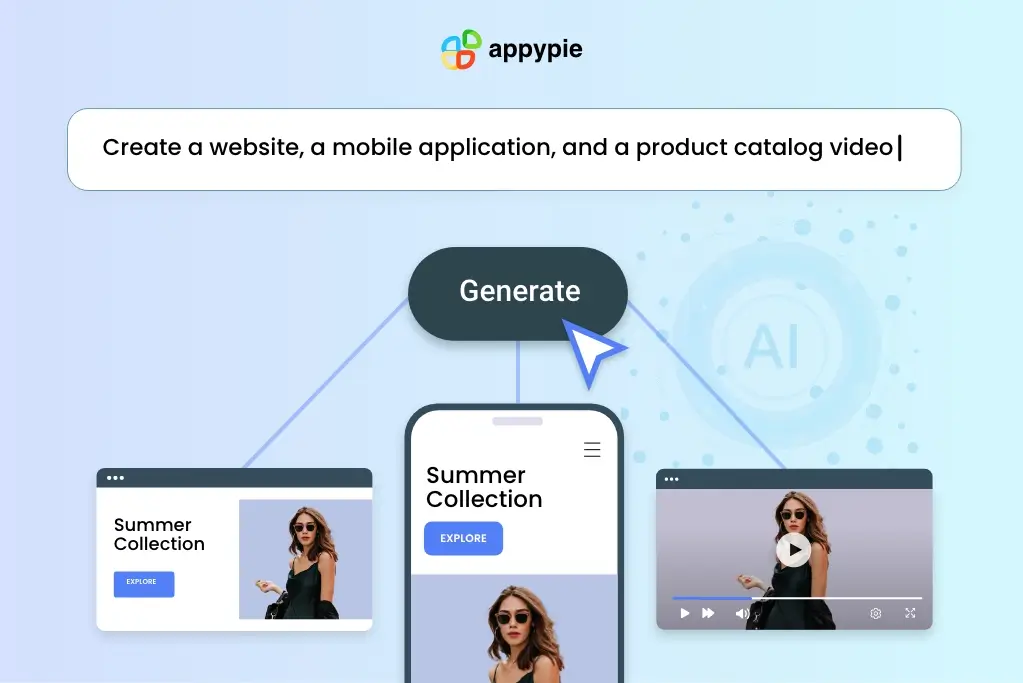
Appy Pie’s AI turns a plain-English prompt into a real native Android and iOS app with a working backend — no separate hosting or database setup required.
Key Features and Technology
Appy Pie’s platform is broad, but the pieces you’ll actually touch break down cleanly into a handful of areas.
AI App Generator
The current front door to Appy Pie. Describe your app in a sentence or two, and within 30–90 seconds you get a working preview — screens, navigation flow and a first-pass data model already assembled. From there you customize in the visual editor (colors, fonts, layout, copy) or keep issuing natural-language edits. Nine common app patterns — restaurant ordering, booking and scheduling, fitness tracking, quiz and learning, social networking, ecommerce, event listings, news, and community/membership apps — have dedicated starter prompts, since these are the categories the AI handles most reliably.
Classic Drag-and-Drop App Builder
Users who prefer a visual canvas over a prompt still have the option: choose a category template (there are dozens, covering restaurants, churches, radio stations, taxi services, real estate, fitness and more), then drag on features like navigation menus, form builders, and photo/video sharing. This is the older, more established part of the product, and it’s what most of the multi-year Trustpilot reviews are describing when they praise the “simple no-code” experience.
AI Website Builder and Chatbot Maker
A companion AI website builder generates a complete, mobile-responsive site from a short description, choosing color schemes and typography automatically; it runs on offline-first tech so the site stays reachable even on a flaky connection. The Chatbot Maker is a separate AI-driven tool for lead qualification, appointment booking and customer support conversations, deployable on a website or connected messaging channel without writing conversation-flow code by hand.
Appy Pie Automate and Integrations
Appy Pie Automate is the company’s Zapier-style workflow tool, letting you connect apps and trigger actions across more than 20 catalogued integrations, including Shopify, Mailchimp, Google Ads, Google Drive, Google Sheets, Microsoft Teams, Asana and Airtable. It’s sold and priced on its own subscription track rather than bundled automatically into an app builder plan.
Payments, Push Notifications and Admin Panel
Every AI-generated app ships with Stripe, PayPal, Apple Pay, Google Pay and 17-plus regional payment gateways pre-integrated, plus push notifications via Firebase Cloud Messaging (Android) and APNs (iOS) that you can send as broadcasts, segments or behavior-triggered messages from an admin dashboard. That same dashboard covers content management, user management and basic app analytics — active users, retention, screen flow and conversion events — without a separate analytics integration.
Pricing, Plans, and Package Structure
Appy Pie’s App Builder pricing is per app, per month, billed monthly or yearly (yearly saves roughly 50% off the monthly rate). That per-app model is the single most important pricing detail to understand: if you’re building three separate apps, you need three separate subscriptions, not one account-wide plan. You can build and preview for free indefinitely, but publishing to a store or removing the Appy Pie badge requires a paid tier, and every paid tier includes a 7-day free trial.
| Plan | Price (USD) | What It Is | Best For |
|---|---|---|---|
| Free / Build Mode | $0 | Unlimited prompting, editing and preview; no publishing, Appy Pie branding stays on | Testing an idea before you pay |
| Basic | $16/app/mo (billed yearly) or $32/mo billed monthly | Android publishing, unlimited editing/hosting, 500 push notifications and 500 downloads/mo, email support | Solo builders launching a first Android app |
| Gold | $36/app/mo (billed yearly) or $72/mo billed monthly | Everything in Basic plus premium features, 1,000 push notifications and downloads/mo, email + chat support | Small businesses wanting Appy Pie’s “best value” balance |
| Platinum | $60/app/mo (billed yearly) or $120/mo billed monthly | iOS + Android publishing, 2,000 push notifications and downloads/mo, email + chat + phone support | Anyone who needs an Apple App Store listing |
| Add-On Package | 2x your current plan price | Removes Appy Pie branding (white-label) + a dedicated account manager | Agencies and brands that can’t ship with visible Appy Pie branding |
| Enterprise | Custom (sales-led) | Unlimited app creation, dedicated account & data-security manager, custom SLAs, HIPAA-eligible tooling | Regulated industries and large multi-app organizations |
How Appy Pie Compares to Alternatives
| Factor | Appy Pie | BuildFire | Adalo |
|---|---|---|---|
| Entry price | $16/app/mo (yearly) | ~$100/mo (no monthly billing) | ~$36/mo |
| AI prompt-to-app | Yes — full native app from a text prompt | AI-generated template only, not a full app | Partial — “Magic Start” AI foundations |
| Native iOS + Android output | Yes, real Kotlin/Swift builds | Yes, native publishing to both stores | Yes, single codebase to both stores |
| Billing model | Per app, per month | Flat per account, billed quarterly/annually | Flat per account, unlimited records |
| Payments & push built-in | Stripe, PayPal, Apple/Google Pay, 17+ gateways, push | In-app purchases via plugins, gated by tier | Available, more manual setup |
| Extensibility / plugins | 20+ integrations, no code export | 100+ plugins, strong agency extensibility | 5,500+ third-party integrations, plugin marketplace |
| Learning curve | Low — prompt-based, guided onboarding | Low, but dated interface | Low-to-moderate, deeper database concepts |
| Best for | Fast prompt-to-store apps for common patterns | Agencies building multiple client apps | Founders wanting deeper database control |
vs. BuildFire: BuildFire’s plugin ecosystem and agency-focused white-label tools give it an edge for shops managing many client apps, but its entry price of roughly $100/month with no monthly billing option and only 100 downloads included makes it a much bigger commitment than Appy Pie for a first project. Appy Pie wins clearly on accessibility and starting cost; BuildFire wins on extensibility once you’re past the prototype stage.
vs. Adalo: Adalo is the closer price match, starting around $36/month with unlimited database records and no download caps on paid plans, plus its own AI assistant (“Magic Start”). Adalo generally offers more granular database and logic control for builders willing to learn its collections model; Appy Pie’s advantage is a more complete first draft from a single prompt and payments/push that are pre-wired rather than assembled from plugins.
vs. web-first AI builders (Lovable, Bolt.new, Base44, Replit AI): These tools are excellent for fast web prototypes and let you fully export and own the code, which Appy Pie does not offer. If your end goal is a listing in Google Play and the App Store rather than a web app, Appy Pie’s native-only focus is the more direct route; if code ownership and web deployment matter more than app-store presence, the export-friendly tools are the better fit.
Pros and Cons
What Users Love
Genuinely fast first drafts: The most consistent praise, across G2, Capterra and Trustpilot alike, is speed — reviewers repeatedly describe going from a blank idea to a working, testable app within days, without hiring a developer or learning to code.
Support that shows up by name: An unusually large share of Trustpilot reviews call out individual support agents by name for resolving billing, publishing or Apple-certificate issues quickly over chat or Zoom — a pattern that suggests the support org, at least for engaged customers, is functioning well.
Real cost savings vs. custom development: Multiple reviewers specifically cite avoiding a $10,000-plus custom development quote, and G2 reviewers have described cost reductions of roughly 90% compared to hiring a developer for a simple business app.
Genuinely broad app-type coverage: From restaurant ordering to church community apps to taxi booking, the platform’s template and prompt library covers a wide spread of common small-business use cases well, without needing a developer for each variation.
One vendor for app, site, and automation: For solo founders and small teams, being able to handle the app, the website, a support chatbot, and basic workflow automation inside one ecosystem cuts down on vendor management overhead.
Formal security certifications most no-code tools skip: SOC 2, PCI DSS, GDPR and ISO 27001/22301 compliance give Appy Pie credibility for use cases — healthcare-adjacent, finance-adjacent, education — where a bare-bones app builder wouldn’t pass a vendor security review.
Limitations Worth Knowing
Per-app pricing adds up fast: Because every app needs its own subscription, teams building more than one or two apps will find Appy Pie’s headline “$16/month” figure misleading — a multi-app portfolio can quickly cost more than a flat-rate competitor.
Customization has a ceiling: GetApp and Capterra reviewers consistently flag limited flexibility for fine design adjustments and specific custom features, and one recent Capterra review specifically described AI-generated apps as feeling “cookie cutter” once you recognize the underlying template patterns.
No code export, ever: Every app runs on Appy Pie’s hosted infrastructure permanently. There’s no Git repo, no self-hosting option, and no way to take your app’s source code to another platform if you outgrow Appy Pie or want to switch vendors.
Billing and cancellation friction for some users: A recurring theme in negative Trustpilot and Capterra reviews involves confusing upgrade prompts, being charged during a trial period, and difficulty cancelling — particularly for accounts created via Apple sign-in, where at least one reviewer described confirmation emails routing incorrectly. Most of these disputes appear resolvable through support, but they’re common enough to plan around: read the billing terms before entering a card.
Custom-development engagements carry more risk: Separate from the self-serve app builder, some reviewers describe frustrating experiences with Appy Pie’s paid custom-build or managed services — longer timelines than quoted and difficulty getting resolution on larger invoices. If you’re considering a managed/custom engagement rather than self-serve, get scope, timeline and refund terms in writing before paying a deposit.
Not for advanced, novel, or heavily technical apps: Appy Pie’s own FAQ is honest that custom server-side logic, autonomous AI agents, 3D game engines and standalone Apple Watch apps are out of scope. If your app idea needs any of these, this platform will hit a wall regardless of how you prompt it.
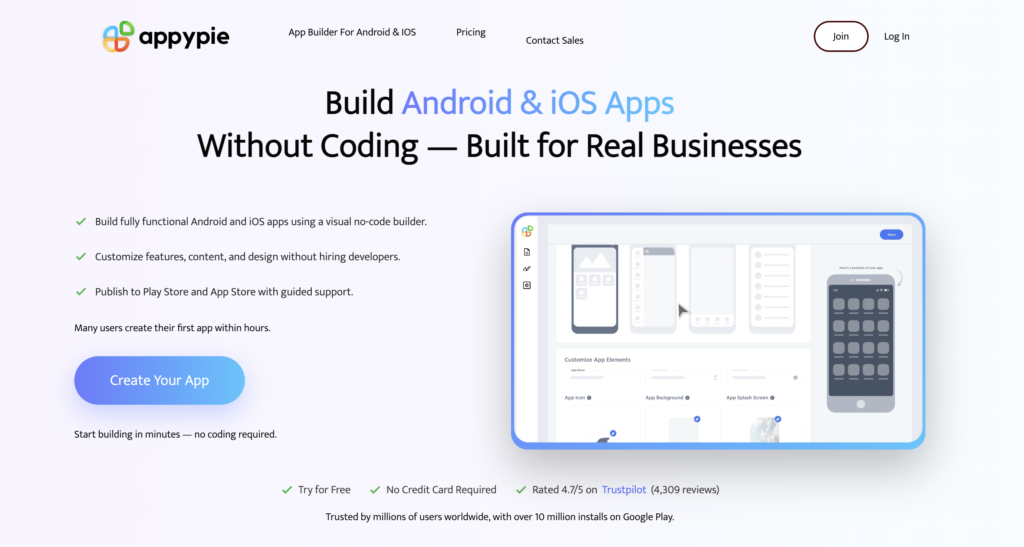
Appy Pie’s Basic, Gold and Platinum plans are billed per app, per month — a detail worth mapping to your real project count before comparing prices.
Who Should Use Appy Pie
Restaurants, salons and local service businesses: Ordering, booking, loyalty and push-notification promotions are exactly the app patterns Appy Pie’s AI handles most reliably, and the case studies (Memorial Tacos, DO Max, Spanish Flowers) all sit squarely in this category.
Churches, non-profits, schools and community groups: Purpose-built templates for church and community apps, plus education-focused discounts for schools and .edu accounts, make this one of Appy Pie’s strongest, most established niches.
Solo founders validating an app idea: The free build-and-preview mode plus a $16/month entry point make Appy Pie a low-risk way to get a real, installable app in front of early users before committing to a full custom build.
Non-technical teams that want one vendor for app, site and automation: If you’d rather manage a single relationship than stitch together an app builder, a website tool, a chatbot vendor and a Zapier plan, Appy Pie’s bundled ecosystem is a genuine convenience.
Who should look elsewhere: Teams that need exportable source code or full infrastructure control should look at FlutterFlow or a traditional development shop instead. Agencies managing many client apps with deep plugin needs will likely find BuildFire’s extensibility worth its higher price. And anyone building something genuinely novel — custom server logic, an autonomous AI agent, a 3D game — should treat Appy Pie’s own “honest limits” list as a hard boundary, not a challenge.
Getting Started: Step by Step
- Write your first prompt. Be specific: name the app type, core features and one or two integrations (“a fitness coaching app with a workout library, progress tracking, and Stripe subscriptions”). The more detail you give upfront, the less iteration you’ll need later.
- Review the generated preview. You’ll get a working preview in under a minute, covering screens, navigation and a first-pass data model. Test the core user flow before touching design — confirm the logic makes sense before you polish it.
- Customize in the visual editor or by prompt. Adjust colors, fonts, icons and copy directly, or keep issuing natural-language edits like “add a loyalty tab” — the AI updates the existing project rather than starting over, and every change is checkpointed for rollback.
- Choose your plan based on real app count. Pick Basic if you only need Android and one app; Platinum if iOS matters; and remember to budget separately for Google Play’s $25 one-time fee and Apple’s $99/year developer fee, which Appy Pie doesn’t cover.
- Submit for store review. Appy Pie generates signed Android and iOS builds and guides you through the App Store Connect / Google Play Console submission flow; most users report approval within 24–48 hours, though Apple can take longer for regulated categories like health or finance.
- Set up push notifications and monitor analytics. Once live, configure your first push campaign from the admin panel and check the built-in analytics dashboard weekly for retention and conversion trends before deciding what to prompt for next.
Tips for Getting Maximum Value
Start with one of the nine dedicated app-type prompts (restaurant, booking, fitness, learning, social, ecommerce, events, news, community) rather than a fully custom description — these patterns are what the AI has been most heavily trained and tested on, and you’ll get a cleaner first draft. Stack your iteration prompts one change at a time (“add dark mode,” then separately “add a loyalty tab”) rather than bundling several requests into one prompt, since the AI handles focused edits more reliably than compound ones. Before you pay for a tier, count your actual number of planned apps and multiply by the per-app price — it’s easy to underestimate the real monthly cost of a multi-app portfolio. If white-labeling matters for your brand, budget for the Add-On Package (2x your plan price) from day one rather than discovering the Appy Pie badge on launch day. And if you’re on the fence about a billing dispute or cancellation, go through the in-app chat support first — the volume of Trustpilot reviews describing fast, named-agent resolutions suggests that channel is genuinely effective, more so than email alone.
Future Outlook and Final Assessment
The no-code app-building category is being reshaped fast by AI, and the center of gravity is shifting from drag-and-drop canvases toward prompt-based generation. Appy Pie has a decade of app-store publishing experience underneath its newer AI layer, which shows up in the details competitors without that history often get wrong — real native binaries instead of web wrappers, working payment integrations instead of DIY plugin assembly, and an actual store-submission support process. As the AI engine keeps improving its handling of more complex, less template-shaped app ideas, that head start should keep compounding.
The honest caveats are real, though: per-app pricing that can outgrow its “$16/month” headline fast, a customization ceiling that shows up once you push past a common template, no code export if you ever want to leave, and a minority of reviewers describing genuinely frustrating billing or custom-development disputes. Competitors like Adalo undercut Appy Pie on flat-rate pricing for founders who don’t mind a steeper database learning curve, while BuildFire’s plugin depth serves agencies willing to pay more. Within its actual lane — turning a common small-business app idea into a real, published native app without hiring a developer — Appy Pie remains one of the fastest, most complete routes to market in 2026.
Conclusion
Appy Pie isn’t trying to replace a dedicated development team building something genuinely novel — it’s trying to remove the developer requirement entirely for the huge majority of apps that follow familiar patterns: ordering, booking, loyalty, community, content. At that specific job, backed by real native output, pre-wired payments and push, and a decade of app-store publishing experience, it does the job about as well as anything in its price range. It rewards realistic expectations about customization limits and per-app pricing, and it’s not the right call for anyone who needs exportable code or truly custom backend logic — but for the small business owner or first-time founder who just wants a real app live on Google Play and the App Store without learning to code, few tools get there faster. Confirm your current pricing tier and app count on the official site, and Appy Pie can take the hardest part of shipping an app — the actual engineering — off your plate.
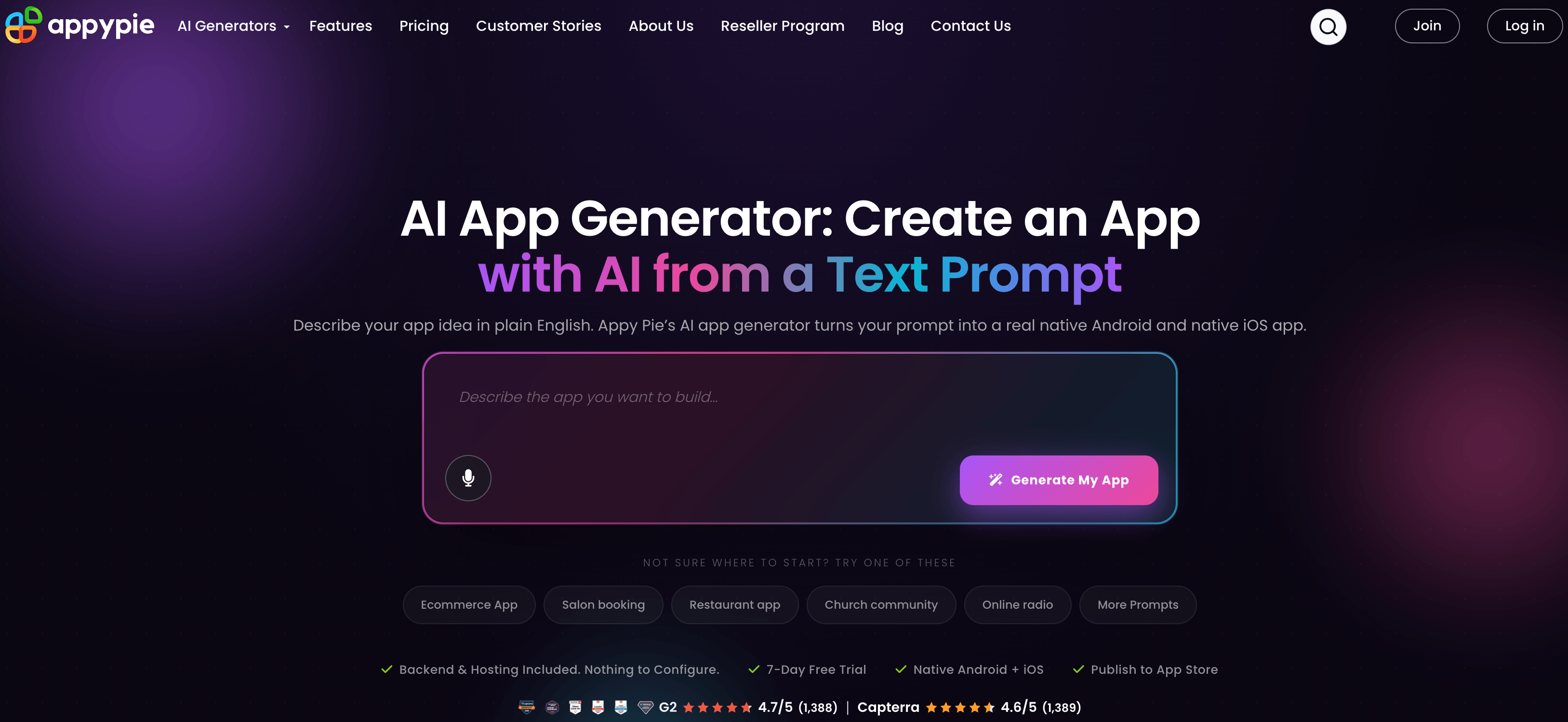
A completed Appy Pie project, from prompt to a real native app live on Google Play and the App Store.
Ready to turn your app idea into a real prompt-to-store build?
Explore more honest reviews, tutorials and tech comparisons to find the right gear for the way you work, travel and live — at World Of Tech, where we make everything easy.
👉 Shop Appy Pie: https://worldoftech.space/appypie
👉 Our YouTube Channel: youtube.com/@world_tech79
👉 Our Facebook Fanpage: Facebook
👉 Our X (Twitter): @worldoftech79
Pricing, specifications and policy details in this review were verified against appypie.com and independent review sources (including G2, Capterra and Trustpilot) as of July 2026. No-code and AI app-building pricing, features and promotions change frequently, so confirm current details on the official site before purchasing. Competitor prices are approximate and subject to change.





