
Nobody actually enjoys building a slide deck at 11 p.m. before a morning meeting — picking a template, wrestling with text boxes, hunting for a stock photo that doesn’t look like a stock photo. AiPPT.com is one of the most popular tools built to erase that entire process: paste in a topic, a document, or a URL, and its AI structures the content, writes the copy, picks the layout and generates the visuals for you in around three minutes. It’s developed by PixelBloom / Megadreams Limited, an AI office-tool company founded in 2018 and now operating out of Singapore, and it’s grown into one of the most downloaded AI presentation apps on both the Apple App Store and Google Play, with a claimed template library north of 200,000 designs.
The pitch is simple and genuinely useful: turn rough ideas, PDFs, Word docs or even a webpage link into a polished, fully editable PowerPoint-compatible deck without touching a template gallery. But AiPPT isn’t the only AI presentation tool chasing this exact use case — Gamma, Beautiful.ai, Canva and Tome are all fighting for the same “type a prompt, get a deck” workflow, and AiPPT’s own credit-based free tier and confusing pricing structure across web and mobile are worth understanding before you commit. This 2026 review covers what AiPPT actually does well, its real pricing (verified against Apple’s App Store listing), how it stacks up against Gamma and Beautiful.ai, the honest pros and cons from verified users, and exactly who gets the most value from it.
AiPPT.com Review 2026: Is This AI Presentation Maker Worth Your Subscription?
Overview and Background
AiPPT.com is an AI-powered presentation maker that converts ideas, documents, notes and web pages into structured, editable slide decks. It’s built by PixelBloom, described in its own materials as an “AI office tool incubator” founded in 2018, and is legally operated by Megadreams Limited, a Hong Kong / Singapore-registered company whose office address is listed as 8 Burn Road, Trivex, Singapore. The company also publishes AiPPT’s mobile apps under the same Megadreams Limited developer name on both the Apple App Store and Google Play, where the tool has accumulated a substantial download base and a 4.5+ average rating across thousands of app-store reviews.
Unlike a template-first tool where you pick a design and fill in blanks, AiPPT leads with input flexibility: you can start from a single-sentence prompt, paste in Markdown, or upload a PDF, Word document, Excel file, image or mind map, and the system will parse the structure and content before generating slides. It also supports pulling content directly from a URL, which is useful for turning a blog post or research page into a presentation without manual copy-pasting. The platform offers three distinct generation modes — AiPPT Classic (traditional structured decks), AiPPT Flow (adaptive layouts matched automatically to your content), and AiPPT Visual (image-forward, story-driven slides) — plus AI image generation through third-party models including Flux, Imagen, Seedream and Google’s Nano Banana family.
AiPPT’s independent review footprint is thinner than more established rivals like Gamma or Canva. Its Trustpilot profile shows only a small handful of reviews at a middling score, with at least one reviewer flagging difficulty canceling a subscription and no visible company response — worth knowing given the volume of feedback available elsewhere. AppSumo, where AiPPT has run lifetime-deal promotions, shows a stronger and larger sample: a 4.52 out of 5 rating across 23 verified purchasers, with detailed feedback on both strengths and specific feature gaps. Given the limited Trustpilot sample, this review leans on the AppSumo data, App Store/Play Store ratings, and hands-on third-party write-ups as the more representative picture.
Why AiPPT Stands Out in 2026
The widest range of input formats among AI slide tools: AiPPT accepts prompts, PDFs, Word docs, Excel files, images, Markdown, mind maps, Google Drive files and raw URLs. Most competitors handle two or three of these; AiPPT’s document-parsing depth — genuinely understanding a 30-page report’s structure rather than just copying text — is one of its clearest advantages.
Three distinct generation modes for different needs: AiPPT Classic gives you a traditional structured deck, AiPPT Flow adapts layout to content automatically for a more magazine-style result, and AiPPT Visual leans into image-forward, story-driven slides. Having this choice built in is more flexible than the single fixed output style most rivals offer.
A genuinely massive template library: AiPPT advertises over 200,000 customizable templates spanning business, education, creative, and technology categories — independent reviewers confirm at minimum an 800-plus curated set, with the site’s own gallery organized by industry, subject, color palette and design style, making it easier to land on an on-brand look without starting from a blank canvas.
Conversational editing after generation: Rather than manually repositioning every text box, you can tell AiPPT in plain language to rewrite a slide, add a chart, change the theme or adjust the layout — a meaningfully faster editing loop than traditional slide software.
Native mobile apps, not just a web tool: AiPPT publishes full iOS and Android apps, which is unusual in this category — most AI presentation makers, including Gamma and Beautiful.ai, are browser-only. If you need to review or tweak a deck from your phone, AiPPT is one of the few tools built for that.
Cutting-edge image models bundled in: Rather than relying on one proprietary image generator, AiPPT integrates multiple third-party AI models — Flux, Imagen, Seedream, and Google’s Nano Banana and Nano Banana Pro — plus AI video generation through Kling and Vidu for slide motion, giving users access to several state-of-the-art visual engines under one subscription instead of paying for each separately.
Genuinely fast for real workloads: Verified reviewers on AppSumo, including one who claimed to have purchased “every LTD PowerPoint creation tool available,” described AiPPT as getting them to 80% deck completion in minutes rather than the hours a manual build takes — a claim echoed consistently across independent reviews covering teachers, students and business users alike.
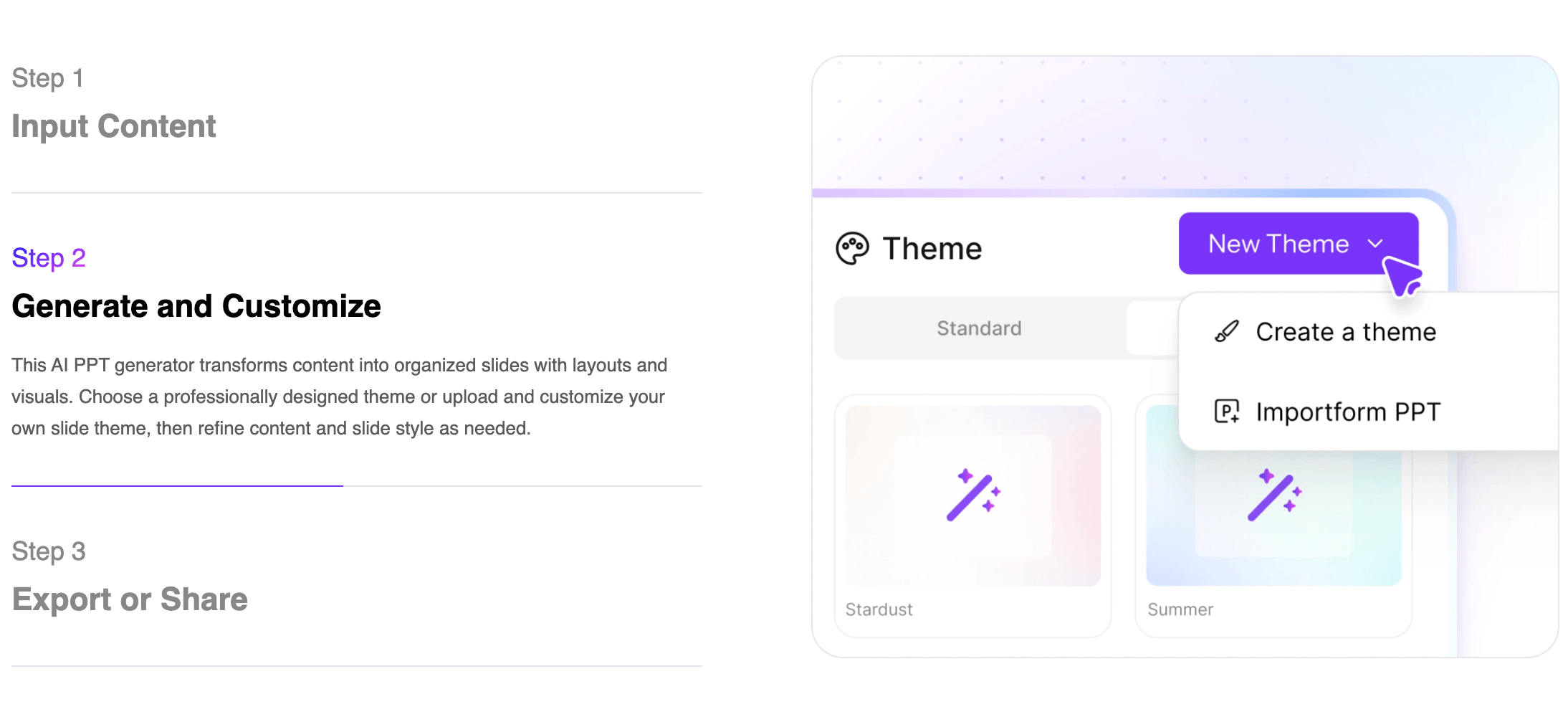
AiPPT turns a topic, document, or URL into a structured, fully editable slide deck in about three minutes.
Key Features and Technology
AiPPT’s toolset goes well beyond a single “generate” button. Here’s how the platform breaks down into its core pillars.
Smart Document and URL Parsing
Upload a PDF, Word file, Excel sheet, image, or paste a URL, and AiPPT’s AI identifies the underlying structure — the problem statement, key data points, and conclusions in a report, for example — rather than simply dumping the raw text onto slides. This “content repurposing” workflow is particularly strong for turning a blog post, research paper, or long internal document into a shareable deck without manual restructuring.
Classic, Flow and Visual Generation Modes
AiPPT Classic produces the traditional structured slide-by-slide deck most people expect. AiPPT Flow (also called Adaptive Presentation) automatically matches templates and layouts to your content for a more dynamic, magazine-style flow. AiPPT Visual is built around visual storytelling, prioritizing generated imagery and a story-driven sequence over dense text. Picking the right mode for the audience — a formal Classic deck for a board meeting, a Visual deck for a creative pitch — meaningfully changes the output quality.
Conversational Editing and Design Refinement
After the initial generation, you can refine the deck through natural-language instructions — rewrite content, adjust layout, insert charts, swap the theme, or regenerate visuals — instead of manually repositioning elements. The platform also applies automatic design refinement (typography, spacing, visual hierarchy) to smooth out rough edges. One documented limitation from a verified AppSumo reviewer: literal, exact-wording instructions for specific slides (“use this exact text on slide 1”) aren’t always followed precisely, and per-slide regeneration (redo only slide 3, leave the rest untouched) isn’t as granular as some power users want.
Multi-Model AI Image and Video Generation
Rather than a single proprietary image engine, AiPPT gives users access to Flux, Imagen, Seedream, and Google’s Nano Banana and Nano Banana Pro models for slide visuals, plus Kling- and Vidu-powered video generation for slide motion and presentation videos. AiPPT.com is an independent platform and is not affiliated with, endorsed by, or sponsored by Google — Nano Banana access is provided via third-party integration.
Export, Conversion Tools and Template Library
Finished decks export to PPTX, PDF or image formats, or can be shared via a live link, and all outputs stay compatible with PowerPoint and Google Slides. AiPPT also bundles standalone conversion tools — PDF to PPT, Word to PPT, Excel to PPT, Image to PPT and the reverse — as free utilities, alongside its claimed 200,000+ template library spanning business, education, creative and technology categories.
Pricing, Plans, and Package Structure
AiPPT uses a freemium, credit-based model across Free, Plus and Pro tiers, with both monthly and annual/lifetime options. Note that AiPPT’s web pricing page is JavaScript-rendered and doesn’t expose figures to simple page fetches, and multiple third-party review sites report inconsistent numbers for the web plans (anywhere from roughly $7.99 to $29 a month for equivalent tiers) — a sign that promotional pricing shifts often. The figures below are anchored to AiPPT’s own confirmed in-app purchase pricing on the Apple App Store, which is independently verifiable and consistent across regions; always confirm the current live web price on aippt.com/price before subscribing, since it may differ from mobile app pricing.
| Plan | Price (USD) | What It Is | Best For |
|---|---|---|---|
| Free | $0 | 140 one-time AI credits, ~2 generations/day, max 10 slides, watermarked/limited export | Testing output quality before buying |
| Plus (Monthly) | $9.00/month (App Store, verified) | 600 credits/month, 20-slide cap, advanced AI model, no watermark | Regular users making a few decks monthly |
| Plus (Yearly) | $59.99/year (App Store, verified) | Same Plus benefits, billed annually (~$5/mo effective) | Committed users wanting the lowest per-month rate |
| Pro (Monthly) | $11.49/month (App Store, verified) | 1,200 credits/month, 50-slide cap, state-of-the-art model access | Power users and frequent presentation builders |
| Pro (Yearly) | $72.00/year (App Store, verified) | Same Pro benefits, billed annually (~$6/mo effective) | Best value for consistent Pro-tier use |
| Lifetime Plan | $107.99 one-time (App Store, verified) | Plus-tier benefits, paid once | Long-term users who want to avoid recurring billing |
| Pro Lifetime Plan | $139.99 one-time (App Store, verified) | Pro-tier benefits, paid once | Frequent users wanting Pro features without a subscription |
How AiPPT Compares to Alternatives
| Factor | AiPPT.com | Gamma | Beautiful.ai |
|---|---|---|---|
| Entry paid price | $9/month (Plus, verified) | ~$8–10/month (Plus, approximate) | ~$12/month (Pro, annual, approximate) |
| Input sources | Prompt, PDF, Word, Excel, image, URL, Markdown, mind map, Drive | Prompt, paste text, some document import | Prompt, outline, limited import |
| Native mobile apps | Yes — iOS and Android | No — web only | No — web only |
| Design philosophy | Traditional slide decks (Classic), adaptive (Flow) or visual-first (Visual) | Card-based, web-native, flexible for docs and pages too | “Smart Slides” auto-layout, strict design guardrails |
| Free tier usability | Limited — 2 gens/day, 10-slide cap, export gated | 400 one-time credits, no card needed — often more generous | Trial requires card upfront |
| Independent review volume | Thin on Trustpilot; stronger on AppSumo (4.52/5, 23 reviews) and app stores | Larger, more established third-party review base | Larger, more established third-party review base |
| Best for | Converting existing documents/URLs into decks fast, on desktop or mobile | Web-native, shareable decks, docs and pages from a prompt | Strict design consistency for business teams |
AiPPT vs. Gamma: Gamma is the more web-native tool — its card-based format is optimized for shareable links, and its free tier’s 400 one-time credits are more generous for casual testing than AiPPT’s daily-limited free plan. AiPPT pulls ahead on raw input flexibility (PDF, Excel, URL, mind maps) and is the only one of the two with real native mobile apps. If your workflow starts from existing documents rather than a blank prompt, AiPPT’s parsing is the stronger fit; if you want a polished, easily shareable web link, Gamma tends to win.
AiPPT vs. Beautiful.ai: Beautiful.ai enforces stricter design rules — its “Smart Slides” auto-adjust as you edit, which keeps every slide visually consistent almost by force, a genuine advantage for teams that need brand discipline. AiPPT gives more creative range across its three generation modes and a far larger raw template count, but with less automatic guardrail enforcement, so quality can vary more between decks. Beautiful.ai’s trial requires a credit card upfront, where AiPPT’s free tier does not.
Pros and Cons
What Users Love
Real time savings on first drafts: A verified AppSumo reviewer who said they’d purchased “every LTD PowerPoint creation tool available” called AiPPT the best AI PowerPoint tool they’d tried, specifically citing that it gets decks to 80% complete in minutes versus hours of manual work.
Strong document-to-slide conversion: Educators and business users independently praised AiPPT’s ability to turn lecture notes and research papers into organized, visually engaging decks without manual restructuring — a workflow multiple third-party reviews called out as a standout strength.
Broad, flexible input support: Reviewers consistently highlight the range of accepted formats — PDF, Word, URL, Markdown, mind maps — as a genuine differentiator versus prompt-only competitors.
Access to multiple cutting-edge image models: Bundling Flux, Imagen, Seedream and Nano Banana under one subscription, rather than forcing users to pay separately for each, was called out favorably by reviewers comparing AiPPT to single-model competitors.
Mobile-first flexibility: Real native iOS and Android apps let users generate and review decks away from a desktop — a genuine convenience most AI presentation tools in this category still don’t offer.
Limitations Worth Knowing
Output quality is inconsistent and needs editing: Multiple independent reviewers, including a hands-on tester who called quality “impressive most of the time, but not perfect,” note that AI-generated decks — especially from messy or unstructured notes — require manual polish before they’re client-ready. Structured input (Word docs) reportedly outperforms loose notes.
Limited granular control over exact wording: A verified AppSumo reviewer specifically flagged that literal instructions for exact text on specific slides aren’t always followed precisely, and that regenerating a single slide without affecting the rest of the deck isn’t as fine-grained as some power users need.
Thin, mixed independent review presence: AiPPT’s Trustpilot profile carries very few reviews and a middling score, including at least one complaint about subscription cancellation going unanswered. Some third-party site-safety checkers have also flagged mixed trust signals for the domain, even though others rate it as established and safe — treat this as a reason for normal caution rather than alarm, and keep records of your subscription and cancellation requests.
Confusing, inconsistent web pricing: Third-party review sites report meaningfully different figures for AiPPT’s web-only Plus and Pro plans — from roughly $8 to $29 a month depending on the source and date — suggesting frequent promotional changes or A/B testing. Always verify the live price before subscribing rather than trusting a review site’s cached number.
A restrictive free tier: At roughly 2 generations a day and a 10-slide cap with no export, the free plan is really a taste test rather than a usable tool for real work — a step behind Gamma’s more generous one-time credit allowance.
Smaller template gallery than the marketing headline suggests: While AiPPT advertises 200,000+ templates, independent research notes the actively curated, high-quality set is closer to 800-plus — the larger figure likely includes auto-generated variations rather than distinct hand-designed themes.
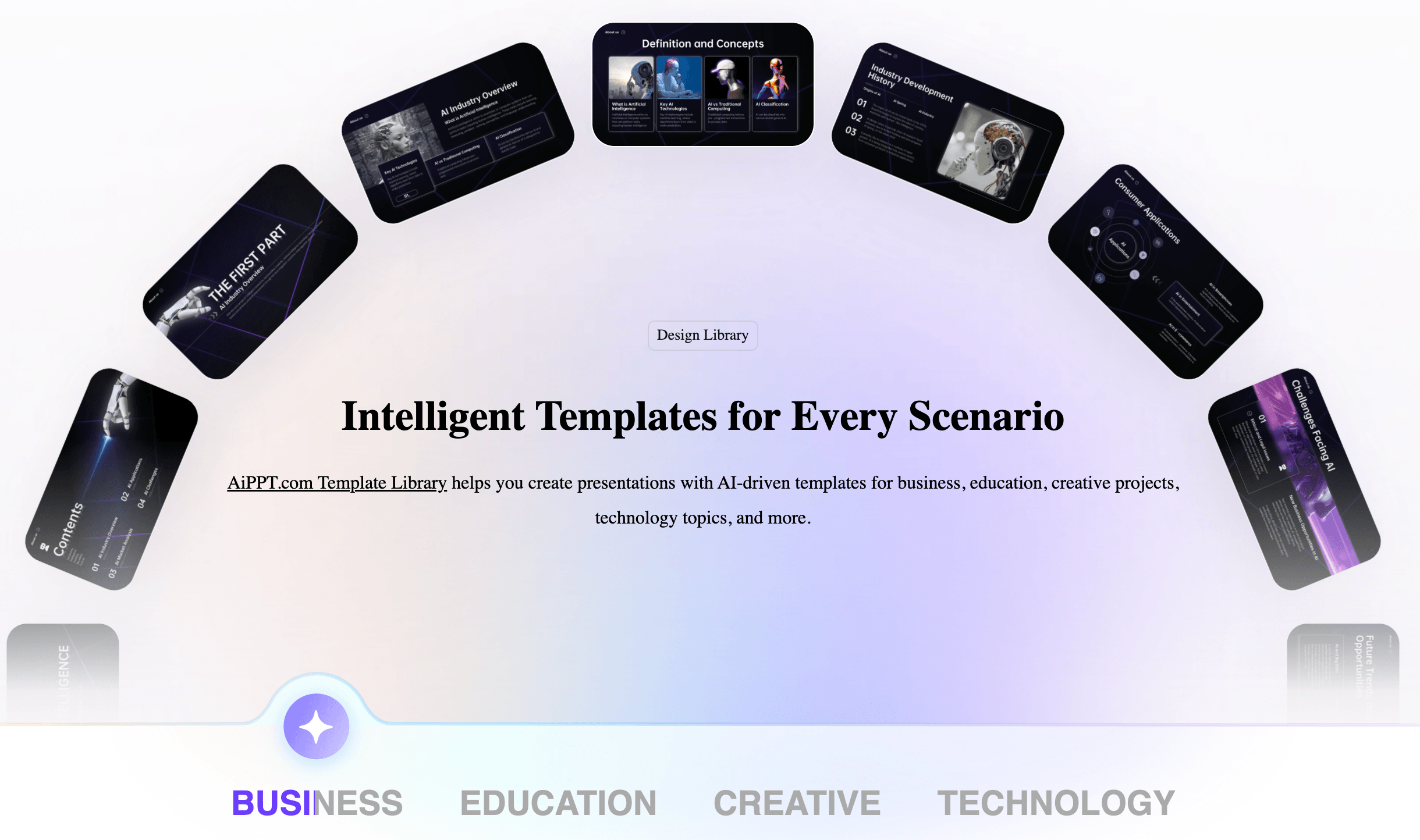
Conversational editing lets you refine layout, copy and visuals with plain-language instructions after the initial AI generation.
Who Should Use AiPPT
Students and educators: Turning lecture notes, research papers, or reading assignments into structured, visually engaging slides is one of AiPPT’s most consistently praised use cases across independent reviews.
Business professionals building recurring decks: Sales proposals, quarterly business reviews, marketing strategy decks and pitch decks all fit AiPPT’s structured Classic and adaptive Flow modes well, especially when you’re starting from an existing document or report.
Anyone converting existing content into a presentation: If your starting point is a PDF, a Word doc, an Excel report or a blog URL rather than a blank page, AiPPT’s document-parsing depth is a genuine time-saver competitors don’t match as well.
Mobile-first users: If you need to generate or tweak a deck away from a laptop, AiPPT’s native iOS and Android apps are a real differentiator versus web-only competitors.
Who should look elsewhere: Teams that need strict, enforced brand consistency across every deck may prefer Beautiful.ai’s stricter design guardrails; those who want a more web-native, link-shareable output format (docs, pages, social posts alongside decks) may prefer Gamma; and anyone who needs word-for-word precision on specific slides, or a large, deeply established independent review history before trusting a subscription, should factor in AiPPT’s thinner Trustpilot presence and weigh it against the stronger AppSumo and app-store signal.
Getting Started: Step by Step
- Sign up for the free plan. Create an account at aippt.com with no credit card required, and use your daily generation allowance to test output quality on a real document or topic before paying for anything.
- Choose your input source. Start with a topic prompt, paste in Markdown, or upload a PDF, Word doc, Excel file or image — or paste a URL if you’re repurposing existing web content. Structured inputs (organized documents) tend to produce better first drafts than loose, unstructured notes.
- Pick the right generation mode. Use Classic for a traditional business or academic deck, Flow if you want the AI to adapt layout automatically to your content, or Visual for a more image-driven, story-first presentation.
- Generate, then review the outline. Let the AI build the structure first and check it before it fills in full slide content — catching structural issues early saves more editing time than fixing individual slides later.
- Refine with conversational editing. Use plain-language instructions to adjust theme, layout, charts and visuals rather than manually repositioning elements — but expect to make some manual tweaks for exact wording or per-slide precision.
- Export or upgrade as needed. Download the finished deck as PPTX, PDF or images, or share via link. If you’re regularly hitting the free tier’s daily limit or need larger decks, compare the Plus, Pro and Lifetime options against your real usage before committing.
Tips for Getting Maximum Value
Feed AiPPT the most structured version of your content you have — a well-organized Word document or PDF consistently produces a cleaner first draft than a pile of loose notes, since the AI is parsing structure, not just extracting keywords. Review and adjust the AI-generated outline before letting it fill in full slide content; catching a structural issue at the outline stage takes seconds, while fixing it after the deck is fully generated takes much longer. Don’t expect literal, word-for-word instructions to land perfectly every time — for anything that needs exact phrasing (a legal disclaimer, a precise statistic), plan on a manual pass rather than relying entirely on the AI’s interpretation. If you build decks regularly, run the math on the Lifetime or Pro Lifetime one-time plans against your expected annual subscription cost, since they often break even within a year or two. Cross-check the live pricing page directly before subscribing on the web given the inconsistency third-party sites report, and if you’re testing the platform for a team, spend your free-tier generations across a few different input types (a document, a URL, a blank prompt) rather than all on one, so you get a realistic sense of output quality across your actual use cases.
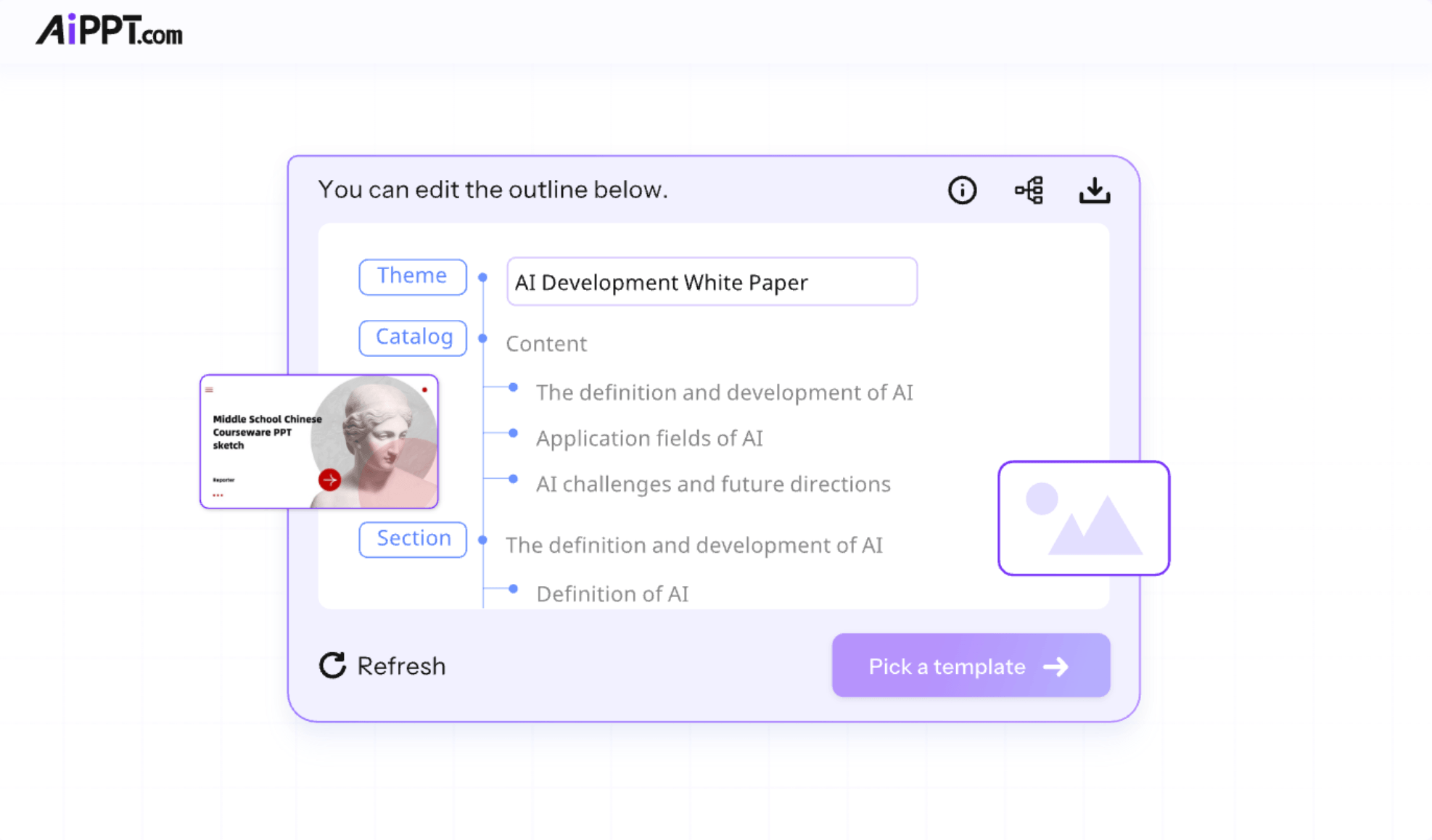
AiPPT’s template library spans business, education, creative and technology categories, organized by industry, color and design style.
Future Outlook and Final Assessment
The AI presentation category is one of the more mature corners of consumer AI tools in 2026, with Gamma, Canva, Beautiful.ai, Tome and Pitch all competing hard on the same “type an idea, get a deck” promise. AiPPT’s clearest strategic bet is input flexibility and mobile access — being the tool that can genuinely parse a messy PDF or a webpage URL into a coherent deck, and that you can actually open on your phone — rather than trying to out-design the web-native, card-based tools like Gamma. As document-understanding AI continues to improve, that bet looks reasonable, and the multi-model image and video integration (Flux, Nano Banana, Kling, Vidu) keeps AiPPT competitive on visual quality without locking users into a single proprietary engine.
The honest gaps remain real: AiPPT’s independent review footprint outside AppSumo and app stores is thinner than more established competitors, its web pricing is confusingly inconsistent across third-party sources, and output still needs a human editing pass before it’s genuinely client-ready. For a fast, flexible way to turn existing content into a usable first draft — especially from documents rather than a blank prompt — AiPPT earns a solid recommendation in 2026, with the caveat that you should budget time for manual polish and verify pricing directly before subscribing.
Conclusion
AiPPT.com does what most AI presentation tools promise but few deliver consistently: it takes the slowest, most frustrating part of building a slide deck — staring at a blank page, wrestling with structure and formatting — and compresses it into a few minutes, especially when you’re starting from an existing document rather than nothing at all. Its input flexibility, three generation modes, and rare native mobile apps set it apart from web-only rivals like Gamma and Beautiful.ai, even if its independent review presence and web pricing consistency lag behind more established names. Test it on the free tier with your own real content, verify the current price on aippt.com before subscribing, and treat the output as a strong first draft rather than a finished product, and AiPPT earns its place as one of the more practical AI presentation makers available in 2026.
Ready to turn your next idea into a polished deck in minutes?
Explore more honest reviews, tutorials and tech comparisons to find the right tools for the way you work, create and present — at World Of Tech, where we make everything easy.
👉 Try AiPPT.com: https://worldoftech.space/megadreamslimited
👉 Our YouTube Channel: youtube.com/@world_tech79
👉 Our Facebook Fanpage: Facebook
👉 Our X (Twitter): @worldoftech79
Pricing, specifications and policy details in this review were verified against aippt.com, the Apple App Store listing for AiPPT (developer: Megadreams Limited), and independent review sources (including AppSumo, Trustpilot and hands-on reviewer coverage) as of September 2026. AI software pricing, credit allowances and features change frequently, especially on web-only plans, so confirm current details on the official site before purchasing. Competitor prices are approximate and subject to change.





