
If your Windows PC boots slower than it used to, or a big spinning hard drive still feels sluggish loading files, fragmentation is often the quiet culprit behind it. O&O Defrag is a veteran Windows optimization utility from O&O Software GmbH, a Berlin-based developer that’s been building system tools since 1997. Now in its 31st version, O&O Defrag automatically reorganizes fragmented files on hard drives and manages write patterns on SSDs, running quietly in the background to keep boot times, program launches, and file access snappy — with a one-time purchase price instead of a subscription.
O&O Defrag isn’t a new name — it’s a category veteran that’s outlasted plenty of competitors and collected genuine editors’ picks from PC magazines over the decades, including a specific mention from ComputerBild praising its ability to speed up sluggish drives in testing. But nearly 30 years in business doesn’t mean the modern product is flawless: independent reviews of O&O Software as a company are thin and mixed, its perpetual-license pricing model has drawn specific complaints, and the underlying question of whether defragmentation still matters on modern SSD-based PCs is worth addressing directly. This 2026 review covers what O&O Defrag 31 actually does, its Professional and Server pricing, how it stacks up against free alternatives like Windows’ own built-in tool and IObit Smart Defrag, the honest pros and cons, and exactly who still needs a dedicated defrag utility in 2026.
O&O Defrag Review 2026: Does Windows Still Need a Dedicated Defrag Tool?
Overview and Background
O&O Defrag is a Windows-only PC optimization utility, not a general system cleaner and not a backup tool — those live in O&O’s separate DiskImage and DiskRecovery products. Its one job is disk optimization: reassembling fragmented files on traditional hard drives into contiguous blocks, and on SSDs, managing write patterns and TRIM behavior to reduce unnecessary wear rather than physically “defragmenting” in the traditional sense. O&O Software GmbH was founded in 1997 by Oliver Falkenthal and Olaf Kehrer, is headquartered in Berlin, and has built a broad catalog of Windows utilities over nearly three decades, including SafeErase (secure deletion), DiskImage (backup), DiskRecovery, and the free ShutUp10 privacy tool. The company states its products are sold in more than 140 countries and counts a meaningful share of large enterprises among its customers.
O&O Defrag 31, the current release, ships in a Professional Edition for desktops and laptops, and a separate Server Edition for Windows Server environments (2016 through 2025). It’s a perpetual license — buy once, use always, with no subscription — a genuine point of difference from most modern software. Version 31 adds native ARM support for the newer wave of Windows PCs built around ARM-based chips, alongside a reworked interface that toggles between a simplified “modern” view for casual users and a full “classic” view with granular professional settings.
Independent third-party validation is thinner than you’d expect for a company this established. O&O Software’s own Trustpilot profile carries only a small handful of reviews, split between long-satisfied customers and specific complaints — most notably around the company’s upgrade/licensing model, where users report losing access to new features roughly 18 months after purchase unless they pay again for the next paid upgrade. Broader review aggregation sites summarizing customer feedback across Google, Trustpilot and similar platforms describe a mixed picture: recurring reports of slow support response times and occasional confusion around specific tools, alongside long-term users who describe the software as stable and easy to use.
Why O&O Defrag Stands Out in 2026
Decades of specialized focus, not a bolted-on feature: Unlike defrag modules buried inside broader “PC cleaner” suites, O&O Defrag has been the company’s core product for nearly 30 years, which shows up in the depth of its optimization options — from the SOLID defrag method to boot-time optimization that runs before Windows even finishes loading.
O&O IntensiveOptimize handles BitLocker-encrypted drives: Version 31’s revised IntensiveOptimize mode can fully optimize BitLocker-encrypted system drives with a single click — a genuinely useful capability for security-conscious users and IT admins who’d otherwise have to decrypt before deep optimization.
Boot-Time Optimization reaches files Windows can’t touch while running: A new fully-automatic pass optimizes the system before Windows finishes booting, meaning even locked system files that are normally impossible to defragment during a live session get handled.
O&O StartupManager cuts real boot time, not just theoretical fragmentation: A built-in startup-program manager shows exactly how much each auto-launching program adds to boot time and lets you disable culprits — and detects broken startup entries — addressing a bigger real-world slowdown source than fragmentation alone for many users.
O&O VisualDisk shows exactly what’s happening to your SSD: A dedicated visualization tool displays live write activity on flash-based drives, helping users actually understand — rather than just take on faith — how targeted optimization reduces unnecessary writes and extends SSD lifespan.
Built-in drive health checks and cleanup, not just defrag: O&O Defrag 31 checks hard drives and SSDs for file system inconsistencies and can repair many errors directly, and the bundled O&O DiskCleaner removes temp files, browser cache and other accumulated clutter — bundling adjacent maintenance tasks that would otherwise need a separate tool.
No subscription, ever: At a time when most Windows utility software has shifted to annual subscriptions, O&O Defrag Professional remains a genuine perpetual license — pay once for that major version and keep using it indefinitely, even though future major versions require a separate paid upgrade to unlock new features.
O&O Defrag 31 reorganizes fragmented files into contiguous blocks and manages SSD write patterns, running automatically in the background to keep Windows responsive.
Key Features and Technology
O&O Defrag 31 bundles more than raw defragmentation. Here’s how the Professional Edition’s toolset breaks down.
Defragmentation Methods and Automation
O&O Defrag offers multiple defrag strategies (including its SOLID method) that users can either leave on automatic — letting the software pick the right approach per system — or fully customize in the classic view. Automatic background defragmentation can be configured to trigger at a certain fragmentation threshold, on specific days, or whenever the screensaver activates, so maintenance happens without the user remembering to run it manually.
O&O VisualDisk for SSD Write Monitoring
This visualization tool displays write access patterns on flash-based storage in real time, giving users a clear picture of how targeted optimization reduces future write operations and helps extend SSD lifespan rather than shorten it through unnecessary writes — a common concern people have about running any “defrag” tool on an SSD.
O&O StartupManager
A dedicated view of every program, task and service launching at Windows startup, annotated with how much each one adds to boot time. Unwanted entries can be disabled with one click, and the tool flags broken or defective startup entries for cleanup — addressing boot slowness that has nothing to do with fragmentation but affects the same “how fast does my PC feel” outcome users actually care about.
Boot-Time Optimization and IntensiveOptimize
The new boot-time optimization pass runs fully automatically before Windows finishes starting, reaching locked system files that are impossible to touch during a normal session. The revised IntensiveOptimize mode extends full-access optimization to demanding users’ own environment, and — new in version 31 — can now optimize BitLocker-encrypted drives with a single click rather than requiring manual decryption first.
System Maintenance, Error Checks and Cleanup
O&O Defrag checks hard drives and SSDs for inconsistencies in both drive components and Windows system files, reporting what it finds and offering a repair function for most detected errors. The bundled O&O DiskCleaner clears out temporary files, browser cache and other accumulated clutter, and the program list view lets users identify and uninstall software they no longer need — directly recovering SSD space rather than just organizing what’s already there.
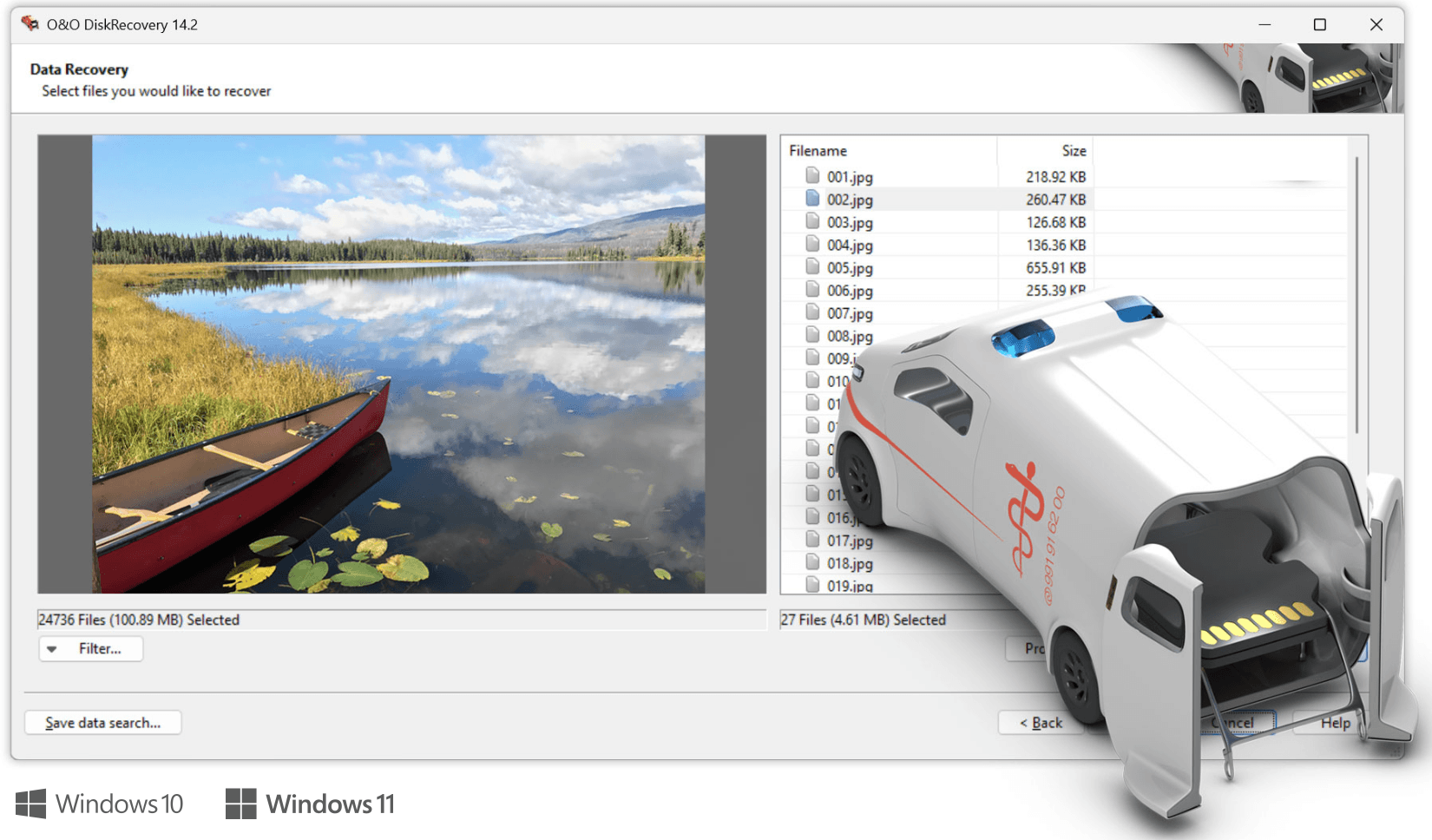
O&O Defrag 31 bundles StartupManager, VisualDisk, boot-time optimization and drive health checks alongside traditional defragmentation.
Pricing, Plans, and Package Structure
O&O Defrag uses a one-time-purchase model rather than a subscription, split across a Professional Edition for personal PCs and a Server Edition for business infrastructure. There’s also a free 30-day trial and a broader multi-tool bundle for buyers who want several O&O utilities at once.
| Edition | Price | What It Is | Best For |
|---|---|---|---|
| Free Trial | $0, 30 days | Full Professional Edition feature set, free technical support included | Testing real-world speed gains on your own PC before buying |
| Professional (1 PC) | €29.90 one-time (list price €49.90, official EU price at time of writing — confirm local/USD pricing on the order page) | Perpetual license, no subscription, 30-day money-back guarantee, desktop/laptop only | Home users and single-PC owners who want a permanent license |
| Server Edition | Approximate, historically priced well above the Professional tier (roughly $299 in recent generations) — request a current quote | Supports Windows Server 2016–2025, remote multi-server optimization | IT admins managing business servers and virtual machines |
| O&O ToolBox / PowerPack | Bundle pricing, varies by included tool count — check current offer | Multiple O&O utilities (Defrag, SafeErase, DiskImage, etc.) bundled at a discount | Buyers who also want backup, secure deletion, or recovery tools |
O&O’s licensing model is worth understanding before you buy: the Professional Edition license is a genuine perpetual license for the version you purchase — it won’t stop working — but new features and improvements introduced in later major versions require a separate paid upgrade to unlock, typically offered at a discount to existing customers. Independent customer reviews specifically flag this as a point of friction, describing the practical experience of paying again roughly every 18 months or so to stay on the current feature set, even though the version originally purchased keeps functioning.
How O&O Defrag Compares to Alternatives
| Factor | O&O Defrag 31 | IObit Smart Defrag | Windows Optimize Drives (built-in) |
|---|---|---|---|
| Price | €29.90 one-time, no subscription | Free core tool; Pro tier approximately $20–30/yr, subject to change | Free — already included with Windows |
| Boot-time optimization | Yes — reaches locked system files pre-boot | Yes — a headline free-tier feature | No |
| Startup program manager | Yes — O&O StartupManager with per-program boot impact | Basic startup manager included | Basic version in Task Manager |
| BitLocker drive support | Yes — one-click optimization new in v31 | Not specifically marketed | Handles TRIM natively regardless of encryption |
| Independent validation | Thin — small Trustpilot sample, mixed; long history of press awards | Large install base, mixed community opinion on thoroughness | N/A — built into the OS, widely used by default |
| Best for | Users wanting a deep, one-time-purchase tool with server support | Budget users happy with a free tool and optional Pro upsell | Casual SSD-only users who just want the OS default to keep running |
O&O Defrag vs. IObit Smart Defrag: Both offer boot-time optimization and automatic background defrag, but they sit at very different price points — Smart Defrag’s core functionality is free, with IObit monetizing through an optional Pro upgrade and cross-promotion of its other utilities, while O&O Defrag charges upfront for the full feature set from day one. Community opinion on raw defrag thoroughness between the two is genuinely split among longtime users, with some preferring O&O’s more granular classic-view controls and others finding a free tool adequate for their needs.
O&O Defrag vs. Windows’ built-in Optimize Drives: Windows already runs its own background optimization — TRIM commands for SSDs and basic defragmentation for HDDs — automatically on a schedule, at no cost. For a straightforward SSD-only laptop with light daily use, the built-in tool is often genuinely sufficient. O&O Defrag’s case gets stronger the moment your setup includes a spinning hard drive, an older PC accumulating years of fragmentation, BitLocker-encrypted drives you want optimized without a manual workaround, or a desire for the deeper visibility (VisualDisk, per-file fragmentation maps, drive health checks) that Windows’ minimal built-in interface doesn’t provide.
Pros and Cons
What Users Love
Noticeable, thorough results: User reviews and press testing consistently describe the software as fast and comprehensive at its core job, with one Amazon customer reviewer specifically calling it excellent and thorough, and independent press testing at ComputerBild finding it capable of resolving deliberately introduced test fragmentation on a sluggish drive.
Simple for beginners, deep for power users: The dual modern/classic view lets casual users click through with default settings while giving IT-minded users full manual control over strategy, scheduling, and per-drive behavior.
Genuine one-time pricing: In a market increasingly dominated by subscriptions, a €29.90 perpetual license for the version purchased is a real point of differentiation that longtime customers specifically appreciate.
30-day money-back guarantee: Unrestricted refund window removes most of the financial risk of trying the paid version if the free trial doesn’t fully answer whether it’s worth it for your specific hardware.
Limitations Worth Knowing
Feature access effectively expires: While your purchased version keeps working indefinitely, multiple independent customer reviews specifically describe losing access to new features roughly 18 months after purchase unless a further paid upgrade is bought — worth factoring in as closer to a soft subscription than the “buy once, use always” pitch implies for anyone who wants to stay current.
Thin, mixed independent review coverage: O&O Software’s Trustpilot presence is small (a low double-digit review count) and split between satisfied long-term users and specific complaints about support responsiveness and licensing — there simply isn’t a large, current independent sample to lean on the way there is for bigger consumer software brands.
Shrinking real-world benefit on SSD-only PCs: Modern SSDs don’t suffer from mechanical seek-time penalties the way spinning drives do, and Windows already handles basic TRIM maintenance for free — buyers on a newer SSD-only laptop should honestly assess whether the price is buying meaningful speed or mostly peace of mind.
Windows-only, one PC per license: There’s no Mac or Linux version, and the Professional license covers a single desktop or notebook — multi-PC households or anyone wanting to cover a server need to buy multiple licenses or the separate, pricier Server Edition.
Server pricing isn’t transparently listed: Unlike the Professional Edition’s clearly posted price, current Server Edition pricing requires a quote request rather than a listed figure on the main product page, which adds friction for IT buyers comparison-shopping quickly.
Who Should Use O&O Defrag
Owners of older PCs with spinning hard drives: This is where O&O Defrag’s value case is strongest — mechanical drives genuinely suffer from fragmentation, and a thorough defrag pass on a years-old, never-maintained HDD can produce a noticeable, real speed improvement.
Users on mixed HDD/SSD setups: Many desktop PCs still pair an SSD boot drive with a larger spinning drive for bulk storage — O&O Defrag handles both drive types appropriately in one tool rather than needing separate utilities.
IT admins managing Windows Server environments: The Server Edition’s remote multi-server optimization and support for current Windows Server releases through 2025 makes it a reasonable fit for businesses standardizing on one disk-optimization tool across their infrastructure.
Buyers who specifically want a one-time purchase: If avoiding recurring software subscriptions is a priority, O&O Defrag’s perpetual licensing (with the caveat about future feature upgrades noted above) is a genuine point in its favor over subscription-only competitors.
Who should look elsewhere: if you’re running a modern, SSD-only laptop with light everyday use and no particular performance complaints, Windows’ free built-in Optimize Drives tool likely covers your maintenance needs adequately — spending €29.90 on a dedicated defrag tool is unlikely to produce a difference you’ll actually notice day to day.
Getting Started: Step by Step
- Check your drive type first. Open Windows’ Settings > System > Storage > Disks & volumes to confirm whether your PC has an HDD, SSD, or both — this determines how much benefit you’re likely to see before spending anything.
- Download the free 30-day trial. Head to oo-software.com and download O&O Defrag Professional’s trial, which includes free technical support for the first 30 days.
- Run an analysis before your first defrag. Let the software scan your drives and show you the current fragmentation level and disk map before making any changes, so you have a clear before-and-after baseline.
- Choose modern or classic view. Stick with the modern, simplified view for a one-click automatic optimization, or switch to classic view if you want to hand-pick a specific defrag method and schedule.
- Set up automatic background optimization. Configure O&O Defrag to run automatically at a fragmentation threshold, specific days, or during idle/screensaver time, so ongoing maintenance doesn’t require manual runs.
- Decide on a license before the trial ends. If you’ve seen a real, noticeable improvement during the trial period, purchase the Professional Edition (or Server Edition for business infrastructure) before the 30 days run out to keep the automated maintenance running.
Tips for Getting Maximum Value
Get the most out of O&O Defrag by letting it run on a schedule rather than only manually — fragmentation accumulates gradually, and catching it early with small, regular background passes tends to produce better long-term results than occasional large manual runs. Use O&O StartupManager early, before you even think about defragmentation — for many users, disabling a handful of unnecessary auto-launching programs produces a more noticeable boot-time improvement than the defrag pass itself. If you’re running BitLocker on your system drive, take advantage of version 31’s one-click encrypted-drive optimization rather than manually decrypting first, since that workaround is no longer necessary. On mixed HDD/SSD systems, check that the software is applying the right optimization method to each drive type individually — SSDs shouldn’t be defragmented the same way spinning drives are, and O&O Defrag’s automatic detection handles this correctly by default, but it’s worth confirming in the classic view if you’ve customized settings. Finally, run the free trial specifically on your oldest, most heavily used drive rather than a fresh SSD, since that’s where you’ll get the clearest signal on whether the paid license is worth it for your actual hardware.
Future Outlook and Final Assessment
The defrag utility category itself is in a long, slow decline as SSDs become the default storage medium and Windows increasingly handles basic maintenance natively — but O&O Defrag has adapted by leaning into the features that still matter on modern hardware: BitLocker-aware optimization, native ARM support for the newest wave of Windows PCs, SSD-specific write monitoring through VisualDisk, and startup management that addresses real-world boot slowness beyond fragmentation alone. That evolution, alongside a genuine one-time-purchase model in a subscription-heavy market, gives O&O Defrag a real reason to exist in 2026 for the right hardware profile, even as its core use case narrows.
The bigger open question for prospective buyers is less about the software’s technical capability — which has a long, generally well-regarded track record — and more about the company’s thin independent review presence and the specific friction some customers report around the upgrade-to-keep-features licensing model. Neither is a dealbreaker, but both are worth factoring in, particularly for buyers weighing O&O Defrag against a free alternative that’s “good enough” for their specific hardware.
Conclusion
O&O Defrag earns its long-standing reputation with a genuinely deep feature set — boot-time optimization, BitLocker support, StartupManager, and drive health checks well beyond basic file reassembly — packaged as an honest one-time purchase rather than another subscription. It’s most worth buying for hard-drive-based or mixed-storage PCs, older systems, and Windows Server environments; SSD-only laptop owners with no specific complaints should try the free trial and Windows’ own built-in tool first before deciding the €29.90 is worth spending.
O&O Defrag’s Server Edition extends the same optimization engine to Windows Server 2016 through 2025, with remote multi-machine management for IT teams.
Ready to give your Windows PC its speed back?
Explore more honest reviews, tutorials and tech comparisons to find the right gear for the way you work, travel and live — at World Of Tech, where we make everything easy.
👉 Shop O&O Defrag: https://worldoftech.space/oo-software
👉 Our YouTube Channel: youtube.com/@world_tech79
👉 Our Facebook Fanpage: Facebook
👉 Our X (Twitter): @worldoftech79
Pricing, specifications and policy details in this review were verified against oo-software.com and independent review sources as of August 2026. Software pricing, promotions, and feature sets change frequently, so confirm current details on the official site before purchasing. Competitor prices are approximate and subject to change.





