
Fashion brands and independent designers have long faced the same bottleneck: turning an idea into a sellable image means sketches, samples, a studio, a model, and days (sometimes weeks) of production time. Style3D AI is built to compress that pipeline into a browser tab. It’s a web-based AI fashion design generator and virtual try-on platform that turns a text prompt, a rough sketch, or an existing product photo into polished garment concepts, on-model try-on shots, and e-commerce-ready visuals — without a photoshoot, a 3D modeling background, or a design degree.
The product sits under Style3D, a fashion-tech company with a decade of history in 3D garment simulation software used by real apparel brands and manufacturers, which gives it a more technically credible foundation than most AI image generators wearing a “fashion” label. But credibility on paper doesn’t automatically mean value for your workflow or your wallet, and Style3D AI’s public pricing is notably harder to pin down than most SaaS tools in this category. This 2026 review walks through what Style3D AI actually does, who it’s genuinely built for, what it costs, and where its rough edges are.
Style3D AI Review 2026: From Sketch to Sellable Fashion Visuals, Minus the Photoshoot
Overview and Background
Style3D AI is the AI-first, browser-based product line of Style3D, a fashion-tech company founded in 2015 and headquartered in Hangzhou, China, with additional offices in Shanghai, Guangzhou, Hong Kong, Munich, and New York. The parent company built its reputation on Style3D Studio, a professional 3D garment simulation and CAD platform used by fashion brands and manufacturers as an alternative to tools like CLO3D, Browzwear, and Marvelous Designer — real production software, not a novelty app. Style3D AI repackages that fashion-domain expertise into a lighter, prompt-driven web app aimed at a broader audience: designers, online sellers, students, and marketing teams who want fashion visuals fast, without touching 3D modeling software directly.
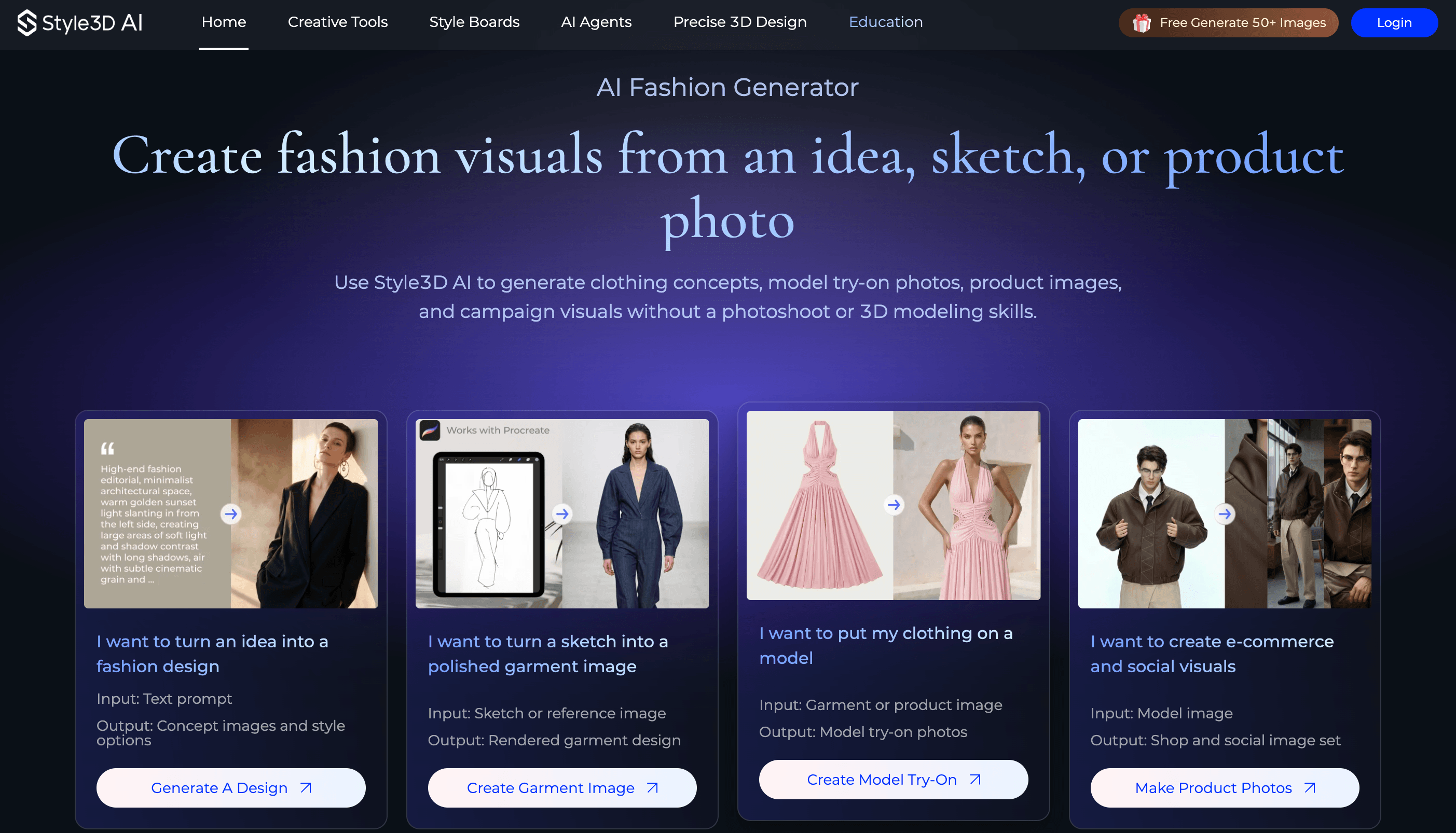
The platform organizes itself around four entry points based on what you already have: a text idea, a sketch, a garment photo, or a finished product image you want turned into shop and social content. From there it routes you to the matching tool — Text To Design, Sketch To Design, Virtual Try-On, or AI Photoshoot — rather than dropping you into one monolithic editor. Style3D AI also layers in a set of themed “AI Agents” (Fashion Design, Graphic Design, Apparel Design, Fabric Design, Toy Design, and E-commerce Marketing) meant to guide less experienced users through a fuller creative direction rather than a single-shot generation.
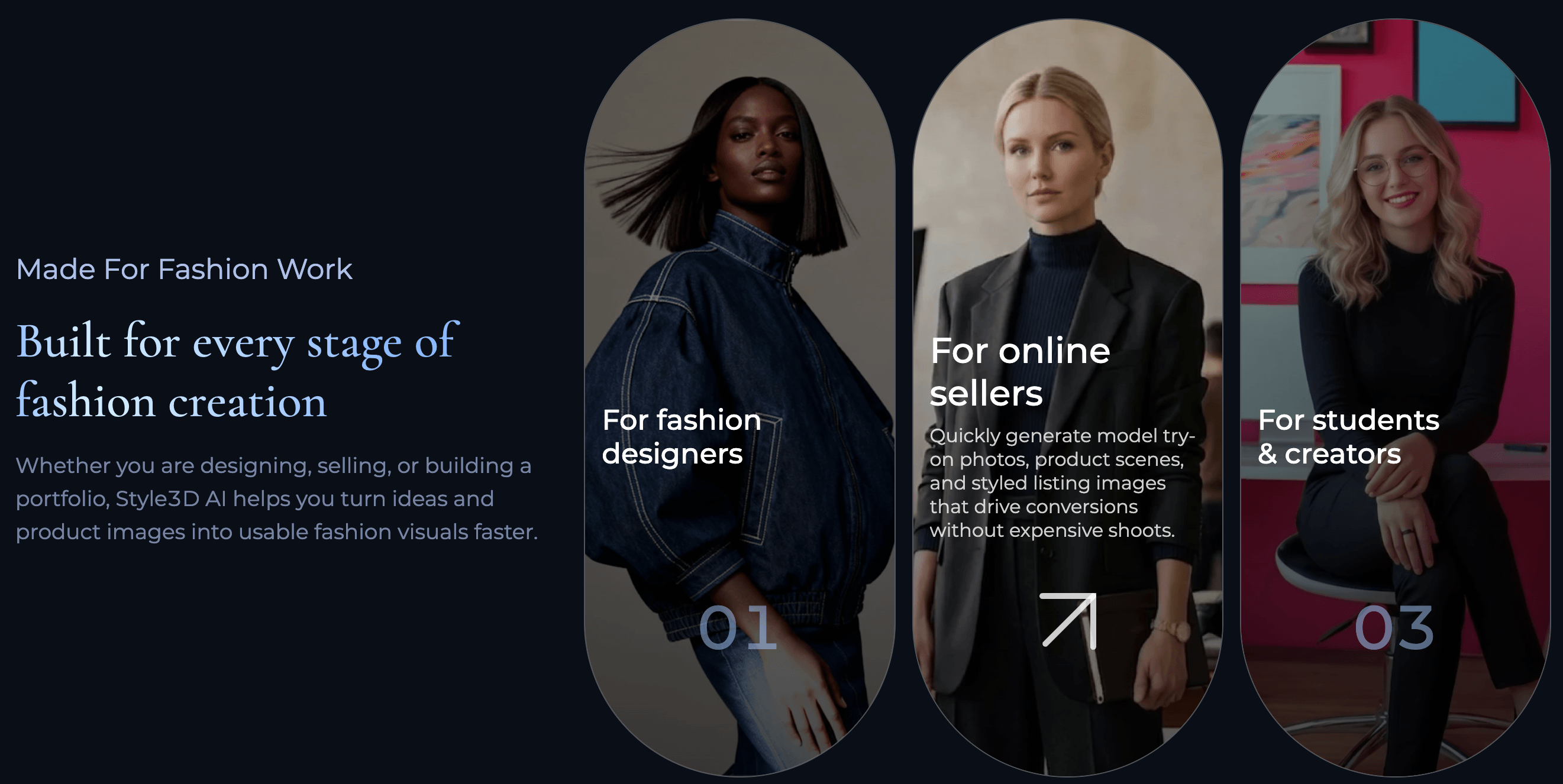
The site frames its usefulness around three distinct audiences, and it’s worth checking which one you actually fall into before signing up. For fashion designers, it’s pitched as a way to test prompts, sketches, and reference images into concepts, color directions, and material moods before committing budget to physical samples. For online sellers, the emphasis shifts to fast model try-on photos, product scenes, and styled listing images meant to replace an expensive photoshoot. For students and creators, it’s positioned as a portfolio-building tool that doesn’t require prior 3D design training. All three use the same underlying generation engine — the difference is mostly which pre-built workflow and AI Agent you’re routed through.
Why Style3D AI Stands Out in 2026
Fashion-specific training, not a general image generator wearing a costume: A lot of “AI fashion” tools are really general-purpose image generators fine-tuned with a handful of clothing prompts. Style3D AI’s advantage is that its parent company has spent a decade building fabric physics, drape simulation, and garment-construction logic for real apparel production, and that domain knowledge shapes how the AI handles seams, proportions, and fabric behavior compared to a generic diffusion model.
Four workflows in one platform: Design generation (text/sketch/image to design), print and graphic design, virtual try-on, and AI photoshoot/marketing visuals are usually four separate subscriptions across four separate apps. Style3D AI puts them under one account, which matters if your team currently juggles a sketch tool, a mockup generator, and a separate product-photo AI.
Low-friction entry point: Independent reporting on the AI fashion tools market notes Style3D AI grants roughly 50 free credits on signup with no credit card required, which is a meaningfully lower barrier than tools that gate any generation behind a paid plan.
Themed AI Agents for guided output: Rather than a blank prompt box, the Fashion Design, Apparel Design, Fabric Design, Graphic Design, and E-commerce Marketing Agents narrow the creative direction toward genuinely usable fashion output, which helps students and non-designers avoid the “technically impressive but unwearable” results common to general AI image tools.
Video generation is bundled in: Image-to-video and reference-to-video tools let sellers turn a static product or model shot into short motion content for social and listing pages, a feature most single-purpose competitors charge extra for or don’t offer at all.
A genuine style library for precise 3D work: For users who outgrow prompt-based generation, Style3D AI links into a broader 3D design library, giving a growth path toward more technical, precision work rather than hitting a hard ceiling.
Mac desktop app available: Alongside the web app, Style3D offers a downloadable Mac client, useful for designers who want the tool integrated into a local creative workflow rather than living entirely in a browser tab.
Key Features and Technology
Style3D AI’s toolset breaks down into four practical categories on the site’s own navigation: Creative Tools (design generation), AI Studio (agents and style boards), Precise 3D Design (the style library), and AI Photoshoot (try-on and marketing visuals). Here’s what each actually does.
Text, Sketch, and Image To Design
These three tools cover the three most common starting points a designer actually has. Text To Design turns a written prompt into clothing concepts and style directions — useful for early ideation before any linework exists. Sketch To Design takes rough linework, even a phone photo of a napkin sketch, and renders it into a polished garment visual with plausible fabric and construction detail. Image To Design works from an existing garment or reference photo, generating new colorways, print applications, or design variations from something that already exists. Change Colors and Design Variations sit alongside these as fast iteration tools for producing multiple directions from a single accepted concept.
Print and Graphic Design
The AI Print Generator creates original prints, motifs, and graphic patterns for apparel, while Apply Print To Garment and Apply Pattern To Garment place those graphics realistically onto a rendered garment, following the fabric’s folds and drape rather than sitting as a flat overlay. This is one of the more genuinely time-saving corners of the platform for designers who’d otherwise be manually warping a print in Photoshop to fake dimensionality.
Virtual Try-On and AI Photoshoot
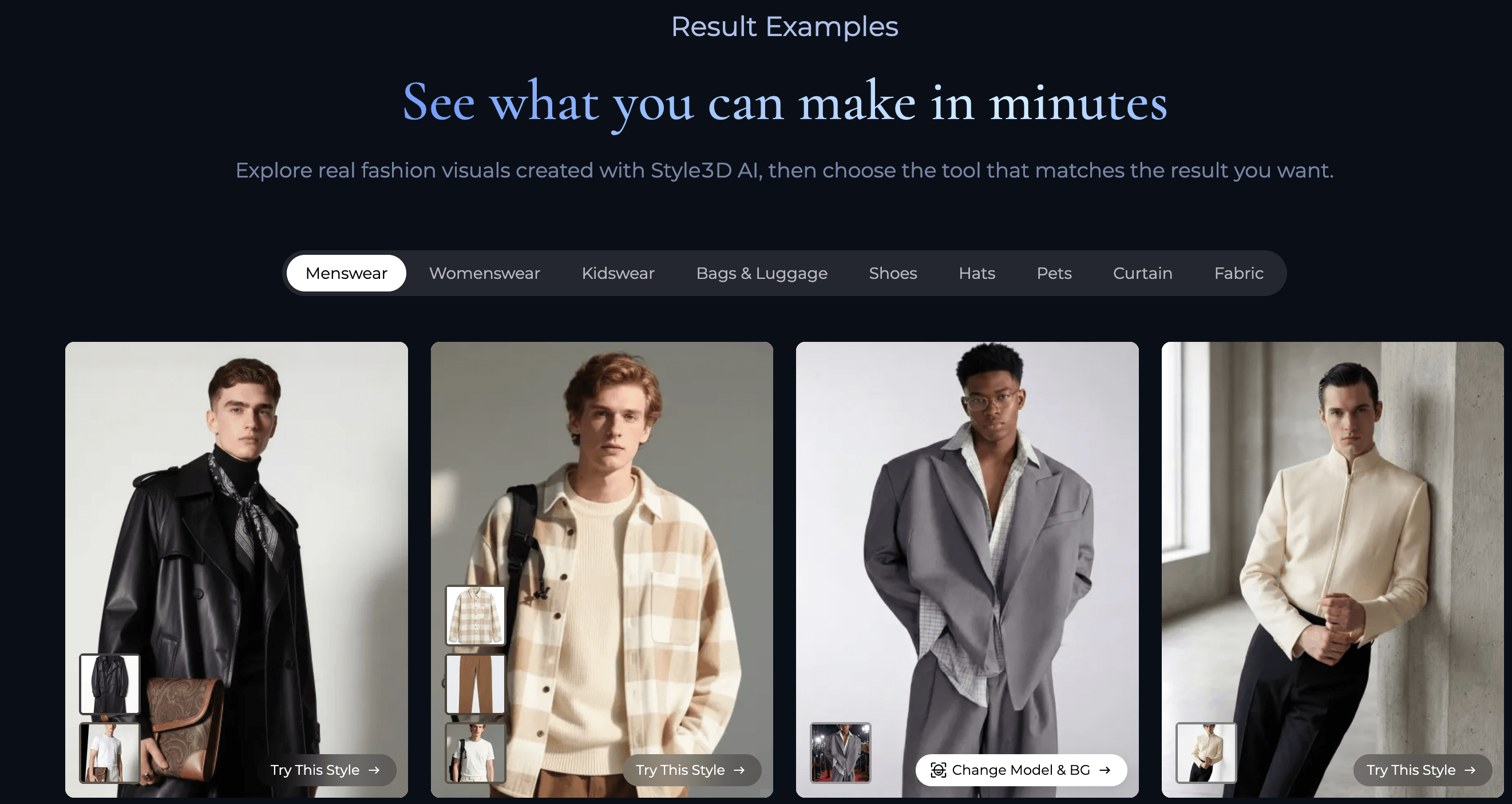
This is the section most directly aimed at online sellers rather than designers. Virtual Garment Try-On places a flat-lay or product photo onto an AI model. Change Model & BG and Model Variations let you swap the model’s look and the scene background without regenerating the garment itself, which matters for producing a consistent catalog across many SKUs. Outfit Try-On extends this to full looks rather than single garments. Image To Video and Reference To Video then turn the resulting stills into short clips for social feeds and listing pages.
AI Agents, Style Boards, and the 3D Style Library
The six themed AI Agents (Fashion Design, Graphic Design, Apparel Design, Fabric Design, Toy Design, and E-commerce Marketing) act as guided assistants that walk a user from a simple starting point toward a fuller set of refined outputs, rather than requiring you to know exactly what to prompt. In practice, this means a user with a vague idea like “streetwear jacket, muted earth tones” can lean on the Fashion Design Agent to propose silhouette, fabric, and colorway directions instead of having to specify every detail up front — closer to briefing a junior designer than typing a prompt into a blank box. Style Boards let you collect and organize generated results into a moodboard-style workspace so a full collection direction can be reviewed side by side rather than scattered across individual generations. The 3D Style Library connects to Style3D’s broader precision 3D asset catalog for users who need more exact, production-adjacent visualization rather than purely generative output.
Pricing, Plans, and Package Structure
This is the section where Style3D AI is genuinely harder to review than most tools in this category. The official site does not publish a fixed, itemized pricing table — signup starts with a free-credit trial, and paid tiers are surfaced inside the app rather than on a public marketing page. Independent write-ups and third-party comparison sites cite figures ranging anywhere from roughly $25 to $99 per month for entry-level access, scaling to $180–$500+ for team and enterprise tiers, but these numbers are inconsistent across sources and appear to change frequently — treat every figure below as a rough starting point, not a quote.
| Tier | Approx. Price | What It Is | Best For |
|---|---|---|---|
| Free Trial | $0 — ~50 free credits | No-card signup with credits for core generation tools | Testing whether output quality fits your product mix |
| Entry / Basic | ~$25–$99/mo (approx., unverified) | Ongoing credit allowance for design generation and photoshoot tools | Freelancers, solo sellers, students continuing past the trial |
| Professional / Team | ~$180–$300/mo (approx., unverified) | Higher generation limits, collaboration, expanded library access | Small studios and brands running regular catalog output |
| Enterprise | Custom quote (from ~$500/mo, approx.) | API access, higher-volume rendering, dedicated support | Fashion houses and large e-commerce operations |
How Style3D AI Compares to Alternatives
Style3D AI sits at an interesting intersection: it’s broader than single-purpose AI photoshoot tools like Botika, but lighter-weight than full 3D CAD platforms like CLO3D or Browzwear (including its own sibling product, Style3D Studio). The closest useful comparison for most readers is against Botika, the best-known AI fashion model generator focused specifically on turning product photos into on-model shots.
| Factor | Style3D AI | Botika | CLO3D / Browzwear |
|---|---|---|---|
| Core focus | Design generation + try-on + marketing visuals | On-model product photography only | Full 3D CAD, pattern-accurate production design |
| Starting point flexibility | Text, sketch, or image | Existing product photo only | Pattern files and 3D avatars |
| Pricing model | Credit-based, ~50 free credits (unclear public tiers) | Credit-based, plans from ~$22/mo for 30 credits | Seat licenses, typically several hundred dollars/mo+ |
| Video output | Included (image-to-video, reference-to-video) | Not a core feature | Not applicable (design tool, not photo tool) |
| Learning curve | Low to moderate | Low | Steep — professional CAD software |
| Best for | Designers and sellers who need concept-to-content in one place | Sellers who just need catalog photography, nothing upstream | Production teams needing pattern-accurate, factory-ready output |
Style3D AI vs. Botika comes down to scope. Botika does one job — turning existing product photos into on-model shots — and does it with a simpler, more transparent credit system starting around $22/month for 30 credits. Style3D AI does more (design generation, print application, try-on, and video) but with a much less transparent public pricing structure, so the right choice depends on whether you need the earlier stages of the pipeline or only the final product-photo step.
Style3D AI vs. CLO3D/Browzwear is really a question of production intent. If you need pattern-accurate, physically simulated garments that a factory can actually cut and sew from, you need real 3D CAD software, and no AI generator — Style3D AI included — replaces that. If you need fast, good-looking visuals for ideation, marketing, and social content, Style3D AI’s browser-based workflow is dramatically faster to learn and use than professional CAD software.
Pros and Cons
What Users Love
Genuine fashion-domain grounding: The output tends to respect garment construction and fabric behavior more convincingly than generic AI image tools repurposed for clothing, which independent comparisons attribute to Style3D’s decade of 3D simulation background.
Multiple entry points reduce friction: Whether you have a text idea, a sketch, or a photo, there’s a matching tool, so users aren’t forced to reformat their starting material to fit the software.
All-in-one pipeline: Going from concept sketch to a styled, on-model marketing video without switching apps is a real time saver for small teams that currently stitch together three or four separate tools.
Accessible free trial: A no-card, roughly 50-credit trial is enough to properly test output quality against your own product photos before spending anything, which several independent AI-fashion-tool roundups confirm.
Limitations Worth Knowing
Pricing transparency is a real weak point: There is no locked, public pricing page — figures cited by third parties for entry and team tiers vary by roughly 4x depending on the source, which makes it genuinely hard to budget before signing up.
Thin independent review base: As of this review, Style3D AI has no Trustpilot profile and G2 lists it without enough reviews to generate a buying-insight score — meaning the case studies and efficiency figures on the official site (500% efficiency gains, 600% content output, and similar numbers) are self-reported and currently unverified by any independent source.
Not a production or pattern-grading tool: Anyone expecting factory-ready tech packs or size grading will hit a hard wall — that functionality lives in Style3D’s separate enterprise CAD suite, not in Style3D AI.
Complex, print-heavy, or very dark garments still need review: As with essentially every AI fashion generator on the market in 2026, sheer fabrics, intricate embroidery, and fine patterns remain the categories most likely to need manual correction before an image is publish-ready.
Who Should Use Style3D AI
Independent fashion designers: If you’re iterating on collections before committing to physical samples, turning prompts and sketches into presentation-ready visuals here can genuinely cut sampling time and cost, matching the platform’s core design pitch.
Small e-commerce and DTC sellers: Teams that need model try-on photos and styled listing images without booking a studio shoot will find the Virtual Try-On and AI Photoshoot tools directly useful, especially for testing new colorways or SKUs before committing to full production photography.
Fashion students and portfolio builders: The AI Agents and guided workflows lower the barrier for anyone building a fashion portfolio without formal 3D design training, and the free trial makes it low-risk to explore.
Print and graphic designers in apparel: The print-generation and pattern-application tools are strong enough to be a meaningful shortcut for anyone regularly mocking up prints onto garments by hand.
Who should look elsewhere: Manufacturers and production teams that need pattern-accurate, factory-ready 3D files should go straight to Style3D’s own enterprise Studio suite or a dedicated CAD tool like CLO3D — Style3D AI isn’t built for that job. Sellers who only need on-model photos from existing product shots and want the simplest, most transparent pricing may be better served by a single-purpose tool like Botika. And anyone who needs a hard, locked-in monthly budget before signing up should be cautious given how inconsistent Style3D AI’s published pricing currently is — confirm the actual in-app number for your account before committing.
Getting Started: Step by Step
- Sign up for the free trial. Create an account on the Style3D AI website to claim the roughly 50 free credits — no credit card is required to start exploring the core tools.
- Pick your starting point. Decide whether you’re beginning from a text idea, a sketch, a garment photo, or a finished product image, and let the site route you to the matching tool (Text To Design, Sketch To Design, Image To Design, or Virtual Try-On).
- Generate initial concepts. Run your first prompt or upload and generate several directions rather than accepting the first result — credits go further when you compare variations before refining.
- Refine with agents and variations. Use the relevant AI Agent (Fashion Design, Apparel Design, Graphic Design, and so on) or the Design Variations and Change Colors tools to push your favorite result toward something publish-ready.
- Move into try-on or photoshoot mode. Once a garment design is locked, run it through Virtual Try-On or AI Photoshoot to generate model shots, background variations, and — if needed — short video content for listings and social.
- Check your plan before scaling up. Before generating in volume, confirm the current in-app credit cost and subscription pricing for your account, since published third-party figures for Style3D AI’s paid tiers vary significantly and shouldn’t be treated as fixed.
Tips for Getting Maximum Value
Spend your free credits deliberately rather than testing randomly: run the same garment concept through Text To Design and Sketch To Design if you have both a prompt and rough linework, and compare which entry point gives you results closer to what you actually need before committing credits to full refinement. For e-commerce use, batch your Virtual Try-On and Change Model & BG generations by product category rather than one SKU at a time, since consistent lighting and model direction across a category reads more professionally on a storefront than mixed styles. If you’re testing prints, use Apply Pattern To Garment on a plain base design first to judge how the AI handles drape and repeat before investing credits in a fully custom garment. And because pricing here isn’t locked to a public page, revisit your plan’s cost every few months rather than assuming it’s static — third-party reporting suggests Style3D AI updates its tiers more often than most SaaS competitors.
Future Outlook and Final Assessment
The AI fashion visualization category is crowded and consolidating fast in 2026, with dedicated photo tools like Botika, broader design generators like Style3D AI, and enterprise CAD platforms increasingly overlapping at the edges. Style3D AI’s advantage — real fashion-simulation heritage behind an accessible, credit-based front end — is a genuine differentiator, and the breadth of its toolset (design, print, try-on, and video in one account) positions it well as brands look to consolidate tools rather than pay for four separate subscriptions.
The honest caveats are real, though: independent review coverage is still thin (no Trustpilot presence, insufficient G2 reviews for a score), the efficiency claims on the site are self-reported and unverified, and pricing transparency lags well behind competitors like Botika, which publish a clear credit-and-dollar structure. If Style3D AI tightens up its public pricing page and builds a real base of independent reviews, it’s well positioned to be one of the more complete tools in this space. For now, it’s a genuinely capable platform that asks you to do a bit more homework than usual before you commit a budget to it.
Conclusion
Style3D AI takes a real problem — the slow, expensive gap between a fashion idea and a sellable image — and gives it a genuinely broad, fashion-literate answer, backed by a company that actually builds garment simulation technology rather than repurposing a general image model. It’s not a replacement for production-grade 3D CAD, and its pricing page could use far more transparency, but for concept generation, print design, virtual try-on, and marketing content, it covers more ground in one account than most competitors attempt. Start with the free trial, test it against your actual product line, and confirm your plan cost directly in the app before scaling up.
Ready to turn your next fashion idea into a real visual?
Explore more honest reviews, tutorials and tech comparisons to find the right gear for the way you work, travel and live — at World Of Tech, where we make everything easy.
👉 Try Style3D AI: https://worldoftech.space/style3d
👉 Our YouTube Channel: youtube.com/@world_tech79
👉 Our Facebook Fanpage: Facebook
👉 Our X (Twitter): @worldoftech79
Feature and workflow details in this review were verified against style3d.ai as of August 2026. Pricing figures could not be confirmed against a public, fixed pricing page and are compiled from independent third-party sources, which vary significantly — treat all pricing as approximate and confirm current plan costs directly in the Style3D AI app before purchasing. Independent review coverage (Trustpilot, G2) for Style3D AI remains limited at the time of writing; efficiency and case-study figures shown on the official site are self-reported and unverified.





