
If your car already has CarPlay or Android Auto but you are tired of plugging in a cable every single time you get behind the wheel, you already know the small daily annoyance Ottocast was built to erase. Ottocast makes wireless CarPlay and Android Auto adapters that convert your factory-wired system to a cable-free connection, plus a whole ladder of more ambitious devices — Android-powered “AI boxes” that turn your dashboard into a tablet, HDMI multimedia adapters for streaming and game consoles, dash cams, rear-seat monitors, and plug-and-play smart screens for older cars with no factory display. With roots going back to 2009 (originally as the Hong Kong brand Cartizan) and wireless adapters since 2019, Ottocast now claims more than 300,000 drivers worldwide, exhibits at CES and IFA, and has been featured by PCMag, CNET, 9to5Mac and AppleInsider.
The pitch is easy to like: get wireless freedom and a lot more in-car entertainment for the price of a nice dinner, without tearing apart your dashboard or paying for a professional head-unit install. But Ottocast is a big, sprawling brand, and an honest look reveals a genuinely important split — the simple wireless dongles do one thing well and cheaply, while the do-everything AI boxes are more capable but also more complex, occasionally laggy, and shadowed by a surprisingly low independent Trustpilot reputation you should understand before you buy. This 2026 review walks through Ottocast’s full lineup — the wireless adapters, the flagship OttoAibox P3 Pro, the streaming and screen products, real pricing, head-to-head comparisons against CarlinKit and AAWireless, the honest pros and cons, and exactly who should (and shouldn’t) buy in.
Ottocast Review 2026: The Wireless CarPlay Brand That Wants to Run Your Whole Dashboard
Overview and Background
Ottocast is an automotive-electronics brand focused on one core idea: making the connection between your phone and your car screen better. It is not a car manufacturer or a head-unit installer — it makes accessories that plug into the USB data port your car already uses for wired CarPlay or Android Auto, then upgrade that experience. At the simplest end, that means turning a wired connection wireless. At the ambitious end, it means bypassing your car’s built-in software entirely and running a full Android system on your dashboard, complete with an app store, streaming, split-screen and a voice assistant.
The company has a longer history than most rivals. It began in 2009 as Cartizan in Hong Kong, building early CarPlay decoder and integration products, and in 2019 pivoted hard into the wireless CarPlay and Android Auto adapter market that has since exploded. Today Ottocast says it is trusted by over 300,000 drivers, and it has built real industry visibility — a booth at CES 2025 and CES 2026 in Las Vegas, IFA Berlin, SEMA and Automechanika, plus coverage from mainstream tech outlets. It is not an anonymous marketplace dropshipper; it is an established brand competing on features, breadth and design.
What separates Ottocast from single-product competitors is the sheer size of its catalog, organized into families: Otto Wireless (plug-and-play adapters), Otto Plus (the OttoAibox AI-box range, headlined by the P3 Pro), Otto Media (HDMI multimedia adapters like the Car TV Mate), Otto Safe (dash cam and rear-seat monitor), and Otto Screen (plug-in displays for cars without a factory screen). It even sells BMW- and Tesla-specific solutions, a built-in data service called CloudSIM, and a rack of car accessories. Every product carries a one-year warranty and a 30-day return window.
Why Ottocast Stands Out in 2026
The widest product range in the category: Most competitors sell a dongle or two. Ottocast sells a whole ecosystem — wireless adapters, Android AI boxes, HDMI multimedia hubs, dash cams, cabin monitors and standalone screens — so whether your car has factory CarPlay, only wired Android Auto, no screen at all, or is a BMW or Tesla, there is usually an Ottocast product aimed at your exact situation. That breadth is genuinely rare in this market.
True wireless CarPlay and Android Auto, both at once: The core adapters support both Apple and Android on the same device, auto-reconnecting when you start the car with no cables and no fiddling. On the newer flagship boxes, a rear physical switch lets you pick CarPlay or Android Auto mode outright, which helps in cars that only support one wired protocol.
A real Android “tablet on your dashboard”: The OttoAibox line runs a full Android system (OttoDrive OS 3.0, based on Android 13 on the P3 Pro) on top of your car screen. That means an app store, native YouTube and Netflix, split-screen multitasking (navigation on one side, a video or meeting on the other), and independence from your phone — the single biggest reason people step up from a simple dongle to an AI box.
Flagship hardware that is actually fast: The P3 Pro is built around a Qualcomm Snapdragon processor with 8GB of RAM and 128GB of storage — a serious step above the 4GB budget boxes that reviewers repeatedly describe as laggy and crash-prone. In independent testing, the extra headroom let it run split-screen Netflix and Waze together smoothly, and Ottocast uses a dual-antenna design specifically to keep streaming and navigation from choking each other.
Built-in connectivity with CloudSIM: Ottocast’s AI boxes can get online through a phone hotspot, your car’s Wi-Fi, or its own CloudSIM data service, so the Android features work even when your phone isn’t tethered. It is an optional paid plan, but the flexibility of a self-contained data connection is something most rival dongles can’t offer at all.
Entertainment and safety beyond CarPlay: The Car TV Mate adapters bring an HDMI input so you can plug in a Fire TV Stick or a game console; the Cabin Care monitor gives you a real-time rear-seat view for keeping an eye on kids or pets; and the OttoSafe Cam bundles a dash cam with a wireless CarPlay adapter. These aren’t things a plain dongle does.
Established brand, warranty and flexible payment: A 15-year corporate history, real trade-show presence, mainstream press features, a one-year warranty, 30-day returns and pay-over-time options put Ottocast on firmer footing than the countless no-name adapters on Amazon — even if, as we cover honestly below, its post-purchase support reputation is more mixed than its marketing suggests.
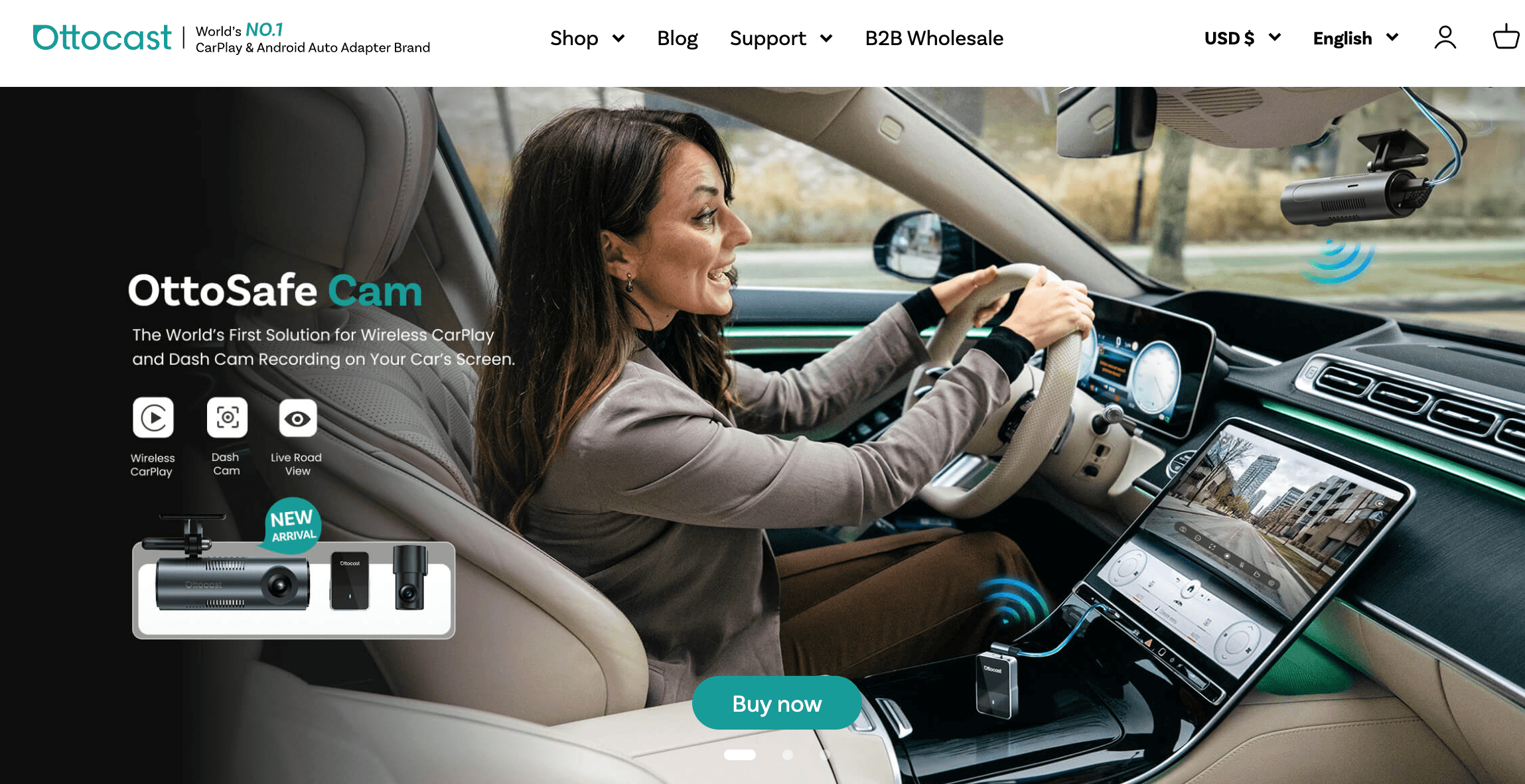
Ottocast’s core adapters convert factory-wired CarPlay or Android Auto to wireless — plug into your car’s USB data port, pair once, and it auto-connects every time you start the car.
Key Features and Technology
Ottocast’s catalog is broad, but it organizes cleanly into a handful of pillars. Here is how the platform actually breaks down, and what each tier is really for.
Wireless Adapters: The Simple, Cheap Core
This is where most buyers should start. The Mini, Mini Cube 3.0, Mini Pico, Mini NOVA and U2AIR Pro are small dongles that plug into your car’s USB port and make your existing wired CarPlay or Android Auto wireless — nothing more, nothing less. They need no subscription, pair in seconds and auto-reconnect on startup. The trade-offs are the usual ones for this device class: a few seconds of boot time, occasional connection hiccups, and a body that can run warm on long summer drives. Crucially, these adapters only make an existing wired system wireless — they cannot add CarPlay to a car that never had it.
OttoAibox: A Full Android System on Your Screen
The Otto Plus range (P3 Pro, P3, E2, i3 and the P3 Lite) replaces your car’s locked-down interface with OttoDrive OS, a full Android environment. You get an app store, native streaming apps, split-screen multitasking and a home screen you can customize with widgets, plus wireless CarPlay and Android Auto still available with a single tap. The flagship P3 Pro pairs a Snapdragon chip with 8GB of RAM, 128GB of storage and Android 13, which is what keeps it responsive where cheaper 4GB boxes bog down. The honest caveat, which we detail in the limitations section, is that running everything through the box can make plain wireless CarPlay feel laggier and lower-resolution than a simple dongle, and the OttoDrive software can occasionally freeze and need a restart.
Otto Media: HDMI, Streaming and Screen Mirroring
The Car TV Mate Pro and Max add a physical HDMI input, so devices like an Amazon Fire TV Stick, a Nintendo Switch or another console can display on your car screen — a favorite for parked movie nights and road-trip entertainment. The Mirror Touch adapter mirrors your phone and lets you control its apps from the car’s touchscreen. Like the AI boxes, these are entertainment tools rather than pure driving aids, and their video features are designed for a parked car or for passengers, not the driver in motion.
Otto Safe and Otto Screen: Cameras and Displays
Otto Safe covers the OttoSafe Cam (a 2-in-1 dash cam plus wireless CarPlay adapter) and Cabin Care (a real-time rear-seat monitor for watching children or pets). Otto Screen tackles a different problem entirely: cars with no factory screen. The Ottoscreen AI and portable ScreenFlow are plug-and-play displays that add a CarPlay/Android Auto dashboard, wireless connection and built-in cameras to older vehicles and even motorcycles. These products expand Ottocast well beyond the “wireless dongle” category and are a big part of why the brand appeals to owners of older cars.
CloudSIM, OttoDrive OS and Software Updates
For the AI boxes, Ottocast offers CloudSIM — a built-in eSIM-style data plan starting around $12.99 per month for 10GB, with discounts for bigger or longer plans — so the Android features and voice assistant work without tethering your phone. It is optional; you can instead use a hotspot, the car’s Wi-Fi or a physical SIM. The boxes also receive over-the-air (FOTA) firmware updates, and the Ottopilot app helps with setup and management. This connected, updatable layer is a genuine strength of the higher-end products, but the recurring CloudSIM cost is a real consideration the simple dongles simply don’t have.
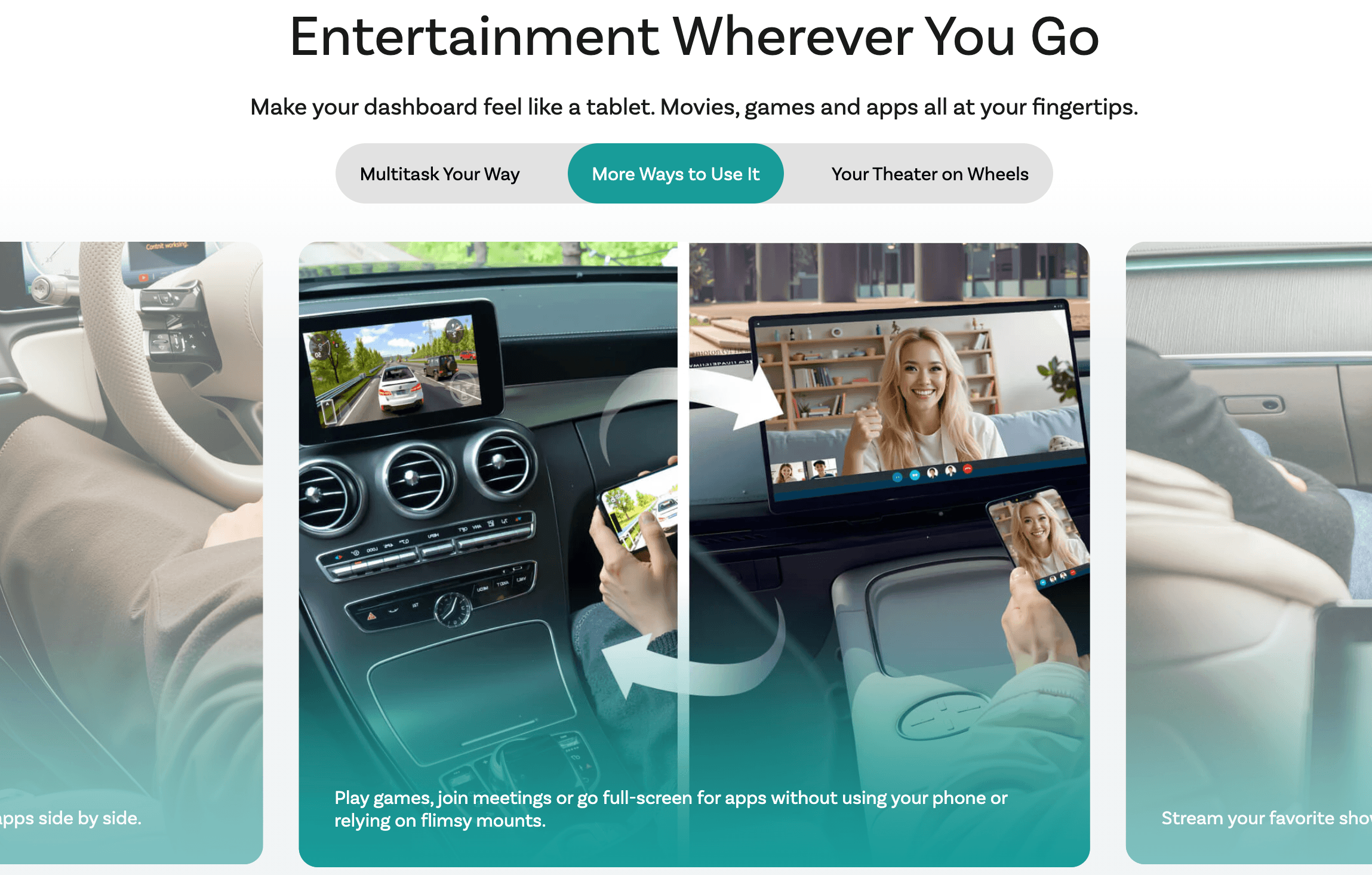
The flagship OttoAibox P3 Pro turns your car screen into an Android 13 tablet — app store, streaming, split-screen and a voice assistant — with wireless CarPlay and Android Auto still a tap away.
Pricing, Plans, and Package Structure
Ottocast spans a wide price range, from sub-$50 dongles to $200-plus AI boxes and screens. There is no mandatory subscription on the hardware — every device is a one-time purchase — with the single exception of the optional CloudSIM data plan for AI boxes. Ottocast runs frequent promotions and the direct-site price is often below the Amazon listing, so always confirm the live price and any active discount before checkout. The representative prices below are the brand’s recent direct-site rates; treat them as approximate and subject to change.
| Product | Price (USD) | What It Is | Best For |
|---|---|---|---|
| Ottocast Mini | ~$39 (reg. $59) | Ultra-compact 2-in-1 wireless CarPlay/Android Auto adapter | The cheapest way to go wireless |
| Mini Cube 3.0 | ~$44 (reg. $49) | Best-selling cube-style wireless adapter | Everyday wireless CarPlay and Android Auto |
| U2AIR Pro | ~$59 (reg. $89) | Premium wireless CarPlay adapter, faster and more stable | A smoother, higher-end dongle |
| Car TV Mate Pro | ~$64 (reg. $90) | HDMI multimedia input plus wireless CarPlay | Fire TV Stick or a console on your car screen |
| Play2Video Ultra | ~$89 (reg. $109) | All-in-one adapter with built-in video streaming apps | Streaming without a full Android box |
| OttoAibox E2 | ~$149 | Entry-level Android CarPlay AI box | Affordable Android streaming on a budget |
| Ottoscreen AI | ~$179 (reg. $260) | Plug-and-play smart screen for cars without CarPlay | Older cars with no factory display |
| OttoAibox P3 Pro | ~$219 (up to ~$249 on Amazon) | Flagship Snapdragon, Android 13, 8GB/128GB AI box | Power users who want a car tablet |
| CloudSIM data plan | From ~$12.99/mo (10GB) | Optional built-in data for AI boxes | Online features without a hotspot |
How Ottocast Compares to Alternatives
| Factor | Ottocast | CarlinKit | AAWireless / Motorola MA1 |
|---|---|---|---|
| Product range | Adapters, AI boxes, screens, dash cams | Adapters plus an AI box | Adapters only |
| Wireless CarPlay + Android Auto | Yes | Yes | Yes |
| Built-in video streaming | Yes (AI boxes, Play2Video) | Yes (AI Box, CP2A Pro) | No (dongles only) |
| Entry price (approx.) | ~$39–$44 | ~$35 | ~$55 / ~$97 |
| Tuning / config app | Ottopilot app + OttoDrive OS | Basic firmware updates | AAWireless app (best-in-class) |
| Ecosystem breadth | Widest (screens, cams, Tesla/BMW) | Moderate | Narrow (dongle-focused) |
| Reliability reputation | Mixed (good products, weaker support) | Solid value, widely used | Mature software, slower boot |
| Best for | All-in-one upgrades and entertainment | Best-value simple adapters | Multi-phone households and tinkerers |
vs. CarlinKit: CarlinKit is the value benchmark of the simple-adapter world. Its Mini Ultra 3 (around $35) is frequently ranked by independent testers as the best wireless CarPlay dongle for the money in 2026, running cool and connecting fast, and its CarlinKit LED AI Box (around $159) undercuts Ottocast’s Android boxes. Where Ottocast pulls ahead is breadth and polish — CarlinKit doesn’t make dash cams, cabin monitors or standalone screens, and the P3 Pro’s 8GB/128GB flagship hardware is a step above CarlinKit’s boxes. If price is your only concern for a plain dongle, CarlinKit usually wins; if you want the wider ecosystem or a premium AI box, Ottocast does more.
vs. AAWireless and Motorola MA1: These are dongle specialists. The AAWireless Two+ (around $55) has arguably the most mature configuration app in the category, excellent multi-user support and the strongest Wi-Fi signal in some tests, though reviewers note slower boot times — it’s the connoisseur’s pick for households juggling several phones. The Motorola MA1 (around $97) is the recognizable brand name but is pricier and does less. Neither offers streaming, screens or AI features; if all you want is a rock-solid wireless dongle with deep settings, AAWireless is a strong alternative, but Ottocast is the only one of the three that also scales up to a full Android dashboard.
vs. a professional aftermarket head unit: A dedicated Android head unit gives you the most capability, but it typically costs several times as much, requires tearing into your dashboard and can complicate your warranty. An Ottocast AI box delivers a large share of that Android-tablet experience in a plug-and-play device you can move between cars — often the smart middle ground for drivers who’d rather add a box than rip everything out.
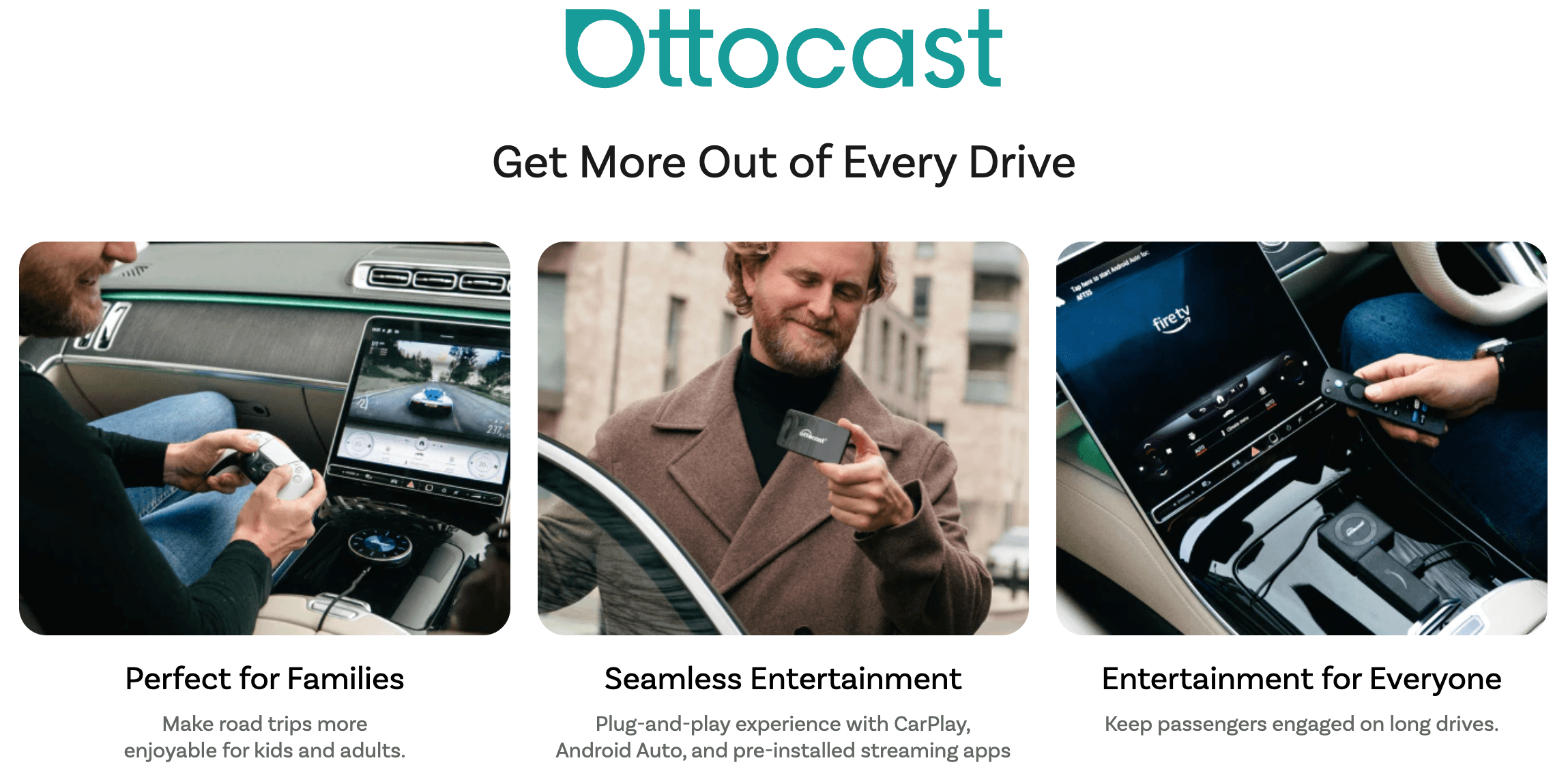
Beyond wireless dongles, Ottocast’s range stretches to HDMI streaming adapters, rear-seat cabin monitors, dash cams and standalone screens — the breadth that sets it apart from single-product rivals.
Pros and Cons
What Owners Love
Wireless freedom that just works: The most common praise for the adapters is exactly what buyers hoped for — get in the car, and CarPlay or Android Auto connects on its own with no cable. For many owners, especially those who found the factory USB cable flaky, that alone is the whole win, and the setup takes only a few minutes.
A genuine tablet experience on the P3 Pro: Reviewers who tested the flagship AI box repeatedly call it the most stable, responsive Android box in its class, praising how its 8GB of RAM handles split-screen video and navigation together, and how much it opens up for passengers on long drives. If entertainment is your goal, this is where Ottocast shines.
Breadth that fits unusual situations: Owners love that Ottocast has an answer for cases rivals ignore — a plug-in screen for a car with no display, a BMW-specific box, a dash cam bundled with wireless CarPlay, or a rear-seat monitor for the kids. People with older or awkward vehicles often choose Ottocast precisely because nobody else covers their scenario.
Easy, no-tools installation: Across the range, the standout convenience is plug-and-play setup — one USB connection, no wiring, no dashboard disassembly. Buyers consistently note that even non-technical users get up and running quickly, and that a device can move between cars.
Streaming and HDMI for real-world fun: The Play2Video and Car TV Mate products earn appreciation for turning a parked car into a screen — plugging in a Fire TV Stick or console, or streaming shows on a road-trip stop — something a plain dongle can’t do.
Frequent discounts and flexible payment: Because Ottocast runs regular promotions, discounts the direct site below Amazon, and offers pay-over-time options, many owners feel they got strong value — particularly on the entry adapters, which regularly sell well under their list price.
Limitations Worth Knowing
A weak independent Trustpilot reputation: This is the biggest thing to weigh. While Ottocast’s own product pages show hundreds of reviews with high star counts, its independent Trustpilot profile sits at roughly 2.0–2.2 out of 5 across more than 1,300 reviews, with over half rated one star and only around 28% five star. The complaints cluster heavily around customer service, refunds and returns, shipping and customs delays, and compatibility claims — more than the core hardware itself. That gap between on-site ratings and independent ones is exactly the kind of divergence worth going in aware of.
Inconsistent post-purchase support: A recurring theme in negative reviews is difficulty getting timely help, receiving repetitive template email replies, or friction when trying to return a unit. Plenty of buyers report smooth experiences, but if something goes wrong, support quality appears to be genuinely hit-or-miss. Keep your order records and buy through a channel with a reliable return path.
The AI boxes try to do a lot, not all of it perfectly: Independent testers flag that when you route plain wireless CarPlay or Android Auto through an AI box, the video can look lower-resolution and input can feel sluggish compared with a simple dongle, and OttoDrive OS can occasionally freeze and require a vehicle restart with no wired fallback. If your only goal is wireless phone projection, an AI box can be a step backward from a $50 adapter.
Compatibility is not universal: Nearly all adapters and boxes require factory-wired CarPlay or Android Auto, and some cars support only one protocol. Buyers who assumed a device would add CarPlay to a car that never had it, or who hit quirks with a specific model, make up a meaningful share of complaints. Verify compatibility with the cable test before buying.
Recurring cost and setup quirks on the high end: Getting the most from an AI box often means paying for a CloudSIM data plan (from about $12.99/month) and living with quirks like a steering-wheel voice button that only triggers the AI assistant. On the P3 Pro, reviewers also noted occasional audio crackle and a boot time of roughly 40 seconds — minor, but not the instant-on feel of a phone.
Watching video while driving is a real responsibility: The whole appeal of the media features is on-screen video, but most regions restrict a driver watching video in motion, and doing so is genuinely unsafe. These features are best treated as parked-car or passenger entertainment — a limitation of law and safety rather than the device, but one to take seriously.
Who Should Use Ottocast
Drivers who just want to cut the cable: If your car has factory CarPlay or Android Auto and you simply want it wireless, a sub-$60 Ottocast dongle is a fine, affordable choice — just know a CarlinKit or AAWireless dongle competes closely, so shop on price and reviews for your specific car.
Families and long-trip travelers: This is where the AI boxes and HDMI adapters earn their keep. Rear-seat monitors, streaming apps, split-screen and console/Fire TV support turn a car into a mobile entertainment space — genuinely valuable for keeping passengers, and especially kids, happy on long drives.
Owners of older or screen-less cars: If your vehicle has no factory display, the Otto Screen products (Ottoscreen AI, ScreenFlow) add a modern CarPlay/Android Auto dashboard with cameras and GPS — a category most adapter rivals don’t touch, making Ottocast a strong fit for older cars and even motorcycles.
Tech enthusiasts who want a car tablet: If you specifically want a full Android system, an app store, streaming and a voice assistant on your dashboard — and you’re comfortable managing software and a data plan — the P3 Pro is the most capable, responsive box Ottocast makes, and a real alternative to a costly head-unit install.
Who should look elsewhere: Buyers who want the cheapest, most-proven plain dongle may prefer CarlinKit; those who want the deepest configuration app and multi-phone support may prefer AAWireless; and anyone who values guaranteed, responsive after-sales support above all else should weigh Ottocast’s mixed independent reputation carefully. If you’d be frustrated by any lag or software hiccup and only want wireless phone projection, do not buy an AI box for that job — buy a simple adapter and keep it uncomplicated.
Getting Started: Step by Step
- Confirm compatibility first. Plug your phone into your car’s USB data port with a cable. If Apple CarPlay or Android Auto launches on your screen, an Ottocast adapter or AI box will work; if nothing happens, your car lacks factory CarPlay and you likely need an Otto Screen display instead. BMW and Tesla owners should check the OttoAibox i3 and Tesla-specific products.
- Choose the right tier for the job. Want only wireless CarPlay or Android Auto? Pick a dongle (Mini Cube 3.0 or U2AIR Pro). Want streaming, apps or a car tablet? Pick an AI box, and favor the 8GB P3 Pro over cheaper 4GB boxes to avoid lag. Need HDMI for a console or Fire TV Stick? Pick a Car TV Mate. No factory screen at all? Pick an Otto Screen.
- Compare prices and grab a discount. Check both the Ottocast direct site and Amazon — the direct site often runs promotions that beat the Amazon listing. Look for an active coupon or seasonal sale before you check out, since these products rarely need to be bought at full list price.
- Install with the right cable. Select the correct included cable for your vehicle and plug the device into the same USB port you’d use for a wired connection. On AI boxes and newer adapters, set the rear CP/AA switch if your car supports only one protocol (choose CP for CarPlay-only cars, AA for Android Auto-only). No tools or disassembly required.
- Pair and, for AI boxes, get online. Follow the manual to pair over Bluetooth and Wi-Fi; the first connection takes a minute, and it auto-reconnects afterward. For an AI box, connect it to the internet via your phone hotspot, the car’s Wi-Fi, a SIM, or an Ottocast CloudSIM plan to unlock the Android and voice features.
- Update, then use it responsibly. Run any available firmware or FOTA update through the Ottopilot app or the box’s settings for the best stability. Keep video and streaming for parked or passenger use only — never watch video while driving — and lean on CarPlay/Android Auto for navigation and music in motion.
Tips for Getting Maximum Value
Buy for the feature you actually want, not the longest spec sheet — for plain wireless CarPlay, a simple dongle is cheaper and more reliable than any AI box. If you do want a box, choose the 8GB P3 Pro over a 4GB budget model, since the extra memory is the difference between smooth and stuttering, and decide up front whether a CloudSIM plan is worth it or whether your phone hotspot will do the job for free. Shop the direct site against Amazon and wait for a coupon, since these products discount often. Run firmware updates at setup, keep your order and warranty details for the 30-day return or one-year coverage, and buy through a channel with a clear return path given the brand’s uneven support record. And respect the safety and legal line: keep streaming and screen features for a parked car or passengers, and leave navigation and music on the screen while you drive.
Future Outlook and Final Assessment
The wireless CarPlay market in 2026 has matured fast, and the frontier has moved from simple dongles toward full Android boxes, built-in data and AI assistants. Ottocast is one of the most aggressive players pushing that frontier, and its breadth — adapters, AI boxes, screens, dash cams and cabin monitors under one brand — genuinely sets it apart from single-product rivals. As chips get faster and software improves, the do-everything box gets more compelling, and Ottocast’s flagship hardware and trade-show presence suggest it intends to stay at the front of that shift.
The honest caveats are equally clear. Ottocast’s independent Trustpilot reputation is low and support experiences are inconsistent; the AI boxes can be laggier at plain wireless CarPlay than a cheap dongle and carry a recurring data cost; and compatibility is not universal. Rivals like CarlinKit undercut it on simple adapters and AAWireless outdoes it on configuration depth. But within its lane — an established brand with the widest range in the category and a genuinely capable flagship box — Ottocast remains a reasonable choice for the right buyer who goes in with clear eyes and picks the correct product for the job.
Conclusion
Ottocast isn’t a single gadget so much as a whole toolbox for making your car’s screen smarter — from a $39 dongle that quietly cuts the cable to a $219 Android box that turns your dashboard into a tablet. That range is its greatest strength and, for confused buyers, its biggest trap: the simple adapters are cheap and dependable for plain wireless CarPlay, while the ambitious AI boxes add real capability but also real complexity, a recurring data cost, and a support reputation that independent reviews show is genuinely mixed. Buy the right tier for what you actually need, confirm your car is compatible, shop for a discount, and hold onto your warranty details — do that, and Ottocast can take a small daily annoyance, or a car that feels a generation behind, and make it noticeably better.
Ready to cut the cable and upgrade your car’s screen?
Explore more honest reviews, tutorials and tech comparisons to find the right gear for the way you work, travel and live — at World Of Tech, where we make everything easy.
👉 Shop Ottocast: https://worldoftech.space/ottocast
👉 Our YouTube Channel: youtube.com/@world_tech79
👉 Our Facebook Fanpage: Facebook
👉 Our X (Twitter): @worldoftech79
Pricing, specifications and policy details in this review were verified against ottocast.com and independent review sources (including Trustpilot and hands-on reviewer testing) as of July 2026. In-car tech, pricing and promotions change frequently, so confirm current details on the official site before purchasing. Competitor prices are approximate and subject to change.





