
If your writing workflow bounces between five different browser tabs — a paraphraser here, a plagiarism checker there, an AI detector to double-check your own draft, and a translator for the parts you wrote in a second language — Smodin was built to collapse all of that into one subscription. It’s an all-in-one AI writing platform bundling an essay/content writer, a rewriter and paraphraser, an AI content detector and humanizer, a plagiarism checker, a multi-language translator, a summarizer, a citation generator, an AI chat assistant called Omni, and a small career toolkit for cover letters and mock interviews. Founded in 2017 by Kevin Danikowski and run out of Casper, Wyoming with a lean team, Smodin grew as a bootstrapped, self-funded product before being acquired in mid-2024 by digital media company Adly — and it now says it serves more than a million users worldwide.
The pitch is straightforward: instead of paying for five separate single-purpose tools, pay one bill and get the whole stack — currently sold as a two-tier Starter/Premium subscription, with pricing dynamic on the site and frequently discounted. But an honest look also turns up real friction: a pattern of billing and refund complaints on Trustpilot, output that reviewers consistently describe as competent but generic, and an AI humanizer feature whose main selling point — helping text evade AI detectors — sits in ethically murky territory for students and educators alike. This 2026 review walks through what Smodin actually does, how its pricing and plans break down, how it stacks up against QuillBot and Grammarly, the genuine pros and cons, and exactly who should (and shouldn’t) subscribe.
Smodin Review 2026: Is This All-in-One AI Writing Bundle Actually Worth Your Subscription?
Overview and Background
Smodin (Smodin LLC, later operating under owner Adly) is not a single-feature app — it’s a suite. Under one login you get an AI content/essay writer, a text rewriter and paraphraser, an AI-content detector, an AI humanizer that rewrites machine-generated text to read more naturally, a plagiarism checker that scans the open web and academic sources, a translator that works across dozens of languages, a summarizer, a citation generator, an AI chat tool (branded Omni) for research and Q&A, and a small “career toolkit” for cover letters and mock interviews. The company’s own positioning leans heavily toward students, educators, and researchers, though its feature set (rewriting, translation, business writing) is broad enough to appeal to bloggers, marketers, and small teams too.
The company has a real, multi-year track record rather than being a fly-by-night wrapper around an API. It was founded in 2017 and, according to independent company-data trackers, grew to roughly $1.5M in revenue on a small team without external venture funding before being acquired by Adly in July 2024. That acquisition is worth knowing about going in: Smodin today is a product inside a larger media company’s portfolio rather than an independent founder-run startup, which is common in this space but does shift who’s accountable for support and billing decisions.
The founding story is fairly typical of the education-tech AI wave: Smodin started as a single essay-writing tool built to solve one narrow problem, then expanded outward as the team added a citation generator, a text summarizer, and detection/bypass tooling in response to what users kept asking for. That organic, feature-by-feature growth pattern explains both Smodin’s biggest strength and its biggest structural weakness — it’s genuinely comprehensive because each tool solved a real, specific need along the way, but the product can feel like a loosely related collection of utilities rather than one tightly designed workflow, and the pricing structure has been rebuilt more than once to try to package that growing toolset coherently.
On the trust side, the picture is genuinely mixed and worth reporting honestly rather than smoothing over. Smodin’s own site footer advertises a 4.8-out-of-5 Trustpilot score, but the live Trustpilot review page for smodin.io currently shows the company sitting at a “4-star” rating band across several hundred reviews — a meaningfully different number from the marketing badge, and one where a recurring cluster of complaints centers on being charged for an annual plan when a monthly plan was intended, and on friction getting refunds. G2, which skews toward business and freelance reviewers rather than students, rates Smodin closer to 4.5/5, with reviewers there generally more positive about day-to-day reliability. That divergence — friendlier ratings from business users on G2, more billing frustration from individual consumers on Trustpilot — is a genuine signal about where Smodin’s rough edges show up.
Why Smodin Stands Out in 2026
One subscription instead of five: The core appeal is real. Buying a paraphraser, a plagiarism checker, a translator, a summarizer, and an AI detector separately would easily cost more than Smodin’s bundled price. For someone who genuinely uses four or five of these tools regularly, the consolidation math works in Smodin’s favor.
Deep multi-language support: Smodin’s translator and rewriting tools work across dozens of languages — the company has advertised support in the neighborhood of 50 to 100+ languages depending on the tool. For ESL students, international freelancers, or anyone writing outside English, that breadth is a genuine differentiator versus English-only competitors.
Detector and humanizer in the same toolkit: Rather than needing a separate AI-detection service and a separate humanizing/rewriting tool, Smodin puts both in one workspace, so you can check whether text reads as AI-generated and then adjust it without switching apps. It’s a convenient loop, though it’s also the single most ethically loaded feature in the suite (more on that below).
Plagiarism checking against academic sources: Smodin’s plagiarism checker scans standard web sources and, on higher tiers, cross-references academic databases including Google Scholar — a feature students specifically look for when comparing this tool against consumer-only writing apps.
Omni AI chat for research and tutoring: Beyond text tools, Smodin bundles an AI chat assistant (Omni) aimed at answering questions, explaining concepts, and helping structure drafts — effectively a lightweight tutor sitting alongside the writing tools rather than a separate product.
A usable free tier to test before paying: Smodin has historically offered a genuinely free entry point with a handful of daily credits across its tools, letting you try the paraphraser, detector, and plagiarism checker before committing to a subscription — a meaningfully lower-risk way to evaluate the product than tools that gate everything behind a paywall from the first click.
Career toolkit add-on: Smodin’s Premium tier layers in a career-focused set of tools — cover-letter humanizing and unlimited AI mock interviews with feedback — a feature most pure writing-assistant competitors don’t bundle in at all.
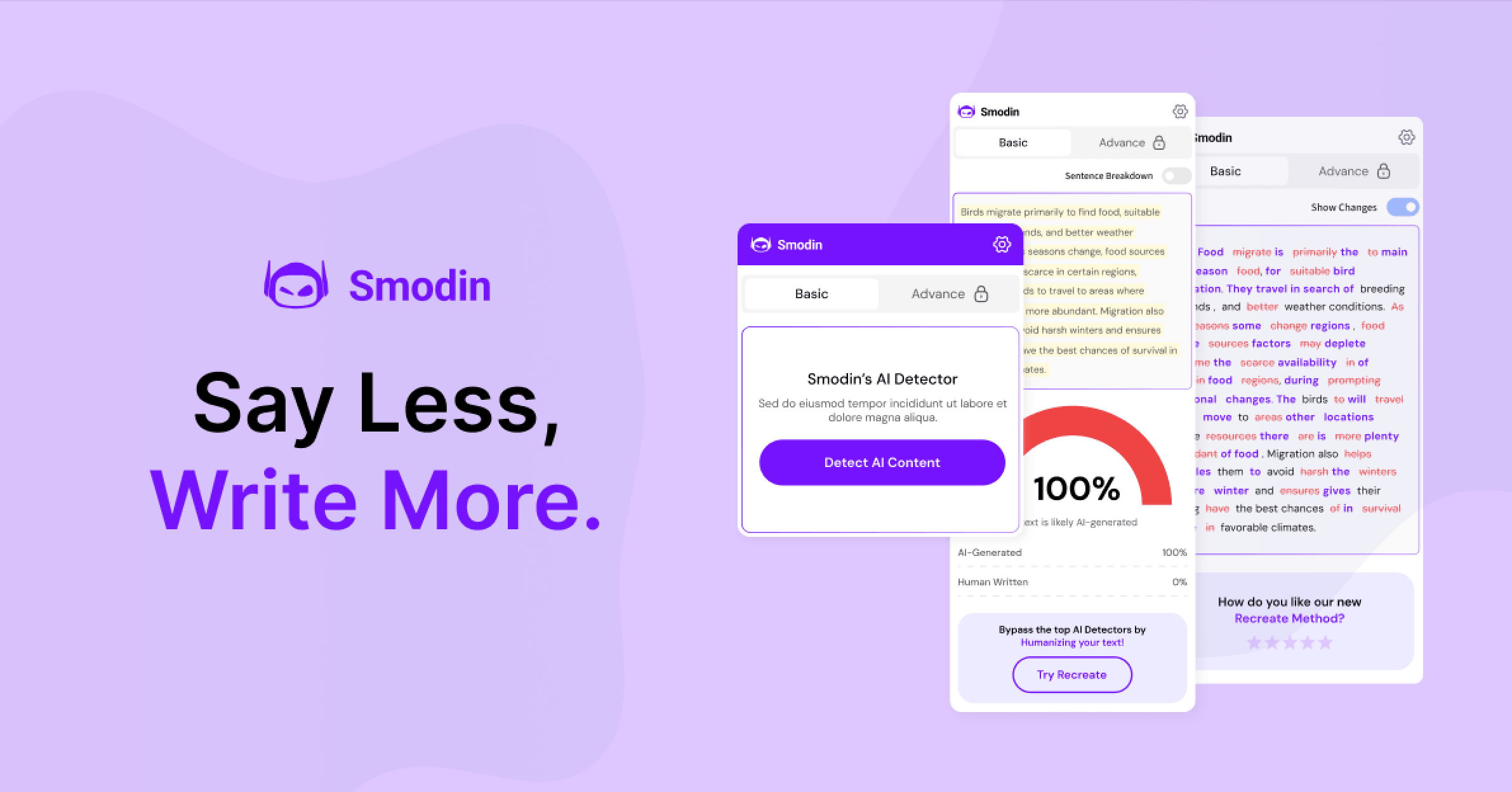
Smodin bundles a rewriter, plagiarism checker, AI detector and humanizer, translator, summarizer, and AI chat into a single subscription dashboard.
Key Features and Technology
Smodin’s feature list is long, but it groups into a handful of clear pillars. Here’s how the platform actually breaks down in practice.
AI Writer and Content Generator
Smodin’s writer (sometimes referenced as Smodin Author) generates essays, homework answers, summaries, articles, and short-form drafts from a prompt or outline. Reviewers consistently describe the output as logically structured and easy to edit, but somewhat generic in voice — a solid first draft rather than a finished, branded piece of writing. For structured, fact-based content it performs well; for persuasive marketing copy or writing that needs a distinctive personal voice, expect to do meaningful rewriting afterward.
Text Rewriter, Paraphraser, and Humanizer
The rewriter offers standard paraphrasing that preserves meaning while changing wording and sentence structure, useful for avoiding repetitive phrasing across a long document. The separate AI humanizer goes further, specifically targeting the patterns that AI-content detectors (including Turnitin-level detection, per Smodin’s own marketing) look for, and rewriting text to reduce the chance it gets flagged as machine-generated. This is Smodin’s most commercially prominent feature and its most contentious one — genuinely useful if you’re polishing your own AI-assisted brainstorming into natural prose, but explicitly built to defeat academic-integrity tooling if used to disguise fully AI-written work as your own.
AI Content Detector
The detector scores submitted text for the likelihood it was AI-generated, aimed at writers who want to check their own drafts before submission. Like every AI detector on the market, it isn’t infallible — independent testers report occasional false negatives and positives, and no detector should be treated as a definitive verdict, including this one.
Plagiarism Checker
Smodin’s plagiarism checker scans a document against web sources and, on the higher tier, extends into academic databases via Google Scholar, with a side-by-side text-comparison mode for checking two documents against each other directly. It’s one of the more complete plagiarism-check implementations bundled into a general writing suite rather than sold as a standalone product.
Translator, Summarizer, and Citation Generator
The one-to-many translator can push a single piece of text into multiple languages at once, which is unusual outside dedicated translation software. The summarizer condenses long articles or papers into shorter briefs (reviewers note occasional factual slippage on dense source material, so a manual check against the original is worth the extra minute), and the citation generator formats references automatically — a small but genuinely time-saving feature for academic writing.
Omni AI Chat and Career Toolkit
Omni functions as Smodin’s general-purpose AI chat assistant for explaining concepts, answering questions, and helping structure drafts, with Premium unlocking extended conversation memory for longer research sessions. The bundled career toolkit adds cover-letter humanizing and AI mock interviews with feedback — a genuinely distinct add-on most direct competitors don’t offer at all.
Chrome Extension and API Access
Premium subscribers get a Chrome extension that brings Smodin’s tools directly into Google Docs and other web pages, so rewriting or detection checks don’t require copy-pasting into a separate tab. Smodin also publishes API documentation for developers who want to build the writer, detector, or translator into their own workflow — a feature aimed squarely at businesses and power users rather than casual students, and one that pushes Smodin slightly further into “developer platform” territory than most consumer-facing writing apps attempt.
Pricing, Plans, and Package Structure
Smodin’s pricing has changed shape more than once over the past two years, and different review sites currently list different numbers — some still describe an older three-tier Essentials/Productive/Ultimate structure, while the live pricing page as of mid-2026 shows a simplified two-tier Starter/Premium subscription with monthly and yearly billing toggles. There’s also typically a limited free tier for testing the core tools before paying. Because prices on Smodin’s checkout page are rendered dynamically and shift with active promotions (the company runs referral discounts and periodic sales), treat the figures below as approximate and confirm the live price at checkout.
| Plan | Price (USD, approx.) | What It Is | Best For |
|---|---|---|---|
| Free / Limited | $0 | A handful of daily credits across core tools, capped input length | Testing the platform before subscribing |
| Starter | ~$12.99/mo monthly, ~$8–9/mo billed yearly | Instant access to all core tools — writer, detector, humanizer, plagiarism checker, chat — with standard limits | Individual students and casual writers |
| Premium | ~$24.99/mo monthly, ~$16–17/mo billed yearly | Unlimited writing output, premium AI models, advanced detection/humanization, Chrome extension, extended chat memory, full career toolkit | Heavy users, researchers, and anyone who wants no output caps |
How Smodin Compares to Alternatives
Smodin’s closest comparison points aren’t other all-in-one bundles so much as the specialist tools people currently juggle instead of it — QuillBot for paraphrasing and Grammarly for grammar and clarity. Both are cheaper or comparably priced for their single job, but neither replaces Smodin’s full stack on its own.
| Factor | Smodin | QuillBot | Grammarly |
|---|---|---|---|
| Core focus | All-in-one bundle: writer, rewriter, detector, plagiarism, translate, chat | Paraphrasing and grammar, narrower scope | Grammar, tone, and clarity checking |
| Starting price (approx.) | ~$9–13/mo | ~$4–10/mo (annual/monthly) | ~$12/mo Premium |
| AI content detector/humanizer | Yes, bundled in every paid plan | Limited/not a core focus | Not offered |
| Plagiarism checker with academic sources | Yes, incl. Google Scholar on higher tier | Yes, on Premium | Not a core feature |
| Grammar/clarity depth | Adequate, not the specialty | Good, secondary feature | Best-in-class, its core specialty |
| Best for | Students/writers who want every tool in one place | Heavy paraphrasing users on a budget | Writers who mainly need polished, error-free prose |
Smodin vs. QuillBot comes down to breadth versus polish: QuillBot’s paraphraser and grammar checker are more tightly focused and, on the annual plan, often cheaper, but you’d still need a separate detector, plagiarism tool, and translator to match what Smodin bundles in. Smodin vs. Grammarly is a different trade-off entirely — Grammarly remains the sharper choice if grammar and tone are your actual bottleneck, since that’s its entire specialty, while Smodin wins if your workflow spans multiple languages, needs plagiarism checks, or requires AI-detection tooling that Grammarly doesn’t offer at all.
Pros and Cons
What Users Love
Genuine time savings on repetitive writing tasks: Reviewers across multiple platforms consistently cite the same benefit — rephrasing memos, drafting summaries, and structuring essays faster than writing from scratch.
Comprehensive toolset for the price: For users who actually need four or five of Smodin’s tools, the bundled price compares favorably to buying each one separately.
Multi-language support that outpaces most competitors: ESL writers and international users specifically call out the breadth of language coverage as a differentiator.
Responsive support when issues are escalated directly: Several Trustpilot exchanges show the Smodin team replying to complaints and offering plan adjustments once a user reaches out via email.
Low-risk entry point via the free tier: A usable free plan lets you evaluate the core tools before paying, rather than committing blind.
Limitations Worth Knowing
A recurring billing and refund complaint pattern: A meaningful share of Trustpilot’s negative reviews describe being auto-charged for an annual plan when a monthly or trial plan was intended, and describe difficulty getting a full refund afterward. This is common enough across the review history to treat as a real risk, not an isolated incident — read the billing terms carefully before checkout and screenshot your plan selection.
Rating divergence between review platforms: Smodin advertises a 4.8/5 Trustpilot score on its own site, while the live Trustpilot page shows a “4-star” rating band with a persistent thread of billing complaints — a gap worth noting rather than taking the marketed number at face value.
Generic-feeling AI output: Across independent reviews, the writer and summarizer are described as competent but formulaic — usable as a first draft, but needing a real editing pass before the result reads as genuinely yours.
The humanizer is ethically double-edged: A tool explicitly marketed around bypassing AI detectors — including “Turnitin-level detection” per Smodin’s own copy — is one thing when it’s smoothing your own AI-assisted brainstorming, and another thing entirely when used to submit fully AI-generated academic work as original. Students should understand their institution’s AI-use policy before leaning on this feature; using it to misrepresent AI-written work as your own can constitute academic dishonesty regardless of whether it slips past a detector.
Confusing, frequently-changing pricing: Different review sites list different plan names, tiers, and prices for Smodin because the structure has genuinely changed more than once, and live prices are rendered dynamically at checkout. Budget extra time to confirm exactly what you’re paying before you commit.
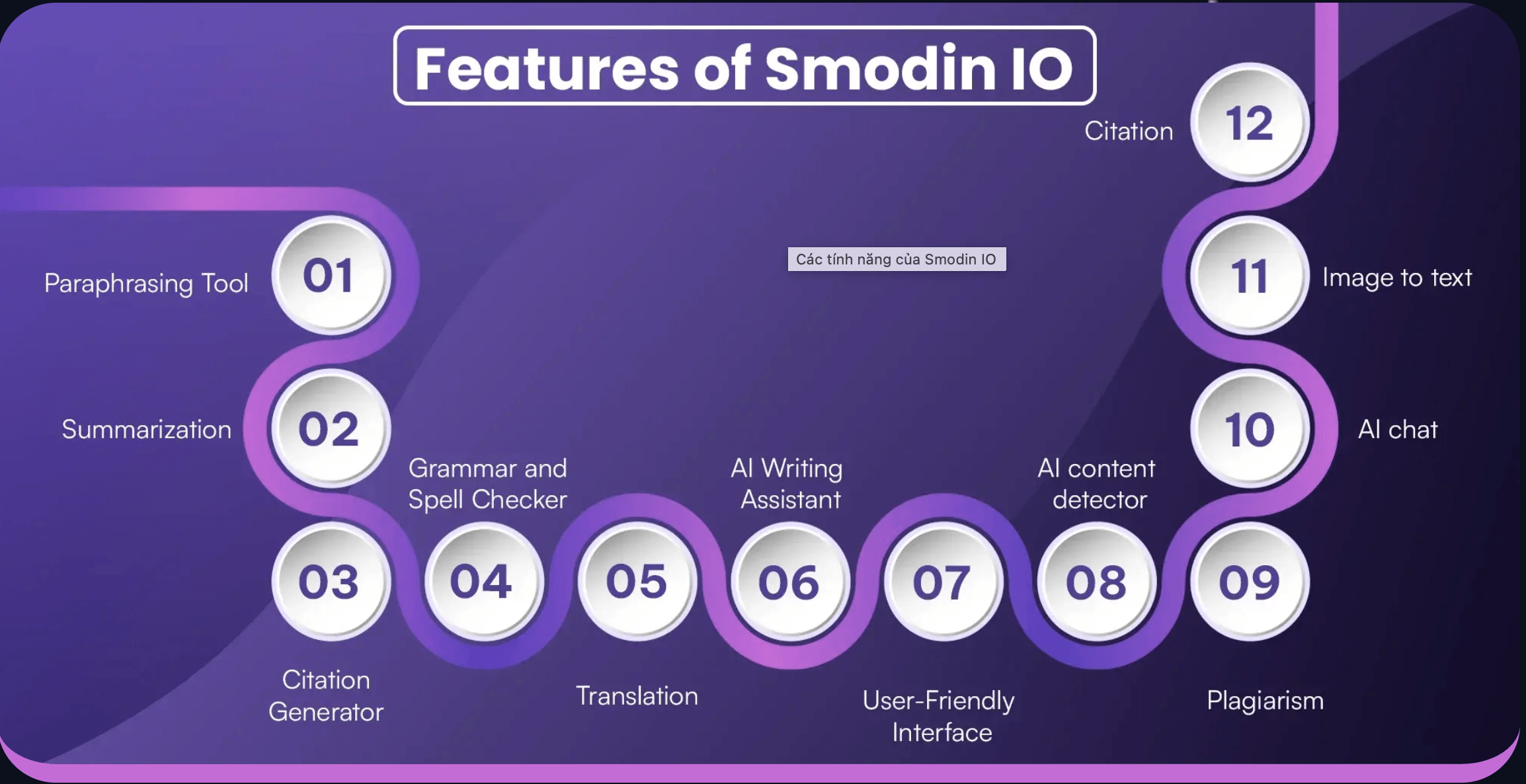
Smodin’s plagiarism checker and AI humanizer sit side by side in the same dashboard — genuinely convenient, but worth using with a clear sense of your own institution’s AI-use policy.
Who Should Use Smodin
Students juggling multiple writing tasks: If you regularly need to paraphrase, check plagiarism, cite sources, and summarize research across a semester, the bundled price beats subscribing to four separate tools.
Multilingual writers and ESL users: The breadth of language support in the translator and rewriter is a real advantage over English-only competitors.
Freelance writers and bloggers on a budget: For repurposing content, checking originality, and speeding up first drafts, Smodin covers the essentials without needing separate subscriptions.
Job seekers who want the career toolkit: The mock-interview and cover-letter features on Premium are a genuinely distinct bonus most competitors don’t offer.
Who should look elsewhere: if your only need is polished grammar and tone in English, Grammarly’s narrower focus will likely outperform Smodin on that specific job. If you mainly paraphrase and want the cheapest possible annual price for that one task, QuillBot’s annual plan is often less expensive. And if the appeal of the humanizer is specifically to submit AI-generated work as your own for a graded assignment, that’s a decision with real academic-integrity consequences that this review isn’t going to encourage — talk to your instructor about acceptable AI use instead.
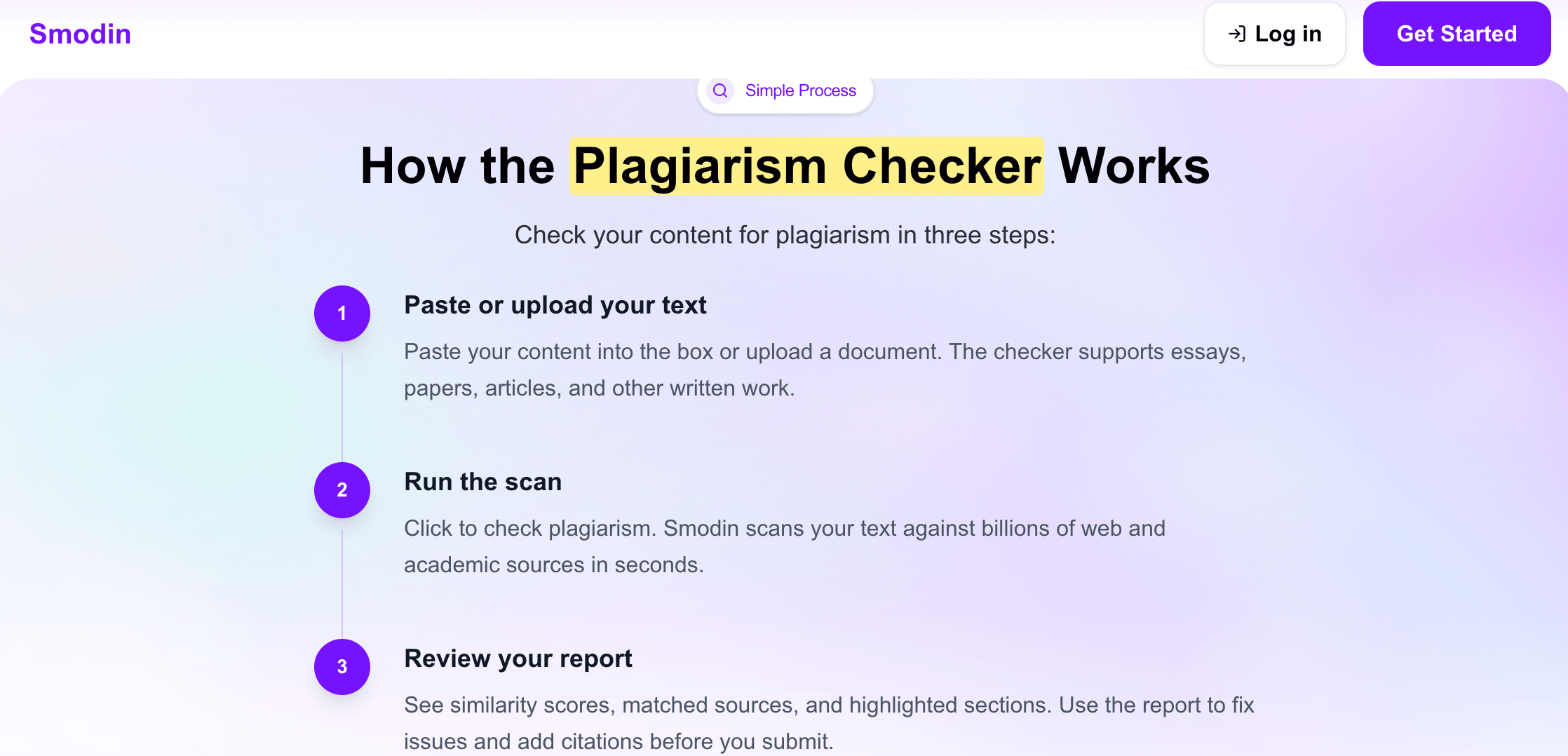
Smodin’s Starter and Premium plans unlock the full toolset at different output limits — always check the monthly-vs-annual toggle before comparing prices.
Getting Started: Step by Step
- Create a free account. Sign up with an email address to unlock the Limited/free tier and test the core tools before paying anything.
- Run a real sample through the paraphraser and detector. Paste a paragraph you’ve already written to see how the rewriter handles your actual tone, and check the detector against text you know is human-written versus AI-assisted.
- Test the plagiarism checker on a real document. Upload an existing essay or article to see how thorough the web and academic-source scan actually is for your subject area.
- Compare the Starter and Premium feature lists side by side. Decide whether unlimited output, premium AI models, and the Chrome extension justify the Premium price gap for your usage volume.
- Toggle to annual billing before checkout if you plan to stay subscribed. The per-month savings on the yearly plan are significant, and it’s easy to miss the toggle on the pricing page.
- Screenshot your plan selection and confirmation email. Given the documented billing complaints, keep a clear record of exactly which plan and billing cycle you selected at checkout.
Tips for Getting Maximum Value
Treat every Smodin output as a first draft, not a final one — the writer and summarizer are fast, but a short human edit pass consistently improves accuracy and voice. Use the plagiarism checker on your own drafts before submission, not just on suspect sources, since it doubles as a self-check against accidental over-paraphrasing that drifts too close to a source. Lean on the translator’s one-to-many mode if you’re localizing the same piece of content for several audiences at once, rather than running separate translations manually. Before subscribing, use the free tier to specifically test the two or three tools you’ll actually use weekly, since Smodin’s real value depends entirely on how many of its bundled features you touch regularly. And whatever plan you choose, read the auto-renewal terms on the checkout page closely and set a calendar reminder before your trial or first billing cycle ends, given how often billing disputes show up in the platform’s review history.
Future Outlook and Final Assessment
The AI writing-assistant category in 2026 is crowded and consolidating, with general-purpose chatbots increasingly capable of doing basic paraphrasing and summarizing for free. Smodin’s bet is that purpose-built, workflow-specific tools — plagiarism checking against real academic databases, a dedicated AI detector, structured citation generation — still beat asking a general chatbot to do the same job informally, and for now that’s a reasonable position. Since its 2024 acquisition by Adly, the product has kept shipping features (the career toolkit and Omni’s extended memory are recent additions), which suggests continued investment rather than a wind-down.
The honest caveats carry real weight, though: the billing and refund complaint pattern on Trustpilot isn’t a fringe issue, the gap between Smodin’s advertised rating and its actual review-page standing deserves scrutiny, and the humanizer feature puts real ethical responsibility on the user. Competitors like QuillBot and Grammarly remain sharper choices if you only need one specific job done well. Within those limits, Smodin still delivers a genuinely useful, budget-friendly bundle for anyone whose writing workflow spans several of its tools at once — it’s a convenience play, not a category-topping specialist, and it’s worth going in with that framing.
Conclusion
Smodin isn’t trying to be the single best tool at any one job — it’s trying to be the one subscription that replaces the five tabs you’d otherwise have open, and for the right user, it succeeds at that. Bundling a writer, rewriter, AI detector and humanizer, plagiarism checker, translator, summarizer, and AI chat into one dashboard genuinely saves money and context-switching for students, multilingual writers, and freelancers who touch several of those tools every week. It rewards going in with realistic expectations — competent, editable output rather than polished final copy, real vigilance around billing terms, and a clear-eyed, responsible approach to the humanizer feature — and it’s not the right call if you only need one specialist tool done exceptionally well. Confirm the live price, start on the free tier before you commit, and Smodin can genuinely simplify a scattered writing workflow into one place.
Ready to consolidate your writing tools into one subscription?
Explore more honest reviews, tutorials and tech comparisons to find the right gear for the way you work, travel and live — at World Of Tech, where we make everything easy.
👉 Shop Smodin: https://worldoftech.space/smodin
👉 Our YouTube Channel: youtube.com/@world_tech79
👉 Our Facebook Fanpage: Facebook
👉 Our X (Twitter): @worldoftech79
Pricing, specifications and policy details in this review were verified against smodin.io and independent review sources (including Trustpilot, G2, and third-party pricing trackers) as of July 2026. AI writing software pricing and promotions change frequently, so confirm current details on the official site before purchasing. Competitor prices are approximate and subject to change.





