
If you’ve ever spent an entire evening the night before a submission deadline manually reformatting fifty footnotes from APA to Vancouver style, you already understand why reference managers exist. EndNote is the veteran of that category — a desktop-and-cloud citation tool from Clarivate that has been the default choice in medical schools, pharmaceutical labs, and university libraries for decades. It builds your personal library of references, inserts properly formatted in-text citations as you write in Microsoft Word, generates a complete bibliography in whatever style your journal demands, and — since the EndNote 2025 release — adds an AI-powered Research Assistant that can summarize a PDF and answer questions about it in plain language. Millions of researchers at institutions like AstraZeneca, Brown University, CUNY, Eli Lilly and GSK rely on it as core research infrastructure, not a nice-to-have.
But EndNote is also the most expensive mainstream option in a category that now has genuinely capable free competitors, and its Trustpilot record shows a split reality: researchers who’ve used it for a decade defend it fiercely, while others describe forced paid upgrades and billing frustrations. Neither extreme tells the whole story. This 2026 review walks through what EndNote actually does, its full desktop-plus-cloud feature set including the new Research Assistant, current pricing and licensing options, how it stacks up against Zotero and Mendeley, the honest pros and cons pulled from real user feedback, and exactly who should — and shouldn’t — pay for it.
EndNote Review 2026: Is the Original Reference Manager Still Worth the Price?
Overview and Background
EndNote is reference management software published by Clarivate, the same company that owns the Web of Science citation database. It is not a general note-taking app or a simple bibliography generator — it is a purpose-built system for researchers who need to search academic databases, build and organize a personal library of references and full-text PDFs, and format citations to exact journal or institutional standards while writing in Word, Google Docs, or Google Docs Online. The core workflow is straightforward: import references from a database or your own PDFs, drop citations into your manuscript with the Cite While You Write plugin, and let EndNote automatically generate and reformat the bibliography if you switch citation styles mid-project.
The product has been around since the 1980s and has gone through many major versions, with EndNote 21 and the current EndNote 2025 being the ones actively sold today. What sets the 2025 release apart is the addition of EndNote Research Assistant, an AI layer that lets you chat with an individual PDF in your library, ask follow-up questions and get answers sourced from the text, and translate documents to break through language barriers — a meaningful step beyond EndNote’s traditional role as a pure citation formatter. If you already own EndNote 20 or earlier, Clarivate frames the upgrade path clearly: pay the smaller upgrade fee rather than the full first-time price, and your existing library carries forward.
It’s worth being precise about what kind of tool this is, because the category gets confused with adjacent products. EndNote is not a literature-discovery engine like Elicit or Research Rabbit, and it’s not a general PDF annotation app — it assumes you’re bringing your own reading and research process, and its job is to make sure every source you’ve read is captured, correctly cited, and instantly retrievable years later. That narrower, deeper focus is precisely why it has stayed relevant across four decades of software cycles that have killed off most of its original competitors.
EndNote ships in three layers that work together: the desktop application (Windows or Mac) for the heavy lifting of library management and writing, EndNote Online (also called EndNote Web) for cloud sync and browser-based access, and a free iPad/iOS app for reading and light editing on the go. A single license covers installation on up to three machines for one person, and purchasing the desktop version includes a three-year EndNote Online subscription with unlimited reference and attachment storage while it’s active.
Clarivate positions EndNote at three distinct audiences rather than treating it as a one-size-fits-all product. Individuals — students, scholars and professional researchers — get the core desktop-plus-cloud experience described above. Universities and libraries can license EndNote institution-wide, giving every student and faculty member desktop access, unlimited three-year cloud storage, and 24/7 support and training without each person paying separately. Organizations and government bodies — corporations, think tanks and non-profits — get the same core tool plus shared libraries built for large-scale, multi-team projects. That three-tier structure is a big part of why EndNote shows up so often in corporate R&D departments and government research agencies as well as in academia: it was built from the start to scale past a single researcher’s desktop.
Why EndNote Stands Out in 2026
Deep, verified data from Web of Science: Because Clarivate also owns Web of Science, EndNote can pull trusted, verified bibliographic data directly into your library, and imports from Web of Science, Scopus and PubMed are consistently clean — a genuine advantage over tools without that database relationship.
Retraction alerts built in: EndNote flags retracted articles both inside your personal library and while you’re citing in Word, which protects the integrity of a manuscript before it ever reaches peer review — a feature few competitors offer at all.
The most mature Word plugin in the category: Cite While You Write has been refined over decades and remains the most reliable choice for very large, heavily-cited documents — a 40-chapter thesis or an 800-citation systematic review is where EndNote’s plugin holds up best against Zotero and Mendeley’s newer, occasionally shakier integrations.
EndNote Research Assistant adds real AI utility: The 2025 release’s chat-with-your-document feature lets you ask a paper direct questions and get answers sourced from the actual text, plus translate documents across languages — genuinely useful for fast-tracking a literature review instead of reading every PDF start to finish.
Built for serious collaboration: You can share an entire library or a subset of references with up to 1,000 people, set individual permissions for viewing versus editing, and check activity logs to see who changed what — a scale of collaboration most free tools simply don’t support.
Find a Journal feature: Beyond citation management, EndNote helps identify well-matched journals for your manuscript before submission, folding a piece of the publishing decision into the same tool you’re already using to write.
Institutional trust and 24/7 support: EndNote is licensed at scale by universities, libraries, and corporate R&D departments worldwide, and backs every purchase with round-the-clock support by phone, chat, or email — a level of dedicated support most competitors, free or paid, don’t attempt to match.
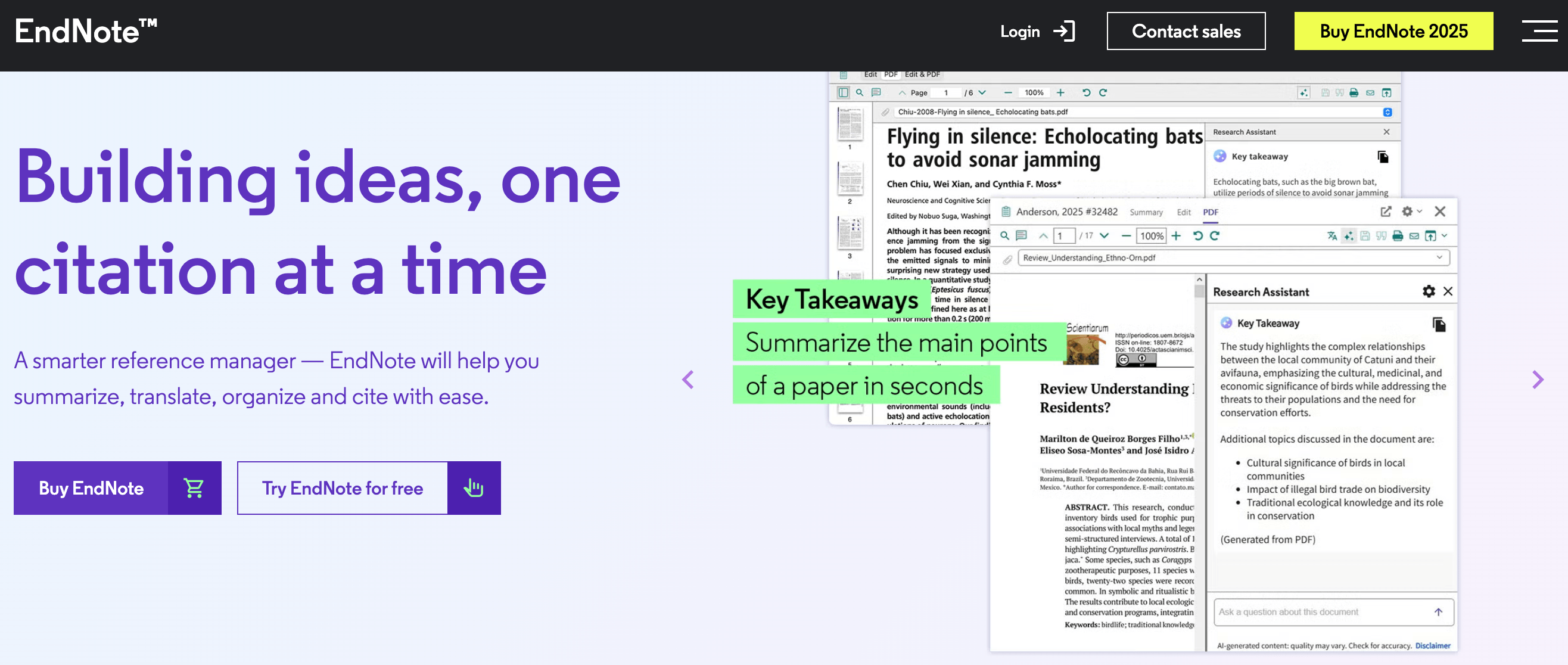
EndNote centralizes your reference library, citation formatting, and — since EndNote 2025 — an AI Research Assistant for chatting directly with your source PDFs.
Key Features and Technology
EndNote’s feature set spans four pillars: library and reference management, writing and citation tools, AI-assisted research, and collaboration and data protection. None of these exist in isolation — a reference imported today should still be citable, taggable, shareable and retraction-checked years from now, and that continuity across the whole workflow is really what you’re paying for rather than any single standout feature. Here’s how each pillar actually works.
Library Management and Organization
EndNote stores and manages an unlimited set of references in one place, and you can build a custom tagging system with color-coded tags to spot where things belong at a glance. Auto-organize rules sort incoming references into groups automatically as your library grows, which matters enormously once you’re past a few hundred citations — the point where manual folder-sorting stops being realistic. Records also support individual-level undo, so a mistaken edit or deletion — yours or a collaborator’s — can be rolled back without touching the rest of the library, which is a small detail that becomes a genuine relief the first time you actually need it in a library with years of accumulated references.
Citing, Formatting and Retraction Protection
The Cite While You Write plugin inserts properly formatted references directly into Word as you type and rebuilds your entire bibliography automatically if you switch citation styles — useful when a journal rejects your submission and the next one on your list uses a completely different format. Retraction alerts appear in real time so a retracted paper doesn’t slip into your reference list unnoticed, and EndNote now supports writing bibliographies in Google Docs and Microsoft Word Online as well as desktop Word.
EndNote Research Assistant (AI)
New with EndNote 2025, Research Assistant turns a document into something you can converse with: ask questions in plain language and get answers sourced directly from the paper’s text, rather than manually skimming for the section you need. Document translation is bundled in too, letting you work with sources published in a language you don’t read fluently. It’s a genuinely useful addition, though — like any AI summarization tool — answers should be checked against the source before you cite a claim from them.
Full-Text Access and PubMed/Scopus/Web of Science Import
The free EndNote Click browser plugin helps you pull full-text PDFs into your library as you browse, and EndNote’s own “Find Full Text” tool tries to auto-locate PDFs for references already in your library — though real-world user reports put its hit rate at roughly 50%, so treat it as a time-saver rather than a guarantee. Imports from Web of Science, Scopus and PubMed are consistently the cleanest, since Clarivate has deep integration with those databases; imports from smaller or less structured sources are more hit-or-miss and may need manual cleanup.
Collaboration, Sharing and Data Protection
Share an entire library or specific groups of references with up to 1,000 colleagues, control edit-versus-view permissions per person, and review activity logs to track who changed what. A dedicated data restoration function lets you undo mistakes — your own or a collaborator’s — at the individual record level, which is a genuine safety net for large, multi-author libraries where one accidental deletion could otherwise cost hours of re-entry.
Pricing, Plans, and Package Structure
EndNote is sold as a one-time purchase per license, not a recurring subscription for the desktop software itself — though the bundled EndNote Online cloud sync runs on a three-year clock before storage limits drop. There’s a free web-only tier (EndNote Basic) with 50,000 reference and 2GB attachment storage limits, but the meaningful comparison against competitors is the paid desktop license below. Many students and staff get EndNote free or discounted through a university site license, so check with your institution before buying directly. Clarivate accepts payment through more than 50 global methods including major credit cards, PayPal and wire transfer, and offers a 30-day return window on orders placed directly through the EndNote Online Store or a Clarivate sales representative — copies purchased through other resellers may not qualify, so buy direct if you want that safety net.
| Plan | Price (USD) | What It Is | Best For |
|---|---|---|---|
| EndNote Basic | Free | Web-only library, up to 50,000 references, 2GB attachments | Testing the workflow before buying |
| Full License | ~$249.95 (one-time) | Full desktop app, install on up to 3 machines, 3-yr Online sync included | First-time buyers with a large or growing library |
| Upgrade License | ~$99.95 (one-time) | Move from EndNote 20 or earlier to the current version | Existing owners of an older EndNote version |
| Student License | ~$115.95 (one-time) | Full license at a discount, requires proof of enrollment | Currently enrolled students and homeschoolers |
| Multi-User / Site License | Custom quote | Department, lab, or full-institution licensing | Universities, libraries, and corporate research teams |
How EndNote Compares to Alternatives
| Factor | EndNote | Zotero | Mendeley |
|---|---|---|---|
| Price | ~$249.95 one-time (approx.) | Free; storage add-ons ~$20–120/yr (approx.) | Free with 2GB; paid storage tiers (approx.) |
| Ownership | Clarivate (commercial) | Nonprofit, open source | Elsevier (commercial) |
| Citation styles | Large built-in proprietary library | 10,000+ open CSL styles | Thousands via CSL, fewer than Zotero |
| Google Docs support | Added recently; less mature | Strong native support | Thin Chrome extension, less reliable |
| Word plugin maturity | Most mature (Cite While You Write) | Reliable, frequently updated | Functional, some compatibility issues |
| AI features | Research Assistant: chat + translate | None built-in | None built-in |
| Best for | Large teams, systematic reviews, institutions | Individual students on a budget | Elsevier-ecosystem researchers |
EndNote vs. Zotero: Zotero is free, open-source, and has the broadest citation style library and the best Google Docs integration of the three — for most individual PhD students starting fresh, it’s the more sensible default, and its full-text PDF search across an entire library is a feature EndNote doesn’t match. EndNote pulls ahead once you need retraction alerts, Web of Science-verified data, large-scale library sharing with permissioned access for a full research team, or the most battle-tested Word plugin for extremely long, heavily-cited documents like an 800-reference systematic review. If your library format flexibility matters to you long-term, it’s also worth knowing Zotero’s SQLite-based storage can be exported and migrated freely without vendor permission, while EndNote’s proprietary format ties you more closely to Clarivate’s ecosystem.
EndNote vs. Mendeley: Mendeley is a reasonable free choice if you’re already embedded in Elsevier’s ecosystem (Scopus, ScienceDirect) and want PDF annotation tools, but development has slowed noticeably since Elsevier’s 2013 acquisition and its newer Mendeley Cite plugin can lag on documents with 100+ citations, occasionally requiring a manual refresh to pick up newly added references. EndNote costs significantly more but delivers a more consistently reliable citation engine at scale, plus features — retraction alerts, Find a Journal, the new AI Research Assistant — that Mendeley doesn’t offer at all. Both tools support standard RIS and BibTeX import/export, so switching between them later, or starting on one and migrating to EndNote once your institution provides a license, is realistic if your priorities change.
Pros and Cons
What Users Love
Genuinely indispensable for large libraries: Long-time users describe managing tens of thousands of references across decades of research, and consistently say they “can’t write without it” once they’ve built up a substantial library.
Clean database imports: PubMed, Web of Science and Scopus imports are reliably accurate, which matters enormously for anyone doing systematic reviews or meta-analyses that depend on dozens or hundreds of correctly-tagged sources.
Responsive customer support: Multiple reviewers specifically praise EndNote’s support team for walking them through installation and upgrade problems patiently and effectively, describing it as “prompt, courteous, and helpful.”
Strong organizational tools: Custom groups, color-coded tags, and auto-organize rules genuinely help once a library grows past the point where scrolling through a flat list becomes impractical.
Limitations Worth Knowing
Mixed independent ratings: EndNote’s Trustpilot score sits in the low-to-mid 3-out-of-5 range across roughly 200+ reviews at recent snapshots — a meaningfully lower score than the rating EndNote’s own marketing has cited elsewhere, and worth knowing before you buy.
Version-locked licensing frustrates some users: Multiple reviewers report that reinstalling an older EndNote version on a new computer effectively requires paying for an upgrade, since older installers or activation can fail — a real cost consideration if you replace hardware often.
The priciest option in its category: At roughly $250 for a first-time full license, EndNote costs meaningfully more than Zotero (free) or Mendeley (free tier), and some long-time users describe the company as feeling “greedy” about pricing over time.
No native Google Docs integration: Unlike Zotero, EndNote has historically had no dedicated Google Docs plugin, which is a real gap for anyone collaborating with supervisors or co-authors who prefer Google Docs over Word.
Find Full Text isn’t reliable: User feedback suggests the automatic full-text PDF lookup succeeds roughly half the time, so plan to source many full texts manually rather than counting on the feature.
Billing complaints exist: A minority of reviewers report being charged unexpectedly after canceling a free trial, or receiving confusing renewal-related messaging — read the checkout terms carefully and keep a record of any cancellation.
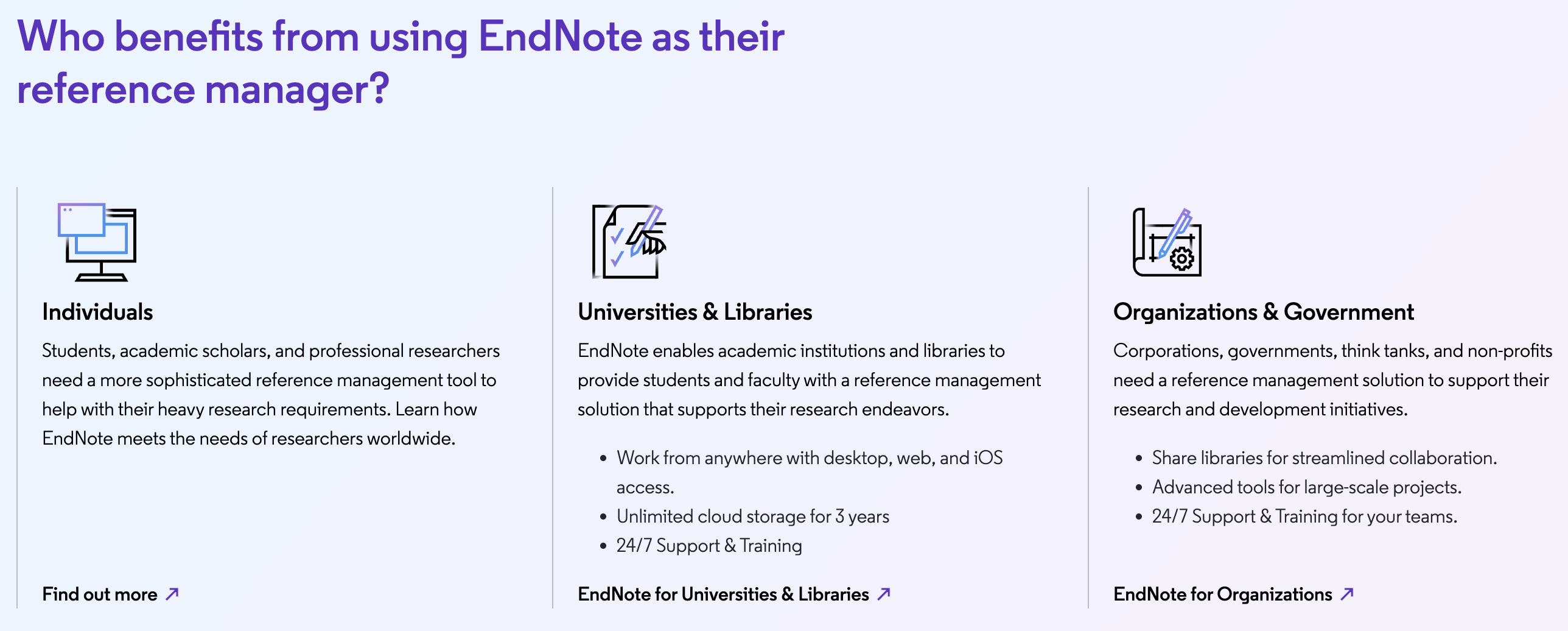
EndNote’s Cite While You Write plugin remains the most battle-tested Word integration in the reference manager category, especially for very large documents.
Who Should Use EndNote
Researchers running systematic reviews or meta-analyses: The combination of clean database imports, retraction alerts, and a Word plugin that holds up under hundreds of citations makes EndNote the safer choice for this specific, high-stakes workflow.
Grad students and faculty at institutions with a site license: If your university already pays for EndNote, the cost objection disappears entirely and you get access to a genuinely capable, institutionally-supported tool.
Corporate, pharma, and government research teams: Large-scale library sharing, permissioned access, and activity logs suit organizations where multiple people build and rely on a shared reference collection over years.
Anyone with a large, decades-deep personal library: Long-time EndNote users with tens of thousands of accumulated references have the most to lose by switching, and the tool’s organizational depth pays off most clearly at that scale.
Researchers who value citation-integrity tooling: If retracted or compromised sources are a real professional risk in your field — medicine and clinical research especially — EndNote’s built-in retraction alerts are a concrete safeguard that most competing tools simply don’t offer at all.
Who should look elsewhere: individual students or early-career researchers on a tight personal budget, anyone who writes primarily in Google Docs and needs that to just work out of the box, and anyone starting a fresh library from scratch without institutional support will likely be better served by Zotero’s free, open, and actively-developed alternative — you can always export to EndNote later via RIS or BibTeX if your needs and budget change down the line.
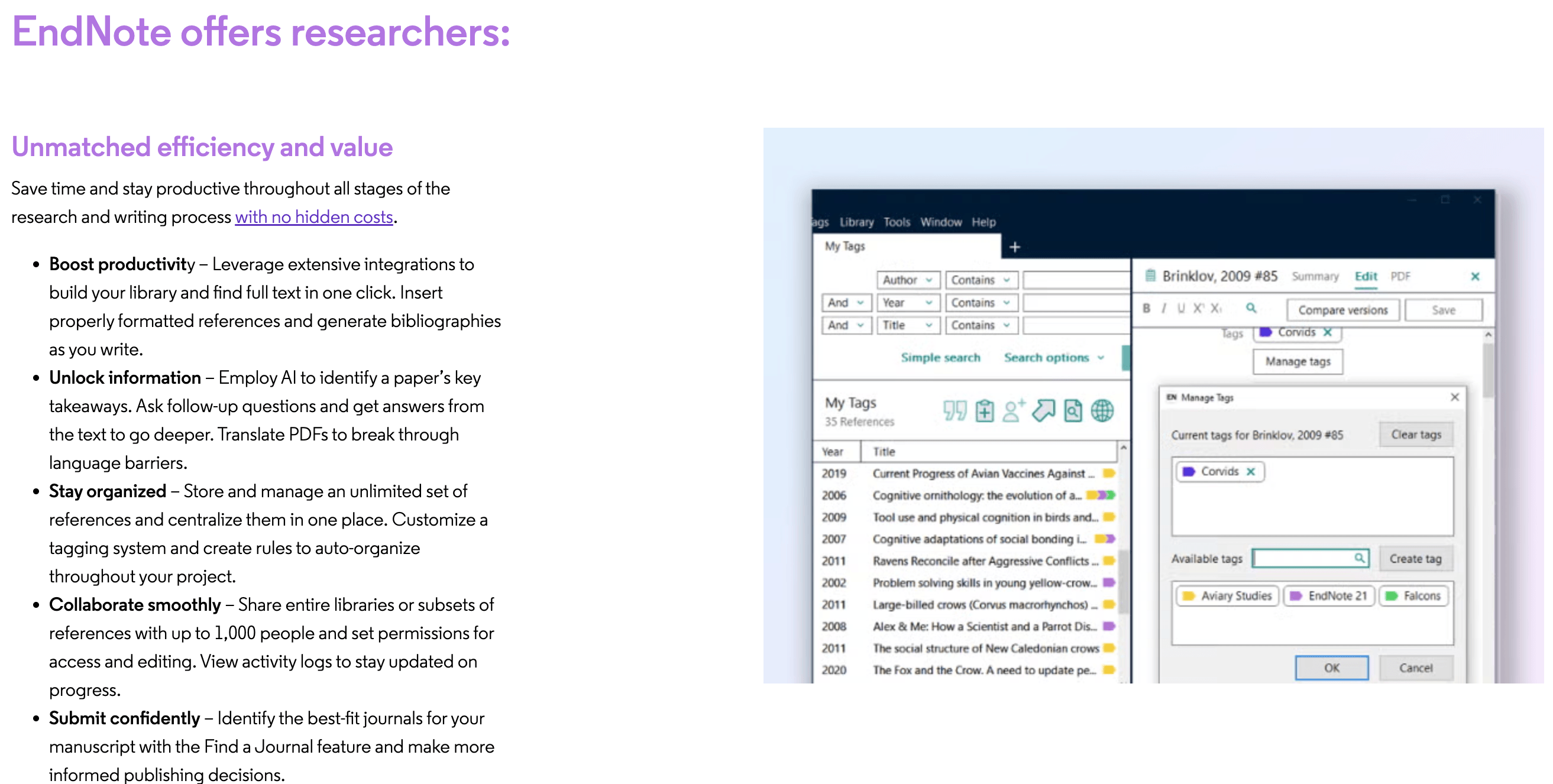
EndNote 2025’s Research Assistant adds AI-powered document chat and translation on top of the classic citation management toolkit.
Getting Started: Step by Step
- Check for a free institutional license first. Contact your university library or IT department — many provide EndNote free to students and staff before you spend anything.
- Choose your license and start a free trial. If buying personally, pick Full, Upgrade, or Student pricing, and test the desktop app with a trial before committing.
- Install the desktop app and the Cite While You Write plugin. Available for Windows and Mac; the plugin integrates directly into Microsoft Word.
- Import your existing references. Pull from Web of Science, Scopus, or PubMed for the cleanest results, or drag in PDFs and let EndNote extract what metadata it can.
- Organize with tags and auto-organize rules. Set this up early — retrofitting organization onto a library of thousands of references later is far more work.
- Register for EndNote Online and sync. This unlocks cloud access, the iPad app, and library sharing with collaborators, all included with your desktop purchase for the first three years.
Tips for Getting Maximum Value
Set your citation style at the very start of a project rather than mid-way through, since switching styles later triggers a full bibliography rebuild that’s easy to get right in EndNote but still worth double-checking against your target journal’s actual style guide. Turn on retraction alerts and take them seriously — a flagged source is worth investigating even if it seems tangential to your argument. Don’t rely on Find Full Text as your only PDF-sourcing strategy; budget time to manually track down papers it misses, especially from smaller or non-indexed journals, and lean on the free EndNote Click browser plugin to grab full text as you browse instead of retrofitting it later. If you’re running a systematic review, use tags to track your screening stages (included, excluded, pending) directly inside your EndNote library rather than in a separate spreadsheet, which keeps your PRISMA documentation and your citation library in sync and saves a painful reconciliation step near submission. Register for EndNote Online as soon as you install the desktop app rather than waiting — the three-year unlimited-storage window starts from registration, and syncing early protects your library if your laptop fails. Finally, try the Research Assistant’s chat feature to speed up an initial read of a dense paper, but always verify any specific claim, number, or quotation it surfaces against the original PDF before it goes into your manuscript — AI summarization is a starting point for orientation, not a citation-grade source in itself, and treating it that way protects both your accuracy and your academic integrity.
Future Outlook and Final Assessment
EndNote’s direction with the 2025 release — layering an AI Research Assistant onto a decades-old citation engine rather than abandoning that engine for something flashier — suggests Clarivate is betting on depth and institutional trust over disruption. That’s a reasonable bet in a category where switching costs are genuinely high once your library reaches thousands of references, and where research integrity features like retraction alerts matter more with each passing year of publishing scrutiny.
At the same time, the free-tool competition from Zotero has only gotten stronger, and EndNote’s mixed independent review record — strong loyalty from long-time power users alongside real frustration over pricing and version-locked licensing — means it can no longer coast purely on incumbency. The product remains a defensible choice for the specific researchers it serves best; it’s a much harder sell for anyone starting a reference library from zero without institutional backing.
Conclusion
EndNote remains one of the most trusted names in reference management for good reason: verified data from Web of Science, retraction alerts that protect research integrity, the most mature Word plugin in the category, and — as of 2025 — a genuinely useful AI Research Assistant layered on top of all of it. It’s not the cheapest option, its licensing has real friction points reviewers openly complain about, and a free tool like Zotero now covers the basics extremely well. But for large research teams, systematic reviews, and anyone whose library has grown past the point where a free tool’s limits start to bite, EndNote’s depth and institutional backing still justify the investment.
Ready to see if EndNote fits your research workflow?
Explore more honest reviews, tutorials and tech comparisons to find the right gear for the way you work, travel and live — at World Of Tech, where we make everything easy.
👉 Try EndNote: https://worldoftech.space/endnote
👉 Our YouTube Channel: youtube.com/@world_tech79
👉 Our Facebook Fanpage: Facebook
👉 Our X (Twitter): @worldoftech79
Pricing, specifications and policy details in this review were verified against endnote.com and independent review sources including Trustpilot and Capterra as of July 2026. Reference management software pricing and features change frequently, so confirm current details on the official site before purchasing. Competitor prices are approximate and subject to change.





