
If you have ever wanted to go to a game, concert or show on a whim, you already know the two things that usually kill the idea: tickets feel too expensive, and the final price balloons with surprise fees the moment you reach checkout. Gametime was built around a counter-intuitive insight that flips both problems on their head — for most live events, ticket prices actually fall as showtime approaches, because unsold seats lose value by the minute. Gametime is a mobile-first resale marketplace for sports, concerts, theater and comedy that leans into exactly that: it surfaces the best last-minute deals, shows you an all-in price with fees already included, lets you preview the real view from your seat, and even lets you keep buying up to 90 minutes after an event has started. Founded in 2012 by former Google financial analyst Brad Griffith and headquartered in San Francisco, the app has raised roughly $71.5 million in venture funding, operates across dozens of North American cities, and carries a 4.4 out of 5 “Excellent” rating on Trustpilot from several thousand reviews.
For spontaneous fans, budget-conscious event-goers, and anyone who hates the drip-pricing games other platforms play, the appeal is immediate: real tickets to the events you want, often below what you would pay elsewhere, bought in about ten seconds on your phone. But Gametime is a resale marketplace, not a primary box office, and an honest look surfaces genuine trade-offs around final-sale policies, third-party ticket delivery, currency support and inventory depth that are worth understanding before you tap “buy.” This 2026 review walks through how Gametime’s last-minute pricing model actually works, its standout features and the Gametime Ticket Coverage guarantee, the real fee structure, head-to-head comparisons against StubHub, SeatGeek and the no-fee challenger TickPick, the genuine pros and cons, and exactly who should — and shouldn’t — make it their go-to ticket app.
Gametime Review 2026: The Last-Minute Ticket App Where Prices Drop as Showtime Nears
Overview and Background
Gametime is a mobile ticket marketplace built by San Francisco-based Gametime United Inc. It is not a primary ticket seller like Ticketmaster, and it is not a manual price-comparison search engine — it is a curated secondary (resale) marketplace with one clear specialty: getting fans into live events at the last minute for the lowest reasonable price. The core idea is simple but powerful. Sellers list unsold inventory — teams, season-ticket holders, brokers and everyday users — and Gametime’s pricing algorithm pulls the strongest options for a given venue, presents them with photos of the actual view from each section, and lets prices drift downward as the clock runs out before an event.
The company’s origin story explains its whole personality. Founder Brad Griffith, a former senior financial analyst at Google, came up with the concept after missing the first inning of a 2012 playoff game because buying a last-minute ticket on his phone was so painful. The app launched on iOS in 2013 and Android in 2014, started with a handful of stadiums in San Francisco, and steadily expanded across the U.S. and Canada — the company today cites coverage of around 60 cities. Along the way it picked up industry recognition (including a Webby Award for mobile experience and “fastest-growing ticket company” press notes) and built genuine credibility as a design-led, mobile-native player rather than a no-name reseller.
What separates Gametime from the crowded resale field is its combination of last-minute focus, transparent all-in pricing, and a polished phone-first experience. Rather than dumping thousands of listings on you, it shows a tightly curated set of the best deals; rather than revealing fees at the final step, it can display the total price up front; and rather than cutting off sales before kickoff, its LastCall feature keeps selling for up to 90 minutes after an event begins. According to the company, the vast majority of its transactions happen within a week of an event — and a large share within the final 36 hours — which is exactly the window Gametime is engineered to serve.
Why Gametime Stands Out in 2026
Prices fall as the event approaches: This is Gametime’s defining idea and the entire reason to use it. Because unsold seats lose value the closer it gets to showtime, the app is built to surface those falling prices instead of fighting them. Gametime’s own historical data has illustrated the pattern vividly — median ticket prices that dropped sharply in the final days and even after start time — so for flexible buyers willing to wait, the last-minute window is where the real savings live.
LastCall — buy after the event has started: Where most marketplaces stop selling before kickoff, Gametime’s LastCall keeps inventory available for up to 90 minutes after an event begins. Combined with instant mobile delivery, that means you can decide to go while the game is already on, buy in seconds, and walk straight in — frequently at the deepest discount of the night.
All-in pricing with no surprise fees: One of the most-praised features in user reviews is the “all-in” price view, where the number you see already includes service fees — no sticker shock at the final step. On top of that, Gametime’s buyer fees tend to land in roughly the 10–15% range, generally lower than the larger marketplaces, which is a meaningful difference on a pricey ticket.
Real panoramic seat-view photos: Rather than generic stadium renderings, Gametime shows high-resolution panoramic photos taken from actual sections, plus a map pin of where the seats sit in the venue. You can see roughly what your sightline will look like before you commit — a genuinely useful feature that reviewers single out as more accurate than most rivals.
Two-tap, ten-second mobile checkout: Gametime is built phone-first. Once you pick your seats, the purchase takes about two taps and ten seconds, with tickets delivered to your phone immediately and easy sharing to friends via text or email. Payment runs through Apple Pay, Google Pay or Venmo, and Affirm is available for paying pricier orders over time.
Gametime Ticket Coverage, included free: Every purchase comes with the Gametime Guarantee at no extra cost. It bundles a Lowest Price Guarantee (find the same tickets cheaper within a short window and get credited 110% of the difference, up to $200), event-cancellation refunds to your original payment method, fast “Lightning” refunds rather than forced credits, and even job-loss protection in defined circumstances. Restrictions apply, but as a package it is one of the more comprehensive coverage policies in ticketing.
Curation that does the legwork: Instead of an overwhelming wall of listings, Gametime highlights the best value seats and runs Zone Deals — discounted seating zones — so you spend less time scrolling and more time deciding. For casual buyers who just want good seats at a fair price without becoming a ticket-pricing expert, that curation is a quiet but real advantage.
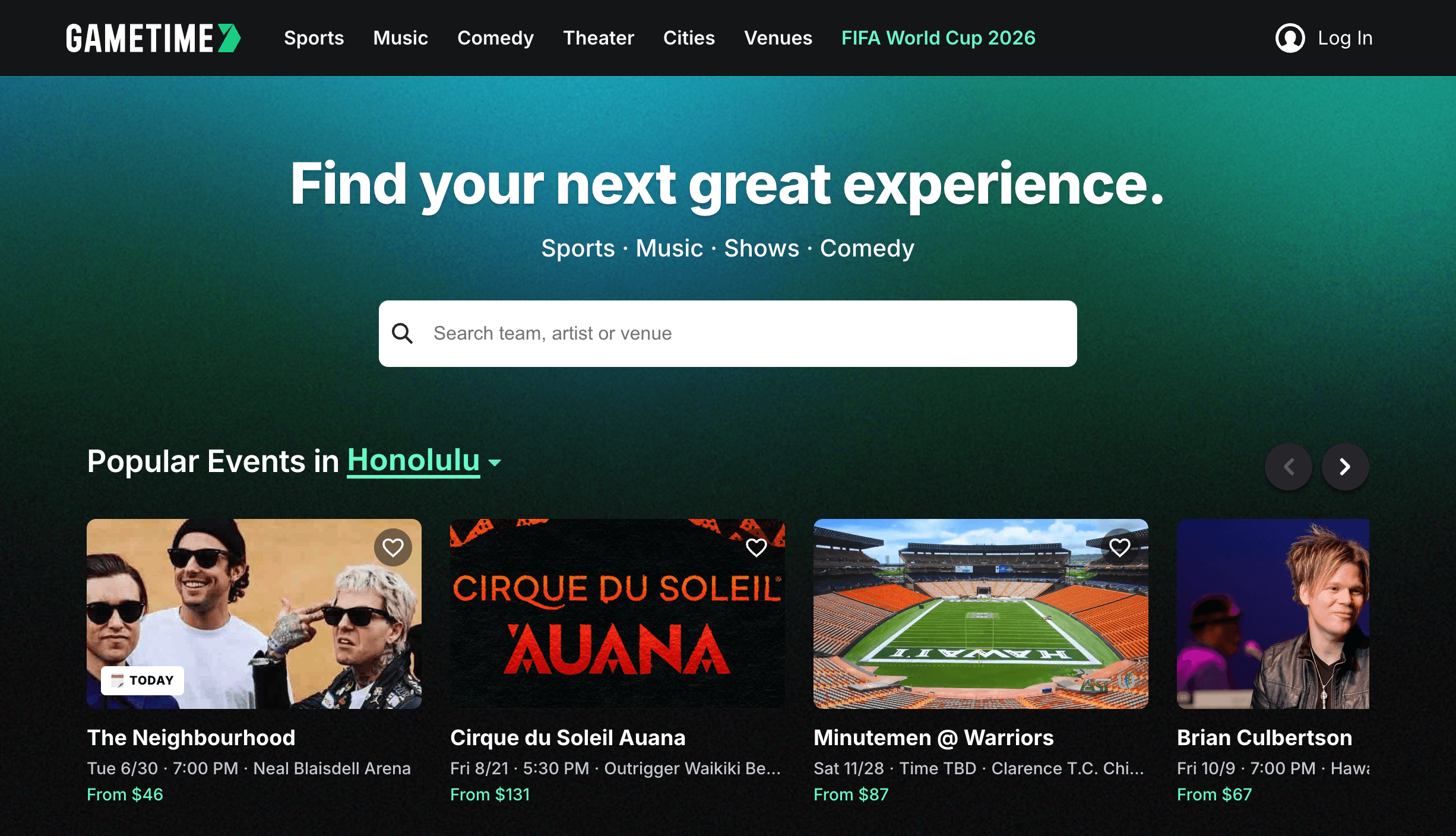
Gametime surfaces falling last-minute prices, shows the real view from each section, and lets you buy in about two taps — with fees already baked into the all-in total.
Key Features and Technology
Gametime’s feature set is broad, but it organizes cleanly into a handful of pillars. Here is how the platform actually breaks down.
Last-Minute Pricing Engine and LastCall
At its core, Gametime is a dynamic-pricing machine. Sellers can opt into automatic price adjustments, and the app’s algorithm continuously updates listings based on how the market is moving, how much time is left, and the price of comparable seats. As a buyer, the practical takeaway is that prices generally trend down in the final days and hours, with some of the deepest deals appearing in the last 90 minutes thanks to LastCall — the feature that keeps tickets on sale even after an event has started. Because every ticket is delivered to your phone instantly, you can buy and be inside the venue within minutes.
All-In Pricing and Lower Fees
Gametime emphasizes transparent, fee-inclusive pricing: an “all-in” toggle shows the full price you will pay before you reach checkout, so there are no surprise add-ons at the final step. Its service fees also tend to be lower than the big incumbents — typically in the 10–15% band — which compounds into real savings on higher-priced tickets. This matters more than ever in 2026: a U.S. Federal Trade Commission rule on all-in pricing took effect in May 2025, forcing the whole industry toward upfront fee disclosure, but lower underlying fees are a separate advantage on top of mere transparency, and that is where Gametime competes.
Panoramic Seat Views and Venue Maps
For each section, where available, Gametime shows real panoramic photos of the view from those seats and a pin on an interactive venue map, so you can compare sightlines and prices side by side. It also aggregates fan feedback on seating quality and atmosphere from people who actually attended, surfacing that context at checkout. Reviewers frequently call the seat preview and map experience more precise and realistic than what they have seen on competing apps.
Gametime Ticket Coverage (the Guarantee)
Included free with every purchase, Gametime Ticket Coverage is designed to remove the risk from buying resale. It guarantees your tickets will be valid and arrive in time, backs a Lowest Price Guarantee that credits 110% of the difference (up to $200) if you find the same tickets cheaper within the eligible window, and provides full refunds to your original payment method if an event is canceled and not rescheduled. The policy also promises fast refunds rather than forced account credits, plus defined job-loss protection. Restrictions and exclusions apply, so it is worth reading the current terms, but the breadth of the coverage is a genuine selling point.
Mobile-First Buying, Sharing and Payments
Everything is optimized for the phone. The purchase flow is famously quick — about two taps and ten seconds — and tickets land in the app immediately, with one-tap sharing to friends via text or email so everyone scans in with their own ticket. Payments run through Apple Pay, Google Pay and Venmo, and Affirm lets you split larger purchases into installments. You can also start on the website and finish on the app, though for many events the tickets themselves are ultimately delivered through the original ticketing platform.
Pricing, Plans, and Package Structure
Gametime is refreshingly simple on cost: the app is free, there is no subscription or membership, and you only ever pay per ticket. The platform makes its money from service fees that are folded into the all-in price you see — and those fees tend to be lower than the larger marketplaces. Because actual ticket prices are set by individual sellers and move dynamically with demand and time, the figures below describe the cost structure rather than fixed prices; always confirm the live all-in total in the app before you check out. All amounts are in USD, and prices are shown in USD only, which is worth noting if you are buying from outside the United States.
| Item | Cost | What It Is | Best For |
|---|---|---|---|
| Gametime App | Free | iOS and Android marketplace app (no subscription) | Anyone buying last-minute live event tickets |
| Ticket Price | Set by seller (above or below face) | Dynamic resale price that drops near event time | Flexible buyers willing to wait for a deal |
| Service Fees | ~10–15% (approx., included in all-in) | Buyer fee, generally lower than big rivals | Budget-conscious buyers avoiding fee shock |
| All-In Price View | No extra cost | Toggle that shows total with fees up front | No surprises at checkout |
| Affirm Installments | Financing (terms vary) | Pay-over-time option at checkout | Spreading the cost of pricier tickets |
| Gametime Ticket Coverage | Free (included on every order) | Lowest Price Guarantee + cancellation and other refunds | Buyers who want resale peace of mind |
How Gametime Compares to Alternatives
| Factor | Gametime | SeatGeek | StubHub |
|---|---|---|---|
| Focus | Last-minute mobile deals | Resale + some primary partnerships | Broadest resale marketplace |
| Inventory depth | Curated, smaller selection | Large | Largest (best for sold-out/obscure) |
| Typical buyer fees (approx.) | ~10–15% (lower) | ~10–25% (varies widely) | ~10–35% (often highest) |
| Fee transparency | All-in view, fees included | All-in on most listings | Historically drip-priced; now all-in |
| Real seat-view photos | Yes — a core strength | Some, plus Deal Score ratings | Limited |
| Buy after event starts | Yes — up to 90 min (LastCall) | No | No |
| Buyer guarantee | Gametime Ticket Coverage (free) | SeatGeek Buyer Guarantee | FanProtect Guarantee |
| Trustpilot score | 4.4 / 5 (“Excellent”) | 4.4 / 5 | Lower / more mixed |
| Best for | Spontaneous, low-fee, same-day buys | Deal-scoring + face-value team partners | Maximum selection for sold-out events |
vs. StubHub: StubHub is the inventory king — if a ticket exists on the secondary market, it is almost certainly listed there, which makes it the safer bet for sold-out megatours, playoff games and obscure markets. The trade-off is cost and clarity: StubHub’s buyer fees have historically run among the highest in the category and were revealed late in checkout via drip pricing (the FTC’s 2025 all-in rule has since pushed it toward upfront totals). Gametime counters with lower fees, an all-in price by design, panoramic seat photos, and the ability to keep buying after start time — features StubHub does not match. Use StubHub when you need the widest possible selection; use Gametime when you want a fast, low-fee, last-minute deal.
vs. SeatGeek: SeatGeek is the closest all-rounder — it shows all-in pricing on most listings, flags value with its Deal Score, and, crucially, holds primary partnerships (including all 30 MLB teams and several NFL franchises), so for those matchups it can offer genuine face-value tickets that pure resellers cannot. Its fees, however, can swing widely by event. Gametime is narrower and more mobile-native, but tends to win on fee level, last-minute focus and seat-view accuracy. Many fans use SeatGeek to check face-value primary inventory for partner teams and Gametime to chase the last-minute resale deal.
vs. Vivid Seats and TickPick: Vivid Seats brings broad inventory and a rewards program that returns credits to frequent buyers, but its fees are among the steepest in the market, so it mainly pays off for heavy users. TickPick takes the opposite approach: zero buyer fees, with the listed price being the total you pay — frequently cheaper than fee-bearing rivals for the same seats — though its inventory is smaller and it lacks Gametime’s last-minute, app-first flavor. If pure lowest-total-price is your only goal, it is worth price-checking TickPick; if you value the curated last-minute experience, low-but-not-zero fees, and seat previews, Gametime holds its own.
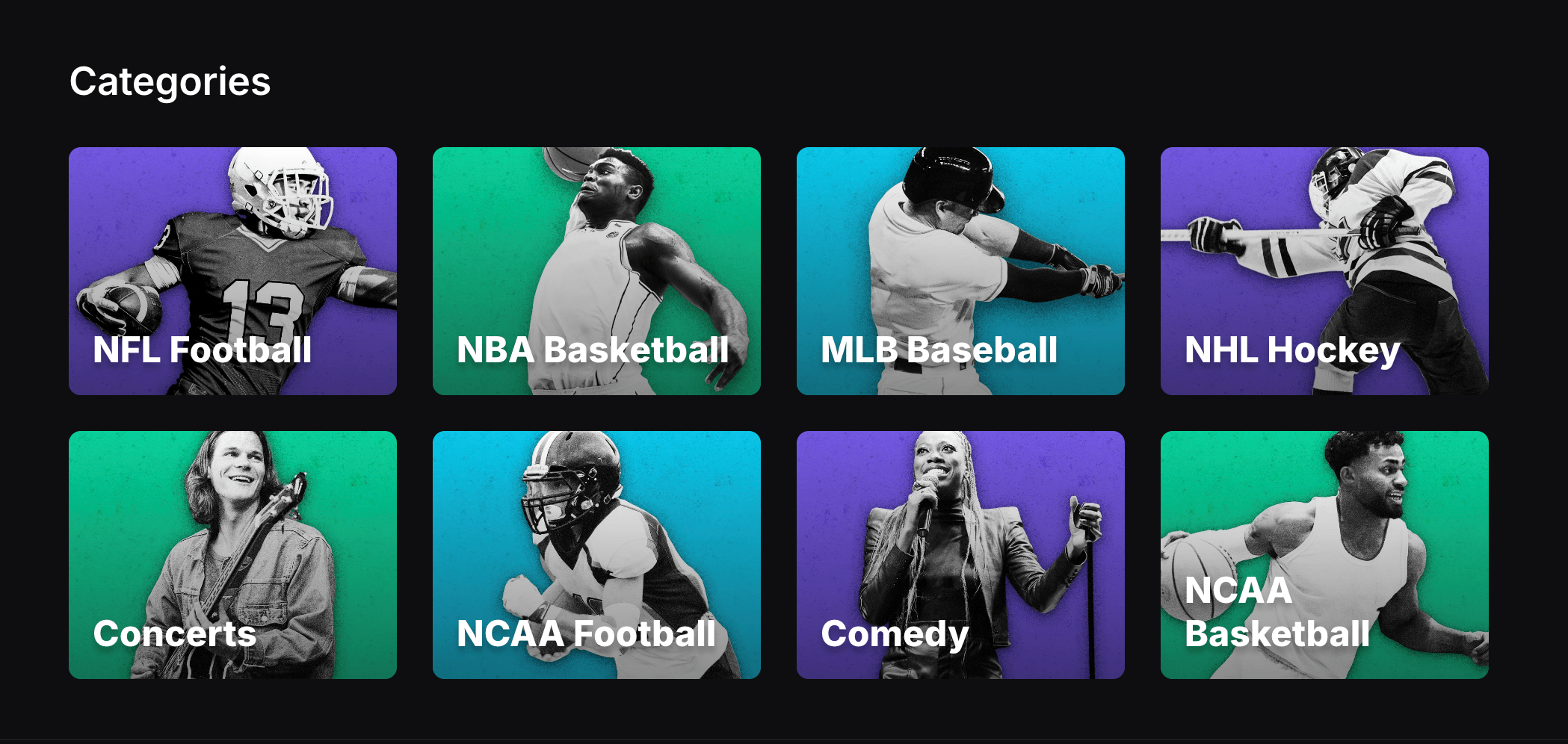
Against the bigger marketplaces, Gametime trades raw inventory depth for lower fees, all-in pricing, and the ability to keep buying after an event has started.
Pros and Cons
What Users Love
Genuinely cheap last-minute deals: The most consistent praise across Trustpilot is the price. Reviewers repeatedly describe finding the same seats a few dollars cheaper than on other sites, watching prices fall the day of an event, and scoring great seats spontaneously for far less than expected — exactly the spontaneity Gametime is built to enable.
All-in pricing with no hidden fees: Owners love that the “all-in” toggle shows the real total up front, so the price they see is the price they pay. After years of fee shock on other platforms, this transparency comes up again and again as a reason fans switch and stay.
Fast, easy, well-designed app: The interface earns near-universal praise for being clean and easy to navigate, with a two-tap checkout and instant mobile delivery. For many users it has become the first app they open for tickets simply because the experience is so frictionless.
Accurate seat views and venue maps: The panoramic photos and precise venue maps let buyers see what they are getting before they pay. Reviewers specifically call the seat preview more realistic and the map more precise than competing resellers — a small feature that meaningfully reduces buyer’s remorse.
Support that often goes the extra mile: Despite some mixed feedback, a striking number of reviews describe helpful, fast support — in-app chat that solves transfer issues in minutes, and cases where the team supplied alternative or upgraded seats when an order hit a snag. The free Lowest Price Guarantee and coverage policy add to that sense of being looked after.
Buy after the game starts: LastCall is a genuine crowd-pleaser. Being able to decide to attend while an event is already underway, buy at the night’s lowest price, and walk straight in is a capability fans simply do not get from the bigger marketplaces.
Limitations Worth Knowing
All sales are final — no returns: This is the number-one complaint. Because Gametime is a marketplace that does not own the inventory, it follows a final-sale policy. Buy the wrong date or realize a mistake seconds later, and you generally cannot cancel or refund — only relist the tickets for sale. Several reviewers wish for even a short grace period, so double-check every detail before tapping buy.
Tickets often arrive via a third app: For many events — sports especially — you do not receive the tickets inside Gametime; you accept or transfer them through the original platform, frequently Ticketmaster or a team app. First-timers regularly report confusion at this step, including needing to install another app and log in before the tickets appear. It works, but it is an extra hoop.
USD-only pricing: Prices display in U.S. dollars with no currency conversion option. Canadian and international reviewers consistently flag this as an annoyance, since they cannot easily see the cost in their own currency and must account for card conversion fees when comparing against local sellers.
Limited seat choice and occasional mismatches: For some listings you cannot pick the exact seat within a section or row — you take what the algorithm assigns. A minority of reviewers also report receiving a different seat location than the map implied, which support generally resolves but which causes real stress at the venue.
Narrower inventory and last-minute risk: The curated, smaller selection that makes Gametime easy to browse also means it can lack the depth of StubHub for sold-out megatours or obscure events. And the strategy of waiting for prices to drop carries its own gamble: hold out too long and the seats you wanted may be gone.
Inconsistent edges in delivery and support: Most experiences are smooth, but a real minority describe tickets that did not scan at the gate, delayed transfers, password or login problems, or slow responses when a dispute arose. The free guarantee helps, but buy with realistic expectations and keep your order confirmation handy.
Who Should Use Gametime
Spontaneous, last-minute buyers: This is Gametime’s sweet spot. If you tend to decide on a game or show the same day — or even after it has started — the falling-price model and LastCall are built precisely for you, and you will routinely beat the prices of fans who locked in weeks earlier.
Budget-conscious fans who hate fees: If the surprise fees on other platforms drive you up the wall, Gametime’s all-in pricing and lower fee band are a direct fix. On a higher-priced ticket, the fee difference alone can be the cost of a round of drinks.
Mobile-first users: Gametime is designed for the phone, from the two-tap checkout to instant delivery and easy sharing. If you live on your phone and want to buy, share and scan tickets without touching a laptop, it fits naturally into how you already operate.
Regular local sports and concert-goers: If you frequently attend home games or shows in a covered city, Gametime becomes a reliable way to grab good seats at a fair, fee-inclusive price on short notice — and the panoramic seat views help you pick a vantage point you will actually enjoy.
Who should look elsewhere: Planners who buy months ahead for sold-out megatours will find StubHub’s deeper inventory more dependable. Anyone who needs to pick an exact seat, prefers a full desktop experience, or buys from outside the U.S. and wants local-currency pricing may be frustrated by Gametime’s constraints. And shoppers chasing the rock-bottom total on every purchase should price-check a true no-fee platform like TickPick before committing.
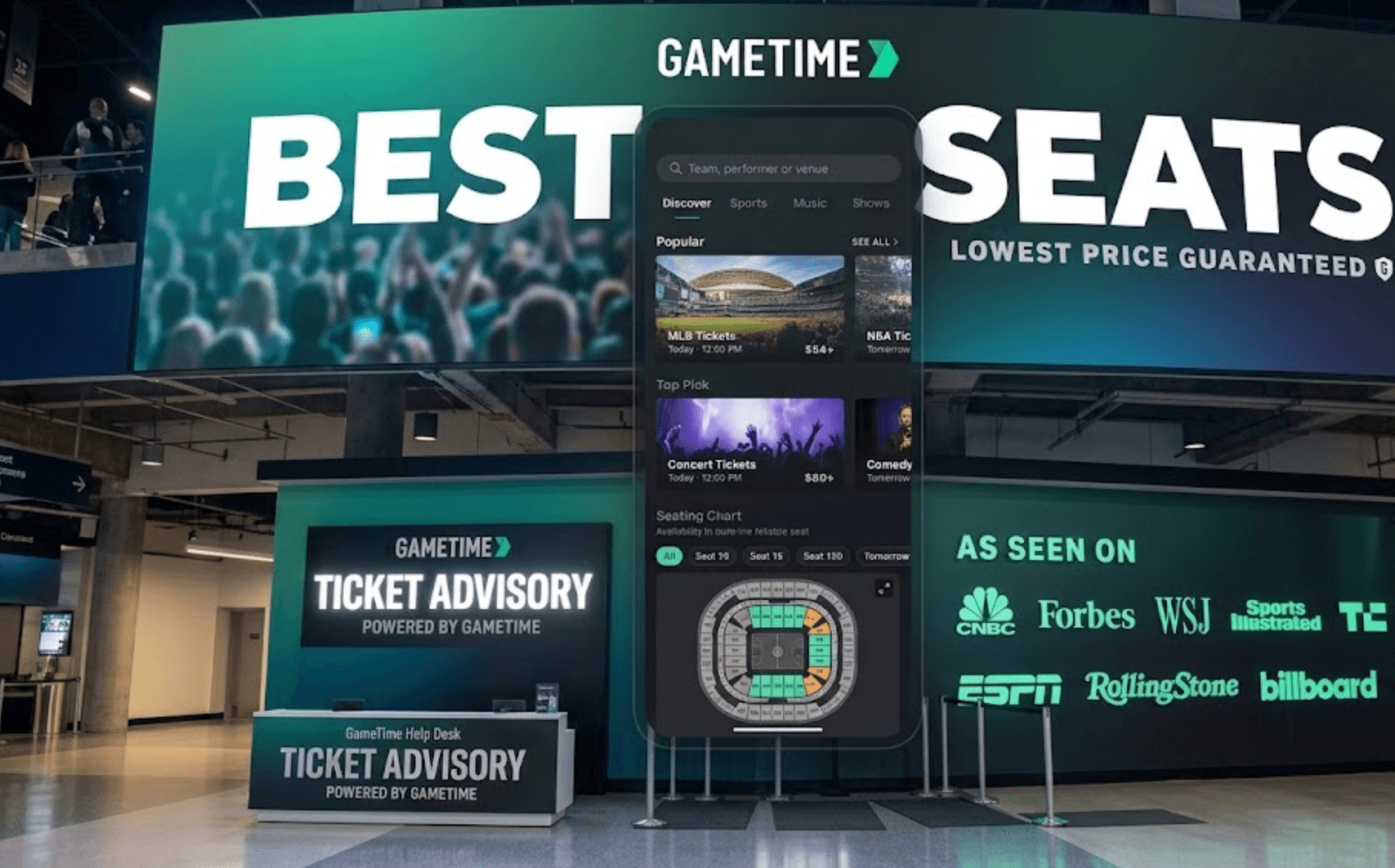
For spontaneous fans and budget-conscious buyers, Gametime’s last-minute focus, low fees and seat previews make grabbing good seats on short notice genuinely easy.
Getting Started: Step by Step
- Download the app and set your location. Install Gametime from the App Store or Google Play, create an account, and confirm your city so the app surfaces nearby events and venues. You can browse the website too, but the phone app is where the experience shines.
- Find your event or browse the deals. Search for a specific team, artist or show, or scroll the curated deals and Zone Deals to see where the value is. The app does the leg-work of highlighting the best-priced seats rather than burying you in listings.
- Compare seats with views and the venue map. Tap into sections to see panoramic photos of the actual sightline and the seat’s pin on the venue map. Turn on the all-in price view so every option shows its true total with fees included.
- Decide your timing. If your plans are flexible, you can wait for prices to drop closer to showtime — or use LastCall right before or after start time for the deepest deals. If you must secure specific seats, buy sooner and accept that you are paying for certainty rather than the lowest price.
- Check out in two taps. Confirm your seats and pay with Apple Pay, Google Pay or Venmo, or choose Affirm to split a larger purchase. Review the date, time and seat details carefully first — remember that all sales are final.
- Receive, share and scan your tickets. Your tickets arrive instantly in the app, though for some events you will accept or transfer them through the original platform (often Ticketmaster) — set that up before you reach the venue. Share individual tickets with friends via text or email, then scan straight from your phone at the gate.
Tips for Getting Maximum Value
Lean into the last-minute model whenever your schedule allows, because that is where Gametime is strongest — prices tend to fall in the final days and hours, and LastCall keeps deals alive after start time, so the patient, flexible buyer wins. Always switch on the all-in price view before comparing anything, so you are weighing true totals rather than base prices that hide fees, and if you find the same seats cheaper shortly after buying, file under the Lowest Price Guarantee to claim 110% of the difference (up to $200) within the eligible window. Use the panoramic seat photos and venue map to avoid a bad sightline, and if you are buying for a group, purchase together and share individual tickets so everyone scans in independently. Set up any required second app (such as Ticketmaster) at home rather than in the security line, keep your order confirmation in case of a delivery hiccup, and consider Affirm for a pricey night out. Finally, since prices are USD-only and Gametime is one option in a crowded field, it is always worth a 30-second cross-check against SeatGeek (for face-value team partners) or a no-fee site like TickPick before you commit — the smart fan compares totals, not sticker prices.
Future Outlook and Final Assessment
The ticketing market in 2026 is consolidating and, finally, getting more transparent. The FTC’s all-in pricing rule has forced the entire industry to show fees upfront, narrowing one of Gametime’s old advantages; meanwhile StubHub has gone public and SeatGeek keeps signing primary partnerships that hand it face-value inventory. In that landscape, Gametime’s defensible niche is clear: it is the mobile-native specialist for last-minute, low-fee, spontaneous buying, with seat-view accuracy and LastCall as features the giants still do not match. As long as live events keep generating unsold inventory in their final hours, the falling-price model that Gametime pioneered only becomes more relevant.
The honest caveats remain. The final-sale policy is unforgiving, third-party ticket delivery adds friction, USD-only pricing limits its appeal abroad, inventory is shallower than the biggest marketplaces, and a minority of buyers hit delivery or support snags. None of these is unique to Gametime — they are largely the realities of resale ticketing — but they set the boundaries of who it is right for. Within those boundaries, Gametime delivers one of the cleanest, most fan-friendly experiences in the category, and on its core job — fast, affordable, last-minute tickets — it remains a genuine standout.
Conclusion
Gametime is not trying to be the biggest ticket marketplace — it is trying to be the fastest, cheapest and friendliest way to get into a live event at the last minute, and at that job it is remarkably effective. By embracing falling prices instead of fighting them, showing an all-in total with fees included, previewing the real view from your seat, and keeping LastCall open after the action starts, it removes the two biggest pain points of buying tickets: cost and surprise. It rewards realistic expectations — final sales, occasional third-party delivery and USD-only pricing are real trade-offs — and it is not the right call for early planners chasing sold-out megatours or buyers who need an exact seat. But for the spontaneous, mobile-first, value-seeking fan, few apps deliver more. Confirm the live all-in price, set up any required delivery app ahead of time, and Gametime can take the hardest part out of going to the game — and make it genuinely easy.
Ready to score last-minute tickets without the sticker shock?
Explore more honest reviews, tutorials and tech comparisons to find the right gear for the way you work, travel and live — at World Of Tech, where we make everything easy.
👉 Shop Gametime: https://gametime.co/
👉 Our YouTube Channel: youtube.com/@world_tech79
👉 Our Facebook Fanpage: Facebook
👉 Our X (Twitter): @worldoftech79
Pricing, fees, features and policy details in this review were verified against gametime.co and independent review sources (including Trustpilot and third-party fee analyses) as of June 2026. Ticket marketplace pricing, fees and promotions change frequently, so confirm current details and the live all-in price in the app before purchasing. Competitor fee ranges are approximate and subject to change.





