
If you have ever stared at a blank document the night before a deadline, juggled five browser tabs to draft, paraphrase, check for plagiarism and scan for AI, or tried to write a polished essay in a language that isn’t your first, you already understand the problem Smodin set out to solve. Smodin is a multilingual, all-in-one AI writing platform that pulls the entire writing workflow — drafting, rewriting, humanizing, plagiarism checking, AI detection, citation, summarizing and translation — into a single dashboard. Founded in 2017 and now used by more than a million students, educators, ESL learners and content creators worldwide, it has built its identity around one promise: produce clear, original, detector-aware writing fast, without paying for and switching between half a dozen separate tools.
For students racing assignment deadlines, non-native English speakers who want to write with confidence, and creators churning out blog posts and social copy, the value proposition is immediate — a usable free tier, flat-rate pricing and genuinely first-class multilingual support. But Smodin isn’t flawless, and an honest look surfaces real trade-offs: an AI detector and humanizer that lag the specialists, output that often needs manual polishing, and a billing model that has generated a steady stream of complaints worth understanding before you enter a card. This 2026 review walks through Smodin’s full toolset — the AI Writer, rewriter, humanizer, plagiarism checker and detector — its pricing tiers, head-to-head comparisons with QuillBot and Grammarly, the genuine pros and cons, and exactly who should (and shouldn’t) sign up.
Smodin Review 2026: The Multilingual All-in-One AI Writing Suite With a Genuinely Useful Free Tier
Overview and Background
Smodin is a web-based AI writing platform built around a single idea: bring every writing-adjacent task into one workspace so you never have to bounce between a drafting tool, a paraphraser, a plagiarism checker and an AI detector to finish one piece of work. It is aimed squarely at students, educators, researchers, ESL learners and content creators rather than enterprise marketing teams. You bring a topic, a rough draft or existing text; Smodin generates, rewrites, checks, translates or scores it for you, in over 100 languages, from one clean interface.
The company was founded in 2017 and has grown to more than a million users worldwide, with a development team based largely in Islamabad, Pakistan and a corporate registration in the United States — making it one of the longer-tenured names in a crowded AI-writing field. Its reputation is broadly positive: a Trustpilot rating commonly reported around 4.6/5 across 700+ reviews, plus solid marks on G2 and Capterra for simply getting the job done. That score, however, sits alongside a persistent cluster of billing complaints — covered in detail below — that any prospective buyer should read before subscribing.
What sets Smodin apart from single-purpose rivals is breadth plus language depth. Rather than excelling at one thing, it bundles an AI Writer (branded “Author”), a paraphraser with adjustable strength, a plagiarism checker that can search the web and Google Scholar, an AI content detector, an AI humanizer, a citation generator supporting APA, MLA, Chicago and Harvard, a summarizer, a one-to-many translator, a grammar checker and an AI tutor/chat assistant called “Omni” — all available across 100+ languages. In May 2026 it pushed this further with a unified academic writing platform that lets students draft, revise and run integrity checks inside a single document.
Why Smodin Stands Out in 2026
Everything in one workspace: The core reason to choose Smodin is consolidation. Drafting, rewriting, humanizing, plagiarism scanning, AI detection, citation and translation all live behind one login, with no exporting text between platforms or paying four separate subscriptions. For people who live inside essays, reports and articles, that single-tab convenience is the whole pitch.
Genuinely first-class multilingual support: Unlike rivals where non-English support feels bolted on, Smodin’s 100+ language coverage is a real strength. ESL students can draft in their native language, then translate and polish in English inside the same dashboard — reviewers consistently flag this as the reason its user base skews so heavily international.
A free tier that is actually usable: This is rare in the category. Smodin’s free plan gives real daily access to its core tools with no credit card required — enough for a student or writer to test it on genuine work before deciding to pay, rather than hitting a paywall after a single paragraph.
Flat-rate pricing, no surprise overages: Once you subscribe, plans run on flat monthly access rather than per-use credits that nickel-and-dime you mid-project. Within each tier you get predictable limits and no metered billing shocks, which is exactly what high-volume student and creator workflows need.
Built-in AI detector and humanizer: Smodin leans into the AI-originality debate from both sides — a detector that scores text for AI patterns (it claims 98%+ accuracy) and a humanizer that rewrites AI-sounding passages. Having both in one tool is still relatively uncommon. (Honest note: independent testing puts the humanizer’s bypass rate around 81%, behind premium specialists, and the detector is known to produce false positives.)
A genuinely academic toolset: A citation generator covering APA, MLA, Chicago and Harvard, a plagiarism checker with optional Google Scholar search, an AI grader and a homework solver make Smodin a targeted companion for essays and research — not just a generic marketing-copy generator.
Long-tenured, widely used and still shipping: Founded in 2017 with over a million users, Smodin isn’t a fly-by-night tool. Its team actively replies to reviews and ships regular updates, including a Chrome extension that brings AI detection and humanizing directly into Google Docs, Gmail and text fields across the web.
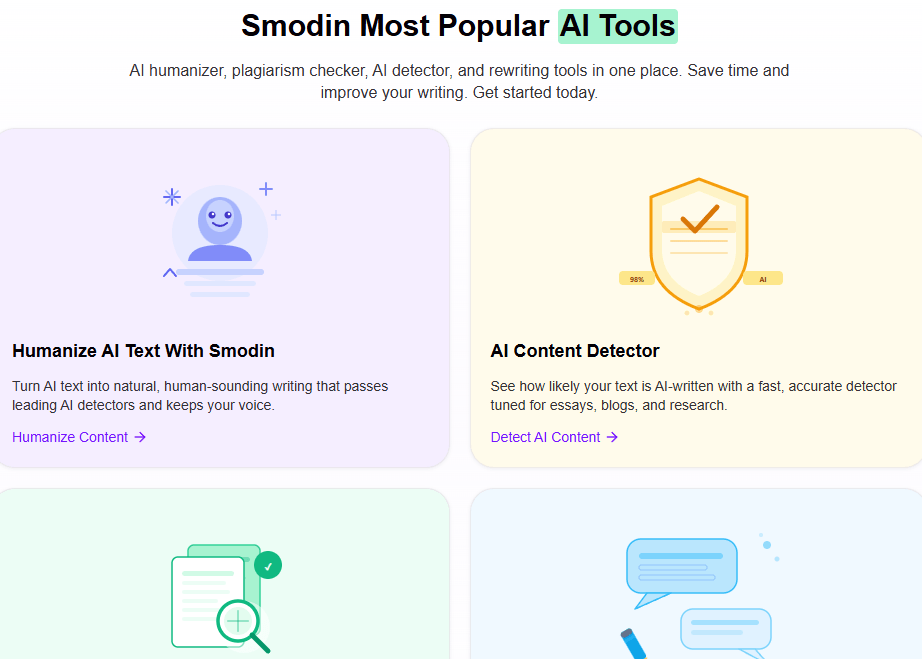
Smodin pulls the whole writing workflow — drafting, rewriting, humanizing, plagiarism checking, AI detection, citation and translation — into one multilingual dashboard, so you stop juggling separate tools for a single piece of work.
Key Features and Technology
Smodin’s toolset is wide, but it organizes cleanly into a handful of pillars. Here’s how the platform actually breaks down.
AI Writer (Smodin Author)
The AI Writer turns a topic or a few keywords into structured outlines, drafts and full-length essays or articles across 100+ languages, complete with an introduction, body and conclusion. It’s built for speed — blank page to draft in minutes — and the output is fully editable, with templates for essays, research papers, articles and a long-form “Author” mode. Honest caveat: the generated text can read generic or slightly robotic and almost always needs a human editing pass before it’s submission-ready.
Rewriter and Paraphraser
Smodin offers two modes — “Rewrite” for light edits and “Recreate” for a deeper transformation, including rewriting in a different style — with an adjustable strength control. It’s handy for producing multiple versions of the same brief or reworking AI drafts for A/B testing. Quality is decent but inconsistent: awkward phrasing shows up often enough that double-checking is essential, and free and lower tiers cap the number of characters you can rewrite per entry.
AI Detector and Humanizer
The detector scans for patterns typical of ChatGPT, Claude and Gemini and returns a human-versus-AI probability with sentence-level scoring; Smodin claims over 98% accuracy. The humanizer then rewrites flagged passages using synonym swaps and restructuring to sound more natural. Both are central to the product — but be realistic: independent testers report false positives from the detector (which also doesn’t highlight exactly which text was flagged) and a humanizer bypass rate around 81%, below dedicated tools, with roughly one in ten samples showing meaning drift from aggressive synonym replacement.
Plagiarism Checker and Citations
The plagiarism checker scans your text against the web and, on higher tiers, Google Scholar, returning a similarity score with sources; you can include or exclude specific URLs for tighter results. The citation generator automatically formats references in APA, MLA, Chicago and Harvard. Both perform at a competent, reliable level for everyday academic work, even if neither is a substitute for the institutional standard of a tool like Turnitin.
Translator, Summarizer, Grammar and Omni
A one-to-many translator handles 100+ languages with contextual accuracy; the summarizer condenses long articles or documents into readable overviews; and the grammar checker cleans up punctuation, spelling and style. The “Omni” AI chat and tutor adds a conversational assistant with web search, multiple personalities and a prompt-enhancer, alongside a homework solver, image-to-text and subtitle utilities — all inside one account. Developers also get NLP APIs in 50+ languages for building Smodin’s writing, summarizing and detection tools into their own products.
Pricing, Plans, and Package Structure
Smodin uses a freemium model with a free tier and three paid plans. Pricing varies by billing cycle — annual billing is meaningfully cheaper than monthly, which can run roughly 25% higher — and the company has restructured its prices over time, so always confirm the live rate on the official pricing page before paying. The figures below reflect commonly listed 2026 annual-equivalent pricing and are approximate.
| Plan | Price (USD, approx.) | What It Is | Best For |
|---|---|---|---|
| Free (Limited) | $0 | A few writing credits per day, ~1,000-character input cap, limited tool entries, basic detector/humanizer access — no card required | Trying the platform on real work |
| Essentials | ~$12/mo (billed annually) | ~100–200 writing credits/mo, unlimited rewrites + plagiarism + AI detector + summarizer + translator, ~4,000 char/entry, Author features, API words | Individuals with moderate writing needs |
| Productive | ~$24/mo (billed annually) | ~500 writing credits/mo, long-form writing, ~12,000 char/entry, Google Scholar plagiarism search, all lower-tier tools | Power users and heavier essay/research workloads |
| Ultimate | ~$63/mo (billed annually) | Up to 5 sub-accounts, ~1,500 writing credits/mo, every feature included | Teams, departments or institutions |
Monthly billing runs higher than the annual rates shown, and older listings recorded different figures (for example Essentials at $10, Productive at $29 and Ultimate at $79 per month), which is exactly why the live pricing page is the only reliable source. The headline takeaway holds across versions: Smodin’s entry tier is affordable, and the bundled toolset undercuts paying for a separate paraphraser, plagiarism checker, detector and translator.
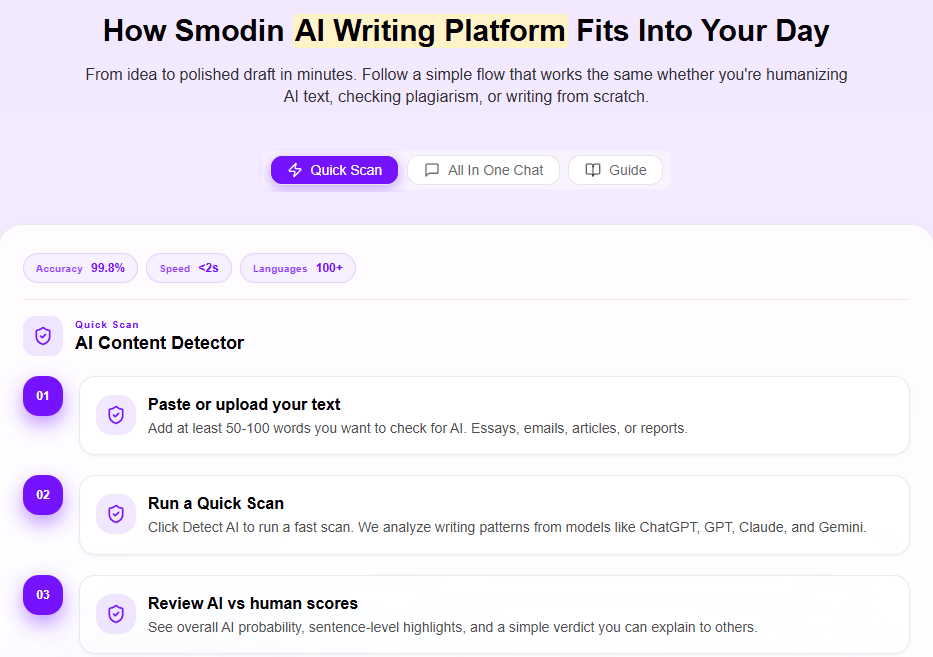
Smodin’s flat-rate plans avoid per-use credit traps — but the free trial auto-renews into a paid subscription, so set a cancellation reminder before it lapses.
How Smodin Compares to Alternatives
| Factor | Smodin | QuillBot | Grammarly |
|---|---|---|---|
| Core strength | All-in-one writing + originality suite | Best-in-class paraphrasing | Grammar, style and clarity |
| Tool breadth | Very wide (writer, rewriter, detector, humanizer, plagiarism, citation, translator, tutor) | Wide, paraphraser-led suite | Focused on editing and assistance |
| AI detector + humanizer | Both built in (a core focus) | Both, but detector unreliable | Limited detector, no humanizer |
| Paraphrasing | Good, multi-mode | Best in class (9–10 modes) | No dedicated paraphraser |
| Plagiarism checker | Web + Google Scholar | ~20 pages/mo on Premium | Strong, effectively unlimited |
| Multilingual | 100+ languages, first-class | ~45–50 languages | Primarily English |
| Free tier | Genuinely usable | 125-word cap | Solid free grammar |
| Starting paid price (approx.) | ~$12/mo (annual) | ~$8.33/mo (annual) | ~$12/mo (annual) |
| Best for | Students, ESL and creators wanting one bundle | Paraphrasing-heavy writers | Grammar and style polish |
Smodin vs. QuillBot: QuillBot is the sharper paraphraser — its nine-plus rewriting modes are the best in the category and its annual price is lower. But QuillBot gates its plagiarism checker behind Premium with a monthly page cap, its free tier stops at 125 words, and its AI detector draws the same false-positive complaints. Smodin counters with broader tooling, far deeper language support and a more generous free tier. If paraphrasing quality is your single priority, QuillBot wins; if you want one bundle covering drafting, detection, citation and translation across many languages, Smodin is the more complete pick.
Smodin vs. Grammarly: Grammarly remains the benchmark for grammar, tone and clarity, with strong, effectively unlimited plagiarism checking — but it has no dedicated paraphrasing tool, leans English-first, and offers no AI humanizer. Smodin can’t match Grammarly’s polish on pure grammar, yet it does things Grammarly doesn’t: native-language drafting, an AI detector and humanizer, and citation generation. Many writers actually pair them — draft and rework in Smodin, then run a final polish through Grammarly.
Smodin vs. dedicated humanizers: For users whose only goal is bypassing AI detectors, purpose-built tools like Undetectable.ai or TheHumanizeAI Pro test higher than Smodin’s roughly 81% bypass rate. Smodin’s advantage is that humanizing is one feature inside a much larger, cheaper bundle — not a single-purpose subscription you pay for on its own.
Pros and Cons
What Users Love
True all-in-one value: Reviewers repeatedly praise getting paraphrasing, plagiarism, detection, citation and translation under one affordable subscription instead of paying for four separate tools.
A genuinely usable free tier: Students and casual users highlight that the free plan covers real basic tasks without a credit card — uncommon in a space where most rivals paywall after a paragraph.
Excellent for non-native speakers: ESL writers say Smodin lets them write with confidence and improve their grades by drafting in their native language and polishing in English in one place.
Fast first drafts: Teams report cutting content-creation time substantially by using the AI Writer for strong starting points and then editing, rather than starting from a blank page.
A responsive, improving product: The team actively replies to reviews, ships regular updates, and in 2026 added a Chrome extension and a unified academic workspace — signs of an actively maintained platform.
Limitations Worth Knowing
Billing and auto-renewal complaints: This is the most serious, recurring issue. Multiple users report being charged when a free trial silently converted to an annual plan, with refunds initially refused under a no-refund digital-purchase policy — some describe it as a scam. Smodin does respond and has issued partial refunds and downgrades, but read the renewal terms and set a cancellation reminder before you subscribe.
Output needs manual editing: Generated and rewritten text can read generic, repetitive or robotic, and the paraphraser sometimes produces awkward phrasing — a human editing pass is essentially mandatory before anything is published or submitted.
Detector and humanizer trail specialists: The AI detector shows false positives and limited transparency (it doesn’t highlight the flagged text), and the humanizer’s bypass rate (~81%) lags dedicated tools, with occasional meaning drift — not safe to rely on for high-stakes academic submissions.
Jack of all trades, master of none: It doesn’t beat QuillBot at paraphrasing or Grammarly at grammar; you’re trading peak quality in any one area for breadth across many.
Pricing clarity and feature caps: Some users find the tiers, credit allowances and character caps confusing, lower plans limit entry length, and the figures shift over time — so the live pricing page is the only reliable reference before you commit.
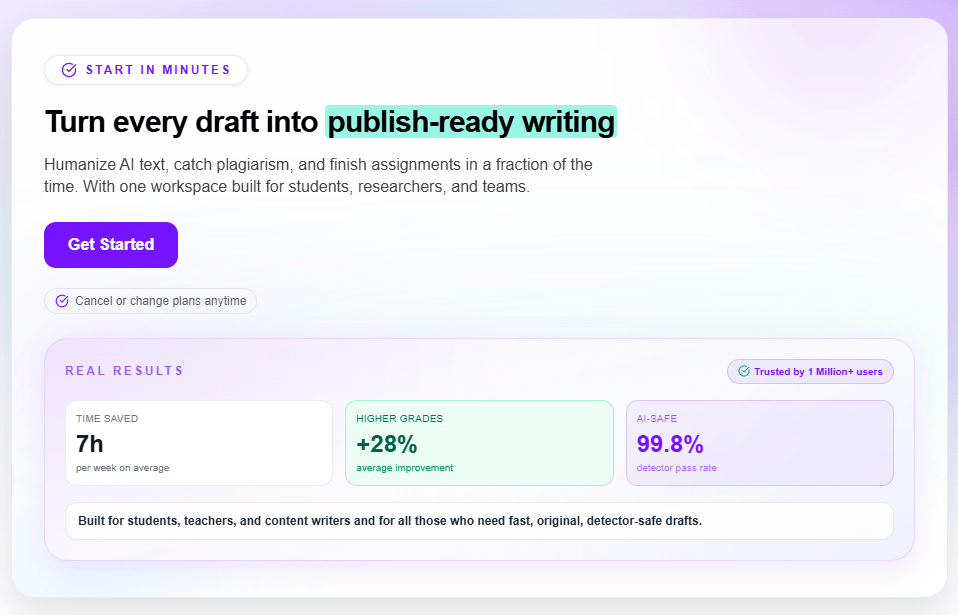
Used as an accelerator with a human editing pass, Smodin produces fast, original, multilingual drafts — just don’t treat its detector score or humanizer output as the final word.
Who Should Use Smodin
Students and researchers: If you write essays and papers and want drafting, paraphrasing, plagiarism checks and citations in one affordable place, Smodin fits the academic workflow well — especially with the Productive plan’s Google Scholar search.
ESL and multilingual writers: This is Smodin’s standout audience. Drafting natively and polishing in English inside a single dashboard is where it genuinely outperforms English-first rivals.
Content creators and small teams: Bloggers, social and marketing writers who need fast first drafts and quick rewrites — and who’ll edit the output — get strong value, particularly on a plan with longer character limits.
Budget-conscious all-rounders: Anyone who’d otherwise pay separately for a paraphraser, a plagiarism checker, a detector and a translator can consolidate everything into one cheaper subscription.
Smodin is the wrong tool, though, if you need best-in-class output in a single area or you have high-stakes requirements. If paraphrasing quality is everything, choose QuillBot; if you want the strongest grammar and style engine, choose Grammarly; if your only goal is reliably bypassing AI detectors, a dedicated humanizer like Undetectable.ai tests higher; and for academic submissions where a false AI flag or a small change in meaning carries real consequences, don’t rely on Smodin’s detector or humanizer as your final check.
Getting Started: Step by Step
- Create a free account. Sign up at smodin.io with an email — no card needed — to land on the free Limited plan and start exploring the core tools.
- Pick the right tool for the task. Use the navigation to choose AI Writer, Rewriter, Plagiarism Checker, AI Detector, Humanizer, Translator or the Omni assistant based on what you actually need.
- Set your language and input. Choose from 100+ languages, paste your text or enter a topic and keywords, and select an output type — essay, article, summary and so on.
- Generate, then edit. Run the tool, review the result, and do a human editing pass — tighten phrasing, fix any awkward rewrites, and sense-check detector or plagiarism scores against your own judgment.
- Check originality and cite. Run the plagiarism checker (add Google Scholar on higher tiers), then auto-generate references in APA, MLA, Chicago or Harvard as needed.
- Upgrade deliberately — and watch the renewal. If the free caps slow you down, choose Essentials or Productive on annual billing, apply any active discount code, and set a calendar reminder to cancel before any trial converts to a paid plan.
Tips for Getting Maximum Value
To get the most from Smodin, treat it as a fast, multilingual first-draft and quality-control engine rather than a finished-copy machine — start by drafting in whatever language comes naturally to you, then translate and refine in your target language inside the same dashboard, which is where the platform genuinely shines for non-native writers; always run a human editing pass on anything the AI Writer or paraphraser produces to strip out generic phrasing and catch the occasional meaning drift the humanizer introduces; use the plagiarism checker and citation generator together before submitting academic work, but verify the AI detector’s score against your own reading instead of trusting it blindly, since false positives are common; lean on the Productive plan’s longer character limits and Google Scholar search if you write research-heavy pieces; and above all, choose annual billing, hunt for a current partner discount code, and set a hard reminder to cancel before any free trial auto-renews, so the platform’s biggest pain point never becomes yours.
Future Outlook and Final Assessment
Smodin’s trajectory in 2026 reflects where the AI-writing market is heading: away from single-purpose tools and toward consolidated workspaces. Its May 2026 unified academic platform — drafting, citation, plagiarism and AI checks inside one document — is a direct bet that students and researchers want fewer tabs, not more, at a moment when the vast majority of undergraduates already use AI for coursework. With over a million users, active development and a Chrome extension extending its reach across the web, the platform is well positioned to keep growing among its core student and ESL audience.
The open questions are quality and trust. As specialist tools sharpen and AI detectors evolve, Smodin’s “good at everything, best at nothing” positioning will keep being tested, and its detector and humanizer will need to keep pace to stay credible. Just as important is reputation: the recurring billing complaints are a fixable, self-inflicted drag on an otherwise well-regarded product, and tightening up trial-to-paid transparency would do more for user trust than almost any new feature.
Conclusion
Smodin earns its place as one of the most practical, affordable and language-flexible AI writing platforms available, especially for the students, non-native speakers and everyday creators it was built for. It won’t out-paraphrase QuillBot, out-edit Grammarly or out-bypass a dedicated humanizer, and its billing practices demand caution — but as a single, low-cost workspace that takes you from blank page to original, multilingual, cited draft, with a free tier generous enough to prove it on your own work first, it’s well worth a careful trial.
Ready to write faster in any language without paying for five separate tools?
Explore more honest reviews, tutorials and tech comparisons to find the right tools for the way you work, create and learn — at World Of Tech, where we make everything easy.
👉 Try Smodin: https://worldoftech.space/smodin
👉 Our YouTube Channel: youtube.com/@world_tech79
👉 Our Facebook Fanpage: Facebook
👉 Our X (Twitter): @worldoftech79
Pricing, specifications and policy details in this review were verified against smodin.io and independent review sources as of June 2026. AI writing tool pricing and features change frequently, so confirm current details on the official site before purchasing. Competitor prices are approximate and subject to change.





