
WeVideo has established itself as the leading cloud-based video creation platform for educators, content creators, small businesses, and marketing teams who need professional-quality video tools without the complexity or cost of desktop-based professional editors like Adobe Premiere Pro or Final Cut Pro. Before diving into the full feature breakdown and pricing analysis ahead, it’s worth highlighting what makes WeVideo the standout choice in 2026: a fully browser-based, device-agnostic video editing platform accessible on any computer, Chromebook, tablet, or mobile device — covering multi-track timeline editing, green screen (chroma key), screen and webcam recording, motion titles, animated text, AI-powered subtitles, real-time collaboration, over 1 million royalty-free stock media assets in the WeVideo Essentials™ library, interactive video tools with quizzes and polls, 4K Ultra HD export on premium plans, direct publishing to YouTube and social platforms, and dedicated education solutions with Google Classroom integration and Boclips integration for curriculum-aligned video content. Whether you’re a K-12 educator empowering students with creative storytelling tools, a marketing team producing branded social media videos, a small business creator building product explainers, a content creator adding green screen effects from a laptop camera, or a district administrator deploying video creation tools across hundreds of classrooms, this comprehensive review walks you through every major feature, pricing tier, and real-world consideration for WeVideo in 2026.
WeVideo 2026 Review: The Best Cloud-Based Video Creation Platform for Educators, Creators, and Small Business Teams
Overview: What Is WeVideo and Who Is It For?
WeVideo is a cloud-based video creation and editing platform founded in 2011 and headquartered in Mountain View, California. With over 30 million accounts created since launch, WeVideo occupies a unique position in the video software market: it is powerful enough for professional-quality output while remaining genuinely accessible to users with no video editing experience — running entirely in the browser without software downloads, installation, or hardware requirements beyond an internet connection.
The platform’s defining characteristic is accessibility-without-compromise. Desktop professional editors like Adobe Premiere Pro or DaVinci Resolve deliver maximum capability for experienced editors on powerful workstations but require significant learning investment and hardware. WeVideo inverts this equation: it delivers the tools that matter for 90% of creators’ use cases — timeline editing, green screen, stock media, titles, transitions, screen recording, collaboration — in a browser interface that works on a $300 Chromebook the same as it does on a $3,000 MacBook Pro.
WeVideo serves three primary audiences distinctly well in 2026. Education is the platform’s deepest domain — with dedicated school and district plans, Google Classroom integration, Boclips curriculum video library integration, student assignment management, and collaborative project tools that make video-based learning practical at every grade level. Small business and marketing teams benefit from branded templates, social media publishing, stock media access, and team collaboration without enterprise software complexity. Individual creators and content producers use WeVideo for the freedom of browser-based editing from any device with cloud storage ensuring projects are never tied to a single machine.
WeVideo in 2026 — Key Platform Facts
- 30+ Million Accounts: WeVideo is the most widely adopted cloud-based video creation platform globally, with over 30 million accounts created — reflecting genuine mainstream adoption across education, business, and individual creator segments.
- 100% Browser-Based: No software download, no installation, no OS restrictions — WeVideo runs in any modern web browser on Windows, Mac, Linux, Chromebook, Android, and iOS, with projects stored securely in the cloud.
- 1M+ Royalty-Free Stock Assets: The WeVideo Essentials™ library provides access to over 1 million commercially licensed HD videos, images, and audio files — covering the stock media needs of most business and educational projects without third-party licensing fees.
- Education Market Leader: WeVideo is the #1 video creation platform in K-12 education — integrated with Google Classroom, deployed across state-wide school consortia in the US, and specifically designed for student project workflows with assignment management and collaborative editing tools.
- 4K Ultra HD Output: Professional-grade 4K Ultra HD export is available on the Professional plan — matching the output quality of desktop professional editors at a fraction of the subscription cost.
- AI-Powered Features: 2025–2026 updates introduced AI-powered subtitle generation in multiple languages, AI-enhanced interactions for educational content, and smart editing tools that accelerate the production workflow for time-constrained creators.
- Boclips Integration: Partnership with Boclips provides access to a curated library of curriculum-aligned educational video content — enabling teachers to supplement student projects and lesson materials with pre-vetted, standards-aligned video resources directly within WeVideo.
- Plans Starting at $4.99/Month: WeVideo’s tiered pricing starts at $4.99/month (billed annually) — with a free tier for evaluation, creator plans for individuals, and team/enterprise solutions for larger organizations.
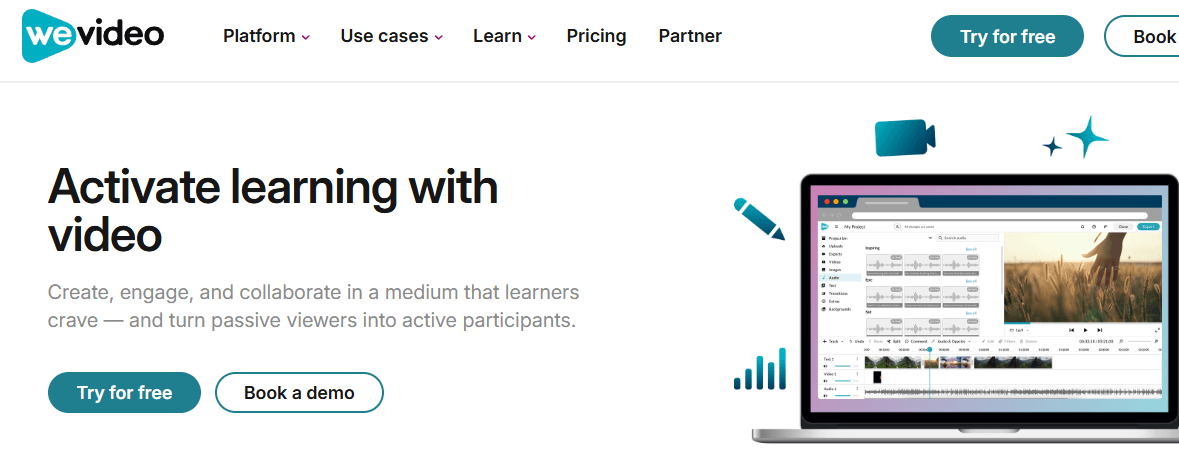
WeVideo delivers professional-quality cloud-based video creation tools — multi-track editing, green screen, 1M+ stock assets, real-time collaboration, and 4K export — accessible from any device in any browser, trusted by 30+ million accounts across education, business, and creative teams worldwide.
Key Features and Platform Capabilities
WeVideo’s feature set is organized around three core strengths: powerful-yet-accessible video editing tools, a comprehensive stock media and template library, and collaboration infrastructure that makes multi-user video production practical for schools and teams alike. Here is a detailed breakdown of every major capability available in 2026.
Video Editing: Multi-Track Timeline and Professional Tools
- Multi-Track Timeline Editor: WeVideo’s primary editing interface is a multi-track timeline — supporting multiple video layers, audio tracks, and overlay elements for complex project assembly. Users can drag and drop clips onto the timeline, trim and split segments, layer graphics and text over video, and arrange audio tracks independently of video — the standard professional editing workflow, in a browser.
- Drag-and-Drop Interface: All media — video clips, images, audio, text elements, and transitions — are managed through drag-and-drop interaction. Reviewed consistently as one of WeVideo’s strongest accessibility features, the drag-and-drop interface enables new users to produce polished videos without learning keyboard shortcuts or technical editing concepts.
- JumpStart Technology: WeVideo’s JumpStart feature allows users to begin editing immediately without waiting for media files to fully upload — the platform enables editing while files are still uploading in the background, eliminating the waiting period that makes large file imports frustrating in cloud-based tools.
- Motion Titles and Animated Text: A library of pre-designed motion title templates and animated text styles — covering lower thirds, title cards, end screens, call-to-action overlays, and text animation effects — enables professional-looking typography without graphic design skills.
- Transitions and Effects: A comprehensive library of transition effects between clips and visual filters applicable to individual clips or the entire project — enabling stylistic consistency and professional visual flow without manual keyframing.
- Speed Adjustment: Modify clip playback speed for slow-motion or time-lapse effects — available on applicable plans for creative visual storytelling beyond standard real-time playback.
- Color Grading and Filters: Apply color correction and stylistic filters to video clips — enabling visual tone consistency across multi-clip projects without professional colorist expertise.
- Audio Editing: Independent audio track management, volume adjustment, fade in/out effects, and audio-only export for podcast production — covering both embedded audio and separate music/voiceover track management.
Green Screen (Chroma Key): Big-Budget Effects Without the Budget
- Chroma Key / Green Screen Tool: WeVideo’s green screen feature uses chroma key technology to remove solid-color backgrounds from video footage — replacing them with any image or video background from the user’s media library or the WeVideo Essentials™ stock collection. The eyedropper and sensitivity sliders enable precise background selection without manual masking.
- Background Library: Over 1 million photo and video assets in the WeVideo Essentials™ library serve as green screen backgrounds — enabling studio-quality virtual location shooting without an actual green screen setup, using WeVideo’s provided green screen clips as source footage.
- Education Applications: Green screen is one of WeVideo’s most popular education features — students can create newscasts from any “location,” present in front of historical scenes, conduct virtual field trips to space, and create immersive storytelling projects that would be impossible with conventional classroom video tools.
- No Hardware Required: WeVideo provides sample green screen footage for users without physical green screen setups — making the feature accessible to students and budget-constrained creators who can’t purchase or set up physical chroma key environments.
Screen Recording and Webcam Capture
- Built-In Screen Recorder: Record your screen directly within WeVideo — capturing tutorials, software demonstrations, presentation recordings, or gameplay footage without third-party screen recording software. Screen recordings are automatically added to the project timeline for immediate editing.
- Webcam Recording: Capture webcam footage from within the WeVideo interface — enabling talking head segments, video journal entries, and educator presentation recordings without camera setup or file transfer.
- Simultaneous Screen + Webcam: Record screen and webcam simultaneously with picture-in-picture overlay — producing tutorial and commentary content that shows both the on-screen action and the presenter’s face in the same recording.
- Voiceover Recording: Add voiceover narration to any project without leaving WeVideo — recording audio directly onto the timeline over existing video content without requiring a separate audio application.
AI Features: Subtitles, Interactions, and Smart Editing
- AI-Powered Multi-Language Subtitles: Automatically generate subtitle tracks from video audio using AI speech recognition — supporting multiple languages for accessible content creation and international audience reach without manual transcription. Subtitles are generated and editable within the platform, with export options for embedded or separate caption files.
- AI-Powered Interactions (Education): Educational videos can be enhanced with AI-powered interactive elements — embedding quiz questions, polls, and comprehension checks within video content to transform passive viewing into active learning experiences with measurable engagement data.
- Smart Editing Tools: AI-assisted editing features introduced in 2025–2026 accelerate the production workflow for time-constrained creators — automating repetitive editing tasks and surfacing intelligent suggestions for cuts, transitions, and pacing based on the content type.
- Boclips Integration: Seamless access to the Boclips library of curriculum-aligned, pre-vetted educational videos — enabling teachers to supplement student projects and lesson materials with standards-aligned video content directly within the WeVideo interface without separate licensing or platform switching.
Stock Media Library: 1M+ Royalty-Free Assets
- WeVideo Essentials™ Library: Over 1 million commercially licensed, royalty-free HD video clips, photos, and audio tracks are integrated directly into the WeVideo editing interface — accessible without leaving the editor, searchable by keyword, and immediately available for drag-and-drop use in any project.
- No Separate Licensing Fees: All assets in WeVideo Essentials™ are fully licensed for commercial use within WeVideo projects — no per-asset licensing fees, attribution requirements, or copyright exposure for creators using the built-in library.
- Music and Audio Library: Royalty-free background music tracks and sound effects are included in the library — covering mood categories from corporate and uplifting to cinematic and educational, enabling appropriate audio accompaniment without music licensing complexity.
- User-Uploaded Media: Upload your own video clips, images, audio files, and logo assets directly into WeVideo projects — with cloud storage ensuring uploaded assets are available across sessions and devices without re-uploading.
Templates and Brand Management
- Project Templates: Ready-made video project templates for common use cases — social media videos, marketing explainers, product demonstrations, news reports, YouTube channel formats, and educational presentations — enabling fast project starts without designing from scratch.
- Motion Title Templates: Pre-animated title sequence templates covering intros, outros, lower thirds, and title cards — applicable to projects in seconds with text replacement for customized branded outputs.
- Brand Management (Professional+): Apply brand colors, logo overlays, and custom fonts consistently across all videos — ensuring visual identity consistency for marketing teams and businesses producing high-volume branded content.
- Custom Template Creation (Teams): Create and save reusable project templates for team members — enabling standardized video formats across a team, school, or organization without recreating project structure from scratch for every new video.
Collaboration: Real-Time Multi-User Editing and Team Workflows
- Real-Time Collaboration: Multiple users can edit the same video project simultaneously — enabling distributed teams to contribute to a single production without file-sharing, version conflicts, or sequential handoffs between contributors.
- Shared Asset Libraries: Team plans include shared media libraries — ensuring all team or class members access the same approved assets, branded templates, and stock media without independently uploading duplicate files.
- Project Assignment Management (Education): Teachers can assign video projects directly to students within WeVideo — managing submission deadlines, rubric distribution, and student progress monitoring through the platform’s assignment interface without external learning management system complexity.
- Google Classroom Integration: WeVideo integrates directly with Google Classroom — enabling single sign-on for students, seamless assignment distribution, and project submission within the Classroom workflow that most K-12 schools using Google for Education already operate.
- Learner Analytics: Educational deployments include analytics on student engagement and project progress — giving educators measurable insight into participation, completion, and interactive video interaction data that supports evidence-based teaching decisions.
- Comment and Review Tools: Team members can leave timestamped comments on project timelines — enabling structured feedback cycles between creators and reviewers without back-and-forth email communication about specific video moments.
Publishing and Export: Social Media and 4K Output
- Direct Social Publishing: Publish finished videos directly to YouTube, Facebook, Instagram, Twitter, and other platforms from within WeVideo — eliminating the download-then-upload workflow by connecting WeVideo directly to social accounts for one-click publishing.
- 4K Ultra HD Export: Professional-grade 4K Ultra HD resolution export is available on the Professional plan — matching the output quality of desktop professional editors for creators requiring maximum visual fidelity in their finished videos.
- 1080p HD Export: Full HD 1080p export is available on Unlimited and above plans — the standard for most online video platforms, social media, and professional-grade content distribution.
- Podcast / Audio-Only Export: Export projects as audio-only files — enabling creators who produce interview or discussion content to distribute the same recording as both video and podcast without separate audio production.
- Multiple Format Support: WeVideo supports export in multiple video and audio formats compatible with the platform requirements of major social media, streaming, and educational platforms.
WeVideo’s real-time collaboration tools, Google Classroom integration, assignment management, AI-powered subtitles, and Boclips curriculum video library make it the definitive cloud-based video creation platform for K-12 education — empowering students and teachers to produce authentic, creative video learning experiences from any device.
Pricing, Plans, and Value Proposition
WeVideo’s pricing structure covers a range from a limited free tier through individual creator plans to team and enterprise solutions — with educational pricing available through state and regional school consortia at significantly discounted rates. The free tier is genuinely functional for evaluation but meaningfully limited in export resolution and monthly publish time.
WeVideo Pricing Breakdown for 2026
| Plan | Price | Best For | Key Features |
|---|---|---|---|
| Free | $0 | Evaluation, casual personal use | 5 minutes publish/month; 1 GB storage; 480p export; watermarked; access to core editing tools. Suitable for testing the interface but limited for real projects |
| Power | $9.99/month | Regular individual creators | 20 GB storage; 720p HD resolution; 30 minutes publish/month; templates and motion titles; removes watermark; entry-level paid plan |
| Unlimited | $15.99/month | Active creators, social media publishers | 1080p+ HD resolution; unlimited publish time; unlimited storage; everything in Power. The recommended plan for consistent content publishers |
| Professional | $39.99/month | Marketing teams, brand content creators | 4K Ultra HD resolution; brand management; premium templates; unlimited stock usage from WeVideo Essentials™; everything in Unlimited |
| Business | $73.99/month | Business teams requiring collaboration | All Professional features plus collaboration tools; multiple user seats; team asset management; custom branding across the team |
| Creator / Individual | ~$5–$20/month (annual) | Individual annual subscribers | Annual billing typically offers 15–40% discount vs monthly; plans starting from $4.99/month billed annually for entry creator tier with 4K exports and collaboration |
| Teams | ~$52/month (annual) for 3 users | Small teams and school departments | All Creator features; real-time collaboration; shared assets; custom templates; up to 3 users. Scales to larger team sizes |
| Education / School | Consortium rates (30+ seat minimum) | K-12 schools, districts | Up to 52–55% discount off retail via state/regional consortia; Google Classroom integration; student assignment management; Boclips library; learner analytics; district-wide licensing |
| Enterprise | Custom pricing | Large organizations, districts | Scales for large groups; advanced permissions; dedicated training solutions; custom integrations; SLA support |
Pricing model explained: WeVideo’s pricing is most cost-effective when evaluated in comparison to what it replaces. For educators, it replaces a combination of consumer video apps, school licensed software, and stock media subscriptions into a single platform — with consortium pricing making it accessible even on constrained school budgets. For small businesses, it replaces Adobe Premiere Pro ($54.99/month), stock media subscriptions (Shutterstock at $29–$49/month), and team file-sharing overhead into a single collaborative platform at $39.99–$73.99/month.
Pro tip: Education buyers should engage WeVideo through state or regional school consortia before purchasing directly — consortium rates of up to 52–55% off retail pricing are available through many US state educational technology purchasing agreements, making district-wide deployment significantly more affordable than individual school retail pricing. The purchasing window timing and renewal dates vary by consortium; verify your state’s consortium terms before placing orders to avoid coverage gaps.
Free Tier vs. Paid: When to Upgrade
- The free tier is evaluation-grade, not production-grade — the 5-minute monthly publish limit, 480p export, and watermark make the free plan unsuitable for any real content publishing workflow. Genuine evaluation of WeVideo for business or educational use requires a paid plan trial.
- Upgrade to Unlimited ($15.99/month) when: You publish content regularly and need full 1080p HD quality, unlimited export time, and unlimited cloud storage without per-month caps.
- Upgrade to Professional ($39.99/month) when: 4K Ultra HD output is required for high-quality content, brand management is needed for consistent team branding, and premium stock library access is important for production quality.
- Upgrade to Business/Teams when: Multiple team members need simultaneous access to shared projects and assets — the collaboration infrastructure is the defining value of the team plans.
- Education plans when: Deploying across a class, school, or district — engage consortium pricing before direct purchase.
Comparisons: WeVideo vs. Competitors in 2026
The cloud-based video editing market includes several alternatives at various price points — each with distinct strengths for different user profiles. WeVideo’s differentiation is its balance of accessible editing tools, education-specific features, collaboration infrastructure, and stock media integration at a price point between free consumer tools and professional desktop editors.
WeVideo vs. Canva Video, Clipchamp, Adobe Premiere Pro, and Descript
| WeVideo 2026 | Canva Video | Clipchamp (Microsoft) | Adobe Premiere Pro | Descript | |
|---|---|---|---|---|---|
| Platform | Browser (any OS/device) | Browser + App | Browser (Windows-first) | Desktop (Win/Mac) | Desktop + Browser |
| Monthly Price (paid) | From $9.99/month | From $15/month (Canva Pro) | Free (Microsoft 365 users) | $54.99/month | From $12/month |
| Green Screen | Yes (chroma key) | Yes (limited) | Yes (basic) | Yes (advanced) | Limited |
| Multi-Track Timeline | Yes | Limited | Limited | Yes (professional-grade) | Text-based editing |
| Stock Media (1M+) | Yes (WeVideo Essentials™) | Yes (Canva library) | Limited | No (requires subscription) | Limited |
| Real-Time Collaboration | Yes (Teams/Business) | Yes | Limited | Limited | Yes |
| Screen Recording Built-In | Yes | Yes | Yes | No | Yes |
| Education Features | Extensive (assignments, analytics, Boclips, Google Classroom) | Limited | None | None | Limited |
| AI Subtitles | Yes (multi-language) | Yes | Yes | Limited (CC) | Yes (text-based) |
| 4K Export | Yes (Professional plan) | Yes (Pro) | Yes | Yes | Yes |
| Chromebook Support | Yes (full browser-based) | Yes | Limited | No | No |
| Best For | Education, small business teams, creators valuing browser-based access and collaboration | Design-first creators, social media marketers | Windows/Microsoft 365 users, casual creators | Professional video editors, film/broadcast | Podcast editors, interview-based content creators |
WeVideo’s edge: No competing cloud-based video platform at WeVideo’s price point matches the combination of multi-track timeline editing, green screen, built-in screen recording, 1M+ stock media, real-time team collaboration, AI-powered multi-language subtitles, and a comprehensive education platform with Google Classroom integration, assignment management, learner analytics, and Boclips curriculum content — all in a fully browser-based application that works on any device including Chromebooks. Canva Video is stronger for design-heavy, template-driven social content but weaker on timeline editing depth. Clipchamp is free within Microsoft 365 but lacks WeVideo’s education infrastructure and stock library depth. Adobe Premiere Pro is the professional standard but costs 5x more, requires desktop installation, and has no meaningful education-specific features. Descript excels for podcast and interview editing via text-based trimming but lacks WeVideo’s visual editing breadth and education capabilities.
Getting Started: Step-by-Step Guide for New Users
WeVideo is designed for immediate productive use — the platform’s JumpStart technology enables editing to begin before media finishes uploading, and the drag-and-drop interface requires no technical video editing background to produce polished results. Here’s how to go from signup to your first published video.
Step-by-Step Guide for New WeVideo Users
- Create Your Account and Choose Your Plan:
- Visit wevideo.com and create a free account — no credit card required for the free tier. The free plan is sufficient to explore the interface and test core features but limited to 5 minutes monthly publish and 480p export with watermarks. Start a paid plan trial for genuine production evaluation.
- Educators should verify whether their school or district already has a WeVideo subscription before creating an individual account — many US school districts have district-wide WeVideo licenses accessible through Google Classroom or district IT provisioning, and students/teachers may already have access they’re unaware of.
- Select your plan based on your primary use case — Unlimited for individual creators who publish regularly, Professional for brand content and 4K needs, Business for team collaboration, or consult your state’s educational technology consortium for school pricing.
- Start Your First Project:
- Click “Create New” from the WeVideo dashboard — choose from a blank project, a project template matching your content type (social media, presentation, news report), or start from a recording session.
- Upload your media files or browse the WeVideo Essentials™ stock library for royalty-free video clips, images, and music — available directly in the editor sidebar without leaving the project view.
- Drag media clips onto the timeline in the desired sequence — the multi-track timeline immediately becomes familiar to anyone who has used iMovie, Windows Movie Maker, or similar basic editing tools, and intuitive enough for first-time users to master within 15–20 minutes of use.
- Add Text, Titles, and Transitions:
- Select from the motion titles library to add animated title cards, lower thirds, and end screens — click and drag your chosen title template onto the timeline, then double-click to edit the placeholder text with your content.
- Add transitions between clips by dragging transition effects from the transitions panel to the junction between timeline clips — applying consistent pacing and visual flow to multi-clip sequences.
- Use the text tool to add overlay text at specific timeline positions — caption annotations, statistic callouts, and key point emphasis without requiring a separate title card clip for every text element.
- Enable Green Screen and Advanced Features:
- For green screen use: place your green screen footage on a timeline track, select it, and activate the chroma key tool from the effects panel. Use the eyedropper to select the background color to remove, then adjust sensitivity sliders until the background removal looks clean without erasing subject elements.
- Add a background video or image on the track below your green screen clip — the background will show through the removed color area, creating the composite image. Browse WeVideo Essentials™ for backgrounds if you don’t have your own.
- For AI subtitles: select the audio or video clip you want to subtitle, activate the subtitle generation tool, choose your target language, and let the AI process the speech. Review and correct the generated subtitle text before exporting, as AI accuracy varies by audio clarity and accent.
- Export and Publish:
- Click Finish to access export options — select your target resolution (480p Free / 720p Power / 1080p Unlimited / 4K Professional), download the file locally, or publish directly to YouTube, Facebook, or other connected social accounts from within WeVideo.
- For education projects: submit through the WeVideo assignment interface if your teacher has distributed the project as a WeVideo assignment — this routes the completed project to the teacher’s review queue within the platform’s assignment management system.
- For podcast projects: select audio-only export to produce an MP3 or audio file from your project — enabling distribution to podcast platforms without separate audio production or conversion tools.
Tips for Getting the Most from WeVideo
- Build a personal or team media library by uploading frequently used assets (logo, intro/outro sequences, branded music) to your WeVideo account — reusing these across projects saves significant production time versus re-assembling brand elements in every new project.
- For education deployments, integrate WeVideo with Google Classroom before assigning student projects — single sign-on through Google removes the account management burden and ensures students can access assignments within their existing workflow rather than managing a separate WeVideo login.
- Use screen recording with webcam overlay for tutorial content — the simultaneous screen and webcam recording mode produces the most engaging instructional content format by showing both the screen action and the presenter’s face in the same recording, matching the style of popular YouTube tutorial channels.
- Download and save AI-generated subtitle files alongside exported videos — having a subtitle track file available enables accessibility compliance for published content, required by ADA standards for many institutional and organizational video publications.
- Explore WeVideo’s template library before building from scratch — for common content formats like YouTube intros, Instagram stories, and product explainers, a template provides a solid structure to customize rather than designing every element from a blank timeline.
Advanced Use Cases and Expert Analysis
For educators implementing video-based learning across a school or district, marketing teams building brand content at volume, and content creators who need browser-based editing flexibility, WeVideo in 2026 delivers a depth of capability that exceeds what most users expect from a cloud-based video tool — particularly in the education and collaboration domains that set it apart from general-purpose consumer video editors.
Expert Reviews and Real-World Use Cases
- K-12 Classroom Video Projects: WeVideo’s education platform dominance is reflected in the reviewer demographics on major software review platforms — 38% of WeVideo reviewers on GetApp identify as education management professionals, the single largest segment. Student video projects are the platform’s most cited use case by a wide margin, with educators praising green screen accessibility for history and science lessons, stock library usefulness for creative projects, and Google Classroom integration as the feature that makes district-wide deployment practical without IT overhead.
- School District Administrators: District technology coordinators use WeVideo’s consortium pricing and district-wide licensing to equip entire school populations with video creation capabilities — replacing fragmented per-teacher software purchases with a unified platform that includes learner analytics, content governance, and student data privacy controls appropriate for K-12 compliance requirements.
- Marketing Team Content Operations: Small business marketing teams use WeVideo’s Professional plan for brand-consistent video production — applying brand management templates across team members to ensure every video produced by any team member meets visual identity standards without individual design review of every output.
- Social Media Content Creators: Individual creators and content entrepreneurs who work across multiple devices (laptop at home, Chromebook on the road, tablet between locations) value WeVideo’s browser-based cloud storage — never tied to a single machine, every project accessible wherever they have a browser and internet connection.
- Nonprofit and NGO Communications Teams: Resource-constrained organizations producing video content for advocacy, fundraising, and community engagement use WeVideo’s accessible pricing and stock media library to produce professional-quality video without video production staff — the drag-and-drop interface and motion title templates enable communications staff without video backgrounds to produce presentable content.
Independent assessment: WeVideo earns a 4.5/5 overall rating from 191 verified reviews on Capterra (value for money: 4.6/5) — with consistent praise for ease of use, education suitability, and feature breadth at accessible pricing. Specific educator feedback highlights that “students grasp green-screen projects very quickly,” “Chromebook support fits 1:1 school deployments,” and the “stock library boosts creativity in history/science lessons.” Independent software reviewers describe WeVideo as offering “impressive video editing solution” and note it as the platform of choice for businesses seeking “professional videos without requiring advanced skills.” The platform has also earned recognition from WeVideo itself as the platform where “WeVideo gives us the ability to scale our video offerings without extensive staff training or design experience” (quoted from an institutional customer).
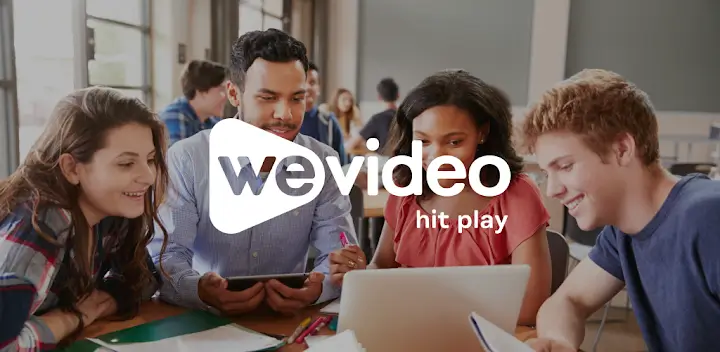
From classroom green screen news broadcasts and collaborative student projects to branded business explainers and social media content, WeVideo’s 1M+ stock library, real-time collaboration, AI subtitles, and 4K export make it the most complete cloud-based video creation platform for teams and educators in 2026.
Potential Limitations and Honest Considerations
WeVideo is a strong platform for its target audiences, but there are real limitations that matter for specific use cases and user profiles:
- Limited Advanced Professional Features: WeVideo is not a professional video editor in the Adobe Premiere Pro or DaVinci Resolve sense — color grading depth, audio mixing sophistication, plugin ecosystem, and post-production workflow integration are significantly more limited. For professional film, broadcast, and post-production work, WeVideo is not the right tool.
- Free Tier Too Restrictive for Real Use: The 5-minute monthly publish cap, 480p resolution, and watermark on the free tier make it essentially evaluation-only — users expecting meaningful content production capability from the free plan will be disappointed. A paid plan is necessary for any genuine production workflow.
- Pricing Can Feel Costly for Feature Access: Some reviewers note that many features they expect from a “full” video editor are locked behind higher-tier plans — the Unlimited plan at $15.99/month unlocks 1080p, and Professional at $39.99/month is required for 4K and premium stock usage. The upgrade path from basic to professional functionality involves meaningful cost jumps.
- Occasional Technical Glitches: Reviewer feedback consistently mentions occasional rendering issues and technical glitches — expected for a cloud-based platform dependent on browser compatibility and internet connectivity, but worth noting for production environments where reliability is critical. A reliable, fast internet connection is a requirement, not an option, for smooth WeVideo operation.
- Limited Offline Capability: WeVideo is cloud-first — meaningful offline editing capability is not available. In educational environments with inconsistent internet access, or for creators who work in locations without reliable connectivity, WeVideo’s browser dependency is a genuine workflow constraint.
- Customer Support at Scale: Some users report that customer support responsiveness and resolution quality can be inconsistent — particularly for enterprise and educational deployments with complex configuration questions. For mission-critical institutional deployments, evaluating support channel quality during the pilot period before full rollout is advisable.
- Accessibility Limitations: WeVideo’s accessibility for users with disabilities has been noted as an area for improvement — the platform does not fully support screen readers (NVDA, JAWS, VoiceOver) and cannot be fully navigated without a mouse. Educational deployments serving students with visual or motor disabilities should verify whether WeVideo’s accessibility level meets institutional requirements before broad deployment.
Future Outlook and Real-World Applications
WeVideo is positioned at the center of two powerful and converging market trends: the normalization of video as the primary format for learning, communication, and marketing — and the growing expectation that creative tools should be accessible from any device without installation or configuration overhead. As schools embrace video-based learning as a core pedagogical approach and businesses recognize video as their highest-ROI content format, platforms that make video creation genuinely accessible to non-specialists will continue to displace both the “too simple” (consumer apps) and “too complex” (professional editors) ends of the market.
Use Cases Across Education, Business, and Creative Segments
- The K-12 Classroom Going Beyond PowerPoint: Schools moving from static slide presentations to student-created video projects use WeVideo as the infrastructure — with Google Classroom integration, assignment management, and green screen making video creation as routine a classroom tool as word processing.
- The Remote Learning Institution: Educational institutions serving remote or hybrid learners use WeVideo’s cloud-based collaborative editing to enable group video projects without students needing to be in the same physical space — simultaneous editing from home locations produces the same collaborative learning outcome as in-classroom group work.
- The Small Business Building Video Marketing: Small businesses that have recognized video as their most effective marketing format but don’t have dedicated video production staff use WeVideo’s templates, stock library, and brand management to produce consistent, professional-quality content without hiring a videographer or video editor.
- The Non-Technical Communications Professional: Nonprofit communicators, school administrators, and organizational leaders who need to produce video content regularly but have no video production background use WeVideo’s drag-and-drop simplicity and template-driven workflow to produce professional-looking videos within their existing communications capacity.
- The Multi-Device Creator: Freelancers, remote workers, and content entrepreneurs who need seamless access to their projects across multiple devices and locations — home desktop, office laptop, travel tablet — use WeVideo’s cloud-based project storage as the foundation for a truly device-agnostic creative workflow.
Expert prediction: WeVideo’s competitive position will strengthen as video literacy expectations continue rising across both education and business environments. The platform’s 2025–2026 feature investments — AI subtitle generation, interactive video learning tools, Boclips curriculum integration — indicate a clear strategic direction toward making WeVideo the comprehensive “video for learning” platform rather than simply a general-purpose online video editor. This positioning is defensible: the education market’s specific requirements around student data privacy, assignment management, curriculum alignment, and Chromebook compatibility create a natural moat around WeVideo’s educational offering that general-purpose video tools cannot easily replicate. For the business segment, continued development of AI-powered editing assistance and brand management tools will determine whether WeVideo can compete meaningfully with Canva’s strong design-platform positioning or will remain the preferred choice specifically for teams who prioritize collaboration and timeline editing over template-first design workflows.
Conclusion
WeVideo 2026 delivers the most comprehensive, accessible, and education-optimized cloud-based video creation platform available — trusted by 30+ million accounts, rated 4.5/5 by 191 verified enterprise and education reviewers, and built from the ground up for the reality that video creation needs to be possible from any device, in any location, at any skill level. With multi-track timeline editing, green screen, built-in screen and webcam recording, 1M+ royalty-free stock assets in WeVideo Essentials™, AI-powered multi-language subtitles, real-time team collaboration, Google Classroom integration, Boclips curriculum video content, student assignment management, 4K Ultra HD export, and direct social media publishing — all in a fully browser-based platform that works on Chromebooks, tablets, and laptops equally — WeVideo offers a breadth of capability that no competing cloud video platform matches at equivalent pricing. The free tier is evaluation-only, the pricing structure requires Unlimited ($15.99/month) or Professional ($39.99/month) for meaningful production capability, and professional video editors will find the depth of color grading and advanced post-production tools insufficient for broadcast-quality work. But for K-12 educators deploying district-wide video learning, marketing teams building brand content without dedicated video staff, and individual creators who need browser-based editing flexibility across devices, WeVideo is the cloud video creation platform that delivers professional results without requiring a professional’s hardware, budget, or technical background.
Ready to create professional-quality videos from any device, in any browser? Get started with WeVideo today:
👉 Open Wevideo Account: https://worldoftech.space/wevideo
👉 Our YouTube Channel: https://www.youtube.com/@world_tech79
👉 Our Facebook Fanpage: https://www.facebook.com/profile.php?id=61576258059614
👉 Our X (Twitter): https://x.com/worldoftech79





