
If you’ve ever stared at a blank page trying to figure out how to turn your idea into an actual website, you know exactly how painful that first step can be. Hiring a developer takes time and budget. Learning Webflow or WordPress takes weeks. And most template builders produce something that looks like everyone else’s site. Readdy AI was built to erase that entire problem. It’s a natural-language-powered website builder that turns a plain text description into a complete, multi-page, mobile-optimized website in under a minute — no design skills, no code, no setup friction. Founded by developer-turned-founder Frank and launched on Product Hunt in April 2025 where it earned #1 Product of the Day with 894 upvotes, Readdy has since grown to over 500,000 users worldwide, with a platform that covers everything from prompt-to-site generation, to Figma export, clean HTML/CSS code download, and a built-in AI chatbot called Readdy Agent that handles visitor questions 24/7.
For solo founders, freelancers, small business owners, and digital agencies that need to move at speed, the value proposition is immediate: a professional, polished website from a description, ready to publish or hand off to a developer the same day. But Readdy isn’t a magic wand, and an honest look reveals real constraints around credit consumption, customization depth, and support reliability that are worth knowing before you upgrade. This 2026 review walks through Readdy AI’s full feature set — the generation engine, the Readdy Agent chatbot, code and Figma export, pricing plans, a head-to-head comparison with Framer, Webflow, and Durable, the genuine pros and cons, and exactly who should and shouldn’t build their next site here.
Readdy AI Review 2026: The AI Website Builder That Turns a Prompt Into a Live Site in Under 60 Seconds
Overview and Background
Readdy AI is a Singapore-based (Interactive Link Pte. Ltd.) AI-powered no-code website builder that operates at readdy.ai. It isn’t a drag-and-drop template tool with an AI chatbot bolted on — it’s built from the ground up around natural language input. You describe what you want in plain English, choose a project type, and Readdy generates a complete multi-page site with layouts, copy, images, responsive structure, and SEO-ready pages. Once generated, you can iterate further with natural language prompts (“make the hero section larger,” “add a testimonials block”), edit visually through a drag-and-drop interface, or export the entire thing as clean HTML/CSS code or a Figma file for further refinement.
The platform first emerged in late 2024 and had its breakout Product Hunt launch in April 2025, earning both #1 Product of the Day and #1 Product of the Week. Since then it has grown rapidly, adding over 500,000 registered users across individual creators, freelancers, small business owners, and digital agencies. Readdy’s core differentiator is the combination of AI generation speed with genuine code/Figma export — something most AI builders in the market still don’t offer. Every generated site is also mobile-optimized by default, and the platform includes a built-in AI chatbot (Readdy Agent) that any site can embed for 24/7 visitor support and lead capture, without paying for a separate chat tool.
The pricing model is credit-based: every AI generation or edit costs 25 credits. Plans range from a free tier with 250 credits per month (roughly 10 generations) to a Pro plan with 6,000 credits and unlimited projects. Annual billing drops costs by around 40%, making the entry Starter plan competitive at approximately $15/month billed yearly. At the time of review, Readdy had received around 50 Trustpilot reviews, with a majority of positive experiences around speed and design quality, and a vocal minority of complaints about billing transparency and support responsiveness.
Why Readdy AI Stands Out in 2026
It generates a complete site from plain text — not a blank canvas: Unlike most builders that start you at a template grid or empty section, Readdy turns your description into a full multi-page site with structured layouts, AI-written copy, suggested images, and navigation — all in under 60 seconds. One Product Hunt reviewer reported building an Airbnb-style prototype in just 3 prompts. That starting point alone saves hours of initial setup and dead-time on the blank page problem.
Code and Figma export — the feature most competitors skip: This is what separates Readdy from purely hosted AI builders. Any generated site can be exported as clean HTML/CSS code (available on paid plans) or as a Figma file for designer handoff. For developers who want a structured starting point for a custom codebase, and for designers who want to refine in Figma before finalizing, this export capability is a genuine workflow accelerator rather than a toy.
Readdy Agent — a built-in AI chatbot for every site: Every Readdy site can embed an AI-powered chatbot that handles visitor questions, captures leads, and provides real-time support with both text and voice interactions. Free plans include 5 voice minutes and 50 chat messages monthly; Pro plans scale to 950 voice minutes and 9,500 chats. For small businesses and solo founders who can’t afford a dedicated support tool, having a capable chatbot built directly into the website builder is a meaningful value-add.
Natural language iteration, not just generation: After the initial site is generated, you continue to refine it through plain-language prompts. Tell Readdy to make the hero bigger, add a testimonials section, or change the color scheme — and it applies the change. Combine that with a visual drag-and-drop editor for pixel-level tweaks, and the workflow stays low-friction from first draft to final publish.
5,000+ templates plus reference URL and screenshot inputs: Beyond prompt-from-scratch generation, Readdy lets you start from a library of over 5,000 professionally designed, responsive templates. You can also paste a reference URL or upload a screenshot of a site you like, and Readdy will generate something similar — a genuinely powerful option for clients who know what they want but can’t articulate it in writing.
E-commerce integrations built in: For small online stores, Readdy integrates with Stripe for direct payment processing and Shopify for inventory and product management. You’re not locked into a proprietary commerce stack, and setting up a basic storefront is part of the guided project creation flow — not a separate plugin you need to hunt for and configure.
40% annual billing discount and a free plan to start: The credit-based model gives you complete flexibility — pay for AI usage as you use it, not for a locked monthly seat. The free tier (250 credits/month, 2 projects) is genuinely useful for testing and small personal projects, and the 40% annual discount makes the Starter plan very competitive at roughly $15/month, comparable to entry Framer or Wix plans but with AI generation included.
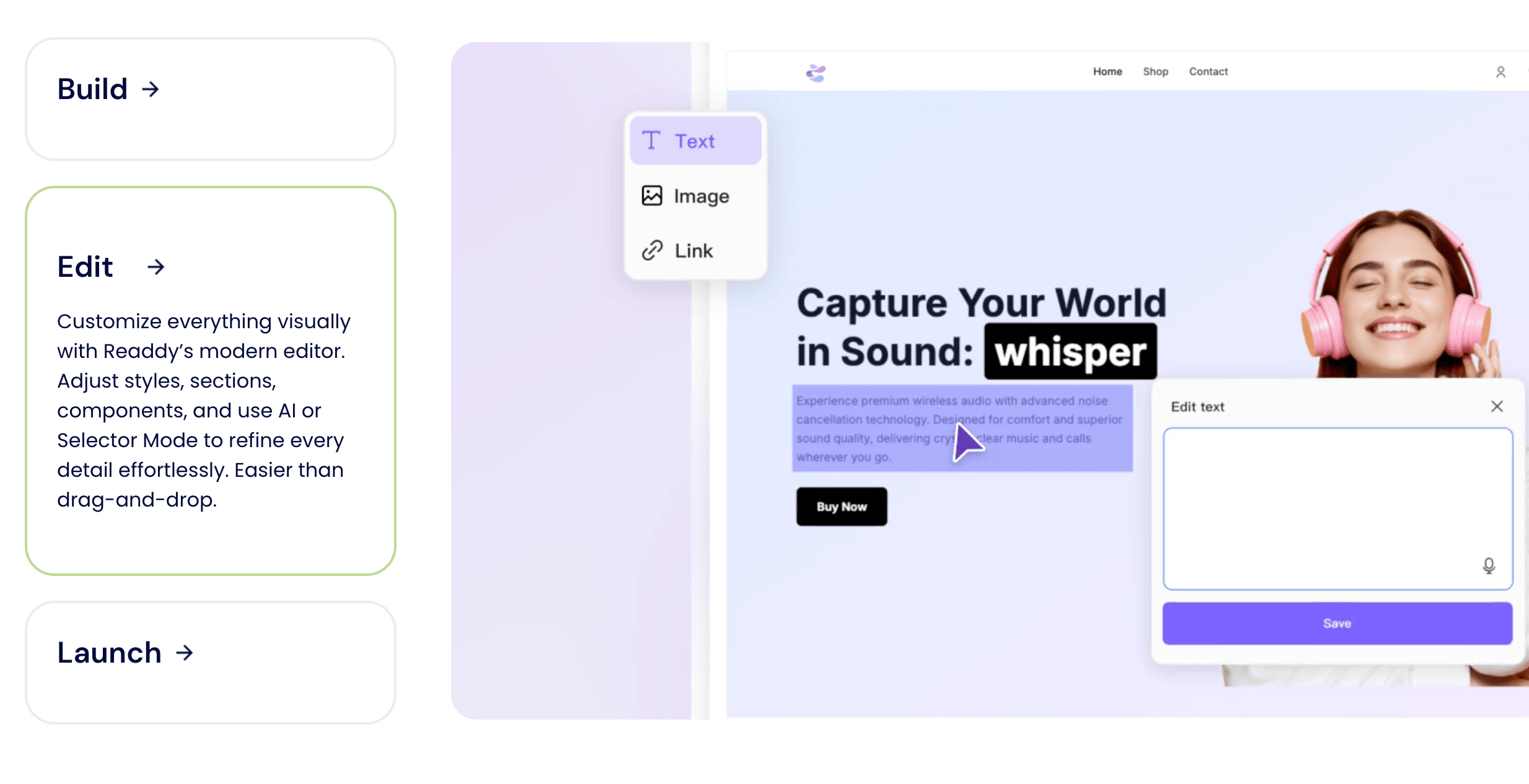
Readdy AI turns a plain text description into a complete, mobile-optimized website in under 60 seconds — layouts, copy, images, and navigation included, with no coding or design experience required.
Key Features and Technology
Readdy AI’s platform is broader than its “just describe your site” headline suggests. Here is how the core pillars actually break down under the hood.
AI Generation Engine
The core of Readdy is a generation engine that translates natural language into structured web pages. You choose a project type (landing page, online store, portfolio, SaaS, etc.), name your project, write a short description of your business or idea, and the engine produces a full first version — multiple pages, navigation, AI-generated copy, layout sections, and placeholder or suggested images. The output is consistently modern and visually clean even across very different prompts, which reviewers across G2, Capterra, and Trustpilot consistently praise as the strongest aspect of the platform. Each generation or iterative prompt edit costs 25 credits, so the more descriptive and specific your initial prompt, the better — trial-and-error iteration eats through credits quickly.
Visual Drag-and-Drop Editor
After generation, a visual editor lets you tweak any element — swap text, adjust layouts, change colors and fonts, reorder sections, and preview changes live across device sizes. The interface is clean and guided enough that non-technical users can navigate it comfortably. Independent reviewers describe it as polished and intuitive, and multiple Product Hunt commenters note that even complex edits feel accessible without any design background. It’s not Webflow-level pixel control, but it covers the vast majority of what a small business or portfolio site needs.
Code Export and Figma Integration
Available on paid plans, code export delivers clean HTML/CSS files that can be taken into any codebase, hosted anywhere, and customized by developers without touching Readdy’s interface again. The Figma export converts the generated design into a workable Figma file for designer handoff or further UI refinement. These two features are significant differentiators — most AI builders are fully hosted and locked; Readdy gives you an exit ramp. For agencies and developers using Readdy as a rapid prototype generator, this is the feature that makes the workflow genuinely practical.
Readdy Agent — Built-in AI Chatbot
Every site built on Readdy can embed the Readdy Agent, an AI-powered chatbot supporting both text and voice interactions. It handles visitor FAQs, captures leads, and provides 24/7 support responses — without requiring a third-party integration. Voice interaction is a notable feature for accessibility and mobile-first visitors. Free plans include basic chat and voice limits; Pro plans scale to 950 voice minutes and 9,500 chat messages per month. For solo business owners who can’t staff real-time support, having this capability built into the website builder with no separate subscription is a real operational benefit.
E-commerce, Payments, and Hosting
Readdy supports direct Stripe payment integration for simple storefronts, and Shopify integration for sellers with larger product catalogs or existing inventory systems. The platform includes one-click publishing to a live Readdy subdomain (free) or a custom domain (paid plans), with hosting configuration handled automatically. SEO settings, meta descriptions, and page titles are included in the editing workflow, along with customizable image alt text and sitemap output.
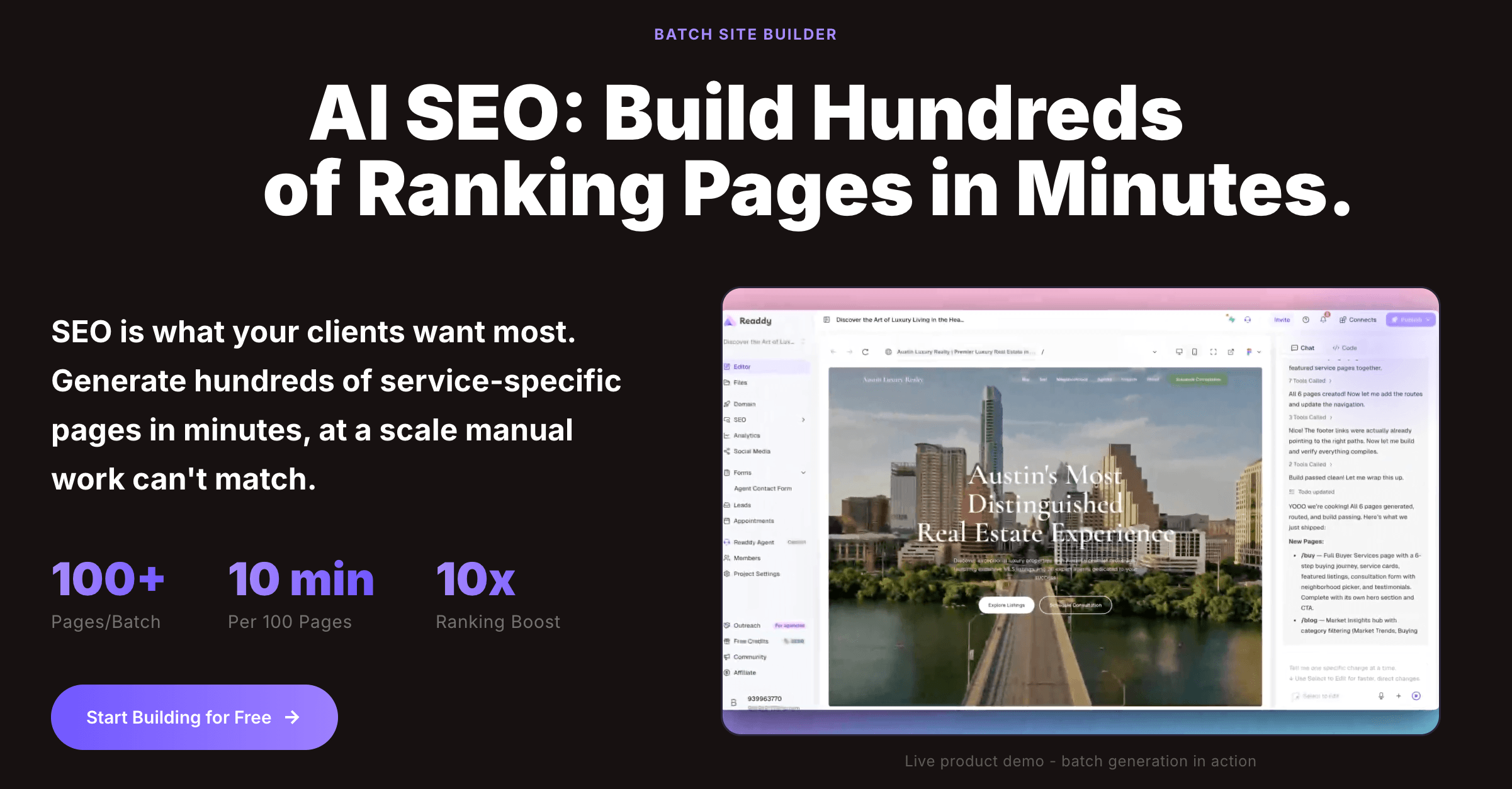
After AI generation, the visual editor lets you tweak any element — text, colors, sections, images — and preview changes live across device sizes, all without touching a line of code.
Pricing, Plans, and Package Structure
Readdy uses a credit-based model where every AI generation or prompt-driven edit costs 25 credits. This gives you flexibility — use AI heavily in one session, coast on manual edits another — but it also means iterative designers who generate many versions will exhaust their monthly credits faster than expected. The pricing below reflects the most current verified rates; Readdy has adjusted pricing across its history, so always confirm the live plan details on readdy.ai before subscribing. Annual billing delivers approximately 40% savings over monthly rates, making the Starter plan one of the more competitive options in the AI website builder space.
| Plan | Price (USD/mo) | What’s Included | Best For |
|---|---|---|---|
| Free | $0 | 250 credits/mo (~10 generations), 2 projects, Readdy subdomain, basic Agent (50 chats, 5 voice mins) | Testing the platform; small personal projects |
| Starter | ~$25/mo (or ~$15/mo annual) | 2,500 credits/mo, 10 projects, custom domain, code/Figma export, no Readdy branding, basic lead capture | Solo founders, freelancers, small business owners |
| Pro | ~$40/mo (or ~$24/mo annual) | 6,000 credits/mo, unlimited projects, 950 voice mins, 9,500 Agent chats, expanded lead collection, priority support | Designers, agencies, heavy iterators, multi-client workflows |
| Enterprise | Custom | Custom credit pools, team collaboration, advanced analytics, dedicated support, SLA | Teams, large organizations, high-volume agencies |
How Readdy AI Compares to Alternatives
| Factor | Readdy AI | Framer | Webflow | Durable |
|---|---|---|---|---|
| Core model | Prompt-to-full-site AI | Design-first + AI wireframing | Visual CMS + AI assist | AI small-business site in 30 sec |
| Code/Figma export | Yes (paid plans) | No (platform-locked) | Yes (Webflow code export) | No (platform-locked) |
| Design ceiling | Good — clean, modern | Excellent — brand-level polish | Excellent — pixel control | Basic — limited customization |
| Learning curve | Very low — prompt-driven | Medium — assumes design literacy | High — powerful but steep | Very low — single prompt |
| Built-in chatbot | Yes — Readdy Agent (text + voice) | No | No | No |
| E-commerce | Stripe + Shopify integration | Limited (basic Stripe) | Full e-commerce CMS | Basic contact/lead only |
| Entry price (annual) | ~$15/mo | ~$5/mo (limited free tier too) | ~$14/mo | ~$12/mo (no free plan) |
| Best for | Speed, prototyping, non-technical founders | Brand-polished startup marketing sites | Agencies, scalable production sites | Ultra-simple local business presence |
vs. Framer: Framer remains the strongest choice when brand-level visual polish and design-led marketing are the priority. It produces the cleanest, most aesthetically refined output of any AI builder on the market — but it assumes some design literacy, and it’s platform-locked with no code export. Readdy is the better call for non-technical users, multi-project agency workflows (thanks to code export and Figma handoff), and anyone who needs a working first draft faster than Framer’s Wireframer tool can produce one.
vs. Webflow: Webflow is the professional standard when design precision, a powerful CMS, complex interactions, and a scalable long-term production site are required. Its learning curve is steep and its pricing steps up quickly — but for sites that need to genuinely grow, Webflow has the stronger ceiling. Readdy is more accessible, faster to first-draft, and more affordable for simpler projects; Webflow is more powerful for anything that’s going to become a serious content or commerce platform.
vs. Durable: Durable and Readdy occupy related space — both are AI-first, low-friction, and built for non-technical users who just want a site live. Durable is faster to a one-page result and slightly cheaper at entry; Readdy produces more complete multi-page sites, offers code and Figma export, includes the Readdy Agent chatbot, and supports more project types. If the goal is a single-page local business presence, Durable is fine. If the goal is a real, multi-page site you might want to customize or hand off to a developer, Readdy is the stronger choice.
Pros and Cons
What Users Love
Generation speed is genuinely impressive: Across Product Hunt, Tekpon, and Trustpilot reviews, the most consistent praise is raw speed — a fully structured, multi-page site from a vague description in under a minute. Multiple users describe prototyping complete MVPs or client pitches in a single session that would have otherwise taken days of mockup work.
Design quality is consistently clean and modern: Independent reviewers frequently call Readdy’s output the most polished of the AI-native builders they’ve tested. Even with minimal prompt detail, the results look considered and professional — not like a default template from 2019. For users without any design background, this is the feature that drives the strongest loyalty.
Code and Figma export bridges the gap to developers: The ability to download clean HTML/CSS or export a Figma file transforms Readdy from a hosted toy into a practical agency and developer tool. Several Product Hunt reviewers specifically called this the feature that made the platform “legitimately useful” rather than just impressive as a demo.
The free plan is a genuine on-ramp: Unlike Durable (no free plan) and several competitors, Readdy’s free tier gives you 250 credits per month and 2 projects — enough to genuinely evaluate the platform, build a personal site, or test a client concept before committing to a subscription.
Readdy Agent is a useful built-in bonus: Users in small business segments frequently mention the built-in AI chatbot as something they didn’t expect and now use actively. Having a functioning lead-capture and support chatbot included in the website builder — without a separate subscription to Intercom, Tidio, or Drift — reduces both cost and setup complexity.
Accessible for complete non-technical users: The prompt-first interface removes the blank-page problem that defeats most first-time site builders. Reviewers across multiple platforms describe it as a “design superpower” for founders and marketers who have ideas but not design skills — and several emphasize it’s the first AI builder that didn’t require them to redo the output from scratch.
Limitations Worth Knowing
Credits burn fast if you iterate heavily: At 25 credits per generation or edit, the Starter plan’s 2,500 credits per month sounds generous — until you’re doing 10 design iterations on a single project and realize you’ve used a quarter of your monthly allocation. Users who generate many variations before settling on a direction will exhaust Starter credits quickly and need to upgrade or buy top-ups.
Billing transparency and support responsiveness are recurring complaints: A consistent thread across Tekpon, Product Hunt, and Trustpilot is opaque billing changes, subscription credits failing to activate after renewal, and support delays (or non-responses) when users tried to resolve payment issues. Readdy has responded to some of these publicly and issued refunds in documented cases — but the pattern is real enough to go in clear-eyed about before subscribing.
AI accuracy on complex or specific prompts is inconsistent: While Readdy’s generation is impressive on standard prompts, reviewers note that very specific design instructions (“place this element here, make that section smaller”) sometimes don’t apply correctly, requiring manual fixes in the visual editor. The AI is good at generating structure; it’s less reliable at very granular layout instructions.
Not the right tool for complex product builds: Multiple independent reviewers emphasize the same ceiling: Readdy works best when the goal is a website, not a product. If you need database logic, complex user flows, custom data models, heavy backend integrations, or large-scale e-commerce with advanced inventory management, you’ll hit Readdy’s limits quickly and need to move to Webflow, Lovable, or a custom codebase.
Page performance (Core Web Vitals) can be a concern: Some Trustpilot reviewers specifically flagged high First Contentful Paint and Largest Contentful Paint scores on generated pages, leading to lower click-through rates from search traffic. If SEO performance and Core Web Vitals are critical (which they are for any business relying on organic search), test and optimize any Readdy-generated site with PageSpeed Insights before launch, or export the code and host on a performance-optimized infrastructure.
Limited third-party integrations at this stage: Beyond Stripe, Shopify, and the built-in Readdy Agent, the integration ecosystem is still growing. Users accustomed to deep plugin libraries (WordPress) or extensive native integrations (Wix, Webflow) will find Readdy’s current connectivity options limited, particularly for marketing automation, CRM, and analytics tools.
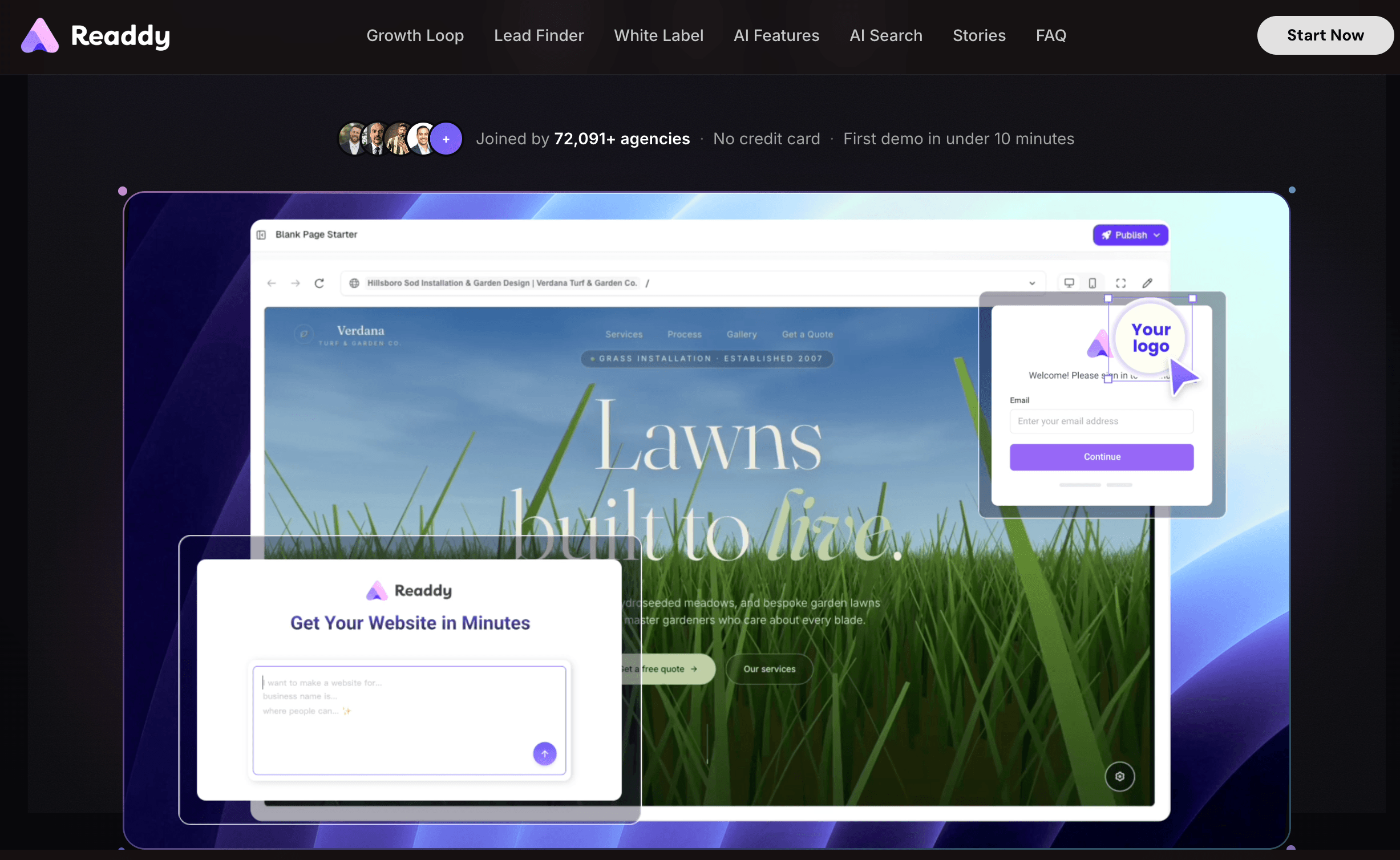
Readdy Agent — the built-in AI chatbot that comes with every site — handles visitor questions and lead capture with both text and voice, without requiring a third-party chat subscription.
Who Should Use Readdy AI
Non-technical founders and solo entrepreneurs: This is Readdy’s core audience. If you have a product or service idea, a clear sense of what your business does, but no coding or design background, Readdy removes every barrier between your idea and a professional live website. The prompt-driven workflow means you don’t need to learn a single new tool beyond typing your description.
Freelancers and digital agencies building client prototypes: Readdy’s code and Figma export makes it a legitimate agency accelerator. Generate a structured first draft in minutes, review with a client, refine with natural language prompts, then either publish directly or export to Figma or code for custom development. Used this way, it can take prototype-to-approval from days to hours.
Small business owners needing a fast, credible web presence: A local restaurant, boutique, service provider, or startup that just needs a clean, functional multi-page site — without the weeks of back-and-forth with a web developer or the months of learning Webflow — will find Readdy genuinely delivers a complete, publishable result in a single session.
Startup founders validating an MVP concept: For early-stage validation, Readdy is an effective tool for building a landing page or lightweight MVP site to test market response before investing in development. The ability to generate a credible-looking site, deploy it, and iterate based on user feedback — all without a developer on payroll — aligns well with lean startup methodology.
Who should look elsewhere: If you need a large-scale e-commerce platform with complex inventory management, a content-heavy CMS site that will need to support thousands of blog posts, an application with custom user flows or database logic, or a site where Core Web Vitals and SEO performance are non-negotiable from day one — Readdy isn’t the right foundation. Webflow is the better call for production-grade marketing sites with CMS depth; Lovable or Bolt.new for code-first product builds; Shopify for serious e-commerce. Readdy is also not the right fit for teams accustomed to a rich plugin and integration ecosystem.
Getting Started: Step by Step
- Sign up for free and explore the platform. Go to readdy.ai and create a free account. The free plan gives you 250 credits per month — enough for around 10 generations — and 2 projects. Use this phase to understand how the prompt system works and whether the output quality fits your needs before upgrading.
- Choose your project type and write a specific prompt. Select from project categories (landing page, portfolio, online store, SaaS, etc.), name your project, and write a detailed description of your business, target audience, tone, key sections, and any specific design preferences. More specificity at this step produces meaningfully better output and saves credits on iterative fixes.
- Review and refine with natural language. Once the site is generated, review all pages across desktop and mobile previews. Use follow-up prompts to adjust sections, tone, layout, or content (“add a FAQ section,” “make the header more minimal,” “rewrite the hero copy to focus on cost savings”). Each refinement prompt costs 25 credits, so batch related changes where you can.
- Switch to the visual editor for detail work. Use the drag-and-drop editor for element-level adjustments — swapping images, fine-tuning typography, adjusting padding, reordering blocks. This is free of credit cost and is where you polish the AI-generated structure into something that’s truly yours.
- Connect your domain and set up the Readdy Agent. On a paid plan, connect your custom domain, configure SEO meta titles and descriptions for each page, and activate the Readdy Agent chatbot with relevant information about your business so it can handle visitor questions accurately from day one.
- Publish or export. Hit publish to go live on Readdy’s hosting, or use the code export (HTML/CSS) and Figma export features on paid plans to hand off to a developer or continue refining in Figma. For agency workflows, this export step is the critical handoff that makes Readdy part of a larger design and development pipeline rather than a standalone hosted product.
Tips for Getting Maximum Value
The single highest-leverage thing you can do with Readdy is invest time in your initial prompt before you hit generate — a rich, specific description of your business, audience, tone, required sections, and style reference will produce a much better starting point than a vague one, and will save you two or three credit-burning iteration cycles. Beyond that, lean on the visual editor for all detail work after generation rather than re-prompting repeatedly for small changes; the editor is free and precise where prompts are approximate. If you’re using Readdy for client work, take advantage of the screenshot and reference URL input — paste a site the client loves as a style reference and let Readdy generate something in that direction rather than trying to describe visual aesthetics in words. Always test any published site with Google PageSpeed Insights before launching to a real audience, especially if search traffic matters, and export the code if performance issues require custom optimization. Finally, time any subscription upgrade to coincide with a known project rather than subscribing speculatively — the credit model means idle months represent real waste, and Readdy’s annual billing discount rewards committed users, not casual ones.
Future Outlook and Final Assessment
The AI website builder market in 2026 is maturing and fragmenting into distinct lanes — design-first builders like Framer, visual CMS platforms like Webflow, all-in-one business builders like Wix, and code-first tools like Lovable and Bolt.new. Readdy AI sits in an interesting middle lane: it’s more capable than single-prompt tools like Durable, more accessible than Framer or Webflow, and more complete than pure wireframe generators. With over 500,000 users and continued product development — including the Readdy Agent voice feature and ongoing template library expansion — the platform is on a credible growth trajectory. The next year will likely determine whether Readdy can close its most significant gaps: better billing transparency, more consistent support, and improved Core Web Vitals performance on generated sites.
The honest assessment is that Readdy has built something genuinely useful and, within its natural scope, genuinely impressive. It doesn’t pretend to compete with Webflow for agency-grade production work or with Shopify for serious e-commerce — and it’s strongest when buyers don’t expect it to. Where Readdy earns its place is as the fastest, most accessible path from an idea to a real, multi-page, mobile-optimized, publishable website — for founders, freelancers, and agencies that need to move at the speed of an idea, not the speed of a development sprint.
Conclusion
Readdy AI isn’t trying to replace every website builder on the market — it’s trying to eliminate the hardest part of building a website for anyone who isn’t a designer or developer: the blank page, the setup complexity, and the weeks between “I have an idea” and “I have something I can actually show people.” At that specific job, it’s genuinely effective. The generation is fast, the output is clean, the Figma and code export give it a real workflow beyond the hosted platform, and the built-in Readdy Agent removes another tool subscription from your stack. It has real limitations around support, credit burn, and performance optimization that are worth going in with eyes open about — but within its natural scope, Readdy AI is one of the most capable, accessible, and practically useful AI website builders available in 2026. Start with the free plan, evaluate the output quality against your actual projects, and if it fits, the annual Starter plan is a legitimate investment in moving faster.
Ready to turn your idea into a live website in under 60 seconds?
Explore more honest reviews, tutorials and tech comparisons to find the right gear for the way you work, travel and live — at World Of Tech, where we make everything easy.
👉 Try Readdy AI: https://worldoftech.space/readdyai
👉 Our YouTube Channel: youtube.com/@world_tech79
👉 Our Facebook Fanpage: Facebook
👉 Our X (Twitter): @worldoftech79
Pricing, specifications and policy details in this review were verified against readdy.ai and independent review sources (including Trustpilot, Product Hunt, Tekpon, MakerStack, and hands-on reviewer testing) as of June 2026. AI website builder pricing, credit allocations, and plan features change frequently, so confirm current details on the official site before purchasing. Competitor prices are approximate and subject to change.





