
If you want one name that independent testing labs keep putting at the very top, it is hard to look past Bitdefender. The Romanian cybersecurity company has spent years collecting near-perfect scores from AV-TEST and AV-Comparatives, and its 2026 suites pair that lab-grade malware protection with an unusually deep toolkit: a VPN, password manager, secure banking browser, webcam and microphone guards, parental controls, identity protection, and a brand-new AI-powered Scam Copilot that watches your email, SMS and messaging apps for fraud. It runs on Windows, macOS, Android and iOS, barely touches your system’s performance, and starts cheap — often under $30 for the first year. But Bitdefender is a genuinely two-sided story, and an honest review has to say so: while the protection is world-class, its consumer reputation is dragged down by aggressive auto-renewal billing, steep price jumps at renewal, and customer support that lags its rivals — the reason a product the labs adore sits at only around 3.9/5 on Trustpilot.
For anyone who wants the strongest possible defense against viruses, ransomware and online scams without bogging down their device, Bitdefender is one of the easiest security suites to recommend on pure protection. The catch is everything around the protection: a VPN that is capped on cheaper plans, identity features limited to certain regions, and a renewal-and-cancellation experience that has frustrated a vocal minority of customers. This 2026 review walks through Bitdefender’s full picture — how its protection and Scam Copilot work, the complete plan range and pricing, head-to-head comparisons against Norton 360 and Kaspersky, the genuine pros and cons, and exactly who should (and shouldn’t) install it — so you can buy with your eyes open.
Bitdefender Review 2026: Best-in-Class Protection and AI Scam Defense — With Renewal and Billing Caveats
Overview and Background
Bitdefender is a complete consumer cybersecurity platform built around award-winning antivirus protection. It is far more than a virus scanner — the paid suites bundle multi-layer ransomware defense, web and phishing protection, a VPN, a password manager, a secure browser for banking, webcam and microphone controls, parental tools, device optimization and, on the top tiers, full identity-theft protection. Everything is managed from a single cross-platform dashboard called Bitdefender Central, and the software covers Windows, macOS, Android and iOS under one subscription.
The company has serious pedigree. Founded in Romania in 2001 and headquartered in Bucharest with operations worldwide, Bitdefender is a global cybersecurity leader that protects hundreds of millions of systems across more than 150 countries, and its detection engine is so well regarded that other vendors license it under the hood. Being EU-based and independent has also become a selling point in 2026: where Kaspersky has faced US government bans and sales restrictions, Bitdefender carries no such baggage, which reviewers increasingly cite as a trust advantage.
Its credibility is built on independent testing rather than marketing. In the December 2025 AV-TEST evaluation, Bitdefender Total Security earned a perfect 18/18 — 100% protection, minimal system impact and zero false positives — and it has held a top 6/6 protection score for years, winning AV-TEST’s “Windows Best Protection” award in 2025 for both consumer and business products. AV-Comparatives named it a Top-Rated Product for 2025 and awarded Gold in its demanding Advanced Threat Protection test, where Bitdefender blocked all targeted attacks thrown at it. PCMag lists it as an Editors’ Choice, and TechRadar and Tom’s Guide both rate it 4.5/5. On the question of “does it actually protect you,” the evidence is overwhelming.
Why Bitdefender Stands Out in 2026
Lab-topping malware protection: This is the entire reason to choose Bitdefender. It combines traditional signatures with Advanced Threat Defense (behavioral monitoring), machine-learning models for unknown threats and cloud-based anomaly detection, and the results show — perfect or near-perfect scores from AV-TEST and AV-Comparatives, cycle after cycle. If your top priority is simply catching threats, few products match it.
Outstanding ransomware defense with rollback: Bitdefender pairs multi-layer ransomware protection with Ransomware Remediation, which can roll back files that an attack tries to encrypt. In an independent 2025 ransomware simulation, it halted 100% of encryption attempts and restored the vast majority of modified files — exactly the kind of safety net that turns a potential disaster into a non-event.
New AI Scam Copilot and Scamio: In response to the explosion of online fraud, Bitdefender added Scam Copilot — an AI-powered anti-fraud layer that detects scams in real time across email, SMS, WhatsApp, Telegram and Discord — plus Scamio, a free AI chatbot you can paste a suspicious message into for a verdict. As scams overtake classic malware as the everyday threat, this is one of the most genuinely useful additions in the suite.
Featherweight on system performance: Despite all that protection, Bitdefender is famously light. Independent testing measures only a few percent CPU use during scans and negligible impact the rest of the time, helped by Autopilot (which makes smart security decisions for you) and Photon (which adapts to your system). You get heavyweight security without the sluggish PC.
A genuinely deep toolkit: Beyond antivirus, the suites bundle a VPN, password manager, the Safepay secure browser for banking, anti-tracker, webcam and microphone protection, a file shredder, vulnerability assessment, a Wi-Fi security advisor and parental controls. It is a true all-in-one security package rather than a bare scanner — though some extras are reserved for higher tiers.
Affordable entry and a real free tier: First-year pricing is aggressive — often under $30 — and multi-device bundles offer strong value. There is also Bitdefender Antivirus Free for Windows with no expiry date, which still includes real-time protection and anti-phishing, making it a credible no-cost option for basic needs.
Independent, EU-based and cross-platform: Bitdefender protects Windows, macOS, Android and iOS from one account, is backed by a 30-day money-back guarantee, and — as an independent European company with no government-ban history — is increasingly seen as a more trustworthy choice than some rivals for privacy-conscious users.
Bitdefender pairs lab-topping malware and ransomware protection with a deep toolkit and the new AI Scam Copilot — heavyweight security that barely touches your system’s performance.
Key Features and Technology
Bitdefender’s lineup is broad, but it organises cleanly into a handful of pillars. Here is how the platform actually breaks down.
Multi-Layer Threat Protection
The core engine layers signature detection, Advanced Threat Defense (which watches app behaviour for suspicious actions), machine learning for never-before-seen malware, and cloud anomaly detection. Web Attack Prevention and Network Threat Prevention block malicious sites and exploits before they load, while anti-phishing and anti-fraud filters catch dangerous links. This blend is what produces Bitdefender’s consistent perfect scores and its ability to stop zero-day threats, not just known viruses.
Ransomware Protection and Remediation
Bitdefender treats ransomware as a special case. Behavioral monitoring spots the tell-tale signs of mass file encryption and shuts it down, while Ransomware Remediation keeps protected copies so it can restore files an attack manages to touch. In independent simulations it has stopped encryption attempts outright and recovered the overwhelming majority of affected documents — a genuine last line of defense that many cheaper tools lack.
Scam Copilot, Scamio and Web Defense
Newest and increasingly central is Bitdefender’s AI anti-fraud layer. Scam Copilot monitors email, SMS and messaging apps (WhatsApp, Telegram, Discord) for fraudulent messages in real time, and Scamio is a free AI assistant that analyses suspicious texts, links, emails or QR codes on demand. Combined with high-accuracy phishing and malicious-URL blocking, this is aimed squarely at the scams that now do more day-to-day damage than classic viruses.
VPN, Password Manager and Privacy Tools
The suites add a VPN, a password manager, the Safepay hardened browser for banking and shopping, an anti-tracker browser extension, and webcam and microphone protection that alerts you when apps try to access them. The important caveat: on Total Security and below, the bundled VPN is capped at 200MB per day — fine for occasional use, but you need Premium Security (or a separate Bitdefender VPN subscription) for unlimited data, and on some plans the password manager is an extra.
Identity Protection, Optimization and Mobile
The top Ultimate Security tiers add Digital Identity Protection, identity-theft monitoring (including SSN and credit monitoring) and up to $2 million in identity-theft insurance — though these features are US-focused and not available everywhere. Across plans you also get device optimization, a file shredder, vulnerability assessment and a Wi-Fi advisor, plus mobile apps with anti-theft, app lock and web protection for Android and iOS. Everything is steered through Bitdefender Central.
Pricing, Plans, and Package Structure
Bitdefender uses a tiered model with very low first-year prices, then higher renewal rates — the single most important thing to understand before buying. Discounts are frequent and steep (often 40–57% off in year one), so the figures below are approximate first-year prices that change with promotions; always confirm the live price, the device count and especially the renewal rate at checkout. Every purchase is covered by a 30-day money-back guarantee, and many products offer a 30-day free trial.
| Plan | Price (approx. 1st yr) | What It Is | Best For |
|---|---|---|---|
| Antivirus Free | $0 (no expiry) | Basic real-time + anti-phishing, Windows only | Budget users wanting core protection |
| Antivirus Plus | ~$29.99 (renews ~$49.99) | Essential malware, ransomware & web protection (Windows) | Windows-only users on a budget |
| Total Security | ~$49.99–$59.99 (reg ~$109.99) | All-platform suite; optimizer, parental, 200MB/day VPN | Most households (up to 5–10 devices) |
| Premium Security | ~$64.99+ | Adds unlimited VPN, password manager, Scam Copilot, priority support | Users wanting an unlimited VPN included |
| Ultimate Security (US) | Higher tier (Plus / Extended) | Adds identity protection + up to $2M ID-theft insurance | US users wanting identity cover |
| Family / Small Business | ~$119.99 family (reg ~$199.99); business from ~$132.99 | Up to 25 devices / 5 accounts; 6–50-device business plans | Large families & small businesses |
Bitdefender’s first-year prices are aggressive, but renewals are markedly higher — turn off auto-renewal and re-buy at the discount each year to keep the low price.
How Bitdefender Compares to Alternatives
| Factor | Bitdefender | Norton 360 | Kaspersky |
|---|---|---|---|
| Lab protection | Top-tier (perfect/near-perfect) | Top-tier (6/6 AV-TEST) | Top-tier (6/6 AV-TEST) |
| System impact | Very light | Moderate | Light |
| Bundled VPN | 200MB/day (unlimited on Premium+) | Unlimited, included | Limited on lower tiers |
| Extras | Scam Copilot, Safepay, optimizer | 50GB cloud backup, dark-web/LifeLock | Strong tools; identity (region-limited) |
| Price (approx. 1st yr) | From ~$29.99 | From ~$29.99 | Varies; restricted in the US |
| Availability / trust | EU-based, independent, global | US-based, global | Banned for US government use |
| Best for | Best pure protection, light footprint | All-in-one bundle with VPN + backup | Detection fans outside the US |
vs. Norton 360: Norton is the all-in-one bundle champion — it includes an unlimited VPN, 50GB of cloud backup, dark-web monitoring and (in the US) LifeLock identity protection as standard, and it matches Bitdefender’s perfect AV-TEST scores. The trade-offs are a heavier system footprint and pricier renewals. The rule of thumb most reviewers reach: for the lightest, best pure antivirus, choose Bitdefender; for a single subscription that bundles VPN, backup and identity together, Norton wins. If you do not need Norton’s backup and you want unlimited VPN, Bitdefender Premium Security closes much of the gap.
vs. Kaspersky: Technically, Kaspersky is Bitdefender’s closest rival on raw detection — both routinely score a perfect 6/6 at AV-TEST, and some tests put Kaspersky fractionally ahead. The decisive issue is trust and availability: the US government has banned Kaspersky from federal use and restricted its sale in the country over its Russian ties. For US buyers that effectively removes it from contention, and even elsewhere many users prefer an EU-based, independent vendor. Bitdefender offers comparable protection without that geopolitical asterisk.
vs. McAfee, ESET and Microsoft Defender: Against McAfee, Bitdefender generally detects more threats and collects less of your data, though McAfee tempts with unlimited-device plans. ESET is similarly light and has better-rated support, but offers fewer bundled extras. And Microsoft Defender, built into Windows, is a solid free baseline — but it lacks Bitdefender’s ransomware rollback, Scam Copilot, VPN, password manager and cross-platform reach. If you want more than the free Windows baseline, Bitdefender is a clear step up; if you value support responsiveness above all, ESET is worth a look.
Pros and Cons
What Users Love
It simply protects you, brilliantly: The most consistent praise — and the lab data backs it up — is that Bitdefender catches threats other tools miss. Users describe feeling genuinely secure, with malware, phishing and ransomware blocked reliably and quietly in the background.
Light and unobtrusive: Reviewers repeatedly note how little Bitdefender slows their devices, even during scans. Autopilot makes smart decisions without nagging, so for most people it is genuinely install-and-forget on the protection side.
Excellent value in year one: The first-year prices — often under $30 — combined with multi-device bundles make Bitdefender one of the best-value premium suites around when you buy fresh each year, and the no-expiry free version is a real bonus.
A genuinely useful feature set: Owners value the breadth — Safepay for banking, webcam and mic protection, the password manager, anti-tracker, and especially the new Scam Copilot and Scamio, which catch the fraud attempts that now flood inboxes and messaging apps.
Strong ransomware safety net: The combination of behavioral blocking and file rollback gives peace of mind that a single bad click will not cost you your photos or documents — a feature reviewers single out as worth the price alone.
When support helps, it really helps: Although support is a weak spot overall, a notable share of reviews praise individual agents who resolved billing or technical issues with patience and care, and the 30-day money-back guarantee gives a clear safety valve.
Limitations Worth Knowing
Auto-renewal billing is the number-one complaint: This dominates negative reviews across Trustpilot, the BBB and consumer forums. Subscriptions auto-renew by default, the cancellation flow is widely described as hard to find (small cancel links, large “stay” buttons), and a vocal minority report unexpected charges and slow refunds. Bitdefender says it emails renewal notices in advance and keeps you in control, but the friction is real — turn auto-renewal off immediately.
Renewal prices jump sharply: The flip side of the cheap first year is a steep year-two increase — users have documented Total Security going from around $59.99 to $109.99, and even larger jumps. If you let it renew automatically, you can pay roughly double what a new customer pays for the same product.
Customer support trails rivals: Independent comparisons rate Bitdefender’s support below competitors like Norton and ESET, and reviewers report long hold times, unresponsive replies and bug reports left “under analysis” for months. For a product you may need help with urgently, this is a genuine weakness.
The bundled VPN is capped: On Total Security and below, the included VPN is limited to 200MB per day — enough for quick tasks, not for streaming or daily browsing. Unlimited VPN requires Premium Security or higher, or a separate subscription, which adds to the cost.
Upselling and feature gating: Some users find the app pushes upgrade pop-ups, and certain features are reserved for higher tiers or sold separately (the password manager on some plans, full identity protection only on US Ultimate tiers). The many overlapping plans can also be confusing to navigate.
Free version and region limits: Bitdefender Antivirus Free is Windows-only and basic, and security researchers have flagged past vulnerabilities in the free product, so it is best as a light secondary layer rather than sole protection for high-risk users. Identity-theft features and insurance are largely US-only, and a few users report aggressive mobile pop-ups or battery use on phones.
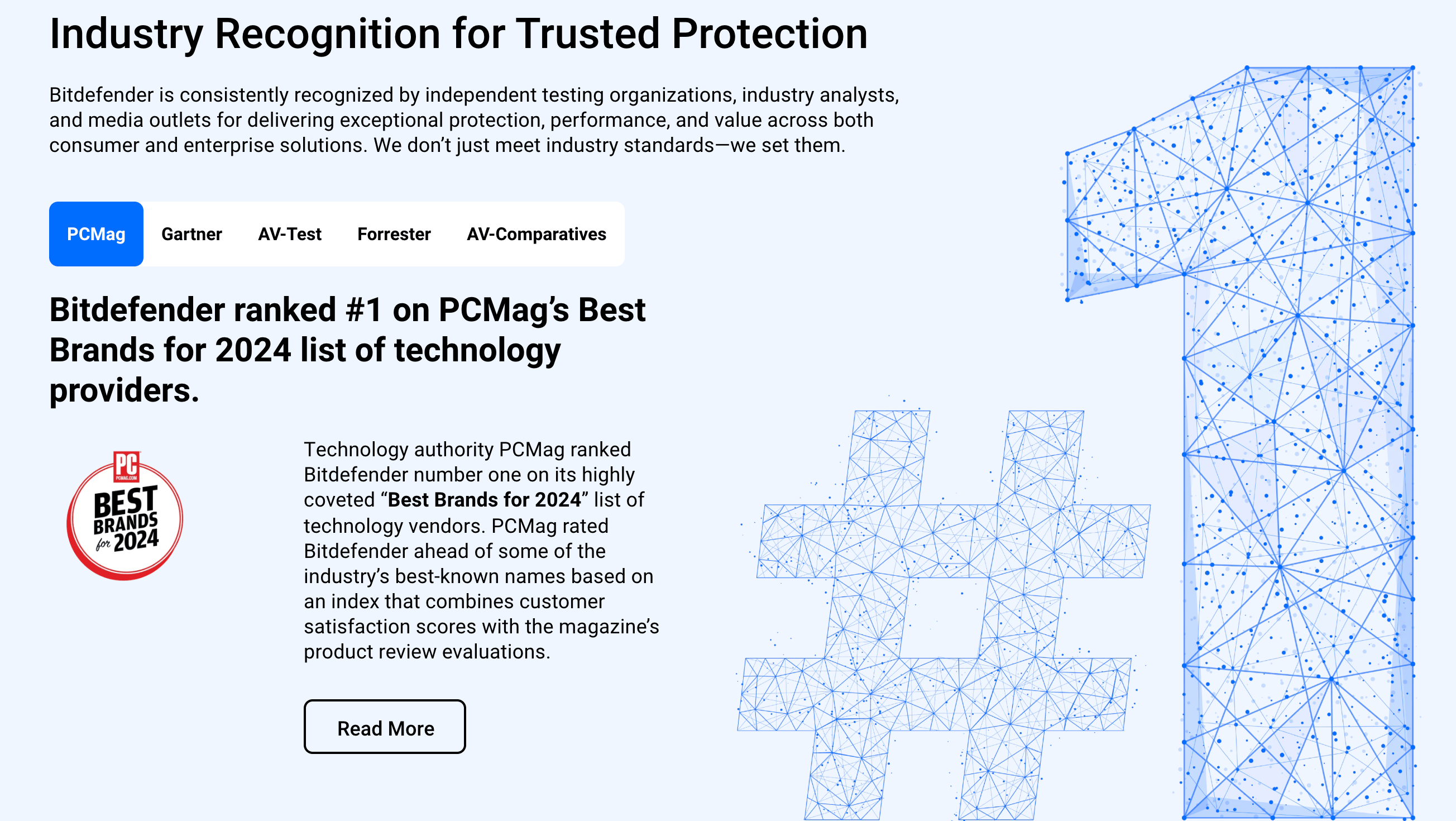
World-class protection on every platform — just manage the subscription actively, turn off auto-renewal, and choose the tier that includes the VPN and identity features you actually need.
Who Should Use Bitdefender
Anyone who wants the strongest protection: This is Bitdefender’s core appeal. If your priority is simply the best, lab-verified defense against viruses, ransomware and scams — with minimal impact on your device’s speed — Bitdefender is one of the safest choices you can make in 2026.
Households with multiple devices: The all-platform Total Security and family plans cover Windows, macOS, Android and iOS under one subscription, with strong per-device value at 5, 10 or up to 25 devices — ideal for families who want one tidy security solution for everyone.
People worried about scams and ransomware: Between Scam Copilot, Scamio and the ransomware rollback, Bitdefender is unusually well equipped for the threats that actually hit ordinary users today — fraudulent messages and file-encrypting attacks — making it a smart pick for less technical family members too.
Privacy-conscious and value-focused buyers: As an independent, EU-based vendor with no government-ban history, plus aggressive first-year pricing and a capable free tier, Bitdefender suits people who want strong privacy credentials and maximum protection per dollar — provided they manage the renewal.
Who should look elsewhere: If you want a single subscription that bundles an unlimited VPN, cloud backup and identity protection together, Norton 360 is the tidier all-in-one. If responsive customer support is your top priority, ESET tends to score better. If you only need a basic free baseline on Windows and value nothing extra, Microsoft Defender may be enough. And anyone who dislikes auto-renewing subscriptions and upsell pop-ups should either buy with auto-renewal switched off from day one — or choose a provider with a gentler billing reputation.
Getting Started: Step by Step
- Pick the right plan for your needs. Choose Antivirus Plus for Windows-only basics, Total Security for an all-platform household suite, Premium Security if you want an unlimited VPN and Scam Copilot included, or an Ultimate tier (US) for identity protection. Match the device count and check whether the VPN and identity features you want are included.
- Try it free first if you can. Use the no-expiry free Windows version or a 30-day trial to confirm Bitdefender suits your device before paying. Note the 30-day money-back guarantee on paid plans as a safety net.
- Buy at the first-year discount and check the renewal rate. Purchase during one of the frequent promotions, but read the renewal price before you confirm so there are no surprises in year two.
- Create your account and turn off auto-renewal. Set up Bitdefender Central, then immediately disable auto-renewal in your subscription settings if you prefer to re-buy at the discount each year — and set a calendar reminder before your term ends.
- Install across your devices and run Autopilot. Add Bitdefender to each Windows, macOS, Android or iOS device from Central, let Autopilot apply its recommended protection, and run a first full scan. Enable webcam/mic protection, the VPN and Safepay as needed.
- Set up the extras and scam protection. Turn on Scam Copilot for your email and messaging apps, import passwords into the password manager, configure parental controls if relevant, and bookmark Scamio for checking suspicious messages on the go.
Tips for Getting Maximum Value
The single biggest money-saver with Bitdefender is to treat it as a yearly purchase, not a set-and-forget subscription: switch off auto-renewal in Bitdefender Central right after buying, set a reminder a week before your term expires, and then re-buy at the fresh first-year discount or hop to a new deal — that alone can roughly halve what you pay versus letting it auto-renew. Buy a multi-device bundle rather than single licences, since the extra devices cost very little, and only step up to Premium Security if you genuinely need the unlimited VPN, or to an Ultimate tier if you want US identity protection — otherwise Total Security covers most households. Lean on the features you are paying for: enable Scam Copilot across your messaging apps, use Safepay for banking, turn on webcam and microphone protection, and keep Scamio handy to vet suspicious links and texts. Watch for big seasonal sales (Black Friday discounts are especially steep), keep the free Windows version in mind as a no-cost baseline, and remember the 30-day money-back guarantee if a plan is not right for you.
Future Outlook and Final Assessment
The security market in 2026 is shifting from “antivirus” to all-round digital protection, with scams, identity theft and AI-driven threats now as important as classic malware. Bitdefender has moved with that shift — layering machine learning, cloud anomaly detection and the new Scam Copilot on top of its already class-leading engine — and its multi-year run of perfect lab scores suggests its core protection will stay at the front of the pack. As an independent, EU-based vendor, it is also well positioned as trust and data sovereignty become bigger factors in buyers’ decisions.
The honest caveats remain firmly on the business side rather than the technology: auto-renewal billing, sharp renewal increases, support that trails rivals, a capped VPN on cheaper tiers, and region-limited identity features. Competitors close specific gaps — Norton on bundled VPN and backup, ESET on support, Kaspersky on raw detection (where it is available). But on the fundamental job of keeping your devices and data safe with minimal fuss, Bitdefender remains one of the very best in the world — which is exactly why the labs love it even as its consumer-service reputation lags.
Bottom line: For the strongest, lightest protection against malware, ransomware and scams, Bitdefender Total Security is a smart-value pick for most households, with Premium Security worth the step up if you want an unlimited VPN and Scam Copilot included. The one rule that separates a great experience from a frustrating one: buy at the first-year discount, turn off auto-renewal in Bitdefender Central immediately, and re-buy each year. Look to Norton 360 for an all-in-one VPN-and-backup bundle, ESET for better support, or Microsoft Defender as a free baseline — but for best-in-class protection, Bitdefender is hard to beat.
Conclusion
Bitdefender is the rare product where the technology and the buying experience pull in opposite directions — and being clear about both is the whole point of an honest review. On protection, it is genuinely elite: perfect and near-perfect scores from the world’s toughest testing labs, outstanding ransomware defense, a featherlight footprint, and a forward-looking AI Scam Copilot built for the fraud-heavy threat landscape of 2026. On the business side, it asks you to stay alert: turn off auto-renewal, watch the year-two price, and accept that support can be slow. Do that, and you get arguably the best security engine money can buy, often for under $30 in year one. It is not the right fit for everyone — Norton bundles more, ESET supports better, and subscription-averse buyers should tread carefully — but for sheer protective power with minimal system impact, Bitdefender sits at the top of the field. Try the free version or a trial, buy at the discount, manage the renewal, and let it quietly keep your devices safe.
Ready to protect your devices with best-in-class security?
Explore more honest reviews, tutorials and tech comparisons to find the right gear for the way you work, travel and live — at World Of Tech, where we make everything easy.
👉 Get Bitdefender: https://worldoftech.space/bitdefender
👉 Our YouTube Channel: youtube.com/@world_tech79
👉 Our Facebook Fanpage: Facebook
👉 Our X (Twitter): @worldoftech79
Pricing, specifications and test results in this review were verified against bitdefender.com and independent sources (including AV-TEST, AV-Comparatives, Trustpilot and hands-on reviewers) as of June 2026. Security software pricing, plans and promotions change frequently and renewal rates differ from first-year prices, so confirm current details on the official site before purchasing. Bitdefender subscriptions auto-renew by default; competitor prices are approximate and subject to change.





