
Cloudways has established itself as the definitive managed cloud hosting platform for developers, agencies, and growing businesses who want enterprise-grade cloud infrastructure without the complexity and overhead of managing servers directly — offering a choice of five top cloud providers (DigitalOcean, Vultr, Linode, AWS, and Google Cloud Platform), two distinct product lines for different scaling needs, and a fully managed hosting environment that handles server configuration, security, backups, and monitoring automatically. Before diving into the full feature breakdown and pricing analysis ahead, it’s worth highlighting what makes Cloudways the standout choice in 2026: pay-as-you-go pricing with no long-term contracts starting at $14/month on DigitalOcean, unlimited application installs on a single server, a preconfigured performance stack (Nginx, Apache, PHP-FPM, MariaDB, Redis, Memcached, Varnish) optimized for WordPress and WooCommerce out of the box, a 3-day free trial with no credit card required, 24/7 expert support with an average response time of 90 seconds, one-click staging environments, Git integration, SSH access, Cloudflare Enterprise CDN add-on, SafeUpdates for automated WordPress core and plugin testing, an AI Copilot for infrastructure monitoring, and Cloudways Autonomous — a hands-off Kubernetes-powered autoscaling platform achieving 166ms global TTFB and 20ms load test response time under 500 concurrent users. Whether you’re a freelance developer hosting multiple client sites on a single cost-efficient server, a digital agency managing dozens of WordPress installations, a WooCommerce store owner preparing for seasonal traffic spikes, a growing SaaS business needing scalable PHP infrastructure, or an enterprise team that wants cloud performance without cloud complexity, this comprehensive review walks you through every major feature, pricing tier, and real-world consideration for Cloudways in 2026.
Cloudways 2026 Review: The Best Managed Cloud Hosting Platform for Developers, Agencies, and High-Growth WordPress Sites
Overview: What Is Cloudways and Who Is It For?
Cloudways is a managed cloud hosting platform that sits between two extremes: the simplicity of shared hosting (cheap, limited, no control) and the complexity of raw cloud infrastructure (powerful, fully flexible, requires server administration expertise). Instead of owning its own data centers, Cloudways operates as a management layer on top of five of the world’s leading Infrastructure-as-a-Service (IaaS) providers — DigitalOcean, Vultr, Linode (Akamai), Amazon Web Services (AWS), and Google Cloud Platform (GCP) — providing a unified dashboard through which customers deploy, configure, scale, and manage servers without touching the command line.
The result is a unique value proposition: cloud-grade performance and flexibility from providers trusted by the world’s largest technology companies, delivered through a managed interface that eliminates the server administration burden for users who aren’t DevOps engineers. Rather than configuring Nginx, PHP, MySQL, Redis, and firewall rules manually on a raw cloud VPS, Cloudways customers select their preferred cloud provider, choose a server size, and receive a fully configured, optimized hosting environment ready for application deployment in minutes.
Cloudways was acquired by DigitalOcean in 2022, strengthening its infrastructure relationship with its most popular underlying provider and signaling long-term investment in the platform’s development. In 2026, Cloudways operates two distinct product lines: Cloudways Flexible — the original pay-as-you-go managed cloud hosting with choice of provider and manual scaling — and Cloudways Autonomous — a hands-off Kubernetes-powered WordPress hosting solution with automatic traffic scaling, enterprise CDN, and unlimited PHP workers for high-traffic sites that need to handle unpredictable load without manual intervention.
Cloudways in 2026 — Key Platform Facts
- Five Cloud Provider Choices: DigitalOcean, Vultr, Linode (Akamai), AWS, and Google Cloud Platform — each with different price points, data center locations, and performance profiles, giving customers genuine flexibility to match their hosting infrastructure to their geographic, budget, and performance requirements.
- Two Product Lines (Flexible and Autonomous): Cloudways Flexible is the core product for most users — pay-as-you-go, multiple provider choice, unlimited application installs, manual scaling. Cloudways Autonomous is the Kubernetes-powered autoscaling product for high-traffic WordPress and WooCommerce sites requiring zero-intervention traffic management.
- Fully Managed LAMP/LEMP Stack: Every Cloudways server is pre-configured with Nginx, Apache, PHP-FPM, MariaDB, Redis, Memcached, and Varnish — an optimized performance stack that would require hours of manual configuration on a raw VPS, delivered automatically.
- Unlimited Applications per Server: Cloudways Flexible allows unlimited WordPress sites, WooCommerce stores, Magento installations, and PHP applications on a single server — you pay for server resources, not per-site, making it exceptional value for agencies managing multiple client websites.
- 99.99% Uptime Performance (Flexible): Independent 12-month benchmark testing recorded an average TTFB of 405ms and 99.99% uptime for Cloudways Flexible — equivalent to approximately 1 hour of downtime per year, stronger than most shared and managed WordPress hosts at equivalent price points.
- 166ms Global TTFB (Autonomous): Cloudways Autonomous achieved 166ms global TTFB and 20ms load test response time under 500 concurrent users in independent benchmark testing — outperforming most managed WordPress hosts at any price point.
- 3-Day Free Trial, No Credit Card: Cloudways offers a genuine 3-day free trial on Flexible plans without requiring credit card details — enabling realistic evaluation of the platform’s performance and interface before any financial commitment.
- 24/7 Expert Support at 90-Second Response: Round-the-clock live chat and ticketing support with an average first response time of 90 seconds — meaningfully faster than the support response standards of most managed WordPress hosting competitors.
- Acquired by DigitalOcean: Cloudways’ 2022 acquisition by DigitalOcean provides long-term infrastructure investment security and signals deeper integration with DigitalOcean’s cloud ecosystem — the most popular Cloudways provider by user volume.
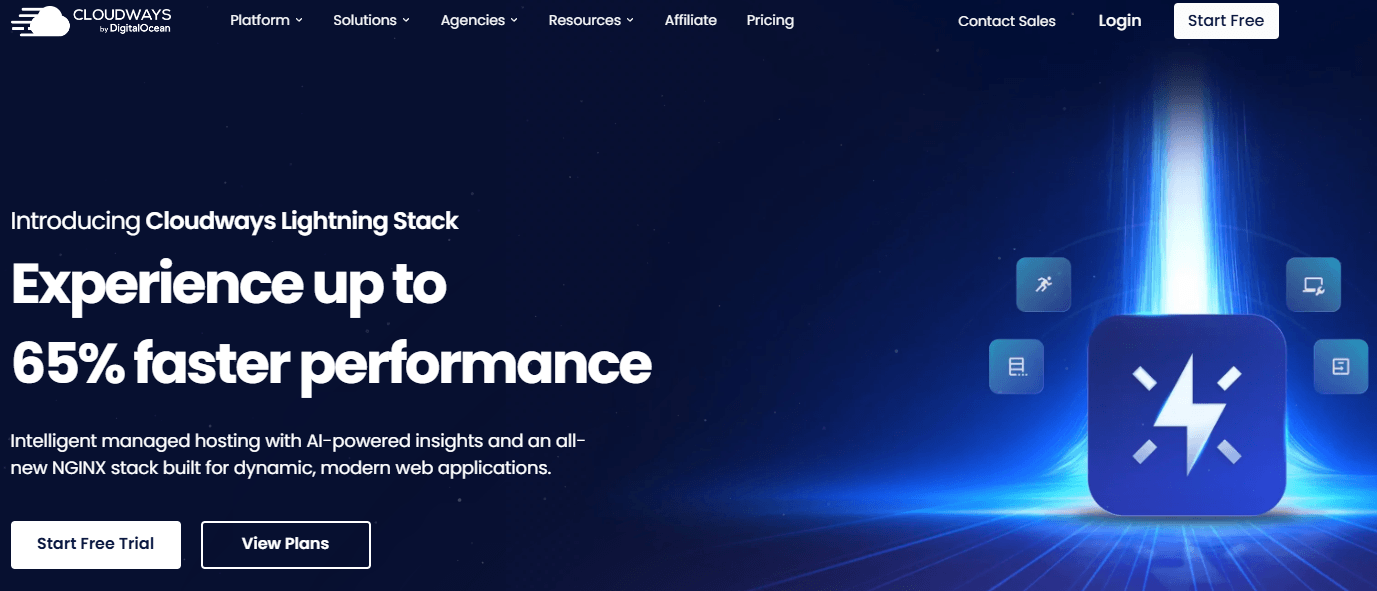
Cloudways delivers enterprise-grade cloud infrastructure from DigitalOcean, AWS, Google Cloud, Vultr, and Linode through a managed platform that handles server configuration, security, backups, and monitoring automatically — giving agencies, developers, and businesses cloud performance without cloud complexity.
Key Features and Platform Capabilities
Cloudways’s feature set covers every aspect of managed cloud hosting — from the initial server deployment and application installation through ongoing performance optimization, security management, team collaboration, and developer tooling. Here is a comprehensive breakdown of every major capability in 2026.
Cloudways Flexible: The Core Managed Cloud Hosting Product
- Five Cloud Provider Selection: Choose your IaaS provider based on price, data center location, or performance requirements. DigitalOcean and Vultr are the most cost-effective entry points; Linode offers competitive pricing with strong North American and European data center coverage; AWS and GCP provide the largest global data center footprints and enterprise-grade infrastructure for compliance-sensitive or globally distributed applications.
- Pay-As-You-Go, No Contracts: Cloudways Flexible uses hourly billing that converts to a monthly cap — you pay for the resources you use without being locked into annual or multi-year contracts. Scale up, scale down, or cancel at any time without penalty fees or complex exit processes.
- Unlimited Applications: Host as many WordPress sites, WooCommerce stores, Magento installations, and PHP applications as your server resources support — a single $14/month DigitalOcean server can host dozens of low-traffic sites, making Cloudways Flexible dramatically more cost-effective than per-site plans for agencies managing multiple client websites.
- One-Click Application Installation: Deploy WordPress, WooCommerce, WordPress Multisite, Magento, PHP/Laravel, and other supported applications in a single click — the installation process handles database configuration, application setup, and web server configuration automatically without manual intervention.
- Pre-Configured Performance Stack: Every Cloudways server runs a fully optimized LAMP/LEMP stack including Nginx as web server, Apache for compatibility, PHP-FPM for PHP processing, MariaDB for database management, Redis and Memcached for object caching, and Varnish for page-level caching — configured and optimized without any manual server administration required.
- Vertical Scaling (Server Resize): Increase server RAM, CPU, and storage through the Cloudways dashboard — the resize process is managed automatically without requiring server migration or manual data transfer. Scale resources up during high-traffic periods and scale down afterward to optimize costs.
- SafeUpdates for WordPress: Cloudways SafeUpdates automatically detects available WordPress core, plugin, and theme updates, tests them in a staging environment, and applies them only if they don’t break site functionality — eliminating the manual update management burden and the risk of breaking production sites with untested updates.
- AI Copilot: Cloudways AI Copilot monitors server infrastructure and identifies performance issues, unusual resource consumption patterns, and potential security concerns — providing proactive infrastructure intelligence without requiring customers to actively monitor server dashboards.
Cloudways Autonomous: Kubernetes-Powered Autoscaling WordPress Hosting
- Google Kubernetes Engine (GKE) Infrastructure: Cloudways Autonomous runs on Google Kubernetes Engine using Google’s C2 high-performance compute machines — enterprise-grade container orchestration that automatically manages application resources across multiple nodes, a first-of-its-kind WordPress hosting infrastructure at accessible price points.
- Automatic Traffic Autoscaling: Autonomous adds computing resources automatically when traffic spikes and releases them when traffic drops — handling seasonal promotions, viral moments, and advertising traffic surges without manual server resizing or capacity planning. No traffic cap, no performance degradation during peak load.
- Enterprise CDN Included: Cloudflare Enterprise CDN is integrated into Cloudways Autonomous — edge caching content globally for faster page delivery to visitors regardless of geographic location, with Cloudflare’s enterprise network handling DDoS protection, bot mitigation, and content optimization at the edge.
- Unlimited PHP Workers: Cloudways Autonomous removes the PHP worker caps that constrain concurrent request handling on traditional managed WordPress hosts — enabling WooCommerce stores and high-traffic WordPress sites to process large volumes of simultaneous requests without queue buildup.
- 166ms Global TTFB Performance: Independent 12-month testing recorded 166ms global Time to First Byte for Cloudways Autonomous and 20ms load test response time under 500 concurrent users — performance benchmarks that match or exceed premium managed WordPress hosts like Kinsta and WP Engine at equivalent monthly investment levels.
- Automated Daily Backups: Cloudways Autonomous includes automated daily backups at no additional charge — one key difference from Flexible plans where backups incur an add-on fee based on storage usage.
- Starting at $100/Month: Cloudways Autonomous starts at $100/month — significantly above Flexible’s $14/month entry point, but priced below the equivalent Kubernetes infrastructure cost if deployed independently, making it accessible for high-traffic business sites that would otherwise pay far more for equivalent autoscaling infrastructure.
Performance Infrastructure and Security
- SSD Storage: All Cloudways servers across all providers use SSD (Solid State Drive) storage — significantly faster read/write speeds than traditional HDD hosting, contributing directly to faster database queries and file operations that affect page load times.
- Cloudflare Enterprise Add-On (Flexible): The Cloudflare Enterprise add-on brings Cloudflare’s enterprise-tier CDN, DDoS protection, and performance optimization to Cloudways Flexible plans — available as an optional add-on for users who need global content delivery and advanced security beyond the built-in server-level protection.
- Free SSL Certificates: Let’s Encrypt SSL certificates are provisioned automatically for all applications — HTTPS activation requires a single checkbox click in the Cloudways dashboard without manual certificate installation or renewal management.
- Dedicated Firewall: Every Cloudways server includes a dedicated firewall with configurable IP whitelisting and blacklisting — isolating application traffic and protecting against unauthorized access attempts without requiring manual firewall rule configuration.
- Two-Factor Authentication (2FA): Account-level two-factor authentication protects Cloudways dashboard access — an important security layer for agencies and teams where multiple users access shared server management credentials.
- 24/7 Real-Time Server Monitoring: Continuous monitoring of server performance metrics — CPU usage, RAM consumption, disk usage, and bandwidth — with alerts for anomalous patterns that may indicate performance issues or security incidents before they affect site availability.
- Automated Security Patching: Cloudways handles operating system security patch management — keeping underlying server software current with security updates without requiring manual patch application or system update scheduling.
- Bot Protection and IP Management: Custom IP address whitelisting and blacklisting enable traffic filtering at the server level — blocking malicious traffic sources and restricting administrative access to trusted IP ranges for security-sensitive applications.
Developer Tools: Git, SSH, Staging, and CLI
- One-Click Staging Environments: Create a full staging clone of any production application in a single click — enabling developers to test updates, plugin changes, and code modifications in an isolated environment before pushing changes to production, eliminating the risk of breaking live sites with untested changes.
- Git Integration: Deploy code directly from Git repositories to Cloudways servers — enabling version-controlled deployment workflows where code changes flow from development repositories to production servers through standard Git push operations.
- SSH Access: Full SSH access to Cloudways servers for developers who need direct command-line access — running custom commands, installing non-standard packages, or performing advanced server-level operations beyond the dashboard interface.
- WP-CLI Support: WordPress Command Line Interface is available on Cloudways servers — enabling WordPress developers to manage installations, run database operations, update plugins, and automate administrative tasks through the command line.
- SFTP Access: Secure file transfer protocol access for direct file management — enabling developers and content managers to transfer files to and from Cloudways servers using standard SFTP clients.
- PHP Version Management: Switch between PHP versions per application through the Cloudways dashboard — enabling multiple applications with different PHP requirements to run on the same server, and facilitating PHP version updates for WordPress compatibility management.
- Cron Job Management: Configure and manage scheduled tasks through the Cloudways dashboard — setting up automated processes without manual cron configuration in the server’s system scheduler.
Team Collaboration and Agency Management
- Team Member Management: Add team members to a Cloudways account with role-based access control — limiting individual contributors to specific servers and applications without exposing the full account to every team member, protecting client site access and billing information.
- Application-Level Access Control: Grant specific access permissions at the application rather than server level — enabling freelancers and agencies to give clients limited access to their own applications without providing full server-level control.
- Multiple Application Management Dashboard: The Cloudways dashboard provides a unified view of all servers and applications across all cloud providers — enabling agencies managing dozens of client sites across multiple providers to monitor, manage, and troubleshoot from a single interface.
- Server Cloning: Clone entire servers to create duplicate environments — useful for setting up standardized configurations for new client projects, disaster recovery preparations, or creating development environments that exactly mirror production.
- Application Migration: Migrate existing WordPress sites to Cloudways using the Cloudways WordPress Migrator plugin — simplifying the technical process of moving sites from other hosts to the Cloudways infrastructure without manual database exports and file transfers.
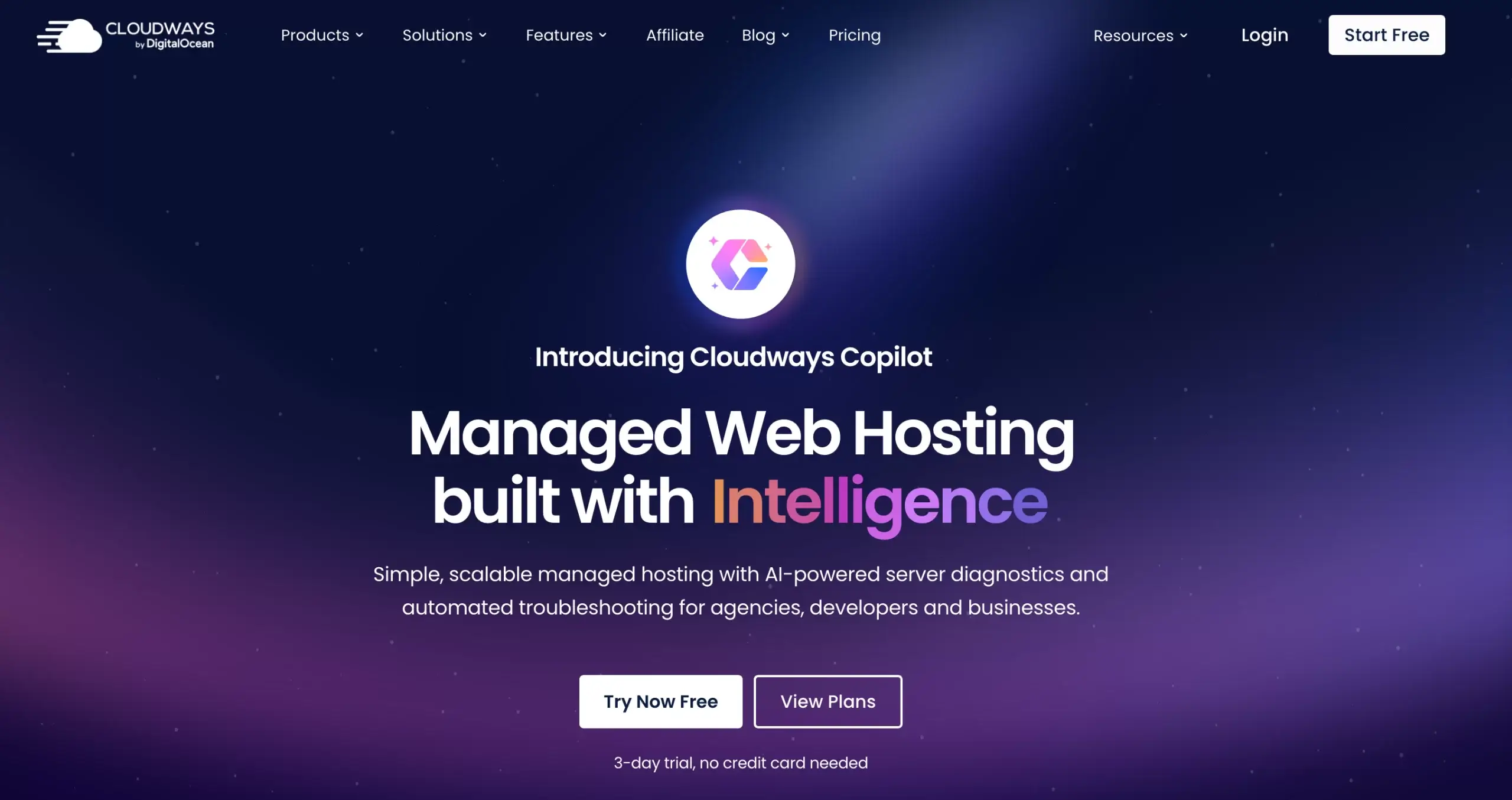
Cloudways’s Git integration, one-click staging environments, SSH access, WP-CLI support, team collaboration tools, and Cloudflare Enterprise CDN add-on make it the managed hosting platform of choice for WordPress developers and agencies who need cloud-grade infrastructure without raw server administration complexity.
Pricing, Plans, and Value Proposition
Cloudways uses a pay-as-you-go model rather than fixed shared-hosting plans — pricing is based on the cloud provider you choose and the server size (RAM, CPU, storage, bandwidth) rather than the number of sites or visitors. This approach means Cloudways is not the cheapest entry-level hosting option, but it’s exceptionally cost-effective for users who host multiple sites or need genuine cloud performance at transparent, predictable pricing.
Cloudways Pricing Breakdown for 2026
| Provider / Plan | Starting Price | Resources (Entry) | Best For | Key Notes |
|---|---|---|---|---|
| DigitalOcean (Flexible) | ~$14/month | 1GB RAM, 25GB SSD, 1TB bandwidth | Agencies, developers, multi-site hosting | Most popular Cloudways provider; owned by DigitalOcean (parent company); best price-to-performance entry point; unlimited app installs |
| Vultr (Flexible) | ~$14–$16/month | 1GB RAM, 25GB SSD, 1TB bandwidth | Performance-focused users; Vultr High Frequency option available | Vultr High Frequency servers offer faster NVMe storage at a small premium; competitive with DigitalOcean at entry level |
| Linode / Akamai (Flexible) | ~$14/month | 1GB RAM, 25GB SSD, 1TB bandwidth | Users preferring Linode/Akamai data center locations | Comparable pricing to DigitalOcean; strong North American and European data center coverage; now part of Akamai’s global infrastructure |
| AWS (Flexible) | ~$20.56/month (entry) | Variable by instance type | Enterprise applications, compliance-sensitive deployments | World’s largest cloud provider; broadest global data center footprint; higher base cost than DigitalOcean/Vultr/Linode; required for some enterprise compliance frameworks |
| Google Cloud Platform (Flexible) | ~$37.45/month (entry) | Variable by instance type | Applications requiring GCP’s global network; AI/ML workloads | Highest entry price; strongest global network performance; preferred for latency-sensitive applications across Asia and emerging markets |
| Cloudways Autonomous | $100/month | Auto-scaling Kubernetes (GKE); Cloudflare Enterprise CDN | High-traffic WordPress and WooCommerce; viral content sites; large e-commerce | Automated scaling up and down with traffic; enterprise CDN included; unlimited PHP workers; automated daily backups; 166ms global TTFB benchmarked; starting price justified by autoscaling vs fixed server costs |
| 3-Day Free Trial | $0 (no credit card) | Full platform access | All new users evaluating the platform | Available for Flexible plans; AWS and GCP plans require account verification; genuine server deployment for realistic performance evaluation |
| Add-Ons (Flexible) | Variable | Per-feature pricing | Users requiring specific additional capabilities | Cloudflare Enterprise CDN add-on; SafeUpdates for WordPress (automated update testing); automated backup storage (billed per GB); Cloudways Bot Protection; additional team seats |
Pricing model explained: Cloudways Flexible’s pay-as-you-go model is most cost-effective for users hosting multiple sites — a single $14/month server hosting 5–10 WordPress sites costs far less than equivalent per-site managed hosting plans. A $14/month Cloudways DigitalOcean server delivering cloud performance costs less than one month of Kinsta’s single-site plan ($35/month) or WP Engine’s startup plan ($25/month for one site). The per-server (not per-site) model is Cloudways’s most distinctive pricing advantage for agency and multi-site operators.
Pro tip: Cloudways’s 3-day free trial is one of the most realistic free trial offerings in managed hosting — you deploy an actual server on your chosen provider and can benchmark real performance before committing. Use the trial to deploy a WordPress test site, run GTmetrix or Google PageSpeed Insights benchmarks, and compare results against your current host before making a switching decision. The DEVOPS30 promotional code frequently offers 30% off your first month for new accounts found through tech review publications.
When Cloudways Makes Sense (and When It Doesn’t)
- Cloudways is excellent for: Agencies managing 5+ client sites on a single server; developers who need staging environments, Git deployment, and SSH access; WooCommerce stores growing past shared hosting limitations; businesses that have outgrown SiteGround or Bluehost but aren’t ready for the management complexity of raw cloud VPS.
- Cloudways is not the right choice for: Complete beginners who want the simplest possible setup with guided onboarding; users on the tightest possible budget where $4–$8/month shared hosting from Hostinger or Dreamhost is the constraint; anyone who needs email hosting included (Cloudways does not provide email hosting — a separate email service like Google Workspace or Zoho Mail is required); users who need a domain registrar (Cloudways does not register domains).
Comparisons: Cloudways vs. Competitors in 2026
The managed WordPress hosting market has multiple strong competitors at overlapping price points. Cloudways’s specific positioning — cloud provider choice, unlimited sites per server, developer tools, and transparent pay-as-you-go pricing — differentiates it from both budget managed hosts and premium single-site WordPress hosts.
Cloudways vs. Kinsta, WP Engine, SiteGround, and Hostinger
| Cloudways 2026 | Kinsta | WP Engine | SiteGround | Hostinger | |
|---|---|---|---|---|---|
| Entry Price | ~$14/month (Flexible) | $35/month (1 site) | $25/month (1 site) | $6.99/month | $2.99–$7.99/month |
| Sites Per Plan Entry | Unlimited (server-based) | 1 site | 1 site | 1 site | 1–100 sites (tier-based) |
| Cloud Provider Choice | Yes (5 providers) | No (GCP only) | No (own infra) | No (own infra) | No (own infra) |
| Staging Environments | Yes (one-click) | Yes (one-click) | Yes | Yes | Limited |
| Git Deployment | Yes | Yes | Yes | Limited | No |
| SSH Access | Yes | Yes | Yes | Yes | Yes (higher tiers) |
| Autoscaling | Yes (Autonomous) | No | Limited | No | No |
| Free Trial | Yes (3-day, no card) | Yes (30-day money back) | Yes (60-day money back) | 30-day money back | 30-day money back |
| Email Hosting | No (third-party required) | No (third-party required) | No (third-party required) | Yes | Yes |
| 24/7 Support Response | ~90 seconds (live chat) | Fast (live chat) | Available (chat/phone) | Good | Good |
| TTFB Benchmark | 405ms (Flexible) / 166ms (Autonomous) | ~200ms | ~300ms | ~400ms | ~400–600ms |
| Best For | Agencies, developers, multi-site, growing businesses | Premium single-site WordPress, high-traffic blogs | Enterprise WordPress, WooCommerce | Budget-to-mid WordPress, beginners | Budget hosting, entry-level sites |
Cloudways’s edge: No competing managed WordPress host at Cloudways’s price range offers unlimited site installs per server, choice of five cloud providers, Kubernetes autoscaling (Autonomous), 90-second live chat support response times, and full developer tooling (Git, SSH, staging, WP-CLI) simultaneously. Kinsta’s Google Cloud infrastructure and premium developer experience is excellent but costs 2.5x more for a single site and lacks cloud provider flexibility. WP Engine has deeper WordPress-specific tooling for enterprise teams but similarly priced per-site without unlimited application installs. SiteGround and Hostinger are more affordable at entry but use shared hosting infrastructure without cloud provider flexibility, developer tools depth, or agency-scale multi-site economics.
Getting Started: Step-by-Step Guide for New Users
Cloudways is designed for users comfortable with basic web hosting concepts — it’s not the simplest hosting platform for absolute beginners, but it’s significantly more accessible than managing a raw cloud VPS directly. Here’s how to go from free trial signup to a fully operational WordPress site.
Step-by-Step Guide for New Cloudways Users
- Start the 3-Day Free Trial:
- Visit cloudways.com and begin the free trial — no credit card required for DigitalOcean, Vultr, and Linode plans. AWS and GCP plans require account verification during the trial period. The trial provides access to the full Cloudways dashboard and all platform features for realistic evaluation.
- Complete the brief signup form — Cloudways asks basic questions about your intended use case (WordPress, Magento, PHP application) to help orient new users during onboarding. These answers customize the initial guidance displayed in the dashboard.
- Use the trial period to deploy a real test server and install WordPress — running GTmetrix, Google PageSpeed Insights, or Pingdom performance tests on a test installation provides concrete benchmark data for comparing against your current host before making a switching decision.
- Launch Your First Server:
- From the Cloudways dashboard, click “Launch” to begin server creation. Select your cloud provider — DigitalOcean at ~$14/month is the recommended starting point for most users for its combination of price, performance, and Cloudways integration maturity.
- Choose your application type (WordPress for most users) and select a server size. The 1GB RAM / 25GB SSD entry server handles most low-to-medium traffic WordPress sites comfortably; for sites with consistent traffic above 5,000 daily visitors, consider the 2GB RAM configuration at approximately $28/month on DigitalOcean.
- Select the data center region closest to your primary audience — Cloudways will deploy your server in the selected region. This geographic decision directly affects TTFB performance for your visitors, as proximity reduces network latency between the server and the visitor’s browser.
- Click Launch — Cloudways configures your server with the full Nginx/PHP-FPM/MariaDB/Redis/Varnish stack automatically. The process typically completes in 5–7 minutes, after which your server and WordPress installation are ready.
- Configure Your WordPress Application:
- Access your WordPress admin from the Cloudways application management panel — a direct “Admin Panel” link in the dashboard opens your WordPress backend without requiring you to know or enter the wp-admin URL manually.
- Enable SSL: Navigate to the Application Management panel → SSL Certificate and activate Let’s Encrypt HTTPS with one click — entering your domain name and triggering automatic certificate provisioning and web server configuration. Your site will be accessible via HTTPS within a few minutes.
- Configure application caching: Cloudways includes Breeze, its own caching plugin, pre-installed and pre-configured for the server’s caching stack — activating Breeze enables Varnish page caching and Redis object caching without manual configuration, delivering significantly faster page load times than a default WordPress installation.
- Set Up Staging and Developer Tools:
- Create a staging environment: in your application management panel, select “Staging Management” and clone your production application to a staging server — enabling you to test plugin updates, theme changes, and code modifications safely before applying them to your live site.
- Configure Git deployment if using version control: under the Application Management panel, connect your Git repository and configure deployment branches — enabling code pushes from your development workflow to reach the server without manual file uploads.
- Add team members: from the Cloudways account settings, invite team members with appropriate access levels — limiting client access to their specific application while granting developers full server access, and protecting billing information from all but account owners.
- Monitor and Optimize Performance:
- Review the Cloudways server monitoring dashboard regularly — CPU, RAM, and disk usage metrics are available in real time, with alert configuration for thresholds that indicate performance pressure requiring server scaling or optimization.
- Consider the Cloudflare Enterprise add-on for sites with global audiences — the enterprise CDN distributes static content from edge locations worldwide, reducing origin server load and improving TTFB for visitors far from your server’s data center region.
- Evaluate SafeUpdates if managing multiple WordPress sites — the automated update testing feature eliminates the most time-consuming aspect of WordPress maintenance for agencies managing large client portfolios, reducing the manual update review cycle to a notification rather than a manual workflow.
Tips for Getting the Most from Cloudways
- Host multiple low-traffic sites on a single server — agencies running 10–20 small client sites on one $28/month 2GB DigitalOcean server pay approximately $1.40/site/month in server costs, dramatically less than any per-site managed hosting plan.
- Use vertical scaling (server resize) rather than immediately upgrading to a larger server plan — Cloudways allows incremental resource increases through the dashboard without server migration, enabling cost-efficient scaling as individual sites grow rather than over-provisioning from the start.
- Enable Breeze caching immediately after WordPress installation — the performance difference between an uncached and cached WordPress site on Cloudways is substantial, and enabling the pre-installed caching plugin should be the first post-installation step.
- Configure automated backups in addition to Cloudways’s backup options — while Cloudways offers on-demand backups and a backup add-on, maintaining an additional off-platform backup for critical sites provides redundancy against unlikely but impactful infrastructure events.
- Test server performance across multiple data center regions before finalizing your primary hosting region — Cloudways allows region selection at server creation time, and running TTFB tests from tools like Pingdom or WebPageTest from multiple global locations helps identify which region delivers the best performance for your primary user geography.
Advanced Use Cases and Expert Analysis
For digital agencies managing multi-client portfolios, WooCommerce store owners scaling for growth, enterprise teams requiring compliant infrastructure, and WordPress developers who need genuine cloud capabilities without server administration overhead, Cloudways in 2026 delivers a hosting experience that no shared or budget managed host can match at equivalent monthly spend.
Expert Reviews and Real-World Use Cases
- Digital Agencies Managing Multiple Client Sites: Agencies are the primary Cloudways power users — the unlimited application installs on a single server make per-server pricing far more economical than per-site managed hosting plans at scale. An agency with 20 WordPress client sites on a single 4GB Cloudways server at approximately $50–$60/month pays $2.50–$3.00/site/month in hosting costs, compared to $10–$35/site/month on per-site plans from competing managed hosts.
- WooCommerce Store Owners: Growing WooCommerce stores that have outgrown shared hosting limitations — experiencing slow checkout processes, database timeouts during promotional traffic spikes, and inconsistent performance during peak periods — use Cloudways’s Redis object caching and Varnish page caching to dramatically improve store performance. Stores with predictable seasonal traffic spikes benefit from Cloudways Autonomous’s automatic scaling to handle Black Friday and promotional period load without manual server resizing and without paying for always-on resources they only need during peaks.
- WordPress Developers with Complex Workflows: Developers who use Git-based deployment, require staging environments for client approval workflows, and need SSH access for custom server operations use Cloudways as the hosting layer that supports professional WordPress development practices without requiring them to manage raw cloud VPS configuration.
- Businesses Migrating from Shared Hosting: Small businesses and growing media sites that have exhausted shared hosting performance limits — experiencing slow load times, frequent resource limit errors, and inadequate support — migrate to Cloudways DigitalOcean as a significant performance step up at a modest price increase from shared hosting plans, achieving cloud-grade uptime and response times without enterprise-level hosting investment.
- Enterprise Teams Requiring AWS or GCP Infrastructure: Organizations with data residency requirements, enterprise compliance frameworks, or existing AWS/GCP vendor relationships use Cloudways as a managed layer on top of their preferred enterprise infrastructure — getting the benefits of managed hosting (automatic backups, caching configuration, security management) while maintaining their compliance-required cloud provider relationships.
Independent assessment: Independent 12-month benchmark data confirms Cloudways Flexible at 405ms TTFB and 99.99% uptime — equivalent to just over one hour of downtime per year. One independent reviewer documented achieving a “100% rating on Google Page Speed Analytics and GTMetrix” for a WordPress site hosted on Cloudways with properly configured caching. Cloudways is consistently described by reviewers as “the best managed cloud hosting for growing agencies” and “excellent for developers and agencies who need speed, uptime, and scalability.” The platform’s acquisition by DigitalOcean has been received positively by the user community as a signal of long-term investment and deeper infrastructure integration. The 24/7 support with 90-second average response times is specifically called out in reviews as a differentiator — with one reviewer comparing it favorably against the slower support response experience at competing managed hosts.
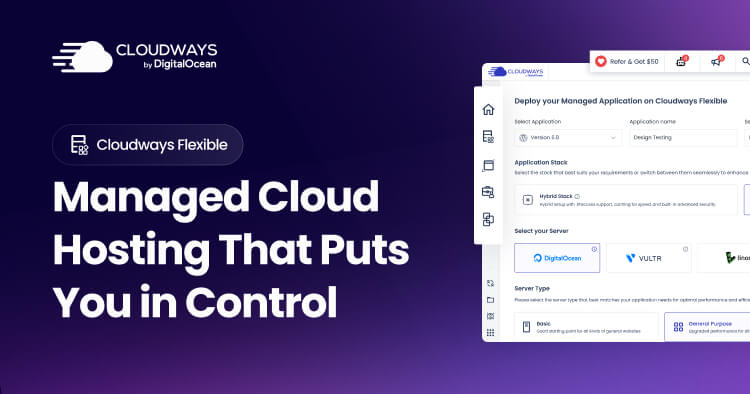
With 99.99% uptime, 405ms TTFB on Flexible plans, 166ms global TTFB on Autonomous, unlimited application installs per server, and one-click staging environments, Cloudways delivers cloud infrastructure performance and developer-grade tooling at a price point that makes professional managed hosting accessible for agencies, developers, and growing businesses.
Potential Limitations and Honest Considerations
Cloudways is a strong platform for its target audience, but there are real limitations that matter for specific users and use cases:
- Not Suitable for Complete Beginners: Cloudways’s value — the cloud provider choice, server size selection, application management concepts — requires a basic understanding of hosting terminology and concepts. Users who want a completely guided, “install WordPress in one click and forget about it” experience will find Cloudways’s dashboard more complex than cPanel-based shared hosting. SiteGround or Bluehost are more appropriate starting points for true beginners.
- No Email Hosting: Cloudways does not provide email hosting — a third-party email service (Google Workspace at $6/user/month, Zoho Mail, or Mailgun for transactional email) is required for any site that needs professional email addresses. This adds cost and configuration complexity that budget shared hosts avoid by bundling email with hosting.
- No Domain Registration: Cloudways does not register or manage domain names — domains must be purchased and managed through a separate registrar (Namecheap, Cloudflare Registrar, GoDaddy). DNS records must be pointed from the registrar to the Cloudways server IP manually.
- Higher Cost Than Budget Shared Hosting: At $14/month entry, Cloudways is significantly more expensive than budget shared hosting from Hostinger ($2.99–$7.99/month) or Dreamhost — for users hosting a single low-traffic WordPress blog with no performance or scalability requirements, budget shared hosting is more economical and more than sufficient.
- Backup Storage Add-On Cost: Automated backup storage on Cloudways Flexible plans incurs additional cost beyond the base server price — billed per GB of backup storage used. For sites with large media libraries and frequent backup schedules, this can add meaningful monthly cost. Cloudways Autonomous includes automated daily backups at no additional charge.
- PHP-Based Applications Only: Cloudways supports PHP-based applications (WordPress, WooCommerce, Magento, Laravel, CodeIgniter) and does not support applications built on Node.js, Python, Ruby, or other non-PHP technology stacks. Developers building non-PHP applications need a different hosting solution.
- Manual WordPress Update Management on Flexible: By default, Cloudways Flexible does not automatically update WordPress core or plugins — update management is the user’s responsibility or requires the SafeUpdates add-on. For agencies managing many sites, the SafeUpdates add-on is highly recommended to avoid security vulnerability exposure from outdated WordPress installations.
- Support Quality Can Vary: While the 90-second average response time is fast, some users report that complex technical issues sometimes require escalation through multiple support tiers before reaching engineers with the expertise to resolve non-standard configurations. For critical production infrastructure, validating support depth for your specific use case during the free trial is advisable.
Future Outlook and Real-World Applications
Cloudways is positioned at the intersection of two powerful market dynamics: the continued commoditization of cloud infrastructure (making cloud performance accessible at lower price points than ever before) and the growing demand for managed hosting that abstracts server complexity without sacrificing performance or control. As WordPress continues powering 43%+ of the internet and agencies increasingly manage large multi-site portfolios for clients, platforms that offer unlimited multi-site hosting at transparent, server-based pricing will continue capturing market share from per-site managed hosts.
Use Cases Across Hosting Segments and Business Types
- The Growing Agency Consolidating Client Infrastructure: Web development agencies that have accumulated dozens of client sites across disparate shared hosting accounts use Cloudways as the consolidation platform — moving all client sites to well-provisioned Cloudways servers, standardizing their hosting stack, and dramatically reducing per-site hosting costs while improving performance across the portfolio.
- The WooCommerce Store Scaling Past Shared Hosting: E-commerce operators whose WooCommerce stores have grown to consistent daily transaction volumes that strain shared hosting resources migrate to Cloudways for Redis object caching, Varnish page caching, SSD storage, and dedicated server resources — eliminating the slow checkout experiences and database timeout errors that damage conversion rates on oversaturated shared hosting environments.
- The Independent WordPress Developer Building Client Sites: Freelance WordPress developers who host client sites as part of ongoing maintenance retainers use Cloudways’s multi-site economics and developer tooling — delivering professional staging environments, Git-based deployment, and SSH access to clients while hosting multiple projects cost-efficiently on consolidated servers.
- The High-Traffic Publisher Needing Autoscaling: Media sites and content publishers that experience traffic spikes from viral content, newsletter sends, or social media virality use Cloudways Autonomous’s Kubernetes autoscaling to handle unpredictable traffic peaks without manual intervention — avoiding both the over-provisioning cost of permanently large fixed servers and the site downtime risk of under-provisioned fixed servers.
- The Enterprise Team Migrating from Expensive Managed WordPress: Enterprise teams paying premium prices for managed WordPress hosting from WP Engine or Acquia that have outgrown those platforms’ per-site pricing models use Cloudways as a more economical, equally performant alternative — maintaining the managed hosting experience while significantly reducing per-site hosting costs at scale.
Expert prediction: Cloudways’s DigitalOcean acquisition provides long-term infrastructure investment security and signals deeper integration with DigitalOcean’s expanding product portfolio — including potential future integration of DigitalOcean’s managed databases, object storage, and networking services as native Cloudways features. The development of Cloudways Autonomous as a Kubernetes-powered WordPress hosting product represents the most significant architectural innovation in managed WordPress hosting since the category emerged — making enterprise-grade container orchestration accessible at $100/month rather than the thousands-of-dollars infrastructure management cost of equivalent self-managed Kubernetes deployments. As AI-powered hosting features mature (Cloudways AI Copilot, SafeUpdates automation), the manual management burden for Cloudways customers will continue decreasing, making the platform increasingly accessible to the intermediate hosting user segment that currently finds Cloudways slightly too complex for their needs.
Conclusion
Cloudways 2026 delivers the most flexible, developer-friendly, and multi-site economical managed cloud hosting platform available for WordPress agencies, growing businesses, and web developers who need cloud-grade performance without raw server administration complexity. With pay-as-you-go pricing from $14/month on DigitalOcean (no contracts, no site limits), choice of five cloud providers, a fully managed Nginx/PHP-FPM/MariaDB/Redis/Varnish performance stack, one-click staging environments, Git and SSH developer tools, SafeUpdates for automated WordPress maintenance, AI Copilot infrastructure monitoring, 99.99% uptime and 405ms TTFB on Flexible plans, and Cloudways Autonomous delivering 166ms global TTFB on Kubernetes-powered autoscaling infrastructure for high-traffic sites — Cloudways occupies a unique and compelling position in the managed hosting market. The absence of email hosting, domain registration, and budget-tier entry pricing make it inappropriate for complete beginners or cost-first users who prioritize the lowest possible monthly spend. But for agencies managing multi-site portfolios, developers who need professional tooling, WooCommerce operators scaling beyond shared hosting, and growing businesses that want cloud infrastructure performance at transparent, server-based pricing without per-site license fees, Cloudways is the managed cloud hosting platform that most competitive alternatives cannot match on the combination of performance, flexibility, and total cost of ownership.
Ready to host your WordPress sites on cloud infrastructure with expert management and no long-term contracts? Start your free 3-day trial with Cloudways today:
👉 Open Cloudways Website: https://worldoftech.space/cloudways
👉 Our YouTube Channel: https://www.youtube.com/@world_tech79
👉 Our Facebook Fanpage: https://www.facebook.com/profile.php?id=61576258059614
👉 Our X (Twitter): https://x.com/worldoftech79





