
If you want a home security camera that charges itself from the sun, skips the wiring, and does not lock your footage behind a monthly fee, you have probably noticed aosu. The brand sells solar-powered and wire-free cameras, video doorbells, floodlight cameras and multi-camera kits, with a hub-based system that stores video locally, and it has built a large following on YouTube and in affiliate-driven review sites. Prices are aggressive: single cameras start around $49.99, solar kits sit between $159.99 and $299.99, and the flagship 8-camera system with on-device AI is currently $599.99, all marked down sharply during the brand’s Fall Sale.
But the story is more complicated than the marketing. Professional reviewers from Bob Vila and Expert Reviews praise the image quality, the free AI detection and the lack of mandatory subscriptions, while the public record on Trustpilot is far harsher, with a 2.7 out of 5 “Poor” TrustScore driven by complaints about reliability, shipping and support. This 2026 review walks through who aosu is, how the product range is organized, what everything actually costs right now, how it compares with Eufy, TP-Link Tapo and Ring, the genuine strengths and weaknesses, and exactly who should (and should not) buy in.
aosu Review 2026: Solar-Powered Home Security Cameras With No Mandatory Subscription, But Mixed Real-World Reliability
Overview and Background
aosu is a consumer home security brand operated by Hong Kong Glazero International Trade Co., Limited, registered in Kowloon, Hong Kong. The company describes its mission as making advanced security technology accessible and useful to everyone, and its homepage tagline is simply that family safety is its priority. It sells directly through aosulife.com in 28 markets, including the United States, Canada, the United Kingdom, Germany and other European countries, Australia, New Zealand, Singapore, Japan, the UAE and Vietnam, and it also sells through Amazon and other authorized retailers. The company does not publish a founding year, a headcount or a customer count, so claims such as being a “global leader in smart home security” should be read as self-description rather than verified fact.
What the brand does publish is a very wide catalog. Its outdoor lineup centers on the SolarCam family, cameras with a built-in or attachable solar panel that trickle-charge the battery so you do not have to climb a ladder to recharge. Around that sit wire-free battery cameras, a Floodlight Cam Pro, two IndoorCam P1 models, three video doorbells (Pro, SE and R1 Ultra), and bundled kits that pair several cameras with a hub. The hub comes in three flavors: aosuBase 1.0 and aosuBase 2.0 act as local storage and connectivity bases, while aosuCortex is a more advanced local AI hub. A newer G11 Suite is positioned as an AI-native whole-home system.
Outside validation is a mixed picture. Bob Vila tested the SolarCam P1 Max and called it a solid choice for solar security, PCMag has noted that the built-in panel and human and vehicle alerts work as intended, and Expert Reviews in the UK tested the SolarCam T2 Pro and liked the low-light imagery and free AI features. At the same time, aosulife.com holds a TrustScore of 2.7 (“Poor”) on Trustpilot from roughly 139 reviews, with nearly half of all ratings at one star. That gap between expert tests and unprompted customer feedback is the single most important thing to understand before you buy.
Why aosu Stands Out in 2026
Solar charging that actually removes maintenance: The SolarCam range pairs a battery with a solar panel, and Bob Vila reports that the P1 Max needs only about two hours of direct sunlight a day to stay topped up. For a garage, backyard or driveway camera that would otherwise need a monthly recharge, that is a genuine quality-of-life upgrade.
No mandatory subscription for core features: Many aosu systems advertise no monthly fee when paired with an aosuBase hub or a microSD card. Local video storage, person and vehicle alerts, and customizable detection zones are free, which is rare in a market where competitors lock history behind a paywall. The optional aosuProtect+ cloud plan starts at $4.99 a month.
Resolution and optics at a low price: Models range from 2K QHD to 4K UHD, with 5MP sensors on some cameras, color night vision and dual-lens designs like the T2 Pro that combine a 170 degree wide-angle view with a 360 degree pan-tilt camera. Expert Reviews praised its low-light color imagery specifically.
PTZ, auto tracking and cross-camera tracking: Several models pan and tilt, follow a person automatically and hand off tracking between cameras. Features like auto patrol and 360 degree coverage let one camera cover an area that would normally need two fixed units.
On-device AI that works without a cloud bill: The aosuCortex hub and models like the P1 Max with TrueSight AI Security run person, vehicle and pet detection locally. That means faster alerts, fewer false alarms from leaves or passing cars, and less dependence on a remote server.
A full ecosystem under one app: Outdoor cameras, indoor cameras, doorbells and a floodlight can all be managed from the single aosu app, with Alexa and Google Assistant support. The brand also runs a community forum and publishes setup guides.
Aggressive bundles and promotions: The brand regularly stacks discounts, and its multi-device bundles can bring a six-camera kit, a doorbell, a floodlight and an indoor camera down to $829.99 for the set. If you need to cover a whole property, the cost per camera is hard to beat.
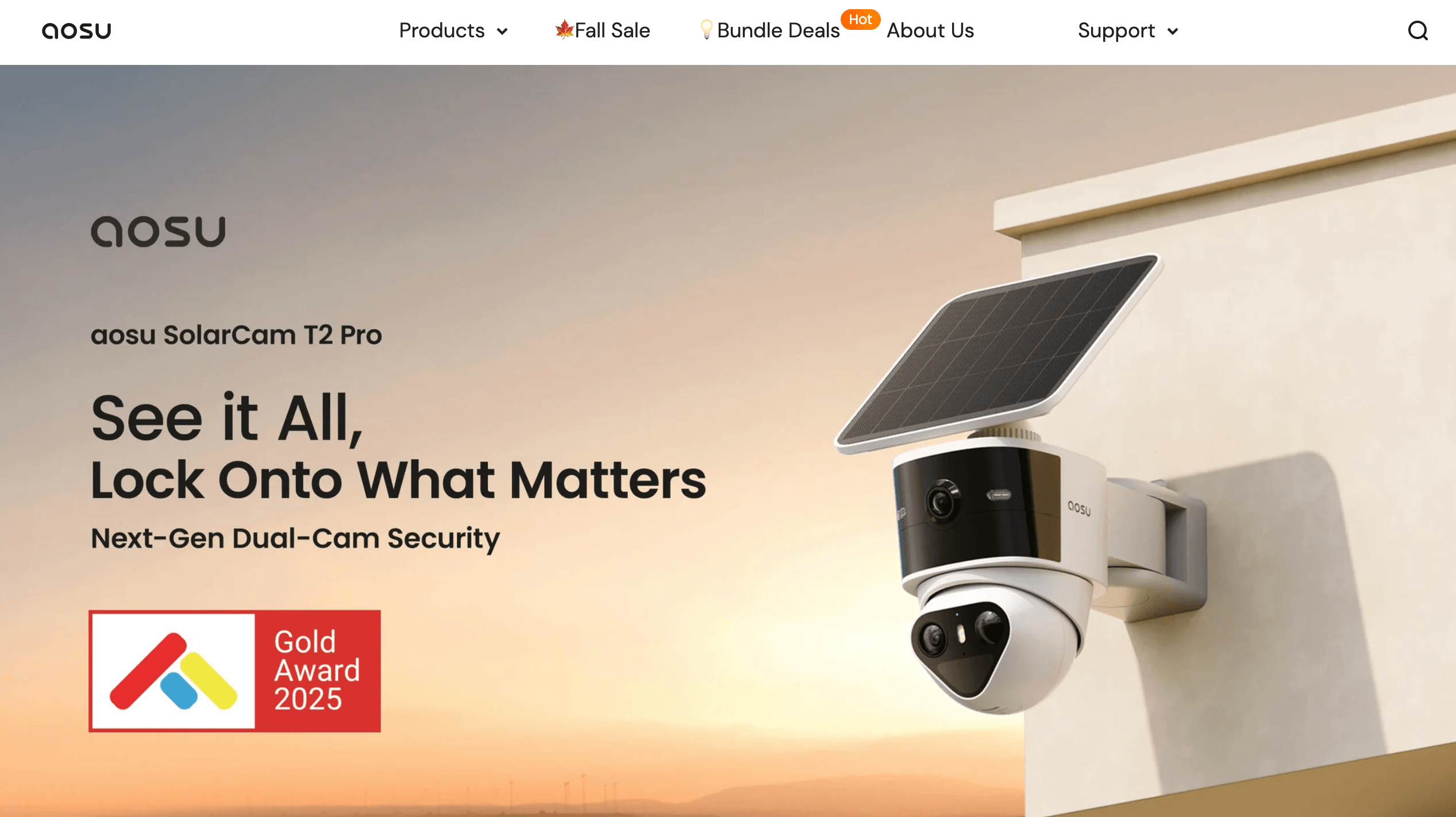
aosu pairs solar charging with local storage and on-device AI detection, aiming to deliver hands-off home security without a mandatory monthly bill.
Key Features and Technology
aosu’s catalog looks sprawling, but it organizes into a handful of technology pillars. Here is how the platform actually breaks down in practice.
SolarCam: Solar-Powered Wire-Free Cameras
The SolarCam line is the heart of the brand. Models such as the D1 Classic, D1 Max, T2 Pro, T2 Ultra and P1 Max combine a rechargeable battery with a solar panel, either fixed or detachable. The T2 Pro pairs two 2,560 by 1,440 cameras, a wide-angle lens and a pan-tilt telephoto, inside an IP65 housing with a 9,100mAh battery that Expert Reviews says lasts about a week without solar input. Higher-end units such as the T2 Ultra offer 4K color night vision, 360 degree coverage and auto patrol. The entry-level SolarCam Lite adds IP66 water resistance for under $60.
aosuBase and aosuCortex Hubs
Rather than streaming everything to the cloud, aosu’s kit systems route cameras through a hub. aosuBase 1.0 and 2.0 provide local video storage and a stable connection for multiple cameras, which is why many kits are marketed as no monthly fee. aosuCortex adds a local AI engine and supports larger deployments such as the 8-camera D1 Classic kit with 3K UHD cameras. For a multi-camera property, the hub approach is usually more reliable than leaving every camera to fight for Wi-Fi alone.
AI Detection, Tracking and Alerts
Detection is built around PIR motion sensing plus AI classification of people, vehicles and, on some models, pets and packages. Users can draw custom zones, set schedules and trigger a siren or spotlight. Expert Reviews found the zone system unusually granular for a free feature, though it noted that alerts were slightly slower than a leading rival. Facial recognition, extended event libraries and package detection on the doorbells sit behind the optional paid plan.
Video Doorbells and Floodlight Cam
The three doorbells cover the range: the Video Doorbell SE at $79.99, the Video Doorbell Pro at $95.99 with 2K QHD and local loop recording, and the Video Doorbell R1 Ultra at $135.99 with a 5MP sensor and 60-day loop recording. They all advertise color night vision, two-way talk, Alexa and Google Assistant, and no monthly fee. The Floodlight Cam Pro adds 270 degree motion detection and an intelligent light for driveways and courtyards.
aosuProtect+ Cloud Option
Cloud storage is optional. The free Standard tier offers live viewing only. The paid Basic plan, listed at $4.99 a month, adds 30 days of event video, playback from anywhere, facial recognition and an organized event library, and a higher doorbell tier is listed at $8.99 a month. The site advertises a 30-day free trial, and payment details are required at sign-up, so remember to cancel if you do not plan to continue. In the UK, Expert Reviews quoted £4.49 a month or £52.49 a year per camera, which shows the plan is billed per device.
Pricing, Plans, and Package Structure
aosu is priced for the budget-to-midrange shopper. Everything is a one-time hardware purchase, with an optional cloud plan on top, and prices swing frequently with seasonal sales. The figures below are the sale prices shown on aosulife.com in October 2026 during the Fall Sale, which advertises up to 65% off and free shipping. “From” means the lowest variant price, and the list prices shown beside many products are best treated as marketing reference points rather than real historical prices.
| Product | Price (USD) | What It Is | Best For |
|---|---|---|---|
| Wireless Cam Lite | $49.99 | Battery-powered 2K QHD camera with human detection and sound and light alarm | Cheapest entry point, sheltered spots |
| SolarCam Lite | $56.99 | Solar-powered 2K QHD camera, IP66, human detection | Budget solar for a single doorway or gate |
| SolarCam D1 Classic (single) | $79.99 | Fixed-panel solar 2K QHD camera with human detection | Everyday yard and entry coverage |
| SolarCam D1 Max (single) | $89.99 | 360 degree 3K camera with auto motion tracking | Wide areas with one camera |
| SolarCam P1 Max (single) | $129.99 | 4K UHD solar camera with AI fence defender | Sharp detail and long-range views |
| SolarCam T2 Pro | $169.99 | Dual 3K lenses: 170 degree wide view plus 360 degree PTZ | Driveways and larger properties |
| Floodlight Cam Pro | $159.99 | 270 degree motion detection with intelligent floodlight | Courtyards and parking areas |
| Video Doorbell SE / Pro / R1 Ultra | $79.99 / $95.99 / $135.99 | Wire-free doorbells, 2K to 5MP, local loop recording | Front-door monitoring with no monthly fee |
| WirelessCam System Pro (aosuBase 1.0) | From $99.99 | Wire-free 2K QHD camera system with a base station | Renters wanting a simple starter kit |
| SolarCam System (aosuBase 2.0) | From $199.99 | Expandable 2K HD solar kit with PIR and AI detection | Small homes growing over time |
| SolarCam T2 Ultra System (aosuBase 2.0) | From $159.99 | 4K color night vision, 360 degree coverage and auto patrol | Best-value flagship camera kit |
| SolarCam D1 Classic Kit | From $299.99 | 2 or 4 camera kit with 32GB local storage and aosuBase | Complete home perimeter coverage |
| SolarCam Kit D1 Max (aosuBase 2.0) | From $299.99 | 4K Ultra HD kit, no subscription required | Higher resolution without a monthly bill |
| 4K SolarCam P1 Max with aosuCortex System | From $359.99 | 4K system with local AI and TrueSight AI security | AI-first security without cloud fees |
| SolarCam D1 Classic 8-Cam with aosuCortex | $599.99 | Eight 3K cameras, 360 degree PTZ, AI tracking | Large homes and small businesses |
| Whole-home bundle (6 cams, doorbell, floodlight, indoor cam) | $829.99 | D1 Classic 6-cam kit plus Video Doorbell Pro, Floodlight Cam Pro and IndoorCam P1 Pro | One-purchase total property coverage |
| aosuProtect+ cloud plan | Free / $4.99 per month | Standard live view is free; Basic adds 30-day event storage and AI face recognition | Owners who want off-site backup |
How aosu Compares to Alternatives
| Factor | aosu | Eufy SoloCam | TP-Link Tapo |
|---|---|---|---|
| Power | Solar plus battery, or wire-free battery | Solar plus battery (SoloCam range) | Mostly plug-in or battery |
| Resolution | 2K to 4K, some 5MP | 2K to 3K | 2K to 4MP typical |
| Free local storage | Yes (microSD or hub) | Yes (onboard or HomeBase) | Yes (microSD) |
| Subscription required | No. Optional aosuProtect+ from $4.99 per month | No. Optional Eufy cloud plan | No. Optional Tapo Care plan |
| Approx. single-camera price | $49.99 to $169.99 | ~$125 to $160 | ~$30 to $140 |
| Smart home support | Alexa and Google Assistant | Alexa, Google, HomeKit (select models) | Alexa and Google |
| Public track record | Pro reviews positive, Trustpilot 2.7 of 5 | Established, strong press reviews | Established, strong value reputation |
| Best for | Solar value and big kits on a budget | Balanced reliability and privacy focus | Cheapest reliable Wi-Fi cameras |
vs. Eufy: Eufy’s SoloCam range is the closest rival, with solar panels, local storage and no required subscription, typically for roughly $125 to $160 per camera when discounted (approximate). Eufy has a longer retail track record and a more polished app, while aosu undercuts it on entry price and offers more kit options and 4K models. If you value brand maturity and support, Eufy is the safer call; if you want maximum specs per dollar, aosu is tempting.
vs. TP-Link Tapo: Expert Reviews directly compared the aosu T2 Pro with the Tapo C645D and preferred the Tapo, citing more reliable connectivity and a wider tilt range, even though aosu offered more free AI functions. Tapo is usually cheaper (the C645D was about £110 in the UK) and a strong choice for plug-in Wi-Fi coverage, but it lacks aosu’s solar-first range and hub-based kits.
vs. Ring and Nest: Ring and Google Nest cameras are polished and deeply integrated with their ecosystems, but they typically cost more and push video history behind a subscription (roughly $100 to $250 per device, approximate, plus a monthly plan). If you hate recurring fees, aosu’s local-first approach is the main reason to choose it over the big names. If you want the most dependable alerts and support, the bigger brands still lead.
Pros and Cons
What Users Love
Excellent image quality for the price: Both reviewers and customers regularly highlight sharp daytime footage and strong color night vision. Bob Vila described the P1 Max as crisp and detailed even after dark, and Expert Reviews praised the T2 Pro’s low-light imagery.
Solar power that really works: With a couple of hours of direct sun a day, many owners never touch the battery. For hard-to-reach mounting spots, that convenience is the headline reason to pick a SolarCam.
Genuinely useful free features: Person, pet and vehicle recognition, custom zones, schedules and local storage cost nothing. Expert Reviews called the free AI “unusual” at this level and did not feel it needed a subscription for normal use.
Easy installation and a clean app: Setup is mostly power on, connect to Wi-Fi and pair in the app, and several Trustpilot customers describe the process as easy. Expert Reviews found the app layout and event filtering simple to browse.
Strong value in multi-camera kits: Eight cameras with 3K sensors and local AI for $599.99, or a full property bundle for $829.99, undercuts what most name brands charge for comparable coverage.
Reasonable warranty framework: The standard warranty is 12 months (24 months for EEA consumers), covering defects in materials and workmanship, with the company paying for covered shipping and inspection.
Limitations Worth Knowing
Trustpilot reputation is poor: aosulife.com sits at a 2.7 out of 5 TrustScore on roughly 139 reviews, with 48% one-star and 33% five-star ratings. The company is not actively soliciting reviews, so the sample may skew negative, but the volume of complaints is hard to ignore.
Reliability and battery complaints: Reviewers report battery life shorter than advertised, connectivity drops, cameras failing within months and missed or late motion events. These patterns line up with Expert Reviews’ note that the T2 Pro needed to sit close to the router.
Shipping, refunds and support are inconsistent: Some customers describe delayed or untracked orders, long waits for replacements and partial refunds. The company replies to most negative reviews, but often after more than a month and with generic wording.
Confusing return terms: The site shows both a “30-day return” and an “Extended to 60 days” banner, while the formal policy says 30 days. Returns must be authorized by email, the buyer pays return freight, and refunds are refused if freight is not prepaid. Confirm the exact window in writing before you order.
Software and storage rough edges: Some owners say SD-card clips must be deleted one at a time and that the app is basic compared with Ring or Eufy. Smart home integration is limited to Alexa and Google, and many cameras only support 2.4GHz Wi-Fi.
Mounting hardware and security details: Bob Vila flagged flimsy plastic mounts and no locking mechanism on the P1 Max, so a camera within reach can be unscrewed. Solar placement also forces you to pick a sunny spot that may not be the ideal coverage angle.
Pricing optics and hub confusion: Inflated list prices, near-identical product names and three hub generations (aosuBase 1.0, 2.0 and aosuCortex) make it easy to buy the wrong kit. Double-check the exact SKU and hub before checkout. Customer ratings shown on aosu’s own site and press quotes on its homepage are self-reported and should be treated as marketing.
Who Should Use aosu
Budget-minded homeowners: If you want a handful of cameras around a house for a few hundred dollars and prefer owning your footage over paying monthly, aosu’s kits deliver unusually strong specs for the money.
Owners of hard-to-wire properties: Sheds, barns, driveways, vacation homes and rental properties without nearby outlets are ideal for solar models that need no wiring and no regular recharging.
DIY installers who like tinkering: If you are comfortable testing Wi-Fi coverage, adjusting zones and troubleshooting an app, the feature depth is excellent for the price.
Anyone avoiding subscriptions: Local storage, free AI detection and an optional cloud plan mean you can keep running costs at zero if you accept SD-card or hub storage.
Who should look elsewhere: Buyers who need guaranteed uptime, fast and responsive support, or professional monitoring should consider Ring, Eufy or a professionally installed system. People with weak Wi-Fi, no sunny mounting spot, or a low tolerance for troubleshooting may also struggle, and anyone who cannot afford a return shipping fee should be cautious about ordering a large kit without first confirming the return terms.
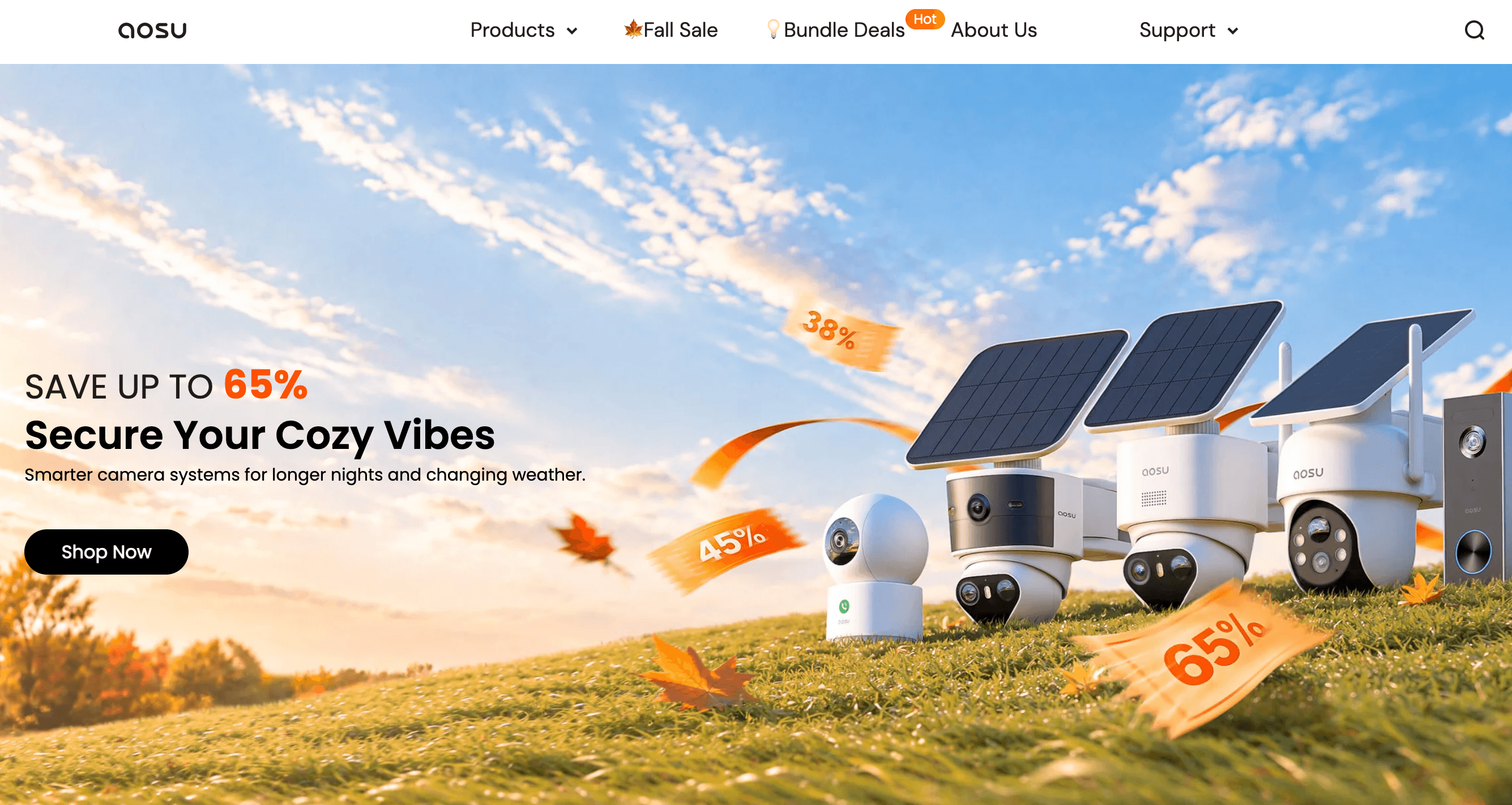
Whole-home aosu bundles combine cameras, doorbell and floodlight in one app, but buyers should confirm hub type and return terms before ordering.
Getting Started: Step by Step
- Map your coverage first. Walk the property at the time of day you most need coverage, note entry points, and decide whether you need one camera, a kit or a doorbell bundle. Choose a solar model only where you get a couple of hours of direct sun.
- Pick the right hub and kit. Check whether the product includes aosuBase 1.0, aosuBase 2.0 or aosuCortex, because they are not interchangeable. Choose aosuCortex if you want local AI and a larger multi-camera setup.
- Confirm the price and return terms. Compare the live sale price, screenshot your order page and read the return and warranty policies. Email support@aosulife.com if the 30-day versus 60-day window is unclear.
- Test Wi-Fi at the mounting spot. Most cameras use 2.4GHz Wi-Fi. Check signal strength with your phone at the exact location, and plan a mesh node or repeater if the signal is weak.
- Install and pair in the aosu app. Power on the device, connect to Wi-Fi, pair it in the app, set detection zones and schedules, and run a day of tests before relying on alerts.
- Set up storage and updates. Insert a microSD card or use your hub, decide whether to start the 30-day aosuProtect+ trial (and set a reminder to cancel), and keep firmware updated.
Tips for Getting Maximum Value
Buy bundles during a sale rather than single cameras at full price, but compare the final sale price with similar kits from Eufy and Tapo before committing. Mount solar cameras where the panel gets direct sun, and place them high enough to deter theft, because Bob Vila noted the P1 Max has no locking mount. Draw tight detection zones and use schedules to cut false alerts, add a microSD card as a backup to hub storage, and keep the router close or add a mesh node for any 2.4GHz camera at the edge of your signal. Keep your order number, photos of any defect and a short video of the problem handy, because the warranty claim process asks for all three. Finally, treat the optional cloud plan as insurance for your most important cameras rather than an all-camera subscription, since pricing is billed per device.
Future Outlook and Final Assessment
The home security camera market in 2026 is shifting toward solar power, local AI and subscription-free ownership, and aosu has positioned itself right in that trend. Its expanding range of 4K cameras, cross-camera tracking and the aosuCortex hub, plus the newer G11 Suite, suggest a brand investing seriously in on-device intelligence rather than just selling cheap hardware. If it can match that product ambition with stronger logistics and customer service, its value proposition becomes very compelling.
The honest caveat is that execution has not kept pace with the spec sheet. Professional tests are largely positive, yet public feedback points to inconsistent reliability, slow support and unclear return terms, and the brand’s promotional pricing makes real discounts hard to judge. None of that makes aosu a bad choice, but it does mean the smart buyer verifies the exact product, pays with a protected method and keeps good records.
Conclusion
aosu delivers what many shoppers want on paper: solar-powered cameras, sharp 2K to 4K video, free local storage, smart detection and kit pricing that undercuts most competitors. Reputable reviewers have been impressed by the picture quality and the free AI features, but a 2.7 Trustpilot score, patchy shipping and support experiences and confusing return terms show that the buying experience carries real risk. Choose the right kit, verify the live price, test your Wi-Fi and keep your documentation, and aosu can be one of the most cost-effective ways to secure a home in 2026.
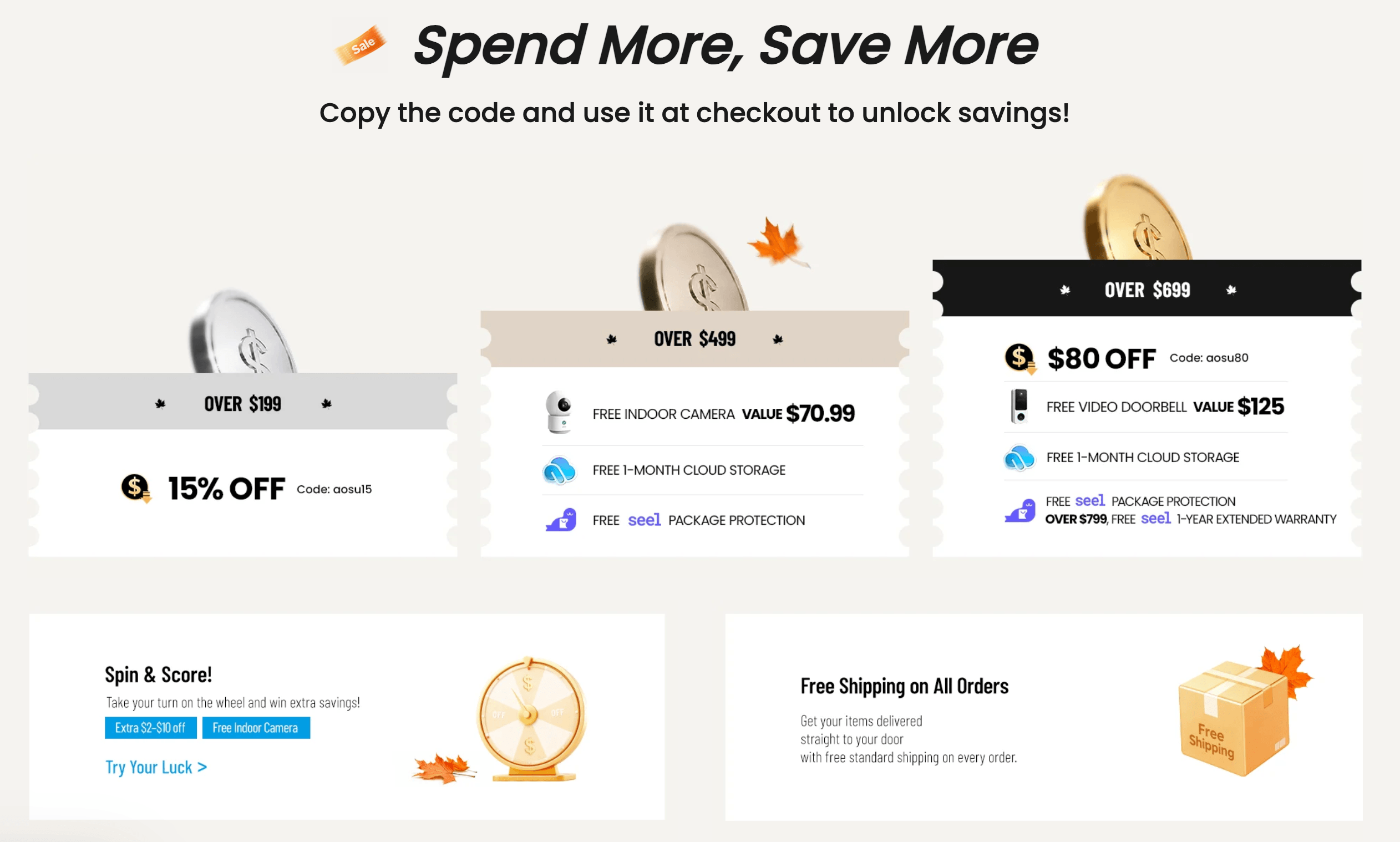
aosu offers strong specs and solar convenience at a low price, but smart buyers confirm hub type, live pricing and return terms before checkout.
Ready to secure your home with solar-powered cameras?
Explore more honest reviews, tutorials and tech comparisons to find the right gear for the way you work, travel and live, at World Of Tech, where we make everything easy.
👉 Shop aosu: https://worldoftech.space/aosulife
👉 Our YouTube Channel: youtube.com/@world_tech79
👉 Our Facebook Fanpage: Facebook
👉 Our X (Twitter): @worldoftech79
Pricing, specifications and policy details in this review were verified against aosulife.com and independent review sources (including Trustpilot and hands-on reviewers such as Bob Vila and Expert Reviews) as of October 2026. Home security camera pricing, promotions and features change frequently, so confirm current details on the official site before purchasing. Competitor prices are approximate and subject to change.





