
If you spend most of your day writing — emails, Slack messages, prompts to ChatGPT or Claude, notes in Google Docs — you already know how much time typing eats up. Voicy (usevoicy.com) is a cloud-based AI dictation app built around one simple promise: talk instead of type, on basically any website or app on your computer, with over 99% claimed accuracy across 50+ languages. It runs as a Chrome/Brave/Edge extension and as native desktop apps for Mac, Windows and Linux, using a Groq-hosted Whisper V3 engine to turn your voice into clean, punctuated text at the cursor — no manual comma-saying, no separate cleanup pass.
Built by London-based solo founder Kourosh Ghaffari and operated through Pishi LLC FZ (a UAE free-zone entity), Voicy has grown into a genuinely cross-platform dictation tool — a rarer combination than it sounds, since most competing Whisper-based apps are Mac-only. It isn’t the only voice-to-text option out there, and it comes with real trade-offs around cloud-only processing, thin independent review coverage, and a market that includes better-funded rivals. This 2026 review walks through what Voicy actually does, its full feature set and pricing, how it stacks up against Wispr Flow and the dictation built into your OS, the genuine pros and cons, and exactly who should — and shouldn’t — make it their daily dictation tool.
Voicy Review 2026: The Cross-Platform AI Dictation App That Writes Faster Than You Type
Overview and Background
Voicy is a speech-to-text productivity app, not a transcription service for pre-recorded audio and not a note-taking app. The core idea is narrow and useful: click into any text field — an email, a Slack message, a ChatGPT prompt, a line of code comments — press a shortcut, talk, and the words appear formatted and punctuated where your cursor sits. It ships as a Chrome Web Store extension (also compatible with Brave and Edge) and as installable desktop apps for macOS (Apple Silicon and Intel), Windows 10/11, and Linux (Ubuntu, Debian, Fedora, and a generic AppImage build). The company also lists iOS and Android keyboard apps for mobile dictation, though the desktop and browser experience is where most of Voicy’s feature depth sits.
Under the hood, Voicy is cloud-first: your audio is sent to a Groq-hosted Whisper V3 model for transcription, then run through an AI pass for punctuation, capitalization and light formatting before landing in your text field. That cloud dependency is the central architectural decision of the product — it’s what lets Voicy support 50+ languages and ship model improvements without app updates, but it also means Voicy needs an internet connection to work at all, unlike offline Whisper-based competitors such as MacWhisper or Superwhisper.
Independent third-party validation for usevoicy.com specifically is still thin. There’s no Trustpilot profile for the product under its own name — a separate, unrelated service called voicy.network (a 2016-era Telegram soundboard/meme-sound platform) does carry Trustpilot reviews, and it’s easy to conflate the two if you’re searching quickly. The clearest independent signal is the Chrome Web Store listing itself, where the extension carries a Featured badge and a rating in the high 4s (reported as 4.7/5 by one third-party tracker, and 4.2/5 on the store’s own live summary at time of writing) from a still-modest review count. Reddit and Hacker News threads specifically about usevoicy.com are essentially nonexistent, and generic “is this site legit” scanners give it mixed, inconclusive scores — typical for a young, indie-run SaaS product rather than a red flag on its own.
Why Voicy Stands Out in 2026
It genuinely works everywhere, not just in one app: Voicy’s pitch is dictation on “over 20,000 websites,” and unlike a single-app plugin, the Chrome extension injects a microphone control into essentially any focused text field — Gmail, Google Docs, Notion, Slack, Trello, Linear, HubSpot, and AI chat interfaces like ChatGPT and Claude all work the same way. The desktop apps extend that same behavior to native software and terminals outside the browser.
Cross-platform coverage most Whisper-based rivals don’t match: Mac, Windows, and Linux (Ubuntu/Debian and Fedora packages plus an AppImage) all get native desktop apps, and Linux support in particular is rare in this category — competing tools like Wispr Flow and MacWhisper skip Linux entirely, so teams on mixed operating systems have fewer places to fall back to a native OS dictation tool with a worse hit rate.
Automatic punctuation without saying “comma” out loud: Voicy runs an AI cleanup pass after transcription that adds commas, periods, question marks and capitalization on its own, and reformats rambling spoken sentences into readable written ones. That’s a meaningful step up from raw Whisper output or native OS dictation, which generally transcribes exactly what you say, including your filler words and pauses.
Built-in AI commands, not just transcription: A “Voice to ChatGPT” style shortcut lets you speak an instruction — for example, asking it to draft or rewrite a message — rather than only transcribing literal speech, and a voice-triggered translation command lets you dictate in one language and receive text in another. This pushes Voicy closer to a lightweight AI writing assistant than a pure speech-to-text tool.
Real breadth in developer and AI-chat workflows: Voicy specifically markets support for dictating into terminals, VS Code, IntelliJ/PyCharm, Cursor, and coding-agent tools like Claude Code and Codex, plus voice prompting inside ChatGPT, Gemini and Claude. For anyone doing “vibe coding” or heavy prompt-writing, dictating a long, detailed prompt is often faster than typing it out.
Transparent, cost-anchored pricing philosophy: Voicy publicly states a “fair pricing policy” — that its price will never sit more than 20% above its running costs — alongside standing student and disability discounts of 20% off. That’s an unusually candid pricing stance for a small SaaS company and gives buyers a rough sense of the margin they’re paying for.
Active, visible development cadence: Voicy’s public changelog shows a steady stream of shipped versions through 2026, which is a reasonable proxy for an indie tool that’s still being actively maintained rather than left to stagnate after launch — a real risk category for single-founder SaaS products in this space.
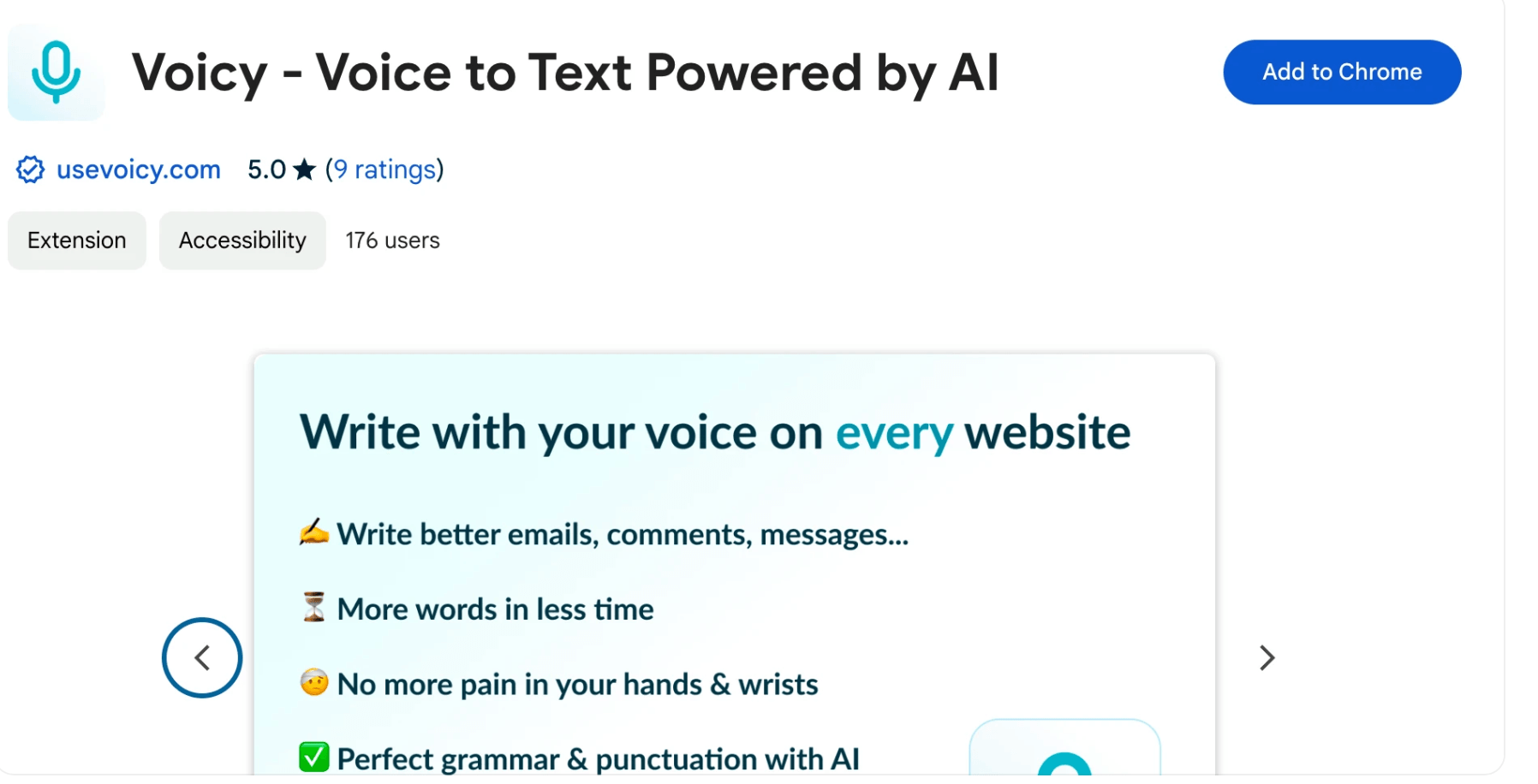
Voicy adds a microphone control to any focused text field across the browser and desktop, turning spoken words into punctuated, formatted text in real time.
Key Features and Technology
Voicy’s feature set is fairly compact compared to a full productivity suite, but it organizes cleanly around a handful of pillars that matter for a daily dictation tool.
Transcription Engine and Accuracy
Voicy runs on a Groq-hosted Whisper V3 backend, which is why it can claim over 99% accuracy in ideal conditions and process speech quickly, since Groq’s inference hardware is built for low-latency AI workloads. Independent, apples-to-apples accuracy benchmarking against that specific 99% claim is hard to find; most of the accuracy commentary online traces back to Voicy’s own marketing pages or affiliate review sites rather than a controlled third-party word-error-rate test, so treat the headline number as a strong indicator rather than an audited figure.
Automatic Punctuation and AI Rewriting
After transcription, an AI pass adds punctuation and capitalization and can restructure spoken phrasing into cleaner written sentences. This is layered on top of the raw Whisper output, so what lands in your text field is closer to a first draft than a literal transcript — useful for speed, but worth double-checking on anything where exact wording matters (quotes, legal language, technical specs).
Platform Coverage: Browser, Desktop and Mobile
The Chrome extension (Manifest V3, also installable in Brave and Edge) is the most widely used entry point and works across roughly 20,000 sites and web apps. Native desktop apps exist for Mac (universal build), Windows 10/11, and Linux (Ubuntu/Debian .deb, Fedora .rpm, and a distro-agnostic AppImage) — a spread that beats most Mac-first competitors. Voicy’s site also lists an iOS keyboard app on the App Store and an Android app on Google Play for mobile dictation, though at least one third-party comparison could not confirm current iOS/Android availability, so it’s worth verifying the mobile apps are live and up to date before relying on them.
Voice-to-ChatGPT and Translation Commands
Beyond plain dictation, Voicy supports spoken commands that trigger AI actions — for instance, dictating “write an email to my boss letting them know I quit” and having Voicy draft that email rather than transcribing the instruction literally, or asking it to translate what you just said into another language on the fly. These sit closer to a lightweight voice-driven writing assistant than a pure dictation tool.
Language Support
Voicy claims 99%+ accuracy across more than 50 languages, including English, French, German, Spanish, Portuguese (Brazilian and European), Mandarin, Italian, Arabic, Hebrew, Japanese, Korean, Russian and Ukrainian. That’s a solid spread for a tool this size, though some rival products advertise 100+ languages, so multilingual teams evaluating dictation tools should confirm their specific working languages are on Voicy’s supported list before committing.
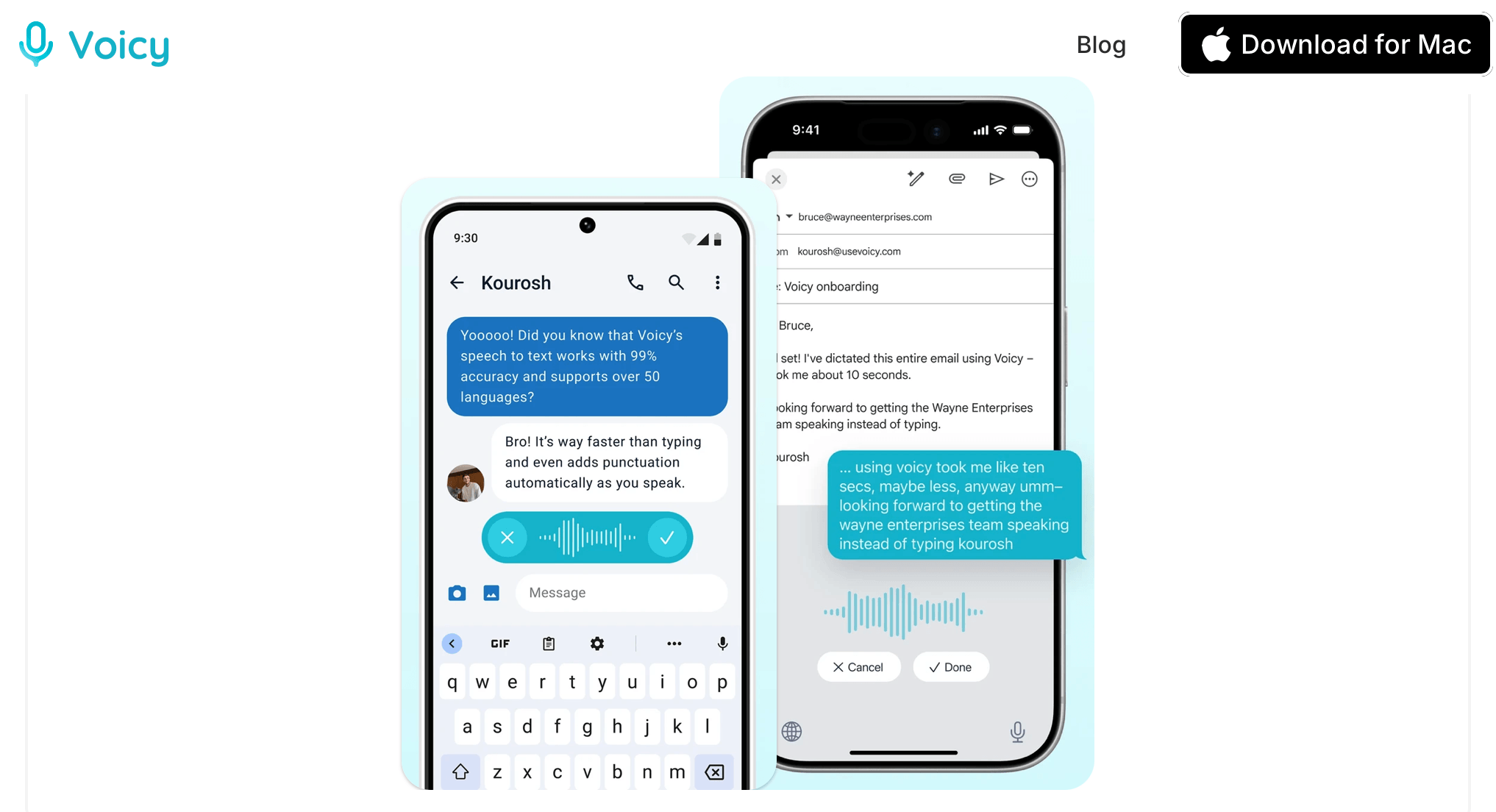
Voicy pairs a Groq-hosted Whisper V3 transcription engine with an AI punctuation and rewriting pass across browser, Mac, Windows and Linux.
Pricing, Plans, and Package Structure
Voicy uses a simple three-tier structure: a free trial to test the product, a Pro subscription for individuals, and a Team plan for organizations. There’s no separate free-forever tier — the free option is a one-time allowance of recording minutes rather than an ongoing plan.
| Plan | Price | What It Is | Best For |
|---|---|---|---|
| Free Trial | $0, no card required | 30 minutes of total recording time, full feature access | Testing accuracy and workflow fit before paying |
| Pro (Annual) | $8.49/month, billed annually (~$101.88/yr), advertised as 20% off | Unlimited recording time, unlimited personal devices, desktop + mobile | Daily individual users who dictate regularly |
| Lifetime | $260 one-time (some third-party listings cite ~$220 as a limited-time price — confirm current figure) | Unlimited recording time, unlimited personal devices, desktop + mobile, pay once | Long-term users who want to avoid an ongoing subscription |
| Team | $6.79/user/month, 3-user minimum | Unlimited recording time, desktop + mobile, priority support | Small teams standardizing on one dictation tool |
Voicy also offers standing 20% discounts for students and people with disabilities, applied through dedicated landing pages rather than a promo code at checkout. There’s no HIPAA-compliant or enterprise-BAA tier published, which matters if you’re evaluating Voicy for regulated industries like healthcare or legal.
How Voicy Compares to Alternatives
| Factor | Voicy | Wispr Flow | Native OS Dictation |
|---|---|---|---|
| Platforms | Mac, Windows, Linux, Chrome/Brave/Edge, iOS/Android (mobile listed) | Mac, Windows, iOS, Android, browser (no Linux) | Built into macOS / Windows already |
| Pricing | $8.49/mo annual or $260 lifetime | ~$144/yr Pro Annual (approximate, subject to change), no lifetime option | Free, already included with the OS |
| Accuracy claim | 99%+ (vendor claim, cloud Whisper V3) | High accuracy claimed, venture-backed model tuning | ~90% (approximate, per third-party comparisons) |
| Auto punctuation | Yes, AI-driven | Yes, AI-driven | No, on either Apple or Windows dictation |
| Offline mode | No — cloud-only | No — cloud-only | Yes — fully on-device |
| Independent validation | Modest — Chrome Web Store rating only, no Trustpilot profile | More press coverage, but Trustpilot 2.7/5 — the lowest of major dictation apps tracked | N/A — established OS feature |
| Best for | Cross-platform users (esp. Mac/Windows/Linux mixed teams) wanting a lifetime-price option | Users wanting a venture-backed roadmap and enterprise/HIPAA options | Occasional dictation with zero budget and no punctuation needs |
Voicy vs. Wispr Flow: Both are cloud-based AI dictation tools with automatic punctuation and AI rewriting, but they come from very different companies — Voicy is a solo-founder product, while Wispr Flow is backed by roughly $55M in venture funding from Menlo Ventures and Notable Capital and offers an enterprise HIPAA BAA. Voicy undercuts Wispr Flow meaningfully on price and adds Linux support Wispr Flow lacks, while Wispr Flow carries broader press coverage and a mobile app on both iOS and Android with a longer track record. Neither product currently posts standout third-party review scores — Wispr Flow’s 2.7/5 Trustpilot rating is, per independent trackers, the lowest of any major dictation app in the category.
Voicy vs. native OS dictation: Both Apple and Windows ship free built-in dictation, and for occasional, low-stakes use it costs nothing and needs no setup. The gap shows up in daily use: native dictation typically runs around 90% accuracy per third-party comparisons, doesn’t add punctuation automatically, and has no AI rewriting or command layer. If you dictate for more than a few minutes a day, the accuracy and formatting difference tends to justify Voicy’s cost quickly; if you dictate rarely, native tools remain a perfectly reasonable free option.
Pros and Cons
What Users Love
Genuinely cross-platform: Reviewers consistently point out that Voicy’s Mac, Windows, and Linux coverage is broader than most competitors, particularly appreciated by users who switch between operating systems or work on Linux, where dictation options are scarce.
Accuracy and punctuation quality: Chrome Web Store reviewers and third-party write-ups repeatedly cite high transcription accuracy across accents and languages, plus automatic punctuation that removes a genuinely tedious manual step compared to raw dictation.
Responsive founder support: Multiple independent reviews and testimonials specifically call out fast, direct responses from the founder/developer to support requests — a notable strength for a solo-run product and something not every larger, venture-backed competitor can match.
Real value for accessibility use cases: Users with chronic hand or wrist pain, carpal tunnel syndrome, or other conditions that make typing difficult describe Voicy as materially improving their ability to keep working — one Trustpilot-adjacent review specifically mentions it being a lifeline after a hand injury.
Limitations Worth Knowing
No offline mode at any price: Every dictation pass, on every plan, routes audio to Groq’s cloud servers. If your internet drops, dictation stops — and if fully offline or on-device processing is a hard requirement, Voicy simply isn’t built for it.
Thin independent review coverage: There’s no dedicated Trustpilot profile, minimal G2/Capterra presence, and very little Reddit or Hacker News discussion specifically about usevoicy.com. Most available “reviews” online trace back to Voicy’s own site, affiliate blogs, or the Chrome Web Store — worth factoring into how much weight you put on any single glowing review, including this one.
Solo-founder dependency risk: As an indie, single-founder product operated through a UAE free-zone entity, Voicy carries more continuity risk than a venture-backed competitor with a larger team — worth a moment’s thought if you’re paying for the $260 lifetime tier expecting multi-year support.
Fewer languages than the biggest competitors: 50+ supported languages is solid, but some rival dictation tools advertise 100+, so heavily multilingual users should double-check their specific languages before switching.
Naming confusion with unrelated products: “Voicy” is a crowded name — voicy.network (a soundboard/meme app), a separate Voicy transcription app on the App Store from a different developer, and usevoicy.com are all distinct products. Double-check you’re on usevoicy.com before installing or subscribing.
Who Should Use Voicy
Writers and knowledge workers on mixed operating systems: Anyone who moves between Mac, Windows, and Linux — or works on a team that does — gets a consistent dictation experience Voicy’s competitors mostly can’t match, since Linux support is genuinely rare in this category.
Heavy AI-prompt writers and vibe-coders: If a meaningful chunk of your day is spent writing detailed prompts for ChatGPT, Claude, or coding agents like Claude Code and Codex, dictating long, specific instructions is often noticeably faster than typing them, and Voicy is built specifically with those workflows in mind.
People with hand, wrist, or repetitive-strain conditions: For users managing carpal tunnel or similar conditions, Voicy’s accuracy and automatic formatting reduce the amount of manual correction needed, which matters more for this group than for casual users.
Budget-conscious buyers who dictate daily: At $8.49/month annual or a $260 lifetime option, Voicy undercuts venture-backed alternatives like Wispr Flow while still offering unlimited recording time and multi-device access.
Who should look elsewhere: if you need offline, fully on-device transcription for confidentiality or compliance reasons — legal, healthcare, or any regulated context requiring an audited data-handling story — Voicy’s cloud-only architecture and lack of a published HIPAA option make it a poor fit; look at an offline Whisper-based Mac app instead, accepting the platform trade-off that comes with it.
Getting Started: Step by Step
- Pick your platform. Head to usevoicy.com and choose the Chrome extension for browser-only dictation, or download the Mac, Windows, or Linux desktop app for system-wide coverage, including native apps and terminals.
- Install and grant microphone access. Approve the microphone permission prompt — Voicy needs this to capture your voice for every recording, since processing happens in the cloud rather than on-device.
- Set your keyboard shortcut. During setup, choose a start/stop shortcut for recording. This is the fastest way to trigger dictation without reaching for a mouse click each time.
- Test with your free 30 minutes. Try dictating in a few different contexts you actually use daily — an email, a document, a chat message — to judge accuracy and punctuation quality on your own voice and accent before paying anything.
- Explore the AI commands. Try a “Voice to ChatGPT”-style instruction or the built-in translation command to see whether the AI-assisted features add value beyond plain transcription for your workflow.
- Choose a plan once you’re confident. If Voicy earns a place in your daily routine, decide between the $8.49/month annual Pro plan and the $260 lifetime option based on how long you expect to stick with voice dictation.
Tips for Getting Maximum Value
Get the most out of Voicy by treating it as a drafting tool rather than a final-copy tool — dictate quickly to get ideas down, then do a fast read-through before sending anything important, since the AI punctuation and rewriting pass occasionally reshapes phrasing in ways you didn’t intend. Use the AI command features deliberately: dictating a clear instruction (“draft a short follow-up email declining the meeting”) tends to produce better results than dictating a raw stream of thought and hoping the rewrite pass cleans it up. If you’re on a laptop that moves between Wi-Fi networks throughout the day, keep in mind dictation will pause on a dropped connection, so it’s worth having a typing fallback ready for unreliable networks. For coding and terminal use, speak commands and comments in short, clearly separated chunks rather than long run-on sentences — this tends to produce more usable output when dictating into an IDE or CLI tool. Finally, if you’re testing Voicy specifically for accuracy comparisons, run the same test phrase through your OS’s native dictation first so you have a direct before/after baseline rather than relying on Voicy’s marketing claims alone.
Future Outlook and Final Assessment
Voicy is competing in a fast-moving category where AI dictation tools are multiplying quickly, from venture-backed players like Wispr Flow to offline-first Mac tools like Superwhisper and MacWhisper, alongside built-in OS dictation that keeps improving with every macOS and Windows release. Voicy’s differentiation — genuine cross-platform coverage including Linux, a lifetime pricing option, and a transparent cost-anchored pricing philosophy — is a real, defensible position rather than a marketing gimmick, but it will need to keep shipping updates and building independent review credibility (Trustpilot, G2, more press coverage) to compete with better-capitalized rivals over the next few years.
The bigger swing factor for Voicy’s trajectory is the solo-founder structure: an active, responsive one-person operation is a genuine strength for support quality today, but it’s also a continuity risk that larger, better-funded competitors don’t carry in the same way. Buyers considering the $260 lifetime tier in particular should weigh that trade-off consciously rather than assuming multi-year support is guaranteed by default.
Conclusion
Voicy earns its place as a genuinely useful AI dictation app for anyone who writes a lot and wants to talk instead of type — its cross-platform reach, automatic punctuation, and AI command layer are real advantages, especially for Linux users and cross-OS teams that most competitors ignore. It isn’t the most independently validated product in its category yet, and its cloud-only, no-offline-mode design rules it out for anyone with strict confidentiality requirements. For everyone else evaluating dictation tools in 2026, it’s a fair-priced, actively developed option well worth the free 30-minute trial before you decide.
Voicy’s cross-platform desktop and browser coverage lets you dictate in the same way whether you’re on Mac, Windows or Linux.
Ready to write with your voice instead of your keyboard?
Explore more honest reviews, tutorials and tech comparisons to find the right gear for the way you work, travel and live — at World Of Tech, where we make everything easy.
👉 Shop Voicy: https://worldoftech.space/usevoicy
👉 Our YouTube Channel: youtube.com/@world_tech79
👉 Our Facebook Fanpage: Facebook
👉 Our X (Twitter): @worldoftech79
Pricing, specifications and policy details in this review were verified against usevoicy.com and independent review sources as of August 2026. Speech-to-text app pricing and features change frequently, so confirm current details on the official site before purchasing. Competitor prices are approximate and subject to change.





