
If you run a small business, a church, a school program or a side hustle, you already know the bind: you need a steady stream of professional-looking flyers, social posts, menus, emails and event graphics, but you don’t have a designer, a big budget, or the time to learn Photoshop. PosterMyWall was built to erase that bind. It’s an all-in-one, AI-powered design and marketing platform that bundles millions of customizable templates, a drag-and-drop editor, a deep set of AI creative tools, built-in email marketing, social media scheduling and event-promotion pages into a single affordable app — so a non-designer can produce polished marketing in minutes instead of days. Founded in 2010 by Ric Goell and Jaffer Haider under 250 Mils LLC and deliberately self-funded rather than venture-backed, PosterMyWall has grown from a simple online poster-and-collage tool into a marketing platform used by millions of small and local businesses worldwide.
For solopreneurs, restaurants, salons, gyms, DJs, non-profits and busy marketing teams of one, the value proposition is immediate: everything you need to look professional online, for less than the price of a single design tool. But PosterMyWall isn’t magic, and an honest look reveals real trade-offs — a noticeable design ceiling next to professional tools, watermarks and credit limits, an inconsistent mobile app, and a genuinely mixed reputation around billing and subscription cancellations that you need to understand before you pay. This 2026 review walks through PosterMyWall’s full platform — the template library and editor, the AI toolkit, social and email marketing, the real pricing and credit system, head-to-head comparisons against Canva, VistaCreate and Adobe Express, the genuine pros and cons, and exactly who should (and shouldn’t) sign up.
PosterMyWall Review 2026: The All-in-One AI Marketing Platform Built for Small Businesses and Non-Designers
Overview and Background
PosterMyWall is a US-based design and marketing platform operated by 250 Mils LLC, a California company. It isn’t a professional design suite like Adobe or a pure scheduling app — it’s purpose-built around one idea: give busy people who aren’t designers everything they need to market a business, all in one place. You start from a template or an AI prompt, customize it in a browser-based drag-and-drop editor, and then push it out as a download, a scheduled social post, an email campaign or an event page. The platform spans posters, flyers, social graphics, videos, menus, business cards, logos, certificates, banners and digital signage, with both web and iOS access.
The company’s origin story explains a lot about its character. Co-founders Ric Goell and Jaffer Haider met at a Silicon Valley startup and, in 2009 to 2010, built PosterMyWall as a simple online collage tool after Ric watched his daughters struggle to assemble a volleyball team poster — there was no easy, high-resolution way to do it online at the time. Crucially, the pair chose to self-fund rather than take venture capital, explicitly rejecting the “$1B or bust” mindset in favor of building a sustainable, independent business serving everyday customers. Over fifteen-plus years that simple poster tool has steadily evolved into a comprehensive AI marketing platform, with the customer base mirroring a local business directory: restaurants, churches, retail shops, salons, gyms, schools and solopreneurs.
On reputation, PosterMyWall presents a genuinely split picture that’s worth understanding up front. On dedicated software-review platforms like G2, Capterra, GetApp and TrustRadius, the product itself earns consistently strong marks — users repeatedly praise how easy it is to create professional graphics without design skills, the breadth of templates, and tools like the one-click background remover, with hands-on reviewers landing it around 4.2 out of 5. On Trustpilot, however, the score is much lower (roughly 2.5 out of 5 across a small number of reviews), and consumer-complaint sites echo the same theme. The gap isn’t really about the design output — it’s about billing. The recurring grievances are unexpected charges after a free trial, difficulty cancelling, and slow customer support, not the quality of the flyers people make.
Why PosterMyWall Stands Out in 2026
It’s genuinely all-in-one — not just a design tool: This is PosterMyWall’s defining advantage. Most rivals do one job; PosterMyWall bundles design, social media scheduling, email marketing and event promotion into a single subscription. For a solo business owner, that means one login and one bill instead of stitching together a design app, a scheduler and an email service — a real reduction in cost and complexity for the everyday marketing a small business actually does.
Built from the ground up for non-designers: The whole platform is engineered so someone with zero design training can produce professional results. You pick from millions of pre-made templates, swap text and images with drag-and-drop, and export — no learning curve, no blank canvas paralysis. Reviewers across every platform single this out as the core reason they chose it: it makes good-looking marketing genuinely fast.
A deep and practical AI toolkit: PosterMyWall has leaned hard into AI, and the tools are aimed at real marketing tasks rather than novelty. You can generate a full design from a text prompt, create original AI images, write and rewrite copy with the AI Writer, remove backgrounds from images and video in one click, generate subtitles and text-to-speech voiceovers, and redesign an email automatically. For a non-designer, these collapse hours of fiddly work into seconds.
A template library tuned to local-business niches: Beyond sheer volume — well over a million customizable templates — PosterMyWall is unusually strong in niches that bigger competitors cover thinly: restaurants, churches, schools, gyms, salons, bands and DJs each get deep, occasion-specific template sets. If you run that kind of business, you’re far more likely to find a near-perfect starting point you can edit in minutes.
Real email marketing baked in: This is genuinely rare in a design tool. PosterMyWall lets you build branded emails and newsletters with the same drag-and-drop editor and send thousands of emails a month — Premium includes over 3,000 free email sends monthly. Most design platforms stop at the graphic; PosterMyWall actually delivers the campaign, which is a meaningful edge for small businesses that would otherwise pay separately for an email service.
Affordable, with a generous free tier: PosterMyWall undercuts the obvious comparison — Premium runs around $9.95/month versus roughly $15/month for Canva Pro — and the free plan is genuinely useful, offering unlimited social-media image downloads and access to the template library. There’s even a pay-per-download option, so occasional users can buy a single high-res file instead of subscribing at all.
Event-promotion tools most rivals don’t have: PosterMyWall includes shareable event landing pages, embeddable calendars for your website, RSVP collection and one-click event promotion. For churches, venues, schools and community organizations that run a constant stream of events, this turns a flyer into an actual promotion-and-registration workflow — a category of feature you simply won’t find in most design apps.
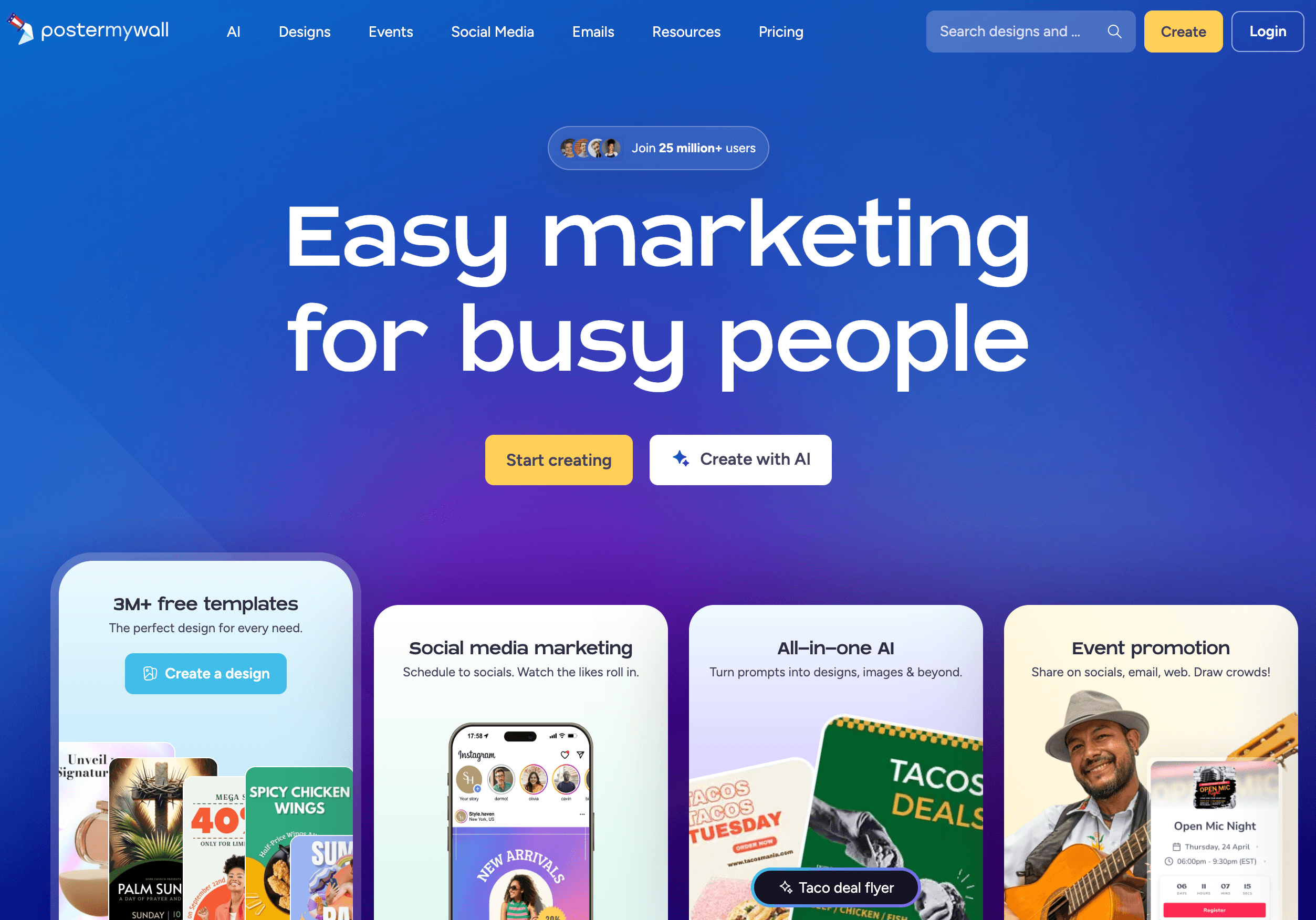
PosterMyWall bundles design, AI tools, social scheduling, email marketing and event pages into one affordable app — professional marketing for non-designers, in minutes.
Key Features and Technology
PosterMyWall’s feature set is broad, but it organizes cleanly into a handful of pillars. Here’s how the platform actually breaks down.
Template Library and Drag-and-Drop Editor
The foundation of the product. PosterMyWall offers well over a million customizable templates spanning posters, flyers, social-media graphics, videos, menus, business cards, logos, certificates, banners, invitations and digital signage, plus more than a million stock images. Everything is edited in a browser-based drag-and-drop editor that requires no design experience: change text, swap photos, apply effects and animations, and resize a design for different platforms in a few clicks. It’s built for speed and accessibility rather than pixel-perfect control, which is exactly what its audience wants.
AI Design and Content Tools
PosterMyWall’s AI suite is one of its biggest 2026 selling points. Create with AI turns a text prompt into a finished design; AI Images generates original visuals from a description; the AI Writer drafts and rewrites marketing copy and email subject lines; the AI Background Remover strips backgrounds from both images and video in one click; AI Voice converts text to speech; AI Subtitles generates captions automatically; and AI Email Redesign reworks an email’s text and images instantly. There’s also an AI Logo Generator and AI Caption Generator. These tools draw on a monthly credit allowance, so they’re powerful but metered.
Social Media Publishing (Content Planner)
PosterMyWall’s Content Planner lets you schedule and publish posts directly to nine platforms — Facebook, Instagram, TikTok, X, Pinterest, LinkedIn, YouTube, Threads and Google Business Profile — with AI-generated captions and a calendar view of everything queued up. It’s a genuine convenience to design and schedule in the same place. Be realistic, though: it’s a solid built-in scheduler, not a dedicated social-media-management suite, so the analytics and bulk-scheduling depth fall short of specialist tools.
Email Marketing and Campaigns
A standout differentiator. You can build branded emails and newsletters with drag-and-drop, manage contact lists, and send campaigns from inside PosterMyWall — Premium includes over 3,000 free email sends per month, with credit packs available to send more. Combined with the design library and AI Writer, it means a small business can create, write and send a full email campaign without ever leaving the platform or paying for a separate email service.
Event Pages, Calendars, and Brand Kits
For organizations that live and die by events, PosterMyWall provides shareable event landing pages, embeddable website calendars, RSVP collection and one-click promotion to social and email. Brand Kits let you store logos, colors and fonts for consistent branding across every design — unlimited Brand Kits come with Premium Plus. Together these turn PosterMyWall from a one-off graphic maker into a repeatable, on-brand marketing system.
Pricing, Plans, and Package Structure
PosterMyWall sits in the value tier of design-and-marketing platforms, and its pricing is refreshingly simple: a capable free plan, two main paid subscriptions, team and institutional options, and a pay-per-download route for people who don’t want a subscription at all. The figures below are PosterMyWall’s standard published rates and should be treated as approximate — pricing, credits and promotions change, and some third-party listings quote slightly different numbers, so always confirm the live price on the official pricing page before you buy.
| Plan | Price (USD) | What It Is | Best For |
|---|---|---|---|
| Free | $0 | Full template library + unlimited social-media image downloads (watermark on some content) | Trying it out & occasional use |
| Premium | ~$9.95/mo (~$99.95/yr) | Unlimited watermark-free HD downloads, 100 credits/mo, AI tools, scheduling, email campaigns | Solopreneurs & small businesses |
| Premium Plus | ~$29.95/mo (~$319.95/yr) | Everything in Premium + 250 credits/mo, unlimited Brand Kits, unlimited event pages, team tools | Growing & multi-brand businesses |
| Teams | Custom (volume discounts) | Multi-seat collaboration with tiered per-seat pricing | Agencies & larger marketing teams |
| Schools & Non-profits | Special pricing (contact) | Discounted institutional plans | Educators & non-profit organizations |
| Pay-per-download (Free plan) | ~$5.99 image / $14.95 video | One-off high-res download without a subscription | Rare or one-time downloads |
How PosterMyWall Compares to Alternatives
| Factor | PosterMyWall | Canva | VistaCreate / Adobe Express |
|---|---|---|---|
| Starting paid price | ~$9.95/mo | ~$15/mo (Pro) | ~$10–13/mo |
| Free plan | Generous (watermark on some) | Very generous | Generous |
| Template variety | Strong in local-business niches | Largest overall library | Good, broad selection |
| Email marketing | Built-in & strong (3,000+/mo) | Limited / not core | Limited |
| Social scheduling | Yes — 9 platforms (basic) | Yes — more polished | Yes |
| Mobile app | iOS (reliability criticized) | Excellent iOS & Android | Good |
| Best for | All-in-one local-business marketing on a budget | All-round design & polish | Budget design / Adobe-ecosystem users |
vs. Canva: Canva is the category heavyweight, with the largest template library, a more polished editor, and excellent iOS and Android apps. PosterMyWall counters on three fronts: it’s cheaper (around $9.95/month vs roughly $15 for Canva Pro), it has built-in email marketing that Canva doesn’t really match, and it’s deeper in specific local-business niches like churches, restaurants and DJs. If you want the most templates and the best mobile experience, Canva wins; if you want all-in-one marketing on a tighter budget, PosterMyWall pulls ahead.
vs. VistaCreate and Adobe Express: These are PosterMyWall’s closest value rivals — both template-based, both with free tiers, and both priced in a similar range. Adobe Express brings the Adobe font library and generative AI plus tight integration for anyone already in Creative Cloud, while VistaCreate offers a clean, affordable design experience. PosterMyWall’s edge is the bundled marketing stack: email campaigns and event pages alongside the design tools. If you only need design, these alternatives are strong; if you want design plus the marketing channels in one place, PosterMyWall is more complete.
vs. dedicated specialist tools: A purpose-built email platform like Mailchimp or a dedicated scheduler like Buffer or Hootsuite will out-feature PosterMyWall on their home turf — richer automation, deeper analytics, more advanced scheduling. The honest trade is depth for convenience: PosterMyWall isn’t trying to beat the specialists at their own game, it’s trying to be the single tool that does all of it well enough for a small business. For many solopreneurs, that consolidation is worth more than best-in-class depth in any one channel.
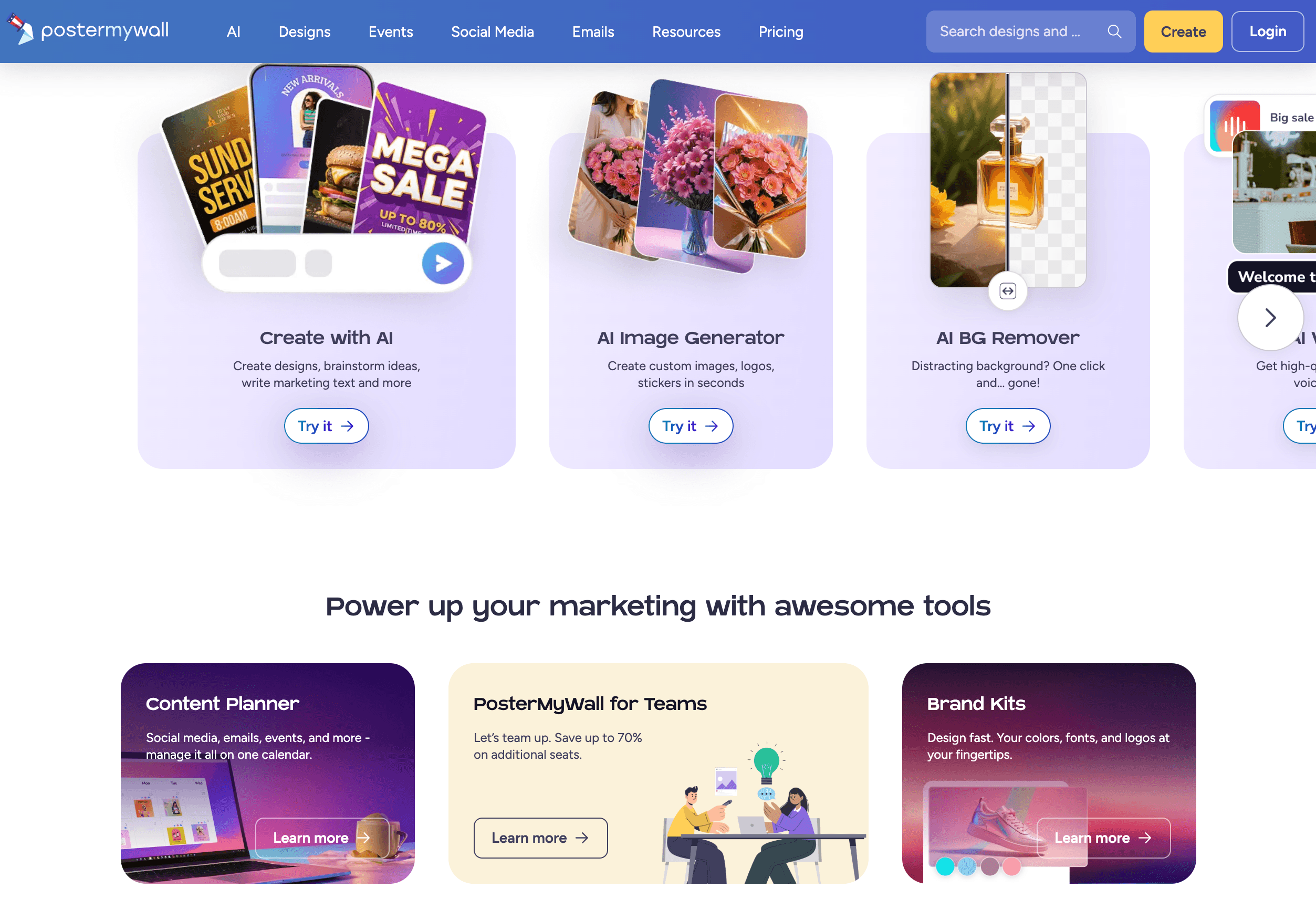
PosterMyWall undercuts Canva Pro on price and bundles email marketing and event pages most design tools leave out — a true all-in-one for budget-conscious businesses.
Pros and Cons
What Users Love
Genuinely easy for non-designers: The most consistent praise across G2, Capterra and TrustRadius is that anyone can make professional-looking graphics with no design experience. Reviewers repeatedly describe producing flyers, social posts and signage quickly and confidently — the drag-and-drop editor and ready-made templates remove the intimidation factor entirely.
A massive, niche-rich template library: Owners love that there’s almost always a near-perfect template to start from, especially for specific industries and occasions. The ability to grab something that’s 90% of what you pictured and customize the rest is cited again and again as the platform’s biggest time-saver.
True all-in-one convenience: Users who run a whole small-business marketing operation single-handedly value designing, scheduling social posts, sending emails and promoting events from one place. Replacing several separate subscriptions with one tool is repeatedly described as both a cost saving and a sanity saving.
Affordable, with a useful free tier: A huge share of reviews highlight the value — the free plan is good enough for many small operators to get real work done, and the paid plans are seen as reasonable, particularly for small businesses and nonprofits. Several reviewers explicitly call out that it’s cheaper than the obvious alternatives.
AI tools that save real time: The one-click background remover is a recurring favorite — many reviewers call it the standout feature — and the broader AI suite for generating designs, images and copy is praised for collapsing tedious tasks into seconds, which matters most to the time-poor solo marketer.
Fast, professional results that boost engagement: Beyond ease, owners report tangible outcomes — more polished, on-brand content produced faster, which they tie to better social engagement and more effective advertising. For a non-designer, looking professional without hiring one is the whole point, and PosterMyWall consistently delivers it.
Limitations Worth Knowing
Billing and subscription complaints: This is the number-one issue and the main reason for PosterMyWall’s low Trustpilot score. A recurring pattern of reviews describes being charged after a free trial they believed they’d cancelled, difficulty stopping recurring charges, and disputed refunds. It’s not universal, but it’s frequent enough that you should treat the subscription deliberately — track your trial date, understand the renewal terms, and keep records.
Not built for professional designers: Reviewers with design backgrounds consistently note the ceiling — no real layer management, limited advanced editing, and less fine-grained control than Photoshop, Illustrator or Figma. PosterMyWall optimizes for speed and accessibility, which is the right call for its audience but a dealbreaker for pro-level work.
Watermarks and credit limits: The free plan adds watermarks to some content (notably videos and print downloads), and even on paid plans AI features and extra email sends draw on a finite monthly credit allowance. Heavy AI users can exhaust their credits and face buying packs, so the “unlimited” feeling has real boundaries worth understanding before you commit.
Inconsistent mobile app: Multiple reviewers report the iOS app crashing, lagging or lacking features available on desktop. PosterMyWall is clearly best used on a computer; if you need to design primarily from a phone, the mobile experience may frustrate you and a rival like Canva is stronger here.
Basic social scheduling and analytics: The built-in Content Planner is convenient but shallow next to dedicated social-media tools — fewer advanced scheduling options and lighter analytics. If social management is your primary need rather than design, you’ll likely outgrow it and want a specialist scheduler alongside or instead.
Customization and add-on cost ceilings: Some longer-term users find the template variety runs thin in certain niches over time, the font and advanced-effect options more limited than competitors, and the add-on charges for credits, prints or premium extras adding up. It’s excellent value at the entry level, but power users can find the costs and constraints creeping upward.
Who Should Use PosterMyWall
Small and local businesses: This is PosterMyWall’s sweet spot. Restaurants, salons, gyms, retail shops and service businesses that need a constant flow of flyers, menus, social posts and promotions — without a designer or a big budget — get exactly what they need, fast and affordably. The niche templates and all-in-one marketing make it a natural fit.
Churches, schools and non-profits: These organizations feature heavily in PosterMyWall’s user base, and for good reason — deep occasion-specific templates, event pages and calendars, email campaigns for members and volunteers, and discounted institutional pricing. For a volunteer-run communications team, it’s a genuinely capable, budget-friendly toolkit.
Solopreneurs, creators and musicians: If you’re a one-person marketing department — a creator, a DJ, a band, a coach — PosterMyWall lets you handle design, social and email yourself without hiring out or juggling multiple apps. The band, DJ and album-cover template sets in particular are stronger here than on most rivals.
Anyone who wants design, social and email in one cheap tool: The strongest reason to choose PosterMyWall over a pure design app is the bundle. If you specifically want to create graphics, schedule them, and send email campaigns from a single affordable subscription, few tools match it at the price.
Who should look elsewhere: Professional designers who need layer-level control should stick with Adobe or Figma; teams whose primary need is advanced social-media management and analytics will be better served by a dedicated scheduler like Buffer, Hootsuite or a specialist alternative; and anyone who designs mainly on a phone may prefer Canva’s stronger mobile app. If your priority is best-in-class depth in a single channel rather than all-round convenience, a specialist tool will serve you better than an all-in-one.
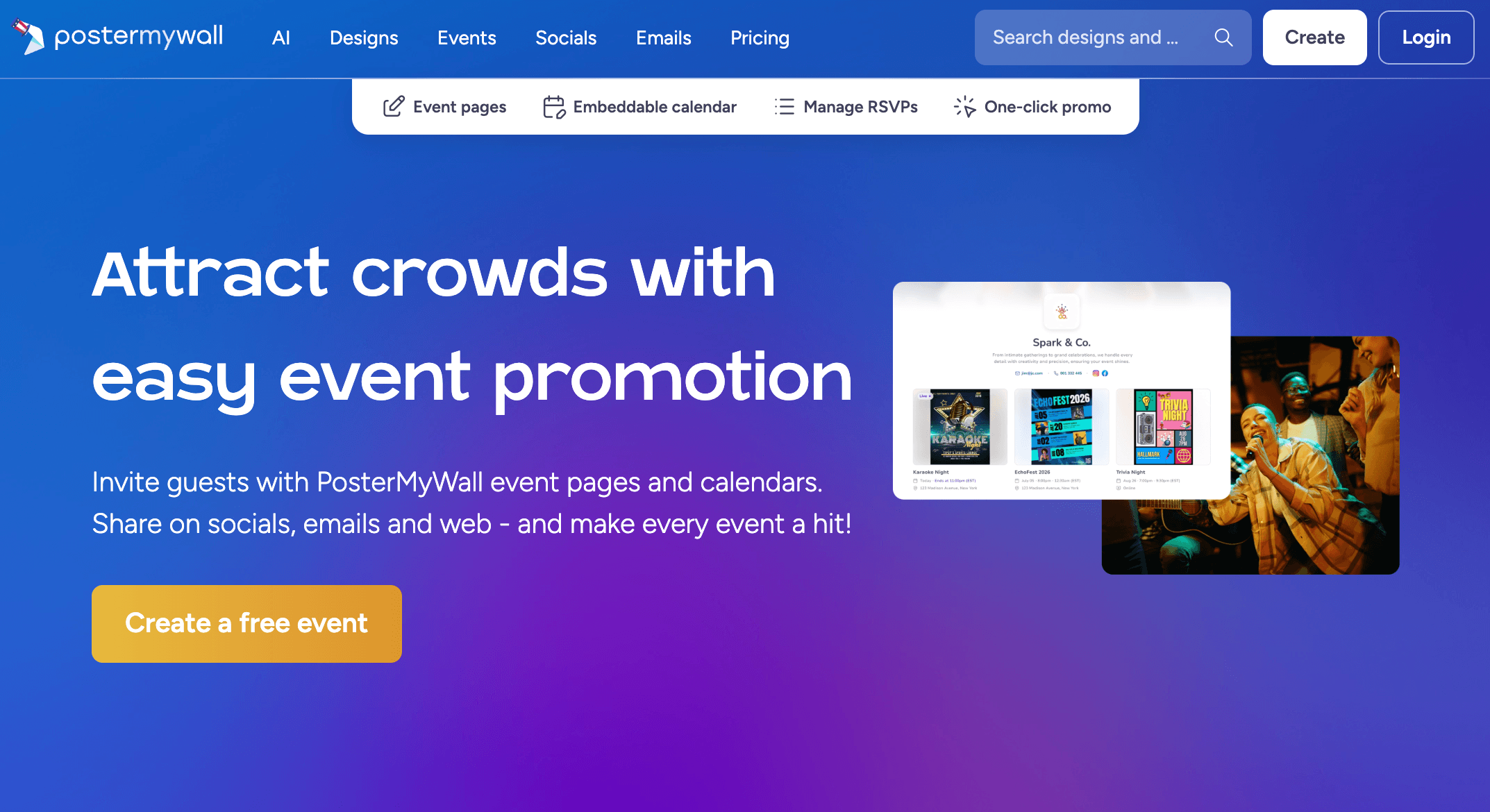
From template to finished campaign in minutes — design, schedule and send without a designer, all from one affordable platform.
Getting Started: Step by Step
- Sign up free and explore. Create a free account — no credit card required — and spend a few minutes browsing the template library and editor. The free plan lets you make and download social-media images right away, so you can test whether the tool fits before paying anything.
- Pick a template or generate one with AI. Search by type (flyer, social post, menu, video) or by your industry to find a strong starting point, or describe what you want and let Create with AI build a design for you. Starting from a close match is the fastest route to a professional result.
- Customize in the editor and set up a Brand Kit. Swap text and images, adjust colors and fonts, and add effects or animations with drag-and-drop. Store your logo, brand colors and fonts in a Brand Kit so every future design stays on-brand automatically.
- Add AI assets — and watch your credits. Use the AI Writer for copy, generate AI images, or remove a background in one click. Remember these draw on your monthly credit allowance (100 on Premium, 250 on Premium Plus), so use them where they add the most value.
- Download, schedule, or send — and understand billing first. Export a watermark-free HD file (Premium), schedule the design to your social channels, or drop it into an email campaign. If you’re subscribing, confirm the plan, the price and the renewal date before you enter card details, and note when any free trial ends.
- Build full campaigns over time. Once you’re comfortable, combine the pieces — design a flyer, schedule the social posts, send the email, and spin up an event page with RSVPs — so PosterMyWall becomes your repeatable, end-to-end marketing system rather than a one-off graphic maker.
Tips for Getting Maximum Value
Pay annually if you’ll use PosterMyWall regularly — it trims roughly 15–17% off the monthly rate — and lean on the generous free tier first to confirm the tool fits your workflow before committing. Budget your monthly credits around the AI features you actually rely on, and buy credit packs only when a specific campaign needs them rather than over-subscribing. Set up a Brand Kit early so everything you make stays consistent, and exploit PosterMyWall’s biggest strength by searching its niche, industry-specific templates instead of building from scratch. Use the platform on a desktop for reliability, since the mobile app is the weak spot, and if you ever outgrow the built-in scheduling or email depth, pair PosterMyWall’s design strength with a dedicated specialist tool rather than forcing it to do everything. Schools and non-profits should always ask about discounted institutional pricing. And above all — because billing is the platform’s most common complaint — note your free-trial end date, confirm the renewal terms before you pay, and keep your receipts, so the only surprises you get are pleasant ones.
Future Outlook and Final Assessment
The design-and-marketing software market in 2026 is consolidating fast around all-in-one, AI-first platforms, and PosterMyWall is well positioned in exactly that lane. It has spent the last few years aggressively expanding its AI toolkit — prompt-to-design, AI images, copywriting, background removal, voice and subtitles — while keeping the all-in-one bundle of design, social and email that distinguishes it from pure design apps. As a self-funded, independent company free of the “grow at all costs” pressure of venture capital, it has the freedom to keep building steadily for its core audience of small and local businesses rather than chasing enterprise scale, and the steady stream of feature launches suggests it intends to.
The honest caveats remain. The design ceiling means it will never satisfy professional designers; the mobile app needs work; the social scheduling is basic next to specialists; and, most pressingly, the company needs to repair the billing-and-support reputation that drags down its Trustpilot score, because that’s the one weakness rooted in trust rather than features. Competitors like Canva keep raising the bar on polish and mobile, while Adobe Express and VistaCreate press on price. But within its boundaries, PosterMyWall delivers one of the most complete, genuinely affordable marketing toolkits available to non-designers in 2026 — and on its core job of helping a small business look professional, fast, for very little money, it remains a standout value.
Conclusion
PosterMyWall isn’t trying to be a professional design suite — it’s trying to give the people who can’t afford one everything they need to market like a pro, and at that job it’s remarkably effective. By bundling millions of niche templates, an approachable drag-and-drop editor, a deep AI toolkit, built-in email marketing and event-promotion tools into a single affordable subscription, it removes the biggest obstacles to good marketing for a small business: cost, complexity and a lack of design skill. It rewards realistic expectations — it has a design ceiling, a credit budget and a mobile app that lags the desktop — and it asks you to be deliberate about the subscription so you don’t join the minority who’ve had billing surprises. But for the everyday reality of running marketing for a small business, church, school or side hustle on a tight budget, few platforms deliver more for the money. Sign up free to test it, confirm the current price and any active promotion, mind the trial terms, and PosterMyWall can take the hardest part of small-business marketing and make it genuinely easy.
Ready to market your business like a pro — without hiring a designer?
Explore more honest reviews, tutorials and tech comparisons to find the right tools for the way you work, create and grow your business — at World Of Tech, where we make everything easy.
👉 Try PosterMyWall: https://worldoftech.space/postermywall
👉 Our YouTube Channel: youtube.com/@world_tech79
👉 Our Facebook Fanpage: Facebook
👉 Our X (Twitter): @worldoftech79
Pricing, plans, features and policy details in this review were verified against postermywall.com and independent review sources (including Trustpilot, G2, Capterra and hands-on reviewer testing) as of June 2026. SaaS pricing, credit allowances, AI features and promotions change frequently, so confirm current details on the official site before subscribing. Competitor prices are approximate and subject to change.





