
If you write for school, work or the web, you already know the tool sprawl: ChatGPT for a first draft, a paraphraser to reword it, one site to scan for plagiarism and another to check whether it reads as AI — then a translator and a citation generator on top. Smodin was built to collapse all of that into a single dashboard. It’s an all-in-one AI writing platform that bundles an AI writer, a paraphraser, a plagiarism checker, an AI content detector, an AI remover (humanizer), a summarizer, a translator, a citation generator, an AI grader and an AI chat assistant — across more than 100 languages, in one subscription. Founded back in 2017 and used by students and writers around the world, Smodin has grown from a simple rewriting tool into one of the longer-tenured names in the AI-writing space, with a roughly 4.6/5 “Great” Trustpilot reputation and a deliberate focus on students, ESL writers and budget-conscious content creators.
For students racing a deadline, non-native English speakers who want to write with confidence, and bloggers or marketers who need fast drafts they can polish, the pitch is immediate: stop paying for four or five separate tools and get the whole writing workflow in one place, with a free tier to try first. But Smodin isn’t a magic button, and an honest look turns up real trade-offs around output quality, originality, billing practices and detection accuracy that are worth knowing before you subscribe. This 2025 review walks through Smodin’s full toolset — the AI writer, detector, paraphraser, plagiarism checker and the rest — its credit-based pricing tiers, head-to-head comparisons against QuillBot and Grammarly, the genuine pros and cons, and exactly who should (and shouldn’t) sign up.
Smodin Review 2025: The All-in-One AI Writing, Paraphrasing and Plagiarism Suite for Students and ESL Writers
Overview and Background
Smodin (smodin.io) is an AI-powered writing platform run by Smodin LLC, a US-based company that has been building writing tools since 2017. It isn’t a single-purpose app or a pure ChatGPT wrapper — it’s a bundle. The whole idea is to centralize the modern writing workflow so you never have to leave one tab: paste or prompt your text, pick the tool you need, and get an instant result. Its core suite covers an AI writer (branded “Author”), a paragraph rewriter and spinner, a plagiarism checker, an AI content detector, an AI remover that humanizes AI text, a summarizer, a multi-language translator, an automatic citation generator, an AI grader and a conversational AI chatbot — all wrapped in a multilingual interface aimed squarely at students, educators, researchers and content creators.
Smodin rides a very specific shift. As AI writing exploded and AI detectors like Turnitin moved into classrooms and editorial workflows, writers suddenly needed four jobs done at once: generate a draft, reword it, confirm it isn’t plagiarized, and check whether it reads as machine-written. Most tools do one of those things well. Smodin’s bet is that bundling all of them — plus translation and citations — into a single affordable subscription is more useful to a student or a non-native writer than any one best-in-class specialist. That bundle, combined with genuinely strong multilingual support, is why its user base skews so heavily international.
On reputation, the picture is good but not flawless, and it’s worth being clear-eyed. Smodin carries roughly a 4.6/5 “Great” rating on Trustpilot across several hundred reviews, while its Sitejabber score sits lower at around 3.5/5 — a gap driven mostly by billing disputes rather than tool quality. The product itself is widely described as convenient and genuinely time-saving; the friction shows up around subscriptions, refunds and the limits of what AI can actually guarantee.
Why Smodin Stands Out in 2025
One subscription replaces four or five tools: This is Smodin’s defining advantage. Instead of paying separately for an AI writer, a paraphraser, a plagiarism scanner and an AI detector, you get all of them — plus translation, summarizing, citations and a chat assistant — under one login. For a student or solo creator on a budget, that consolidation is the whole reason to choose it, and it removes the friction of copying text between half a dozen browser tabs.
Multilingual support that’s genuinely first-class: Smodin’s writing and rewriting tools work across 100+ languages, and the depth is real rather than tacked on. The standout workflow for ESL writers is drafting in your native language, then translating and polishing into English inside the same dashboard — native-language drafting, paraphrasing, a plagiarism scan and an AI-detection check all in one place. It’s one of the rare tools where the international coverage is a core strength, not an afterthought.
An AI detector and AI remover in the same pipeline: Smodin lets you check whether text reads as AI-generated, rewrite it to sound more natural with the AI remover, then re-scan to verify — a closed loop most single-purpose tools can’t offer. Whether or not you agree with how detection is used, having detect-then-humanize-then-verify in one workflow is a practical differentiator.
Built with academics in mind: Beyond writing, Smodin leans into school and research use. The plagiarism checker scans both the open web and (on higher tiers) Google Scholar, the citation generator formats references in styles like MLA, APA and Chicago, and the AI grader gives feedback on a draft’s quality. For essay writing, homework and research papers, that academic tooling is more complete than most general-purpose writing assistants bother to include.
A free tier to try before you buy: Smodin’s free Limited plan lets you test core tools — the detector, rewriter and paraphraser — before committing. It’s capped (a few daily writing credits and tight character and entry limits), so it’s best for evaluation rather than real volume, but in a category where some rivals paywall everything, having a no-cost way to judge quality first is a genuine plus.
Affordable, flexible plans: Smodin spans a free Limited tier, a $10 Essentials plan, a $29 Productive plan and a $79 Ultimate plan, so you can match spend to usage. Start free, step up to Essentials for unlimited rewriting and plagiarism checks plus the Author writer, or go higher for more writing credits, long-form generation, Google Scholar search and multiple sub-accounts. The entry price in particular undercuts a lot of single-purpose tools.
Longevity in a churn-heavy market: AI-writing startups appear and vanish constantly. Smodin has been around since 2017, serves a large global user base, and ships frequent updates — reviewers regularly note new features and refinements. In a space full of here-today tools, that track record and active development are reassuring signs you’re not building a workflow on something that will disappear next quarter.
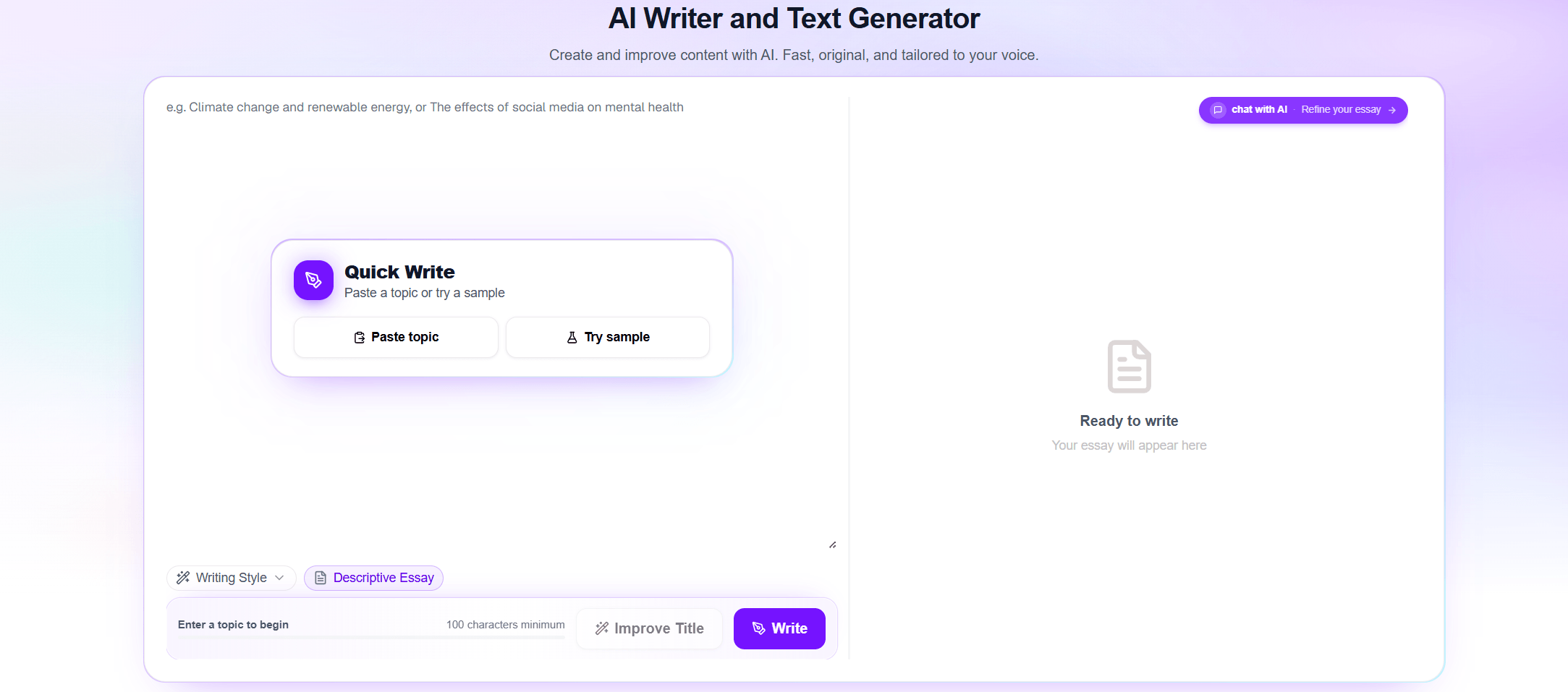
Smodin bundles an AI writer, paraphraser, plagiarism checker, AI detector and AI remover into one multilingual dashboard — the whole writing workflow in a single subscription instead of four or five separate tools.
Key Features and Technology
Smodin’s toolset is broad, but it organizes cleanly into a handful of pillars. Here’s how the platform actually breaks down, and where each piece is strong or merely adequate.
AI Writer (Author)
The Author tool generates outlines, drafts and full-length pieces from a prompt — essays, articles, research papers, emails, reports, cover letters, product descriptions, social captions and more — in over 100 languages, while aiming to keep your intent and voice and structure the piece logically. It’s available on the paid plans (the free Limited tier is geared toward the other tools), and long-form generation unlocks on Productive and above. The honest reality, echoed across reviews, is that the output is a competent scaffold rather than a finished product: logical and on-brief, but occasionally generic or mechanical, so you’ll keep a hand on the wheel and edit to match your style.
Paraphraser, Rewriter and Spinner
One of Smodin’s most-used tools offers two modes: “Rewrite” for light rewording that stays close to the original, and “Recreate” for a deeper transformation — including rewriting in another writer’s style. You can dial the rewriting strength up or down to balance freshness against fidelity. It’s handy for repurposing content, escaping writer’s block and producing multiple versions of the same brief. Two practical notes: on the free and Essentials tiers the rewriter is capped at around 1,000 characters per pass (longer text needs Productive), and heavy rewrites can occasionally drift in meaning or read slightly unnaturally, so a quick human pass is wise before anything goes live.
AI Content Detector and AI Remover
The detector analyzes writing patterns associated with models like ChatGPT and GPT, returning an overall AI probability with highlights. The AI remover then rewrites AI-flavored text — uniform sentence structure, repetitive phrasing, predictable patterns — to read more like a person wrote it, with the goal of passing AI detectors. Two honest caveats matter here. First, reliability is inconsistent and trails dedicated detection specialists like Originality.ai and GPTZero, so don’t treat a “passed” result as proof, especially against strict systems like Turnitin. Second, no tool guarantees text won’t be detected, and using one to disguise AI work for graded assignments raises genuine academic-integrity questions worth taking seriously.
Plagiarism Checker
Smodin scans your text against the open web — and, on higher tiers, against Google Scholar — to surface copied or closely matching passages, useful for catching accidental overlap before submission or publishing. It’s a real convenience to have it in the same dashboard as everything else. That said, treat it as a first line of defense rather than the final word: independent testing has found that AI-generated drafts run through Smodin can still score notably high for matched content, and the rewriter doesn’t always bring originality up to a safe level. For high-stakes work, verify with a second checker.
AI Chat, Summarizer, Translator and Extras
Smodin’s AI chatbot offers a conversational way to brainstorm, explain topics, outline papers and solve homework, with a built-in web search that draws on current Google data, a choice of around 11 chat personalities to change the output style, and an “Enhance Prompt” option to sharpen your queries. Rounding out the suite: a summarizer that condenses long articles to key points, a multi-language translator for one-to-many output, the automatic citation generator (MLA, APA, Chicago), the AI grader that scores and gives feedback on a draft, and an NLP API for developers who want to wire Smodin’s capabilities into their own apps.
Pricing, Plans, and Package Structure
Smodin uses a credit-based model with a free Limited plan and three paid tiers. Writing credits are consumed by AI generations (each AI-written piece draws a credit), while tools like the rewriter and plagiarism checker are unlimited on the paid plans. Higher tiers add more credits, longer text limits, long-form writing, Google Scholar plagiarism search and multiple sub-accounts. The figures below are Smodin’s standard rates as of early 2025; annual billing is cheaper than monthly, the brand runs seasonal coupon promotions, and prices can change, so confirm the live rate and any active code before checkout.
| Plan | Price (USD) | What It Is | Best For |
|---|---|---|---|
| Limited (Free) | $0 | ~3 daily writing credits, basic tools capped at ~1,000 characters / 5 entries | Trying the tools before paying |
| Essentials | $10/mo | 100 writing credits (~15,000 words), unlimited rewriter and plagiarism checks, all Author features | Individuals with moderate needs |
| Productive | $29/mo | 500 writing credits, long-form writing, Google Scholar plagiarism search, everything in Essentials | Power users and heavier projects |
| Ultimate | $79/mo | 1,500 writing credits, up to 5 sub-accounts, full access to every feature | Teams and very high-volume users |
How Smodin Compares to Alternatives
| Factor | Smodin | QuillBot | Grammarly |
|---|---|---|---|
| Core focus | All-in-one writing suite | Paraphrasing and grammar | Grammar and style polish |
| AI remover / humanizer | Yes (inconsistent) | Limited | No |
| Plagiarism checker | Yes (web + Scholar) | Yes (Premium) | Yes (Premium) |
| Multilingual depth | 100+ languages (strong) | Dozens (moderate) | English-focused |
| Grammar / style polish | Basic | Good | Best in class |
| Academic tools | Citations + grader (strong) | Citation generator | Limited |
| Entry price (approx.) | Free; from $10/mo | ~$4-10/mo | ~$12/mo |
| Best for | All-in-one for students and ESL writers | Pure paraphrasing and grammar | Polished grammar for pros |
vs. QuillBot: QuillBot is Smodin’s closest direct rival and the better pure paraphraser, with a cleaner interface, tighter grammar integration and a very low entry price. But Smodin bundles more around it — a fuller AI writer, an AI grader, deeper multilingual coverage and a more academic-leaning toolkit. If all you really want is best-in-class rewording plus grammar, QuillBot is the sharper pick; if you want the whole writing-and-checking workflow in one place, Smodin covers more ground.
vs. Grammarly: Grammarly remains the gold standard for catching grammar and style issues and polishing prose to a professional sheen, and its GrammarlyGO adds generative AI writing too. What it isn’t is a paraphrasing-and-humanizing powerhouse, and its language support is English-centric. Smodin is weaker at pure grammar correction but far stronger on rewriting, AI removal and writing across 100+ languages. For native English professionals who mainly need polish, Grammarly wins; for multilingual writers who need to generate, reword and check originality, Smodin fits better.
vs. the specialists: For the single jobs Smodin does adequately, dedicated tools do them better. Originality.ai and GPTZero are more reliable for AI detection and plagiarism; humanizers like Undetectable.ai push higher bypass rates; Jasper is stronger for marketing copy; and DeepL is better for pure translation. Smodin’s argument isn’t that it beats each specialist — it’s that one affordable subscription covering all of those jobs at a “good enough” level is more practical for most students and creators than stacking five separate ones.
Pros and Cons
What Users Love
Everything in one place: The most consistent praise is the convenience of not hunting for separate tools — writing, rewriting, detection, plagiarism, removal, summarizing and translation all live in a single dashboard. For people who used to juggle ChatGPT plus a paraphraser plus two checkers, consolidating that into one login is the headline win.
Real time savings on routine writing: Owners repeatedly describe Smodin as a genuine workflow accelerator — fast summaries of long articles, quick structural cleanup of rough drafts, memos and emails made clearer in seconds. It shines when you need to get from messy notes to a presentable draft quickly, then refine.
A lifeline for non-native English writers: ESL students and professionals are among the happiest users, crediting Smodin with helping them write with confidence and feel on par with native peers. Drafting in one language and polishing into another inside the same tool is a recurring favorite that few rivals match.
Less robotic-sounding output: A common theme is that Smodin’s rewriter and AI remover make stiff, ChatGPT-flavored text read more naturally — smoothing mechanical phrasing without changing the core meaning. Writers use it to make drafts sound more human and more like themselves.
Strong value for the breadth: Many reviewers call the pricing competitive for what’s included, especially the affordable $10 Essentials tier and especially compared with paying for several specialist subscriptions. The free Limited plan lowers the risk of trying it, which buyers appreciate.
Responsive support when it engages: Despite billing complaints, a notable share of reviews describe fast email replies and support that ultimately resolves issues — including correcting mistaken or annual-instead-of-monthly charges once contacted. When the team engages, users generally report a fair outcome.
Limitations Worth Knowing
Billing and refund friction is the number-one complaint: This is the clearest pattern in negative reviews. Smodin’s plans are non-refundable by policy, and users report free trials auto-converting to paid plans, being charged for an annual subscription when they expected monthly, and access being cut immediately after cancellation. Support often helps after contact, but the experience sours plenty of buyers — cancel before any trial ends and double-check your billing cycle.
Originality is not guaranteed: Despite marketing that leans on “plagiarism-free” and “undetectable,” independent testing has found Smodin-generated drafts can still score high for matched content, and running them through the rewriter doesn’t always pull originality up to a safe level. The plagiarism checker and detector are useful signals, not guarantees — verify high-stakes work with a second tool.
Output can be generic and needs editing: AI drafts and rewrites are solid starting points but frequently read mechanically or too formally, and occasionally produce repetitive or slightly off passages. Smodin works best as a co-writer you actively edit, not a hands-off generator — budget time to tweak tone and trim filler.
Detection accuracy is mid-pack: Smodin’s AI detection trails specialists like Originality.ai and GPTZero, and its AI remover is inconsistent at fooling stricter detectors. It’s fine as a directional check, but don’t treat a “passed” result as proof, especially against systems like Turnitin.
A cluttered interface with a learning curve: The flip side of bundling so many tools is a dashboard that can feel busy and confusing at first. Several reviewers needed time to find their way around before it clicked, and a few wish for more formatting options and integrations. Credit limits on lower tiers can also catch heavy users off guard.
Academic-integrity considerations: Tools that generate essays and “remove” AI signals to dodge detectors sit in genuinely grey territory for graded work. Using Smodin to brainstorm, structure, summarize, paraphrase your own writing or learn from is very different from submitting AI-generated work as your own — know your institution’s rules, and use the platform to support your writing rather than replace your judgment.
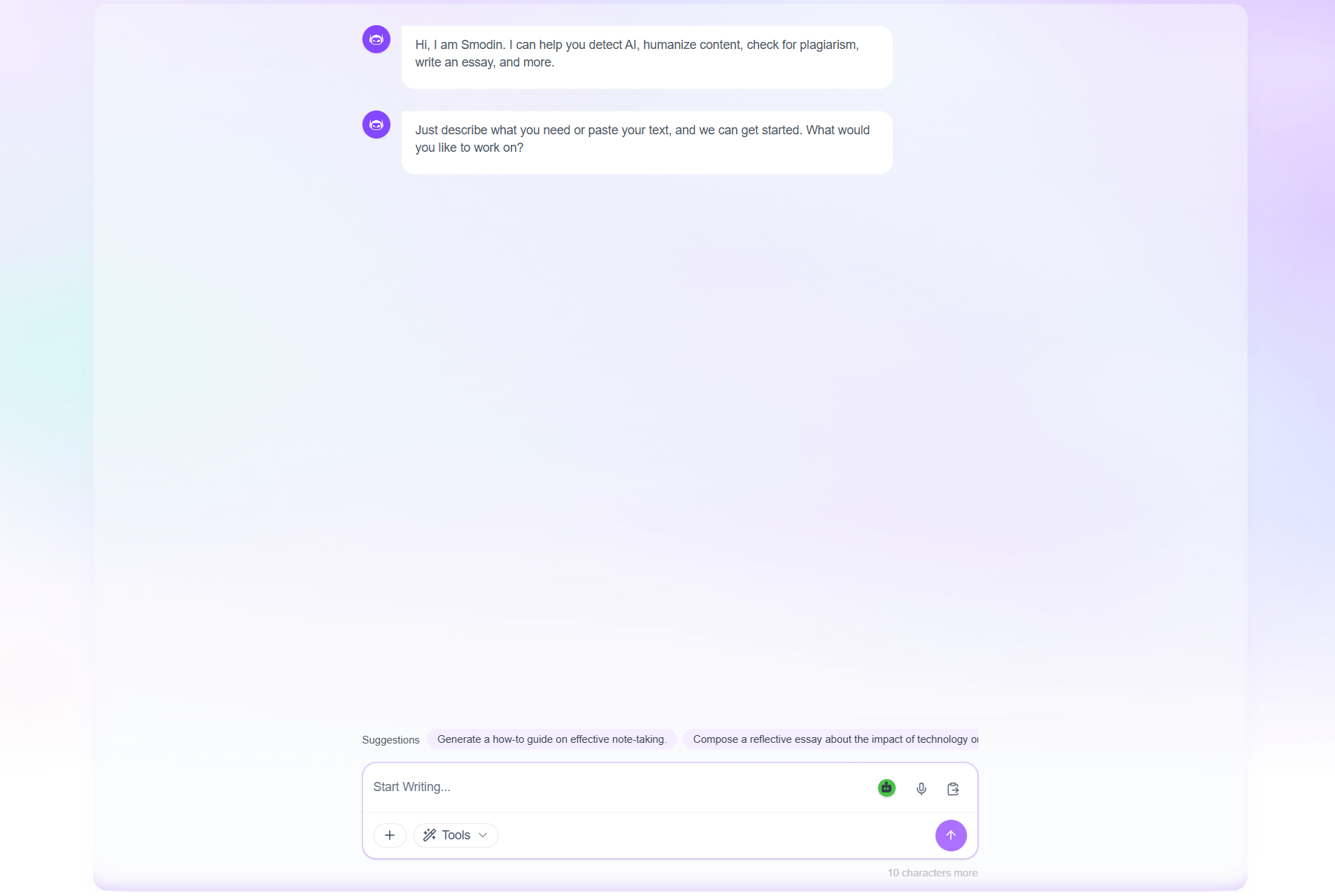
The detect-humanize-verify loop and 100+ language support are Smodin’s strongest differentiators — best treated as signals to help you refine your writing, not guarantees to trust blindly.
Who Should Use Smodin
Students and ESL writers: This is Smodin’s sweet spot. If you’re writing essays, research papers and homework — especially in a second language — the bundle of AI writer, paraphraser, plagiarism checker, citation generator, translator and grader in one affordable place is hard to beat. International students in particular get outsized value from the multilingual depth.
Content creators, bloggers and marketers: If you need fast first drafts, multiple rewritten versions for A/B testing, product descriptions, captions and summaries — and you’re comfortable editing the output — Smodin speeds up the grind and consolidates several subscriptions into one. The rewriter and AI remover are popular for making AI drafts sound less robotic.
Non-native professionals: Anyone who writes business emails, reports or website copy in a language they’re still mastering will appreciate Smodin’s confidence boost — clearer phrasing, a more natural tone, and the ability to draft in a familiar language and refine into the target one, all in a single tool.
Budget-conscious all-rounders: If the alternative is paying for a writer, a paraphraser, a detector and a plagiarism checker separately, Smodin’s one affordable subscription — with a free Limited plan to test first — is the pragmatic, money-saving choice for people who value coverage over best-in-class on any single task.
Who should look elsewhere: If your priority is flawless grammar and style, Grammarly is stronger; for the sharpest pure paraphrasing, QuillBot edges ahead; for the most reliable AI detection or the highest removal success rates, specialists like Originality.ai, GPTZero and Undetectable.ai do those single jobs better; and for marketing copy at scale, Jasper is purpose-built. Most importantly, anyone facing high-stakes academic submissions shouldn’t lean on Smodin’s “undetectable” or “plagiarism-free” claims as a safety net — verify independently and stay within your institution’s rules.
Getting Started: Step by Step
- Sign up for the free Limited plan. Create an account at smodin.io and use the free daily credits to test the detector, rewriter and paraphraser on your own text. This tells you quickly whether the output quality fits your needs before any payment.
- Choose the right plan. Map your usage to credits, then decide between Limited, Essentials ($10/mo), Productive ($29/mo) or Ultimate ($79/mo). Pick annual billing for the discount, check for an active coupon code, and note your billing cycle and renewal date so you’re never surprised by an auto-charge — remember the plans are non-refundable.
- Pick the right tool for the task. Use the Author for drafting essays or articles, the Rewriter for reworking existing text (Rewrite for light edits, Recreate for deeper changes), the AI chat for brainstorming and homework help, and the detector, plagiarism checker and AI remover for verification.
- Write detailed prompts. Give the AI specific instructions — topic, audience, tone, length and key points. The more context you provide, the better and less generic the draft, and the less editing you’ll need afterward.
- Edit, then verify. Treat every output as a first draft: adjust tone, trim filler and add your own voice. For anything graded or published, run a final originality and AI-detection pass — ideally with a second independent tool — before you submit.
- Build your workflow and add citations. Once you know which tools you rely on, lean on the citation generator for properly formatted MLA, APA or Chicago references on academic work, and keep the detector and plagiarism checker as a final verification pass before you submit or publish.
Tips for Getting Maximum Value
Lean on the free Limited plan to vet quality before you ever pay, and when you do subscribe, take the annual plan to cut the effective monthly cost. Match your tier to your real usage so you’re not paying for credits you won’t burn — the rewriter and plagiarism checker are unlimited on paid plans, but AI generations draw down monthly credits that don’t roll over. Squeeze the multilingual edge for everything it’s worth: if English isn’t your first language, draft where you’re most fluent, then translate and polish inside the same dashboard. Always write specific, detailed prompts; a vague request yields a generic draft, while a precise one (audience, tone, structure, key facts) gets you something much closer to final. Run the detect-humanize-verify loop rather than trusting any single score, and for high-stakes work cross-check originality and AI-detection with a second tool, because Smodin’s results are signals, not guarantees. Check for a seasonal coupon or promotion before you pay, since Smodin discounts surface periodically. And protect yourself on billing: the plans are non-refundable, so set a calendar reminder to cancel before any trial ends, confirm whether you’re on a monthly or annual cycle at checkout, and keep your receipts in case you need support to correct a charge.
Future Outlook and Final Assessment
The AI-writing market in early 2025 is splitting in two directions: razor-focused specialists that do one job brilliantly, and all-in-one suites that do many jobs well enough to save you from subscribing to five tools. Smodin is firmly in the second camp, and its broad bundle, affordable entry tier and continued investment in multilingual coverage and detection suggest it knows exactly who it’s for — students, ESL writers and budget-minded creators who value breadth and convenience over best-in-class on any single task. As long as bundling stays cheaper and simpler than stacking specialists, that proposition only gets more compelling.
The honest caveats remain. Output quality is good-not-great and demands editing; the plagiarism and AI-detection tools are mid-pack and shouldn’t be trusted as guarantees; the “undetectable” and “plagiarism-free” framing oversells what any tool can promise; and the non-refundable billing experience has burned enough users that you should approach subscriptions and trials with care. Specialists will keep beating Smodin on detection, removal, grammar and marketing copy individually. But within those boundaries, Smodin delivers one of the most complete, genuinely useful all-in-one writing toolkits available in 2025 — and for its target users, the convenience and value are real.
Conclusion
Smodin isn’t trying to win any single category — it’s trying to be the one tab a student, ESL writer or creator needs for the entire writing process, and at that job it’s genuinely effective. By combining an AI writer, paraphraser, plagiarism checker, AI detector, AI remover, summarizer, translator and citation generator across 100+ languages in one affordable subscription, it removes the friction of juggling separate tools and offers a free Limited plan generous enough to prove its worth first. It rewards realistic expectations and active editing, and it’s not the right call for grammar purists, originality-critical academic submissions, or anyone who needs best-in-class detection or removal — but for the everyday reality of writing fast, in any language, on a budget, few tools deliver more breadth for the money. Try the free plan, confirm the current price and any coupon at checkout, mind the non-refundable terms, and Smodin can take a lot of the friction out of writing.
Ready to put your whole writing workflow in one place?
Explore more honest reviews, tutorials and tech comparisons to find the right tools for the way you work, study and create — at World Of Tech, where we make everything easy.
👉 Try Smodin: https://worldoftech.space/smodin
👉 Our YouTube Channel: youtube.com/@world_tech79
👉 Our Facebook Fanpage: Facebook
👉 Our X (Twitter): @worldoftech79
Pricing, features and policy details in this review were verified against smodin.io and independent review sources (including Trustpilot and Sitejabber) as of February 2025. AI software pricing, plans and features change frequently, so confirm current details on the official site before subscribing. Competitor prices are approximate and subject to change.





