
In 2026, the demand for accessible and advanced keyword research tools has never been greater. With the SEO landscape constantly evolving, users from solo entrepreneurs to leading digital agencies are seeking platforms that blend powerful analytics, intuitive design, and AI-driven capabilities—all without the daunting costs of legacy solutions. This comprehensive visual guide introduces you to KeySearch, demonstrating its cutting-edge features, user-friendly workflows, and the value it brings out of the box. Discover detailed comparisons, real-world tutorials, usage tips, and how KeySearch stacks up against industry titans, ensuring you make informed decisions to achieve SEO success in a competitive digital world.
KeySearch: The Ultimate Guide to 2026’s Top Keyword Research Tool
What is KeySearch? Core Features and Updates for 2026
KeySearch is a comprehensive keyword research and SEO analysis platform tailored for every level of user, from freelance bloggers to large digital agencies. Designed to combine affordability with advanced capabilities, KeySearch is best known for its simplicity, data accuracy, and unique AI-driven features—enabling smarter content strategies without the steep learning curve or high costs often associated with legacy platforms.
Overview of KeySearch’s Branded Features
- Keyword Explorer: Enter a seed word and discover search volumes, difficulty scores, trend insights, and organic ranking competitors—all in one dashboard.
- AI Keyword Generator: In 2026, KeySearch has reinforced its algorithms with proprietary AI, enabling deeper semantic analysis, clustering, and intent prediction.
- Content Assistant: AI-powered on-page optimization—a built-in writing coach suggesting real-time LSI keywords, readability improvements, and competitor keyword gaps.
- YouTube Research: Dedicated modules for YouTube keyword suggestions, SEO scores, and competitive channel analysis.
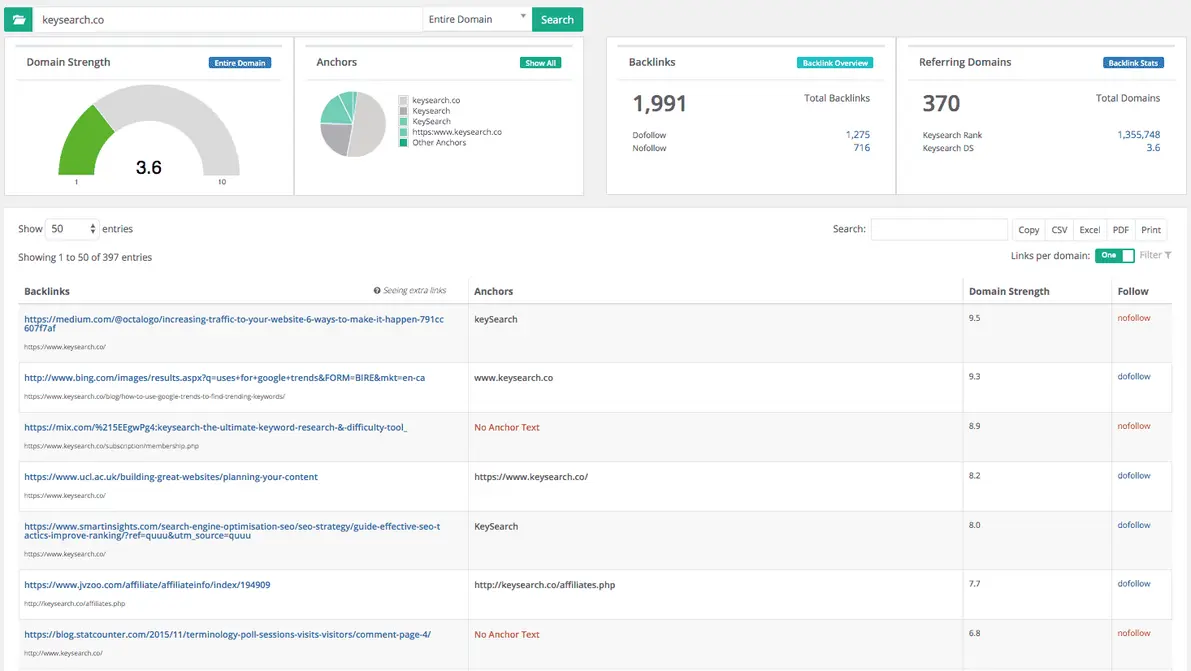
- Competitive Analysis: Bulk SERP checks, backlink reports, and advanced competitor tracking for niche domination.
- Brainstorm and Autocomplete: Innovative tools to generate hundreds of keyword variations using Google, Bing, YouTube, Amazon, and more.
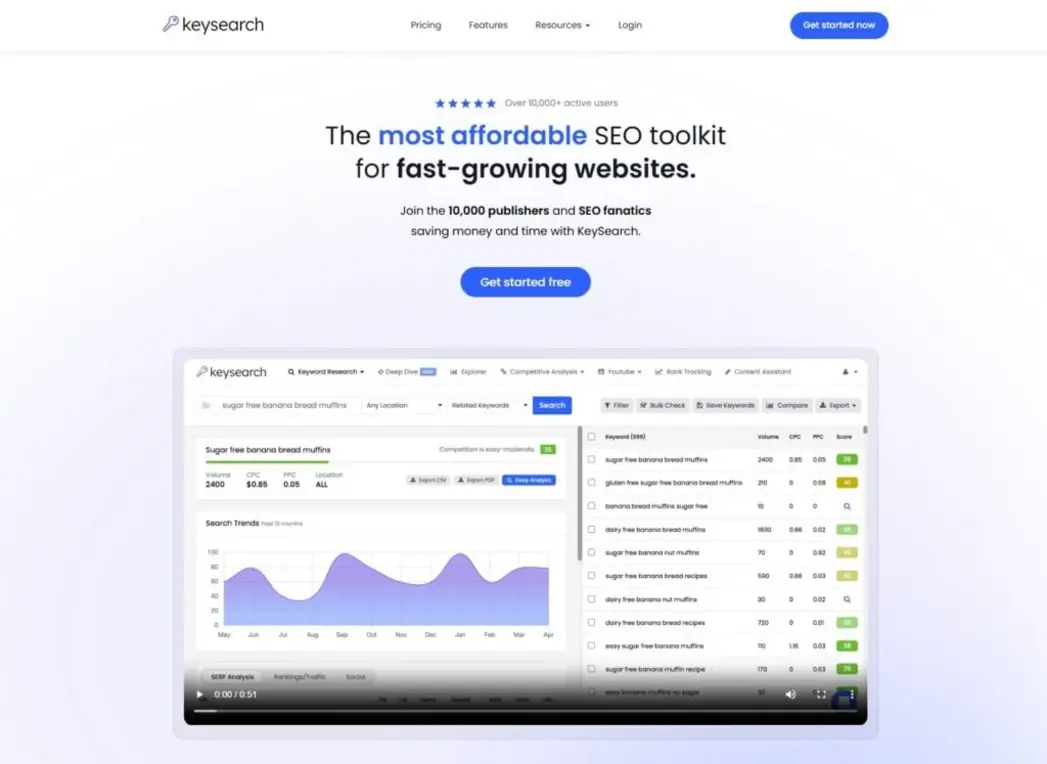
What’s New in 2026?
- AI-powered Topic Clustering: Automatically group keyword ideas by semantic meaning and searcher intent.
- Improved Zero Volume Finder: Identify untapped keyword opportunities that don’t appear in standard databases but generate organic traffic.
- Faster SERP Analysis Engine: Upgraded speed and accuracy for domain and page-level SEO metrics.
- Expanded YouTube Data: Enhanced video SEO sources for 2026’s creator economy shift.
Key Takeaway: KeySearch’s 2026 release is engineered for both precision and scale—making advanced keyword research accessible to all.
KeySearch vs. the Competition: Comparing Tools and Alternatives
KeySearch consistently earns high praise for its value proposition, especially when compared to industry giants like Ahrefs and SEMrush. But beyond cost, how does it stack up in core features, workflow usability, and data accuracy?
Analysis: KeySearch vs. Ahrefs and SEMrush
The SEO tool market is crowded, but only a few platforms strike the right balance between depth and affordability. Here’s how KeySearch competes on critical dimensions:
| Feature | KeySearch | Ahrefs | SEMrush |
|---|---|---|---|
| Pricing (Entry-Level) | $17/month | $129/month | $129.95/month |
| Difficulty Score | Custom, visual | Numerical | Numerical |
| YouTube Keyword Tool | Yes | No | No |
| Brainstorm/Autocomplete | Yes (AI, multi-platform) | Limited | Limited |
| Content Optimization | Built-in AI | Separate tools | Separate tools |
| API Access | Optional, affordable | Yes (expensive) | Yes (business tier) |
| Free Trial | Yes (full features) | Limited (7 days) | Limited (7 days) |
| Beginner-Friendliness | Excellent | Moderate | Moderate |
| AI-Driven Features | Yes (2026 upgrades) | Emerging | Emerging |
Verdict
- KeySearch targets users seeking powerful features without enterprise pricing.
- Ahrefs and SEMrush are robust for agencies, but cost-prohibitive for solo users or small businesses.
Pro Tip: For those entering the SEO world or running tight budgets, KeySearch delivers more features per dollar than nearly any other serious contender.
KeySearch Pricing, Free Trials, and Value for Money
One reason behind KeySearch’s meteoric rise is its transparent, affordable pricing—making enterprise-grade SEO accessible to entrepreneurs and agencies alike.
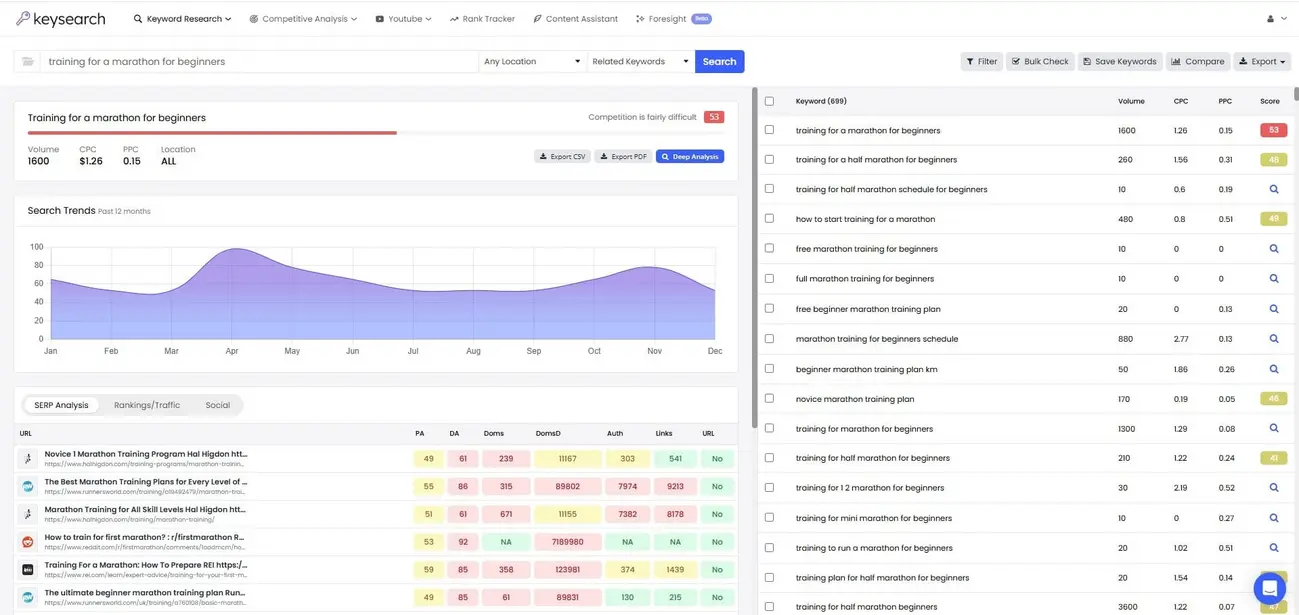
Detailed Table: KeySearch Pricing Tiers for 2026
| Tier | Monthly Price | Annual Price | Main Features |
|---|---|---|---|
| Starter | $17 | $169 ($14/mo) | 200 searches/day, basic competitor analysis, content assistant |
| Pro | $34 | $279 ($23/mo) | 500 searches/day, advanced research, extended reports |
| Agency | Custom Quote | Custom Quote | Bulk tracking, API, team seats, reporting suite |
- Free Trial: Try KeySearch with all main features for a limited period, no credit card required.
- Discounts: Annual pricing offers significant savings.
- API Add-on: Affordable and available even for lower-priced tiers—great for automation enthusiasts.
Value Highlight: SEO budgets of all sizes can realistically use KeySearch daily.
Mastering KeySearch: Tutorials, Autocomplete, and Usage Tips
Harnessing KeySearch’s power starts with understanding its core workflow. Below is a quick-start checklist and step-by-step tutorial for new users.
Step-by-Step Tutorial for New Users
- Register and Log in: Activate your free trial, set preferences (language, country).
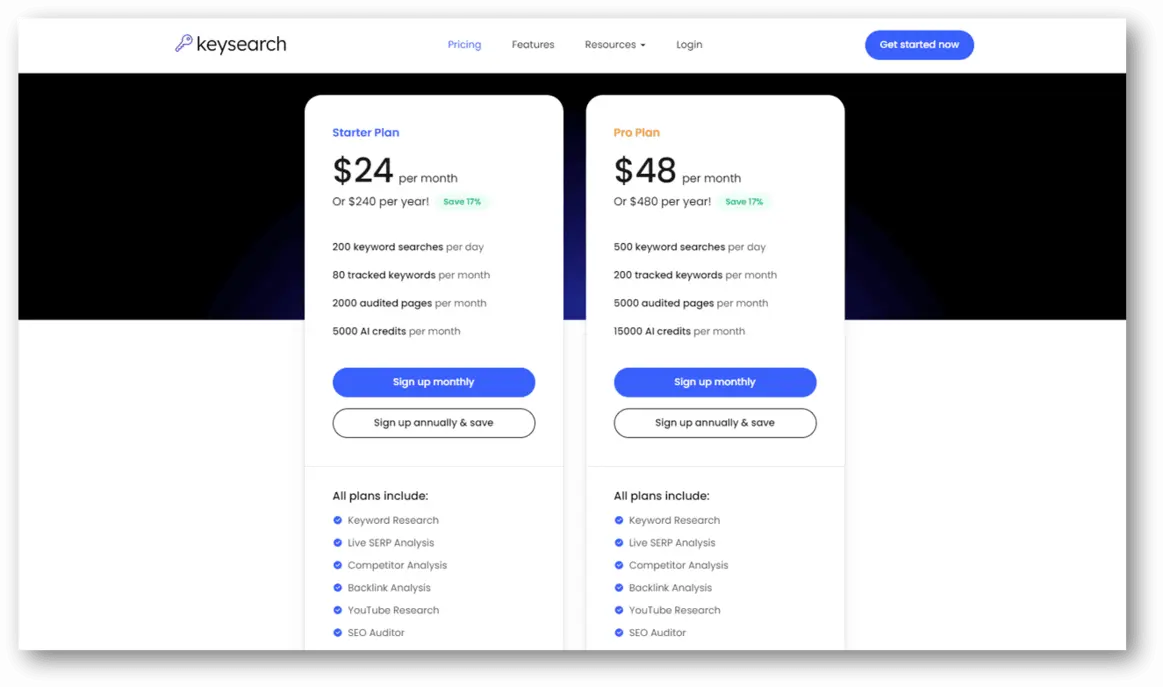
- Keyword Explorer: Enter your main topic and analyze results by search volume, CPC, and keyword difficulty.
- Autocomplete & Brainstorm Tools: Instantly generate hundreds of fresh, trending keyword ideas from Google, Bing, Amazon, and YouTube.
- Filter & Save: Use filters (volume, difficulty, inclusions/exclusions) to zero in on the best terms. Add to your ‘Saved Keywords’ list.
- SERP Analysis: Single-click analysis of the top 10 results—see DA, backlinks, on-page factors at a glance.
- Content Assistant: Draft, optimize, and benchmark your content using integrated AI-driven suggestions.
- YouTube Research: Switch tabs to uncover high-potential video keywords (great for vloggers and creators).
- Competitor Analysis: Paste any domain or URL to uncover ranking keywords (and gaps you can target).
- Track Rankings: Set projects and monitor keyword performance over time.
Checklist: Steps to Set Up a KeySearch Campaign
- [ ] Brainstorm your main topic(s)
- [ ] Batch export and filter promising keyword sets
- [ ] Analyze competitor rankings for content angle opportunities
- [ ] Use the Content Assistant for page-by-page optimization
- [ ] Track and report keyword positions over weeks/months
Bonus: Explore the Brainstorm tab weekly for real-time trending searches—a favorite hack among pro bloggers.
KeySearch for Low Competition and Long-Tail Keywords
Unlocking organic growth in 2026 hinges on finding “hidden gem” keywords, especially as zero volume and long-tail terms drive increasing traffic. KeySearch is particularly strong in this arena.
How to Use KeySearch for Zero Volume Keywords
- Autocomplete + AI: Tap into search suggestion APIs (updated for 2026) to surface keywords not yet populated in public volume databases.
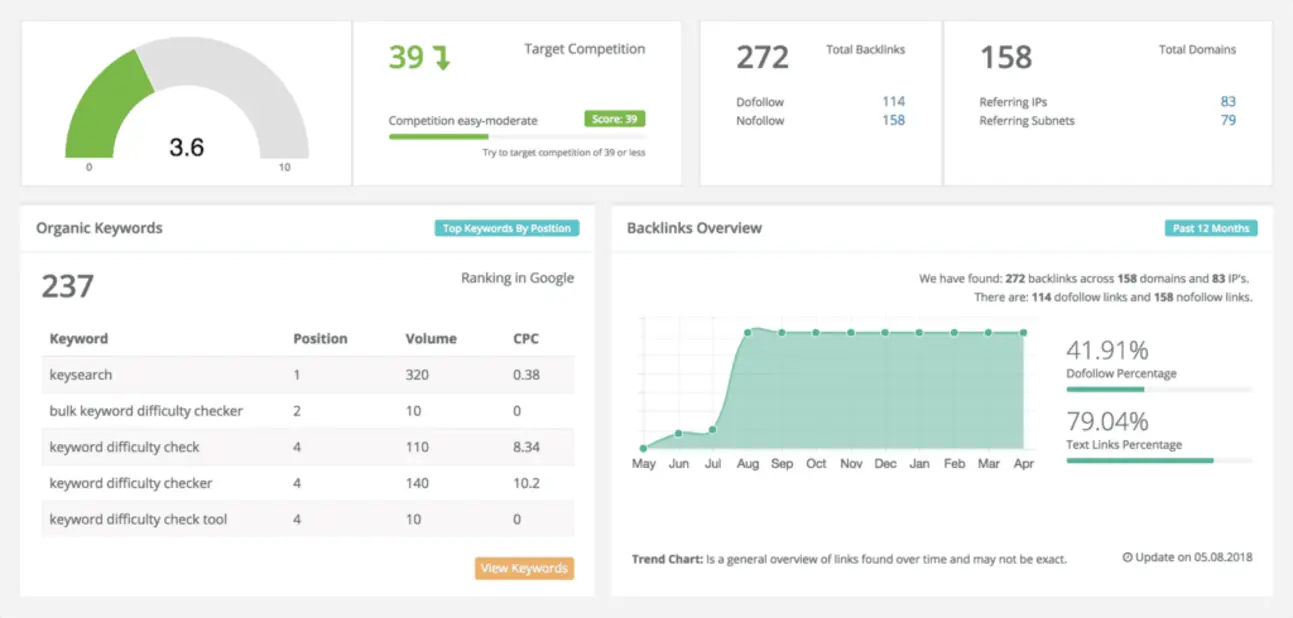
- SERP ‘Quick Look’: Instantly gauge the competitiveness—green means go!
- Opportunity Score: KeySearch now includes an ‘opportunity’ rating for low-difficulty, under-served terms—perfect for new sites and niche campaigns.
- Keyword Clustering: Use built-in AI to group related long-tail variations into easy-to-target content hubs.
5 Quick Tips for Finding Low-Competition Keywords in KeySearch
- Set search volume filter to 10-200/month.
- Sort by lowest difficulty score first.
- Use ‘Include’ and ‘Exclude’ filters to refine by intent or topic.
- Export bulk keyword variations for spreadsheet analysis.
- Combine YouTube and Google data for untapped topic overlaps.
In line with trends discussed in AI Integration for Small Business: 2026 Trends, Benefits & Best Practices, AI-powered keyword clustering and opportunity scoring are giving small businesses a unique edge in search.
KeySearch for Beginners: User Experience and Support
KeySearch’s ethos is accessibility. Even digital marketing novices can feel at home within minutes, thanks to:
- Intuitive Dashboard: Clean, uncluttered, logically organized, and mobile-responsive.
- Guided Tours: Onboarding videos and contextual tool-tips guide you through each workflow.
- Comprehensive Help Center: Step-by-step guides, FAQs, and best practice tutorials.
- Live Chat & Email Support: Quick response for technical or workflow questions.
FAQs: KeySearch Login, Free Trial, and Tutorials
Q: Does KeySearch offer a free trial?
A: Yes—usually 1 or 2 weeks, giving full access to core research features.
Q: Do I need a credit card to start?
A: No card required, making it risk-free to explore.
Q: Is there a browser extension?
A: Not as of 2026, but the web interface is fully mobile-compatible.
User Experience Focus: From login to the first keyword win, KeySearch is one of the lowest-friction keyword tools available.
Exploring New & AI Features in KeySearch 2026
As AI reshapes every aspect of digital marketing, KeySearch remains at the forefront.
Technical Analysis: AI Integration in Keyword Planning
- AI Topic Modeling: KeySearch automatically identifies keyword clusters and searcher intent—reducing manual spreadsheet work.
- Semantic Grouping: Similar phrases are grouped for ‘hub and spoke’ SEO strategies.
- Real-Time LSI Suggestions: While you write, KeySearch’s AI recommends semantically relevant phrases for better topical authority.
- AI-Powered Gap Analysis: Instantly reveals what your competitors cover that you do not.
- Automated Content Briefs: Input your main keyword and receive a full outline, related questions, and LSI terms within seconds.
Technical Details: How KeySearch Integrates with APIs and AI (2026)
- Uses Google, Bing, YouTube, and Amazon autosuggest APIs
- Proprietary AI models for difficulty, clustering, and opportunity analysis
- Open API for custom automation (available at all pricing tiers)
2026 Statistic: According to industry surveys, over 65% of content teams now use AI-driven keyword research—a jump from 39% in 2023.
Best Practices for Using KeySearch for YouTube and Content Planning
- YouTube SEO: Use KeySearch’s YouTube-specific tool to uncover trending video queries, competitive scores, and channel opportunities.
- Content Assistant: Draft, optimize, and compare your articles in real-time—eliminating second-guessing and manual audits.
- SERP Snapshots: Evaluate competitor pages before you start writing for higher odds at first-page rankings.
Internal Link 2: Further Reading
If you’re considering next steps in your digital strategy, don’t miss our analysis of Thinkific AI Course Builder: 2026 Online Education & B2B Training. This deep dive explores how AI is revolutionizing content creation and online training—perfect for those wanting to supercharge their knowledge business after mastering keyword research.
Conclusion: Why KeySearch Is One of the Best Keyword Research Tools of 2026
KeySearch continues to earn its place as an industry favorite by making powerful SEO research affordable, user-friendly, and deeply actionable. From beginner bloggers to seasoned agencies, users appreciate the no-nonsense interface, cutting-edge AI integrations, transparent pricing, and relentless focus on usability. Whether you aim to dominate low-competition searches, optimize YouTube videos, or outmaneuver entrenched competitors, KeySearch arms you with the data and strategies needed to win SERPs in 2026.
Ready to unlock the next level of content growth?
Experiment with KeySearch’s free trial and experience the impact real keyword intelligence can bring—at a price that empowers, not burdens.
Watch more:
👉 Our Website
👉 Our YouTube Channel
👉 Our Facebook Fanpage
👉 Our X (Twitter)





