
Landing in Japan without internet is one of the fastest ways to turn an exciting trip into a stressful one — no maps, no translation apps, no way to book a last-minute reservation. Travelist WiFi is a pocket Wi-Fi router rental service from Travelist, the travel-booking platform run by Tokyo-based Apple World Inc., designed to solve exactly that problem. Pick a data plan, collect the router at the airport or have it delivered to your hotel, and you’re connected across Japan on SoftBank’s 4G LTE network for the length of your stay — no SIM swapping, no roaming bill shock, and up to 10 devices sharing a single connection. Pricing is simple and transparent: flat per-day rates starting at ¥770 (≈$4.76) for a 3GB/day plan up to ¥1,540 (≈$9.52) for the “Best Buy” unlimited-style plan, with free airport pickup and free mail-in return built into every rental.
Travelist isn’t a wifi-only startup — it’s a connectivity add-on bolted onto a much larger travel platform that already sells flights and hotels, backed by ZIGExN Co., Ltd., a company listed on the Tokyo Stock Exchange Prime market. That corporate backing is reassuring, but it also means the WiFi product itself is relatively new and thin on independent, product-specific reviews compared to long-established specialists in this space. This 2026 review walks through exactly how Travelist WiFi works, its current pricing straight from the official order page, how it stacks up against category veterans like Ninja WiFi and Japan Wireless, the genuine pros and cons, and who should (and shouldn’t) rent from Travelist for their next Japan trip.
Travelist WiFi Review 2026: Affordable Pocket Wi-Fi Rental for Japan Travel
Overview and Background
Travelist WiFi is one of three connectivity products (alongside eSIM and physical SIM cards) offered under the Travelist brand, operated by Apple World Inc. — a Tokyo travel company headquartered in Bunkyo-ku that was established in December 1991 and became a group company of ZIGExN Co., Ltd. (Tokyo Stock Exchange Prime: 3679) some years later. Travelist itself began in 2009 as a comparison and booking site for cheap flights and LCC tickets, and has since grown into a fuller travel platform: domestic hotel and ryokan booking launched in late 2023, international flight ticketing (comparing over 300 airlines) followed in November 2023, and a PayPay points-exchange integration was added in 2024. Mobile Wi-Fi, eSIM and SIM card rental sit alongside those core travel-booking services as ways for visitors to stay connected once they’ve booked their trip.
The core offer is straightforward: rent a pocket Wi-Fi router that runs on SoftBank’s 4G LTE network, pick it up at a major Japanese airport counter (free) or have it delivered to your hotel (¥550), use it for the length of your stay across up to 10 connected devices, and drop it in any postbox in Japan using the included prepaid return envelope when you’re done. There’s no subscription and no long-term contract — each rental is a standalone booking tied to your travel dates, paid entirely by credit card at the time of order.
Where Travelist WiFi differs from some rivals is in how it prices data. Rather than a single “unlimited” plan, it offers four tiers — 3GB, 5GB, and 10GB daily allowances, plus a higher-priced “Best Buy Unlimited” plan — so light users aren’t forced to pay unlimited-tier prices, and heavy users can step up. The catch, common across most Japan pocket Wi-Fi providers, is that the “unlimited” plan is fair-use capped rather than truly unlimited, which matters if you plan to livestream or upload large files daily.
Why Travelist WiFi Stands Out in 2026
Tiered pricing instead of one-size-fits-all unlimited: Most tourist pocket Wi-Fi providers push you straight to their unlimited plan. Travelist instead lays out four clear daily tiers (3GB/5GB/10GB/Unlimited), so a solo traveler who mostly uses maps and messaging can pay ¥770/day instead of ¥1,540/day for data they’ll never use.
Genuinely free logistics on both ends: Airport counter pickup is free, and return is always free by mail — just drop the prepaid envelope in any postbox or post office in Japan, with no requirement to return it from the same location you picked it up. That flexibility matters if your itinerary starts in Osaka and ends in Tokyo.
Hotel delivery as a genuine alternative to airport pickup: For ¥550 (tax included), Travelist will deliver the router straight to your hotel for your date and time of choice, letting you skip the airport counter line entirely on arrival day — useful if you’re landing late or your flight path doesn’t go through a terminal with a Travelist counter.
Backed by a real, established travel company: Travelist isn’t an anonymous drop-shipping storefront. It’s operated by Apple World Inc. (founded 1991) as part of ZIGExN Co., Ltd., a Tokyo Stock Exchange Prime-listed company. That’s a meaningfully different risk profile than a no-name reseller, even though the WiFi product line itself is newer and has less of an independent review track record than the parent company’s flight and hotel booking services.
An optional, low-cost damage waiver: For ¥440/day, the Worry-Free Waiver Plan clears you of compensation fees for damage, loss or theft — worth comparing against the ¥40,000 replacement cost for a lost router if you’re traveling with kids or doing anything adventurous with your gear.
Wide SoftBank 4G LTE coverage, including bullet trains: The network runs across Japan from Hokkaido to Okinawa, including major cities, tourist areas, most subway lines and Shinkansen (bullet train) routes, with theoretical download speeds up to 612Mbps — plenty of headroom for streaming, video calls, and navigation, even if real-world speeds will typically be far lower.
Room for up to 10 connected devices: A single router can serve a couple’s phones and laptop, or a small family’s tablets and phones, at once — useful for group trips that want to split the cost of one rental rather than buying individual eSIMs.
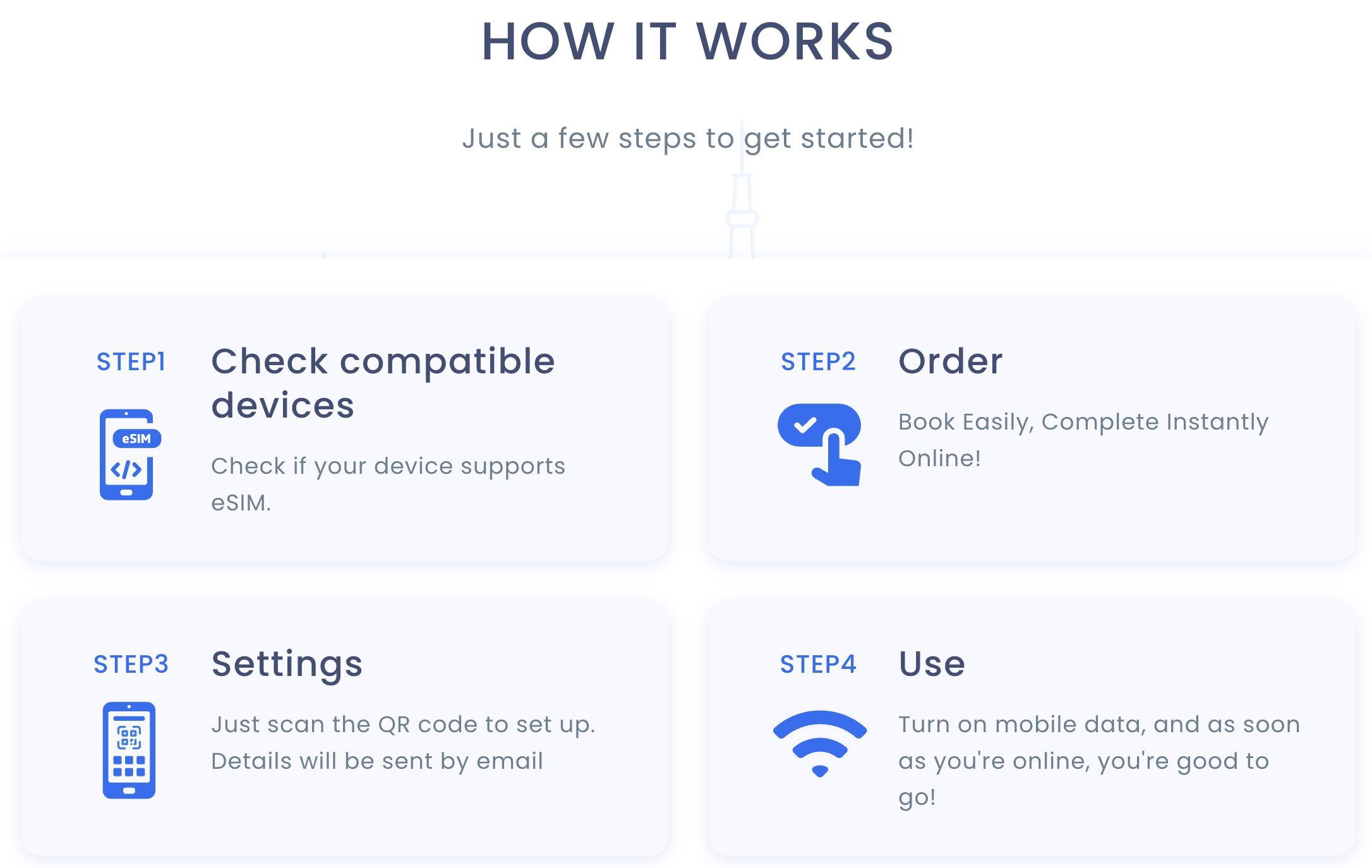
Travelist WiFi runs on SoftBank’s 4G LTE network across Japan, with free airport pickup or hotel delivery and free mail return anywhere in the country.
Key Features and Technology
Travelist WiFi’s value isn’t really about router hardware — it’s about the logistics wrapped around a fairly standard piece of Japan-market equipment. Here’s how the service actually breaks down.
Network Coverage and Speed
Every Travelist WiFi router runs on SoftBank’s 4G LTE network, which the company states reaches 99% of Japan’s population — though that figure is sourced to carrier data from August 2015, so treat it as a rough historical baseline rather than a current, independently audited number. Official specs list download speeds up to 612Mbps and upload speeds up to 37.5Mbps, with the usual caveat that these are theoretical maximums; actual throughput depends on your location, signal strength and how many devices are sharing the router. Coverage is described as reaching major cities, tourist destinations, rural areas, most subway lines and the Shinkansen network, with weaker signal expected in mountainous areas, remote islands, and tunnels. The router only functions inside Japan — it cannot be used before or after your trip.
Data Plans and Fair-Use Limits
The 3GB, 5GB and 10GB plans reduce your speed once you cross the daily allowance for that day, resetting automatically at midnight Japan time. The Best Buy Unlimited plan removes that daily allowance but is still subject to a fair-use policy: usage beyond 20GB in a single day or 300GB across a month drops your speed to 200Kbps — described by Travelist as more than enough for browsing, maps, social apps and messaging, but noticeably slow for video streaming or large uploads.
Simultaneous Device Support
Up to 10 Wi-Fi-enabled devices — phones, tablets, laptops — can connect to a single router at once, which makes one rental a reasonable way for a couple or small family to share connectivity rather than each buying an individual eSIM. Note that Travelist doesn’t publish battery life, router weight, or the exact hardware model on its public pages, so if all-day battery stamina without recharging is a priority for you, that’s a spec you’ll need to confirm directly with support before booking.
Pickup, Delivery and Return
Pickup is free at Travelist’s counters in major Japanese airports, or you can pay ¥550 (tax included) to have the router delivered to your hotel for a chosen date and time — note that courier delivery is restricted to hotel addresses only (not private homes or vacation rentals) and isn’t available to Okinawa or other remote islands; delivery orders must be submitted by 11:59 PM JST at least four days before the desired date. Returns are mail-only and always free: drop the router in the included prepaid envelope at any postbox or post office in Japan, with no obligation to return it from your original pickup city.
Pricing, Plans, and Package Structure
Travelist WiFi is pay-per-rental with no subscription. Pricing below is pulled directly from the official order page as of September 2026 (JST); USD figures are Travelist’s own approximate conversion at roughly ¥161.83 to $1 and will shift with the exchange rate, so treat them as indicative only. Unlike some competitors, Travelist’s published daily rate doesn’t appear to decrease automatically for longer bookings — always confirm your total at checkout for your specific date range.
| Plan | Price (per day) | What It Is | Best For |
|---|---|---|---|
| 3GB/Day Plan | ¥770 (≈$4.76) | 3GB high-speed data per day, then throttled | Solo travelers, light browsing and maps |
| 5GB/Day Plan | ¥880 (≈$5.44) | 5GB high-speed data per day, then throttled | Couples sharing maps, chat and social apps |
| 10GB/Day Plan | ¥1,100 (≈$6.80) | 10GB high-speed data per day, then throttled | Small families or moderate streaming use |
| Best Buy Unlimited Plan | ¥1,540 (≈$9.52) | Fair-use unlimited (throttled past 20GB/day or 300GB/month) | Heavy daily users, groups sharing one router |
| Worry-Free Waiver Plan | ¥440 (≈$2.72) | Optional add-on: waives damage, loss and theft compensation | Travelers with kids or higher-risk itineraries |
| Hotel Delivery | ¥550 one-time (tax incl.) | Router delivered to your hotel instead of airport pickup | Late arrivals or non-airport itineraries |
How Travelist WiFi Compares to Alternatives
| Factor | Travelist WiFi | Ninja WiFi | Japan Wireless |
|---|---|---|---|
| Network | SoftBank 4G LTE | SoftBank 4G LTE | SoftBank 4G LTE |
| “Unlimited” plan cap | Fair-use: 20GB/day, 300GB/month | Tiered/FUP plans, similar structure | Truly unlimited — no daily/monthly cap |
| Approx. unlimited/day rate | ¥1,540 (≈$9.52) | ~¥440–1,200 depending on plan/promo | ~¥770–2,780 depending on duration |
| Devices supported | Up to 10 | Up to 5 | Up to 5–10 depending on plan |
| Pickup options | Free airport counters or ¥550 hotel delivery | Free airport counters, widely available | Free hotel/airport delivery (same-day fee applies) |
| Free power bank included | Not stated on official site | Yes, on several plans | Yes, included with rental |
| Damage protection | Optional ¥440/day waiver | Varies by plan/counter | Varies by plan |
| Independent review base | Very limited (product is newer) | Extensive, long track record | Extensive, tens of thousands of reviews |
| Best for | Simple tiered pricing, hotel-delivery convenience | Airport-counter convenience, short trips | Heavy data users wanting a true unlimited plan |
vs. Ninja WiFi: Ninja WiFi is one of the most recognized names in Japan pocket Wi-Fi, with a dense network of airport counters and frequent partner discounts that can push its unlimited rate well below Travelist’s. Its data structure is broadly similar — tiered daily allowances rather than a single true-unlimited plan — so the real differentiator is brand recognition and counter density rather than a fundamentally different product.
vs. Japan Wireless: Japan Wireless markets a genuinely uncapped unlimited plan with no fair-use throttling, a free power bank on most rentals, and a large, long-running base of verified customer reviews. If your itinerary involves heavy daily streaming or large uploads, that “truly unlimited” claim is the meaningful edge over Travelist’s fair-use-capped Best Buy plan. Travelist counters with its optional damage waiver and hotel-delivery flexibility, but on raw data allowance and review depth, Japan Wireless currently has the stronger track record.
vs. an eSIM: An eSIM (including Travelist’s own eSIM product) skips the physical device entirely and is often cheaper for a single traveler, but it can’t be shared across multiple devices the way a pocket router can, and it’s a poor fit for older phones or travelers who want a physical hotspot for a laptop. For solo travelers with a modern eSIM-compatible phone, an eSIM is frequently the simpler and cheaper choice; for couples, families or anyone bringing a laptop, a pocket router like Travelist WiFi remains the more practical option.
Pros and Cons
What Users Love
Simple, transparent tiered pricing: Four clear daily rates with no hidden data fees, initial rental fees, or credit card deposits — you can calculate your total cost before you book, and light users aren’t forced into paying for unlimited data they won’t use.
Free logistics on both ends: Airport pickup is free, mail return is always free, and you don’t have to return the router from the same city you picked it up in — a real convenience for multi-city itineraries.
Hotel delivery for a low flat fee: At ¥550, having the router waiting at your hotel is a low-cost way to avoid an airport counter queue, particularly useful for late-night arrivals.
Solid device-sharing capacity: Supporting up to 10 simultaneous connections makes one rental a genuinely practical shared-connectivity solution for couples, families and small groups.
Backed by an established, publicly-listed-affiliated operator: Apple World Inc. and its parent ZIGExN Co., Ltd. bring corporate stability and a track record in Japan travel booking dating to 2009, which matters for trust even on a newer product line.
Affordable optional damage protection: The ¥440/day Worry-Free Waiver is inexpensive relative to the ¥40,000 router compensation fee it protects against, giving risk-averse travelers a low-cost safety net.
Limitations Worth Knowing
“Unlimited” isn’t truly unlimited: The Best Buy plan throttles to 200Kbps past 20GB/day or 300GB/month — fine for casual browsing, frustrating if you plan to stream or upload heavily every day. Competitors like Japan Wireless advertise no such cap.
Very limited independent, product-specific reviews: Unlike Ninja WiFi or Japan Wireless, which have deep, long-running public review histories for their Wi-Fi rental products specifically, Travelist WiFi doesn’t yet have a substantial visible third-party review base for this product line — so much of what you’re trusting is the parent company’s broader reputation rather than a large volume of verified WiFi-specific customer feedback.
No mid-trip extensions: Extensions are currently unavailable, so if your trip might run long, you need to book the extra days upfront — there’s no way to add time once your rental is confirmed.
Delivery restrictions: Hotel delivery isn’t available to Okinawa or other remote islands, and courier delivery only goes to hotel addresses — private homes and vacation rentals are excluded, and re-delivery fees apply if an order is missed.
Steep compensation fees without the waiver: Without the optional Worry-Free Waiver, a lost or damaged router costs ¥40,000, plus separate fees for accessories and a SIM reissue — costs that can catch travelers off guard if they skip the add-on.
Sparse published hardware specs: Travelist doesn’t publish the router’s exact model, weight, or battery life on its public pages, which makes it harder to judge all-day portability and stamina compared to competitors who list these specs upfront.
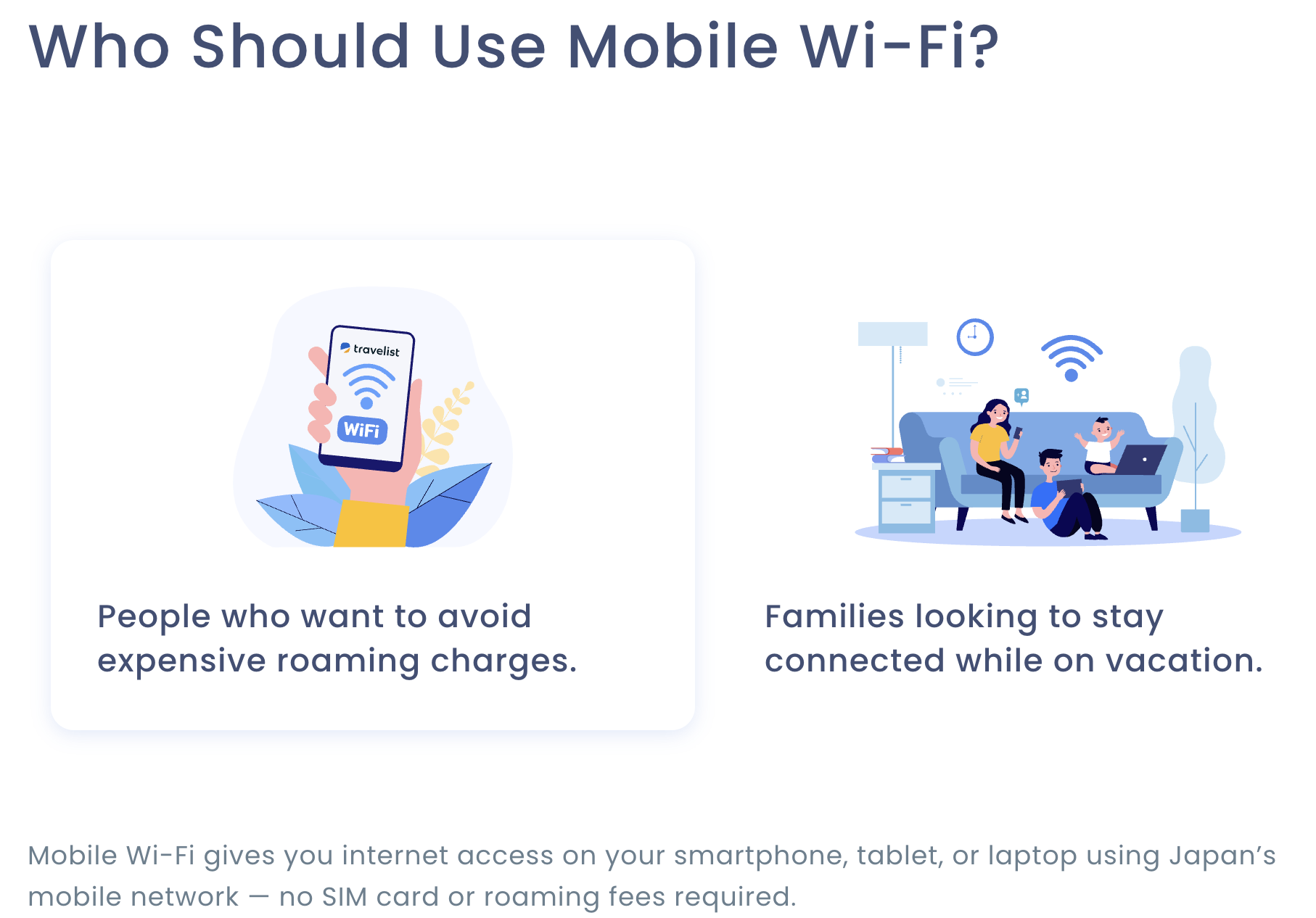
Travelist WiFi’s four data tiers let light users pay less and heavy users step up, but the top “unlimited” plan is still fair-use capped rather than truly uncapped.
Who Should Use Travelist WiFi
First-time visitors and families: The simple tiered pricing and up-to-10-device support make Travelist WiFi easy to reason about for travelers who just want dependable maps, translation and messaging without calculating complex data plans across multiple personal eSIMs.
Hotel-based travelers who want to skip the airport counter: The ¥550 hotel delivery option is a genuinely convenient way to have connectivity waiting the moment you check in, especially for late arrivals.
Light-to-moderate data users: If your daily usage is maps, messaging, social media and occasional browsing, the 3GB or 5GB tiers will comfortably cover you at a lower price than jumping straight to an unlimited plan.
Travelist flight/hotel customers wanting a one-stop booking: If you’re already booking flights or hotels through Travelist, adding WiFi to the same platform keeps everything in one place rather than juggling a separate connectivity vendor.
Who should look elsewhere: Heavy daily streamers, remote workers uploading large files, or anyone who genuinely needs a no-cap unlimited connection should look at Japan Wireless’s truly unlimited plan instead. Travelers heading to Okinawa or other remote islands who want hotel delivery, or those needing mid-trip flexibility to extend a rental, will also run into real limitations here. And if you want deep, verified, product-specific customer reviews before committing, note that Travelist WiFi’s own review base is thin compared to more established specialists.
Getting Started: Step by Step
- Choose your data plan. Estimate your realistic daily usage — most travelers using maps, messaging and moderate social media fit comfortably into the 5GB or 10GB tier without paying for the unlimited plan.
- Decide on pickup or delivery. Pick free airport counter pickup if you’re landing during counter hours, or add ¥550 hotel delivery if you’d rather have the router waiting at check-in.
- Consider the Worry-Free Waiver. At ¥440/day, weigh the waiver against the ¥40,000 compensation fee for a lost or damaged router, especially if you’re traveling with children or doing anything physically demanding.
- Book online with a credit card. Complete your reservation with your travel dates locked in — remember cancellations within 4 days of your start date forfeit the full booking amount, and extensions aren’t available afterward.
- Collect and connect. Pick up your router at the airport counter or your hotel, turn it on, and join the Wi-Fi network using the name and password printed on the device.
- Return by mail when you’re done. Drop the router in the included prepaid envelope at any postbox or post office in Japan before you leave — do this promptly, since devices unreturned after 14 days are treated as lost.
Tips for Getting Maximum Value
Book your full trip length upfront rather than assuming you can extend later, since extensions currently aren’t offered and running out mid-trip means either buying a second connectivity option or going offline. If more than one person in your group will use the router simultaneously for maps and streaming, size up to the 10GB or Best Buy Unlimited tier rather than trying to squeeze a family onto the 3GB plan, since throttled speeds after the cap can make navigation and messaging frustratingly slow. Take the Worry-Free Waiver seriously if you’re traveling with children, doing anything outdoorsy, or simply prone to misplacing gear — ¥440/day is inexpensive compared to a ¥40,000 replacement bill. If you’re arriving late at night or your flight doesn’t route through a Travelist airport counter, the ¥550 hotel delivery fee is a small price for guaranteed connectivity waiting at check-in. And build your return into your itinerary early — locate a postbox or post office near your final hotel a day or two before departure so you’re not scrambling on your last morning in Japan.
Future Outlook and Final Assessment
Japan’s inbound tourism connectivity market in 2026 is increasingly split between physical pocket Wi-Fi routers and eSIMs, with eSIM adoption growing quickly among travelers with newer, compatible phones. Travelist’s decision to offer WiFi, eSIM and SIM cards side by side — rather than betting on one format — mirrors how the broader Travelist platform has expanded since 2009, adding hotels, international flights and payment integrations on top of its original flight-comparison core. As Apple World and ZIGExN continue building out Travelist as a one-stop travel platform, the WiFi rental product is likely to benefit from that scale, cross-selling and the corporate credibility that comes with a Tokyo Stock Exchange Prime-listed parent, even if the product line itself still needs to build a deeper base of independent customer reviews to match specialists like Japan Wireless.
The honest caveats remain real: the “unlimited” plan is fair-use capped rather than truly uncapped, hardware specs like battery life aren’t published, extensions aren’t currently offered, and the product’s independent review footprint is thin next to category veterans. None of these are dealbreakers for the average tourist who mainly needs maps, messaging and social media to work reliably — but heavy data users and travelers who lean on extensive verified reviews before booking should weigh the alternatives carefully.
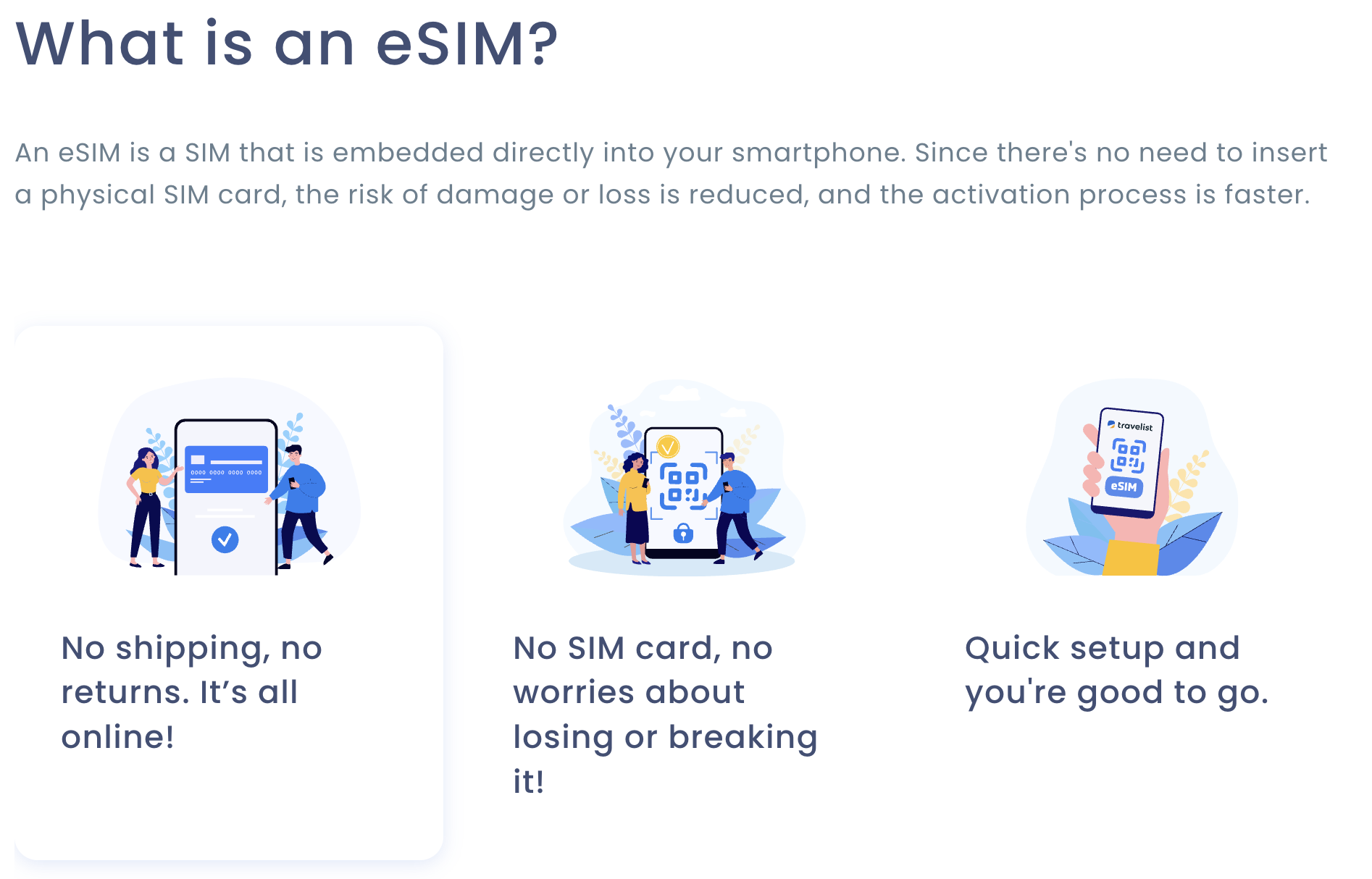
A single Travelist WiFi router can keep up to 10 devices connected, making it a practical shared-connectivity option for couples, families and small travel groups.
Conclusion
Travelist WiFi doesn’t try to reinvent the Japan pocket Wi-Fi category — it executes the fundamentals cleanly: transparent tiered pricing, genuinely free airport pickup and mail return, an affordable optional damage waiver, and the backing of an established travel company rather than an anonymous reseller. It removes the biggest connectivity headache for visitors to Japan without asking you to overpay for data you won’t use. Where it falls short of the category’s most established names is in truly uncapped unlimited data and a deep, independently verified review history — gaps that matter most to heavy data users and cautious researchers, less so to the average tourist who just wants Google Maps and messaging to work. Confirm the current price and any active promotion on the official site, add the waiver if you’re risk-averse, and Travelist WiFi can quietly take one real stress point off your Japan trip.
Ready to stay connected on your next trip to Japan?
Explore more honest reviews, tutorials and tech comparisons to find the right gear for the way you work, travel and live — at World Of Tech, where we make everything easy.
👉 Shop Travelist WiFi: https://worldoftech.space/travelist
👉 Our YouTube Channel: youtube.com/@world_tech79
👉 Our Facebook Fanpage: Facebook
👉 Our X (Twitter): @worldoftech79
Pricing, plan details and policy terms in this review were verified directly against wifi.travelist.jp (Mobile Wi-Fi, Price and How It Works pages) as of September 2026, with competitor pricing sourced from publicly available third-party information. Currency conversions use Travelist’s own approximate USD rate and will fluctuate. Pocket Wi-Fi pricing, promotions and terms change frequently, so confirm current details on the official site before booking. Competitor prices are approximate and subject to change.





