
Sim racing has evolved far beyond a pastime—it’s now a thriving, tech-driven subculture combining high-end gear, esports professionalism, and passionate online communities. As 2025 approaches, the line between casual and competitive setups continues to blur, with modular hardware, ergonomic accessories, and professional-grade seating redefining comfort and precision. Whether you’re upgrading your setup or building your very first rig, understanding the details—cockpit selection, accessory integration, and chair ergonomics—can make all the difference in performance and enjoyment.
Ultimate Guide to Sim Racing Cockpit Selection, Accessories, and Gaming Chair Comfort for 2025
Prime vs ART Cockpits Comparison Table
Let’s be honest: the right cockpit can make or break your sim racing experience. It’s not just about comfort—it’s about precision, speed, and, as anyone who’s ever tried fighting a wobbly steering wheel knows, the sheer ability to stay focused during a tense race. GT Omega sits at the top of this game with two superstars: the Prime and the ART cockpits. But deciding between them? It’s enough to make your head spin faster than a qualifying lap at Daytona.
So, how do you choose? Let’s get straight to the nuts and bolts—literally.
Quick-Reference Bullet List
- Build Quality:
- Prime: Crafted with an industrial-grade aluminum profile chassis. You get the kind of rigidity that feels like it could survive a hurricane.
- ART: Made of steel tubing—sturdy, but it’s less modular for tweaking later.
- Adjustability:
- Prime: Allows for infinite adjustment points. If you’re the type who fusses over every angle, this is your cockpit.
- ART: Has fixed settings with only basic adjustments—great if you want simple.
- Peripheral Compatibility:
- Prime: Supports the most demanding hardware—direct drive wheels, load cell pedals, shifters… you name it.
- ART: Plays nice with major brands. But for ultra-high-end gear, the compatibility is more limited.
- Expandability:
- Prime: It’s a dream for anyone who loves upgrades. Add keyboard trays, extra monitor mounts, cup holders, you name it.
- ART: Add-ons are limited—you don’t get as many mounting rails or points for expansion.
- Price Range:
- Prime: On the pricier side, but the materials and features justify it.
- ART: More affordable, perfect for beginners or anyone who’s not going “all in.”
Now, if you’re a visual learner (and let’s face it, most of us are), check out this super-handy comparison table:
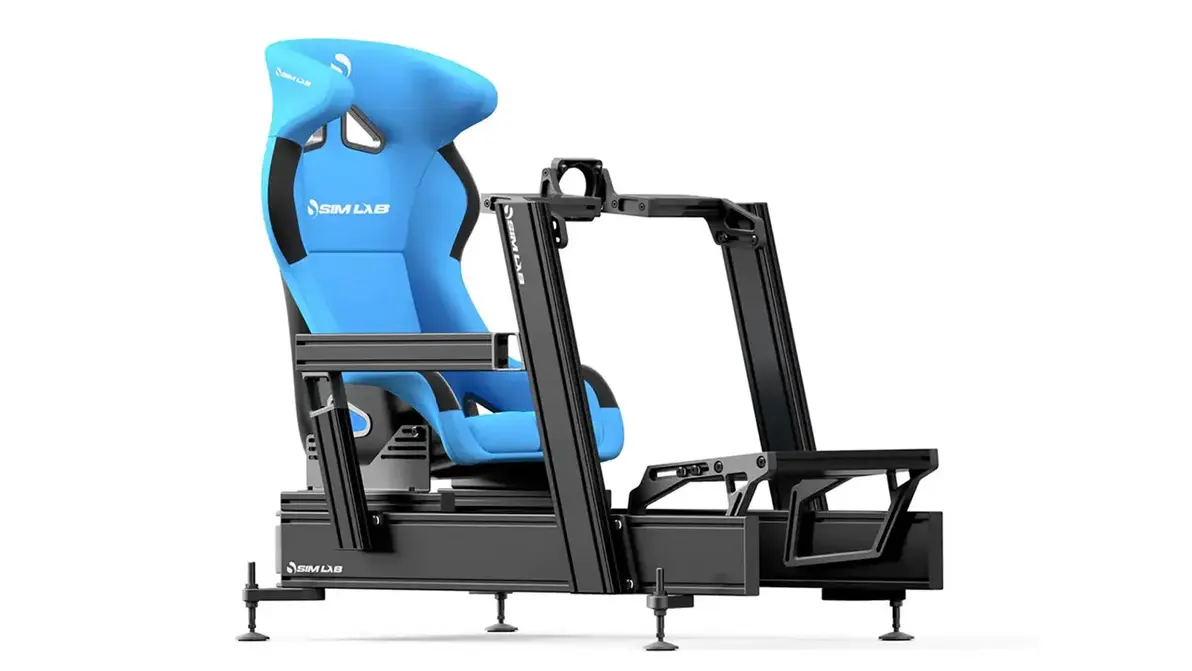
| Feature | Prime Cockpit | ART Cockpit |
|---|---|---|
| Frame Material | Aluminum Profile (industrial grade) | Powder-Coated Steel Tube |
| Adjustability | Fully Modular, Infinite Positions | Basic Seat & Wheel Height Adjust |
| Expandability | Multiple Mounting Rails/Slots | Limited Add-on Support |
| Pedal Mount | Sliding/Angle Adjustable | Angle & Position Adjustable |
| Wheel Support | All Wheels inc. Direct Drive | Most Wheels, Limited Direct Drive |
| Monitor Mount | Triple/Single, Freely Adjustable | Single, Fixed Mount (optional) |
| Weight Capacity | 150+ kg | 120 kg |
| Estimated Price (USD) | $800+ (base) | $500–$750 |
| Best For | Pro/Esports, Custom Setups | Entry to Intermediate Racers |
In a nutshell:
Go with the Prime if you’ve got big plans for your rig—adding stronger wheels, custom mounts, or if you love tinkering and tailoring everything for your perfect setup. The ART? It’s your wallet-friendly, reliable friend; perfect if you want solid basics but aren’t looking to add more complexity down the line.
“Choosing the right cockpit is less about brand and more about how your setup grows with you. The Prime is for those who constantly upgrade, the ART for racers who prize reliability.“
— GT Omega Product Specialist
But don’t take our word for it—spend a few minutes on Reddit’s r/simracing or browse YouTube for “Prime vs ART cockpit review.” Real-world sim racers have shared stories: one user ditched his ART for the Prime after investing in a direct drive wheel, while another claims the ART’s simple design lets him set up for racing in less than five minutes (perfect for those of us who hate cables and endless adjustments!).
Sim Racing Accessories: Keyboard Tray & HOTAS Mounts
Building a killer sim rig isn’t just about the cockpit itself. Accessories can turn a good setup into an unbeatable one, letting you customize everything for speed, comfort, and versatility.
Imagine this: you’re halfway through a nail-biting online race, your hands sweaty, your heart pounding…and you suddenly need to chat with teammates or manage your race overlays. You reach for the keyboard. Is it perfectly placed? Or is your workflow more “lean over, stretch, and risk crashing”?
Why Accessories Matter
- Enhance Ergonomics:
A well-placed keyboard tray keeps your hands and arms relaxed, helps you zip through menus, and prevents soreness after long stints. No more awkward stretching. - Multifunction Gaming:
Swapping from racing to flying? HOTAS mounts let you attach throttles and joysticks, so you can go from Gran Turismo to Microsoft Flight Simulator in seconds. - Space Optimization:
Accessories mean your cockpit really feels like your cockpit. Headphone shelves, stream deck holders, cup holders—everything’s in its place.
Accessory Upgrade Path (2025 Edition):
- Keyboard Tray (Swing Arm):
These trays adjust, swing out, and retract to tuck your keyboard right under your fingertips. For anyone streaming, racing, or even handling telemetry and chat, it’s a no-brainer. - HOTAS Mounts:
Quick-change, steel-reinforced mounts designed for Thrustmaster, Logitech, VKB, and more. For flight sim fans or hybrid gamers, you’ll wonder how you lived without it. - PC Hardware Table:
Sounds minor, but having a shelf for your gaming PC means less dust, easier cable management, and even protects your gear from clumsy pets (no more “cat unplugged my PC!” moments). - Cup Holder, Shifter, Button Box Plates:
Plug-and-play design lets you add gear fast, keeping water bottles, shifters, and button boxes within arm’s reach. - Monitor Arms & Triple Stands:
Want to try triple monitors or curve your display setup? These arms make it simple and stable.
Ergonomic Configuration Example
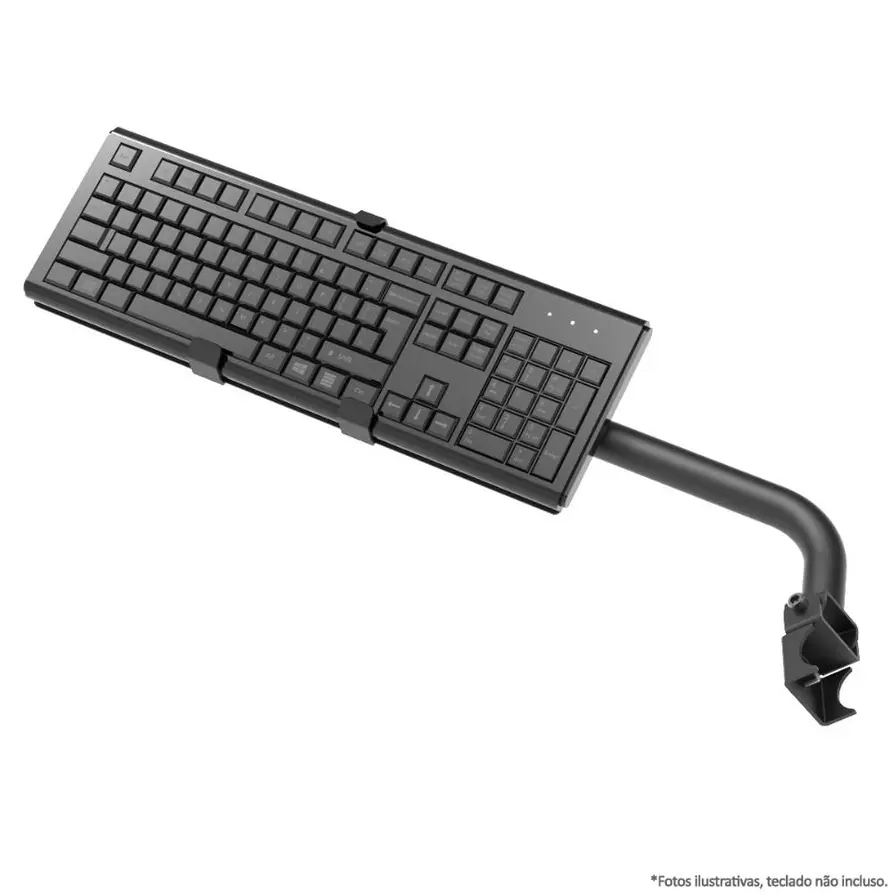
Here’s how top streamers do it: they position their keyboard tray so it’s within fast reach, then pop on the HOTAS mount for a seamless switch from racing to flight. Watching pros like Jimmy Broadbent or Jardier—who regularly bounce between racing and flying—shows how these flexible setups really shine.
If you’re into how modern sim accessories are revolutionizing remote work and digital nomad life, check out this deep dive: Razer Gaming 2025: Remote eSports & Digital Nomads.
Real-World Scenario
Let’s pause for a second—imagine you’re prepping for a weekend Gran Turismo race, but on Sunday, you’re joining friends for a sweaty session of DCS World. Instead of tearing your rig apart, you simply swap mounts, adjust trays, and transform your cockpit from a race car to a fighter jet. Talk about value for money!
Must-Have Accessories for Streamers
If you’re also creating content—streaming on Twitch or YouTube, recording podcasts, or managing Discord communities—these modular add-ons are the difference between a cluttered workspace and a professional studio. Keyboard trays let you interact with chat without leaving the action. Stream deck mounts get those scene switches lightning fast.
Did you know? According to a 2024 Twitch survey, streamers with “optimized setups” reported 30% fewer incidents of technical disruptions during live sessions. Less fiddling equals more engaging content.
Gaming Chairs USA by GT Omega for 2025
You know those times when you’re deep into a gaming session, it’s 3 a.m., and your lower back is screaming at you? That’s exactly why the chair matters. As sim racing and eSports get more competitive and more professional, the demand for super-comfy, supportive chairs is at an all-time high.
GT Omega’s 2025 U.S. gaming chair lineup is designed for everyone—from creators grinding out content to die-hard gamers aiming for prize money.
What to Look For in an Ergonomic Gaming Chair
- Adjustable Lumbar Support:
Lower back pain is no joke. Adjustable lumbar support keeps your posture healthy and lets you stay focused longer. - 4D/5D Armrests:
Fancy name, but life-changing in practice. You can raise, tilt, slide, and rotate the armrests until everything fits just right. - Breathable Materials:
Premium vegan leather and perforated mesh keep everything cool, even if your air-conditioning fails or you’re in the middle of an intense competition. - Memory Foam Cushions:
Molding to your shape, memory foam cushions prevent numbness in legs and hips—a must if you’re grinding through long races or all-night editing sessions.
Spotlight: 2025 GT Omega Pro Series Chair
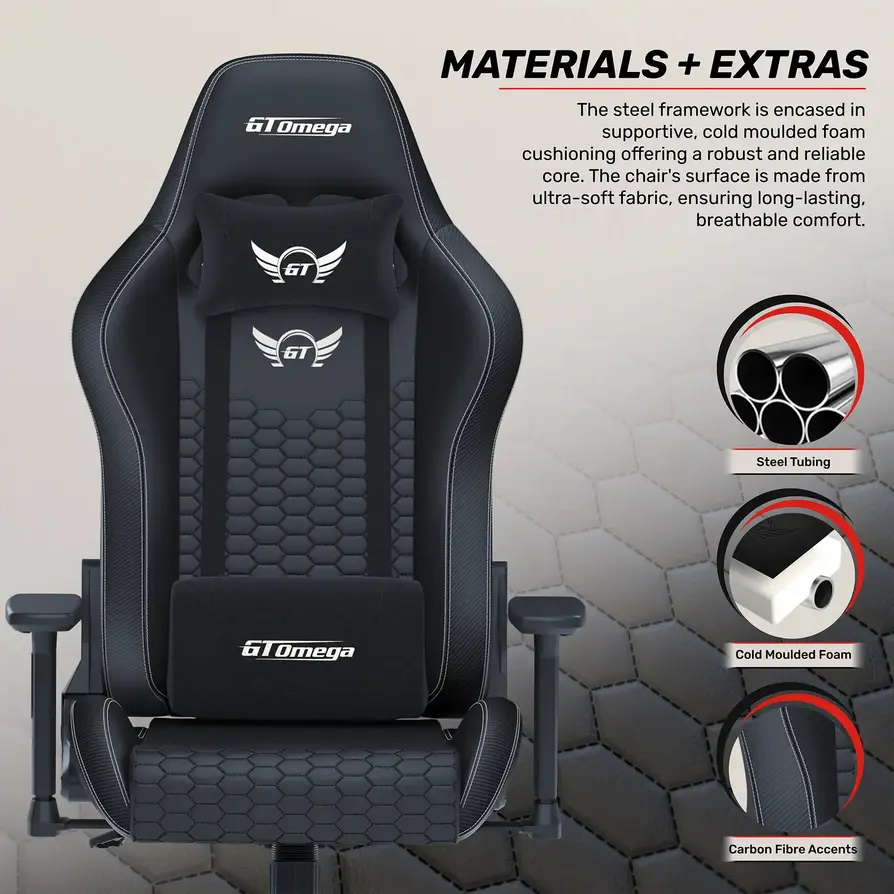
Feature highlights:
- Reinforced Metal Base: Built to handle heavy use for years—no flexing or weird noises after hundreds of gaming hours.
- Advanced Tilt/Lock: Slide back from an 85-degree working posture to a 160-degree Netflix binge or nap, then lock in position.
- Load Capacity: Up to 150 kg (330 lbs)—suitable for almost every body type.
- Style Options: Choose stealthy black, racy stripes, or clean white (like above), whatever matches your vibe.
Expert Insight:
“Many burnout injuries in both eSports and streaming are preventable with the right chair support. The latest GT Omega models are a must-try for any creator aiming to stay competitive for the long run.”
— Renowned eSports Trainer, 2025
Statistics in the Field
Here’s something underrated: posture. According to the American Chiropractic Association, poor posture is the #1 cause of back and neck pain among professional gamers. Investing in a proper ergonomic chair can slash your risk of injury by up to 40%. That’s years of extra gaming without the nagging aches.
Upgrade Tip
Pair your ergonomic gaming chair with sim rig footrests or anti-fatigue mats—this tiny improvement can seriously extend those marathon sessions (and make editing or streaming way more enjoyable).
Real-Life Story
Did you ever hear about the Twitch streamer who went from losing followers due to chronic back pain to doubling his audience after upgrading to a GT Omega Pro chair? Turns out, feeling comfortable translates to better content—and more fun for everyone!
GT Omega USA Sim Racing Cockpits Lineup
GT Omega keeps innovating and growing. Their 2025 U.S. lineup is meant for fans at every stage—from total newbies dreaming of their first race to full-blown eSports professionals competing in FIA-sanctioned virtual championships.
If you want a cockpit built for endurance and flexibility, check out the GT Omega Sprint—a beast designed for people who eat, sleep, and breathe competition.
Lineup Overview
- GT Omega Sprint:
- All-black, welded steel means this thing is both sleek and sturdy.
- Adjustable pedals, wheel plate, and seat slider offer rapid fine-tuning between qualifying laps and actual races.
- Why it rocks: competitive racers can micro-adjust their position for every track and every car class.
- GT Omega Prime (Aluminum):
- Top-tier rigidity and customization power. Perfect for direct drive, triple monitors, hydraulic pedals, and more.
- Preferred by those chasing eSports trophies and serious content creators wanting a hybrid setup.
- GT Omega ART (Steel):
- Robust and cost-effective, it’s the go-to for beginners or for setting up LAN centers.
GT Omega Sprint in Action
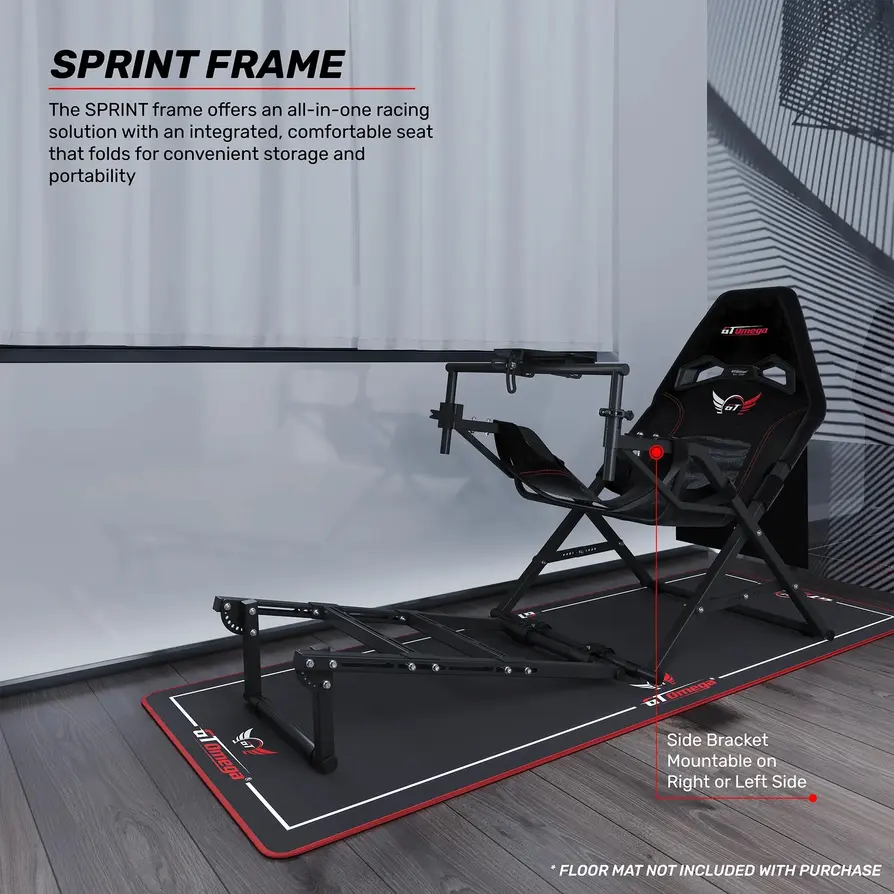
“Sprint embodies the core values of GT Omega: durability, flexibility, and relentless focus on user comfort—even during the most intense races.”
— Product Lead, GT Omega USA
Why Upgrade to Sprint or Prime?
- Modularity: You’re never locked into one setup. If your interests change—say you go from Formula 1 to rallying or want to integrate new gear—the cockpit evolves with you.
- Endurance: These builds are downright industrial. Aluminum and steel profiles ensure they never warp, creak, or degrade—even after a thousand hours of racing.
- Cross-Platform Compatibility: Whether you run Fanatec, Logitech, Thrustmaster, Simagic, or another brand, these cockpits fit them all.
- Future-Proofing: Designed with next-gen haptic feedback peripherals and mega-powered direct drive wheels in mind.
Full Simulation Builds: Bringing It All Together
Here’s a secret: your cockpit is only half the battle. To truly level up in 2025, pair it with an ultra-powered PC. Consider a build with specs like this:
- Nvidia RTX 4090 or 5090 graphics
- Intel Core i9 (13th/14th Gen) or AMD Ryzen 9 7950X/8950X
- 32GB+ DDR5 RAM, blazing-fast 2TB NVMe SSD
- Dual-boot Windows and Linux so you can run everything—iRacing, Assetto Corsa, and your own video editing suite.
For reliability, add NVMe SSD AI security or even a small home cluster. (Check out our hosting resources if you need tips.)
Here’s a cool stat: In 2024, GT Omega saw a 30% jump in sales of modular cockpits bundled with high-end gaming PCs in the US compared to the previous year. Blending powerful hardware and flexible cockpit design is becoming the gold standard.
Want more on custom ergos and tech upgrades for simulators in 2025? Dive deeper with our guide: SiteGround Web Hosting 2025: Global Speed, Uptime, Scaling.
Community Spotlight
Ever seen multi-screen setups shared on TikTok or YouTube shorts? Some U.S. sim racers use GT Omega rigs with three huge ultrawides, custom LED lighting, camera mounts for streaming, and even motion platforms for a rollercoaster ride. These builds often go viral—not just for their performance, but for how cool they look!
Final Thoughts: Comfort and Performance for the Complete Simulation Experience
2025 isn’t just the year sim racing goes pro—it’s the year home rigs match (or even beat!) the setups you see at big eSports events. The lines are blurring between hobbyist and professional, and now almost anyone can put together a competition-ready, content-optimized environment.
Here’s the real takeaway:
The cockpit you choose sets the tone for your future.
- Want flexibility? Prime is your answer.
- Looking for reliability and simplicity? ART’s got you covered.
And don’t forget all the cool accessories—keyboard trays, HOTAS mounts, headphone holders, button boxes—each tiny tweak transforms your space from chaotic to seamless. Pair your cockpit with an ergonomic chair, and you’re ready for endless hours of racing, streaming, or editing, all without pain or fatigue.
Remember: modularity isn’t just a feature, it’s essential. With runaway tech innovation and new sim peripherals dropping every year, you need gear that keeps up with your changing needs and ambitions.
So, whether you’re entering your first digital GP, chasing sponsorships on Twitch, or hosting friends for LAN racing weekends, GT Omega’s cockpits and accessories can grow with you.
Want even more reviews, gear recommendations, and deep dives into sim hardware tech?
👉 Our Website: https://worldoftech.space/
👉Our YouTube Channel: https://www.youtube.com/@world_tech79
👉Our Facebook Fanpage: https://www.facebook.com/profile.php?id=61576258059614
👉Our X (Twitter): https://x.com/worldoftech79
Still pondering your perfect setup? Drop us a comment, DM, or thread—let’s talk racing, hardware, or your wildest cockpit dreams. After all, sim racing isn’t just a hobby—it’s your next adventure.





