
If you drive for work — showing houses, visiting job sites, running deliveries, or hopping between client meetings — you already know how much a shoebox of scribbled odometer notes can cost you. Every business mile in 2026 is worth 72.5 cents in tax deductions or reimbursement, and the miles you forget to log are money left on the road. MileIQ was built to erase that problem entirely. It runs quietly in the background of your phone, automatically detects every drive using GPS, and lets you sort business from personal with a single swipe — then generates an IRS-compliant report with one tap. With 100 billion-plus miles logged, more than 80,000 five-star app reviews, and a decade-long reputation as the “set it and forget it” mileage tracker, it has become the app most people think of first when the topic comes up.
But MileIQ in 2026 is a more complicated recommendation than it used to be. After changing hands twice — from an independent startup, to Microsoft, and now to Bending Spoons — it has raised its price sharply two years running, and long-time users have voiced frustration in the app stores. Meanwhile one major rival now offers unlimited automatic tracking completely free. So is MileIQ still worth it? This 2026 review walks through exactly what MileIQ does, how its automatic tracking and reporting work, the current pricing for individuals and teams, head-to-head comparisons against Everlance and TripLog, the real pros and cons drawn from thousands of user reviews, and precisely who should — and shouldn’t — pay for it this year.
MileIQ Review 2026: The Set-and-Forget Mileage Tracker That’s Still the Benchmark — But No Longer the Bargain
Overview and Background
MileIQ is a cloud-based automatic mileage tracker for iOS and Android, paired with a web dashboard. It isn’t a general accounting suite or an expense manager — it is purpose-built for one job done exceptionally well: capturing every mile you drive without you having to remember to start or stop anything. You install the app, grant it location access, and drive. MileIQ records the trip automatically, and later you swipe right to mark it business or left to mark it personal. At tax time or the end of a reimbursement period, you export a clean, IRS-compliant report in seconds. That single-minded focus is why it has been the category’s most recognized name for years.
The app has an unusually eventful corporate history that matters to anyone buying it today. It was founded in San Francisco by Dan Bomze under the company Mobile Data Labs, raising seed funding in 2014 and a Series A in 2015 backed by investors including Trinity Ventures. On November 5, 2015, Microsoft acquired the company and folded MileIQ into its Microsoft 365 ecosystem. On March 18, 2021, Microsoft divested MileIQ and it became independent again. Then, in July 2025, Italian app conglomerate Bending Spoons — the same company behind Evernote, WeTransfer, Meetup, Komoot, Vimeo and AOL — acquired MileIQ for a reported $233 million. That last change of ownership is the single most important context for this review, because it coincides almost exactly with the aggressive price increases users have been complaining about.
On reputation, MileIQ remains a heavyweight. It advertises 100 billion-plus miles logged, more than $10 billion in reimbursements captured for users, and over 80,000 five-star reviews across the App Store and Google Play. On Trustpilot the picture is more measured but still solid: a 4-star “Great” TrustScore across roughly 1,500 reviews, where praise for effortless tracking sits alongside a very visible cluster of pricing complaints. This is a mature, trusted product — not a fly-by-night app — but one going through a clear shift in how it’s priced and positioned.
Why MileIQ Stands Out in 2026
Truly automatic, set-and-forget tracking: This is MileIQ’s defining strength and the reason people stay loyal for years. Once it has location permission, the app detects when you start and stop driving on its own — no button to press, no trip to remember. Reviewers repeatedly describe forgetting the app is even there until the weekly summary arrives, then realizing it has quietly captured every single drive. For anyone who has ever lost deductions to a forgotten logbook, that reliability is the whole value proposition.
The one-swipe classification is effortless: Sorting drives couldn’t be simpler — swipe right for business, left for personal. Long-press or swipe-and-hold to add a purpose like “client meeting” or “supply run,” plus notes and custom labels for audit readiness. It’s a small interaction, but doing it well is what turns mileage tracking from a dreaded chore into a few seconds a day. This clean, low-friction interface is a big reason MileIQ has 80,000-plus five-star app reviews.
IRS-compliant reports in a single tap: At tax time or the end of a reimbursement cycle, MileIQ generates a clean, tax-compliant mileage report you can export as PDF, Excel or CSV. The reports are QuickBooks-compatible and integrate with SAP Concur, and they include the details auditors expect — dates, routes, distances and purposes. For self-employed filers and reimbursed employees alike, this is the payoff that makes the whole year of quiet tracking worthwhile.
Smart automation that learns your routine: Beyond raw tracking, MileIQ can auto-classify drives using Work Hours and Shifts — any drive during your defined business hours is tagged business automatically. Named Locations let you flag places you visit often so the app recognizes them, and the “join drives” feature stitches a multi-leg trip (with a gas or coffee stop in the middle) back into a single logical journey. These touches meaningfully cut the amount of manual swiping over time.
Privacy is a real design principle, not a slogan: MileIQ keeps your drive data on your device and only shares it when you choose to send a report. It does not sell data to third parties, runs no ads in the app, and deliberately offers no live, real-time location tracking. On team plans, admins only ever see the business drives a driver submits — personal drives stay private. In a category full of invasive-feeling trackers, this stance is a genuine differentiator that privacy-conscious drivers value.
Brand trust, scale and a long track record: With 100 billion-plus miles logged, more than a million active users, a decade of development, and features in major national press, MileIQ is a known quantity. Plenty of reviewers report five, seven, even eight years of continuous daily use. When you’re trusting an app to protect thousands of dollars in deductions, that longevity and stability carry real weight.
Team-ready, not just a solo tool: MileIQ for Teams pairs the driver app with an admin dashboard where managers review, approve or reject drives with a click, set company-wide custom reimbursement rates, deduct commutes automatically, and download reports for accounting. Businesses report saving around 70 payroll hours per employee and cutting reimbursement costs by roughly 25% — turning a monthly spreadsheet headache into a few clicks.
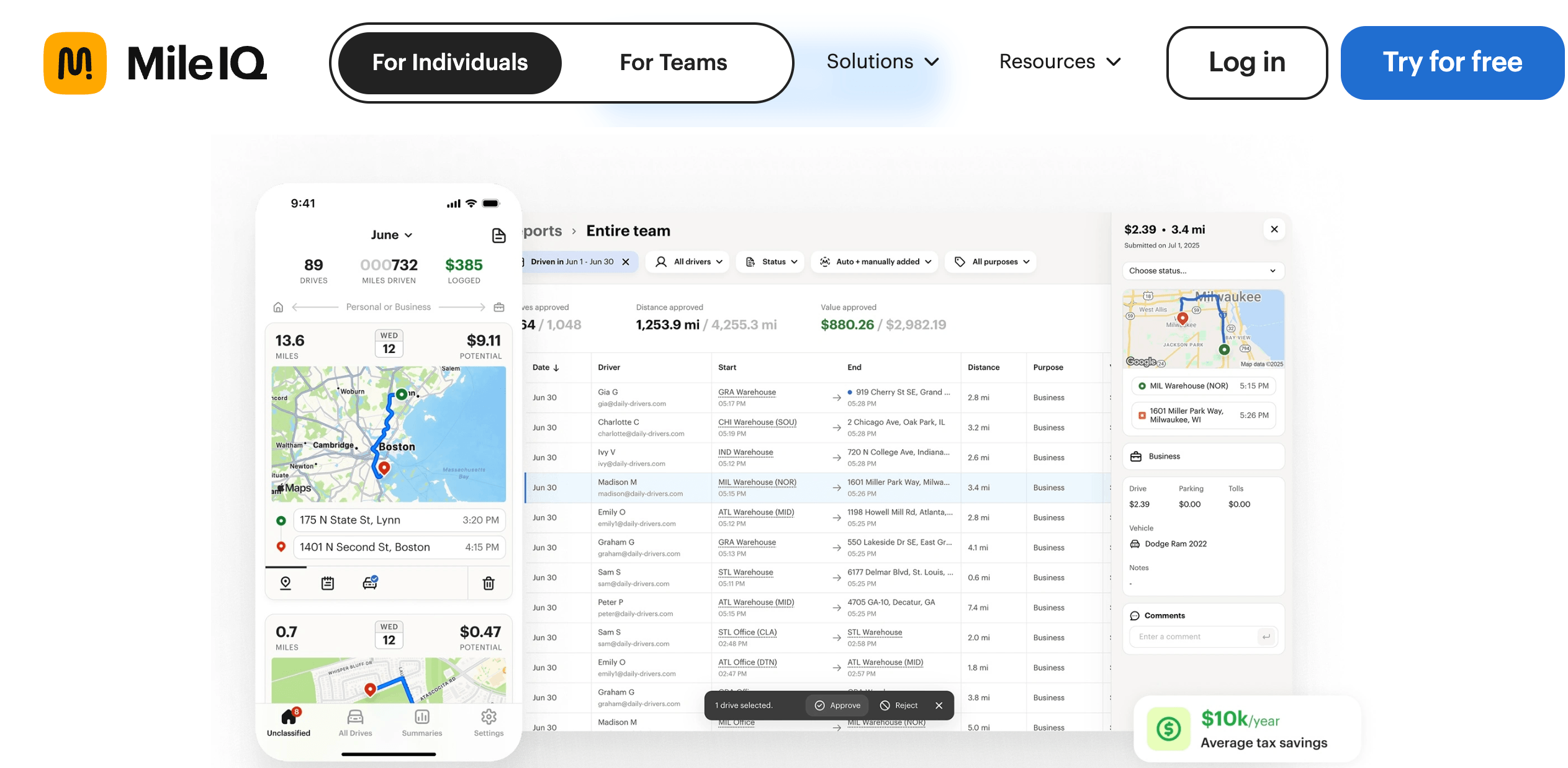
MileIQ runs in the background and detects every drive automatically — you just swipe right for business or left for personal, then export an IRS-compliant report in a tap.
Key Features and Technology
MileIQ keeps its feature set deliberately tight, but each piece is built around the core loop of detect, classify and report. Here’s how the platform breaks down.
Automatic Drive Detection and GPS Tracking
The engine of the product. MileIQ uses a blend of GPS, Wi-Fi, cellular data and your phone’s motion and location services to sense when a drive begins and ends, recording it in the background without any manual start. It works across iOS and Android and captures start and end points, route, distance and time. This passive, always-on detection is what separates MileIQ from apps that require you to tap “start trip” — and it’s the feature owners praise most. The trade-off is that background location tracking asks for broad permissions and does draw on battery, so the app needs to be allowed to run and stay awake for best results.
One-Swipe Classification and Custom Purposes
Each captured drive appears as a card you sort with a single gesture: swipe right for business, left for personal. A longer swipe or hold opens an “Add a Purpose” prompt, so you can attach a reason — client visit, delivery, supply run — plus notes and custom categories. You can classify on the phone or from the web dashboard, and there’s a weekly email that lists the past week’s drives so you can catch up in one sitting. It’s a small, well-designed interaction that makes staying compliant almost painless.
IRS-Compliant Reports and Integrations
MileIQ turns your classified drives into tax-ready reports covering the elements the IRS requires — date, distance, destination and purpose — exportable as PDF, Excel or CSV. Reports are QuickBooks-compatible and integrate with SAP Concur for expense workflows, and the app also supports mileage rates for the US, UK and Canada. It does not, however, offer built-in bookkeeping or bank connections; if you want mileage to flow into full accounting, you’ll lean on those exports and integrations rather than an all-in-one tool.
Smart Automation: Work Hours, Locations, and Joining Drives
Several quality-of-life features reduce manual work over time. Work Hours and Shifts auto-classify any drive within your set business hours as business — useful for drivers with irregular or multiple daily shifts. Named Locations let you save frequent addresses so MileIQ recognizes them and speeds classification. And the join-drives tool merges trips that were split by a short stop back into one drive, so a run to a client with a gas-station detour still reads as a single business journey. Custom reimbursement rates round out the automation on team plans.
Privacy, Data Ownership, and Security
MileIQ stores your mileage log securely in the cloud so you never lose it if your phone dies, while keeping drive data private to you until you deliberately share a report. It doesn’t sell data to third parties, shows no ads, and doesn’t offer live tracking of a driver’s location — a deliberate privacy-by-design choice. For teams, only submitted business drives are visible to admins; a driver’s personal drives never appear. This is a genuine strength for anyone uneasy about how much a work app can see.
MileIQ for Teams: The Admin Dashboard
For businesses, MileIQ adds a web dashboard on top of the driver app. Admins invite drivers by email, then review submitted reports, approve or reject drives in bulk with filters, set a company-wide reimbursement rate that differs from the default, and — on the top tier — automatically deduct each driver’s commute and manage multiple admins. Reports live in one searchable tab with start and end points, mileage and reimbursement amounts, ready to hand to accounting. It’s a clean, if intentionally simple, reimbursement workflow rather than a full fleet-management platform.
Pricing, Plans, and Package Structure
MileIQ offers a free tier plus paid plans for individuals and teams. The headline story in 2026 is price. Individual unlimited tracking cost about $5.99/month in 2024, rose to roughly $8.99/month in 2025, and now sits at $13.99/month (or $11.66/month billed annually, about $139.99/year). That’s a large jump in a short span, and it lands right after the Bending Spoons acquisition — which is exactly why so many app-store reviews mention pricing. The figures below reflect MileIQ’s official rates at the time of writing; because pricing has been changing frequently, always confirm the live price before you subscribe.
| Plan | Price (USD) | What’s Included | Best For |
|---|---|---|---|
| Free | $0 | Automatic tracking + reports, 40 drives per month | Light or occasional drivers |
| Unlimited (Individual) | $13.99/mo or $11.66/mo billed annually (~$139.99/yr) | Unlimited drives, full reporting | Self-employed & frequent drivers |
| Teams Lite | $8/user/mo ($80/user/yr) | Unlimited tracking, add/remove drivers, central billing | Small teams wanting basic tracking |
| Teams | $9/user/mo ($90/user/yr) | Teams Lite + reporting dashboard & report submission | Teams that reimburse regularly |
| Teams Pro | $10/user/mo ($100/user/yr) | Everything + approvals, commute exclusion, custom rates, multiple admins, priority support | Growing businesses & fleets of drivers |
How MileIQ Compares to Alternatives
| Factor | MileIQ | Everlance | TripLog |
|---|---|---|---|
| Free plan | 40 drives/month | ~30 auto trips/month | Unlimited auto tracking (free) |
| Paid plan (individual) | ~$13.99/mo (~$11.66 annual) | ~$8/mo and up | ~$4.99/mo (annual) |
| Expense & receipt tracking | No | Yes | Yes (Premium) |
| Ease of use | Excellent — simplest swipe UI | Very good | Good, more settings/options |
| Tracking control | Fully automatic only | Auto + manual | Auto, Bluetooth, Plug-N-Go, manual |
| Teams / admin dashboard | Yes ($8–$10/user) | Yes (business plans) | Yes (accounting integrations) |
| Best for | Simplicity & hands-off reliability | All-in-one mileage + expenses | Best value & power users |
vs. TripLog: TripLog is the price story of 2026 — it made unlimited automatic mileage tracking completely free, with no ads, and its Premium tier (roughly $4.99/month billed annually) adds web access, unlimited reporting, OCR receipt capture and integrations. It also offers more tracking triggers than MileIQ, including Bluetooth and a “Plug-N-Go” charger option. If your only goal is capturing miles at the lowest cost, TripLog directly undercuts MileIQ and is the value pick. MileIQ counters with a cleaner, simpler interface and a longer track record, but on pure price it’s hard to argue with free.
vs. Everlance: Everlance is the all-in-one alternative, bundling automatic mileage tracking with expense management, receipt capture, income tracking and even tax filing on higher tiers, starting around $8/month with a limited free plan. If you want one app to handle mileage and expenses together, Everlance does more than MileIQ for a similar or lower price. The counterpoint is focus: some users find Everlance’s automatic detection less consistent in testing, and MileIQ’s stripped-down simplicity is exactly what many drivers prefer.
vs. the rest — Stride, Driversnote, Hurdlr and QuickBooks: The field is crowded. Stride is 100% free (funded by insurance referrals) if you don’t mind a more manual, basic experience. Driversnote leans into tax compliance across the US, UK, Canada and Australia and offers an optional iBeacon for better auto-detection. Hurdlr blends mileage with real-time income and tax estimates for freelancers, and QuickBooks Online folds mileage into full bookkeeping if you already use it. MileIQ doesn’t try to out-feature any of these — its pitch is that it does one thing more simply and reliably than anyone, and whether that simplicity is worth a premium in 2026 is the question to weigh.
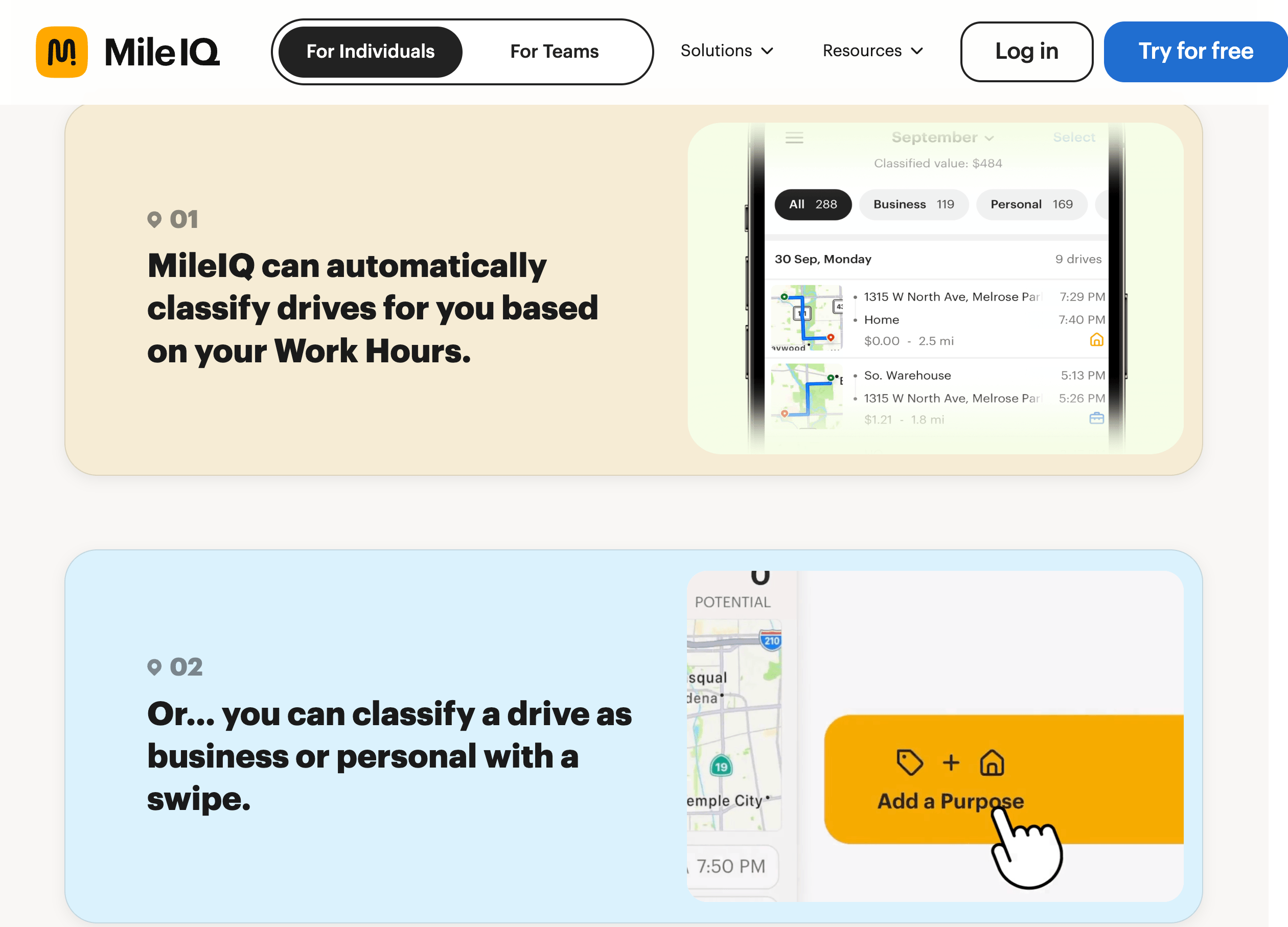
MileIQ’s reports are IRS-compliant and export to PDF, Excel or CSV — QuickBooks-compatible and Concur-integrated for painless tax season and reimbursement.
Pros and Cons
What Users Love
It just works, quietly, in the background: The most consistent praise across Trustpilot and the app stores is how truly hands-off it is. Owners describe installing it, forgetting about it, and finding every drive already logged when they check. “Set it and forget it until tax time” appears again and again — for many, that reliability alone justifies the app.
Effortless classification and helpful reminders: Reviewers love how fast it is to sort drives with a swipe, and the weekly email that prompts them to categorize the past week’s trips keeps them from falling behind. Real estate agents, sales reps and delivery drivers repeatedly call it a huge time-saver over manual logs.
A genuine tax-season lifesaver: Come filing time, users highlight how simple it is to pull a clean, IRS-ready report and hand it to an accountant or drop it into their return. Several credit MileIQ with capturing deductions they’d otherwise have lost, and with providing audit-proof documentation if the IRS ever asks.
Privacy that respects the driver: Owners appreciate that their data stays private, isn’t sold, and — on team plans — that personal drives never show up for their boss. In a category that can feel invasive, MileIQ’s privacy stance earns real goodwill.
Proven longevity and reliability: A striking number of reviews come from users on year five, seven or eight of daily use. That kind of staying power — with the log intact and the tracking still dependable — builds the trust that matters most for a tool guarding your deductions.
Team reimbursement made painless: Business admins praise the dashboard for turning end-of-month mileage from a spreadsheet slog into a few clicks — approve drives, download a report, send it to accounting. The reported 70 payroll hours saved per employee is the kind of number that makes the per-user cost easy to justify for teams.
Limitations Worth Knowing
The price increases are the number-one complaint: This dominates recent reviews. Individual pricing has climbed from roughly $5.99/month in 2024 to $8.99 in 2025 to $13.99 in 2026 — well over a 100% increase in two years, landing right after the Bending Spoons acquisition. Long-time users describe 30-to-50% year-over-year renewal hikes and openly call the pricing “greedy,” with many saying they’ll switch. This is the single biggest reason to pause before subscribing today.
No expense, receipt or income tracking: MileIQ tracks miles and nothing else. There are no bank or credit-card connections, no receipt scanning, no route planning and no income or tax-estimate tools. If you want an all-in-one financial app, rivals like Everlance, Hurdlr or QuickBooks cover far more ground for a similar or lower cost.
Occasional accuracy misses and short-drive gaps: Because tracking relies on the app running in the background, phone battery-optimization settings can pause it, and some users report missed short trips, the odd inaccurate distance, or occasional overestimation. Independent testers have also flagged a weak offline mode, so drivers in low-signal areas or on remote job sites may see gaps unless permissions are tuned carefully.
Subscription and cancellation friction: A recurring frustration is billing: some users report being auto-charged for a second year without a clear heads-up, or struggling to cancel and reach support. If you subscribe, note your renewal date and cancel through the web dashboard or your app-store subscription settings well ahead of time.
No live tracking — a limitation for fleets: MileIQ deliberately offers no real-time location view, which is great for privacy but a dealbreaker for managers who need live visibility of where drivers are. It also isn’t built for field-service teams that need time tracking, scheduling and crew management alongside mileage; dedicated workforce tools handle that better.
The Microsoft 365 perk is gone: Older guides still mention MileIQ being bundled free with Microsoft business subscriptions. That dates from Microsoft’s ownership, which ended in 2021; under Bending Spoons, MileIQ is a standalone paid product, so don’t count on a free version arriving through your Microsoft plan.
Who Should Use MileIQ
Self-employed people and 1099 contractors: This is MileIQ’s sweet spot. If you file a Schedule C and want to maximize mileage deductions without thinking about it, the automatic tracking and one-tap reports do exactly that. If you drive fewer than 40 business trips a month, the free plan may cover you entirely.
Real estate agents, sales reps and field pros: Anyone hopping between showings, client sites or service calls all day benefits from hands-off capture and frequent-location auto-classification. Realtors and service techs feature heavily in the positive reviews for good reason — the app fits their stop-start driving perfectly.
Rideshare and delivery drivers: Gig workers driving constantly can capture every deductible mile without manually starting trips, then export a report at tax time. Just be mindful that heavy daily use makes the annual cost more noticeable, so weigh it against free options like TripLog.
Small businesses and teams that reimburse driving: For companies that want a simple, private way to reimburse employee mileage — without buying a full fleet-tracking system — MileIQ for Teams delivers approvals, custom rates and clean reports that save real payroll time. Privacy-minded organizations will value that admins only see submitted business drives.
Who should look elsewhere: Budget-focused drivers should try TripLog’s free unlimited tracking or Stride before paying MileIQ’s premium. Anyone who wants mileage plus expenses, receipts and tax estimates in one app is better served by Everlance, Hurdlr or QuickBooks. Fleet managers who need live GPS visibility, and field-service teams needing time tracking and scheduling, should choose a dedicated workforce platform. And drivers who regularly work in poor-signal areas should test MileIQ’s tracking thoroughly — or pick a tracker with stronger offline handling — before committing.
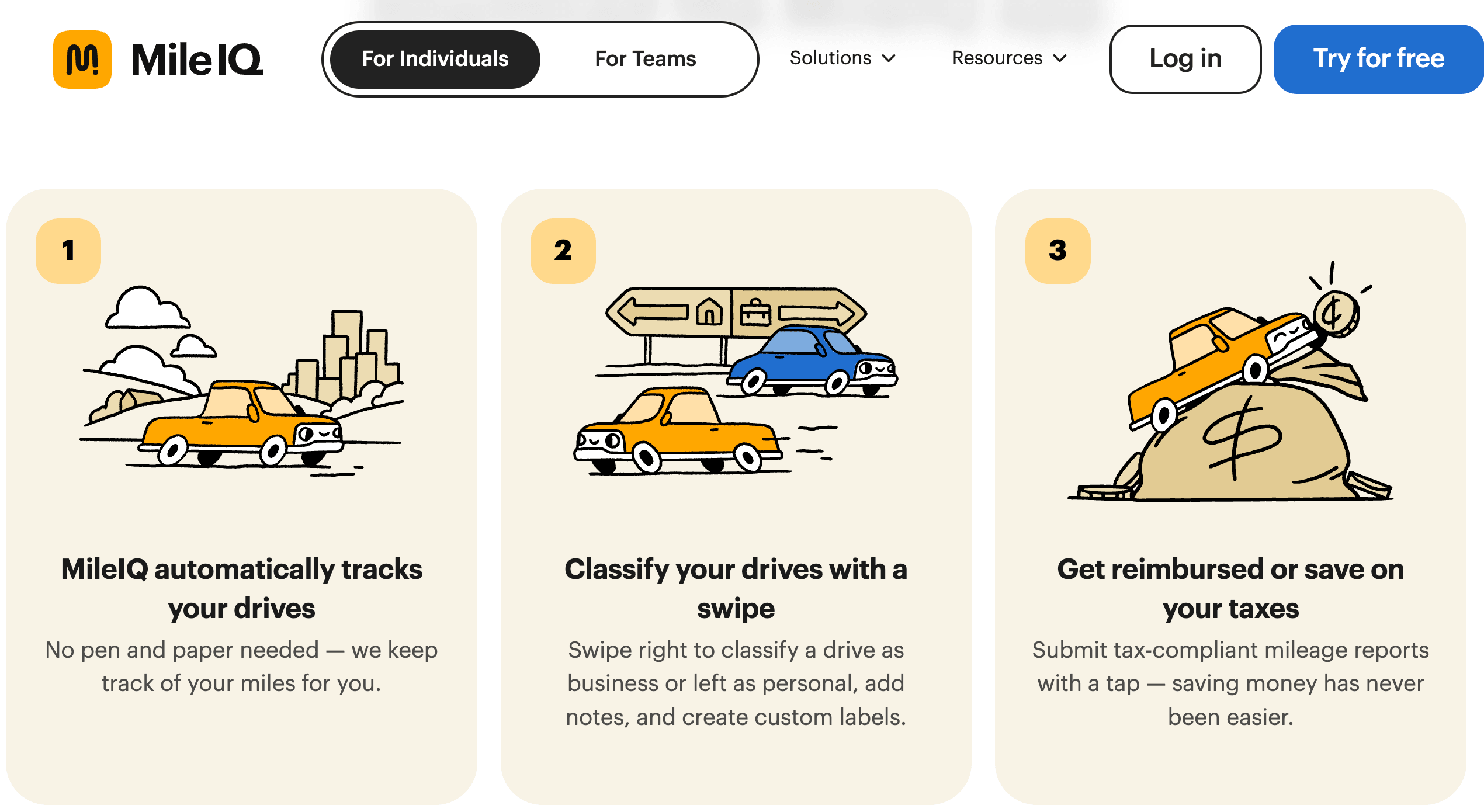
For agents, sales reps and gig drivers with stop-start days, MileIQ quietly captures every deductible mile — no starting, stopping or remembering required.
Getting Started: Step by Step
- Download and pick your plan. Install MileIQ from the App Store or Google Play and create an account. Start with the Free plan (40 drives/month) to test it; choose Unlimited if you drive more, or set up a Teams plan and invite drivers by email if you’re a business.
- Grant the right permissions. This is the most important step for accuracy. Set location access to “Always,” enable motion and background activity, and turn off battery optimization for MileIQ so your phone doesn’t pause it. Without these, the app can miss drives.
- Set up automation. Define your Work Hours or Shifts so business-hour drives auto-classify, and add Named Locations for the addresses you visit often. On team plans, admins set the reimbursement rate and, on Teams Pro, a commute distance to exclude.
- Just drive. MileIQ detects the start and end of each trip automatically and records the route, distance and time — no need to press start or stop. A drive card appears for each journey once you’ve parked.
- Classify and refine. Swipe right for business, left for personal, and add a purpose or note where useful. Use the weekly email summary to catch up in one sitting, and “join” any trip that got split by a short stop into a single drive.
- Generate your report. At month-end or tax time, export an IRS-compliant report as PDF, Excel or CSV for your records, accountant or return. Team admins review and approve drives in the dashboard, then download a report to pass to accounting.
Tips for Getting Maximum Value
Get the permissions right before anything else — setting location to “Always” and disabling battery restrictions for MileIQ prevents the vast majority of “missed drive” problems people complain about. Classify your drives every week using the reminder email rather than letting a month pile up, and lean on Work Hours and Named Locations so the app does most of the sorting for you. Export a CSV backup of your log periodically so you own a copy outside the app. And because of the recent price hikes, set a calendar reminder a week before renewal: check the live price, compare it against free alternatives like TripLog, and cancel through the web dashboard or your app-store subscriptions if the value no longer adds up.
Future Outlook and Final Assessment
The mileage-tracking market in 2026 is unusually turbulent, and MileIQ sits right at the center of it. On one side, its core product is as good as ever: the most polished, most trusted, most hands-off automatic tracker, with a decade of reliability and a real commitment to privacy. On the other, its new owner Bending Spoons has a well-documented playbook of acquiring popular apps and steadily raising prices, and MileIQ’s two consecutive hikes fit that pattern exactly. At the same time, competitors are pushing the opposite way — TripLog made unlimited automatic tracking free, and all-in-one rivals keep adding features — which puts steady pressure on MileIQ’s premium positioning.
Expect that tension to define MileIQ’s near future. The brand recognition, the clean experience and the team dashboard aren’t going anywhere, and for users who value simplicity and reliability above all, it remains a superb tool. But its value proposition has clearly narrowed: what was once an easy, affordable default is now a premium choice you should actively justify against cheaper and free alternatives — a calculation that tilts differently for a budget-conscious gig driver than for a business that just wants painless, private reimbursement.
Conclusion
MileIQ set out to make mileage tracking disappear into the background, and on that single goal it still succeeds better than almost anything else. By detecting every drive automatically, letting you classify with a swipe, and producing IRS-compliant reports in a tap, it removes the drudgery — and the lost deductions — that come with manual logs. Its privacy stance is real, its team tools are refreshingly simple, and its reliability has kept users loyal for years. The catch in 2026 is price: two straight increases under new ownership have turned an obvious default into a premium option, right as free and cheaper rivals get stronger. For the right driver — someone who prizes simplicity and dependability and drives enough to benefit — MileIQ is still very much worth it. Try the free plan first, confirm the current pricing, weigh it against the alternatives, and you’ll know exactly whether MileIQ deserves a place on your phone.
Ready to stop losing deductible miles and let your phone track them for you?
Explore more honest reviews, tutorials and tech comparisons to find the right gear for the way you work, travel and live — at World Of Tech, where we make everything easy.
👉 Try MileIQ: https://mileiq.com/
👉 Our YouTube Channel: youtube.com/@world_tech79
👉 Our Facebook Fanpage: Facebook
👉 Our X (Twitter): @worldoftech79
Pricing, specifications and policy details in this review were verified against mileiq.com and independent review sources (including Trustpilot, G2 and hands-on reviewer testing) as of July 2026. Mileage-tracking app pricing and features change frequently — MileIQ in particular has raised prices twice recently — so confirm current details on the official site before subscribing. Competitor prices are approximate and subject to change.





