
Web hosting forces an uncomfortable choice on most growing businesses: stay on cheap shared hosting and watch your site crawl under real traffic, rent raw cloud servers from DigitalOcean or AWS and become your own unpaid sysadmin, or pay premium managed WordPress hosts like Kinsta and WP Engine $30–$100+ per month for a single site. Cloudways built its entire business in the gap between those options. The managed cloud hosting platform — acquired by DigitalOcean in 2022 and now serving over 100,000 businesses — lets you deploy WordPress, WooCommerce, Magento, Laravel, or PHP applications on your choice of five cloud providers (DigitalOcean, Vultr, Linode, AWS, Google Cloud), then handles the server management, security patching, caching, backups, and 24/7 support for you. Plans start at $11 per month with hourly pay-as-you-go billing, unlimited applications per server, and a 3-day free trial that doesn’t ask for a credit card.
The pitch has clearly landed: Cloudways holds a roughly 4.6-star TrustScore from more than 3,600 Trustpilot reviewers, a 4.7-star G2 rating that has made it G2’s top-rated SMB hosting provider, and an industry-leading Net Promoter Score of 73. In 2026 the platform is pushing further with its NGINX-based Lightning Stack promising up to 65% faster performance, an AI Copilot for automated server diagnostics, and the Kubernetes-powered Autonomous tier that autoscales WordPress sites through traffic spikes. But Cloudways is not for everyone — there’s no email hosting or domain registration built in, no cPanel for those who expect it, and the flexibility that developers love can overwhelm beginners coming from one-click shared hosts. This 2026 review walks through both product lines, verified pricing, real strengths and honest limitations, and how Cloudways compares against Kinsta and WP Engine — so you can decide whether it deserves your next migration.
Cloudways Review 2026: Managed Cloud Hosting That Splits the Difference
Overview and Background
Cloudways launched in 2012 with a simple architectural idea: instead of owning data centers, sit as a management layer on top of the world’s best cloud infrastructure providers and sell simplicity. Customers pick a provider — DigitalOcean, Vultr, or Linode for value, AWS or Google Cloud for enterprise reach — choose a server size, and Cloudways deploys a fully optimized stack in minutes, complete with server-level firewall (Imunify360), free SSL, automated backups, staging environments, and one-click application installs. The model proved durable enough that DigitalOcean acquired the company in 2022, and Cloudways now operates as part of DigitalOcean LLC while still offering rival clouds on its platform — a genuinely unusual arrangement that preserves customer choice.
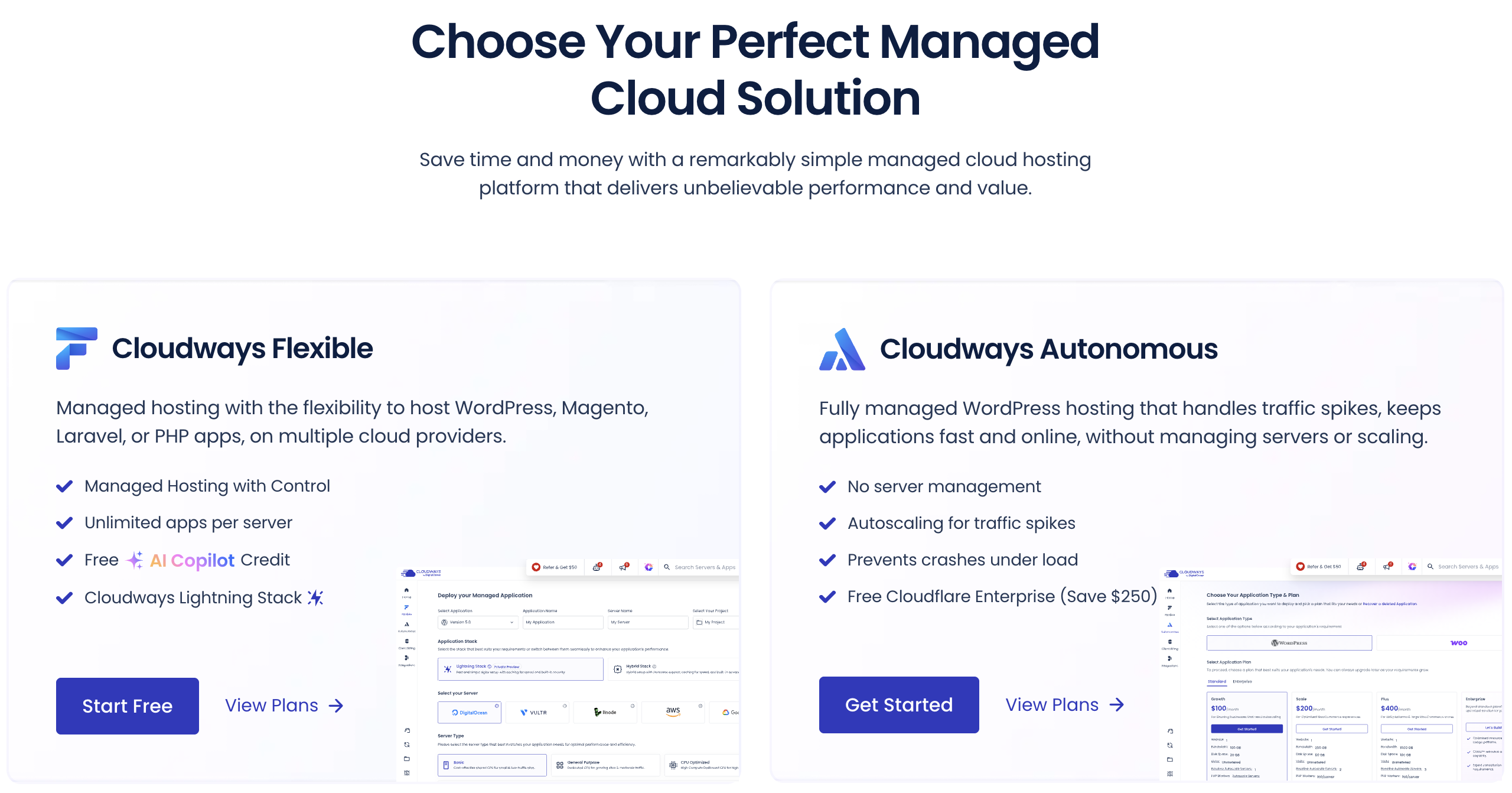
In 2026 the platform splits into two distinct products. Cloudways Flexible is the classic offering: you rent a dedicated virtual server, host unlimited applications on it, scale resources with a click, and pay by the hour — starting at $11/month for a 2GB DigitalOcean server and scaling to $342/month for a 128GB monster. Cloudways Autonomous is the newer, fully hands-off tier: Kubernetes-based WordPress hosting with true autoscaling, load balancing, and bundled Cloudflare Enterprise, priced per-site from $99/month for businesses whose traffic spikes would crash a fixed-size server. Layered across both are the 2026 platform investments: the Lightning Stack (an NGINX and PHP-FPM combination Cloudways claims delivers up to 65% faster load times), Cloudways Copilot (an AI assistant that monitors servers and proposes one-click fixes), managed AI agent hosting, and early access to managed Node.js hosting.
The third-party record is strong and unusually deep for a hosting company. Trustpilot shows a roughly 4.6 TrustScore across more than 3,600 reviews as of mid-2026, with reviewers overwhelmingly praising support quality — though Trustpilot has flagged that the company may solicit reviews in ways the platform doesn’t fully support, a caveat worth knowing when weighing that score. On G2, Cloudways holds a 4.7-star rating and a wall of 2026 badges including Leader and Best Estimated ROI, and the company self-reports a 90-second average support response time with a 96% CSAT. Documented case studies range from publishers who tripled monthly readership to stores that cut hosting costs 80% — self-selected success stories, naturally, but verifiable and named ones.
Cloudways sits as a managed layer over five cloud providers, powering 840,000+ websites across 50+ global data centers.
Why Cloudways Stands Out in 2026
Multi-cloud choice without lock-in: No other mainstream managed host lets you pick between DigitalOcean, Vultr, Linode, AWS, and Google Cloud from one dashboard, with 50+ data center locations worldwide. You can run a budget client site on an $11 DigitalOcean droplet and a demanding store on AWS from the same account, clone servers between configurations, and never re-platform as needs change — flexibility that single-infrastructure rivals like Kinsta simply cannot offer.
Unlimited applications per server changes the economics: Premium managed WordPress hosts charge per site; Cloudways charges per server. An agency can pack ten, twenty, or more client sites onto one $88/month 8GB server — a structure that routinely works out to a fraction of per-site pricing elsewhere and explains why agencies are Cloudways’ most vocal fan base, with case studies of firms scaling to 140–280+ client sites on the platform.
Hourly pay-as-you-go billing with no renewal traps: Cloudways bills in arrears by the hour ($0.0357/hour for the entry plan), so you pay only for what you actually run, can scale up for a launch week and back down after, and never face the bait-and-switch renewal pricing that plagues traditional hosts, where a $2.99 teaser rate triples at renewal. Resize or delete a server mid-month and the invoice reflects it immediately.
Support that reviewers genuinely rave about: The single most consistent theme across thousands of Trustpilot reviews is support quality — agents are frequently thanked by name, response times are fast (Cloudways self-reports 90 seconds average with 96% CSAT), and 24/7 live chat plus ticketing is included on every plan, not gated behind premium tiers. An optional Advanced Support add-on (currently promoted at $25/month lifetime, down from $100) extends coverage into plugin troubleshooting and performance tuning.
Autonomous solves the traffic-spike problem properly: Fixed-size servers crash when a post goes viral or a flash sale hits. Cloudways Autonomous runs WordPress on Google Kubernetes with genuine horizontal autoscaling, load balancers, unmetered visits, bundled Cloudflare Enterprise (a $250/month value), and Object Cache Pro included — infrastructure that previously required enterprise contracts, now starting at $99/month for ecommerce, LMS, ticketing, and viral-prone publisher sites.
2026 performance and AI investments are real, not vaporware: The Lightning Stack (NGINX + PHP-FPM) is live across plans with a claimed up-to-65% performance uplift and early user endorsements; Cloudways Copilot monitors webstack, disk, and host health with one-click SmartFix remediation and free credits on every plan; and free bundled extras — Object Cache Pro (worth $95/month), Redis, advanced staging, vulnerability scanning, and free expert-handled migration of your first site — keep stacking value into the base price.
DigitalOcean backing with enterprise-grade compliance: As part of a NYSE-listed parent, Cloudways offers stability many independent hosts can’t, a 99.99% uptime SLA on high-availability environments, and partner infrastructure compliant with SOC 2, ISO 27001, GDPR, and PCI DSS — credentials that matter when agencies pitch corporate clients.
Key Features and Technology
Cloudways’ feature set rewards a closer look because so much of it is bundled where competitors charge. Here’s what actually ships with the platform in 2026.
Cloudways Flexible: The Managed Server Platform
Flexible is the core product: pick a cloud, pick a size, and get a dedicated managed server in minutes. Every server supports unlimited applications and unlimited visits, one-click installs for WordPress, WooCommerce, Magento, Laravel, and PHP apps, multiple PHP versions per application, vertical scaling with a slider, one-click server cloning, and a built-in MySQL manager. The dashboard handles team collaboration with granular access, server transfer between accounts (useful for agencies handing off to clients), and real-time monitoring across 15+ metrics with CloudwaysBot alerts. DigitalOcean servers come in Standard and Premium (NVMe, up to 10 Gbps networking) variants, and every stack now runs the Lightning Stack NGINX configuration with built-in caching tuned per application type.
Cloudways Autonomous: Kubernetes Autoscaling for WordPress
Autonomous removes the concept of “your server” entirely. Sites run on Google Kubernetes infrastructure with automatic horizontal scaling — when concurrent users surge, additional server instances spin up behind a load balancer; when traffic subsides, they spin down. Plans include unmetered visits, 100 PHP workers per server, Cloudflare Enterprise CDN with edge caching and unmetered layer 3/4/7 DDoS mitigation, Redis and Object Cache Pro with Relay, automated backups, one-click staging, and free managed migration. Overage pricing is published transparently: $1/GB extra disk, $0.04/GB bandwidth, and $0.07–$0.12/hour per autoscaled server beyond baseline depending on plan. It’s purpose-built for WooCommerce stores, LMS portals, booking sites, and publishers whose traffic is spiky by nature.
Performance: Lightning Stack, Caching, and Cloudflare Enterprise
The 2026 Lightning Stack replaces the older Apache-hybrid stack with NGINX and PHP-FPM, which Cloudways credits for up to 65% faster load times and improved Core Web Vitals — treat the exact percentage as a vendor benchmark, but the architectural upgrade is genuine and early third-party commentary has been positive. On top sit the caching layers: built-in WordPress and Magento full-page caching, free Redis, and free Object Cache Pro on 4GB+ servers (normally $95/month) for fast carts and admin dashboards. The Cloudflare Enterprise add-on at $4.99/domain/month adds edge page caching, Argo smart routing, WAF, and enterprise DDoS protection — a fraction of Cloudflare’s direct enterprise pricing — and documented customer results include perfect 100 PageSpeed scores and sub-1.5-second load times after migration.
Security: Firewall, Malware Protection, and SafeUpdates
Every server ships with the Imunify360 server-level firewall, brute-force and bot protection, DoS mitigation, IP and country blocking, free Let’s Encrypt SSL with one-click deployment, free WordPress vulnerability scanning, and automated offsite backups ($0.033/GB storage) with one-click restore. Optional add-ons extend coverage: Malware Protection with automated removal from $4/app/month, SafeUpdates (automated detection, testing, and deployment of WordPress updates with visual regression checks) from $3/month, and DNS Made Easy at $0.50/domain. Auto-healing servers restart crashed services without a ticket — one of those quiet features you only appreciate at 3 a.m.
AI Copilot, Agency Tooling, and the Broader Ecosystem
Cloudways Copilot, in public preview with free credits on every plan, continuously monitors webstack, disk, host, and inode health, diagnoses issues in plain language, and offers one-click SmartFix remediation — a meaningful head start over reading server logs yourself. For agencies, the platform bundles Client Billing & Reporting (automated recurring invoices and payments), Site Manager from $3/app for fleet-wide WordPress monitoring and safe updates with SSO, an Agency Partner Program with margin incentives and a public directory, plus a well-documented public API for automation. The roadmap is public, the changelog is active, and managed Node.js hosting and Managed AI Agents are rolling out — signals of a platform investing ahead of the market rather than milking a legacy stack.
Pricing, Plans, and Package Structure
Cloudways pricing is genuinely transparent — hourly rates are published, billing is in arrears, and there are no renewal jumps — but it spans a wide range because you’re choosing both a product line and a cloud provider. The table below shows representative DigitalOcean-based Flexible tiers and the Autonomous lineup, verified on cloudways.com in July 2026. A 30%-off-for-3-months promotion was running on all plans at the time of writing. All pricing is approximate and subject to change; AWS and Google Cloud configurations cost more and vary by region.
| Plan | Price | What It Is | Best For |
|---|---|---|---|
| Flexible Micro/Small (DO) | ~$11/mo ($0.0357/hr) | 2GB RAM, 1 vCPU, 50GB storage, 2TB transfer, unlimited apps | Blogs, portfolios, first client sites |
| Flexible Medium (DO) | ~$88/mo | 8GB RAM, 4 vCPU, 160GB storage, 5TB transfer | Agencies hosting multiple client sites |
| Flexible 8XL (DO) | ~$342/mo | 128GB RAM, 24 vCPU, 2.5TB storage, 11TB transfer | Heavy ecommerce and resource-intensive apps |
| Autonomous Growth | ~$99/mo | 1 site, autoscaling, Cloudflare Enterprise, 150GB bandwidth, unmetered visits | Growing stores with traffic spikes |
| Autonomous Scale | ~$199/mo | 1 site, 2 baseline servers, 250GB bandwidth, 50GB disk | Consistently high-traffic sites |
| Autonomous Plus / Enterprise | ~$399/mo / custom | 3 baseline servers, 1TB bandwidth, 100GB disk; custom above | Mission-critical LMS and large ecommerce |
| Key add-ons | $0.50–$25/mo | Cloudflare Ent. $4.99/domain, Site Manager $3/app, Malware $4/app, email $1/mailbox, Advanced Support $25 (promo) | À-la-carte hardening and convenience |
How Cloudways Compares to Alternatives
Cloudways’ natural rivals are the premium managed WordPress specialists — Kinsta and WP Engine — which trade flexibility for a more curated, WordPress-only experience. Competitor prices below are approximate entry-level rates and subject to change.
| Factor | Cloudways | Kinsta | WP Engine |
|---|---|---|---|
| Entry price (approx.) | ~$11/mo, unlimited sites per server | ~$35/mo for 1 site | ~$20–$30/mo for 1 site |
| Infrastructure choice | 5 clouds, 50+ data centers | Google Cloud only | Google Cloud / AWS (managed for you) |
| App support | WordPress, Magento, Laravel, PHP, Node.js (early access) | WordPress + app/DB hosting | WordPress only |
| Visit limits | Unlimited (server-bound) | Metered visits per plan | Metered visits per plan |
| Billing model | Hourly pay-as-you-go | Monthly/annual tiers | Monthly/annual tiers |
| Ratings snapshot | ~4.6 Trustpilot (3,600+), 4.7 G2 | Strong Trustpilot/G2 reputation | Established enterprise reputation |
| Best for | Agencies, developers, multi-site value seekers | Hands-off premium WordPress with white-glove polish | Enterprise WordPress with dev workflows |
Cloudways vs. Kinsta: Kinsta delivers a more polished, opinionated experience — beautiful dashboard, premium Google Cloud C2 machines, and famously proactive support — but you pay roughly $35/month for a single metered-visit site, and multi-site costs climb steeply. Cloudways gives you infrastructure choice, unlimited sites per server, and unmetered visits at a fraction of the cost, in exchange for a slightly more technical dashboard and support that, while excellent, handles a broader scope than Kinsta’s WordPress-only specialists. Agencies and cost-conscious multi-site owners lean Cloudways; single flagship-site owners who want maximum hand-holding lean Kinsta.
Cloudways vs. WP Engine: WP Engine remains the enterprise WordPress standard, with mature dev-stage-production workflows, Smart Plugin Manager, and deep WordPress ecosystem investment (it owns key plugin properties). But it’s WordPress-only, meters visits, and prices per site. If your stack includes Laravel, Magento, custom PHP, or dozens of client sites, Cloudways’ flexibility and economics win comfortably; if you run one high-stakes corporate WordPress property with a dev team that values WP Engine’s tooling, the premium can be justified.
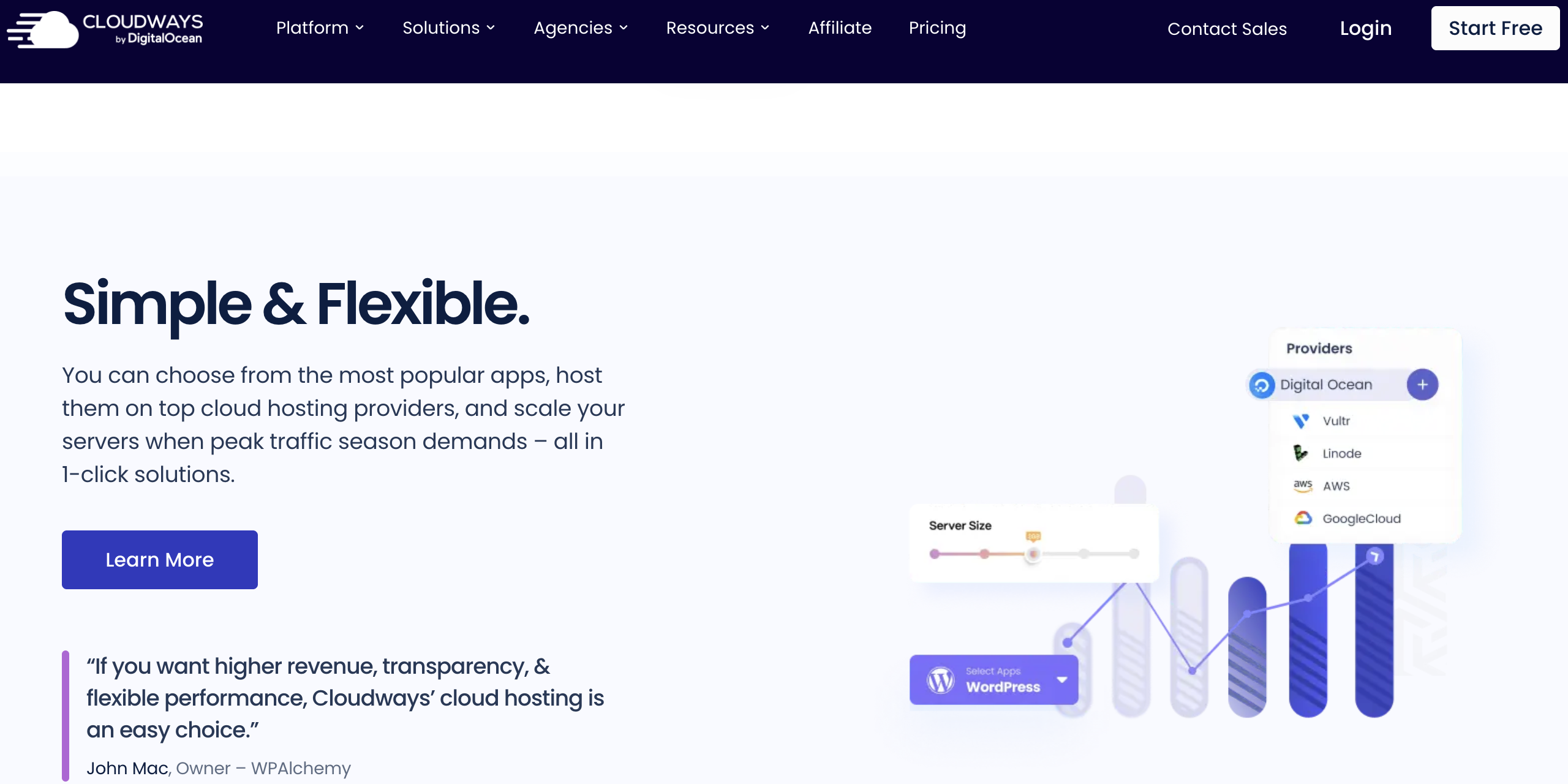
Unlimited apps per server and hourly billing give Cloudways a structural cost edge over per-site managed WordPress hosts.
Pros and Cons
What Users Love
Standout 24/7 support: The dominant theme across 3,600+ Trustpilot reviews — fast, knowledgeable, patient agents who are regularly thanked by name and credited with going beyond scope, backed by a self-reported 90-second average response and 96% CSAT.
Exceptional value for multi-site owners: Unlimited applications per server means agencies routinely host entire client portfolios for what one or two sites would cost on per-site managed hosts, with documented case studies scaling past 100–280 client sites.
Real performance gains after migration: Named case studies report 30–65% faster load times, perfect PageSpeed scores, readership tripling from 3M to 9M monthly, and hosting cost cuts up to 80% — self-selected but specific and attributable.
Honest, flexible billing: Hourly pay-as-you-go with published rates, no renewal-price ambushes, immediate proration when you resize, and a genuinely free trial without a credit card.
Generous bundled extras: Free first migration by engineers, free Object Cache Pro and Redis, free SSL, free staging, free vulnerability scanning, and AI Copilot credits on every plan — inclusions competitors monetize.
Limitations Worth Knowing
No email, domains, or cPanel: Cloudways hosts applications, full stop. Email requires the $1/mailbox Rackspace add-on or an external provider, domains must be registered elsewhere, and users expecting cPanel must learn the proprietary dashboard — reasonable trade-offs, but recurring friction points for shared-hosting migrants.
Costs more than raw cloud, and add-ons accumulate: The same DigitalOcean droplet costs meaningfully less rented directly — you’re paying for management, and DIY-capable developers may not need it. Meanwhile Cloudflare Enterprise, Site Manager, Malware Protection, email, and Advanced Support are all separately priced, so a fully loaded stack can land well above the headline $11.
Review solicitation caveat: Trustpilot has flagged that Cloudways may ask for reviews in ways the platform doesn’t support, which can bias scores upward. The volume and consistency of praise remain persuasive, but the ~4.6 figure deserves that asterisk, and a minority of reviewers do report uneven experiences with complex support cases.
Learning curve for beginners: Concepts like server sizing, vertical scaling, PHP workers, and application-level management are simplified but not eliminated. Total novices who just want “a website” may find Autonomous or a traditional managed host less intimidating than Flexible’s control surface.
Autonomous overages need watching: The per-site Autonomous tiers meter disk ($1/GB), bandwidth ($0.04/GB), and autoscaled server-hours beyond baseline — fair and published, but a viral month on the $99 plan can produce a noticeably larger invoice, so set up billing alerts.
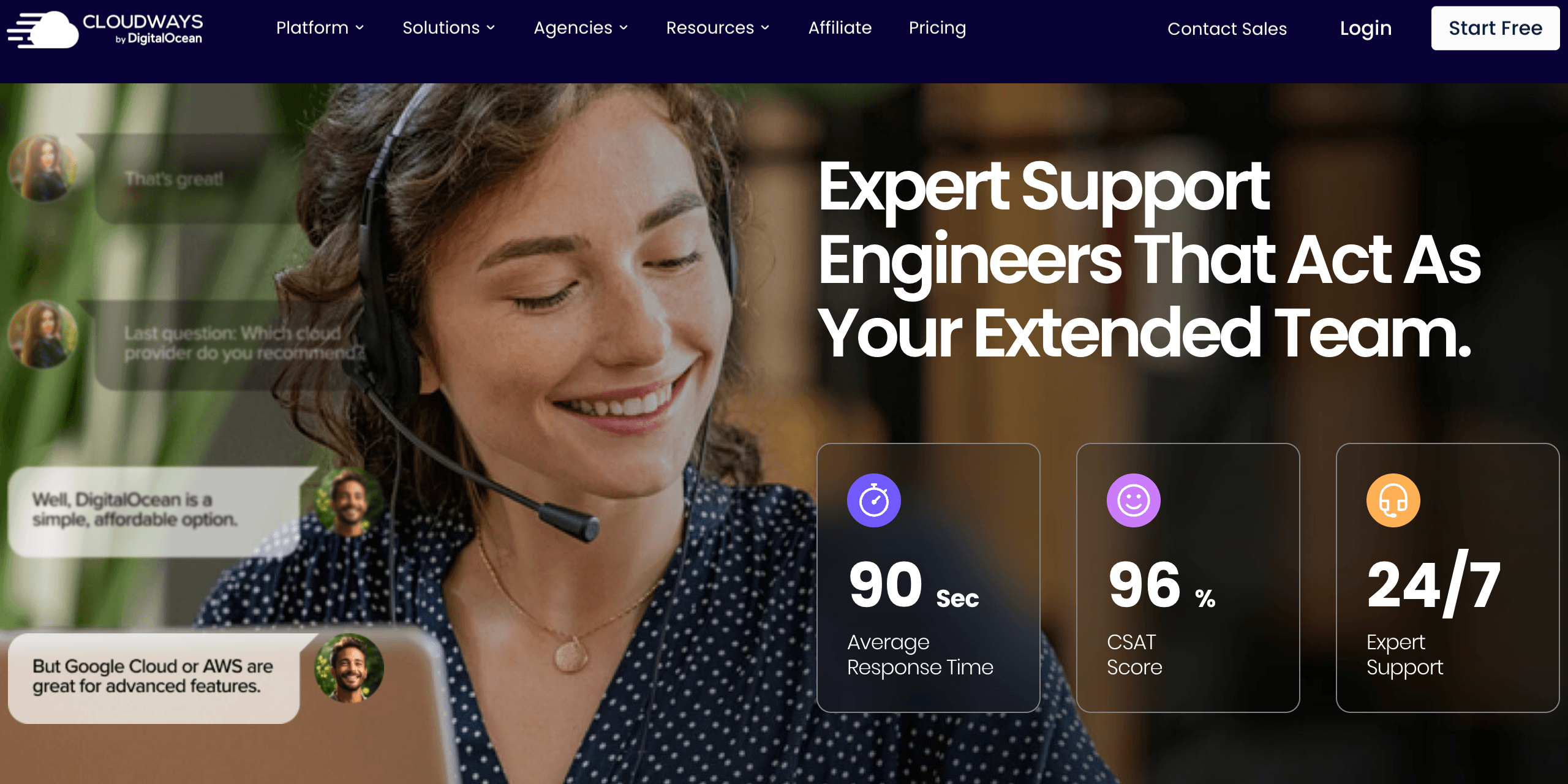
From AI-powered Copilot diagnostics to agency billing tools, Cloudways bundles features rivals sell separately.
Who Should Use Cloudways
Agencies and freelancers managing client portfolios: This is Cloudways’ sweet spot — unlimited apps per server, client billing automation, server transfers, team access controls, Site Manager fleet tooling, and a partner program with real margins make it arguably the best agency hosting economics on the market.
Growing WooCommerce and ecommerce stores: Between free Object Cache Pro, the Lightning Stack, Cloudflare Enterprise at $4.99, and the Autonomous tier for flash-sale autoscaling, Cloudways covers the store lifecycle from first sale to thousands of concurrent checkouts.
Developers who want cloud power without ops overhead: Multi-PHP, SSH/SFTP access, Git deployment, a public API, staging environments, and the freedom to run Laravel or custom PHP alongside WordPress — with someone else patching the OS at 3 a.m.
Publishers and bloggers outgrowing shared hosting: The migration case studies are strongest here — sites that stopped crashing under traffic spikes, tripled readership, and hit perfect PageSpeed scores after moving, starting from $11/month rather than a premium host’s per-visit metering.
Who should look elsewhere? Absolute beginners who want domains, email, and hosting in one purchase are better served initially by an all-in-one host. Single-site owners who prize white-glove WordPress-only polish over price may prefer Kinsta. Enterprises standardized on WP Engine’s dev workflows have little reason to switch. And experienced sysadmins comfortable managing their own servers can save money going direct to DigitalOcean or Vultr — Cloudways’ value is precisely the management they don’t need.
Getting Started: Step by Step
- Start the free trial. Sign up via worldoftech.space/cloudways — the 3-day Flexible trial needs no credit card, and Autonomous has its own free trial tier. If a 30%-off promotion is running, it applies at signup.
- Choose your product and cloud. Pick Flexible for control and multi-app hosting (DigitalOcean Premium is the best value starting point for most users) or Autonomous if you run one high-traffic WordPress site that must never crash. Select a data center closest to your audience from the 50+ available.
- Deploy your first application. Launch WordPress, WooCommerce, Magento, Laravel, or PHP with one click — the optimized Lightning Stack, SSL, firewall, and caching configure automatically, and your server is live in minutes.
- Migrate your existing site free. Request the free engineer-handled migration for your first site, or use the Cloudways WordPress Migrator plugin yourself. Run speed tests against your old host before pointing DNS, so you switch on evidence rather than hope.
- Harden and monitor. Enable automated backups on your schedule, activate the free vulnerability scanner, review Copilot’s monitoring dashboard, and consider the Cloudflare Enterprise add-on ($4.99/domain) for edge caching and WAF if the site is revenue-critical.
- Scale on data, not guesswork. Watch the 15+ built-in server metrics for sustained RAM or CPU pressure, then vertical-scale in one click — billing adjusts hourly. Agencies should also activate Client Billing & Reporting and explore the Agency Partner Program once a few client sites are aboard.
Tips for Getting Maximum Value
Consolidate aggressively: the platform’s economics reward packing compatible sites onto shared servers, so group low-traffic client sites on one Medium server and reserve dedicated servers for heavy stores — you can always clone an app to its own server later in a click. Choose a 4GB or larger server for any WooCommerce build specifically to unlock the free Object Cache Pro license, which materially speeds carts and wp-admin. Use staging religiously — it’s free — and pair it with SafeUpdates ($3/month) if you manage many WordPress sites, since automated tested updates eliminate the most common cause of client-site breakage. Grab the Advanced Support lifetime promotion at $25/month if you lack in-house technical depth; it extends support into plugin conflicts and performance tuning, which standard support scopes out. Keep bandwidth overages in check on Autonomous by offloading media to the bundled Cloudflare CDN, set CloudwaysBot alerts for disk and RAM thresholds so you scale before users notice, and check the promo-code page plus periodic sales before upgrading — Cloudways discounts frequently, and the hourly billing model means switching plans mid-cycle costs nothing extra.
Future Outlook and Final Assessment
Cloudways enters the second half of 2026 with unusual momentum for a 14-year-old hosting company. The Lightning Stack rollout modernized the entire performance foundation, Copilot points at a future where AI triages server issues before humans see them, managed Node.js hosting will extend the platform beyond the PHP world for the first time, and Managed AI Agents position Cloudways for the emerging agent-hosting market. DigitalOcean’s ownership provides capital and infrastructure depth while — so far — preserving the multi-cloud neutrality that differentiates the product. The public roadmap and active changelog suggest a team shipping consistently rather than coasting.
The watch items are familiar ones: whether support quality holds as the customer base grows past 100,000 businesses, whether add-on pricing stays reasonable as more features move to à-la-carte, and whether the Autonomous tier’s overage model remains competitive as rivals launch their own autoscaling products. None of these are red flags today — they’re the growth pains of a platform winning — but renewal-minded buyers should reassess annually, as with any host.
Conclusion
Fourteen years in, Cloudways has refined a genuinely distinct position: more capable and honest than shared hosting, dramatically simpler than raw cloud servers, and structurally cheaper than per-site managed WordPress hosts — while matching or exceeding their performance through the Lightning Stack, bundled caching, and Cloudflare Enterprise integration. It asks you to accept a modest learning curve, source email and domains elsewhere, and read the add-on menu carefully. In exchange it offers infrastructure choice across five clouds, support that thousands of reviewers describe as the best they’ve encountered in hosting, billing with no traps, and a platform visibly investing in AI and autoscaling ahead of its rivals. For agencies, developers, ecommerce operators, and any site owner who has outgrown their first host, Cloudways isn’t just a contender in 2026 — it’s the default starting point, and the free trial makes verifying that claim cost exactly nothing.
Ready to host smarter instead of paying more per site?
Explore more honest reviews, tutorials and tech comparisons to find the right gear for the way you work, travel and live — at World Of Tech, where we make everything easy.
👉 Try Cloudways: https://worldoftech.space/cloudways
👉 Our YouTube Channel: youtube.com/@world_tech79
👉 Our Facebook Fanpage: Facebook
👉 Our X (Twitter): @worldoftech79
Pricing, specifications and policy details in this review were verified against cloudways.com and independent review sources as of July 2026. Cloud hosting pricing and features change frequently, so confirm current details on the official site before purchasing. Competitor prices are approximate and subject to change. Promotional discounts (such as 30% off for 3 months) are limited-time offers and may differ at the time of reading.





