
If you run a website, a SaaS product or an online store, you already know the drain: the same handful of questions, asked over and over, at every hour of the day. Hiring a round-the-clock support team is expensive, and building a chatbot used to mean writing code or wrestling with clunky decision-tree builders. Chatbase was built to remove that friction entirely. It’s a no-code AI chatbot builder that lets you train a custom AI agent on your own content — your website, PDFs, help docs, Notion pages or a simple set of Q&A pairs — and deploy it as a 24/7 support agent in minutes. Founded in 2023 by Yasser Elsaid and grown as a bootstrapped company to more than 10,000 paying customers across 140+ countries, Chatbase has earned real credibility, with brands like Siemens, PwC and Postman among its users and a solid 4.3/5 rating on Capterra.
For small and mid-sized businesses that want fast, dependable AI support without a developer on staff, the value proposition is immediate: a chatbot that has read everything about your product and can answer customer questions instantly, capture leads, and even take simple actions. But Chatbase isn’t a magic bullet, and an honest look reveals real trade-offs around its credit-based pricing, the depth of its integrations, and how it handles complex conversations. This 2025 review walks through exactly what Chatbase is, why it stands out, its full feature set, the complete pricing structure, head-to-head comparisons against Botpress and CustomGPT, the genuine pros and cons, and precisely who should (and shouldn’t) build on it.
Chatbase Review 2025: The No-Code Platform That Turns Your Content Into a 24/7 AI Support Agent
Overview and Background
Chatbase is a no-code platform for building custom AI chatbots — or, in its 2025 positioning, AI agents for customer support — powered by your own data. The core idea is simple but powerful: you “train” an agent by feeding it information, and it uses that knowledge to answer questions in natural language. You can upload files such as PDFs, Word documents and text, point it at a website URL so it crawls and indexes your pages, paste in raw text, add structured Q&A pairs, or connect a Notion workspace. In a few minutes you have a working chatbot that pulls answers from your approved content rather than making things up — essentially a custom ChatGPT that knows your business inside out.
The company was founded in 2023 by Yasser Elsaid and has taken an unusual path: it grew entirely through bootstrapping, without venture capital, reaching a reported $8 million or so in annual recurring revenue with a small team by late 2025. That growth came from more than 10,000 paying customers spread across 140+ countries, alongside a reported customer-retention rate in the low 90s and use by recognizable names including Siemens, PwC and Postman. In other words, this isn’t a fragile side project — it’s one of the most established names in the “train an AI on your own data” category, competing on simplicity and speed rather than rock-bottom price.
What separates Chatbase from a generic FAQ widget is its use of Retrieval-Augmented Generation (RAG). Instead of a complex, months-long “fine-tuning” process, it chops your documents into pieces, converts them into vector embeddings, and stores them so that, when a customer asks a question, the system retrieves the most relevant snippets and hands them to a large language model to construct an answer. On top of that it layers a choice of leading models, a customizable chat widget, multi-channel deployment, and “AI Actions” that let the bot do more than answer — it can look up an order, book a meeting or capture a lead. It occupies a genuine sweet spot: more capable than a basic FAQ bot, but far more accessible than a heavy enterprise platform.
Why Chatbase Stands Out in 2025
Live in minutes, with zero code: This is Chatbase’s defining strength and the main reason people choose it. You don’t need a developer or a technical background — sign up, add a source, and you have a testable chatbot almost immediately. Most users can build and deploy a basic bot in under 30 minutes, which is what makes the platform feel genuinely accessible to solo founders and small teams.
It learns from your own content, from many sources: Rather than a scripted bot, Chatbase builds its knowledge from whatever you feed it — website crawls, PDFs, Word docs, plain text, Q&A pairs and Notion. Because it answers from your actual materials, responses stay grounded in your product, policies and FAQs instead of generic internet knowledge.
Broad multi-channel deployment: Chatbase provides a small code snippet that drops a familiar chat widget onto your site, but it doesn’t stop there. It also connects to WhatsApp, Instagram, Facebook Messenger and Slack, giving it broader channel coverage than many rivals at a similar price — a point e-commerce teams especially praise for the native WhatsApp integration.
AI Actions go beyond simple Q&A: This is where Chatbase steps past a typical FAQ bot. Through what it calls AI Actions, the agent can perform tasks — look up an order status via Stripe, book a meeting through Calendly, capture a lead, or create a ticket in a helpdesk. There are pre-built action templates, so the bot behaves more like a concierge that can fetch data and complete steps, not just recite answers.
A choice of leading AI models: Chatbase lets you pick the “brain” of your bot from several leading large language models, including OpenAI’s GPT-4 family and Google’s Gemini models. That flexibility lets you balance answer quality against cost — though, as we’ll see, the more powerful models consume credits far faster.
Analytics that help the bot improve: A dashboard tracks conversations and where users come from, while Chat Logs let you review individual answers, see a confidence score, and correct the bot manually. A Suggestions feature flags gaps by surfacing questions it couldn’t answer well — a practical loop for steadily improving accuracy over time.
Real credibility and enterprise-grade security: Beyond the big-name customers and strong Capterra score, Chatbase follows privacy standards like GDPR and holds SOC 2, with encryption and a range of security integrations. For a no-code tool aimed at small businesses, that’s a reassuring foundation to build on.
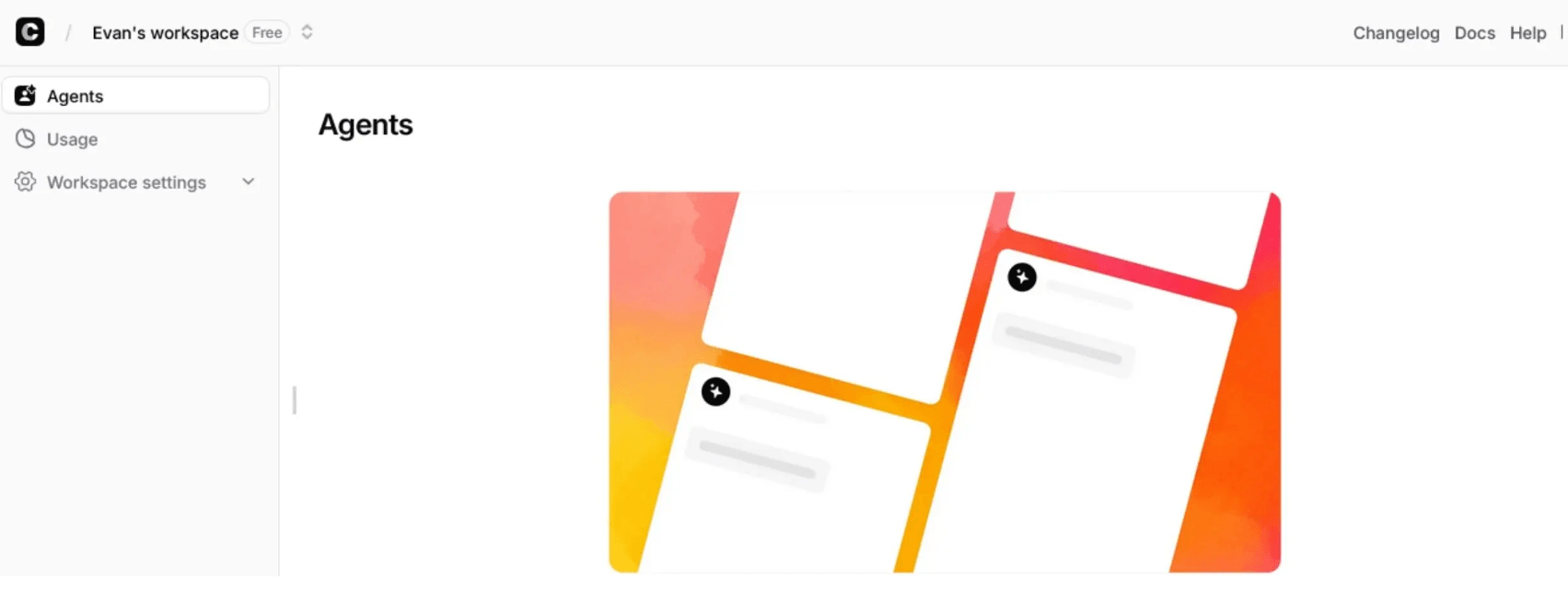
Chatbase trains an AI agent on your own content — website, PDFs, docs, Notion and Q&A — and deploys it as a 24/7 support agent in minutes, no code required.
Key Features and Technology
Chatbase packs a lot into a simple interface, but its capabilities organize cleanly into a handful of pillars. Here’s how the platform actually breaks down.
Training on Your Own Data (RAG)
The heart of the product. You give an agent knowledge by uploading files (PDF, DOCX, CSV, text), pasting raw text, adding Q&A pairs, connecting a Notion workspace, or entering a website URL that Chatbase crawls and indexes automatically. Behind the scenes it uses Retrieval-Augmented Generation: your content becomes searchable vector embeddings, and each answer is built from the most relevant snippets of your material. The result is a bot that pulls facts from your approved sources — far more reliable than a general chatbot, provided the content you feed it is accurate and well-structured.
Multi-Channel Deployment and the Chat Widget
Deployment is a copy-paste affair: Chatbase gives you a snippet that adds a chat icon to the corner of your website, and the widget is customizable — colors, logo and greeting — so it matches your branding. Beyond the website, the same agent can run on WhatsApp, Instagram, Facebook Messenger and Slack, and it integrates with tools like Zendesk, Salesforce, HubSpot, Stripe, Shopify, Calendly, WordPress and Zapier. That multi-channel reach lets one trained agent meet customers wherever they already are.
AI Actions and Integrations
AI Actions are what let the bot do things rather than only answer. Using pre-built templates or API-based actions, the agent can retrieve an order status, extend a trial, schedule a call, send a Slack notification, or push a lead into your CRM. It’s a genuinely useful step beyond Q&A — but it’s worth knowing that the number of actions is capped by plan, and some connections lean on a third-party layer like Zapier, which adds a little complexity. For lead capture and light support automation, though, the action set covers a lot of practical ground.
Model Choice and Customization
In the Playground you can write a prompt that defines the agent’s personality — a “friendly support agent” or a “helpful sales assistant” — and toggle between leading models to tune answer quality. You can also set custom instructions for behavior, such as how the bot handles certain inputs or how often it retrains. Control over tone and fallback logic is real but relatively basic compared with heavy platforms, which is the trade-off for the simplicity that makes Chatbase so quick to launch.
Analytics, Chat Logs and Continuous Improvement
Chatbase includes an analytics dashboard covering conversation volume, common questions and user geography, plus Chat Logs for reviewing individual exchanges. When an answer misses, you can see its confidence score and fix it manually, and the Suggestions feature highlights knowledge gaps by surfacing questions the bot struggled with. It’s a sensible feedback loop for small teams — with the honest caveat that manual review doesn’t scale well once you’re handling thousands of conversations a day.
Pricing, Plans, and Package Structure
Chatbase is a subscription SaaS with a tiered, credit-based model. There’s a free plan for testing plus four paid tiers, and the defining quirk is “message credits”: every AI response draws down a monthly credit balance, and more powerful models cost more credits per reply. The figures below reflect Chatbase’s 2025 standard rates and are approximate — the platform adjusts plans and credit allowances periodically, and paying annually saves roughly 20% — so always confirm live pricing on the official site before you subscribe. Just as important, budget for add-ons, which can meaningfully raise your real monthly spend beyond the sticker price.
| Plan / Add-on | Price (USD) | What It Is | Best For |
|---|---|---|---|
| Free | $0/mo | Small monthly credit allowance, 1 agent, limited training data, Chatbase branding (inactive agents deleted after 14 days) | Testing and quick proof-of-concept demos |
| Hobby | $40/mo | ~2,000 message credits, 1 agent, ~5 AI Actions, advanced models, API access, integrations, basic analytics | Solo founders and small, low-volume sites |
| Standard | $150/mo | ~12,000 message credits, 2 agents, ~10 AI Actions, 3 seats, auto-retrain, advanced analytics | Growing SMBs running real customer support |
| Pro | $500/mo | ~40,000 message credits, 3 agents, 5+ seats, advanced analytics, source suggestions, priority support | Higher-volume businesses scaling automation |
| Enterprise | Custom | SSO, audit logs, custom roles, SLAs, white-label, custom domains, dedicated success manager | Large organizations with complex needs |
| Remove branding (add-on) | ~$39/mo | Strips “Powered by Chatbase” from your agent | A professional look on paid plans |
| Extra credits / agents (add-ons) | ~$12–14 per 1,000 credits; ~$7/agent/mo | Auto-recharge top-ups and additional agents | Avoiding mid-month cutoffs; multiple bots |
How Chatbase Compares to Alternatives
| Factor | Chatbase | Botpress | CustomGPT |
|---|---|---|---|
| Approach | No-code, content-grounded RAG Q&A | Developer platform: visual flows + code | Document Q&A with citations |
| Ease of setup | Very fast — live in minutes | Steep learning curve; developer-oriented | Fast for docs; enterprise-leaning |
| Multi-channel | Web, WhatsApp, Instagram, Messenger, Slack | Broad, via 190+ integrations | Website and API-focused |
| Actions / integrations | AI Actions; some Zapier-dependent | Deep, code-level, most flexible | Lighter action layer |
| Human handoff | Basic escalation | Configurable, more robust | Limited; answer-focused |
| Entry price (approx.) | Free; Hobby ~$40/mo | Free tier; paid from ~$89–150/mo | From ~$99/mo |
| Best for | Fast no-code support & lead capture | Complex custom flows & developer control | Accuracy, citations & large doc sets |
vs. Botpress: Botpress is the developer-focused platform, pairing a visual flow builder with code-level control, persistent memory and 190+ integrations — capable of building sophisticated multi-step agents that evaluate conditions and branch. The trade-off is complexity: the learning curve is steep, and a large share of its active users are developers. Chatbase counters with speed and simplicity; independent 2025 comparisons scored it far higher on ease of use. If you have a developer and need custom logic, Botpress wins; if you want a capable bot live today, Chatbase does.
vs. CustomGPT: CustomGPT targets accuracy-critical, high-content use cases — long-form document Q&A, source citations, an anti-hallucination stance (the bot tends to refuse rather than invent), and an enterprise security posture. If your “knowledge base” is hundreds of policy PDFs and you need an audit trail, it’s a strong fit, but it starts higher (around $99/month) and is less about multi-channel deployment. Chatbase is the friendlier, more affordable pick for website support and lead capture across channels.
vs. simpler and helpdesk-native rivals: Cheaper “train on your website” tools like SiteGPT undercut Chatbase on price, while helpdesk-native platforms such as Intercom’s Fin plug directly into an existing support stack with stronger live-agent handoff. Chatbase’s edge is the balance it strikes — more capable than a bare FAQ bot, broader in channels than most budget tools, and far more accessible than enterprise suites. For many SMBs, that middle ground is exactly the right fit.
Chatbase sits in the sweet spot between bare FAQ bots and heavy enterprise platforms — fast to launch, multi-channel, and grounded in your own content.
Pros and Cons
What Users Love
Genuinely fast, no-code setup: The most consistent praise is how quickly you go from sign-up to a working bot. Uploading content or pasting a URL and having a trained agent within minutes feels almost magical, and it’s the reason non-technical founders and marketers can adopt it without help.
Answers grounded in your own content: Because it learns from your website, docs and FAQs, the bot stays on-brand and on-topic, handling the repetitive questions that would otherwise flood a support inbox — a real time-saver for small teams.
Strong multi-channel reach: Reviewers highlight how effortlessly one agent deploys across a website, WhatsApp, Instagram, Messenger and Slack. For e-commerce and social-first businesses, the native WhatsApp support in particular is a standout.
Solid analytics and control over answers: The dashboard, chat logs, confidence scores and suggestions give owners direct visibility into what’s working and a simple way to correct weak answers — praised for keeping quality in your hands rather than a black box.
AI Actions add real capability: Being able to book meetings, look up orders or capture leads — not just answer — is a recurring favorite that pushes Chatbase beyond a basic FAQ widget toward a lightweight support agent.
Credibility, security and responsive support: The mix of big-name customers, GDPR and SOC 2 compliance, and a strong Capterra score reassures buyers, and a number of G2 reviewers specifically describe the help and support as responsive and genuinely useful during setup.
Limitations Worth Knowing
Confusing, credit-based pricing: This is the number-one complaint. “Message credits” don’t equal responses — a single reply can cost anywhere from one credit to around 20 on the most powerful models — which makes budgeting hard and can push a growing business two or three tiers higher than expected. Several users feel the model penalizes success.
Add-ons and billing friction: Necessary extras stack up — removing “Powered by Chatbase” branding, custom domains and additional agents all carry monthly fees on top of the plan. A minority of reviews (reflected in a low Trustpilot score) cite billing, refund and unresponsive-support experiences, so keep your account details and monitor charges.
No visual conversation-flow builder: Chatbase handles straightforward Q&A well but offers no drag-and-drop canvas for mapping multi-step paths or branching logic. If you need guided, conditional journeys, you’ll hit a wall and need a workflow-native tool instead.
Shallow integrations and limited handoff: Some connections depend on Zapier rather than deep native links, and human escalation is basic — there’s no agent-presence tracking or shared thread where AI and a live agent collaborate. For serious support operations, that handoff gap matters.
Learns only from static content: It trains on published material — docs, pages, FAQs — but not on your past support conversations, where the best real-world answers and tone often live. Answer quality can also vary, so the bot needs careful training and ongoing review to stay sharp.
A restrictive free plan: The free tier is really a trial: a small credit allowance, limited training data, permanent branding, and agents that get deleted after 14 days of inactivity. It’s fine for a demo, but most teams outgrow it fast and need at least the Hobby plan for real use.
Who Should Use Chatbase
Small and mid-sized businesses: This is Chatbase’s sweet spot. SaaS companies, online stores and service businesses tired of answering the same questions get a dependable, no-code support agent that deflects repetitive queries and frees up the team, without a developer or a big budget.
Solo founders, marketers and consultants: If you want a capable bot live on your site quickly — for support, FAQ or lead capture — Chatbase’s speed and simplicity are hard to beat. It’s ideal for one-person teams and lean marketing setups that need results, not a project.
Teams validating whether AI support fits: Because you can start affordably and prove value fast, Chatbase is a low-risk way to test whether an AI chatbot makes sense for your business before committing to a heavier, pricier platform.
Social-first and e-commerce brands: With native WhatsApp, Instagram and Messenger deployment, it suits businesses whose customers live in the inbox and who want one trained agent answering across channels.
Who should look elsewhere: Teams that need structured, multi-step conversation flows with branching logic will be better served by a visual builder like Botpress or Voiceflow. Support operations that require a native helpdesk and reliable live-agent handoff should look at Intercom’s Fin or similar. Organizations with very large document sets or a hard requirement for citations may prefer CustomGPT, and anyone who needs predictable, flat-rate budgeting or is handling very high conversation volumes should weigh the credit model carefully before committing.
For SMBs, solo founders and social-first brands, Chatbase is a fast, low-risk way to put a content-trained AI agent to work across every channel your customers use.
Getting Started: Step by Step
- Create an account and a new agent. Sign up for Chatbase, open the dashboard, and click to create a new AI agent. You can start on the free plan to explore, with no credit card required — just remember an inactive free agent is removed after 14 days.
- Add your knowledge sources. Give the agent its knowledge: upload files (PDF, DOCX, CSV, text), paste raw text, add Q&A pairs, connect Notion, or enter your website URL so Chatbase crawls and indexes your pages. The cleaner and more organized your content, the better the answers.
- Customize personality and the widget. In the Playground, write a prompt that sets the bot’s tone (for example, a friendly support agent), then style the chat widget — colors, logo and greeting — to match your brand. Pick the AI model that balances quality against credit cost.
- Test thoroughly before launch. Ask the agent real questions your customers actually send. Watch for gaps or wrong answers, add missing content, and use the confidence scores and suggestions to tighten accuracy until it’s reliable.
- Set up AI Actions and integrations. On a paid plan, connect the actions you need — Calendly booking, Stripe order lookups, lead capture, or a helpdesk ticket — and wire up any integrations (via native connectors or Zapier) that fit your workflow.
- Deploy across channels and monitor. Embed the widget with the provided snippet and switch on the channels you want — WhatsApp, Instagram, Messenger, Slack. Then review chat logs regularly, enable auto-recharge so the bot never goes silent, and keep retraining as your content evolves.
Tips for Getting Maximum Value
Treat your knowledge base as the product: keep it clean, current and well-structured, and turn on auto-retrain so updates flow through automatically — the quality of every answer rises and falls with the content you feed it. Manage the credit model deliberately by matching the model to the job; reserve the most powerful (and most credit-hungry) models for genuinely hard questions and let a standard model handle routine ones, which stretches your monthly allowance dramatically. Review chat logs weekly, act on the low-confidence answers and the Suggestions feature to close knowledge gaps, and set up clear lead capture and escalation so the bot hands off gracefully when it’s out of its depth. On the billing side, pay annually to save roughly 20%, enable auto-recharge to avoid mid-month cutoffs, and budget upfront for the add-ons you’ll realistically need — branding removal and extra agents — so the true cost is no surprise. Finally, always test on real customer questions before you go live, since a bot that confidently gives a wrong answer can do more harm than no bot at all.
Future Outlook and Final Assessment
The AI support space matured quickly through 2025, and the center of gravity shifted from simple FAQ bots toward agentic tools that can understand a question and actually resolve it. Chatbase rode that shift well, evolving from a “custom ChatGPT for your website” into a broader AI-agent platform for customer support. Its bootstrapped growth to more than 10,000 paying customers, a strong retention rate, and adoption by names like Siemens and PwC are real signals of product-market fit — and as the underlying models keep improving, the core promise of an instant, content-grounded answer only gets stronger.
The honest caveats remain: the credit-based pricing is genuinely confusing and can scale expensively, there’s no visual flow builder, human handoff is basic, and add-ons pad the real cost. Competitors are closing in from every direction — Botpress on flexibility, cheaper tools on price, helpdesk-native platforms on support depth. But within its lane, Chatbase delivers one of the most accessible, fastest routes to a capable AI support agent available in 2025 — and for the core job of deflecting repetitive questions and capturing leads without a developer, it remains a benchmark for ease of use.
Conclusion
Chatbase isn’t trying to be the most powerful or the cheapest chatbot platform — it’s trying to be the fastest, friendliest way to turn the content you already have into a helpful AI agent, and at that job it’s remarkably effective. By training on your own website, docs and FAQs, deploying across every major channel, and layering in AI Actions and solid analytics, it removes the biggest obstacles to good AI support for a small business. It rewards a clean knowledge base and a clear-eyed understanding of its credit pricing, and it’s not the right call for teams needing complex flows or a full helpdesk — but for the everyday reality of repetitive questions and lead capture, few tools get you further, faster. Confirm the current pricing, watch the credit math, and Chatbase can take the most draining part of customer support off your plate.
Ready to build your own 24/7 AI support agent?
Explore more honest reviews, tutorials and tech comparisons to find the right tools for the way you work, build and grow — at World Of Tech, where we make everything easy.
👉 Try Chatbase: https://worldoftech.space/chatbase
👉 Our YouTube Channel: youtube.com/@world_tech79
👉 Our Facebook Fanpage: Facebook
👉 Our X (Twitter): @worldoftech79
Pricing, plans and feature details in this review were verified against chatbase.co and independent review sources (including Capterra, G2 and Trustpilot) as of 2025. AI chatbot software, pricing and message-credit allowances change frequently, so confirm current details on the official site before subscribing. Competitor prices are approximate and subject to change.





