
In this comprehensive review, you’ll discover how Unbounce has evolved in 2026 from a leading landing page builder into a full Conversion Intelligence Platform — powered by Smart Traffic™ AI, Dynamic Text Replacement, unlimited A/B testing, and an AI-assisted page builder that generates complete pages from prompts in under 60 seconds. You’ll learn about its proprietary features, see side-by-side market comparisons, and get step-by-step tutorials for getting the most out of every plan. Whether you’re a PPC specialist, a digital marketing agency, an e-commerce brand, or a SaaS startup, this guide equips you to turn more clicks into customers with Unbounce’s conversion-first toolset.
Unbounce Review 2026: The AI-Powered Conversion Intelligence Platform That Turns Clicks Into Customers
Comprehensive Overview of Unbounce in 2026
Unbounce is not just another landing page builder; it’s a comprehensive, conversion-focused Conversion Intelligence Platform purpose-built for digital marketers who refuse to let paid traffic go to waste. In 2026, Unbounce has evolved well beyond its drag-and-drop origins — now offering a full stack of AI optimization tools, behavioral targeting features, and intelligent traffic routing capabilities that make it the dominant choice for performance marketers running serious paid ad campaigns.
Founded in Vancouver, Canada in 2009 by Rick Perreault and a team of conversion-obsessed marketers, Unbounce was built on a deceptively simple premise: marketers should be able to build, test, and optimize landing pages without waiting on developers. What started as a no-code page builder has matured in 2026 into a platform where AI does the optimization work automatically — routing visitors to their highest-converting page variant in real time, matching landing page copy to search keywords without manual edits, and generating entirely new page drafts from text prompts in under a minute.
What Is Unbounce and Why Is It Leading Conversion Optimization in 2026?
Unbounce leverages AI-powered conversion automation, enabling marketers to build landing pages, popups, and sticky bars — then optimize them continuously through Smart Traffic™ routing, A/B testing, and Dynamic Text Replacement — all without a single line of code or a developer dependency.
Core Benefits
- Smart Traffic™ AI automatically routes each visitor to their highest-converting page variant
- Dynamic Text Replacement matches landing page headlines to the exact keywords visitors searched
- AI landing page builder generates complete pages from prompts in under 60 seconds
- Unlimited A/B testing with statistical significance tracking on qualifying plans
- 100+ conversion-focused templates across industries and campaign types
- Native integrations with HubSpot, Salesforce, Marketo, Mailchimp, Google Ads, and more
- Popups and sticky bars that add conversion touchpoints across your entire site
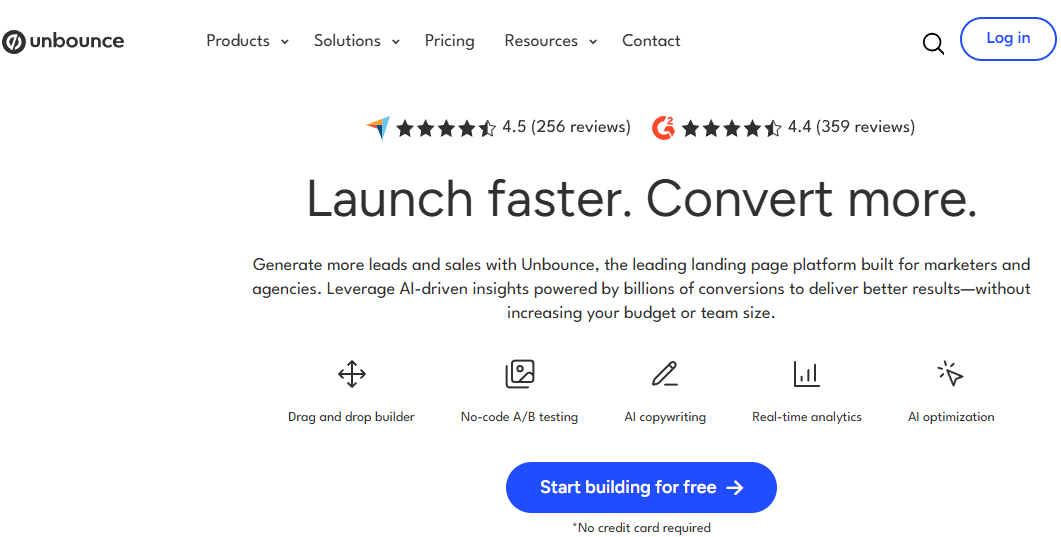
Unbounce’s Conversion Intelligence Platform combines Smart Traffic™ AI routing, Dynamic Text Replacement, and unlimited A/B testing to help performance marketers squeeze maximum ROI from every dollar of paid ad spend — without writing a single line of code.
Core Features and Smart Traffic™ Technology
Smart Traffic™ AI: Automatic Visitor Routing That Outperforms Manual Testing
Unlike traditional A/B testing where you split traffic evenly and wait weeks for statistical winners, Unbounce’s Smart Traffic™ uses machine learning — specifically bandit algorithms — to analyze visitor attributes in real time and automatically send each visitor to the page variant most likely to convert them.
- Visitor Attribute Analysis: Smart Traffic™ evaluates location, device type, operating system, browser, time of day, and behavioral signals to build a conversion probability profile for each incoming visitor before routing them to a page variant.
- Conversion Lift of 20–30%: Unbounce’s own Conversion Benchmark Report — drawn from analysis of 57 million conversions across 41,000+ landing pages — shows that Smart Traffic™ routinely delivers median conversion lift of 20–30% once the algorithm has accumulated sufficient traffic data to learn effectively.
- Smart Traffic Insights: Beyond routing, Smart Traffic now surfaces actionable insights about which visitor segments respond to which page elements — helping marketers understand the “why” behind conversion performance, not just the “what.”
- Minimum Viable Volume: Smart Traffic reaches full optimization effectiveness after accumulating enough visitor data — campaigns with very low traffic volumes may not see the full lift until sufficient samples are gathered. This is the most important nuance for new users to understand before evaluating the feature.
A/B Testing: Unlimited Experiments, Zero Developer Dependency
Unbounce’s built-in A/B testing is one of the platform’s most consistently praised features — offering unlimited split tests on qualifying plans with a setup process that takes minutes rather than the hours typically required in enterprise testing platforms.
- One-Click Duplication: Duplicate any existing page, make targeted changes to headlines, images, forms, or layouts, and launch a live split test — all without touching code or submitting developer requests.
- Statistical Significance Tracking: The platform tracks conversion data across variants and surfaces clear winner declarations with statistical confidence indicators — eliminating the guesswork about when a test has run long enough to be conclusive.
- Multi-Variant Testing: Run tests across multiple page variants simultaneously rather than the two-variant limitation of basic A/B tools — enabling faster iteration cycles and more comprehensive creative exploration.
- Traffic Splitting Controls: Manual traffic allocation controls let experienced marketers weight test traffic toward promising variants during learning phases rather than forcing equal splits throughout a test cycle.
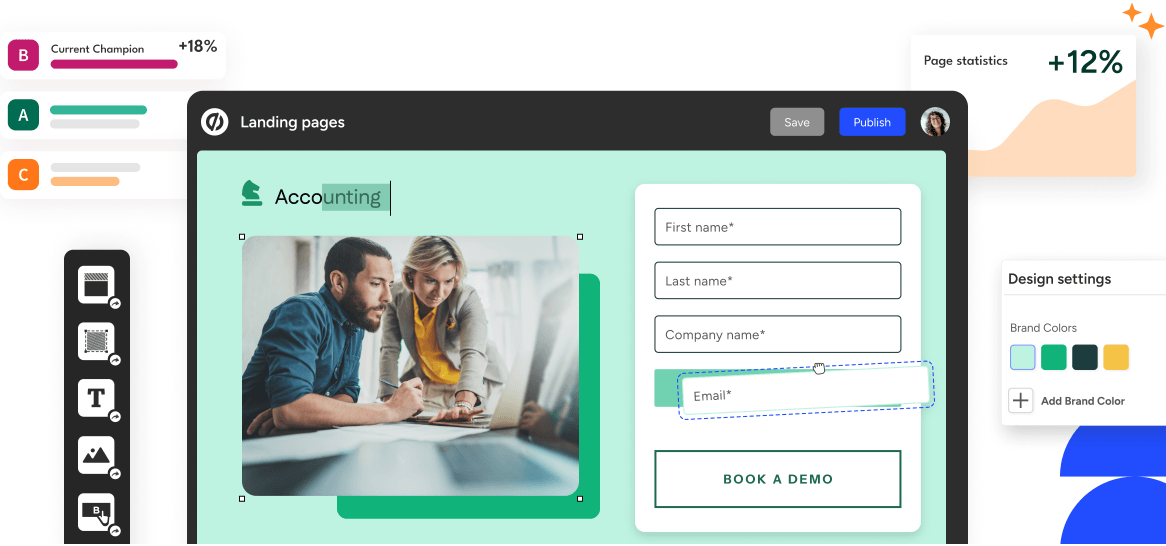
Unbounce’s A/B testing dashboard delivers clear statistical significance indicators and winner declarations that eliminate the guesswork from conversion optimization — letting marketing teams make data-driven page decisions without developer involvement or external analytics tools.
Dynamic Text Replacement: Ad-to-Page Relevance at Scale
Dynamic Text Replacement (DTR) is Unbounce’s mechanism for making every landing page feel personally relevant to every visitor — by automatically matching the page’s headline and body copy to the exact search term or ad keyword that brought that visitor to the page.
- Google Ads Integration: DTR connects directly to Google Ads campaigns to enable Dynamic Keyword Insertion — landing page headlines automatically update to match the search term that triggered each ad, improving both relevance and Google Quality Score simultaneously.
- Reduced Cost Per Click: Because DTR improves Quality Score, it can reduce cost-per-click on Google Ads campaigns while simultaneously improving conversion rates — a compounding efficiency gain that makes the platform pay for itself faster for PPC-heavy advertisers.
- No-Code Implementation: Setting up DTR requires no coding — marketers select the text element they want to make dynamic, define the replacement variable, and set a fallback default. The platform handles the rest automatically for every subsequent visitor.
- URL Parameter Support: DTR works via URL parameters, meaning it can be configured to work across any traffic source that supports parameter passing — not just Google Ads campaigns.
AI Landing Page Builder: Complete Pages in Under 60 Seconds
- Prompt-to-Page Generation: Unbounce’s AI builder generates complete, conversion-structured landing pages from a text prompt describing the campaign goal, target audience, and key value propositions — producing a full page draft in under 60 seconds that’s immediately editable in the drag-and-drop builder.
- AI Copy Tools: Beyond page generation, AI copy tools within the builder can generate, remix, and expand specific text elements — letting marketers create headline variations, write benefit bullets, and populate form confirmation messages without leaving the page editor.
- AMP Landing Pages: Unbounce supports AMP (Accelerated Mobile Pages) landing pages that load up to 85% faster than standard mobile pages — a meaningful performance advantage for Google Ads campaigns where mobile page speed directly affects Quality Score and conversion rates.
- 100+ Industry Templates: A library of conversion-tested templates across e-commerce, SaaS, lead generation, events, agencies, and more provides proven structural starting points — each designed around conversion best practices rather than aesthetic preferences alone.
Popups and Sticky Bars: Conversion Points Beyond the Landing Page
- Behavior-Triggered Popups: Exit-intent detection, scroll depth triggers, time-on-page thresholds, and click-based triggers let marketers deploy popups at the exact moment a visitor is most likely to convert or most at risk of leaving without converting.
- Sticky Bars: Persistent bars anchored to the top or bottom of any page — including pages outside of Unbounce’s own landing pages — deliver promotional messages, announcement banners, and lead capture forms without interrupting the browsing experience.
- Targeting and Scheduling: Both popups and sticky bars support audience targeting by referral source, visitor history, cookie data, and geographic location — enabling segmented messaging that shows different offers to new versus returning visitors.
Integrations: The Marketing Stack Connector
- Native CRM Integrations: HubSpot, Salesforce, and Marketo connect directly — with form submissions flowing automatically into the right CRM objects without Zapier middleware or custom webhook configuration.
- Email Marketing Platforms: Mailchimp, ActiveCampaign, Klaviyo, and ConvertKit integrations enable direct subscriber list growth from Unbounce form submissions — immediately triggering email sequences without manual list exports.
- Analytics and Attribution: Google Analytics, Google Ads, Facebook Ads, Hotjar, and Segment integrations provide full campaign attribution and behavioral analytics without requiring custom tracking code installation.
- Zapier and Webhooks: Extended integration support through Zapier connects Unbounce to hundreds of additional tools beyond the native integration library — and webhook support enables custom integrations for technical teams building proprietary data pipelines.
Key Use Cases and Target Users
Unbounce’s conversion-focused platform is purpose-built for a specific set of high-value use cases where landing page performance directly affects revenue:
- PPC Advertisers: Marketers spending $1,000+ per month on Google, Facebook, or LinkedIn ads get the most immediate and measurable ROI from Unbounce — Smart Traffic™ and DTR directly improve the cost efficiency of paid campaigns by increasing conversion rates from the same ad spend.
- Digital Marketing Agencies: Agency plans with sub-accounts, multi-domain support, and client management tools make Unbounce the professional choice for agencies delivering landing page services across multiple client accounts simultaneously.
- SaaS and B2B Lead Generation: Software companies running free trial signup campaigns and B2B companies driving demo requests benefit from Unbounce’s form customization, multi-step form support, CRM integration, and A/B testing capabilities for offer and messaging optimization.
- E-Commerce Brands: Product-specific landing pages with custom promotional messaging — dynamically updated to match the ad that brought each visitor — outperform generic product pages for conversion rate on paid traffic, making Unbounce a natural fit for DTC brands running catalog advertising.
- Event Marketers: Conference, webinar, and live event registration campaigns benefit from Unbounce’s countdown timer widgets, urgency-driven templates, and form-to-email automation for attendee list management.
Real-World Workflow Examples for PPC Teams, Agencies, and SaaS Marketers
Sample Workflow: PPC Specialist
- Build campaign-specific landing page in Unbounce using AI builder with a 60-second prompt: “Create a landing page for a project management SaaS targeting startup founders running Google Ads.”
- Enable Dynamic Text Replacement so page headline matches the exact search keyword from each Google Ads ad group.
- Create 3–4 page variants testing different value propositions and CTAs. Launch Smart Traffic™ to automatically route visitors to the best-converting variant per visitor profile.
- Monitor Smart Traffic Insights to identify which visitor segments convert best on which page elements — feed findings back into ad copy and audience targeting strategy.
Sample Workflow: Digital Marketing Agency
- Set up sub-accounts for each client under the Agency plan — isolating client data, pages, and conversion reports.
- Use conversion-tested templates customized to each client’s brand and campaign objective. Launch pages in hours rather than the days required by developer-dependent workflows.
- Enable client-level A/B testing with automated winner detection — presenting clients with monthly performance reports showing lift against control page benchmarks.
Sample Workflow: SaaS Marketing Team
- Create dedicated landing pages for each paid channel (Google Search, LinkedIn Sponsored Content, retargeting) with channel-specific messaging rather than sending all paid traffic to the homepage.
- Use multi-step forms to reduce form abandonment — collecting email first, then progressively asking for company size and job title in subsequent steps after initial commitment is established.
- Connect form submissions directly to HubSpot CRM to trigger personalized email sequences based on the specific campaign and page variant each lead came from.
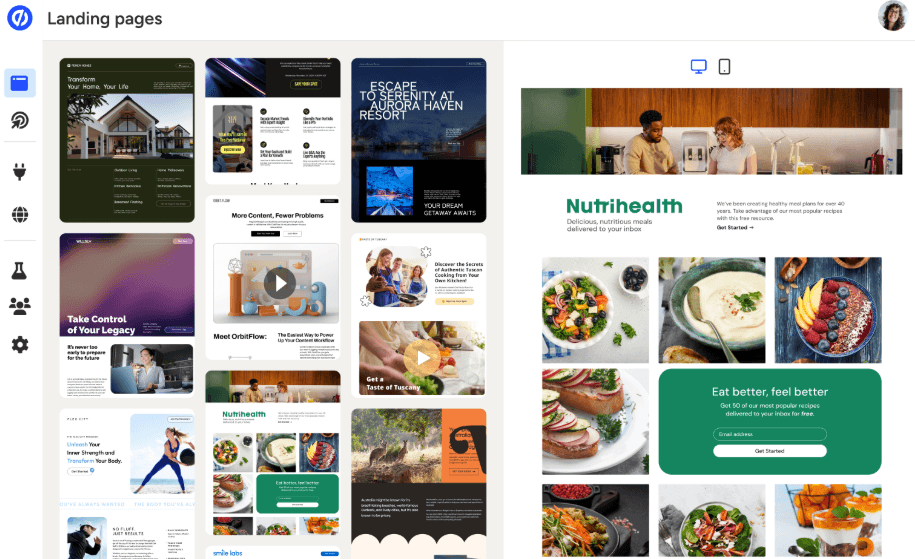
Digital marketing agencies and in-house performance teams rely on Unbounce’s sub-account structure, unlimited A/B testing, and Smart Traffic™ AI routing to deliver measurable conversion improvements for multiple concurrent campaigns without developer bottlenecks.
Unbounce Pricing, Plans, and Flexibility
Unbounce operates on a tiered subscription model with pricing based on visitor volume and feature access. Annual billing saves 25% across all plans, and a 14-day free trial is available on every tier.
Unbounce Plan Pricing Breakdown (2026)
| Plan | Monthly Price | Annual Price | Visitors/Month | Key Features |
|---|---|---|---|---|
| Build | $99/month | ~$74/month | 20,000 | Unlimited landing pages, popups, sticky bars; AI builder; 1 domain |
| Experiment | $149/month | ~$99/month | 30,000 | Everything in Build + unlimited A/B testing + Dynamic Text Replacement; 2 domains |
| Optimize | $249/month | ~$187/month | 50,000 | Everything in Experiment + Smart Traffic™ AI + advanced conversion insights; 5 domains |
| Concierge | Custom pricing | From ~$649/month | 100,000+ | Everything in Optimize + agency features + unlimited domains + dedicated support + white-glove onboarding |
| 14-Day Free Trial | All plans | All plans | Per-plan limits | Full feature access during trial; no credit card required to start |
| Annual Discount | — | 25% off all plans | — | Significant annual savings across all tiers; recommended for teams committed past trial period |
Important note on traffic-based pricing: Unbounce’s visitor limits are enforced at the plan level — accounts that exceed their monthly visitor cap can be automatically upgraded to the next tier, which is the most common billing frustration reported by users. Monitor your monthly traffic carefully, especially if running seasonal campaigns or launching new paid channels that significantly increase visitor volume. The Concierge plan is the appropriate choice for agencies and enterprise teams with 100,000+ monthly visitors across multiple client accounts.
Pro tip: Start with the Experiment plan rather than Build if A/B testing is part of your workflow — the unlimited testing capability and Dynamic Text Replacement access make it dramatically more powerful for conversion optimization than the base tier. The cost difference between Build and Experiment pays for itself quickly through improved conversion rates on any campaign spending $500+ per month on paid traffic.
Value vs. Alternatives
- vs. Instapage (~$79+/month): Instapage matches Unbounce on editor quality and is a strong enterprise alternative, but locks A/B testing behind a $199/month plan versus Unbounce’s $99/month Experiment tier. For teams where A/B testing is central to the workflow, Unbounce delivers better value at equivalent price points.
- vs. Leadpages (~$37–$49/month): Leadpages is the clear winner on price and simplicity — unlimited traffic, A/B testing on the Pro plan, and a lower learning curve. But it lacks Smart Traffic™ AI and Dynamic Text Replacement. For organic traffic and simple lead capture, Leadpages wins on value. For PPC optimization, Unbounce’s conversion toolset justifies the premium.
- vs. ClickFunnels (~$81/month): ClickFunnels is a full funnel builder with email, checkout, and membership tools — a different product category than Unbounce’s conversion-focused page builder. Choose ClickFunnels if you need an all-in-one funnel; choose Unbounce if you need best-in-class landing page conversion optimization with flexibility to integrate your existing marketing stack.
- vs. Carrd (~$19/year): Carrd is appropriate for simple personal pages and very basic lead capture. It competes with Unbounce in name only — the two products serve fundamentally different needs. Any business running paid advertising with serious conversion targets should not be making that comparison.
- vs. Homegrown Developer Pages: Developer-built landing pages give complete design control but introduce the exact bottleneck Unbounce eliminates — iteration speed. Marketing teams relying on development queues for page updates, A/B test launches, and campaign-specific variants consistently report faster campaign velocity after switching to Unbounce, with time-to-launch dropping from days to hours.
Unbounce vs. Competitors: Conversion Platform Benchmark (2026)
| Feature | Unbounce 2026 | Instapage | Leadpages | ClickFunnels | Carrd |
|---|---|---|---|---|---|
| Smart Traffic™ AI Routing | Yes (Optimize+) | No | No | No | No |
| Dynamic Text Replacement | Yes (Experiment+) | Yes | No | No | No |
| Unlimited A/B Testing | Yes (Experiment+) | Yes ($199+/mo) | Yes (Pro plan) | Limited | No |
| AI Landing Page Builder | Yes (all plans) | Limited | No | No | No |
| AMP Landing Pages | Yes | Yes | No | No | No |
| Popups & Sticky Bars | Yes (all plans) | No | Yes | Limited | No |
| Native CRM Integrations | HubSpot, Salesforce, Marketo | HubSpot, Salesforce | HubSpot, Mailchimp | Minimal native | None |
| Traffic Visitor Limits | 20k–100k+/mo by plan | Starts 15k/mo | Unlimited | Unlimited | Unlimited |
| Starting Price (Annual) | ~$74/month | ~$79/month | ~$37/month | ~$81/month | ~$1.58/month |
| Best For | PPC conversion, AI optimization, agencies | Enterprise, team collaboration | Organic traffic, budget-conscious | Full funnel automation | Simple personal pages |
Unbounce’s edge: Among landing page and conversion optimization platforms in 2026, Unbounce delivers the most complete AI-powered conversion toolset — combining Smart Traffic™ automatic visitor routing, Dynamic Text Replacement for ad-to-page relevance, unlimited A/B testing, an AI page builder, AMP support, and popups and sticky bars under a single subscription. Instapage matches Unbounce on editor quality but requires a significantly higher spend to unlock A/B testing. Leadpages wins on price and simplicity but lacks the AI optimization that justifies Unbounce’s premium. For businesses running serious paid ad campaigns where every percentage point of conversion rate improvement translates directly to revenue, Unbounce is the most complete platform available.
Unbounce Performance, Benchmarks, and Conversion Data
Conversion Intelligence Benchmark vs. Competitors (2026)
| Metric | Unbounce (Smart Traffic™) | Standard A/B Testing | No Optimization |
|---|---|---|---|
| Median Conversion Lift | 20–30% | 5–15% (varies) | Baseline |
| Time to First Optimization | Automatic (real-time) | 2–4 weeks minimum | N/A |
| Visitor Attributes Analyzed | Device, OS, browser, location, time | Manual segmentation only | None |
| Page Generation Speed | Under 60 seconds (AI builder) | Hours (manual) | Days (developer) |
| Industry Median CVR (Benchmark) | 6.6% across 41K+ pages | Varies by industry | Varies |
| Google Quality Score Impact | Positive (via DTR) | Neutral | No effect |
Market Demand and Growth Projections for Landing Page Builders
| Metric | 2024 | 2026 | 2030 | 2035 |
|---|---|---|---|---|
| Landing Page Builder Market ($B) | $0.9B | $1.2B | $1.8B | $2.83B |
| Market CAGR (%) | — | 14.6% | 14.6% | 14.6% |
| AI-Powered CRO Adoption (%) | 18% | 41% | 67% | 82% |
| PPC Advertisers Using Dedicated LPs (%) | 52% | 68% | 79% | 88% |
Source: Research Nester, 2026; Unbounce Conversion Benchmark Report, 2024
Step-by-Step Tutorial: Using Unbounce for High-Converting Campaigns
- Account Setup and Domain Connection: Create your Unbounce account, choose your plan based on monthly visitor projections, and connect your domain. For WordPress sites, install the Unbounce WordPress plugin to publish pages directly to your domain without DNS configuration.
- Build Your First Landing Page: Choose between the AI builder (prompt your campaign goal and get a full page in 60 seconds), the Classic drag-and-drop builder (pixel-perfect control from a blank canvas), or one of the 100+ conversion-tested templates filtered by industry and campaign type.
- Enable Dynamic Text Replacement: Connect your Google Ads account, identify the text elements you want to dynamically update (typically the headline and primary CTA), and configure the URL parameters that will carry keyword data from your ads to the page.
- Launch A/B Tests: Duplicate your primary page, make targeted changes (test one variable at a time for clean results), set your traffic split, and publish both variants. Let the test run until Unbounce’s statistical significance indicator reaches the 95%+ confidence threshold before declaring a winner.
- Activate Smart Traffic™ (Optimize plan): Once you have at least 2 page variants live, enable Smart Traffic™ from the page settings dashboard. The AI begins learning from incoming visitor data immediately and starts intelligent routing as sufficient data accumulates.
- Add Popups and Sticky Bars: Create exit-intent popups for visitors who scroll past 70% of your page without converting, and sticky bars promoting your primary offer for visitors arriving from brand awareness campaigns. Configure triggers and targeting rules to avoid showing the same message to visitors who’ve already converted.
- Connect Your Marketing Stack: Integrate with your CRM (HubSpot, Salesforce, or Marketo) for direct lead flow, connect to your email platform (Mailchimp, ActiveCampaign, or Klaviyo) for automated follow-up sequences, and add Google Analytics and Hotjar for behavioral data that complements Unbounce’s native conversion reporting.
Advanced Workflow Automation and Integration Tips
- Use Zapier to connect Unbounce form submissions to tools outside the native integration library — including Slack notifications for high-value lead alerts, Google Sheets for lead tracking dashboards, and project management tools for sales team follow-up assignment.
- Segment your Smart Traffic™ reports by traffic source (Google Search, Facebook, LinkedIn, Direct) to understand which channels respond best to which page variants — feed these insights back into audience targeting and bid strategy decisions.
- Build sub-pages for each ad group within a campaign rather than a single campaign-level page — DTR can only substitute text dynamically, but truly keyword-specific pages with unique images and value propositions consistently outperform text-swapped variants for high-intent search terms.
Tips for Getting the Best Results from Unbounce’s AI Builder
- Include your target audience, primary offer, key benefits, and desired CTA in your AI builder prompt — the more specific the input, the more conversion-ready the output.
- Use the AI copy “Remix” tool to generate 5–10 headline variants simultaneously rather than writing alternatives manually — then A/B test the top three performers.
- Always review AI-generated pages against your brand voice guidelines before publishing — the AI produces structurally sound conversion pages but may not match your brand’s specific tone and terminology without editing.
Pros and Cons: What Marketers Actually Say About Unbounce
What Marketers Love Most About Unbounce
- Smart Traffic™ Delivers Measurable Lift: The most consistently praised feature in independent reviews — marketers who have enough traffic to let Smart Traffic™ reach full learning report conversion rate improvements of 18–30% compared to manual A/B testing alone, with the AI identifying visitor segments and page preferences that human analysts would never have identified manually.
- No Developer Dependency: The freedom to build, test, iterate, and publish conversion-optimized pages without submitting developer requests is described by marketing team reviewers as the single most impactful workflow change Unbounce delivers — shrinking campaign launch timelines from days to hours.
- Pixel-Perfect Design Control: Unlike constrained template builders where design flexibility is limited to color swaps and text edits, Unbounce’s drag-and-drop builder allows true pixel-level positioning — giving design-conscious marketers the visual control they need to build genuinely brand-aligned pages rather than visually generic ones.
- Mobile Responsiveness That Actually Works: Reviewers consistently note that Unbounce’s mobile auto-adjustment is more reliable than competing builders — with the mobile preview accurately reflecting real-device rendering in a way that prevents the mobile layout surprises that plague competitors like Elementor or Divi.
- G2 and Capterra Ratings Reflect Genuine Quality: Unbounce holds a 4.4/5 on G2 from 384 reviews and a 4.5/5 on Capterra from 257 reviews — ratings that reflect genuine user satisfaction among the performance marketers and agencies for whom the platform is purpose-built.
- 14-Day Free Trial With Full Feature Access: The ability to test every plan tier — including Smart Traffic™ and Dynamic Text Replacement — during a two-week trial without a credit card enables genuinely informed purchasing decisions based on real campaign performance data.
Limitations and Caveats Worth Knowing
- Premium Price Point: At $99/month for the base Build plan and $249/month for Smart Traffic™ access, Unbounce is one of the most expensive landing page builders in its category. Businesses with low ad spend or primarily organic traffic will find it difficult to justify the cost against simpler, cheaper alternatives like Leadpages.
- Automatic Traffic-Based Upgrades: Exceeding your monthly visitor cap triggers automatic plan upgrades — the most commonly cited billing frustration in user reviews. Teams running seasonal campaigns or launching new paid channels need to actively monitor traffic levels and proactively manage plan tier to avoid unexpected billing escalations.
- Smart Traffic™ Requires Traffic Volume to Learn: The AI optimization only reaches full effectiveness once it has accumulated sufficient visitor data across variants. Very low-traffic campaigns may wait several weeks before seeing meaningful lift — and very small businesses with under 1,000 monthly visitors per page may never accumulate enough data to benefit significantly.
- Initial Learning Curve on Advanced Features: Dynamic Text Replacement, custom scripts, and advanced form logic require more technical understanding than Unbounce’s “no-code” positioning implies. Reviewers consistently note a 2–3 hour learning curve for basic competency and 1–2 days of hands-on experience for advanced feature proficiency.
- No Free Plan: Unlike some competitors that offer permanently free tiers with limitations, Unbounce offers only a 14-day trial before requiring paid subscription commitment — a barrier for very early-stage businesses testing whether dedicated landing pages are worth investing in before committing to monthly costs.
- Trustpilot Billing Concerns: Unbounce’s 1.9 Trustpilot rating — significantly lower than its G2 and Capterra scores — reflects genuine billing frustrations, particularly around traffic-based plan upgrades and subscription management. Users evaluating Unbounce should read Trustpilot reviews specifically for billing experience context before purchasing.

PPC specialists and performance marketers consistently report that Unbounce pays for itself within the first month for campaigns spending $1,000+ on paid ads — Smart Traffic™ AI routing and Dynamic Text Replacement improve conversion rates from the same traffic volume, reducing effective cost per lead while increasing campaign ROI.
Trends and the Future of Conversion Intelligence Platforms
Why AI-Powered Conversion Platforms Lead in 2026 and Beyond
- AI optimization is becoming table stakes — platforms that still require manual A/B test management and winner selection are losing market share to AI-native tools that optimize continuously without marketer intervention.
- Personalization at scale — showing different page content to different visitor segments based on behavioral and contextual signals — is evolving from a competitive differentiator into a baseline expectation for performance marketing campaigns.
- The landing page builder market is projected to reach $2.83 billion by 2035 at a 14.6% CAGR — driven by the continued shift of advertising budgets toward digital channels where dedicated landing pages consistently outperform homepage traffic direction.
- Integration depth with CRM, email, and analytics platforms is increasingly the deciding factor for marketing team adoption — standalone page builders without tight stack integration are losing relevance as teams demand end-to-end attribution across the full customer journey.
Evergreen AI Adoption and CRO Trends
- Over 82% of PPC advertisers are projected to use dedicated landing pages for all paid campaigns by 2035 — up from 68% in 2026.
- AI-powered conversion rate optimization adoption is growing at 2x the rate of overall digital marketing tool adoption.
- Visitor-level personalization — matching page content, images, and messaging to individual visitor attributes — is the next frontier for conversion platforms, with Unbounce’s Smart Traffic™ representing the current leading implementation of this capability.
Use Case Breakdown by User Segment
- PPC Specialists: Smart Traffic™ + DTR to maximize ROAS without manual optimization overhead.
- Growth Marketers: Rapid page generation and A/B testing for continuous conversion rate improvement experiments.
- Agencies: Sub-accounts, multi-domain management, and white-label capabilities for professional client service delivery.
- SaaS Teams: Campaign-specific pages for each paid channel, integrated with CRM for full lead attribution visibility.
Technical Analysis: Integrations, Security, and Platform Architecture
- Unbounce supports REST API access for custom integrations, Zapier for no-code workflow automation, and native webhooks for technical teams building proprietary data pipelines.
- SSL encryption is enabled by default on all published pages — a baseline security requirement for lead capture forms handling personal data under GDPR, CCPA, and other privacy regulations.
- WordPress plugin integration enables direct page publishing to WordPress sites without DNS management — the most common integration method for content marketing teams maintaining primary WordPress websites alongside campaign-specific Unbounce pages.
Conclusion
Unbounce delivers one of the most powerful, conversion-focused, and AI-optimized landing page experiences available to digital marketers in 2026. With Smart Traffic™ AI routing that delivers 20–30% median conversion lift, Dynamic Text Replacement that matches page copy to every visitor’s exact search term, unlimited A/B testing, an AI page builder that generates complete pages in under 60 seconds, AMP support for mobile performance, popup and sticky bar tools that capture leads beyond the main page, and deep native integrations with every major CRM, email, and analytics platform in the modern marketing stack — Unbounce has earned its position as the definitive platform for performance marketers who need landing pages that actually convert.
The premium price point and traffic-based billing model are real considerations — especially for early-stage businesses, small advertisers, and teams running primarily organic traffic. But for any business spending $1,000+ per month on paid advertising where conversion rate improvements translate directly into measurable revenue, Unbounce’s conversion toolset consistently pays for itself within the first campaign cycle and compounds value with every subsequent optimization cycle.
FAQs: Common Questions About Unbounce in 2026
- Does Unbounce offer a free plan?
No — Unbounce offers a 14-day free trial on all plans without requiring a credit card, but no permanently free tier. The cheapest paid plan starts at approximately $74/month on annual billing. - How quickly does Smart Traffic™ start optimizing?
Smart Traffic™ begins learning immediately from visitor data and starts routing intelligently as soon as sufficient data accumulates. Campaigns with higher traffic volumes reach full optimization effectiveness faster — very low-traffic pages may take several weeks before seeing meaningful lift. - Can Unbounce be used with WordPress?
Yes — Unbounce’s WordPress plugin allows pages built in Unbounce to be published directly to WordPress domains, appearing to visitors as part of the main site without requiring DNS configuration.
Ready to build landing pages that convert more of your paid traffic into customers — with AI that optimizes every visit automatically?
👉 Our Website: https://worldoftech.space/
👉 Our YouTube Channel: https://www.youtube.com/@world_tech79
👉 Our Facebook Fanpage: https://www.facebook.com/profile.php?id=61576258059614
👉 Our X ( Twitter ): https://x.com/worldoftech79





