
Losing a folder of photos, a finished report or an entire drive makes your stomach drop, and the free tools most people find first either stall, find nothing, or hide the restore button behind a surprise paywall. RecoveryFox AI from WonderFox Soft is a Windows data recovery program built around a simple promise: scan first, preview everything for free, and only pay once you can see that your files are actually there. It pairs a fast Quick Scan for recently deleted files with a deeper AI Scan that rebuilds fragmented data from formatted, corrupted or RAW drives, and works in read-only mode so your source disk is never touched. Pricing is refreshingly plain: $49.95 for one week, $59.95 for one month, $69.95 for one year (down from $89.95) and a one-time $99.95 Lifetime license (down from $149.95), with no auto-renewal on any plan.
For students, photographers, freelancers, small offices and anyone who has ever emptied a Recycle Bin a second too early, that is an attractive pitch. But an honest look shows both sides: the results from independent testing are strong on recently deleted and formatted media and noticeably weaker on overwritten data, the AI Scan is slow on large drives, the software is Windows only, and independent user ratings are still very thin. This 2026 review walks through what RecoveryFox AI does, how the two scan modes behave, the full current pricing from the official site, how it compares with EaseUS, Disk Drill and Recuva, the real pros and cons, and exactly who should (and shouldn’t) buy.
RecoveryFox AI Review 2026: The Windows Data Recovery Tool That Lets You Preview Before You Pay
Overview and Background
RecoveryFox AI is a data recovery application for Windows made by WonderFox Soft, a software developer founded in 2009 that is best known for audio, video, image, document and DVD utilities. WonderFox says it has reached more than 10 million users across over 180 countries and regions (a self-reported figure we could not verify independently), and RecoveryFox AI is its newer entry in the data recovery category. It is not a backup tool or a disk repair suite. It does one job: find files Windows no longer shows you, let you check them, and copy them safely elsewhere.
The workflow is deliberately short. You pick a location (a drive, a partition, the Recycle Bin or the desktop), run a scan, filter and preview the results, and recover what you want. The scan has two modes. Quick Scan targets recently deleted files and finishes fast. AI Scan goes deeper, looking for fragmented data on formatted drives, corrupted file systems and lost or RAW partitions, then reassembling it into usable files. Everything runs offline, and the vendor states that scan results stay on your own machine.
A note on evidence, because it matters for a purchase decision. At the time of writing, RecoveryFox AI had no meaningful Trustpilot page of its own, and the major software directories (G2, Capterra, Software Advice, SourceForge) list the product with no user reviews yet. In place of a Trustpilot score, this review leans on one detailed independent hands-on test, a lighter second write-up, the vendor’s published specifications and the official pricing. Vendor claims are labeled as such.
Why RecoveryFox AI Stands Out in 2026
Two scan modes for two kinds of data loss: Quick Scan handles the everyday “I just deleted it” case in seconds to minutes, while AI Scan digs into formatted, corrupted and RAW drives. Quick Scan runs first, and you can pause the deeper AI Scan at any time to browse what has been found so far.
AI that rebuilds fragmented files: Traditional recovery relies heavily on file signatures and leftover file system records, which fall apart when files are scattered across a drive. RecoveryFox AI applies pattern recognition to stitch fragments back together. In independent testing, JPEG photos and MP4 videos were where this showed most clearly, with the tester reporting better reassembly than free Recuva and Windows File Recovery (though no head-to-head numbers were published).
Free scan and preview before any payment: You can run a complete scan and preview recoverable files in the unregistered version. That turns the purchase into an informed decision rather than a gamble: if your files are not in the preview, you have lost nothing, and if they are, you know exactly what you are paying for.
Read-only, non-destructive recovery: The program reads from your source drive without writing to it, which protects whatever is still recoverable, and it insists that you save recovered files to a different drive. That is exactly the discipline data recovery requires, built into the workflow.
Pricing without a subscription trap: Every plan is a flat, one-time payment with no auto-renewal, and the Lifetime license at $99.95 undercuts the lifetime price of several better-known rivals. For anyone who expects to need recovery more than once, the math is friendly.
Original file names and folder structure: Recovered files can keep their original names and folder paths, and you can filter results by path, file type, date, size and name.
Lightweight with unusually broad Windows support: It runs on everything from Windows 11 and 10 back to Windows 7 and Vista, plus Windows Server 2022 down to 2003, on a modest 1 GHz processor with 4 GB of RAM (8 GB recommended).
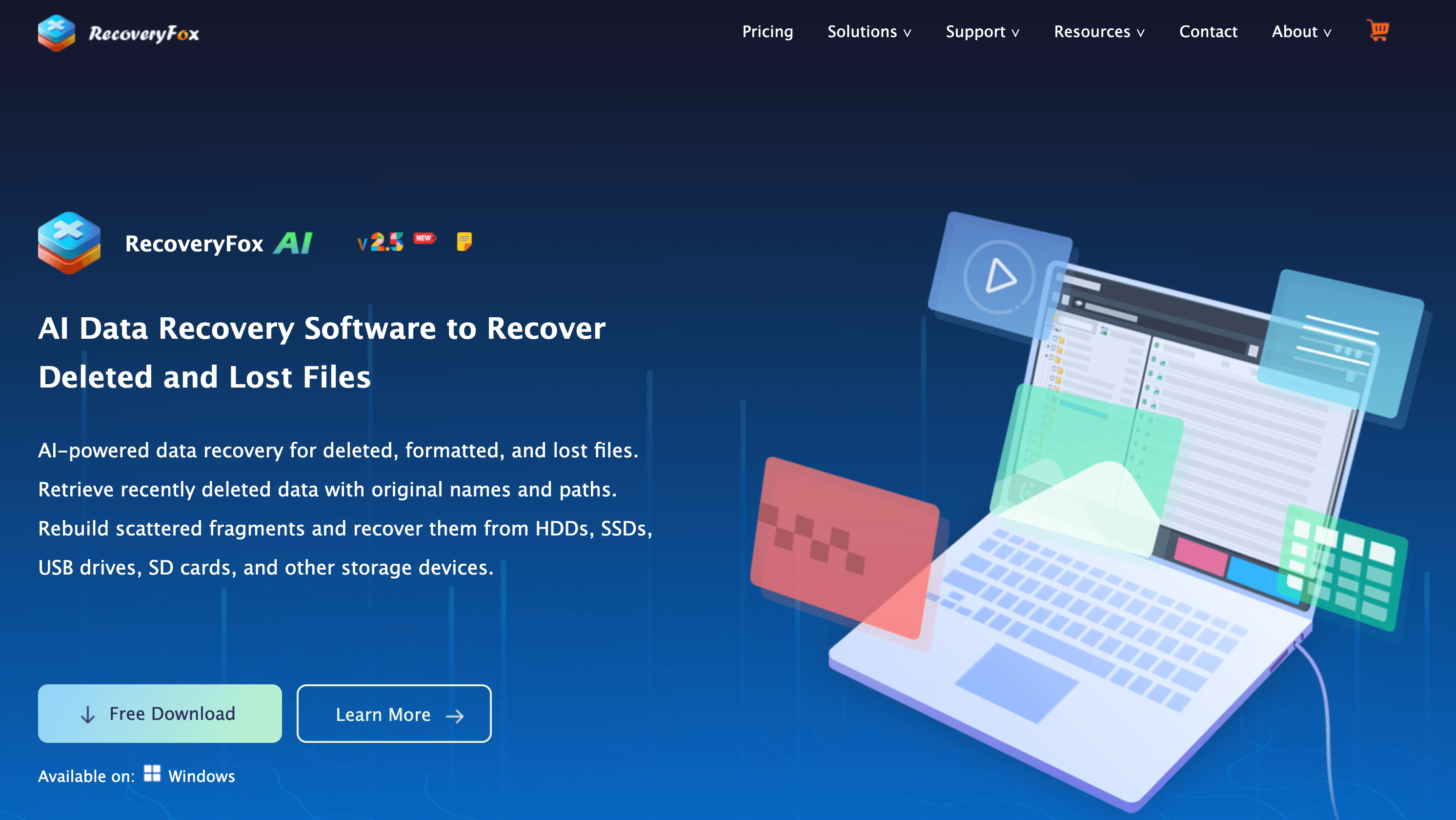
RecoveryFox AI pairs a fast Quick Scan with a deeper AI Scan, then lets you preview recoverable files for free before you decide to pay.
Key Features and Technology
RecoveryFox AI is a focused product, so its feature set organizes into a handful of pillars. Here is how it actually breaks down.
Quick Scan and AI Scan
Quick Scan runs first and looks for recently deleted files, including items emptied from the Recycle Bin. In independent testing it took about 48 seconds on a 64 GB SD card and under three minutes on a 500 GB hard drive. AI Scan is the deeper pass: roughly six minutes on that same SD card and around 45 minutes on the 500 GB drive, with larger drives expected to take over an hour. The tester treats that slowness as the price of thoroughness, and pause and resume make longer runs practical.
Recovery Scenarios and Supported Devices
The software targets the situations people actually run into: accidentally deleted files, emptied Recycle Bin, formatted drives, corrupted storage, and lost, unallocated or RAW partitions. It also recovers archives such as ZIP, RAR and 7Z, and includes document repair and recovery alongside photo recovery. On the hardware side it supports internal and external hard drives (HDD and SSD), USB flash drives, SD and memory cards, cameras and other storage devices, across the NTFS, exFAT and FAT32 file systems.
File Types and Formats
Supported types include Word, Excel, PowerPoint and PDF documents, JPG and PNG images, RAW camera formats such as CR3, graphic design files, MP4 and other video, archives, and even OBJ 3D files. Software directories commonly cite more than 500 supported file types, while G2’s description says AI Scan rebuilds fragmented files across more than 100 common formats, so read the larger number as total recognized types and the smaller as where AI reconstruction is strongest. The tester did not try most of them, and EaseUS lists more than 1,000.
Preview, Filtering and Folder Structure
Before you restore anything you can preview files and narrow results by path, type, date, size and name, then recover only what you need. Selective recovery keeps the destination drive tidy.
Privacy, Safety and System Requirements
RecoveryFox AI operates in read-only mode and offline, with scan results kept local. The vendor also states that its installer contains no bundled software, ads or malware, that it is verified clean by major antivirus engines and that it never collects user data. These are the vendor’s own claims and we have not audited them. Requirements are modest: a 1 GHz or faster x86 or x64 processor, 4 GB of RAM (8 GB or more recommended) and 1 GB of free disk space for installation. There is no macOS, Linux or mobile version.
Pricing, Plans, and Package Structure
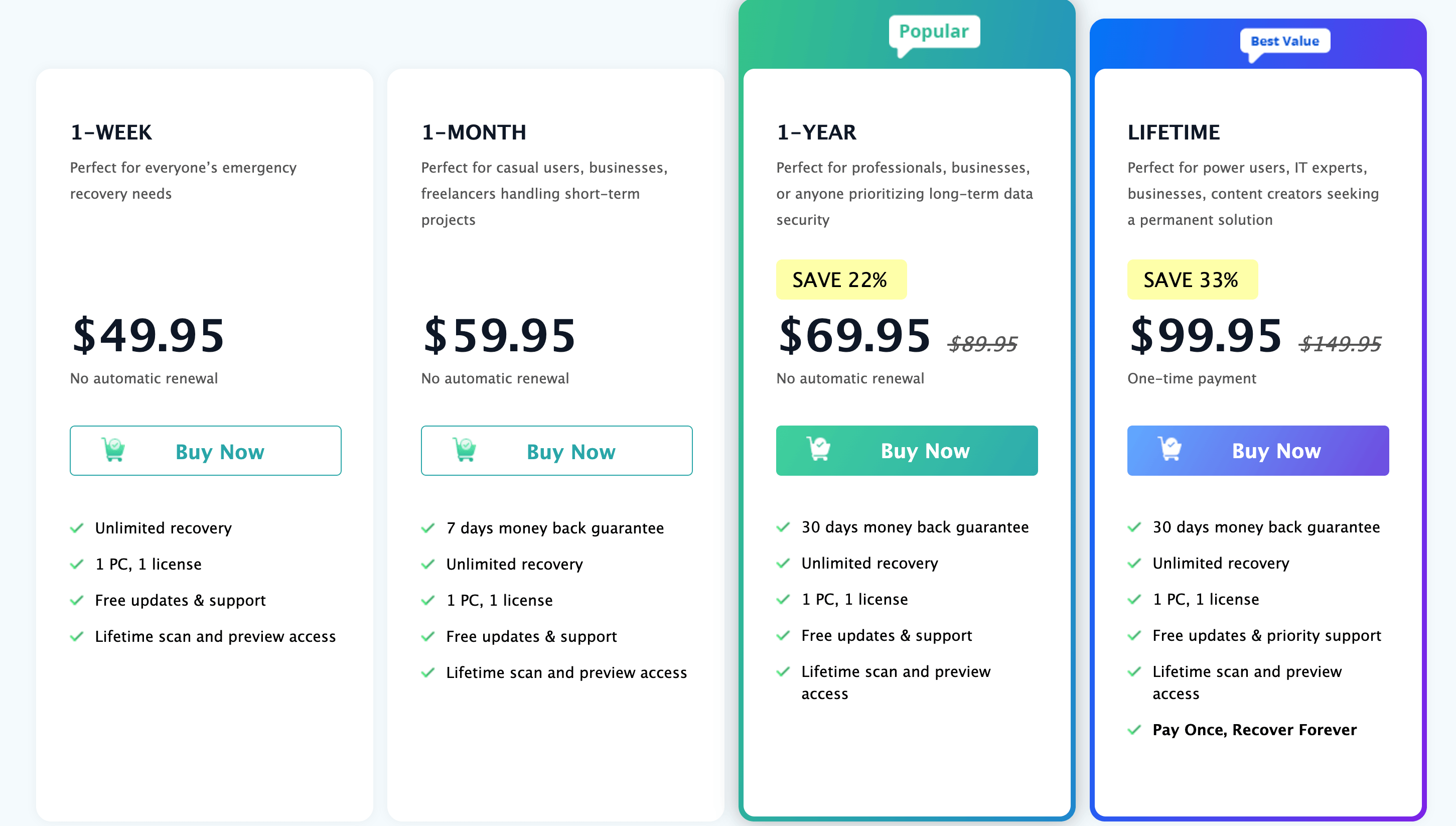
RecoveryFox AI uses a license-based model rather than a monthly subscription, and none of the plans renew automatically. The figures below were taken from the official wonderfoxrecovery.com pricing in November 2026, including the current discounted prices on the 1-Year and Lifetime plans. Every plan includes unlimited recovery for one PC and one license, lifetime scan and preview access, and free updates and support, with priority support reserved for the Lifetime plan. Teachers and students can also claim a 30% education discount.
| Plan | Price (USD) | What It Is | Best For |
|---|---|---|---|
| 1-Week License | $49.95 | Unlimited recovery for one week, no auto-renewal, no money-back guarantee listed | A single urgent rescue job |
| 1-Month License | $59.95 | Unlimited recovery for one month, no auto-renewal, 7-day money-back guarantee | A short project or several drives in one sitting |
| 1-Year License | $69.95 (was $89.95, save 22%) | Unlimited recovery for 12 months, no auto-renewal, 30-day money-back guarantee | Freelancers and small offices with occasional needs |
| Lifetime License | $99.95 (was $149.95, save 33%) | One-time payment, unlimited recovery, priority support, 30-day money-back guarantee | Anyone who expects to recover data more than once |
| Education Discount | 30% off | Available to teachers and students, bringing the Lifetime plan to roughly $70 | Students, schools and educators |
| Free (unregistered) | $0 | Full scan and file preview, but no file restoration | Checking whether your files are recoverable |
How RecoveryFox AI Compares to Alternatives
Data recovery is a crowded category. The most useful comparison is against the two best-known paid rivals and the popular free option.
| Factor | RecoveryFox AI | EaseUS Data Recovery Wizard | Disk Drill (Windows) |
|---|---|---|---|
| Platform | Windows only | Windows and macOS | Windows and macOS |
| Entry price | $49.95 (1-week) | ~$69.95 (monthly) | ~$89 (Pro) |
| Long-term license | $99.95 Lifetime | ~$99.95 yearly or ~$149.95 lifetime | ~$89 to ~$118 one time, or yearly depending on offer |
| Free tier | Scan and preview only | Scan, preview and a small recovery cap (reported ~2 GB) | Scan, preview and a small recovery cap (reported 100 to 500 MB) |
| File types | 500+ (directory listings) | 1,000+ | ~400+ (reviewer figure) |
| AI-based scan | Yes (AI Scan) | Not marketed as AI scanning | No |
| RAID and NAS | No | Limited, on higher tiers | RAID arrays supported |
| Best for | Windows users wanting a one-time purchase and fragment recovery | Broad format needs and Mac households | Polished interface, RAID and cross-platform use |
vs. EaseUS: EaseUS is the established giant, with a bigger format library (1,000 plus), macOS support, and extras on higher tiers such as bootable recovery media and file repair. Its list pricing is steeper, though, with a reported monthly plan around $69.95 against RecoveryFox AI’s $59.95, and a lifetime license around $149.95 against $99.95. EaseUS also offers a small free recovery allowance where RecoveryFox AI offers none. One reviewer’s lifetime-cost math puts RecoveryFox AI ahead of EaseUS after a year of ownership, but if you need Mac support or the widest format coverage, EaseUS is still the safer pick.
vs. Disk Drill: Disk Drill is the polish leader, with a cleaner interface, cross-platform support, RAID recovery and a one-time Pro price of roughly $89 on many listings (some sources show $118, and the vendor also sells a yearly option, so check the live checkout). That means RecoveryFox AI is not automatically the cheaper lifetime option here. Its edge is the dedicated AI Scan for fragmented data and an unambiguous no-renewal model, while Disk Drill wins on interface, ecosystem and enterprise-style features.
vs. Recuva and free tools: Recuva remains the budget default, with an unlimited free version and a Professional upgrade in the roughly $20 to $25 per year range. For a simple recent deletion on a hard drive it may be all you need. Independent testing found Recuva Professional close to paid rivals on hard drives and thumb drives but unreliable on SSDs, and free open-source tools such as PhotoRec and TestDisk can rescue hard cases at the cost of a technical interface. For a simple loss, try a free tool first. For a formatted drive, scattered fragments or a RAW partition, a paid tool with a friendlier workflow is easier to justify.
Pros and Cons
What Users Love
Because RecoveryFox AI is young and its public review base is small, the praise below comes mainly from independent hands-on testers and the way its features are described across software directories rather than from thousands of customer ratings.
Strong results in the one detailed test: In an independent trial, Quick Scan found 187 of 200 deliberately deleted photos and documents on an SD card (93.5%) and AI Scan found 198 (99%), missing only two tiny text files. On a formatted 500 GB external hard drive, Quick Scan found just 12 files while AI Scan surfaced more than 4,000, and 47 of 50 spot-checked files (94%) opened intact.
Pay-once pricing that respects your wallet: No auto-renewal on any plan, a Lifetime license at $99.95, a 30% education discount and a 30-day money-back guarantee on the Year and Lifetime plans make this one of the more consumer-friendly pricing structures in the category.
Free preview removes the guesswork: Being able to see exactly which files are recoverable before paying is the single most reassuring feature in a category where many tools only reveal results after checkout.
Simple, focused workflow: Choose a location, scan, preview, recover. There is no maze of settings, and the ability to pause and resume a scan makes long drives manageable. Reviewers call the interface minimal and approachable.
Safe by design: Read-only scanning, a prompt to restore to a different drive, offline operation and original file names and folder structures all point to a product built around protecting your data.
Light footprint and broad Windows compatibility: A small installer, modest hardware needs and support running from Windows Vista through Windows 11 mean it works on the older machines people often need to rescue.
Limitations Worth Knowing
Thin independent evidence: There are no user ratings yet on G2, Capterra or Software Advice, and the most detailed hands-on test comes from a single reviewer, whose write-up contains a few internal inconsistencies. The 98% recovery rate is the vendor’s own claim, and that reviewer believes it reflects ideal conditions such as recently deleted, unoverwritten files.
Performance falls off on damaged or overwritten media: On a formatted 128 GB USB drive with roughly 20 GB overwritten, only 31 of 50 checked files (62%) were fully intact, 11 were partially recovered and 8 (16%) were unrecoverable. Three MP4 videos in the formatted-drive test were also partially corrupted. That is normal for the category, but far from the headline number.
The AI Scan is slow on big drives: About 45 minutes on a 500 GB drive and an hour or more on 1 TB is the cost of the deeper search. Expect to leave it running.
Windows only, and no RAID or NAS: There is no macOS, Linux or mobile version and no announced Mac timeline. It also does not handle RAID or NAS recovery, which rules out many small-business and enthusiast setups, and its 500 plus format library trails EaseUS’s 1,000 plus.
Licensing fine print deserves a read: The 1-Week plan carries no money-back guarantee, time-limited licenses revert the program to scan-only when they expire, and each key covers one PC, with transfer to another device prohibited. Separately, a small Trustpilot profile tied to WonderFox’s converter products (around a dozen reviews and a 2.8 out of 5 score) includes a complaint about lifetime-upgrade terms on a different WonderFox product. That sample is far too small to judge RecoveryFox AI, but it is a good reason to read exactly what “Lifetime” covers before you buy.
No free recovery at all: Competitors such as EaseUS and Disk Drill let you restore a small amount of data for free. RecoveryFox AI’s free tier stops at scan and preview, so even a single tiny file requires a paid license.
Who Should Use RecoveryFox AI
Everyday Windows users after an accidental deletion: If you emptied the Recycle Bin, deleted a folder or lost files after a crash, Quick Scan plus the free preview gives you a low-risk way to find out whether recovery is possible.
Photographers, videographers and memory card users: Formatted SD cards and fragmented JPEG, RAW and MP4 files are where the AI Scan is designed to help most, and independent testing reported strong results on exactly those media.
Students and educators: The 30% education discount brings the Lifetime license to roughly $70, which makes it one of the most affordable permanent options in the category for people with a school email.
Freelancers, small offices and the unofficial family IT person: The Year and Lifetime plans cover unlimited recovery on one PC without renewal fees, so the person who keeps getting asked to “rescue my files” has a permanent tool without a recurring bill.
Who should look elsewhere: Mac and Linux users, anyone recovering from RAID or NAS arrays, and people who need the absolute widest format coverage should look at EaseUS or Disk Drill. If your loss is a simple recent deletion on a hard drive, a free tool like Recuva may do the job for nothing. And if your drive is physically failing (clicking, not detected, overheating), stop and consult a professional recovery lab, because repeated scans on failing hardware can make things worse.
From formatted SD cards to emptied Recycle Bins, RecoveryFox AI is built for the everyday Windows data loss that catches students, creators and small offices off guard.
Getting Started: Step by Step
- Stop using the affected drive. The moment you notice missing files, avoid saving, installing or downloading anything to that drive, since new data can overwrite what you are trying to recover. Have a second drive (internal, external or USB) ready as the destination for rescued files.
- Download and install RecoveryFox AI on a different drive. Get the installer from the official wonderfoxrecovery.com site and install it anywhere except the drive you are rescuing.
- Choose where to scan. Pick the specific drive, partition, Recycle Bin or desktop location where the files were lost. A precise location saves scan time.
- Run Quick Scan, then AI Scan if needed. Quick Scan finishes first and often finds recently deleted files. If your files are missing, formatted or corrupted, let the AI Scan run, and use pause and resume if you need your computer for something else.
- Filter and preview your files. Narrow results by path, type, date, size or name, then preview documents, photos and videos to confirm they open correctly. Do this before paying anything.
- Activate a license and recover to a different drive. If the preview shows what you need, choose a plan, enter your license key, select the files and restore them to your second drive. Confirm the files open before you reformat anything.
Tips for Getting Maximum Value
Always run the free scan first and judge the preview before choosing a plan, because it is the cheapest way to avoid paying for a recovery that was never going to work. Match the license to your situation: the 1-Week plan only makes sense for a single emergency, while Lifetime costs just $30 more than the 1-Year plan. Eligible teachers and students should claim the 30% education discount, and everyone should check the live price at checkout, since the discounted 1-Year and Lifetime prices can change. Use the filters to recover only what you need, treat SSDs with extra urgency because TRIM can erase deleted blocks quickly, and finish your recovery while a time-limited license is active. Once your files are back, set up a regular backup so you never need this tool in an emergency again.
Future Outlook and Final Assessment
Data recovery software is moving away from pure signature scanning toward smarter reconstruction of fragmented data, and RecoveryFox AI sits squarely in that shift. WonderFox brings more than 15 years of experience with file formats and media, a lightweight program and a pricing model that stands out in a category dominated by subscriptions. If it expands format coverage, adds Mac support and builds a public base of independent reviews, it could become a much stronger challenger.
The caveats are real, though. Independent evidence is still limited to a handful of hands-on tests, results drop on overwritten and partially destroyed media, the AI Scan is slow on large drives, and the product is Windows only with no RAID or NAS support. Competitors like EaseUS and Disk Drill offer broader platforms and free recovery allowances, and Disk Drill’s one-time price is in the same range. Within those limits, RecoveryFox AI delivers a clear, fair, try-before-you-buy approach to a stressful problem, and its pricing makes sense for the right buyer.
Conclusion
RecoveryFox AI does not pretend to be everything to everyone. It is a focused, Windows-only recovery tool that scans quickly, digs deeper with an AI-assisted pass when it has to, lets you preview your files before you pay, and charges a fair one-time price instead of a recurring fee. Independent testing shows strong results on recently deleted and formatted media and sobering ones on overwritten data, which is exactly what you should expect from any honest recovery software. With thin public reviews, no free recovery allowance and a few licensing details worth reading, it asks for a little due diligence. But for photographers, students, freelancers and everyday Windows users who want to know whether their files can be saved before spending a cent, it is an easy tool to try.
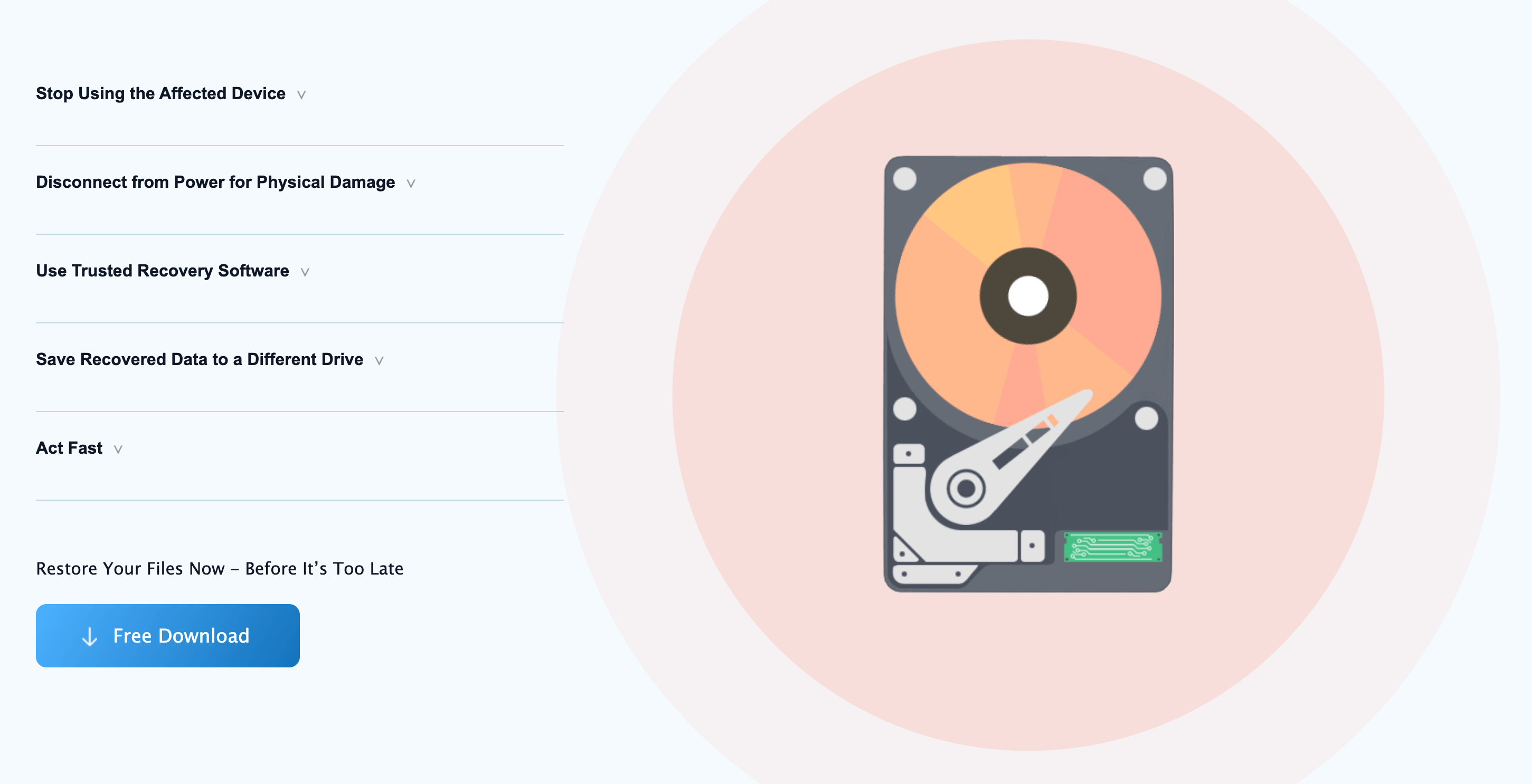
Preview first, pay second: RecoveryFox AI shows what can be recovered before you commit to a license.
Lost files you thought were gone for good?
Explore more honest reviews, tutorials and tech comparisons to find the right gear for the way you work, travel and live — at World Of Tech, where we make everything easy.
👉 Shop RecoveryFox AI: https://worldoftech.space/recoveryfox.ai
👉 Our YouTube Channel: youtube.com/@world_tech79
👉 Our Facebook Fanpage: Facebook
👉 Our X (Twitter): @worldoftech79
Pricing, specifications and policy details in this review were verified against wonderfoxrecovery.com and independent review sources (including hands-on reviewer testing and software directory listings) as of November 2026. Data recovery software pricing and features change frequently, so confirm current details on the official site before purchasing. Competitor prices are approximate and subject to change.