
Most people already own speakers that sound better than the way they actually listen to them. The amplifier in the cabinet has no streaming, the powered speakers on the desk only speak Bluetooth, and the TV soundbar ignores the music library entirely. WiiM was built to fix exactly that gap. It is a fast-growing audio brand that makes affordable network streamers, streaming amplifiers, wireless speakers, a subwoofer and now a Dolby Atmos soundbar, all controlled by one app and all able to play together across every room of the house. With the tiny $99 WiiM Mini at one end, the $549 WiiM Amp Ultra at the other, and the brand new $479 WiiM Bar aimed squarely at Sonos, WiiM has become the default recommendation in hi-fi forums for anyone who wants high-resolution streaming without paying premium-brand prices.
For music lovers, vinyl fans with an old amplifier, home theater beginners and anyone frustrated by the cost of a full Sonos or Bluesound setup, the pitch is compelling: lossless and hi-res streaming, room correction and multi-room audio at a fraction of the usual price. But WiiM is not perfect. Several flagship models skip AirPlay 2, prices rose in August 2026, and a fast software release cycle brings both new features and the occasional bug. This 2026 review walks through the full WiiM lineup, the technology inside it, the latest official prices, head-to-head comparisons with Sonos and Bluesound, the genuine pros and cons, and exactly who should (and should not) buy in.
WiiM Review 2026: Affordable Hi-Res Streaming, Amplifiers and Multi-Room Audio for Every Room
Overview and Background
WiiM is the consumer audio brand of Linkplay Technology Inc., a company best known for years as the behind-the-scenes supplier of Wi-Fi streaming modules and software to other audio brands. That background explains why WiiM products feel mature from day one: the streaming platform and multi-room sync were already proven inside other brands’ speakers. The brand started with small, inexpensive streamers designed to bolt network audio onto existing systems, and those early products spread quickly through word of mouth among budget audiophiles.
Today the official lineup covers four clear groups. The streamers (Mini, Pro, Pro Plus and Ultra) add Wi-Fi streaming to an amplifier, receiver or powered speakers you already own. The streaming amplifiers (Amp, Amp Pro and Amp Ultra) combine a streamer and a power amp in one compact box so you only need a pair of passive speakers. The speakers and subwoofer (Sound Lite, Sound and Sub Pro) build a wireless system from scratch, and the new WiiM Bar brings Dolby Atmos and DTS:X to the TV. Accessories and extras include the Vibelink Amp, WiiM Edition A10 MKII and C10 MKII speakers, a Voice Remote 2 and a Wake-up Light.
Everything runs through the free WiiM Home app on iOS, Android, Mac and Windows, which handles setup, more than 20 streaming services, EQ, room correction and multi-room grouping. WiiM’s website highlights a string of industry honors, including CEDIA Best of Show 2026 plus Red Dot and CES recognition. Those are self-reported on the brand’s site, but independent outlets back up the general reputation: What Hi-Fi? scores the WiiM Ultra 5 out of 5 for both build and features, and the WiiM Ultra and WiiM Amp each hold 4.6 out of 5 stars on Amazon US from thousands of ratings.
Why WiiM Stands Out in 2026
Hi-res streaming for the price of a dinner out: The $99 WiiM Mini turns any amplifier or powered speaker with an aux or optical input into a Wi-Fi streamer with AirPlay 2, Spotify Connect, TIDAL Connect and output up to 24-bit/192kHz. Few brands offer a credible entry point this cheap, and it is the reason so many people discover WiiM in the first place.
One app that is genuinely good: The WiiM Home app is the brand’s secret weapon. It brings together 20+ streaming services, multi-room grouping, presets, a 10-band graphic EQ, a 10-band parametric EQ and per-source settings in a single, fast interface. Reviewers regularly single out the app as more polished than those of far more expensive rivals.
RoomFit room correction built in: Most WiiM devices support RoomFit, which uses your phone’s microphones (or an external measurement mic) to analyze how your room colors the sound, then corrects it automatically. On the WiiM Bar and Sub Pro, this calibration is AI-assisted and takes a single tap. Room correction used to be a feature reserved for high-end processors.
Works with almost every streaming ecosystem: Depending on the model, WiiM supports Spotify Connect, TIDAL Connect, Qobuz Connect, Google Cast, Amazon Music casting, Alexa Cast, DLNA/UPnP and Roon Ready status. That breadth means you rarely have to give up your preferred service or library software to join the WiiM ecosystem.
Keep your old hi-fi and upgrade everything else: The WiiM Ultra in particular is designed as a digital hub for an existing system. It adds an HDMI ARC input for the TV, a phono input for a turntable, optical and coaxial connections, a subwoofer output and a 3.5-inch touchscreen, so a twenty-year-old amplifier suddenly handles streaming, TV sound and vinyl.
A growing wireless home theater system: In 2026 WiiM pushed beyond stereo. The Sound and Sound Lite speakers can take center or surround roles alongside a WiiM Ultra or Amp Ultra, the Sub Pro adds wireless bass, and the WiiM Bar delivers 3.0.2 Dolby Atmos that expands to a 5.1.2 system. You can start small and grow without replacing anything.
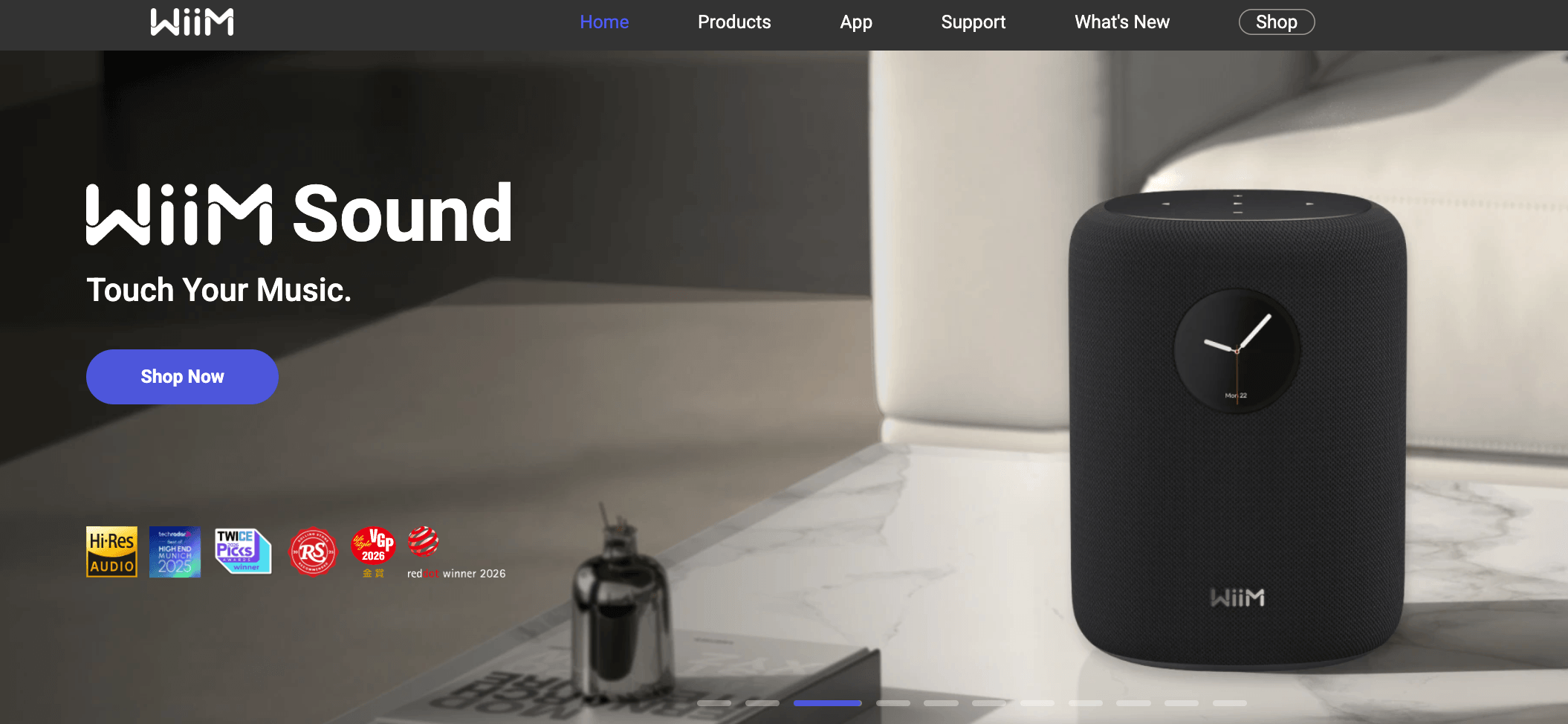
The WiiM Ultra turns an existing amplifier into a modern streaming hub, adding hi-res Wi-Fi playback, HDMI ARC for the TV, a phono input and RoomFit room correction in one compact box.
Key Features and Technology
WiiM’s catalog looks large at first glance, but it organizes cleanly into a few pillars. Here is how the platform actually breaks down.
Music Streamers: Mini, Pro, Pro Plus and Ultra
The streamers have no built-in amplifier; they feed your existing amp or powered speakers. The WiiM Mini is a palm-sized 69 x 69 mm puck with a TI PCM5121 DAC, dual-band Wi-Fi, Bluetooth 5.0, 3.5 mm analog in and out and an optical output, but no Ethernet port. The WiiM Pro adds Ethernet, RCA, optical and coaxial connections, Google Cast and Roon Ready status, plus RoomFit and the full EQ suite. The WiiM Pro Plus keeps that feature set but upgrades the analog stage with an AKM AK4493SEQ DAC and includes a voice remote. At the top, the WiiM Ultra uses an ESS ES9038Q2M DAC (line out rated at 121 dB SNR), a 3.5-inch glass touchscreen with a physical volume knob, HDMI ARC, a phono input, a 3.5 mm headphone output, a subwoofer output, USB audio output and a 12V trigger.
Streaming Amplifiers: Amp, Amp Pro and Amp Ultra
For anyone starting with passive bookshelf or floorstanding speakers, the streaming amps are the simplest path to a complete system. The WiiM Amp delivers 60 watts per channel into 8 ohms (120W into 4 ohms), with HDMI ARC (stereo PCM only), optical, line and USB inputs, a subwoofer output with a 30 to 250 Hz crossover, Roon Ready status and AirPlay 2. The WiiM Amp Pro keeps the 60W rating but steps up to an ESS ES9038Q2M DAC and TI TPA3255 Class-D amplification, and its HDMI input accepts both stereo PCM and Dolby Digital. The flagship WiiM Amp Ultra raises output to 100 watts per channel into 8 ohms, adds a 3.5-inch touchscreen and HDMI eARC, and targets speakers that need more power. For people who already own a WiiM streamer, the Vibelink Amp is a no-frills analog power amp with 100W per channel into 8 ohms, Class-D with post-filter feedback, and RCA, optical and coaxial inputs.
Wireless Speakers and Sub Pro
The WiiM Sound and WiiM Sound Lite share the same 2-way acoustic design: a 4-inch paper-cone woofer and dual 1-inch silk-dome tweeters with 100W peak output. The Sound adds a 1.8-inch round touchscreen and a Voice Remote 2 Lite, while the Lite drops the display and controls from its top panel, the app or voice. Two units pair as a stereo left/right set, and with a WiiM Ultra or Amp Ultra they can serve as center or surround channels. The WiiM Sub Pro uses an 8-inch custom woofer driven by 250W RMS of Class-D power, with a 35 to 200 Hz (plus or minus 3 dB) response, AI RoomFit bass calibration, Wi-Fi, Ethernet and an RCA input so it can also work with non-WiiM gear.
WiiM Bar: Dolby Atmos Soundbar With a Touch Display
The WiiM Bar is the brand’s first soundbar and its most direct challenge to Sonos. It is a 3.0.2-channel Dolby Atmos and DTS:X bar with eight drivers (three mid-woofers, three tweeters and two upfiring full-range height drivers) plus four passive radiators and 135W of total power. It connects over HDMI eARC, supports Wi-Fi 6E and Bluetooth 5.4, streams up to 24-bit/192kHz, and adds a 2.1-inch round touch display that shows album art and controls, which can be switched off for movies. AI RoomFit, dialogue enhancement, night mode, Alexa and Google Assistant support and an included voice remote round out the package, and wireless WiiM surrounds plus a subwoofer expand it to 5.1.2. Forbes reports that Roon Ready status and Control4 integration arrive at launch, with a limited gloss-black edition shipping from mid-October 2026 and matte black and white later in the year.
WiiM Home App, Multi-Room and Integrations
Every product is managed in the WiiM Home app, which handles setup, firmware updates, presets, EQ and RoomFit. Multi-room grouping works across all WiiM devices, and models with physical inputs can share a source (such as a turntable on the Ultra) with other rooms. Lossless FLAC, ALAC and WAV play natively with gapless playback.
Pricing, Plans, and Package Structure
WiiM sells hardware only. There is no subscription, the app is free, and every product is a one-time purchase. The table below shows WiiM’s official US prices as listed on wiimhome.com in October 2026. Note that WiiM announced a price adjustment on August 1, 2026 (September 1 in the EU and Japan), citing rising costs, so many models now sell for $20 to $30 more than the launch prices quoted in older reviews. A few products (Sound, Sub Pro and Vibelink Amp) are not priced on WiiM’s own site and are sold through Amazon and dealers, so their launch list prices are shown as approximate.
| Product | Price (USD) | What It Is | Best For |
|---|---|---|---|
| WiiM Mini | $99 | Compact Wi-Fi streamer with AirPlay 2 | Cheapest way to add streaming to old gear |
| WiiM Pro | $169 | Streamer with Ethernet, Google Cast, Roon Ready | Best all-round value streamer |
| WiiM Pro Plus | $249 | Pro with upgraded AKM DAC and voice remote | Better analog output for a hi-fi amp |
| WiiM Ultra | $349 | Flagship streamer with touchscreen, HDMI ARC, phono | Hub for music, TV and turntable |
| WiiM Amp | $329 | 60W/ch streaming amp with AirPlay 2 | Simple passive-speaker system |
| WiiM Amp Pro | $399 | 60W/ch amp with ESS DAC and TPA3255 stage | Upgraded sound, Dolby Digital via HDMI |
| WiiM Amp Ultra | $549 | 100W/ch flagship amp with touchscreen | Demanding speakers, all-in-one setups |
| WiiM Vibelink Amp | ~$299 (launch price) | 100W/ch analog power amp, no streaming | Pairing with an existing WiiM streamer |
| WiiM Sound Lite | $229 | Display-free wireless smart speaker | Kitchens, bedrooms, surround duty |
| WiiM Sound | ~$299 (launch price) | Wireless speaker with 1.8″ touchscreen | Hands-on control, stereo pairs |
| WiiM Sub Pro | ~$449 (launch price) | 250W wireless subwoofer with AI RoomFit | Adding bass to 2.1 or 5.1 systems |
| WiiM Bar | $479 | 3.0.2 Dolby Atmos and DTS:X soundbar | TV sound that grows to 5.1.2 |
How WiiM Compares to Alternatives
| Factor | WiiM | Sonos | Bluesound |
|---|---|---|---|
| Entry streamer | Mini $99 / Pro $169 | Port ~$449 | Node Nano ~$299 |
| Streaming amplifier | Amp $329 to Amp Ultra $549 | Amp ~$799 | Powernode ~$900+ |
| Atmos soundbar | WiiM Bar $479 (3.0.2, upfiring) | Beam Gen 2 ~$499 (virtual height) | Pulse Soundbar range (varies) |
| AirPlay 2 | Model-dependent | Yes | Yes |
| Google Cast | Yes (most models) | No | No |
| Room correction | RoomFit (phone or external mic) | Trueplay | Tone controls and EQ |
| Max resolution | Up to 24-bit/192kHz | Up to 24-bit/48kHz | Up to 24-bit/192kHz |
| Best for | Maximum features per dollar | Polished whole-home ecosystem | Audiophile streaming with AirPlay |
vs. Sonos: Sonos remains the benchmark for a seamless whole-home ecosystem, with AirPlay 2 on its current lineup and a large range of speakers and soundbars. But Sonos charges a premium: the Sonos Amp lists at $799 on sonos.com, and the Port streamer sits around $449, while WiiM’s Amp Ultra is $549 and the Pro is $169. WiiM also streams at higher resolution, supports Google Cast, and its WiiM Bar matches the Beam Gen 2’s price while adding real upfiring height drivers and DTS:X. Sonos wins on ecosystem polish, Apple integration and brand longevity; WiiM wins on value and flexibility.
vs. Bluesound: Bluesound’s Node and Powernode are respected audiophile streamers with AirPlay 2 and the BluOS platform, and many listeners prefer their sound. They also cost noticeably more for comparable features, and they lack Google Cast. For buyers who prize AirPlay and a more established hi-fi badge, Bluesound is a strong alternative; for buyers who want HDMI, phono, room correction and touchscreen control in one affordable box, the WiiM Ultra or Amp Ultra delivers more for the money.
vs. Cambridge Audio MXN10 and other hi-fi streamers: What Hi-Fi? notes that the Cambridge Audio MXN10 (from roughly $399 in the US) extracts more detail and dynamic nuance than the WiiM Ultra at a similar price. But the MXN10 has no HDMI, phono input or touchscreen. If pure sound quality from a streamer is your only priority, the specialist hi-fi brands deserve an audition; if you want one box that handles TV, vinyl and streaming, WiiM is hard to beat.
Pros and Cons
What Users Love
Exceptional value for money: The most consistent theme in reviews and owner feedback is how much WiiM delivers for the price. Hi-res streaming, room correction, multi-room audio and broad service support at $99 to $549 is a combination that previously cost far more.
Strong Amazon ratings at scale: Because WiiM’s Trustpilot presence is thin (an unclaimed profile with only 8 reviews at the time of writing), Amazon is a more representative source. There, the WiiM Ultra holds 4.6 out of 5 stars from more than 3,700 ratings and the WiiM Amp 4.6 out of 5 from more than 2,300 ratings, with newer products such as the Sub Pro (4.5) and Sound (4.4) also rated well.
A polished, capable app: Owners and professional reviewers alike praise the WiiM Home app for fast setup, clean design, deep EQ controls and reliable multi-room grouping. What Hi-Fi? describes the Ultra as “a joy to use,” and the app is a big part of that.
Flexible connectivity: HDMI ARC, phono, optical, coaxial, USB, subwoofer outputs and 12V triggers (depending on model) let WiiM slot into almost any system, from a vintage stereo to a TV setup to a desk with powered monitors.
Premium build and design: Reviewers give WiiM’s newer products top marks for build. What Hi-Fi? scores both the Ultra and the Amp Ultra 5 out of 5 for build, highlighting their compact, stylish and well-made enclosures and the responsive touchscreens.
Active development and community: Frequent firmware updates and an engaged WiiM forum, where staff post announcements and respond to feedback, give owners confidence that their device will keep improving rather than being abandoned.
Limitations Worth Knowing
No AirPlay 2 on several flagship models: The WiiM Ultra, Amp Pro, Amp Ultra, Sound and WiiM Bar do not support AirPlay 2 or Siri. For iPhone households that stream Apple Music, this is the single biggest drawback, and WiiM’s CEO has steered users toward alternatives such as Spotify rather than committing to a fix.
Sound is clean, not class-leading: Independent reviewers consistently rate WiiM’s features above its sound. What Hi-Fi? gives the Ultra and Amp Ultra 4 out of 5 for sound and the WiiM Sound only 3 out of 5, noting that detail, dynamics and bass weight trail the best rivals at each price.
Prices are creeping up: The August 2026 price adjustment pushed several models up by $20 to $30 compared with launch pricing. WiiM is still cheaper than Sonos and Bluesound, but the “unbeatable bargain” gap has narrowed.
Software quirks come with fast updates: The WiiM forum contains threads about firmware update problems, optical input dropouts on some units, and devices going offline after idling, and a handful of Trustpilot reviewers describe a feature change or a touchscreen issue after an update. Most issues are fixed in later releases, but WiiM is not as conservative with changes as older brands.
Model-specific feature gaps: The Mini has no Ethernet and no Google Cast, the original Amp’s HDMI ARC handles stereo PCM only, the Amp Ultra has no physical headphone output and only one analog input, and the Bar has no HDMI passthrough, so it occupies one of your TV’s HDMI ports.
Thin independent review coverage on Trustpilot: WiiM has not claimed or invited reviews on Trustpilot, so there is no large independent customer-service record to check there. Buyers who care about support experiences should read Amazon reviews and the WiiM forum, and keep their proof of purchase handy.
Who Should Use WiiM
Owners of existing hi-fi systems: If you have a good amplifier, receiver or powered speakers without streaming, a WiiM Pro, Pro Plus or Ultra is the most cost-effective upgrade available. The Ultra is especially appealing for anyone who also wants TV sound via HDMI ARC and a turntable input in one box.
First-time hi-fi builders: Pair a WiiM Amp, Amp Pro or Amp Ultra with passive bookshelf speakers and you have a complete streaming system, including TV audio, for well under what a Sonos Amp costs on its own.
Budget-conscious multi-room fans: Mixing Minis, Pros, Sound Lite speakers and amps lets you put synchronized music in every room for less than a single premium speaker, all controlled from one app.
TV and home theater upgraders: The WiiM Bar offers true upfiring Atmos height channels and DTS:X at a Sonos Beam price, with a clear upgrade path to 5.1.2 using WiiM speakers and the Sub Pro.
Who should look elsewhere: Apple-centric households that depend on AirPlay 2 and Siri should either stick to the Mini, Pro, Pro Plus or original Amp, or consider Sonos or Bluesound instead. Listeners chasing the last ounce of detail from a streamer may prefer a specialist like Cambridge Audio, and anyone who wants a decade of proven ecosystem stability with minimal software change might feel more comfortable with an older, more conservative brand.
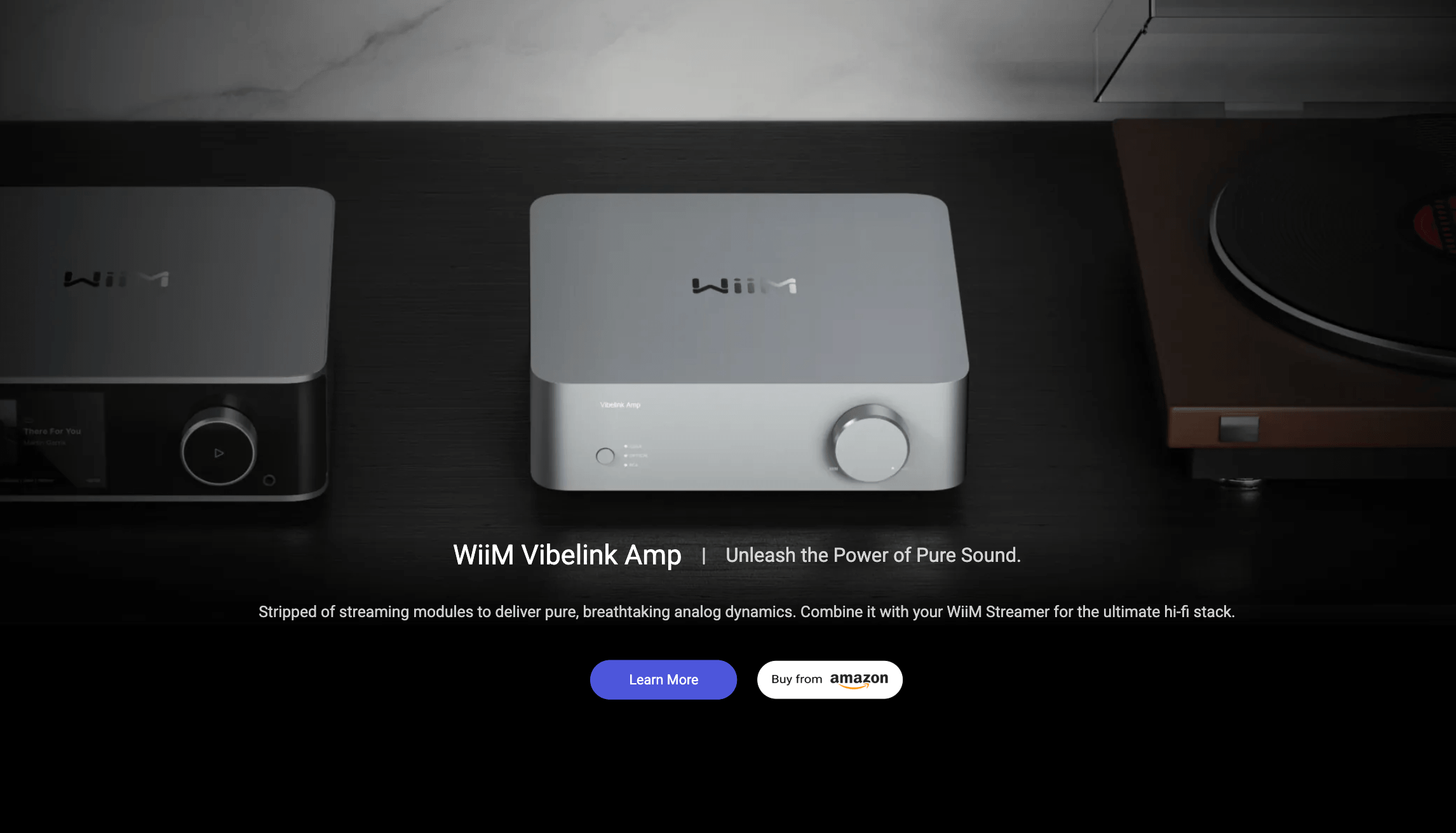
A WiiM streaming amp plus a pair of passive speakers creates a complete hi-res system for music and TV, controlled entirely from the WiiM Home app.
Getting Started: Step by Step
- Choose the right category. Pick a streamer (Mini, Pro, Pro Plus or Ultra) if you already have an amplifier or powered speakers, a streaming amp (Amp, Amp Pro or Amp Ultra) if you have passive speakers, or the Sound speakers, Sub Pro and WiiM Bar if you are starting from scratch.
- Check AirPlay and connections. Confirm the model supports what you need: AirPlay 2 for Apple users, HDMI ARC or eARC for the TV, a phono input for a turntable, or Ethernet for a wired connection.
- Install the WiiM Home app. Download it on iOS, Android, Mac or Windows, power on the device, and follow the guided Wi-Fi setup. Install any firmware update the app offers before you start listening.
- Connect your services. Log in to your streaming services inside the app, or use Spotify Connect, TIDAL Connect, Qobuz Connect, Google Cast or Roon from their own apps, depending on your model.
- Run RoomFit. Place your speakers where they will live, then run RoomFit from the app so the system can measure and correct your room. Fine-tune with the graphic or parametric EQ afterward if you like.
- Expand over time. Add more WiiM devices to other rooms and group them for multi-room playback, or build out the home theater with Sound speakers as surrounds and the Sub Pro for bass.
Tips for Getting Maximum Value
Start with the cheapest model that fits the speakers you already own, because a $169 WiiM Pro connected to a decent amplifier often sounds better than an all-in-one product costing far more. Use a wired Ethernet connection wherever your model offers one to reduce dropouts in busy Wi-Fi environments, and run RoomFit again any time you move speakers or furniture. If you are on Apple devices, choose an AirPlay 2 model or plan to stream through Spotify, TIDAL or Qobuz Connect instead. Watch Amazon and authorized dealers for promotions, since WiiM products are frequently discounted below the list prices on wiimhome.com, and review WiiM’s warranty terms for your region before you buy. Finally, keep firmware up to date but read the release notes on the WiiM forum first, so you know which features changed and can report problems quickly if an update misbehaves.
Future Outlook and Final Assessment
WiiM’s trajectory in 2026 is clear: it is moving from a budget streamer brand into a full-system competitor to Sonos and Bluesound. The Sound speakers, Sub Pro and WiiM Bar give it a wireless home theater story for the first time, Roon Ready and Control4 support on the Bar show ambitions in the custom-install market, and WiiM’s CEO has said that further expansion options and Dolby Atmos FlexConnect are on the roadmap, though not imminent.
The honest caveats remain. AirPlay 2 is missing from key models, the sound is clean and capable but not class-leading, prices rose in August 2026, and a fast update cycle occasionally introduces bugs. Independent customer-service reviews are also thin outside Amazon. But within those boundaries, WiiM delivers more features, more connectivity and more flexibility per dollar than any major rival in 2026, and for most listeners that combination is exactly what matters.
Conclusion
WiiM has earned its reputation by doing something deceptively simple: giving people modern, high-resolution streaming, room correction and multi-room audio without asking them to replace the speakers they already love or pay luxury-brand prices. From the $99 Mini to the $549 Amp Ultra and the new $479 WiiM Bar, the lineup covers nearly every listening situation, all tied together by one of the best apps in the business. It is not flawless, with AirPlay gaps on flagship models, sound that is good rather than exceptional, and recent price increases, but for value-focused music lovers and home theater beginners, few brands deliver more. Confirm the current price on the official site, check for a retailer promotion, and WiiM can make great streaming sound genuinely easy.
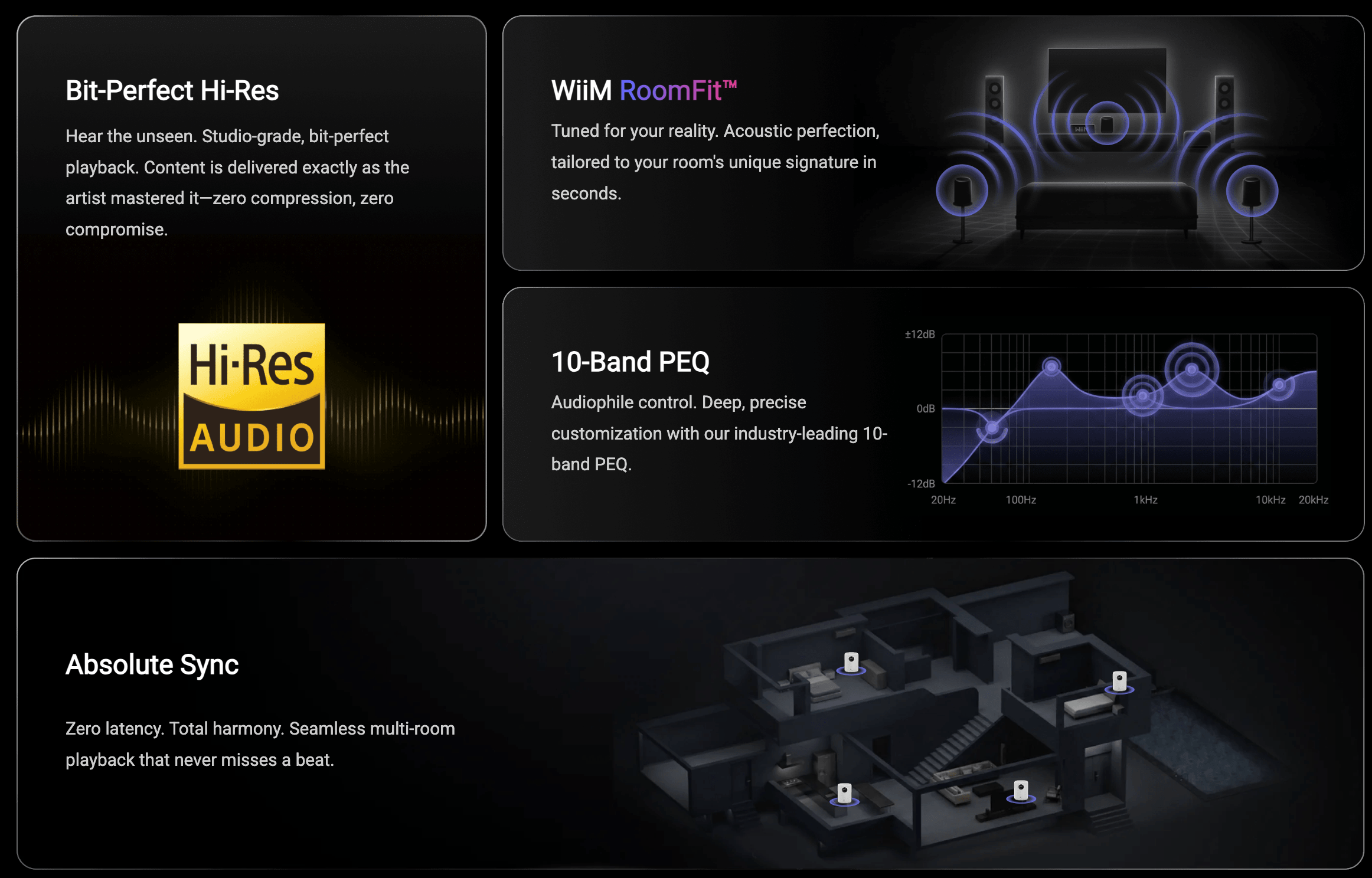
The WiiM Bar brings true upfiring Dolby Atmos, DTS:X and a round touch display to the TV, with wireless expansion to a full 5.1.2 system using WiiM speakers and the Sub Pro.
Ready to give your speakers the streaming upgrade they deserve?
Explore more honest reviews, tutorials and tech comparisons to find the right gear for the way you work, travel and live — at World Of Tech, where we make everything easy.
👉 Shop WiiM: https://worldoftech.space/wiimhome
👉 Our YouTube Channel: youtube.com/@world_tech79
👉 Our Facebook Fanpage: Facebook
👉 Our X (Twitter): @worldoftech79
Pricing, specifications and policy details in this review were verified against wiimhome.com and independent review sources (including What Hi-Fi?, Amazon US customer ratings and Trustpilot) as of October 2026. Prices for WiiM Sound, WiiM Sub Pro and the Vibelink Amp are launch list prices because they are not listed on wiimhome.com. Audio hardware pricing, firmware features and promotions change frequently, so confirm current details on the official site before purchasing. Competitor prices are approximate and subject to change.





