
Laser engraving used to mean a four-figure hobby machine, a steep learning curve, and a safety setup you had to build yourself. AtomStack built its business on erasing that barrier. The company sells one of the widest catalogs of desktop laser engravers and cutters on the market — from a fully enclosed $179 beginner machine to a 77-watt open-frame cutter that slices through 25mm wood in a single pass — and it’s shipped over 300,000 products to more than 200,000 creators and small businesses across 40+ countries. Its flagship entry-level unit, the AtomStack P1, and its flagship power unit, the AtomStack A70 Max, sit at opposite ends of the same promise: real laser cutting and engraving capability without the guesswork of piecing together a machine from parts.
For hobbyists making their first cutting board or keychain, and for small shops scaling up to batch production, that range is the appeal — there’s a model near almost every price point and power tier. But AtomStack isn’t magic, and an honest look turns up real trade-offs around independent trust signals, a genuinely overwhelming product lineup, and support experiences that vary more than the on-site star ratings suggest. This 2026 review walks through AtomStack’s lineup — the P1 and A70 Max as anchor machines, the full diode/fiber/CO2/CNC catalog around them, pricing, head-to-head comparisons against xTool and Ortur, the genuine pros and cons, and exactly who should (and shouldn’t) buy in.
AtomStack Review 2026: From a $179 Beginner Engraver to a 77W Desktop Laser Cutter
Overview and Background
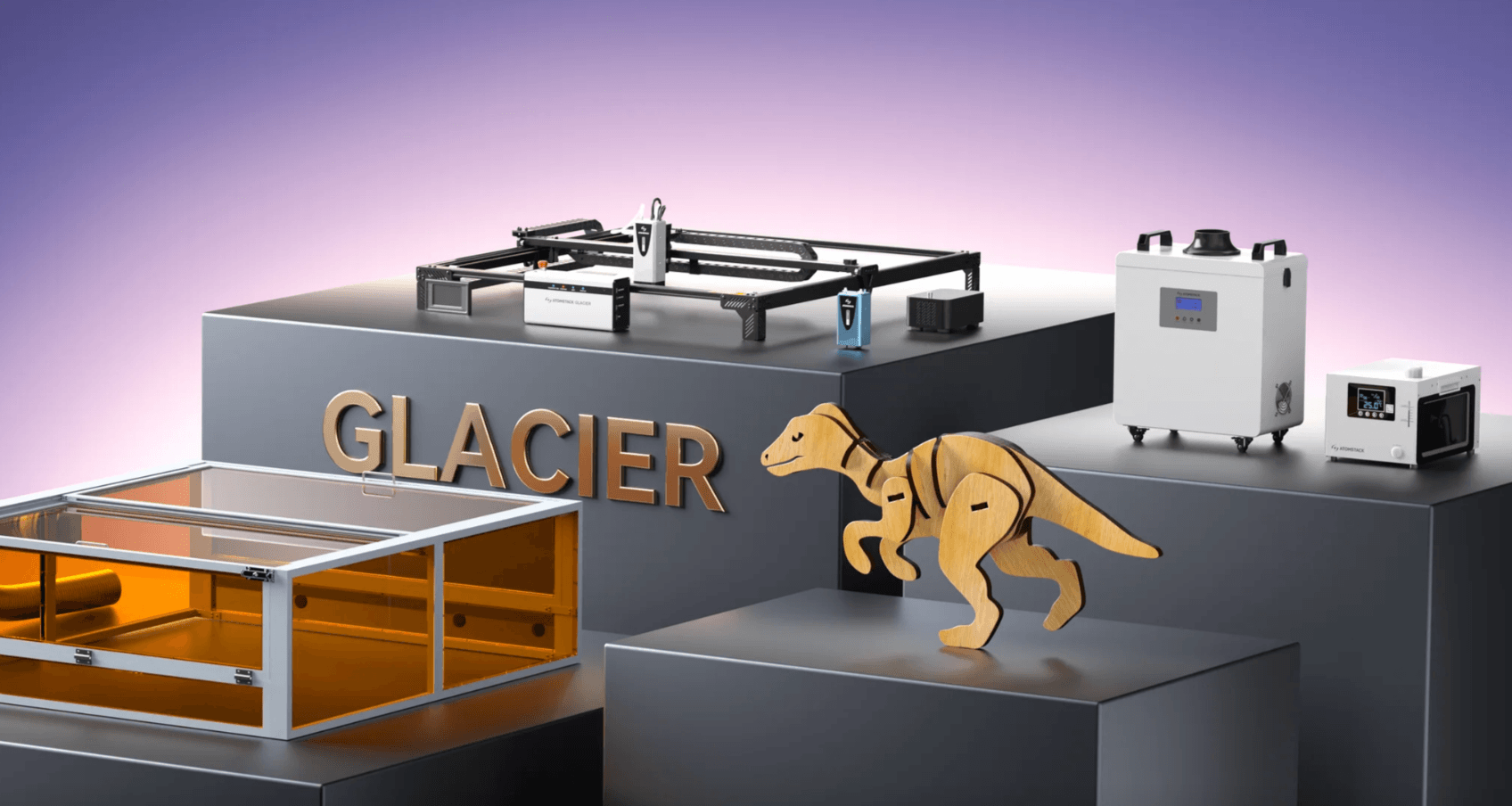
AtomStack is a laser engraving and cutting technology company selling directly through atomstack.com, with local warehouses in the US and Germany for faster shipping. It isn’t a single product — it’s a full catalog organized around use case and power: the diode-laser A-Series (5W through 77W), the beginner-focused P1 and Atelier line, the modular Swift series, the water-cooled Glacier line (up to 120W), the Kraft dual-laser engravers, fiber-laser A-Series models for metal marking, the Hurricane 55W CO2 cutter, and even a C4 Pro CNC router. That breadth is deliberate: rather than one machine trying to do everything, AtomStack sells a model for nearly every budget and material.
The company positions itself as an “innovator in laser engraving and cutting technology,” and its on-site numbers back a genuine scale claim: over 200,000 creators and businesses served, 300,000+ products sold worldwide, and availability in 40+ countries. Every new machine ships with a 12-month warranty, and AtomStack backs purchases with a 30-day price-match guarantee and a 30-day return window for quality issues. It’s not a no-name marketplace brand — it’s a company that has been building diode and CO2 laser hardware for roughly five years and iterating quickly, with the A70 Max, A20 Pro V2, A40 Pro V2, and P1 all shipping newer “V2” or “Max” revisions of earlier models.
What separates AtomStack from a lot of the diode-laser field is that it doesn’t just chase one spec. The A70 Max claims the title of the world’s first 70W desktop diode laser cutter, while the P1 goes the opposite direction with a fully enclosed, Class 1-certified safety design built specifically for beginners and shared or family spaces. Between those two poles sits a genuinely large middle: the A20 Pro V2, A40 Pro V2, Swift, Kraft, and Glacier lines cover every wattage and working-area combination in between, plus an extensive accessory catalog of honeycombs, rotary rollers, enclosures, and air purifiers to round out a working setup.
Why AtomStack Stands Out in 2026
The world’s first 70W desktop diode laser cutter: The A70 Max’s second-generation CoS-packaged laser module pushes up to 77W of output, enough to cut 25–28mm paulownia wood and up to 26mm acrylic in a single pass. AtomStack frames it directly against a 200W CO2 laser that would otherwise be needed for that thickness — at a fraction of the size, weight, and cost.
A genuinely beginner-safe $179 entry point: The P1 is IEC60825-1 SGS-certified as a true Class 1 laser product — fully enclosed with a viewing window, a USB safety interlock, enclosure detection, and gyro-based tilt sensing. For anyone nervous about running an open-frame Class 4 laser in a home or classroom, this is a meaningfully different safety category, not just a smaller machine.
The broadest power range in the diode-laser category: Between the P1’s 5W diode module and the Glacier’s 120W water-cooled engine, AtomStack covers nearly every wattage tier a hobbyist-to-small-business buyer could need, plus a 55W CO2 Hurricane and 1064nm fiber-laser variants for metal marking. Few competitors span that much ground under one brand.
One-click auto-focus and precision engineering on the higher-end line: The A70 Max supports both automatic and manual focus, delivers 0.01mm engraving accuracy, and pairs a dual-axis linear guide with a lockable frame and lower-center-of-gravity design specifically to keep a 70W laser stable and quiet at speed.
Real software flexibility: Every machine in the lineup works with AtomStack’s own free AtomStack Studio app (Windows, macOS, iOS, Android), as well as LightBurn and LaserGRBL — so beginners get a guided, preset-driven experience while more advanced users aren’t locked out of the industry-standard tools they already know.
Certified safety hardware, not just marketing claims: AtomStack’s machines carry CE, FCC, RoHS, FDA, and PSE certification, and higher-power models add automatic flame alarms, emergency stop buttons, and gyroscope-based tilt detection — protections that matter once you’re running a Class 4 laser unattended for batch jobs.
Buyer protection that goes beyond the warranty: Every new machine ships with a 12-month warranty, free shipping over $50 from local US and DE warehouses, and a 30-day price guarantee — if you find a lower price anywhere within 30 days, including on AtomStack’s own distributors, they’ll refund the difference.
The AtomStack A70 Max pairs a switchable 35W/70W diode module with an 850×800mm working area — one-pass cutting on materials that would otherwise need a bulky CO2 laser.
Key Features and Technology
AtomStack’s catalog is broad, but the technology underneath it organizes around a handful of consistent pillars across the lineup. Here’s how the two anchor machines — and the range around them — actually break down.
Diode Power Range and the A70 Max’s Headline Engine
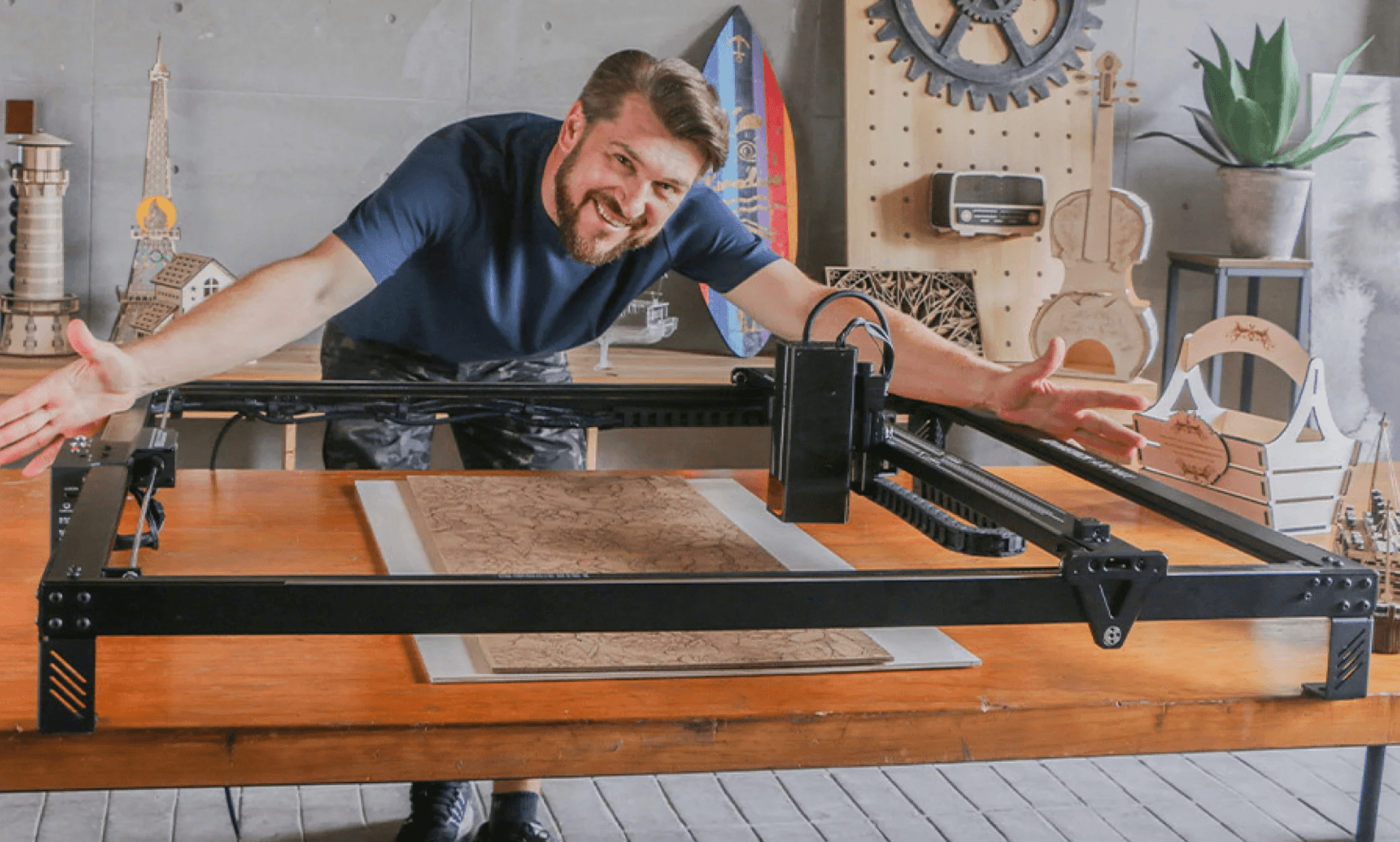
The A70 Max’s laser module switches between 35W and 70W (up to 77W output), producing a 0.12×0.18mm spot at full power and 0.08×0.12mm at 35W, with a laser wavelength of 455±5nm. It cuts 25mm wood and up to 26mm acrylic in one pass and holds 0.01mm engraving accuracy across an 850×800mm working area — one of the largest beds in the diode category. Below it, the A40 Pro V2 (48W/24W switchable) and A20 Pro V2 (20W) fill the mid-tier, while the Glacier line tops out at a water-cooled 120W for continuous 24-hour production use.
The P1: An Actually Enclosed, Actually Safe Entry Point
The P1 ships as a 5W diode single-laser unit or, in the P1 Dual configuration, with a 5W diode plus a 1.2W infrared laser for metal, dark acrylic, and plastic. It’s fully pre-assembled, weighs just 3kg, and measures 265×303×185mm — small enough for a desk or shelf. The diode module cuts 3mm basswood plywood in a single pass and up to 5mm or 3mm black acrylic in multiple passes, working across a 110×110mm bed at up to 10,000mm/min.
Auto-Focus, Speed, and Build Stability
On the A70 Max, dual-mode focus (automatic plus manual) and a visible red-light cross-positioning system take the guesswork out of setup, while a 4.3-inch touchscreen and offline-work support let it run batch jobs without a tethered computer. The machine reaches 400mm/s (24,000mm/min) top speed, and an infinitely adjustable 0–60L/min air-assist system keeps cuts clean on thicker material. An auto-resume feature after a power interruption is a small but genuinely useful detail for longer production runs.
Software and Connectivity
Every machine works with the free AtomStack Studio app across Windows, macOS, iOS, and Android, with guided material presets and auto accessory recognition for beginners. Both the P1 and A70 Max also support LightBurn and LaserGRBL for more advanced users. Connectivity spans USB, Wi-Fi, and mobile hotspot on the P1, and Type-C, Wi-Fi, and touchscreen control on the A70 Max.
Pricing, Plans, and Package Structure
AtomStack sells hardware, not subscriptions — every purchase is a one-time cost, and nearly every machine is available as a bare unit or in a bundle with honeycomb beds, enclosures, rotary rollers, or air purifiers. AtomStack also runs frequent promotions (a Back-to-School sale and tiered discount codes were both live at the time of writing), so the figures below are current list/sale prices as shown on atomstack.com — always confirm the live price and any active coupon before checkout.
| Product | Price (USD) | What It Is | Best For |
|---|---|---|---|
| AtomStack P1 | $179 (from $299 MSRP) | 5W enclosed Class 1 engraver, 110×110mm bed | Beginners, kids/classrooms, small gifts |
| P1 Dual (5W + 1.2W IR) | ~$289 (Chuck Bundle) | P1 plus 1.2W infrared module for metal/dark acrylic | Beginners who also want to mark metal |
| A20 Pro V2 | From ~$369 (varies by sale) | 20W open-frame diode engraver/cutter | Hobbyists stepping up from an entry machine |
| A40 Pro V2 (with F60 Air Assist) | $689 (from $1,429) | 48W/24W switchable diode cutter/engraver | Growing hobbyists and small side businesses |
| AtomStack A70 Max | $1,639 MSRP (Machine Only) | 35W/70W switchable diode cutter, 850×800mm bed | Small businesses cutting thick material at scale |
| A70 Max All-in-1 Bundle | $3,029 (list before discount) | A70 Max, B4 enclosure, 4× F4N honeycomb, D4 purifier, R8 Pro rotary set | A complete workshop setup out of the box |
| Glacier 90W/120W Water-Cooled | $2,429 (from $2,599) | Water-cooled diode laser for continuous 24-hour operation | Production shops running long, repeated jobs |
How AtomStack Compares to Alternatives
| Factor | AtomStack (P1 / A70 Max) | xTool D1 Pro | Ortur Laser Master 3 |
|---|---|---|---|
| Entry price | $179 (5W, enclosed) | ~$849.99 (10W, open-frame) | ~$189.99–$329.99 (open-frame) |
| Flagship power | Up to 70–77W (A70 Max); 120W water-cooled option | Up to 20W (approx. $1,399.99) | Up to 20W module |
| Enclosed safety model available | Yes — P1 is Class 1, fully enclosed | No — open-frame, requires goggles | No — open-frame, requires goggles |
| Max working area | 850×800mm (A70 Max) | 430×390mm (D1 Pro standard) | 400×400mm approx. |
| Software | AtomStack Studio, LightBurn, LaserGRBL | xTool Creative Space, LightBurn | OrcaMaster app, LightBurn, LaserGRBL |
| Independent trust signal | 4.4–4.9 on-site rating; fragmented, mixed Trustpilot presence | Widely reviewed by third-party tech outlets | Widely reviewed by third-party tech outlets |
| Best for | Widest budget-to-power range under one brand | Detail-focused engraving, strongest third-party support | Absolute lowest-cost entry to open-frame cutting |
vs. xTool D1 Pro: xTool’s D1 Pro (roughly $849.99 for 10W, $1,399.99 for 20W) is widely regarded by independent testers for excellent grayscale detail and a mature software ecosystem, but it tops out around 20W and an open frame under ~430×390mm. AtomStack’s A70 Max costs more but offers roughly 3.5× the power and more than four times the working area for cutting thicker material faster — a different job, not just a cheaper alternative.
vs. Ortur Laser Master 3: Ortur’s LM3 is the budget open-frame competitor closest to the P1 on price (roughly $190–$330 depending on module), with genuinely useful Wi-Fi app control. The AtomStack P1 undercuts it on entry price and, more importantly, swaps the open Class 4 frame for a fully enclosed Class 1 design — a meaningful safety difference for beginners, kids, or shared spaces, though the P1’s 110×110mm bed is considerably smaller than the LM3’s working area.
vs. buying two separate brands: Many hobbyists start on a budget machine and later upgrade to a more powerful one from a different company, re-learning software and workflow each time. AtomStack’s appeal is covering both ends — and everything between — under one software ecosystem and one warranty/support relationship, which simplifies an upgrade path even if it means accepting AtomStack’s specific trade-offs on each individual machine.
Pros and Cons
What Users Love
Genuine power-for-price at the high end: The A70 Max’s 70–77W diode output and 850×800mm bed are hard to find elsewhere in the diode category at anywhere near $1,639, and on-site reviewers (150 reviews, 4.9 average) consistently highlight the one-pass cutting capability on thick wood and acrylic as the standout feature.
A genuinely safer beginner machine: The P1’s Class 1 certification, USB interlock, enclosure detection, and tilt sensing come up repeatedly as the reason buyers chose it over a cheaper open-frame alternative — especially parents and people working in shared or small spaces.
Free, beginner-friendly software: AtomStack Studio’s preloaded design library and guided material presets get first-time users engraving within minutes, while LightBurn compatibility keeps the door open for more advanced workflows later.
A real upgrade path under one brand: Because AtomStack spans 5W to 120W, buyers can start small on a P1 or A20 Pro V2 and move up to a Kraft, A40 Pro V2, or A70 Max later without switching software ecosystems or support relationships.
Solid warranty and price protection: A 12-month warranty on new machines, a 30-day quality-issue return window, and a 30-day price-match guarantee give buyers real recourse — and a meaningful share of Trustpilot reviews specifically praise fast, effective resolutions once support engages.
Frequent, real discounts: Between the Back-to-School sale, tiered discount codes, and the “Lowest Price of 2026” P1 promotion active at the time of writing, AtomStack runs genuine, stackable price cuts rather than permanently inflated list prices.
Limitations Worth Knowing
Independent trust signals are thin and inconsistent: AtomStack’s on-site ratings (4.4–4.9 stars across hundreds of reviews per product) are strong, but the brand’s independent Trustpilot presence is scattered across multiple regional storefronts with much smaller sample sizes and mixed scores — a 4.0 rating from just 3 reviews on the US profile, a 4-star score from 3 reviews on the EU profile, and a considerably weaker 2.6/5 from 21 reviews on the French storefront. Treat the on-site star counts as a starting point, not the whole picture.
Customer support responsiveness is a recurring complaint: Across independent Trustpilot reviews of AtomStack’s storefronts, the most consistent negative pattern is slow or repetitive support interactions — requests for repeated photo/video evidence, long waits on refunds for returned items, and delayed replacement parts for machines under warranty. Most buyers report smooth experiences, but a real minority describe frustrating, drawn-out resolutions.
The catalog is genuinely overwhelming: With A-Series, Swift, Kraft, Glacier, P1/Atelier, fiber-laser, CO2, and CNC lines each spanning multiple wattages and bundle options, first-time buyers can easily pick the wrong machine for their materials without using AtomStack’s comparison and purchase-guide pages first.
High-power machines need real setup space and ventilation: The A70 Max weighs 19kg, needs a properly ventilated area for a 70W Class 4 laser, and benefits significantly from an enclosure and air purifier that add hundreds of dollars to the effective price if bought separately.
Entry-level machines have real material limits: The P1’s 110×110mm bed and 5W diode module are genuinely small-format — fine for keychains and coasters, frustrating fast for anyone with larger project ambitions who underestimates how quickly they’ll want to upgrade.
Who Should Use AtomStack
First-time laser owners and families: The P1’s fully enclosed Class 1 design, sub-$200 sale price, and near-zero assembly make it one of the safest, lowest-friction ways to try laser engraving without committing to an open-frame Class 4 machine.
Small businesses and Etsy-style makers scaling up: The A40 Pro V2 and A70 Max give growing shops the speed and material thickness to move beyond a hobby machine — cutting real batches of signage, décor, or custom products without the footprint or cost of an industrial CO2 laser.
Buyers who value an upgrade path: Anyone who suspects they’ll outgrow an entry machine within a year or two benefits from AtomStack’s breadth — starting on a P1 or A20 Pro V2 and later moving to an A40 Pro V2 or A70 Max keeps the same software and support relationship.
Production shops needing continuous run time: The Glacier’s water-cooled design targets exactly this — buyers running long, repeated jobs where a standard air-cooled diode laser would need rest cycles.
Who should look elsewhere: Buyers who want a single well-known “safe” machine backed by deep, consistent independent review coverage may prefer xTool, given AtomStack’s thin and mixed Trustpilot footprint. Anyone with zero tolerance for a possibly slow support interaction — if something does go wrong — should also weigh that pattern carefully before buying a higher-cost machine like the A70 Max or Glacier.
The AtomStack P1’s fully enclosed, Class 1-certified design is built for beginners — no goggles required, no open beam, just a viewing window and a USB safety key.
Getting Started: Step by Step
- Match the machine to your materials. Use AtomStack’s Machine Comparison and Purchase Guide pages before buying — pick the P1 for small, thin projects and maximum safety; step up to an A20/A40 Pro V2 or A70 Max if you need to cut thicker wood, acrylic, or metal at speed.
- Unbox and set up your workspace. The P1 is pre-assembled and desk-ready in minutes; the A70 Max needs a stable, ventilated surface with room for its 1056×1128mm footprint and cabling. Higher-power machines benefit from an enclosure and air purifier from day one.
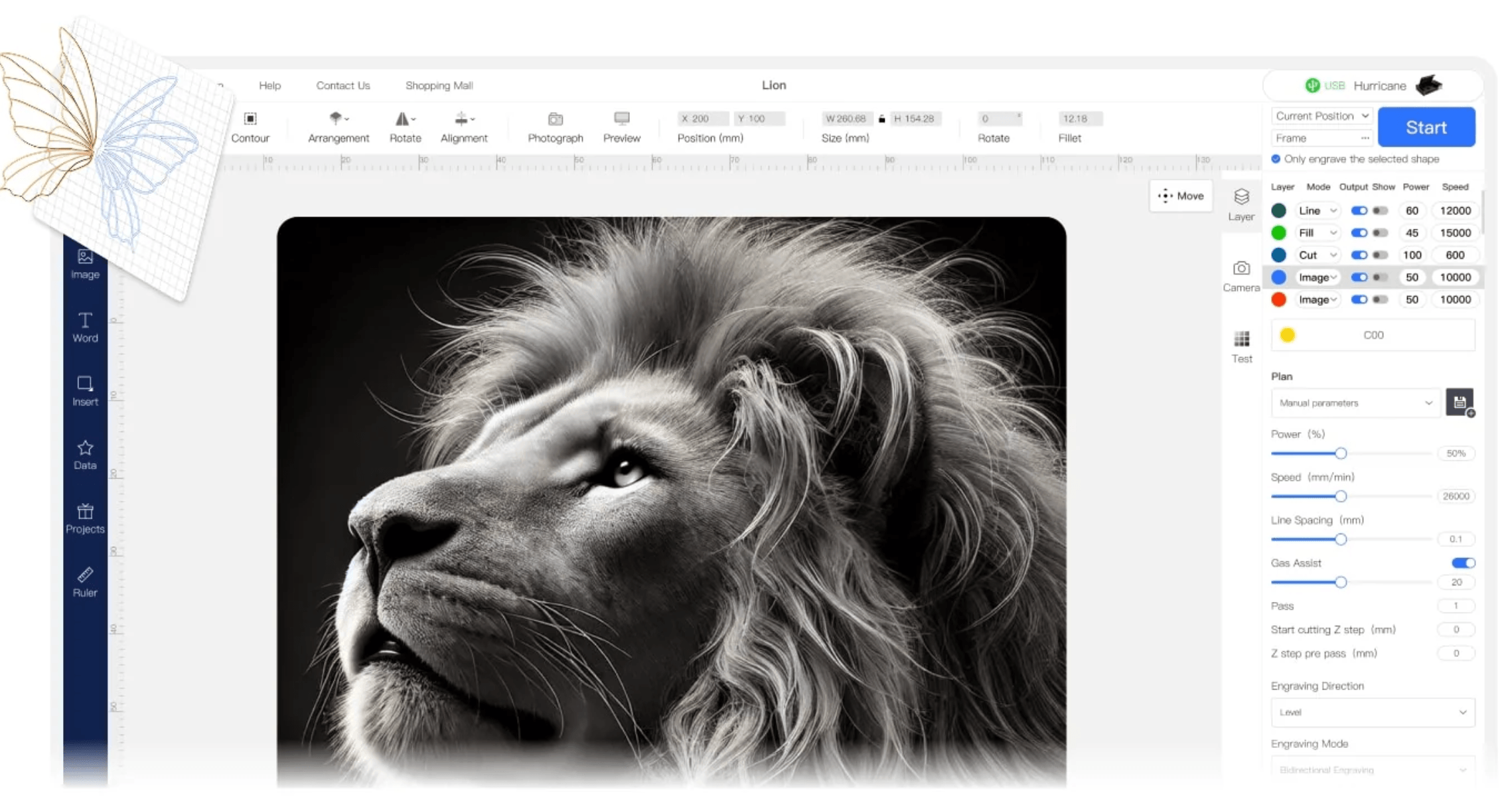
- Install AtomStack Studio (or LightBurn). Download the free AtomStack Studio app for guided, beginner-friendly presets, or install LightBurn if you already know your way around laser software and want finer manual control.
- Connect and calibrate. Connect via USB, Wi-Fi, or hotspot depending on your model, then use auto-focus (A70 Max) or the manual focus tool (P1) before your first real job — always run a small test engrave on scrap material first.
- Run your first project with a preset. Start with a preloaded material setting close to what you’re using, then fine-tune power and speed from there rather than guessing from scratch.
- Build out your setup as you grow. Add a honeycomb bed, rotary roller for cylindrical objects, or an air purifier once you know your workflow — and revisit AtomStack’s model lineup if you find yourself hitting the thickness or bed-size limits of your current machine.
AtomStack’s bundles pair the machine with honeycomb beds, rotary rollers, and enclosures — accessories that pay off fastest once you’re running a 40W+ machine regularly.
Tips for Getting Maximum Value
Always check AtomStack’s current sales and tiered discount codes before checking out — between seasonal promotions and the 30-day price guarantee, list price is rarely what serious buyers actually pay. If you’re buying a higher-power machine like the A40 Pro V2 or A70 Max, budget for an air-assist kit, honeycomb bed, and enclosure from the start rather than adding them piecemeal, since bundle pricing is consistently cheaper than buying accessories separately later. Run test cuts on scrap material any time you change material type or thickness, since AtomStack’s preset library is a strong starting point but rarely the final dialed-in setting. And if you do need to contact support, include clear photos or a short video of the issue in your first message — reviewers who front-loaded that evidence generally report faster resolutions than those who went back and forth.
Future Outlook and Final Assessment
The desktop laser category is getting more powerful and more accessible at the same time, and AtomStack has positioned itself at both ends of that trend — the world’s-first 70W desktop cutter on one side, and a genuinely safe $179 enclosed beginner machine on the other. As diode technology keeps improving cooling and power density, expect AtomStack’s higher-power lineup (already stretching to a 120W water-cooled Glacier) to keep pushing what’s possible on a desktop rather than an industrial floor, while the P1/Atelier line keeps lowering the barrier for people who’ve never touched a laser before.
The honest caveats remain: independent trust signals are thinner and more mixed than the on-site star ratings suggest, customer support responsiveness varies, and the sheer size of the catalog makes it easy to buy the wrong machine without doing a little homework first. Competitors like xTool offer deeper third-party review coverage at the mid-power tier, and Ortur undercuts the P1’s bed size at a similar price. But for buyers who value power range, an upgrade path under one brand, and real warranty/price protection, AtomStack remains one of the most complete desktop laser catalogs available in 2026.
Conclusion
AtomStack’s real strength isn’t any single machine — it’s the range. From a fully enclosed $179 beginner engraver to a 77W desktop cutter that undercuts a CO2 laser’s price and footprint, the brand covers nearly every laser-hobbyist and small-business need under one software ecosystem, one warranty, and one price-guarantee policy. It rewards buyers who take a few minutes to match the right model to their materials, and it’s not the right call for anyone who wants the deepest possible independent review trail before they buy. But for the genuinely wide range of people who want to start cutting and engraving — safely, affordably, and with real room to grow — few brands offer as complete a lineup as AtomStack does in 2026.
Ready to start cutting and engraving?
Explore more honest reviews, tutorials and tech comparisons to find the right gear for the way you work, travel and live — at World Of Tech, where we make everything easy.
👉 Shop AtomStack: https://worldoftech.space/atomstack
👉 Our YouTube Channel: youtube.com/@world_tech79
👉 Our Facebook Fanpage: Facebook
👉 Our X (Twitter): @worldoftech79
Pricing, specifications and policy details in this review were verified against atomstack.com and independent review sources (including Trustpilot) as of September 2026. Laser engraver pricing and promotions change frequently, so confirm current details on the official site before purchasing. Competitor prices are approximate and subject to change.





