
If your marketing to-do list looks like “design a flyer, schedule five social posts, send an email blast, and set up an event page” before lunch, you already know the real problem isn’t creativity — it’s the number of tabs open to get it all done. PosterMyWall tries to close most of those tabs by putting design, social publishing, email, and event promotion inside one browser-based workspace.
The platform has quietly grown into one of the most-used marketing tools for small businesses, churches, restaurants, schools, and solo creators who need professional-looking output without a design background or a big software budget. It won’t replace Photoshop for a studio designer, and it isn’t trying to. What it does well is take a business owner from blank page to published post, printed flyer, or live event page in a single sitting — this 2026 review walks through what PosterMyWall actually offers, what it costs today, and who gets the most value from it.
PosterMyWall Review 2026: Easy Design, Social, and Event Marketing for Busy Small Businesses
Overview and Background
PosterMyWall is a browser-based design and marketing platform built by 250 Mils LLC, with roots going back to 2010. Rather than positioning itself as a pure graphic-design tool the way Canva or Adobe Express do, PosterMyWall leans into being a full small-business marketing kit: design templates, an AI creation layer, a social media scheduler that connects to nine platforms, email campaign tools, and an events module for landing pages, RSVPs, and even paid ticketing. The company reports more than 30 million users worldwide, and its own template library is listed at over 3 million designs and 1 million-plus email templates.
The audience is unmistakably local and small-business first: restaurants building a Friday-night promo, churches announcing a service, bands promoting a gig, non-profits sending a fundraising email, teachers making a classroom flyer. That focus shapes almost every product decision — templates are pre-built for common local-business scenarios, and the workflow is designed so someone with zero design training can get to a finished, on-brand piece of marketing in minutes rather than hours.
Unlike design-only tools that require pairing with a separate scheduler, an email service, and an event-registration platform, PosterMyWall was built from the ground up as a bundle. That architectural choice explains both its biggest strength and its main limitation: because design, social, email, and events all live under one roof, switching between them is fast and the output stays visually consistent — but none of the four pillars goes quite as deep as a dedicated single-purpose tool would. Whether that trade-off makes sense depends entirely on how many separate subscriptions you’re currently juggling to cover the same ground.
The platform is entirely browser-based with companion iOS and Android apps, so there’s no software to install and no version to keep updated — projects sync automatically across devices, which matters for business owners who start a design at a desk and finish it from a phone between shifts.
PosterMyWall’s dashboard bundles design, AI tools, social publishing, email, and events in one workspace.
Why PosterMyWall Stands Out in 2026
One workspace instead of five separate subscriptions. Design, social scheduling, email marketing, and event promotion normally mean stitching together a design tool, a scheduler, an email platform, and an event-registration tool. PosterMyWall’s own pricing page frames Premium’s $13/month as a substitute for roughly $132/month spent across comparable standalone apps — a claim worth verifying against your actual stack, but the underlying convenience is real.
AI tools that stay practical rather than gimmicky. The AI suite covers text-to-image generation, background removal, an AI writer for captions and email copy, automatic subtitles, AI voiceovers, and one-click “Create with AI” prompting that can generate a full design from a short description. None of it is meant to replace a designer on complex brand work, but for turning “Saturday farmers market, 9am, free samples” into a finished poster, it’s fast.
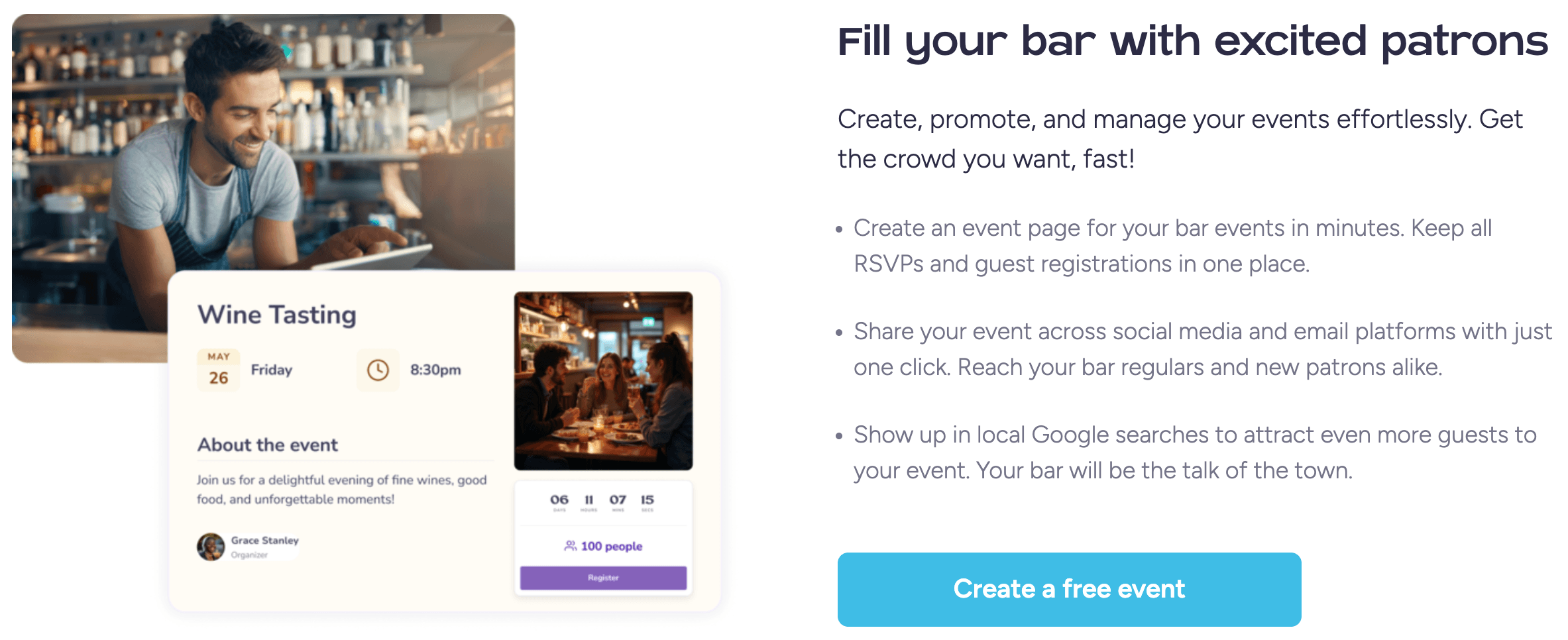
Event promotion is a genuine differentiator. Most design tools stop at the graphic. PosterMyWall turns a flyer into a shareable event landing page with RSVP collection, an embeddable calendar for your website, automated reminder emails, and — on paid plans — actual ticket sales. For churches, schools, bands, and local businesses running recurring events, this closes a real gap that Canva and Adobe Express don’t address.
Massive, locally-relevant template library. With 3 million-plus free templates spanning restaurant menus, church bulletins, band posters, birthday invitations, and seasonal campaigns, most users find a close starting point rather than building from a blank canvas — a meaningful time-saver for non-designers.
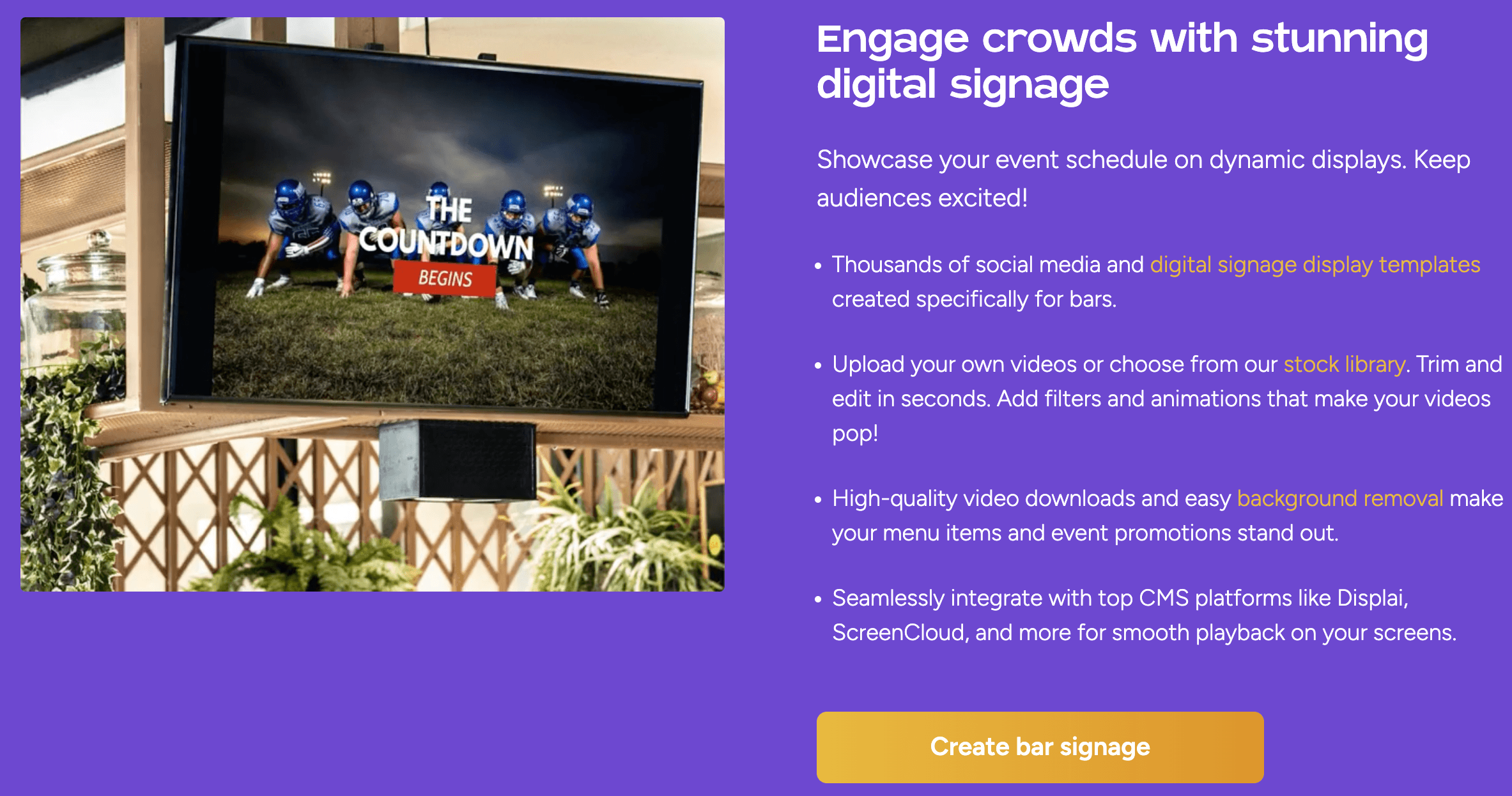
Native multi-platform social scheduling. Premium connects up to three social accounts (unlimited on Premium Plus) across Facebook, Instagram, TikTok, YouTube, LinkedIn, X, Pinterest, Google Business Profile, and Threads, with a Content Planner calendar that lines up designs, emails, and event posts in one view.
Pricing built for solo operators and very small teams. At $13/month for an individual, or discounted per-seat rates for teams, PosterMyWall undercuts most comparable all-in-one stacks. The free plan is also unusually generous for a design tool, with unlimited free-tier downloads on most templates.
Cross-platform access. The web app is the primary experience, but native iOS and Android apps let users design, publish, and manage events from a phone — useful for restaurant owners and event organizers who aren’t sitting at a desktop.
Key Features and Technology
PosterMyWall organizes its toolset around five pillars: design, AI, social, events, and email. Here’s what each actually includes.
Design and Templates
The editor is a standard drag-and-drop canvas covering posters, flyers, banners, menus, invitations, business cards, logos, certificates, and social-sized graphics, plus a dedicated video editor and recorder for Reels- and TikTok-style clips. Brand Kits let paid users lock in colors, fonts, and logos so every design stays on-brand without manual re-setting, and a “Styles” tool can recolor an entire design in one click.
AI Tools
The AI layer includes a conversational “Create with AI” chat that generates designs, ideas, and marketing copy from prompts; an AI text-to-image generator for custom graphics, logos, and stickers; an AI background remover; an AI writer for captions and email content; AI subtitles for video; and AI voiceover generation. All of these draw from a shared monthly credit pool (100 credits/month on Premium, 250/month on Premium Plus), so heavy AI users should budget accordingly rather than assume unlimited generation.
Social Media and Email Marketing
The social publisher schedules directly to Facebook, Instagram, TikTok, YouTube, LinkedIn, X, Pinterest, Google Business Profile, and Threads, with an AI caption writer built in. Email marketing covers 3,000-plus templates, drag-and-drop editing, signup forms for list growth, performance tracking, and an AI email-redesign tool that can restyle an existing template from a text description. Send limits scale with plan: 3,000 trackable emails/month on Premium, 10,000/month on Premium Plus, with top-up packs available if you run out.
Event Marketing
This is where PosterMyWall diverges most from a typical design tool. Every event flyer can become a shareable landing page with RSVP collection, an embeddable calendar widget for your own website, one-click promotion across social and email, automated reminder emails, and recurring-event scheduling. Paid plans unlock ticket selling, with a service fee of roughly 2.5% on Premium Plus and 3.5% (rising to 5% after a threshold) on Premium — worth checking against Eventbrite’s fees if ticketing is a core need.
Stock Assets and Extras
Paid plans include access to a large library of stock photos, video clips, and audio tracks, plus a QR code generator, a menu maker aimed at restaurants, sticker packs, and one-click resizing that reformats a single design into every social platform’s dimensions without manually rebuilding the layout. Spellcheck runs automatically across designs, which sounds minor until you’ve caught a typo on a flyer that already went to print.

PosterMyWall’s AI writer, background remover, and event landing pages in action.
Pricing, Plans, and Package Structure
PosterMyWall runs a three-tier individual pricing structure — Free, Premium, and Premium Plus — plus a discounted Teams program for multiple seats. All figures below are current as of September 2026, pulled directly from PosterMyWall’s live pricing page; always confirm on the official site before purchasing, since SaaS pricing changes frequently.
| Plan | Price | What It Is | Best For |
|---|---|---|---|
| Free | $0 / month | 1M+ templates, limited free downloads, 1 social account, video editing, resize tool, high-res downloads from $5.99 | Occasional flyers and testing the platform |
| Premium | $13 / month or $109 / year (save 30%) | Unlimited watermark-free downloads, full AI suite, 10 event pages/month, 100 AI credits/month, 3,000 emails/month, Brand Kit, 3 social accounts | Solo marketers, small businesses, regular publishers |
| Premium Plus | $30 / month or $319 / year (save 11%) | Everything in Premium plus unlimited event pages, unlimited social accounts, 250 AI credits/month, 10,000 emails/month, branded email addresses, unlimited Brand Kits | Growing businesses and organizations with heavier event/email volume |
| Teams | Per-seat discount, up to ~70–77% off additional seats | Shared Premium/Premium Plus access for multiple team members | Marketing teams, agencies, multi-location businesses |
Outside a subscription, one-off high-resolution downloads are available for $5.99 (up to 9 pages) or $14.95 (10 or more pages), and video project exports are a flat $14.95. Premium plans also ship with a 14-day free trial, and additional AI credit packs (100/400/1,000/2,000) can be purchased if the monthly allowance runs out.
How PosterMyWall Compares to Alternatives
PosterMyWall’s closest competitors are Canva and Adobe Express, both primarily design-first tools. Canva pricing and Adobe pricing shift often, so treat the figures below as approximate and confirm current rates on each vendor’s site.
| Factor | PosterMyWall | Canva Pro | Adobe Express Premium |
|---|---|---|---|
| Entry paid price | $13/month | ~$18/month (approx., ~$12/mo annual) | ~$9.99/month (approx.) |
| Template library | 3M+ free templates, heavy local-business focus | Very large, broad general-purpose library | 100k+ templates, smaller but Adobe-designed |
| Social scheduling | Native, 9 platforms, included in Premium | Native, fewer platforms, limited scheduling depth | Basic scheduling, 3 accounts on Premium |
| Event pages / RSVPs / ticketing | Built in, with paid ticket sales | Not offered | Not offered |
| Email marketing | Full campaigns, tracking, signup forms included | Not a core feature | Not a core feature |
| Best for | Small businesses needing design + social + email + events in one place | Broad general design work, brand-heavy teams | Adobe Creative Cloud users wanting deeper design integration |
PosterMyWall vs. Canva: Canva has the larger, more general template library and a bigger third-party app ecosystem, and its brand recognition is stronger. PosterMyWall counters with a lower entry price and features Canva simply doesn’t offer — event pages, RSVP collection, and native ticket sales — making it the more complete choice for anyone running physical or virtual events regularly.
PosterMyWall vs. Adobe Express: Adobe Express is cheaper at the entry tier and benefits from Adobe Stock’s asset library and font collection, plus tight integration with Photoshop and Illustrator for users already in the Adobe ecosystem. PosterMyWall’s advantage is breadth — social scheduling, email campaigns, and events are baked in rather than requiring separate tools, which matters more for a small business than for a design-focused freelancer.
Pros and Cons
What Users Love
Easy to learn: Reviewers on G2 and TrustRadius consistently describe the interface as clean and approachable for people without design training, with a comparatively short learning curve versus more feature-dense tools.
Strong value for the price: Multiple independent reviews single out affordability relative to what’s included, particularly for solo operators and small teams comparing it against paying for several separate subscriptions.
Template depth: Users repeatedly praise the breadth of ready-made designs across categories — restaurant, church, band, retail, and seasonal — as a genuine time-saver over starting from scratch.
Useful AI background remover and writer: The AI background-removal and caption-writing tools are among the most-mentioned positives in third-party reviews for saving real editing time.
Responsive on mobile: Reviewers on TrustRadius and G2 note that the mobile apps hold up well for on-the-go edits and publishing, which matters for small-business owners who don’t work from a fixed desk.
Limitations Worth Knowing
Performance hiccups reported: A subset of Trustpilot reviewers describe occasional slow performance, image-loading errors, or crashes during heavier editing sessions — not universal, but frequent enough to note.
AI features gated by credits, not unlimited: Several reviewers flag that the AI tools require credits or additional payment once the monthly allotment runs out, which can feel restrictive for AI-heavy workflows compared to advertised “unlimited AI” messaging on the marketing pages.
Mixed sentiment on independent review sites: Trustpilot currently shows a 4-star TrustScore from 124 reviews, while G2 shows 4.7 out of 5 from 71 reviews — both solid, but with enough negative reviews on customer support responsiveness and billing questions that it’s worth reading a handful of recent ones before committing to an annual plan.
Not built for advanced brand design work: Power users doing complex multi-layer design, precise typography control, or advanced vector work will hit the ceiling of what a template-driven, browser-based editor can do faster than they would in Illustrator or a dedicated design suite.
Ticketing and email sends carry service fees and hard caps: The percentage-based ticketing fee and the monthly email send limits are easy to overlook when comparing headline subscription prices, but they can add real cost for high-volume event organizers or list-heavy email senders — model your expected volume before assuming the advertised plan price is the full cost.
Scheduling posts and tracking email performance from the PosterMyWall Content Planner.
Who Should Use PosterMyWall
Local and small businesses: Restaurants, retail shops, salons, and service businesses that need frequent, quick-turnaround marketing — weekly specials, seasonal promos, social graphics — without hiring a designer.
Churches, schools, and non-profits: Organizations running recurring events, bulletins, and fundraisers benefit directly from the event-page, RSVP, and email tools bundled into one subscription.
Bands and event organizers: The combination of poster design, shareable event pages, and ticket sales in a single flow fits gig promotion and community-event planning particularly well.
Solo marketers and very small teams: Anyone managing design, social, and email alone will appreciate not having to log into three separate tools to get one campaign out the door.
Multi-location or franchise operators: Teams pricing with steep per-seat discounts makes it realistic to give several locations shared access to on-brand templates and a common Content Planner, without paying full price per seat.
Who should look elsewhere: in-house design teams needing pixel-level control, brand consistency across dozens of complex templates, or deep integration with Adobe’s Creative Cloud suite will likely find Canva or Adobe Express a better long-term fit, since PosterMyWall optimizes for speed and breadth over granular design precision.
Getting Started: Step by Step
- Create a free account. Sign up with email or a social login — no card required for the Free plan.
- Pick a template or start with AI. Search the 3M+ library by category, or describe what you need in the “Create with AI” chat to generate a starting design.
- Customize your design. Swap in your logo, colors, and copy; save them to a Brand Kit if you’re on a paid plan so future designs stay consistent.
- Connect your social accounts. Link Facebook, Instagram, or your other channels under the Social tab to enable direct publishing and scheduling.
- Build an event page if needed. Use the Event Wizard to turn your flyer into a shareable landing page with RSVP or ticketing enabled.
- Download, publish, or send. Export a high-res file, schedule the post, or send the email campaign directly from the same dashboard.
Tips for Getting Maximum Value
Set up a Brand Kit on day one rather than after your tenth design — it’s the single fastest way to keep every flyer, post, and email visually consistent without re-selecting colors and fonts each time; batch your AI credit usage around your actual publishing calendar instead of spending them the moment they refresh, since background removal, image generation, and voiceovers all draw from the same monthly pool; use the Content Planner to lay out a full month of social posts, event promotions, and email sends in one sitting so publishing becomes a weekly review rather than a daily scramble; and if you’re running paid events, compare PosterMyWall’s ticketing fee against your expected ticket volume before committing, since the percentage-based fee structure favors smaller events more than high-volume ones.
It’s also worth building a small library of reusable templates for your recurring content — a weekly special, a standing event series, a monthly newsletter — rather than starting fresh each time, since duplicating and swapping details on an existing design is far faster than searching the template gallery again. And if your team splits duties between design and posting, invite collaborators through the Teams option early rather than sharing a single login; it keeps billing straightforward and avoids the account-conflict issues some solo-plan users report when multiple people work from the same login simultaneously.
Future Outlook and Final Assessment
PosterMyWall has been steadily expanding its AI layer — AI voiceover, AI email redesign, and conversational AI creation are all relatively recent additions — while continuing to add integrations across social platforms like Threads and Google Business Profile. That pace suggests the company is committed to staying an all-in-one hub rather than narrowing back to pure design, which lines up with where small-business marketing budgets are trending: consolidation over a growing stack of point solutions.
The bigger question for prospective users isn’t whether the tools work — independent reviews across G2, TrustRadius, and Trustpilot confirm they generally do — it’s whether the credit-gated AI limits and event-page caps on the lower tiers match your actual usage. Businesses that publish frequently and run regular events will get the most out of Premium or Premium Plus; occasional users may be well served by the free tier alone.
Conclusion
PosterMyWall isn’t trying to be the most powerful design tool on the market — it’s trying to be the most complete one for a specific kind of user: the small-business owner, community organizer, or solo marketer who needs to design, publish, email, and promote an event without becoming a five-app expert to do it. At $13/month for Premium, with a genuinely useful free tier and a 14-day trial to test it against your real workload, it’s a low-risk way to see whether that consolidated approach fits how you actually work.
Ready to simplify your marketing?
Explore more honest reviews, tutorials and tech comparisons to find the right gear for the way you work, travel and live — at World Of Tech, where we make everything easy.
👉 Shop PosterMyWall: https://worldoftech.space/postermywall
👉 Our YouTube Channel: youtube.com/@world_tech79
👉 Our Facebook Fanpage: Facebook
👉 Our X (Twitter): @worldoftech79
Pricing, specifications and policy details in this review were verified against postermywall.com and independent review sources as of September 2026. SaaS pricing and features change frequently, so confirm current details on the official site before purchasing. Competitor prices are approximate and subject to change.





