
Registering an LLC, opening a business bank account, or simply keeping your home address off public record all hinge on one thing most solopreneurs put off too long: a real business address. Opus Virtual Offices tries to solve that with a single, flat-rate plan — a prestigious mailing address in one of 650+ U.S. locations, a live receptionist answering your calls, a dedicated business phone and fax number, and mail handling, all bundled for $99 a month with no long-term contract advertised. It’s one of the older names in the virtual office space, and its pitch is refreshingly simple in a market full of à-la-carte pricing: one plan, one price, most of what a remote-first business needs to look and sound established.
That simplicity is genuinely appealing, but it isn’t the whole story. Opus carries a respectable Trustpilot reputation built on friendly front-desk staff, yet its BBB and Yelp profiles tell a rougher tale involving mail that never arrived and cancellation disputes that contradict the “no long-term contract” promise on the homepage. Neither picture alone is fair to the company, and neither should be ignored by a buyer. This 2026 review walks through what Opus Virtual Offices actually includes, how its pricing and add-ons work, how it stacks up against Alliance Virtual Offices and Davinci Virtual, the real pros and cons pulled from verified customer feedback, and exactly who should — and shouldn’t — sign up.
Opus Virtual Offices Review 2026: All-Inclusive Business Address, Live Receptionist, and Mail Handling for $99/Month
Overview and Background
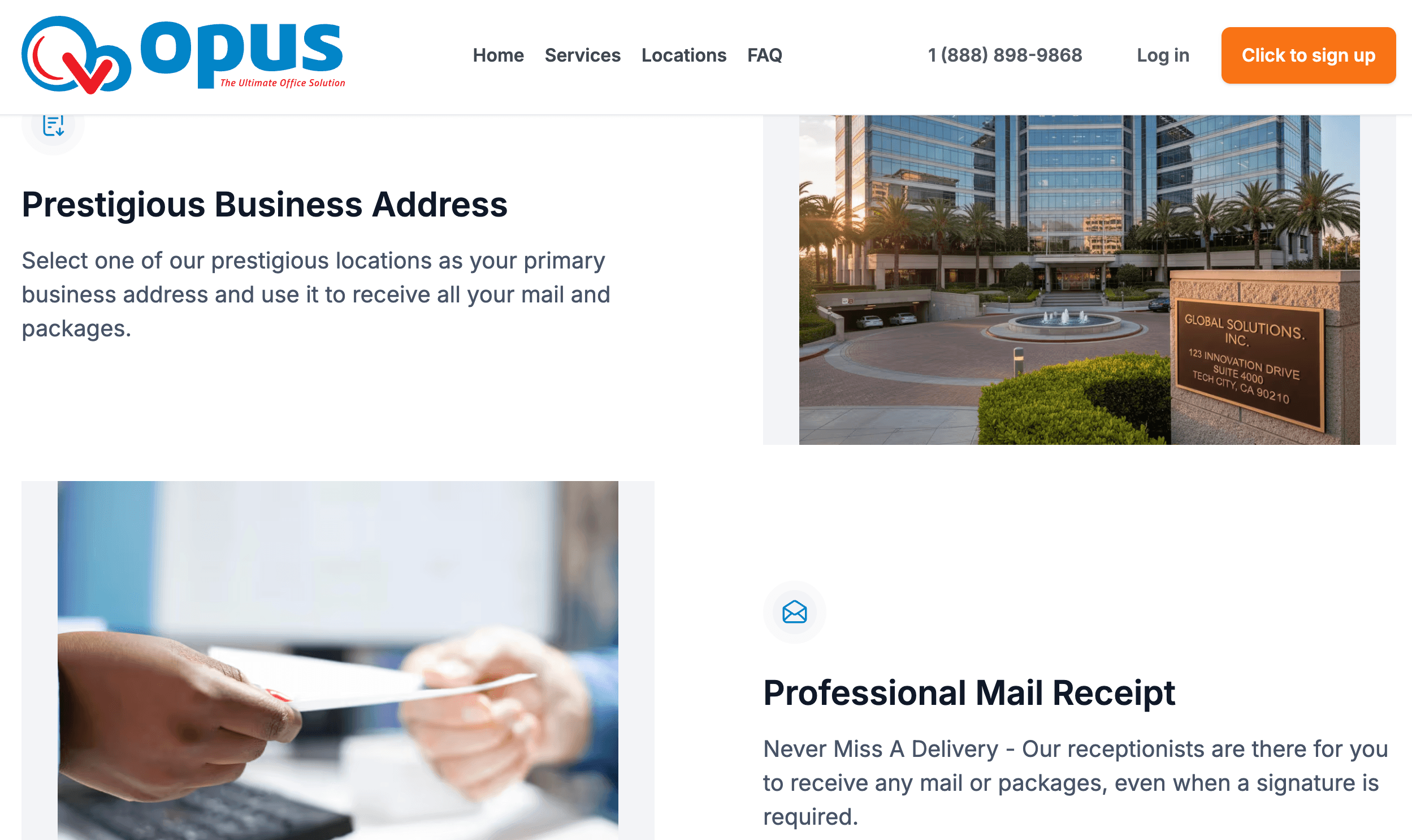
Opus Virtual Offices, LLC is a Boca Raton, Florida-based provider of virtual office services that has been operating in the space for years, building a network that now covers more than 650 locations across the United States. Unlike coworking-space brands that sell desks and drop-in workspace, Opus is built around the “office on demand” concept: you get a real, staffed commercial address to put on your website, business cards, and state filings, without renting or visiting a physical office day to day. It positions itself squarely for consultants, freelancers, e-commerce sellers, startups, remote teams, and international companies that want a U.S. business presence without the overhead of a lease.
The core of the offer is deliberately narrow: instead of a tiered menu of add-ons you have to configure before you know your real monthly cost, Opus sells a single all-inclusive plan for $99/month that bundles a business address, live call answering, a company phone and fax number, and mail handling into one price. Optional upgrades — texting, toll-free numbers, call recording, appointment scheduling, and a handful of others — sit on top for businesses that want more, but the base plan is meant to be genuinely complete on its own.
On reputation, Opus is a mixed but not alarming picture. It holds BBB accreditation with an A+ rating and a large batch of five-star Google and Trustpilot reviews that consistently single out specific front-desk and account staff by name for responsiveness. At the same time, its BBB complaint log and Yelp profile surface a recurring pattern worth taking seriously before you sign up: customers reporting mail that was never received at their location, and disputes over cancellation despite the “no long-term contract” claim on the marketing pages. Both sides of that story are covered in detail below.
Opus’s business model relies on a network of partner office buildings rather than owning every location outright, which is standard practice across the virtual office industry and the same approach used by most of its direct competitors. What sets it apart operationally is the decision to keep customer-facing pricing at a single number rather than splitting the address and the receptionist into separate purchases the way Alliance and Davinci both do. That single-price approach appeals most to people who value knowing their exact monthly overhead in advance over people who want to fine-tune every individual service they’re paying for.
Why Opus Stands Out in 2026
One flat price instead of a stacked bill: Most competitors sell the address, the receptionist, and the phone number as three separate line items that can quietly add up to $200–$400 a month. Opus bundles the core essentials — address, live answering, phone/fax number, mail handling — into a single $99/month rate, which makes budgeting predictable from day one.
A genuinely large U.S. location network: With 650+ addresses spread across major and secondary U.S. cities, Opus gives businesses a realistic shot at a locally relevant address — a New York, Los Angeles, or Miami presence for a company that operates nowhere near those cities physically.
Live, human call answering — not just voicemail: A receptionist answers calls on your company’s behalf Monday through Friday, and Opus’s premium call-transferring feature will ring up to four of your own phone numbers before routing to voicemail, which is a genuinely useful touch for people who split time between a cell phone and a desk line.
Mail and fax converted to digital formats automatically: Voicemails arrive as WAV files and faxes as PDFs in your inbox, and physical mail is logged and handled through the same account — useful for anyone who wants a paper trail without checking a physical mailbox.
Free credit-history reporting to a business bureau: Opus reports monthly payment history to Moody’s Credit Bureau at no extra charge — a small but genuinely differentiated perk for very young businesses trying to build a credit profile.
Inexpensive, modular add-ons: Most upgrades — toll-free numbers, texting, call recording, audio conferencing, international transfer — are priced at a flat $10/month each, which is noticeably cheaper than many competitors’ per-minute or bundled-tier upgrade pricing.
A mobile app for on-the-go management: The Opus VO app (available on iOS and Android) lets clients manage calls and messages without logging into a browser-based portal, which matters for people running the business from a phone rather than a desk.
Key Features and Technology
Opus’s service breaks down cleanly into what’s bundled in the base $99/month plan and what’s available as a paid add-on. Here’s the practical breakdown of each.
Business Address and Mail Handling
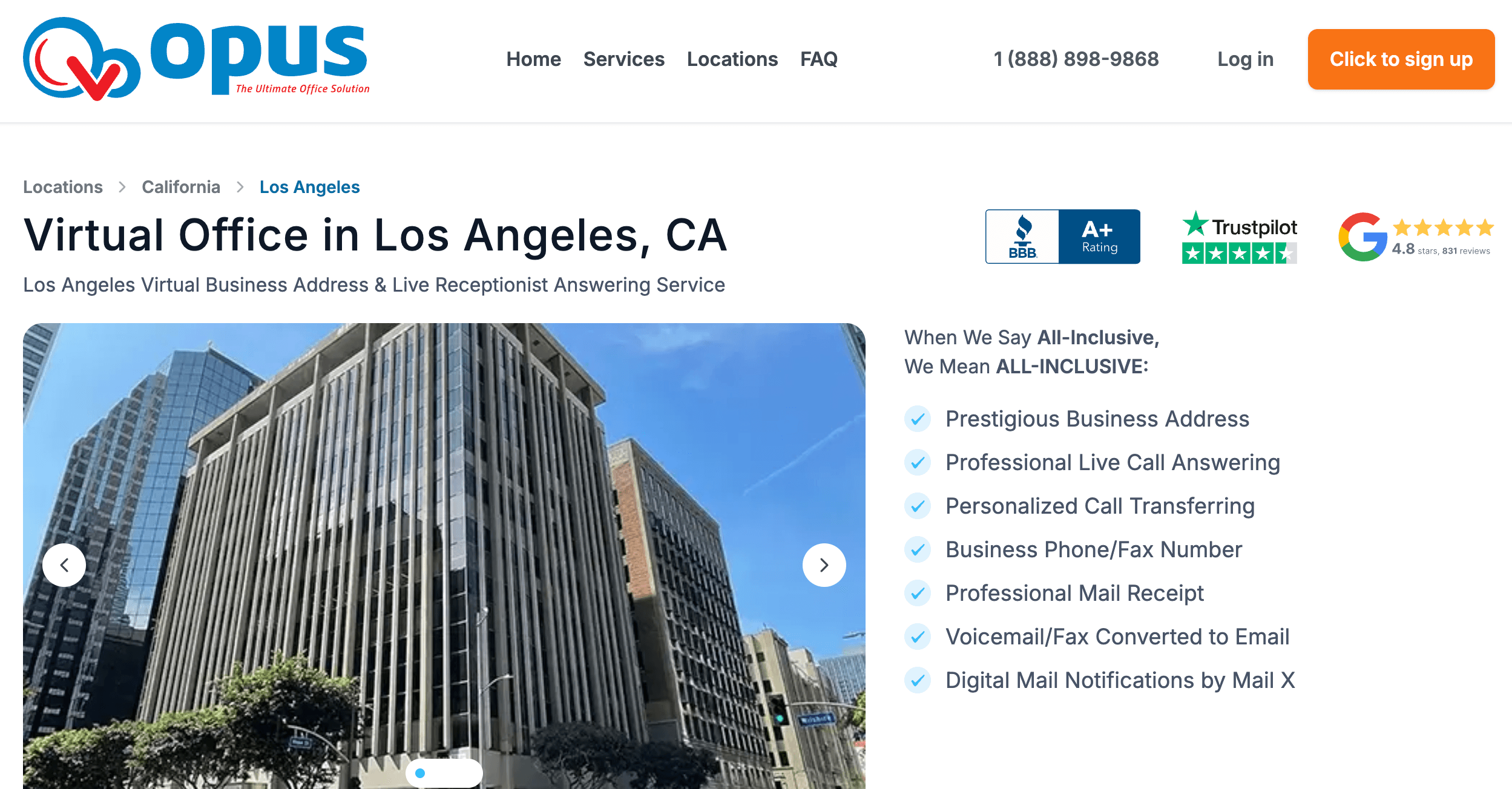
You choose one of Opus’s 650+ locations as your primary business address, which can typically be used on your website, business cards, LLC registration paperwork, and for opening a business bank account — Opus itself notes it doesn’t control individual banks’ decisions but says the majority of its customers have opened accounts successfully using their address. Mail and packages sent to that address are received and logged on your behalf; forwarding and pickup options vary by location, so it’s worth confirming exact mail-handling terms for your chosen city before signing up.
Live Receptionist and Call Handling
A live receptionist answers incoming calls under your company name Monday through Friday, 8:30am–5:30pm Eastern (8am–5pm Pacific). Calls can be transferred to your personal extension, and the premium call-transferring feature will attempt up to four different phone numbers you provide before the call rolls to your dedicated voicemail box. You get two separate voicemail boxes — one primary business line and one personal extension — each with its own custom greeting, and every voicemail is converted to a WAV file and emailed to you automatically.
Business Phone and Fax Number
Every plan includes a dedicated local phone and fax number tied to your chosen location, keeping business calls separate from a personal cell number. Incoming faxes are converted to PDF and delivered by email rather than requiring a physical machine, and the same number doubles as your listed company line for the address you’ve selected.
Optional Upgrades
Beyond the base plan, Opus offers a menu of add-ons for businesses with more specific needs: a callout feature for making outbound calls that show your company caller ID ($10/month), business texting through the Opus app ($10/month), an unlimited toll-free number ($10/month), an audio conferencing bridge ($10/month), international call transfer ($10/month), call recording ($10/month), an incoming call log ($10/month), additional extensions for team members ($25/month each), a DBA (fictitious business name) add-on for mail-only service under a second business name ($59/month), supervised call transfers where the receptionist announces the caller first ($50/month), full written message-taking delivered by email or text ($50/month), and live appointment scheduling that books directly into your calendar during inbound calls ($100/month).
Location Network and City Coverage
Opus’s 650+ addresses span major metros like New York, Chicago, Los Angeles, Houston, and Miami as well as a long tail of secondary cities, which matters if you want an address specifically tied to a market you serve rather than a generic national address. Every location listing includes photos and, in most cases, a Google Maps embed so you can verify the building’s appearance and area before committing — a useful step given how much the customer experience appears to vary by location according to reviews. Businesses expanding into a new state for licensing or tax-nexus reasons can also use Opus to establish a presence there without opening a physical branch.
Client Portal and Mobile App
Account management, call logs, voicemail, and mail notifications run through a web-based client portal, with a companion Opus VO app on the App Store and Google Play for managing calls and messages from a phone rather than a desktop. This matters more than it might sound for a service built around solopreneurs who are frequently traveling or working from client sites.
Pricing, Plans, and Package Structure
Opus’s pricing model is intentionally simple: one all-inclusive Virtual Office plan at $99/month covering the address, live receptionist, phone/fax number, and mail handling, plus a menu of optional add-ons for businesses that need more. There’s also a separate, lower-cost “Address Only” option for businesses that just need a mailing address without call answering. The table below reflects Opus’s standard published rates; always confirm current pricing, any promotional offers, and location-specific fees on the official site before checking out, since virtual office pricing changes fairly often.
| Product | Price (USD) | What It Is | Best For |
|---|---|---|---|
| Virtual Office (All-Inclusive) | $99/month | Business address + live receptionist + phone/fax + mail handling | Solopreneurs and small teams wanting one predictable bill |
| Callout Feature | +$10/month | Unlimited domestic outbound calls with your business caller ID | International owners of U.S. businesses |
| Texting Feature | +$10/month | Send/receive unlimited texts under your business number | Client-facing service businesses |
| Toll-Free Number | +$10/month | Unlimited incoming toll-free calls | Nationwide customer-facing businesses |
| Additional Extension | +$25/month each | Extra voicemail box/extension for teammates | Small teams needing direct extensions |
| DBA Add-On | +$59/month | Mail-only service for a second business name at the same address | Owners running multiple brands |
| Message Taking | +$50/month | Receptionist takes and delivers written messages | Businesses that need detailed call notes |
| Appointment Scheduling | +$100/month | Receptionist books appointments into your calendar live | Service businesses with recurring bookings |
How Opus Compares to Alternatives
| Factor | Opus Virtual Offices | Alliance Virtual Offices | Davinci Virtual |
|---|---|---|---|
| Pricing model | Single bundled plan, $99/mo flat | Address ~$49–79/mo; receptionist ~$125+/mo separate | Address from ~$49/mo; receptionist $129–$319/mo separate |
| Live receptionist included? | Yes, in the base $99 plan | No — separate add-on tier | No — separate, minutes-based tier |
| Contract length | Advertised month-to-month (verify at signup) | Typically 6–12 month minimum term | Varies by plan and location |
| U.S. location count | 650+ | 1,400+ | Large global network, fewer pure U.S. addresses |
| Meeting rooms / coworking | Limited; hourly fee at select locations only | Included hours on the Platinum Plus tier | Billed separately, wide availability |
| Cost predictability | High — one flat monthly fee | Moderate — modular pricing adds up | Lower — per-minute overage charges possible |
| Best for | Solopreneurs wanting a single, simple bill | Hybrid teams needing physical workspace access | Firms with heavy, predictable call volume |
vs. Alliance Virtual Offices: Alliance wins on raw location count (1,400+ vs. Opus’s 650+) and on entry-level price if you only need an address — plans start around $49–79/month depending on city. But that lower headline price doesn’t include live call answering, which is a separate tier starting near $125/month; add it up, and a comparable Alliance setup often costs more than Opus’s flat $99 bundle. Alliance also typically requires a 6- or 12-month minimum term, whereas Opus advertises month-to-month flexibility.
vs. Davinci Virtual: Davinci’s à-la-carte model gives more granular control — you pay for exactly the minutes and services you use — but that same flexibility is where costs can spiral: live receptionist plans run $129 to $319/month before overage charges for extra minutes. For a business with steady, moderate call volume, Opus’s flat rate is usually cheaper and far easier to predict than Davinci’s usage-based billing, though Davinci’s larger global office network is a real advantage for companies expanding outside the U.S.
Pros and Cons
What Users Love
Responsive, named front-desk staff: A large share of verified Trustpilot and Google reviews call out individual Opus receptionists and account managers by name for going out of their way to help — a pattern that’s hard to fake at scale and suggests genuinely good service at many locations.
Predictable, all-in pricing: Reviewers consistently point to the transparency of a $99 flat fee with “no hidden fees” as a relief compared to providers that quote a low headline price and then bill separately for the pieces that actually matter.
Fast activation: Multiple reviews describe a smooth, quick — sometimes 24-hour — setup process, which matters for businesses that need an address on file immediately for a filing deadline or bank appointment.
Genuinely prestigious addresses: Customers frequently describe their chosen location as a real professional upgrade over a home address, which is, after all, the core value proposition of the entire product category.
Limitations Worth Knowing
Cancellation and contract complaints are a real, recurring pattern: Despite “no long-term contracts” marketing language, multiple BBB complaints describe Opus enforcing multi-month minimum terms at cancellation, and one Ripoff Report account describes continued billing after a stated cancellation. This is the single biggest gap between the marketing and some customers’ lived experience, and it’s worth getting cancellation terms in writing before you sign up.
Mail-handling reliability varies by location: At least one detailed, multi-year BBB complaint describes a customer never receiving a single piece of mail at their assigned location despite two years of paying for the service — a serious failure for a product whose core function is receiving mail. This appears to be location-specific rather than universal, but it’s a real risk worth weighing.
Third-party ratings diverge sharply by platform: Opus carries a solid four-star average on Trustpilot across a few hundred reviews, but its Yelp profile sits closer to 2.5 out of 5 based on a much smaller review pool, with complaints there focused on slow compensation for outsourced mailbox issues and unresponsive support. Reading reviews on more than one platform before choosing a location is a genuinely good idea here.
Limited physical workspace access: Unlike Alliance’s Platinum Plus tier or Davinci’s broad meeting-room network, most Opus locations don’t include bookable coworking desks or conference rooms as standard — client-facing businesses that need in-person meeting space regularly will likely need to look elsewhere or add a separate meeting-room service.
Who Should Use Opus Virtual Offices
Solo consultants and freelancers who want a professional address and a live-answered phone line without juggling three separate vendor bills will get the most straightforward value from Opus’s bundled plan.
E-commerce sellers and international founders who need a U.S. business address for LLC registration, supplier correspondence, or bank account opening, but don’t need physical desk space, are a strong fit for the address-plus-mail side of the service.
Small remote teams that want one centralized business address and phone number, and can use the additional-extension add-on for a couple of teammates, will find the flat-rate model easier to manage than usage-based competitors.
Startups on a tight, predictable budget that want to avoid the variable, usage-driven bills common with call-minute-based receptionist services will appreciate knowing the monthly cost in advance.
Businesses that need frequent in-person client meetings, dedicated desk space, or a coworking membership should look elsewhere — Alliance’s Platinum Plus tier or a dedicated coworking brand will serve that need far better. Anyone who has been burned by unclear cancellation terms in the past should also read their specific location’s reviews closely and get written confirmation of the contract terms before signing up, given the pattern of complaints described above.
Getting Started: Step by Step
- Browse available locations. Use the location search on the Opus site to find an address in the city that matters for your business, and check that specific location’s reviews if possible.
- Choose your plan. Decide between the all-inclusive Virtual Office plan ($99/month) and the lower-cost Address Only option, based on whether you need live call answering.
- Confirm terms before you pay. Ask support in writing for the exact cancellation policy, any minimum term, and mail-handling procedures for your chosen location — this single step avoids the most common complaint pattern.
- Complete signup and identity verification. Opus, like all commercial mail receiving agencies, will require identity verification (typically USPS Form 1583) to legally receive mail on your behalf.
- Set up your phone, fax, and voicemail preferences. Configure your call-transfer numbers, greetings, and any add-ons like toll-free or texting through the client portal or mobile app.
- Update your business listings. Add your new address and phone number to your website, Google Business Profile, invoices, and any state or bank paperwork that requires it.
Tips for Getting Maximum Value
Get the most out of an Opus subscription by treating the account setup phase as seriously as the ongoing service: request cancellation and mail-handling terms in writing before your first payment, choose a location with strong, recent reviews on both Trustpilot and Google rather than picking purely by city prestige, and set up call transferring to ring your real numbers correctly from day one so you never miss a lead during the receptionist’s business hours. If your business genuinely needs occasional in-person meeting space, budget separately for a coworking day pass rather than assuming your Opus location includes it. And if you ever do need to cancel, do it in writing, keep a copy of the confirmation, and check your card statement for a month or two afterward — the pattern of billing disputes in customer complaints makes this simple habit worth the five minutes it takes. It’s also worth testing the mail-forwarding workflow early: send yourself a piece of test mail in the first week and confirm it’s logged and handled correctly, rather than waiting until an important document is on the line to find out how your specific location performs.
Future Outlook and Final Assessment
The virtual office category is only growing as remote and hybrid work stay normal rather than exceptional, and Opus’s flat-rate, no-frills positioning gives it a durable niche against providers pushing customers toward more expensive, modular pricing. Its mobile app and Moody’s credit-reporting perk suggest a company still actively investing in the product rather than coasting on a legacy address list, and its BBB accreditation and years of operating history count for something in an industry where fly-by-night mailbox services do exist.
That said, the recurring complaint pattern around cancellation terms and location-specific mail reliability is the clearest thing Opus needs to close the gap on, since it directly undercuts the “no long-term contract, no hidden fees” pitch that is central to the brand’s appeal. Buyers who do their homework — reading location-specific reviews and getting terms in writing — are likely to have the same smooth experience described in most Trustpilot and Google reviews; buyers who skip that step are the ones showing up in the BBB complaint log.
Conclusion
For solopreneurs, freelancers, and small remote teams who want one predictable bill covering a professional address, live call answering, and mail handling, Opus Virtual Offices remains one of the simpler, more affordable ways to establish that presence in 2026 — provided you do the small amount of due diligence that protects against its most common complaint: unclear cancellation terms. It isn’t the right fit for businesses that need in-person meeting space or the absolute largest location network, but for its core use case, the flat $99/month price and genuinely helpful front-line staff described across most reviews make it a reasonable, well-established choice worth evaluating against Alliance and Davinci before you commit.
Ready to give your business a professional address without the overhead of a lease?
Explore more honest reviews, tutorials and tech comparisons to find the right gear for the way you work, travel and live — at World Of Tech, where we make everything easy.
👉 Check Out Opus Virtual Offices: https://worldoftech.space/opus
👉 Our YouTube Channel: youtube.com/@world_tech79
👉 Our Facebook Fanpage: Facebook
👉 Our X (Twitter): @worldoftech79
Pricing, specifications and policy details in this review were verified against opusvirtualoffices.com and independent review sources (Trustpilot, BBB, Yelp) as of July 2026. Virtual office pricing and features change frequently, so confirm current details and location-specific terms on the official site before purchasing. Competitor prices are approximate and subject to change.





