
If you’ve ever tried to record a podcast or video interview with someone on the other side of the world over a video call, you already know the problem: choppy audio, pixelated video, and a recording quality that’s only as good as your guest’s worst internet connection. Riverside (formerly Riverside.fm, now at riverside.com) was built to solve exactly that. It’s an all-in-one studio platform that records every participant’s audio and video locally, in up to 4K and uncompressed quality, directly on their own device — then uploads it in the background so the final files hold up even if the call itself glitches. Around that core recording engine, Riverside has built a full content pipeline: AI-powered transcript-based editing, automatic clip generation, live streaming, webinar hosting, podcast distribution, and even social scheduling and newsletters, all under one subscription.
For podcasters, YouTubers, marketing teams, and businesses recording remote interviews or webinars, the pitch is straightforward: replace a stack of five or six separate tools — a recorder, an editor, a clip generator, a webinar platform, a podcast host — with one subscription that covers the whole workflow. But Riverside isn’t the cheapest option in this space, and an honest look turns up real friction points around occasional bugginess, a learning curve on the AI tools, and pricing that climbs quickly once you need live streaming or webinars. This 2026 review walks through Riverside’s full plan lineup and current pricing, its key recording and AI features, how it stacks up against Descript and Zencastr, the genuine pros and cons from real users, and exactly who should — and shouldn’t — build their workflow around it.
Riverside Review 2026: The All-in-One Studio for Podcast and Video Creators
Overview and Background
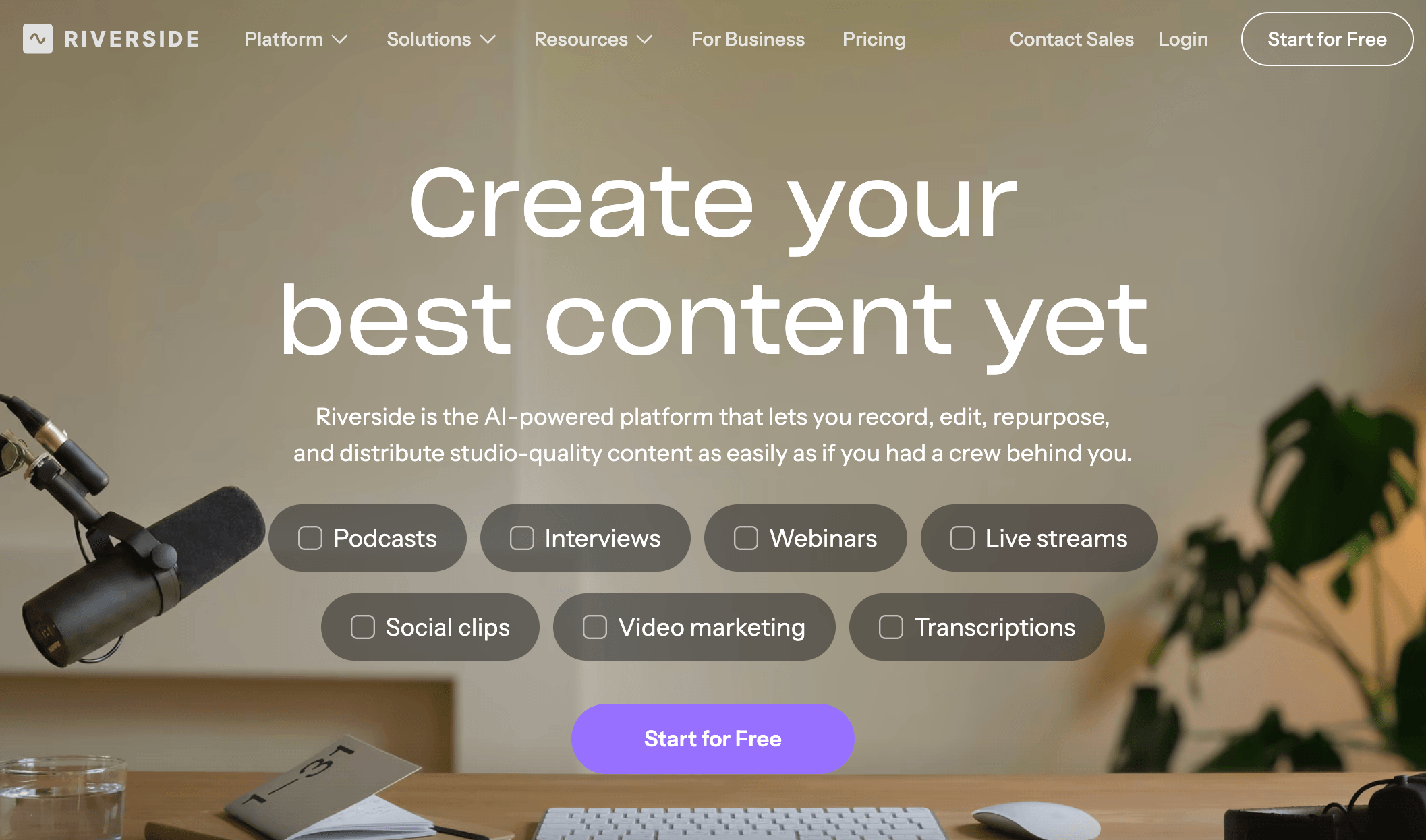
Riverside was founded in 2020 by brothers Nadav and Gideon Keyson, originally out of Amsterdam and later based in Tel Aviv, and it now operates as RiversideFM, Inc. out of Palo Alto, California. The company started as a narrowly focused remote 4K recording tool for video podcasters — a category it’s credited with helping popularize — and has since grown into a full studio platform covering recording, AI-powered editing, live streaming, webinars, podcast hosting, and repurposing. In May 2026, the company officially dropped the “.fm” and moved its home from riverside.fm to riverside.com, reflecting how far the product has expanded beyond its original recording-only roots.
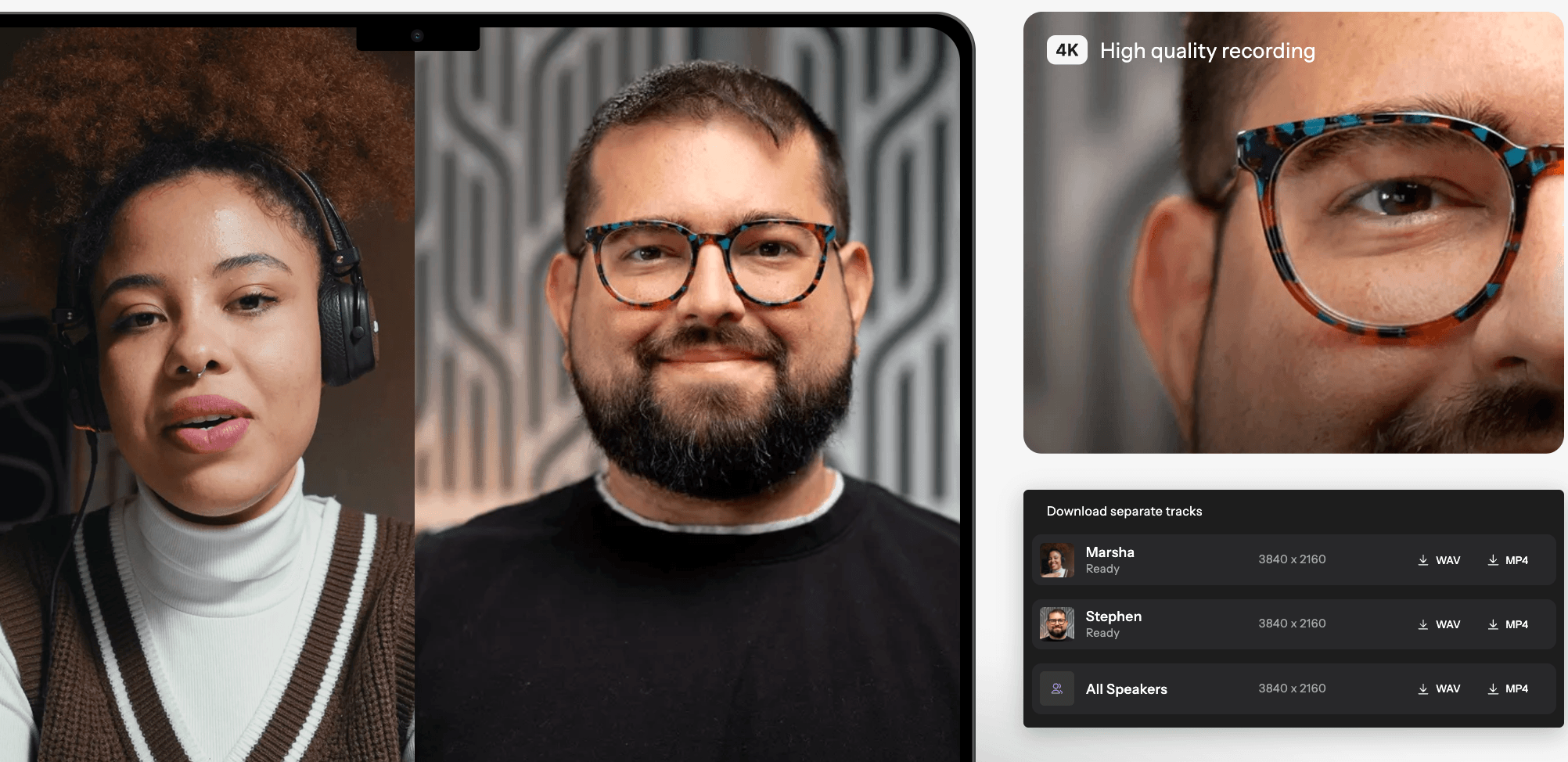
The core idea that made Riverside’s name is simple but genuinely clever: instead of streaming everyone’s audio and video through a single call and recording the result (which is only as good as the shakiest connection in the room), Riverside records each participant’s media locally on their own device at full quality, then progressively uploads those files in the background. If someone’s Wi-Fi drops mid-recording, the local file keeps recording uninterrupted and simply resumes uploading once the connection returns — the recording itself is never lost. That reliability, combined with support for up to 4K video and 48kHz uncompressed audio per participant, is what built Riverside’s early reputation among podcasters and video creators.
Riverside has real name recognition to back that reputation up. The platform counts independent podcasters like Tim Ferriss, Mel Robbins, and Guy Raz among its users, and brands including Spotify, Marvel, Microsoft, HubSpot, Intuit, and The New York Times have used it for podcasts, marketing videos, webinars, and internal communications. On the review side, it holds a strong 4.8 out of 5 rating on G2 from more than 1,700 verified reviews, though its Trustpilot presence tells a more mixed story: a “Great” score of roughly 3.9–4.0 out of 5 from around 480 reviews, weighed down by a cluster of complaints about billing clarity, customer support responsiveness, and occasional bugs — a divergence worth knowing about before you commit to an annual plan.
Why Riverside Stands Out in 2026
Local recording means the final file never depends on your worst connection: Because Riverside records each participant’s audio and video directly on their own device rather than streaming it through the call, a guest’s spotty Wi-Fi affects the live preview, not the final export. This is the single biggest reason serious podcasters choose Riverside over a plain video-call recorder, and it remains the platform’s clearest technical advantage.
Studio-quality output as standard: Paid plans support up to 4K video and 48kHz uncompressed audio per participant, well beyond what a typical video conferencing tool captures. Combined with separate tracks for every speaker, that gives editors real flexibility in post-production instead of a single flattened, compressed file to work with.
Editing by editing the transcript: Riverside’s text-based editor lets you cut a recording by deleting words in the transcript rather than scrubbing a timeline — delete a rambling sentence in the text and the corresponding video and audio are trimmed automatically. For anyone who isn’t a trained video editor, this collapses what used to be hours of timeline work into a much faster, more approachable process.
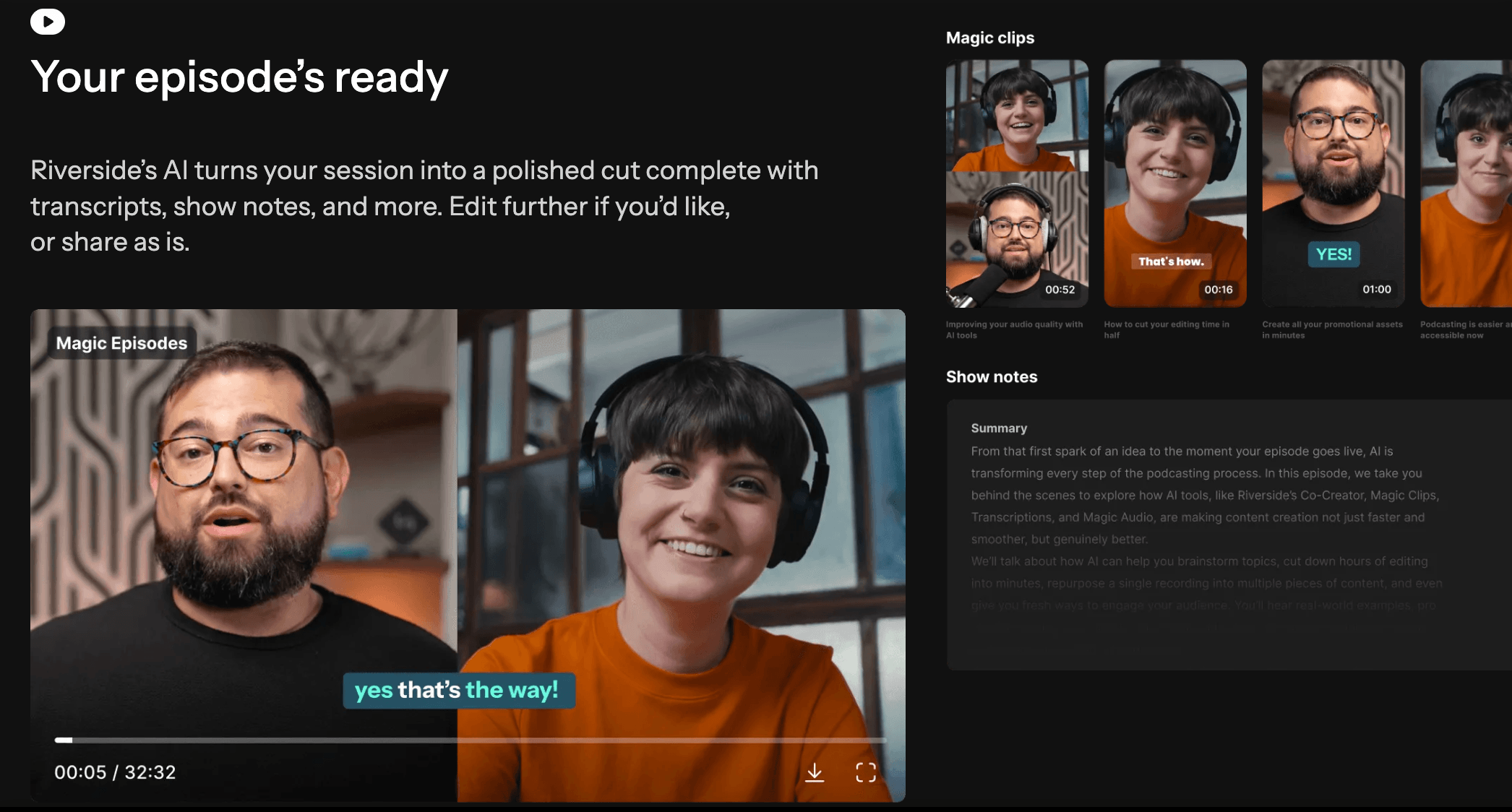
A genuinely broad AI toolkit: Magic Clips auto-detects highlight-worthy moments and turns them into short-form social clips; Magic Audio cleans up background noise and levels; the AI Co-Creator and AI editing agent can remove filler words and silences, add AI B-roll, and correct eye contact so a guest reading notes still looks like they’re facing the camera. Riverside also offers AI Translation, auto-captions, and AI-generated show notes — a depth of AI tooling that goes beyond most recording-first competitors.
One platform from recording to publishing: Beyond recording and editing, Riverside includes podcast hosting and analytics, direct publishing to YouTube, Spotify, Apple Podcasts, Instagram, and LinkedIn, plus (on higher tiers) social media scheduling, a newsletter tool, and a creator website. For teams currently juggling a recorder, an editor, a podcast host, and a scheduling tool separately, that consolidation is a real time and cost saver.
Live streaming and webinars built in, not bolted on: The Grow plan and up add Full HD 1080p live streaming with multistreaming to unlimited destinations (YouTube, Facebook, LinkedIn, X, Twitch) and custom RTMP output, while the Webinar plan layers on registration pages, lead capture, Q&A and polls, and HubSpot integration — letting the same studio that records your podcast also run a scaled, structured webinar without switching tools.
An AI-native integration most competitors don’t offer: Riverside’s newer MCP (Model Context Protocol) connection lets AI assistants like Claude, ChatGPT, and Cursor work directly on your Riverside content — searching transcripts, cutting clips, and publishing to social platforms through a conversational interface rather than the dashboard UI. It’s an early but notable bet on where content workflows are heading.
Riverside records each participant’s audio and video locally at up to 4K, so the final file never depends on anyone’s live internet connection.
Key Features and Technology
Riverside’s feature set is broad enough that it helps to break it into the core pillars buyers actually evaluate: recording, AI editing, and distribution/live tools.
Local Recording and Studios
Recording happens entirely in-browser (a native Mac app is also available) with no downloads required for guests — they just click a link. Each participant’s audio and video is captured locally and uploaded progressively, and Riverside organizes work into “studios,” each with its own recordings, hosting, analytics, and website. Pro includes 1 studio, Grow gives you 2, Webinar provides 3, and Business is unlimited — useful if you run more than one show or manage multiple client accounts.
AI Editing and Repurposing
The transcript-based editor is the backbone of Riverside’s post-production workflow, letting you cut, reorder, and trim by editing text. On top of that sits the AI editing and repurposing agent, which can remove filler words and silences, apply AI B-roll, correct on-camera eye contact, and generate Magic Clips — short, algorithmically selected highlight reels ready for TikTok, Reels, or Shorts. Select AI features (AI Translation, AI B-Roll, and Animated Clips) run on a metered AI Credits system: Pro plans start with 2,000 free credits per month and Business starts with 12,000, with the option to purchase more once you run out. Core features like Magic Clips, Magic Audio, and the AI Co-Creator don’t consume credits.
Live Streaming and Webinar Tools
From Grow upward, Riverside supports Full HD 1080p live streaming with simultaneous multistreaming to unlimited destinations, custom studio overlays and lower thirds, and backstage speaker management so a producer can control who’s visible before bringing them live. The dedicated Webinar plan builds structured event tools on top of that: registration pages with up to 100 registrants, recurring webinars, lead capture, branded email reminders, live Q&A and polls, and a native HubSpot integration to sync leads directly into a CRM — genuinely closer to a Zoom Webinar or StreamYard-plus-CRM replacement than a simple livestream add-on.
Podcast Hosting and Publishing
Riverside includes built-in podcast hosting and analytics, with direct publishing to YouTube, Spotify, Apple Podcasts, Instagram, and LinkedIn from inside the same dashboard used for recording and editing. Grow-tier and above add hosting for a second show, video hosting, AI-generated thumbnails, and — for higher tiers — social media scheduling, a newsletter builder, and a creator website, effectively bundling in tools that would otherwise mean separate subscriptions to a podcast host, a scheduler, and an email platform.
Pricing, Plans, and Package Structure
Riverside runs a five-tier structure: a permanent Free plan, three self-serve paid tiers (Pro, Grow, Webinar), and a custom-quoted Business plan. All paid plans offer up to 20% off when billed annually, and every paid tier includes a 14-day free trial. Prices below are Riverside’s official published rates as of September 2026, confirmed directly on riverside.com/pricing.
| Plan | Price (USD) | What It Is | Best For |
|---|---|---|---|
| Free | $0/month | 2 hrs multi-track recording (one-off), 720p video, watermarked, unlimited single-track recording & Magic Clips | Testing the platform before committing |
| Pro | $29/mo ($24/mo billed annually, $288/yr) | 4K video, 48kHz audio, no watermark, AI editing agent, unlimited transcriptions, 1 studio, 15 hrs separate track downloads | Solo podcasters & video creators |
| Grow | $39/mo ($34/mo billed annually) | Everything in Pro, plus 1080p live streaming, multistreaming, social scheduling, newsletter, creator website, 2 studios, 20 hrs downloads | Growing shows adding live & social distribution |
| Webinar | $99/mo ($79/mo billed annually) | Everything in Grow, plus webinars for up to 100 registrants, lead capture, Q&A/polls, HubSpot sync, 3 studios, 25 hrs downloads | Marketing teams running structured webinars |
| Business | Custom (contact sales) | Unlimited studios & downloads, up to 10,000 webinar registrants, SSO, SOC2/ISO27001, API access, dedicated CSM | Media teams & enterprises producing at scale |
How Riverside Compares to Alternatives
| Factor | Riverside | Descript | Zencastr |
|---|---|---|---|
| Core focus | Remote recording + full studio pipeline | Text-based editing, less recording-first | Podcast-focused remote recording |
| Local device recording | Yes — up to 4K / 48kHz | Limited; primarily an editor | Yes — local recording focus |
| Free plan | Yes, watermarked, 2 hrs | Yes, ~1 hr media/month | Yes, limited hours |
| Entry paid price | $24/mo annually (Pro) | ~$16/mo annually (Hobbyist, approx.) | ~$18–24/mo (approx., varies by source) |
| Live streaming / webinars | Yes, built in from Grow up | No | No |
| AI clip generation | Magic Clips, strong auto-selection | Available, more manual control | Limited compared to both |
| Podcast hosting included | Yes, built in | No, separate tool needed | Yes, core focus |
| Best for | End-to-end podcast/video production | Text-first editing of existing footage | Budget-focused podcast recording |
vs. Descript: Descript is primarily a text-based editor first and a recorder second — it’s excellent if most of your footage originates elsewhere and you want to edit it like a document. Riverside flips that priority: recording quality and reliability come first, with editing, AI repurposing, and distribution layered on top. If your workflow starts with a remote interview rather than existing footage, Riverside’s local-recording architecture is the stronger foundation; if you’re mostly polishing pre-recorded content, Descript’s editor is arguably more mature.
vs. Zencastr: Zencastr is a more narrowly podcast-focused recorder and is often positioned as the budget-friendly option, with entry pricing in a similar range to Riverside’s Pro tier depending on the promotion. Where Riverside pulls ahead is breadth: live streaming, webinars, a deeper AI toolkit, and a wider distribution feature set that Zencastr doesn’t match. If podcast audio recording alone is genuinely all you need, Zencastr is a leaner, more focused tool; if you want one platform that also handles video, live events, and repurposing, Riverside’s extra cost buys real extra capability.
Pros and Cons
What Users Love
Recording quality that holds up on bad internet: The single most consistently praised aspect across G2 reviews is that local recording genuinely protects the final output, even when a guest’s connection is unreliable — a real differentiator versus a plain video-call recording.
A dramatic time saver on editing: Reviewers repeatedly describe transcript-based editing and the AI repurposing tools as cutting hours off post-production, particularly for creators without dedicated video editing skills.
Genuinely simple for guests to use: Guests join via a browser link with no software download required, which G2 reviewers cite as removing a common friction point when interviewing non-technical guests.
Consolidates a full toolchain: Users running podcasts or shows appreciate not needing separate recording, editing, clip-generation, and hosting subscriptions — Riverside covers the whole pipeline under one login.
Limitations Worth Knowing
Occasional bugginess: A recurring theme in G2’s pros-and-cons data is that the platform “can still feel glitchy at times” — upload issues, browser compatibility problems, and audio-sync lag come up often enough that they’re worth expecting rather than being surprised by.
Trustpilot tells a rougher story than G2: While G2’s 4.8/5 score reflects strong satisfaction among power users who’ve validated their identity, Riverside’s Trustpilot rating sits meaningfully lower at around 3.9–4.0/5, with recurring complaints about unclear billing, slow support response times, and — in isolated cases — lost guest recording content. Weigh both signals rather than one alone.
Pricing climbs fast for live and webinar features: The jump from Pro ($24/mo annually) to Webinar ($79/mo annually) is steep if what you actually need is just structured webinar tools — smaller teams may find themselves paying for live-streaming and social features on Grow that they don’t use just to reach the webinar tier.
Extra editors cost extra on self-serve plans: Unlike Business, which includes collaborative editing and custom roles, Pro, Grow, and Webinar only support additional editor seats as a paid add-on — a real limitation for small teams that need more than one person editing the same show.
Who Should Use Riverside
Podcasters recording remote guest interviews: This remains Riverside’s strongest use case — reliable local recording plus transcript-based editing removes most of the friction that makes remote podcasting painful.
YouTubers and video creators doing interview or talking-head content: 4K local recording plus AI B-roll, eye-contact correction, and Magic Clips make Riverside a strong fit for anyone repurposing long-form video into shorts and social content.
Marketing and content teams running webinars: The Webinar plan’s registration pages, lead capture, and HubSpot integration make it a legitimate alternative to standalone webinar software for teams that also want recording and editing in the same platform.
Who should look elsewhere: If you only need quick, casual audio recording without an ecosystem of AI editing, live streaming, or hosting tools, a leaner and cheaper dedicated recorder will serve you better. Teams needing multiple simultaneous editors without paying for extra seats should also budget for Business rather than the self-serve tiers, and anyone who’s read the Trustpilot complaints about support responsiveness should factor that risk into a decision, especially before committing to annual billing.
Editing by deleting words in the transcript, rather than scrubbing a timeline, is one of Riverside’s most time-saving features for non-editors.
Getting Started: Step by Step
- Sign up for the Free plan. Create an account at riverside.com/start with no credit card required, and test the recording quality and editing interface with your own setup before paying anything.
- Create your first studio. Set up a dedicated studio for your show — this is where your recordings, hosting, and analytics for that specific podcast or channel will live.
- Send a guest link and do a test recording. Invite a guest (or yourself on a second device) via the browser link, run a short test session, and check the local recording and upload process end to end.
- Try the transcript-based editor. Record a few minutes of real content, then practice cutting it by deleting text in the transcript rather than scrubbing the timeline, to get a feel for the core editing workflow.
- Test Magic Clips and AI tools. Run a longer recording through Magic Clips to see how well the AI selects highlight-worthy moments, and try Magic Audio on a clip with background noise.
- Pick your plan based on real usage. Once you know your monthly recording volume and whether you need live streaming or webinars, upgrade to Pro, Grow, or Webinar — and switch to annual billing once you’re confident you’ll use it consistently, to lock in the discount.
Tips for Getting Maximum Value
Start by recording a real episode on the Free plan before you pay for anything, since the two watermarked hours are enough to judge audio and video quality on your own hardware and internet setup. Once you upgrade, lean on the transcript editor as your primary cutting tool rather than a traditional timeline — it’s genuinely faster once you’re used to it, and it’s the feature most reviewers say saves the most time. Keep an eye on your separate-track download hours if you’re on Pro or Grow, since that cap (not the recording itself) is what typically pushes an active show toward the next tier. If AI Credits matter to your workflow — heavy use of AI Translation or AI B-roll in particular — track your monthly usage early, since running out mid-cycle means either waiting for the reset or purchasing more. And because Riverside’s Trustpilot reviews flag support response time as a recurring pain point, document any billing or technical issue in writing right away rather than relying on live chat alone, particularly if you’re on annual billing and want to preserve any refund options.
Future Outlook and Final Assessment
Riverside’s May 2026 rebrand from Riverside.fm to simply Riverside, alongside the move to riverside.com, signals a company positioning itself as a full production platform rather than a niche podcast recorder — and the roadmap backs that up. The addition of the Riverside MCP, letting AI assistants like Claude and ChatGPT interact directly with recorded content, points toward a future where conversational AI tools sit alongside (or eventually inside) the traditional dashboard workflow. Continued investment in the AI Co-Creator and repurposing agent suggests the company sees AI-assisted editing, not just AI-assisted recording, as its long-term differentiator against both dedicated recorders and general-purpose editors like Descript.
The trade-off buyers face is consistent across the review data: G2’s power users rate the platform highly for capability and time savings, while a meaningful slice of Trustpilot reviewers flag support and billing friction. Neither signal cancels the other out — they describe different parts of the experience, and it’s worth reading both before committing, especially to an annual plan.
Conclusion
Riverside isn’t trying to be the cheapest recording tool on the market — it’s trying to be the only tool you need from the first recorded word to the published episode, clip, or webinar replay. For podcasters, video creators, and marketing teams who record consistently and want AI-assisted editing, live streaming, and distribution bundled into one platform, that ambition largely pays off, backed by a 4.8/5 G2 rating from real power users. Just go in with clear eyes about the Trustpilot-documented friction around support and billing, test thoroughly on the free plan first, and pick the tier that matches your actual recording volume rather than paying for webinar and live-streaming features you won’t use.
Riverside’s Webinar plan adds registration pages, lead capture, and CRM sync on top of the same studio used for podcast and video recording.
Ready to record studio-quality podcasts and video from anywhere?
Explore more honest reviews, tutorials and tech comparisons to find the right gear for the way you work, travel and live — at World Of Tech, where we make everything easy.
👉 Try Riverside: https://worldoftech.space/riverside
👉 Our YouTube Channel: youtube.com/@world_tech79
👉 Our Facebook Fanpage: Facebook
👉 Our X (Twitter): @worldoftech79
Pricing, specifications and policy details in this review were verified against riverside.com/pricing, G2, and Trustpilot as of September 2026. SaaS pricing and features change frequently, so confirm current details on the official site before purchasing. Competitor prices for Descript and Zencastr are approximate, drawn from third-party pricing trackers, and are subject to change.





