
Anyone who has tried to build a usable 3D character knows the pain: one tool for modeling, another for texturing, a third for rigging, and — if you want the character to actually move — expensive motion-capture hardware or a studio you don’t have. V2Fun is a browser-based AI platform from a team operating as Vertex Lab that tries to collapse that entire pipeline into one workflow: type a prompt or upload a reference image, get a 3D model, auto-rig it, texture it in 8K, and animate it using motion pulled straight out of an ordinary phone video. It launched on Product Hunt in mid-July 2026 and immediately hit #1 Product of the Day with roughly 500 upvotes — a strong signal of maker-community interest for a tool that, as of this review, is still effectively invite/beta-gated.
The pitch is genuinely compelling for indie game developers, VTuber and digital-human creators, and 3D-printing hobbyists who don’t have a studio’s budget or headcount. But a brand-new AI startup with no Trustpilot page, no G2 or Capterra listing, and publicly conflicting pricing information deserves a careful, skeptical look rather than a repost of the marketing copy. This 2026 review walks through what V2Fun actually does, what its own founders say about its current limitations, what independent AI-tool directories report about pricing, how it compares to established rivals like Meshy and Tripo AI, and exactly who should — and shouldn’t — invest time in it right now.
V2Fun Review 2026: Is This All-in-One AI 3D Character Generator Worth the Hype?
Overview and Background
V2Fun is a browser-based AI 3D creation platform built by a small team (publicly identified on Product Hunt as Tammy Tan, Yifu Wang, Pan Ji and Zac Zuo, contactable via a vertexlab.ai email address) that unifies AI image generation, text-to-3D and image-to-3D model generation, automatic humanoid rigging, 8K PBR texture generation, and AI motion capture into a single pipeline. Rather than positioning itself as a replacement for professional tools like Blender, Maya, Unity or Unreal, the makers describe it explicitly as a way to remove the “handoff” friction between separate modeling, texturing and mocap software — letting one person take a character from concept to a rigged, motion-tested, exportable asset without leaving the browser.
The product launched publicly on Product Hunt on July 15, 2026, where it reached #1 Product of the Day with approximately 492–513 upvotes and #4 of the week — a genuinely strong reception for a first launch. It has built a small but active community (roughly 1,200 Product Hunt followers and around 208 Discord members at the time of this review), and its associated YouTube channel had already accumulated over 73,000 subscribers within seven months, suggesting the team invested in content marketing well ahead of the public product launch.
Despite that momentum, V2Fun is still young and, as of this review, hard to independently verify on several fronts. There is no Trustpilot page, no G2 or Capterra listing, and third-party AI-tool directories give conflicting accounts of the product’s access model: one directory describes a freemium plan with a public $29/month Pro tier and 50 free model generations, while a more recently updated tool-tracking site describes V2Fun as still “effectively invite and beta gated, with access codes shared via its community, and public pricing not yet listed.” That contradiction alone is a good reason to verify pricing directly on v2fun.ai before planning a workflow around it, rather than trusting any single secondhand source — this review’s own comparison table flags competitor and V2Fun pricing as approximate for exactly that reason.
Why V2Fun Stands Out in 2026
A genuinely unified pipeline, not a bundle of separate tools: Image generation, 3D modeling, auto-rigging, texturing and animation all live in one browser workflow. Most AI 3D competitors handle one or two of these steps well and expect you to export into another app for the rest — V2Fun’s core bet is that keeping everything connected reduces the quality loss that happens at every handoff.
AI motion capture from an ordinary phone video: This is the platform’s standout feature. Instead of requiring a mocap suit or a dedicated studio, V2Fun extracts human motion from regular single-camera footage and applies it to a rigged character — the founders specifically demonstrated it handling fast, complex movement like breakdancing during their Product Hunt launch, and describe the model as trained to interpolate joint position through brief occlusion.
Built-in smart retopology: A recurring complaint about AI-generated 3D meshes is “triangle soup” — messy, unusable topology that looks fine in a preview but can’t actually be rigged or animated cleanly. V2Fun includes an online retopology tool that converts output into cleaner, quad-dominant geometry, which the founders specifically call out as a priority over chasing flashier texture upsells.
Multiple entry points into 3D creation: You can start from a text prompt, a single reference image, or front/side/back multi-view images for higher geometric precision — a flexibility that suits different workflows, from quick concepting to more deliberate character design.
Standard export formats for real production pipelines: Rigged, textured assets export to FBX, GLB, OBJ, STL, USDZ and BLEND, which covers Blender, Unity, Unreal Engine and most 3D printing workflows — a meaningful signal that the team is building toward compatibility rather than a closed walled garden.
A founding team that engages directly and honestly with hard questions: In the Product Hunt comments, the makers answered detailed technical questions about occlusion handling, non-humanoid rigging limits, and manufacturing precision without dodging — including admitting outright that CAD-precision scaling and non-humanoid mocap are not yet supported. That kind of transparency is a genuinely good sign for a beta-stage product, even if it also confirms real current limitations.
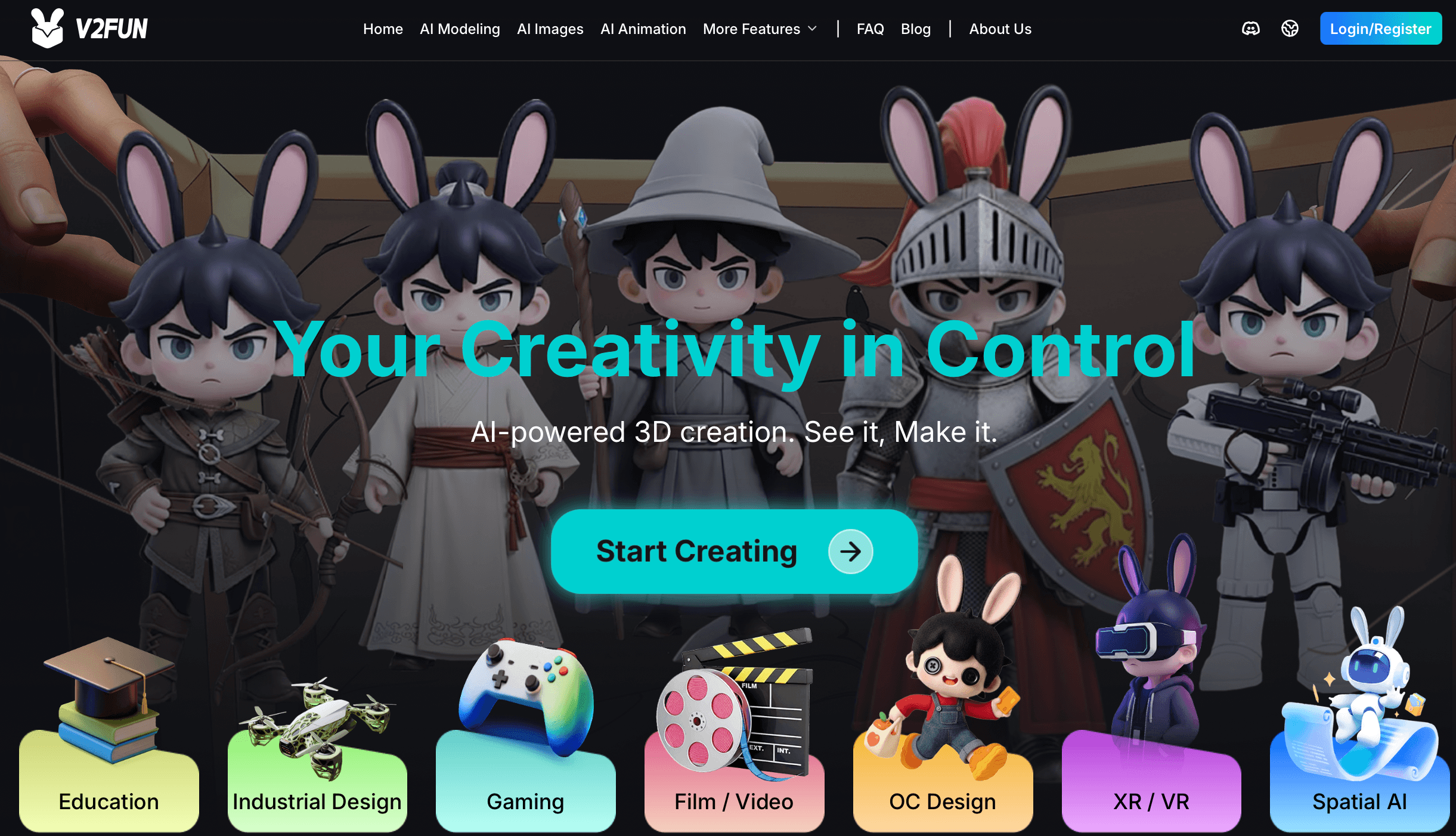
V2Fun’s browser-based workflow connects image generation, 3D modeling, rigging and animation in one place.
Key Features and Technology
V2Fun organizes its capabilities around the natural stages of character creation, from initial concept through a finished, animated export.
3D model generation: text-to-3D, image-to-3D, and multi-view
The core generator accepts a text prompt or a single reference image and produces a 3D model in minutes. For higher-fidelity, industrial-grade results, the multi-view mode accepts front, side and back reference images and uses that additional spatial information to produce more structurally complete geometry — useful for character design and game-asset production where accuracy matters more than speed.
Automatic rigging and 8K texture generation
Once a model is generated, V2Fun’s AI keypoint recognition auto-rigs it into an animatable skeleton without manual bone placement — currently optimized specifically for humanoid characters, with manual node calibration available for fine adjustment. Texturing is handled through an automated PBR material generator capable of producing 8192×8192 (8K) resolution textures with accurate gloss and roughness detail, which the platform can also apply to swap materials on an existing model without altering its underlying mesh.
Motion library, custom files, and video-based motion capture
Animation can come from three sources: V2Fun’s built-in motion library, uploaded custom motion files (BVH/VMD), or its AI motion capture tool, which extracts human movement from an uploaded video and retargets it to a rigged character’s proportions. A more recent update added the ability to select a specific subject in multi-person footage, letting the mocap engine isolate and extract just that person’s motion.
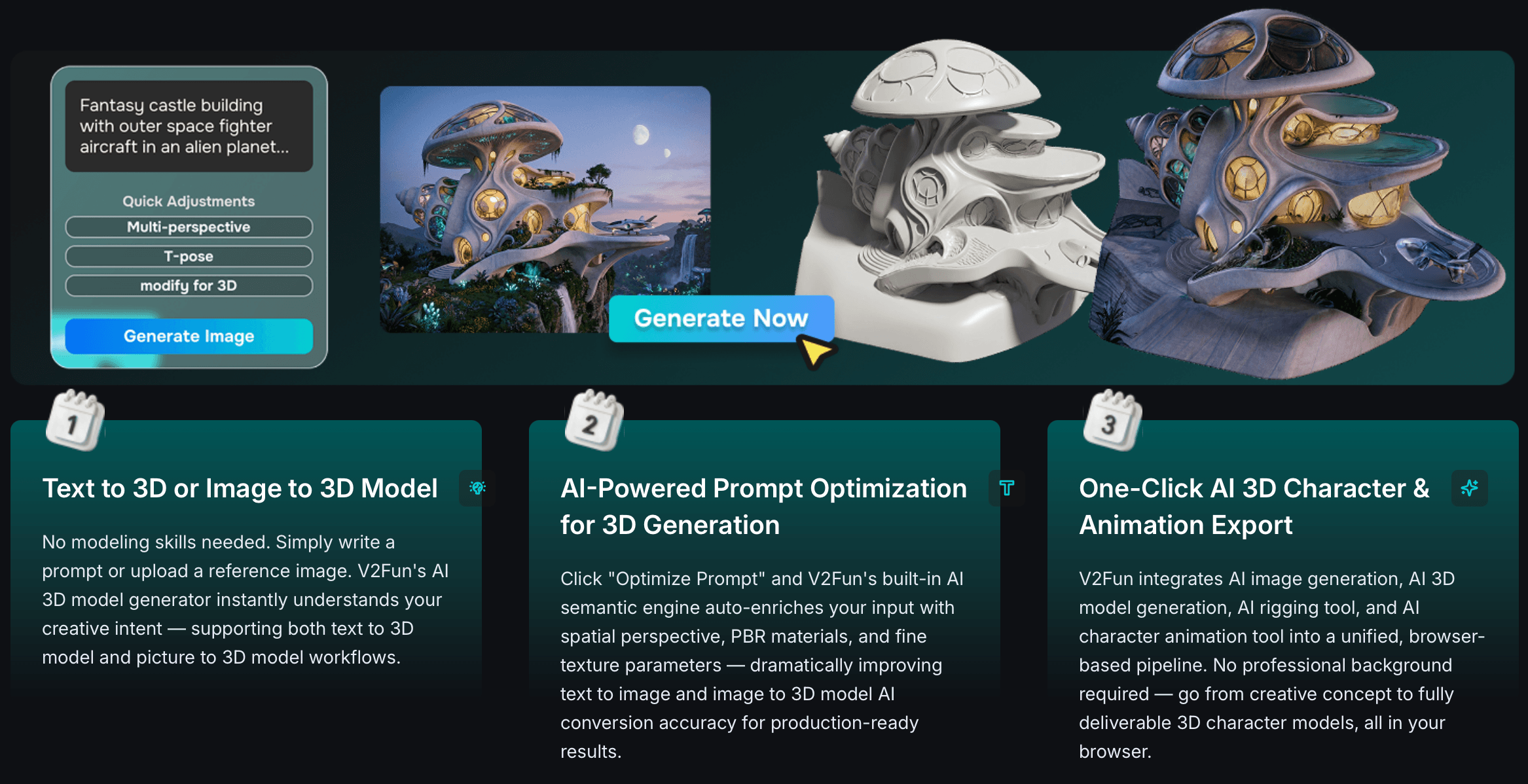
AI motion capture extracts human movement from ordinary video — no mocap suit required.
Pricing, Plans, and Package Structure
Pricing here needs an extra note of caution. V2Fun’s own site is JavaScript-rendered and doesn’t reliably return live pricing to automated tools, and independent sources genuinely disagree: one AI-tool directory lists a Basic free tier (50 free model generations), a Pro plan at $29/month with expanded export and animation access, and $0.10-per-model usage pricing beyond the free allowance, alongside a public API. A separate, more recently updated tool-tracking listing instead describes the platform as still invite/beta-gated with access codes distributed through its Discord community and “public pricing not yet listed.” Given that direct conflict, treat every figure below as approximate and unverified, and confirm current access and pricing directly on v2fun.ai before planning any paid workflow around it.
| Plan | Price | What It Is | Best For |
|---|---|---|---|
| Basic (reported) | Free — ~50 model generations (unverified) | Core model generation, basic export | Trying the platform before committing |
| Pro (reported) | ~$29/mo (unverified) | High-fidelity assets, advanced export, full animation tools | Regular solo creators, if plan is currently public |
| Usage overage (reported) | ~$0.10 per model (unverified) | Additional generations beyond free/plan allowance | Batch or high-volume asset production |
| Beta/invite access | Free, code required (per more recent reports) | Community-distributed Discord access codes | Early adopters willing to join the Discord |
| API access | Reported as available (unverified terms) | Programmatic integration into other tools | Developers building on top of V2Fun |
How V2Fun Compares to Alternatives
| Factor | V2Fun | Meshy | Tripo AI |
|---|---|---|---|
| Core focus | Full pipeline: image, model, rig, texture, animation | High-quality textured model generation (approx.) | Text/image-to-3D model generation (approx.) |
| Auto-rigging | Yes, humanoid-focused, built-in | Limited/not a core focus (approx.) | Limited/not a core focus (approx.) |
| Video motion capture | Yes, single-person, built-in | Not a core feature (approx.) | Not a core feature (approx.) |
| Track record / reviews | New (launched Jul 2026), no G2/Trustpilot yet | Established, 4.9/5 on Product Hunt (21 reviews) | Established, 4.8/5 on Product Hunt (11 reviews) |
| Best for | Character-to-motion workflows in one browser tab | Textured static models, established reliability | Fast prototyping and iteration on model geometry |
V2Fun vs. Meshy: Meshy has a longer public track record and a strong 4.9/5 rating across its Product Hunt reviews, and it’s widely used purely for generating high-quality, PBR-textured static 3D models. V2Fun’s differentiator is going further downstream — rigging and animating that model in the same session — but it’s doing so with far less independent validation behind it right now.
V2Fun vs. Tripo AI: Tripo AI is a fast, iteration-friendly text/image-to-3D generator with an established 4.8/5 community rating, well suited to quickly cycling through model variations. V2Fun trades some of that generation-speed focus for a broader pipeline that carries a model all the way through rigging and motion — a genuine advantage if you actually need an animated character, but unnecessary overhead if all you want is a clean static mesh.
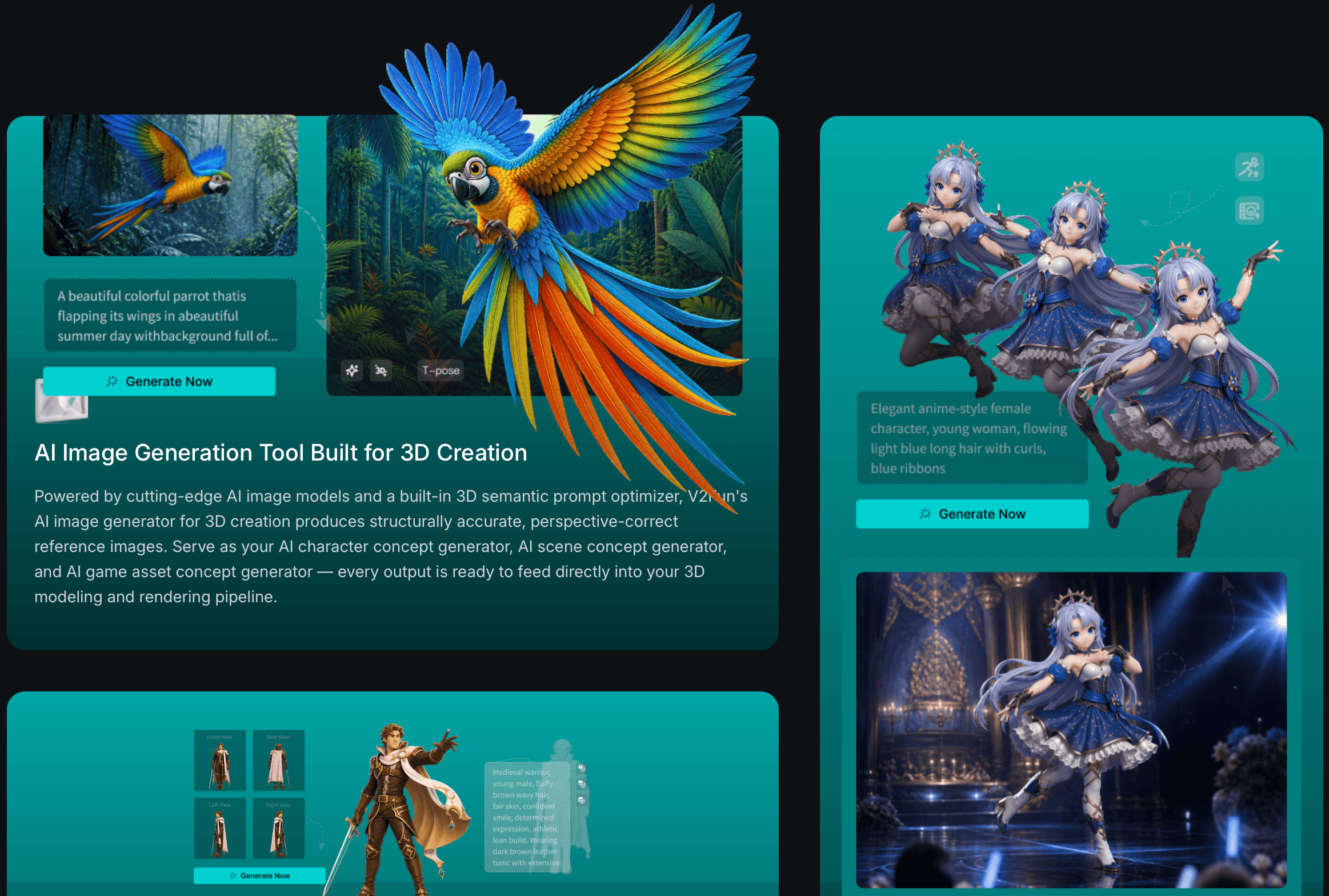
Exported assets support FBX, GLB, OBJ, STL, USDZ and BLEND for downstream use in Blender, Unity and Unreal.
Pros and Cons
What Users Love
One connected workflow instead of five separate tools: Product Hunt commenters repeatedly single out the unified pipeline as the standout benefit, specifically because tool-switching between modeling, rigging and texturing apps is where quality and time are usually lost.
Clean, animatable topology instead of “triangle soup”: Reviewers specifically praised the built-in retopology tool for solving a problem that plagues many AI 3D generators — meshes that look good in a preview but can’t actually be rigged or edited cleanly.
Motion capture that doesn’t require expensive hardware: Turning an ordinary phone video into character motion — including demonstrated handling of fast, complex movement — removes a real cost and access barrier for solo creators and small teams.
Standard, widely-compatible export formats: FBX, GLB, OBJ, STL, USDZ and BLEND support means output can genuinely be used in downstream tools rather than trapped inside V2Fun’s own environment.
Founders who answer hard questions directly: The public Q&A on Product Hunt shows the team engaging substantively with skeptical, technical questions rather than deflecting — a positive signal for how the product is likely to evolve.
Limitations Worth Knowing
No independent review base yet: There is no Trustpilot listing, no G2 or Capterra profile, and no meaningful sample of independent, verified user reviews at the time of this review — everything currently available is either the company’s own marketing copy, AI-generated aggregator summaries, or maker comments on Product Hunt. That’s normal for a product this new, but it means buyer confidence has to rest on hands-on testing, not a proven review track record.
Conflicting, unverified pricing information: As covered above, credible-looking sources disagree on whether V2Fun currently has open, public pricing or is still invite/beta-gated. Confirm current access and cost directly on the official site before building a workflow or budget around it.
Humanoid-only rigging and motion capture: The founders have confirmed directly that both auto-rigging and AI motion capture are currently built strictly for single humanoid characters — creature rigs, quadrupeds, and unusual anatomy are not yet supported, and multi-person capture beyond selecting one target subject isn’t available.
Not manufacturing- or print-precise out of the box: Generated models are normalized to a generic scale rather than real-world dimensions, so CAD or manufacturing use is explicitly not supported yet, and the makers themselves note that exported meshes may need cleanup or watertight checks before they’re truly ready for 3D printing.
“Self-developed” technical claims are only partly substantiated: V2Fun markets its 3D and motion-capture models as self-developed, but when pressed directly on Product Hunt about what’s genuinely proprietary versus built on existing foundations, the founders gave a fairly general answer about in-house core models plus “integrating and optimizing” other technologies where useful — a reasonable practice, but one that means the “self-developed” framing should be read as a claim rather than an independently verified fact.
Who Should Use V2Fun
Indie game developers who need fast character prototypes: Going from concept to a rigged, motion-tested humanoid character without a full studio pipeline is exactly what V2Fun is built for, and it can meaningfully shorten the early validation stage of a project.
VTuber, digital human and short-form video creators: The combination of character generation and video-driven motion capture directly targets the daily-content-production reality of virtual idol and VTuber workflows, without expensive mocap hardware.
3D printing hobbyists and designer-toy creators: Picture-to-3D-model generation gives a fast path from concept art to a printable asset — as long as you expect to do some cleanup and watertight verification before sending a file to a printer.
Early adopters comfortable with beta software: If you enjoy testing new AI tools, engaging with a founding team directly, and tolerating rough edges in exchange for early access and influence over the roadmap, V2Fun’s Discord-driven beta community is a reasonable place to be.
Who should look elsewhere: Studios or freelancers needing non-humanoid or creature rigging today, anyone requiring manufacturing-precise CAD output, teams that need a proven vendor with an established review history and enterprise support, and anyone who needs guaranteed, transparent public pricing right now rather than a beta-access model that may change — for those needs, an established tool like Meshy, Tripo AI, or a traditional DCC pipeline (Blender, Maya) is the safer choice today.
Getting Started: Step by Step
- Check current access on v2fun.ai directly. Given the conflicting reports on whether access is open or invite-gated, visit the official site first and, if needed, join the V2Fun Discord to request or find a current access code.
- Start with Text to 3D or Image to 3D. Pick whichever entry point matches your workflow — a written prompt for quick concepting, or a single reference image if you already have concept art to build from.
- Use multi-view input for anything that needs precision. If the asset matters — a hero character, a game-ready prop — upload front, side and back reference images rather than relying on a single angle.
- Run auto-rigging, then check the result on a humanoid model. Since rigging is currently humanoid-focused, confirm your character fits that mold before investing further time; use manual node calibration if the automatic skeleton needs adjustment.
- Apply texture and animate. Generate 8K PBR textures, then animate either from the built-in motion library, an uploaded custom motion file, or your own stable, well-lit video via AI motion capture.
- Export and verify in your target pipeline. Export to FBX, GLB, OBJ, STL, USDZ or BLEND depending on your destination (Unity, Unreal, Blender, or a 3D printer), and run a watertight/topology check before committing to a print job or a production asset.
Tips for Getting Maximum Value
Treat V2Fun as a front-half accelerator, not a finishing tool — use it to compress the concept-to-testable-character stage of a project, then hand the asset off to Blender, Unity or Unreal for final polish, exactly as the makers themselves recommend. For motion capture, shoot reference video with stable framing, decent lighting, and the subject staying inside the frame throughout the clip; the founders have been explicit that heavy camera movement and full occlusion are still weak points. If you’re testing whether V2Fun fits a production pipeline, run a small, low-stakes character through the entire flow — model, rig, texture, animate, export — before committing a larger project to it, since a beta-stage tool can change its access model or feature set with little notice. For 3D printing specifically, always run an independent watertight and manifold check on the exported mesh before sending it to a printer or print service; the team has confirmed cleanup is sometimes still necessary. And because independent reviews are essentially nonexistent right now, lean on the Discord community and the Product Hunt comment threads — both are unusually active and give a more honest, current picture of real-world results than any marketing page.
Future Outlook and Final Assessment
The AI 3D generation category has moved fast through 2026, and the direction of travel clearly favors tools that connect more of the pipeline rather than solving one narrow step in isolation — which is exactly the bet V2Fun is making. Its Product Hunt reception, its unusually large pre-launch YouTube following, and a founding team willing to engage in detailed public technical debate are all genuinely encouraging signs for a young company. If the team ships on its stated roadmap items — non-humanoid rigging, more robust occlusion handling, tighter print-ready output — it has a real shot at becoming a serious alternative to piecing together separate modeling, rigging and mocap tools.
The honest caveats matter just as much, though: there is currently no independent review base to lean on, pricing and access terms are unsettled and reported inconsistently across sources, and several core capabilities — rigging, mocap, print-readiness — are explicitly limited to humanoid, single-subject, cleanup-required use cases by the founders’ own admission. None of that makes V2Fun untrustworthy; if anything, the founders’ candor about these limits is a point in their favor. But it does mean this is a promising beta-stage tool to test and watch closely, not yet a mature platform to build a production pipeline around without a fallback plan.
Conclusion
V2Fun tackles a real, widely-felt pain point — the fragmented, tool-hopping nature of 3D character creation — with a genuinely unified browser-based pipeline and one standout feature, video-driven AI motion capture, that most competitors don’t offer at all. For indie developers, VTubers, and 3D-printing hobbyists willing to work within its current humanoid-only, single-subject limits, it can compress days of work into hours. Just go in with realistic expectations: this is a young, beta-stage tool with an unsettled pricing model and no independent review track record yet, built by a team that has so far been refreshingly honest about what it can’t do yet. Start small, verify current pricing directly, and treat it as an accelerator for the front half of your pipeline rather than a finished, end-to-end production solution.
Ready to turn your next character idea into a rigged, animated 3D asset?
Explore more honest reviews, tutorials and tech comparisons to find the right gear for the way you work, travel and live — at World Of Tech, where we make everything easy.
👉 Try V2Fun: https://worldoftech.space/v2fun
👉 Our YouTube Channel: youtube.com/@world_tech79
👉 Our Facebook Fanpage: Facebook
👉 Our X (Twitter): @worldoftech79
Pricing, feature and access details in this review were verified against v2fun.ai, the makers’ public statements on Product Hunt, and independent AI-tool directories as of August 2026 — pricing sources conflicted and are marked approximate throughout. V2Fun is an early beta-stage product, so pricing, access and features change frequently; confirm current details on the official site before relying on it for production work. Competitor prices and ratings are approximate and subject to change.





