
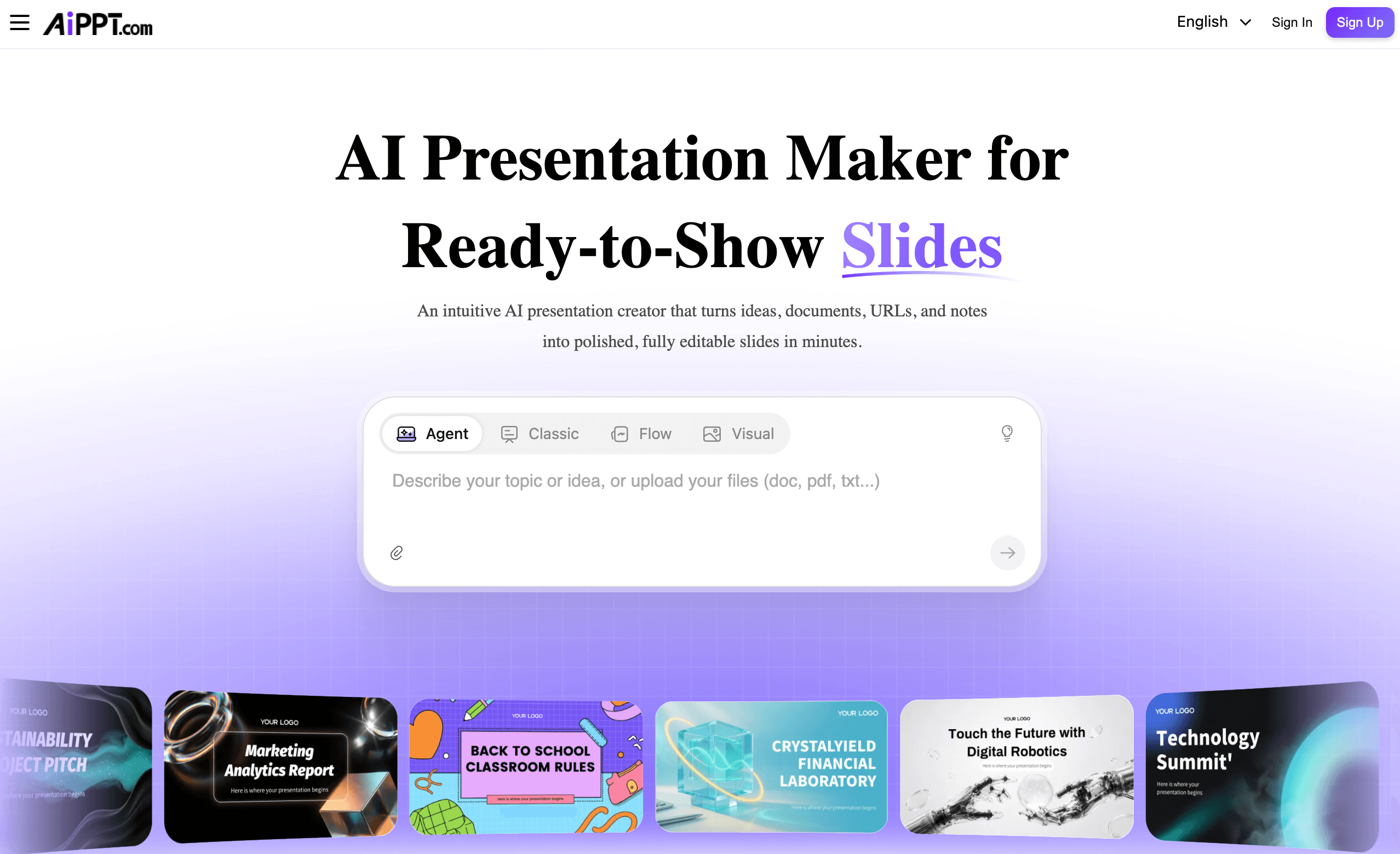
Staring at a blank slide deck an hour before a meeting is one of the most universal productivity headaches there is — you know what you want to say, but turning notes, a PDF, or a half-finished Word doc into something presentable eats up time you don’t have. AiPPT (aippt.com) is built to remove that bottleneck. It’s an AI presentation maker that takes a topic, a prompt, a document, or even a URL and turns it into a structured, editable slide deck in minutes, backed by a template library reportedly running into the hundreds of thousands and a growing set of AI image and video models for building out visuals. Rather than a single generation mode, AiPPT ships three distinct engines — Classic, Flow, and Visual — so the workflow can flex between a fast structured deck and a more design-led, image-heavy one.
For students turning research papers into defenses, marketers converting reports into pitch decks, and busy professionals who just need a first draft fast, the pitch is straightforward: skip the blank canvas and start editing instead of building from zero. But no AI slide generator gets everything right on the first pass, and AiPPT is no exception — there are real trade-offs around free-tier limits, export behavior, and how much manual polish a deck needs before it’s client-ready. This 2026 review walks through what AiPPT actually does, its three generation modes, the full pricing structure, how it stacks up against Gamma and Canva, the genuine pros and cons, and who gets the most value from it.
AiPPT Review 2026: The AI Presentation Maker That Turns Docs, Prompts, and Links Into Slides
Overview and Background
AiPPT.com is an AI-driven presentation platform positioned as an “AI PPT maker” rather than a general design tool. Its core idea is simple: instead of manually placing text boxes and choosing fonts, you feed the system a topic, a written prompt, or an existing file, and the AI interprets the content, builds an outline, and lays it out across a themed template. The company lists a Singapore address on its site and operates internationally, with a template gallery spanning business, education, creative, and technology categories, plus dedicated conversion tools for turning Word, PDF, Excel, and image files into slides.
What distinguishes AiPPT from a lot of single-mode AI slide tools is that it doesn’t force every project through the same pipeline. The platform offers three separate presentation engines — AiPPT Classic for traditional structured slide decks, AiPPT Flow (described as an adaptive presentation mode) for content that reflows more naturally, and AiPPT Visual for image-forward, design-led output built on models like Seedream 4.5. On top of that, it layers in newer AI image engines — Flux, Imagen, Seedream, and Nano Banana (including Nano Banana Pro and Nano Banana 2) — along with Kling- and Vidu-powered tools for slide motion and presentation video, which is a broader creative stack than most pure-play “text-to-slide” competitors offer.
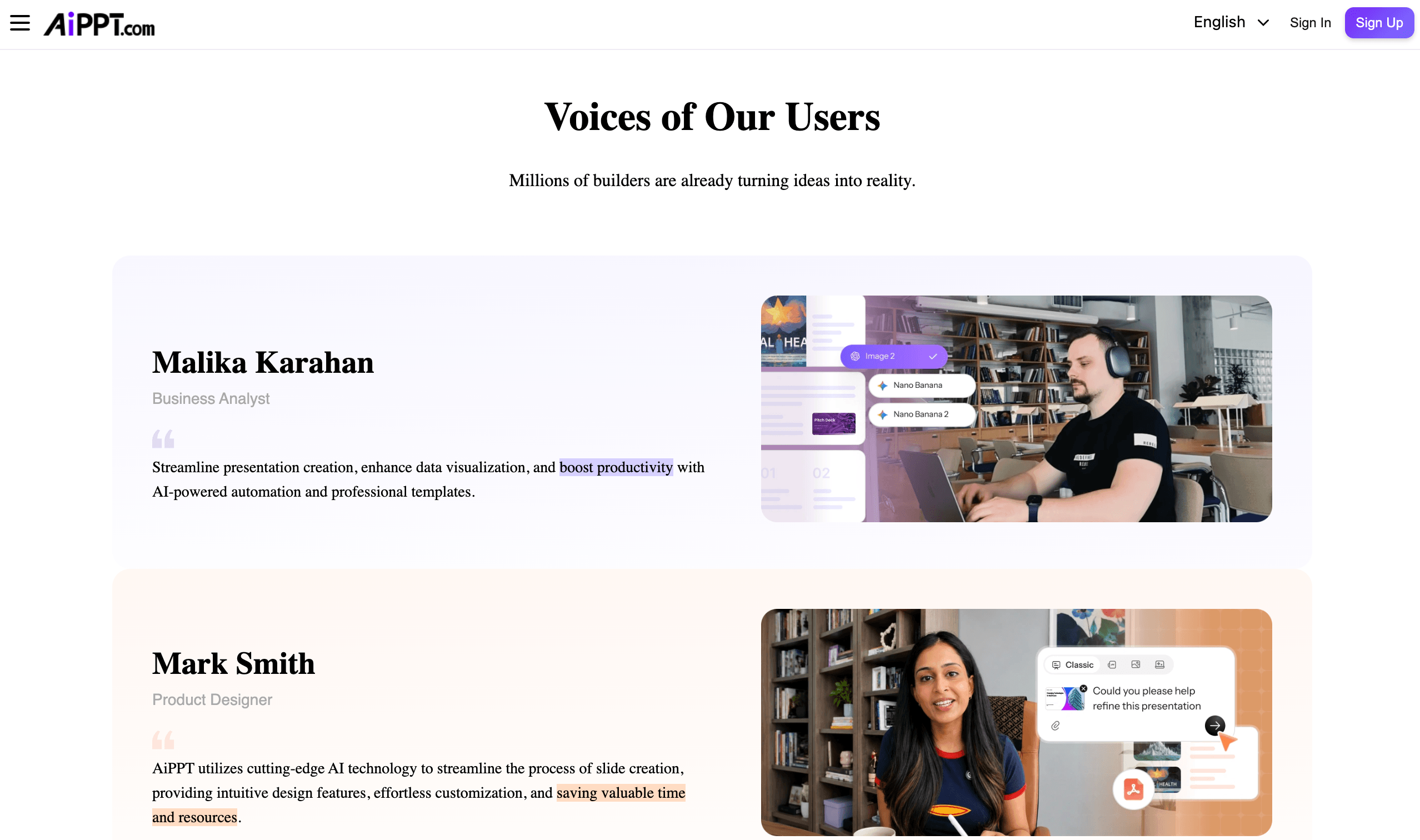
On the credibility side, AiPPT doesn’t yet have a deep, well-established independent review base. Its Trustpilot profile currently shows only a single review, which is too small a sample to treat as a meaningful signal either way — worth flagging honestly rather than smoothing over. A more useful data point comes from AppSumo, where lifetime-deal buyers have rated the product 4.52 out of 5 across 23 verified reviews, with users specifically praising how far a first draft gets them before manual editing is needed. G2 currently lists AiPPT with no meaningful review volume, so independent third-party validation is still an area the platform is building out.
Why AiPPT Stands Out in 2026
Three generation modes instead of one: Most AI slide tools give you a single pipeline. AiPPT splits the job into Classic (structured business decks), Flow (adaptive, content-driven layout), and Visual (image-heavy, design-forward output). That flexibility means a research summary and a creative pitch deck don’t have to fight the same template logic.
Genuinely broad input support: Beyond a simple text prompt, AiPPT accepts PDFs, Word docs, PowerPoint files, Excel spreadsheets, images, Markdown, XMind mind maps, Google Drive files, and URLs. For anyone who already has source material — a report, a research paper, a webpage — that’s a real time-saver over starting from a blank prompt.
Conversational, not just one-shot, editing: After the first draft, AiPPT lets you refine slides through natural-language instructions — rewrite a section, adjust a layout, insert a chart, swap a theme — rather than only offering a single generate-and-done interaction. That closes some of the gap between “AI draft” and “presentation I’d actually show a client.”
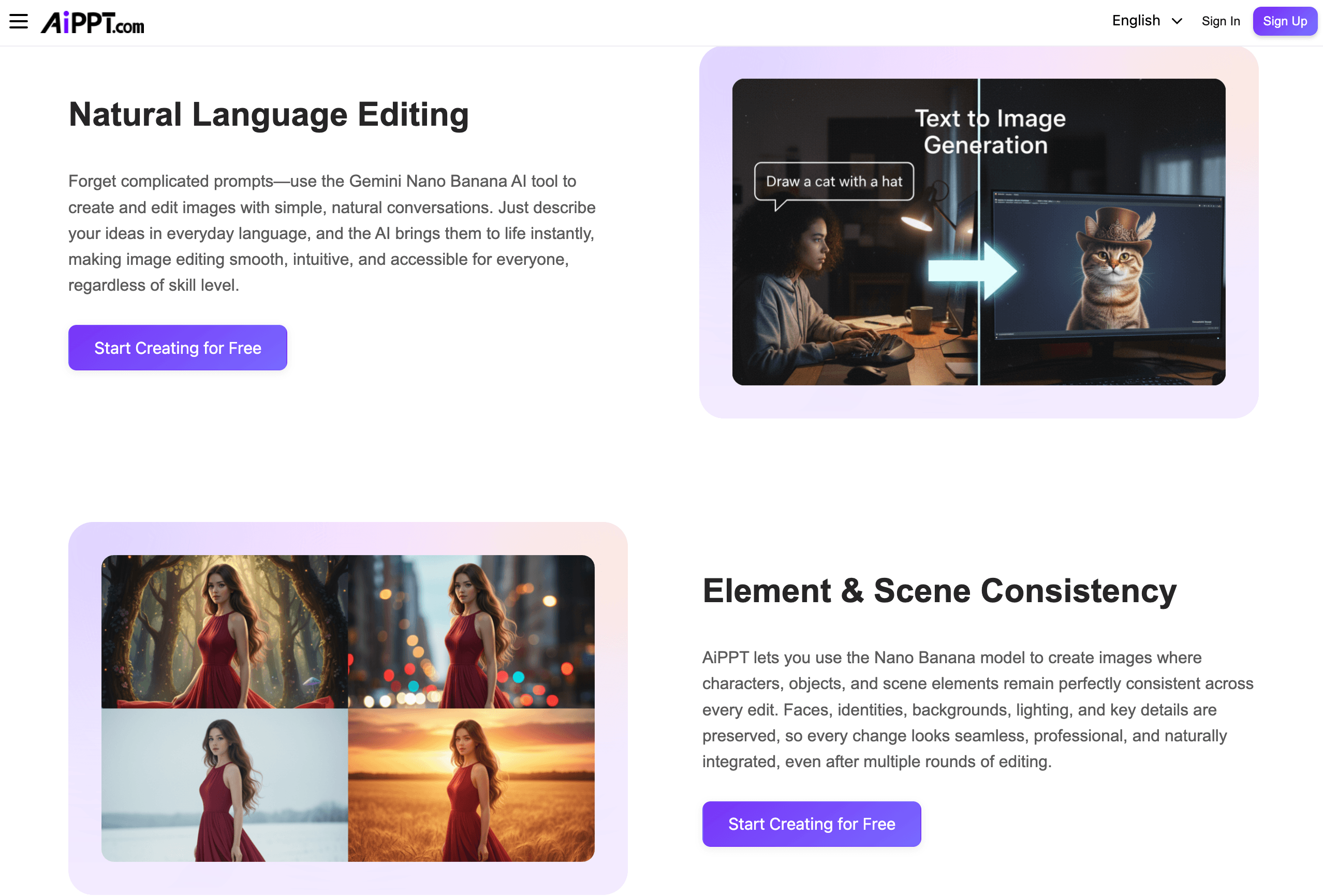
A modern, multi-model image and video stack: Rather than relying on one stock image engine, AiPPT integrates several current-generation AI image models (Flux, Imagen, Seedream, Nano Banana Pro/2) plus Kling- and Vidu-based video tools for slide motion. For decks that need custom visuals rather than generic stock photography, that’s a meaningfully deeper toolset than most competitors bundle in.
A large, categorized template library: Templates are organized by use case (education, business, creative, technology) and by style (minimalist, gradient, 3D, dark, and more), with sub-galleries for specific scenarios like thesis defenses, pitch decks, and lesson plans — useful for landing close to a finished look without hunting through a generic grid.
A practical free-tools layer: Beyond the core AI generator, AiPPT offers standalone file-conversion utilities — PDF to PPT, Excel to PPT, JPG/PNG to PPT, and the reverse conversions — that don’t require a full account commitment, which is a useful entry point for occasional users.
Fast first drafts on real source material: Reviewers who tested AiPPT against a standard prompt reported a first draft that was roughly 80% complete, structured, and cleanly exportable to PowerPoint — a strong starting point that meaningfully cuts down the time spent on layout and formatting busywork.
Key Features and Technology
AiPPT’s feature set is broad, but it organizes into a few core pillars: how content gets in, how it’s structured, how it’s designed, and how it comes back out.
Smart Document Parsing and Input Flexibility
The workflow starts with three steps: input content, generate and customize, then export or share. Input options include a plain-text topic or prompt, pasted content, and uploaded files — PDF, Word, PowerPoint, Excel, images, and URLs are all supported, alongside Markdown and XMind mind-map imports and Google Drive file access. The system reads the structure of the source material — headings, key data points, and bullet hierarchy — and maps that onto a chosen template rather than dumping raw text onto slides.
Three Generation Modes: Classic, Flow, and Visual
AiPPT Classic is the traditional route: structured slide-by-slide decks suited to business reports, pitch decks, and academic work. AiPPT Flow is described as an adaptive presentation mode, better suited to content that doesn’t fit a rigid slide-by-slide structure. AiPPT Visual leans into image-forward, design-led output — built around the Seedream 4.5 model on the free tier and upgrading to state-of-the-art visual models on paid plans — with a maximum of 20 slides regardless of plan tier, since the focus there is visual density rather than slide count.
Conversational Editing and Design Refinement
Once a draft exists, edits happen through natural-language instructions rather than only manual dragging and formatting — rewriting content, refining a layout, inserting a chart, updating a theme, or adjusting visuals can all be requested conversationally. AiPPT also applies automatic design refinement on top of that: typography adjustment, visual hierarchy optimization, spacing correction, and page-level layout balancing, aimed at closing the gap between “AI-generated” and “professionally designed” without extra manual work.
AI Image and Video Models
For custom visuals, AiPPT integrates Flux, Imagen, Seedream, and the Nano Banana family (including Nano Banana Pro and Nano Banana 2, added in 2026 for improved image fidelity) rather than limiting users to a single stock-image or single-model pipeline. For motion, Kling- and Vidu-powered tools support slide animation and short presentation video generation — features aimed at teams that want a deck to double as a short promotional or explainer video rather than a static file.
Template Library and Export Options
Templates are organized by scenario (business, education, creative, technology, holidays, sales and marketing, and more) and by visual style (minimalist, gradient, 3D, dark, cartoon, and others), with third-party reviewers citing a library in the neighborhood of 200,000+ templates. Finished decks export to PPTX, PDF, or image formats (PNG/JPG), or can be shared directly via a link, and outputs remain editable in standard tools like PowerPoint and Google Slides after export — useful for anyone who needs to hand a deck off to a colleague who isn’t on AiPPT.
Pricing, Plans, and Package Structure
AiPPT runs on a credit-based subscription model across three tiers — Free, Plus, and Pro — plus lifetime-deal options that have appeared through third-party marketplaces like AppSumo. Because AiPPT’s live pricing page renders its dollar figures dynamically by region and doesn’t expose them in static form, the table below combines the platform’s own published feature/credit breakdown with monthly price points reported across multiple independent reviews and coupon trackers as of mid-2026 — treat the dollar amounts as approximate and always confirm the current rate on the live pricing page before subscribing.
| Plan | Price (approx., USD) | What It Includes | Best For |
|---|---|---|---|
| Free | $0 | 140 one-time AI credits, 1 concurrent task, up to 10 slides per AI generation, free-tier generation and image models | Testing the workflow before committing |
| Plus | ~$9–12/month | 600 AI credits/month, 10 concurrent tasks, up to 20 slides per generation, advanced generation and image models | Regular individual users, students, freelancers |
| Pro | ~$20–30/month | 1,200 AI credits/month, 10 concurrent tasks, up to 50 slides per generation, state-of-the-art and all models | Frequent users, agencies, larger or more complex decks |
| Lifetime (via marketplace deals) | Varies by tier/promo | One-time payment for permanent access at a set credit tier, periodically offered through platforms like AppSumo | Buyers who want to avoid an ongoing subscription |
How AiPPT Compares to Alternatives
| Factor | AiPPT | Gamma | Canva Presentations |
|---|---|---|---|
| Core input | Prompt, docs, URL, Markdown, mind maps | Prompt, docs, PDF/PPTX import | Manual design first, AI assist secondary |
| Generation modes | Classic, Flow, Visual (3 engines) | Single card-based format | Single template-based format |
| AI image/video models | Flux, Imagen, Seedream, Nano Banana, Kling, Vidu | Built-in AI image models (fewer options) | Preset AI variations, less generative depth |
| Template library size | ~200,000+ templates | Smaller, curated set | Huge, broad design library |
| Entry paid price | ~$9–12/month (approx.) | ~$8–10/month (approx.) | ~$13–15/month (approx.) |
| Learning curve | Low — simple prompt/upload flow | Low | Moderate — full design toolkit |
| Best for | Document-to-deck conversion, flexible formats | Fast, web-native storytelling decks | Full manual design control and branding |
vs. Gamma: Gamma is a strong rival on speed and its distinctive card-based web format, and its entry pricing runs slightly below AiPPT’s in most third-party reporting. But Gamma sticks to a single generation format and a narrower AI-model selection, while AiPPT’s three-mode approach and multi-model image stack give it more range for users who need a traditional PPTX-style deck as often as a web-native one.
vs. Canva Presentations: Canva wins decisively on raw design depth, brand-kit tools, and its enormous general-purpose asset library — if pixel-level manual control matters most, Canva is the better fit. AiPPT’s advantage is on the generative side: turning an existing document or a URL directly into a structured outline is a faster starting point than Canva’s more manual, template-first workflow, even though Canva’s AI features have historically lagged behind dedicated AI slide generators.
vs. building manually in PowerPoint or Google Slides: Native tools give you complete control with zero subscription cost beyond what you already pay, but every layout and formatting decision is on you. AiPPT’s real value proposition is time: turning a source document into an 80%-complete draft in minutes is hard to beat when a deadline is close, even if the final 20% still needs a human’s eye.
Pros and Cons
What Users Love
Fast, structured first drafts: The most consistent praise across independent reviews and AppSumo users is speed — turning a document or prompt into a roughly 80%-complete, well-organized deck in minutes instead of hours of manual layout work.
Genuinely flexible input options: Being able to start from a PDF, a Word document, a URL, or a mind map — not just a text prompt — means AiPPT meets users where their content already lives, which reviewers repeatedly call out as a practical advantage over single-input competitors.
A large, categorized template library: With templates organized by scenario and style rather than a single generic grid, users report landing closer to a finished look faster, especially for common formats like pitch decks, lesson plans, and business proposals.
A deeper creative stack than most rivals: Multiple AI image models and video generation tools (Nano Banana, Kling, Vidu) give AiPPT more creative range than tools limited to a single built-in image generator.
Approachable pricing relative to enterprise tools: Entry-level paid pricing is positioned closer to individual-creator budgets than enterprise presentation software, and a free tier with export capability lets new users evaluate the platform before paying anything.
Limitations Worth Knowing
Thin independent review base: AiPPT’s Trustpilot presence is currently limited to a single review and G2 shows essentially no review volume, which makes it hard to independently verify satisfaction at scale — the strongest available signal right now is the smaller, lifetime-deal-buyer sample on AppSumo (4.52/5 from 23 reviews).
Free tier is one-time, not renewing: The 140 free credits are a one-time allocation rather than a monthly refresh, so casual users will exhaust the free tier faster than tools that grant recurring monthly free credits.
Literal prompt-following has limits: At least one detailed hands-on review noted that AiPPT doesn’t always follow very specific, slide-by-slide wording instructions precisely, and nuanced or technical source text can lose some depth in the AI’s automatic summarization.
Region-based, non-static pricing: Because the pricing page renders figures dynamically and doesn’t display them as static text, comparing plans or sharing a screenshot of pricing is less straightforward than with competitors that publish a fixed rate card — always check the live page for your account’s actual number.
Not a substitute for design expertise on high-stakes decks: For investor pitches or major client presentations, the AI-generated draft is a strong starting point, not a finished product — expect to spend real time on wording precision, brand consistency, and slide-level polish before it goes out the door.
Who Should Use AiPPT
Students and academics: Turning a research paper, lesson plan, or thesis draft directly into a structured slide deck is one of AiPPT’s clearest use cases, and the education-focused template categories (thesis defense, lecture, classroom) make the output feel purpose-built rather than generic.
Marketers and business teams under deadline: Converting a report, brief, or proposal into a pitch-ready first draft in minutes is a genuine time-saver for teams that produce decks regularly but don’t have dedicated design support.
Freelancers and solo professionals: The combination of flexible input formats, a large template library, and approachable entry pricing suits people who need professional-looking decks regularly but can’t justify enterprise presentation software.
Anyone who already has source material: If your starting point is a PDF, a Word doc, or a URL rather than a blank page, AiPPT’s document-parsing strength is where it delivers the most value compared with prompt-only competitors.
Who should look elsewhere: Teams that need heavy brand governance, deep manual design control, or a much larger general-purpose asset library are usually better served by Canva. Anyone relying entirely on third-party review platforms to vet a tool before buying should weigh AiPPT’s currently thin Trustpilot and G2 presence into that decision and lean more on hands-on testing via the free tier.
Getting Started: Step by Step
- Create an account. Sign up on aippt.com to claim the 140 one-time free credits and access the Free plan’s core generation and export features.
- Choose your input. Decide whether you’re starting from a topic and prompt, or uploading an existing document, URL, Markdown file, or mind map — using real source material tends to produce a stronger first draft than a bare prompt.
- Pick a generation mode. Select Classic for a traditional structured deck, Flow for more adaptive content layout, or Visual for an image-forward, design-led presentation, depending on the occasion.
- Select a template and generate. Choose from the categorized template library (by scenario or visual style) and let the AI build the outline and slide layouts from your input.
- Refine with conversational editing. Use natural-language instructions to rewrite sections, adjust layouts, insert charts, or swap themes, then manually fine-tune any slide-specific wording the AI didn’t get exactly right.
- Export or share. Download the finished deck as PPTX, PDF, or image files, or share it directly via a link — outputs stay fully editable in PowerPoint or Google Slides after export.
Tips for Getting Maximum Value
Start every project with the most structured source material you have — a document with clear headings and bullet points will consistently outperform a one-line prompt, since AiPPT’s parsing engine works best when it has real hierarchy to map onto a template. Spend your free 140 credits deliberately on a real project rather than test prompts, since it’s a one-time allocation rather than a monthly refresh. If a deck needs custom visuals rather than generic stock imagery, lean on the Nano Banana or Seedream image models inside AiPPT Visual mode rather than trying to source and upload outside images manually. For anything client-facing or high-stakes, budget real time after generation for a manual pass on wording precision and brand consistency — treat the AI draft as the first 80%, not the final 100%. And because plan pricing renders dynamically by region, always check the live pricing page in your own account before upgrading, rather than trusting a screenshot or a third-party price quote.
Future Outlook and Final Assessment
The AI presentation category is crowded and moving fast in 2026, with Gamma, Canva, Pitch, and Beautiful.ai all competing on some combination of speed, design quality, and collaboration features. AiPPT’s differentiation strategy — three distinct generation modes plus a multi-model AI image and video stack — is a reasonable bet on flexibility over specialization, and the addition of newer models like Nano Banana Pro and Nano Banana 2 suggests the platform is actively keeping pace with the broader AI image-generation landscape rather than standing still.
The honest caveat is that AiPPT’s independent review footprint is still thin compared with more established competitors, and pricing transparency lags behind rivals that publish a fixed rate card. Neither is disqualifying, but both are worth factoring in before committing to an annual plan. For the specific job of turning existing documents into a fast, structured first draft, AiPPT performs well and offers more format flexibility than most single-mode competitors — just go in expecting to spend some manual time on the final polish, and verify current pricing directly before you subscribe.
Conclusion
AiPPT isn’t trying to replace design judgment — it’s trying to eliminate the slowest, most tedious part of building a presentation: getting from a blank canvas to a structured, on-theme first draft. By accepting a wide range of source formats, offering three distinct generation modes, and pairing that with a genuinely broad AI image and video model stack, it covers more ground than many single-purpose AI slide tools. It rewards users who bring real source material rather than a vague prompt, and it’s not the right call for teams needing deep brand governance or a fully mature independent review record just yet — but for turning documents and ideas into a usable deck fast, it’s a capable, well-priced tool worth testing on the free tier before committing to a paid plan.
Ready to turn your next document into a finished deck?
Explore more honest reviews, tutorials and tech comparisons to find the right gear for the way you work, travel and live — at World Of Tech, where we make everything easy.
👉 Try AiPPT: https://worldoftech.space/megadreamslimited
👉 Our YouTube Channel: youtube.com/@world_tech79
👉 Our Facebook Fanpage: Facebook
👉 Our X (Twitter): @worldoftech79
Pricing, specifications and policy details in this review were verified against aippt.com and independent review sources (including AppSumo, Trustpilot, and hands-on reviewer testing) as of August 2026. AI presentation software pricing, credit allowances and features change frequently and pricing may vary by region, so confirm current details on the official site before purchasing. Competitor prices are approximate and subject to change.





