
Meetings, lecture recordings, PDFs, YouTube videos, and random voice memos all pile up the same way: fast, and in formats nobody wants to re-listen to or re-read. HyNote is built to sit in the middle of that mess. It is an AI note-taking app that records or ingests audio, PDFs, images, web pages, and video, then turns all of it into transcripts, summaries, action items, and structured notes you can search and chat with later. Instead of chasing one narrow use case, HyNote tries to cover meetings, lectures, research reading, and personal capture from a single app that syncs across web, phone, tablet, and even Apple Watch.
Backed by a free-forever entry tier, a five-tier pricing ladder that tops out with a per-seat Teams plan, and compliance messaging aimed at healthcare, legal, and finance teams, HyNote is positioning itself as more than a meeting bot. But “does everything” tools live or die on whether the AI actually captures what matters and whether the pricing structure is honest about its limits. This 2026 review walks through what HyNote actually does, what it costs, how it compares to Otter.ai and Fireflies.ai, and where it falls short.
HyNote Review 2026: Can This AI Note Taker Replace Your Meeting Assistant, PDF Summarizer, and Study Tool All at Once?
Overview and Background
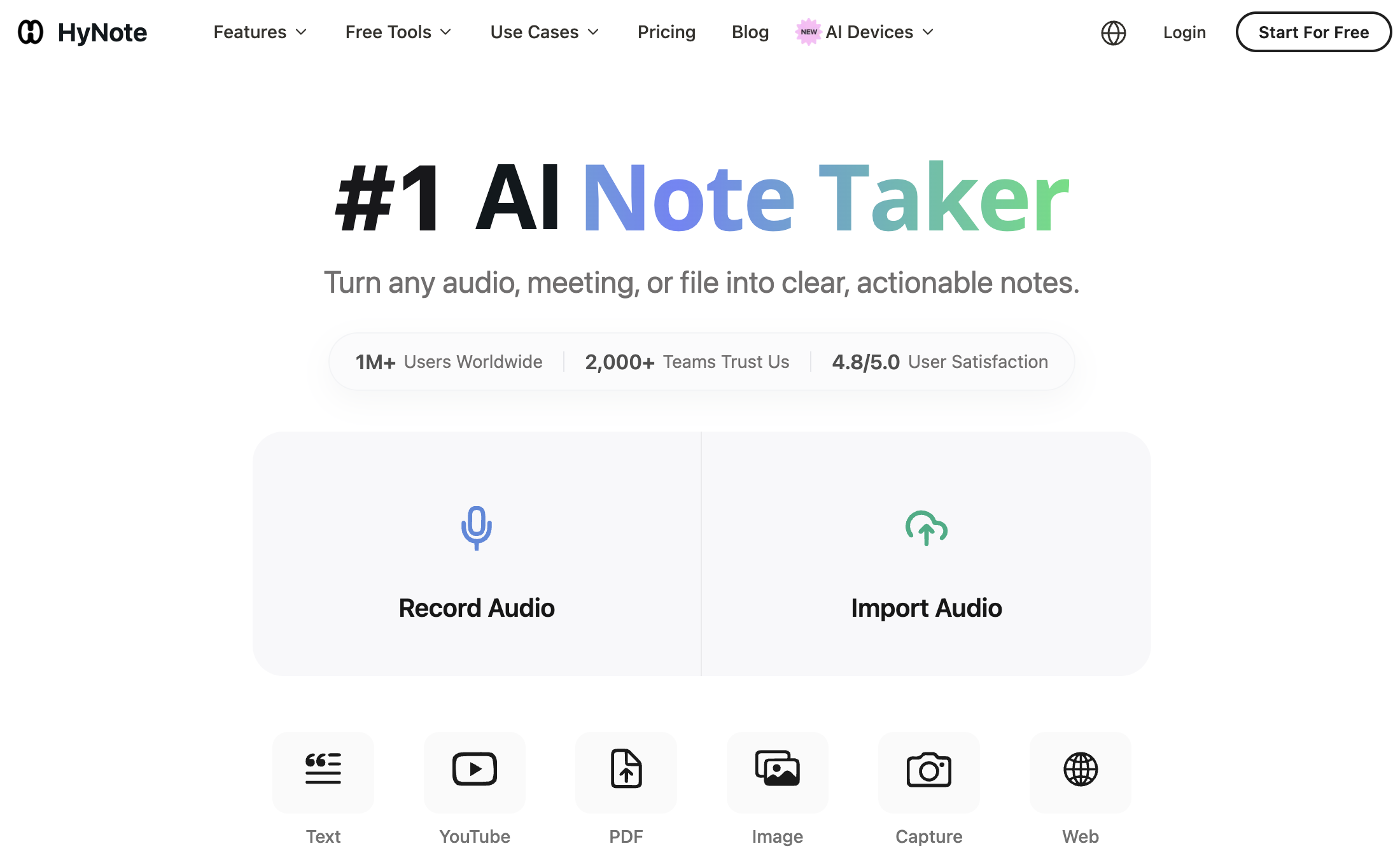
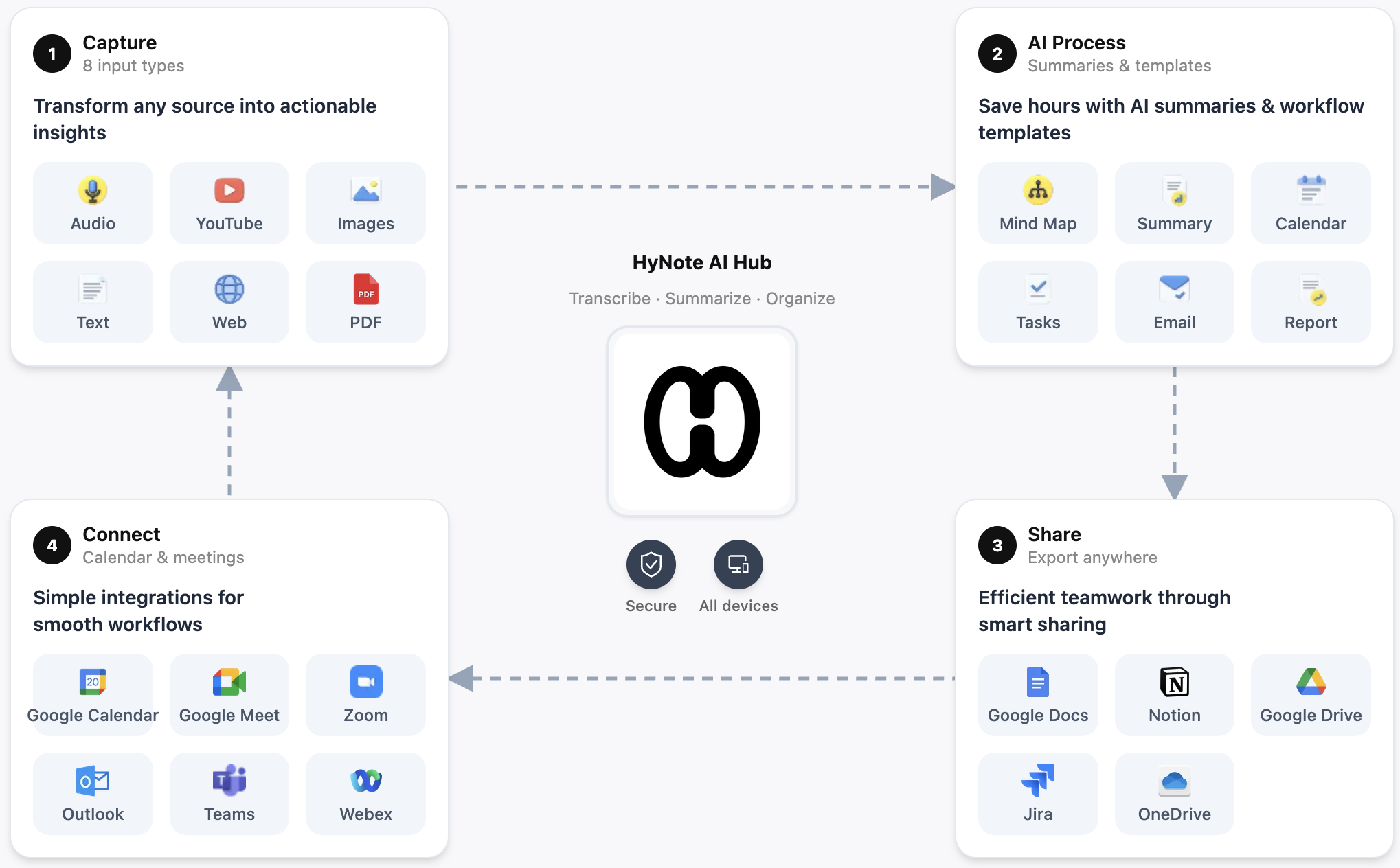
HyNote is developed and marketed under the brand names Tuling Network Limited (listed as the developer on the App Store) and Turing Intelligence LLC (listed in the site’s copyright footer), and it ships as a web app, iOS and Android app, iPad app, Apple Watch app, and Chrome extension. The core pitch is simple: capture content from eight different input types — live audio, uploaded audio/video files, PDFs, images (with OCR), YouTube links, web pages, phone calls, and Apple Watch recordings — and run all of it through the same AI summarization engine to produce transcripts, key points, action items, and more than 30 structured templates such as SWOT analyses, meeting minutes, and study notes.
The company markets HyNote as serving over 1 million users worldwide and 2,000+ teams, with a claimed 4.8/5.0 satisfaction score built on 6,718 App Store ratings and 3,750 Google Play ratings, plus a Product Hunt following of roughly 1,100 users. These figures are self-reported on HyNote’s own landing page and could not be independently cross-verified against a public Trustpilot page, since HyNote does not appear to maintain an established Trustpilot presence at the time of writing — so treat the headline numbers as marketing claims rather than confirmed third-party data. What can be verified independently is a genuinely positive consensus from third-party review outlets like Research.com and AIChief, a largely favorable but mixed Product Hunt review thread, and a hands-on blogger review that describes the transcription as good but not flawless.
HyNote’s product design leans heavily on its “AI Core Engine” branding — a single processing layer that handles transcription, abstractive summarization, and template generation regardless of whether the input was a live call, an uploaded PDF, or a YouTube link. That architectural choice is what lets the same note end up as a meeting-minutes document, a set of flashcards, or a blog draft depending on which template you apply after capture, rather than requiring separate tools for each output format.
Why HyNote Stands Out in 2026
Eight input types under one roof: Most note-taking apps specialize in meetings or in PDFs. HyNote handles live audio, uploaded MP3/WAV/M4A/AAC files, PDFs, image OCR, YouTube links, web page capture, phone calls, and Apple Watch recordings from a single interface, which cuts down on the app-switching that usually comes with mixing a meeting tool, a PDF summarizer, and a transcription service.
No meeting bot required: HyNote transcribes Zoom, Google Meet, Microsoft Teams, and Webex calls live from your own device, or from an uploaded recording afterward. There is no bot that visibly joins the call roster, which some teams prefer for privacy or client-facing calls where an “AI notetaker has joined” banner feels intrusive.
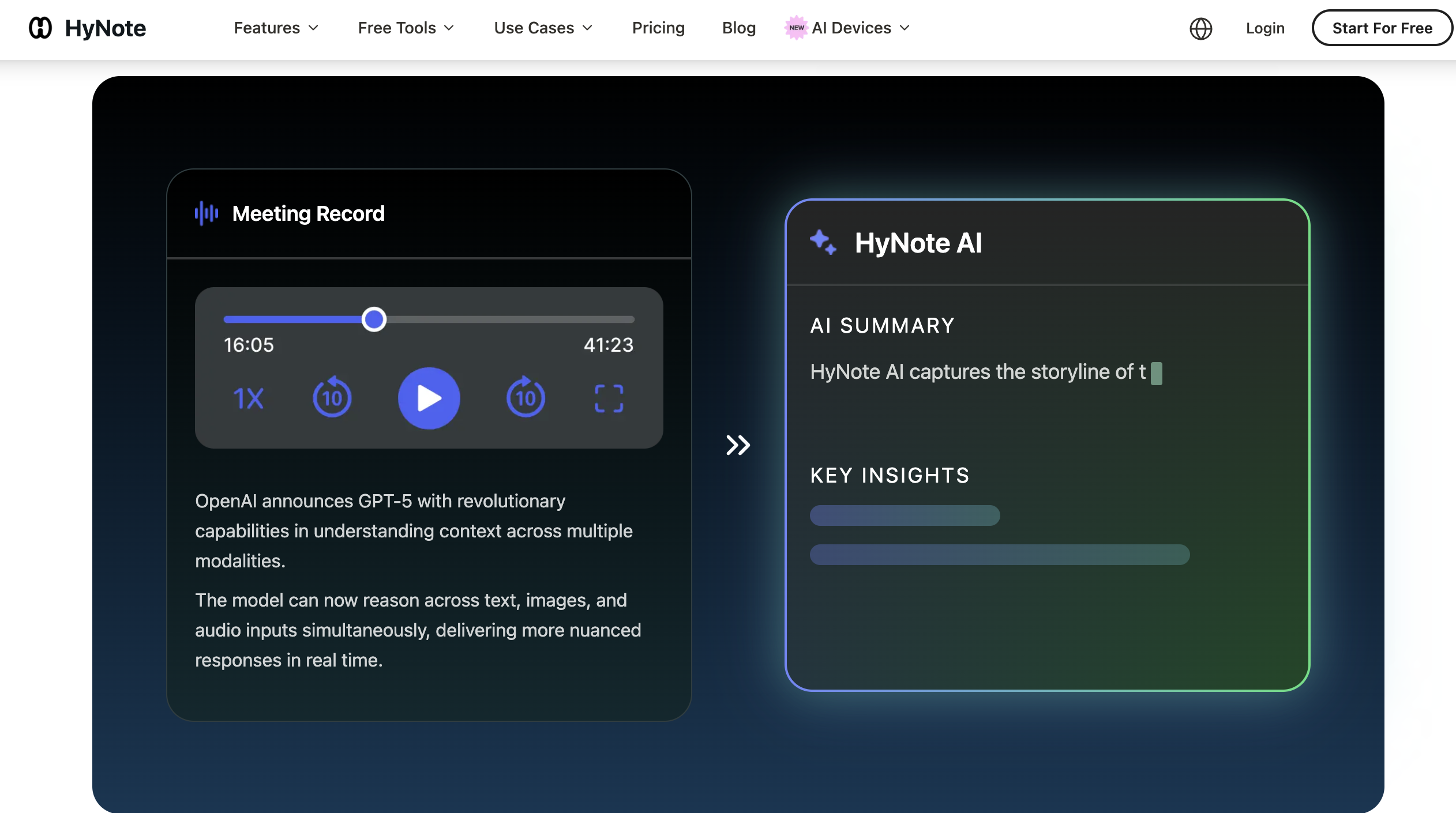
Abstractive, not just extractive, summaries: HyNote’s engine is described as reading full transcripts and documents to generate genuine summaries, key points, and structured minutes rather than just pulling out keyword fragments. Independent reviewers echo this, noting the meeting-summary output groups topics and surfaces next steps rather than dumping a wall of bullet points.
Genuinely free forever tier: Unlike competitors that gate transcription behind a paywall after a trial, HyNote’s Free plan includes audio recording and transcription, professional templates, cross-device sync, calendar integration, and private storage with no credit card required — capped at 120 minutes per recording session, but with no stated expiration.
Compliance messaging aimed at regulated industries: AES-256 encryption at rest, TLS 1.3 in transit, SOC 2 Type II infrastructure, and GDPR/CCPA/HIPAA-aligned workflows are baked into the pitch, with 2FA, SSO, and audit logging reserved for team plans. That is a meaningfully higher compliance bar than most consumer note-taking apps advertise.
Study and content-creation templates beyond meetings: Flashcards, quizzes, study plans, and reading notes sit alongside publishing templates for blog posts, podcasts, slide decks, and infographics — a broader net than most meeting-first competitors cast, and one that appeals directly to students and solo content creators, not just office workers.
Real cross-device continuity: Web, iPhone, Android, iPad, Apple Watch, and a Chrome extension all sync in real time, so a voice memo captured on a watch during a walk can be reviewed and edited from a laptop minutes later without a manual export step.
Key Features and Technology
HyNote organizes its feature set into six practical buckets: capture, summarization, meeting transcription, audio-to-text conversion, export/sync, and secure storage. Here is what each actually does.
Multimodal Capture
Record live audio, upload MP3/WAV/M4A/AAC files, drop in a PDF, snap or upload an image for OCR extraction, paste a YouTube link, capture a web page, record a phone call, or dictate from an Apple Watch. Each input routes into the same note structure, so a research PDF and a recorded lecture end up living in the same searchable notebook.
Smart Summarization and Templates
Over 30 professional templates cover meeting minutes, FAQs, resumes, case studies, SWOT analyses, interview notes, and brainstorm notes, alongside output formats like brief summaries, key points, and action items. Everything can export to PDF, TXT, Google Docs, or Notion in one click.
Meeting Transcription Without a Bot
HyNote transcribes Zoom, Google Meet, Teams, and Webex sessions live or from a post-call recording, claiming up to 99% accuracy on clear speech (an internal, unverified benchmark) and speaker identification for up to 10 participants across 50+ languages. Because there is no bot joining the call, this depends on your own device correctly capturing system or microphone audio — worth testing with a real call before relying on it for anything important.
Security and Compliance Posture
Data is encrypted with AES-256 at rest and TLS 1.3 in transit, hosted on SOC 2 Type II infrastructure, and positioned as GDPR-, CCPA-, and HIPAA-aligned. Team plans add 2FA, SSO, and audit logging. This is one of the stronger security postures among consumer-priced note-taking apps, though “HIPAA-aligned workflows” is a narrower claim than “HIPAA compliant,” and organizations in regulated industries should request a Business Associate Agreement directly from HyNote before trusting it with protected health information.
Export, Sync, and Team Collaboration
Beyond the one-click Google Docs and Notion export, HyNote syncs notes in real time across web, iPhone, Android, iPad, Apple Watch, and its Chrome extension, so a note started during a commute on a phone is fully editable on a desktop by the time you sit down. Calendar integration with Google Calendar and Apple Calendar lets action items turn into scheduled follow-ups without leaving the app. Team plans add shared templates and admin controls, though HyNote’s collaboration features remain lighter than dedicated workspace tools — there is no built-in commenting thread or granular per-note permission system the way a tool like Notion offers natively.
Pricing, Plans, and Package Structure
HyNote runs a five-tier structure, all billed annually at the discounted rate shown below (monthly billing is also available at a higher effective rate). Every paid tier above Free includes a 7-day trial.
| Plan | Price | What It Is | Best For |
|---|---|---|---|
| Free | $0/month | Audio recording/transcription up to 120 min/session, templates, sync, calendar integration | Testing the product, light personal use |
| Pro | $6.66/mo ($79.99/yr) | 1,200 transcription min/month, 300 podcast/slides/infographic credits, translation, transcript export | Students, solo professionals with regular recordings |
| Plus | $10.83/mo ($129.99/yr) | 1,200 min real-time transcription, speaker ID, 400 credits, live translation, Google Docs/Notion transfer | Frequent meeting-goers who need live transcription |
| Unlimited | $15.83/mo ($189.99/yr) | Unlimited real-time transcription, 600 credits, unlimited storage, CRM integration | Power users, sales and client-facing roles |
| Teams | $15/seat/mo ($180/seat/yr), min. 2 seats | Everything in Unlimited plus team templates, admin controls, priority support | Small teams standardizing on one notes tool |
How HyNote Compares to Alternatives
Otter.ai and Fireflies.ai are the two names most people cross-shop against HyNote, since all three promise AI meeting transcription with a free entry tier. Competitor prices below are approximate as of mid-2026 and change frequently — verify current rates before buying.
| Factor | HyNote | Otter.ai | Fireflies.ai |
|---|---|---|---|
| Entry paid price | $6.66/mo (annual) | ~$8.33/mo (annual) | ~$10/mo (annual) |
| Free plan cap | 120 min/session, no stated monthly limit | 300 min/month, 30 min/conversation | ~400–800 min/team, limited AI credits |
| Input types | 8 (audio, PDF, image OCR, YouTube, web, phone, watch) | Meeting audio + file import; narrower scope | Meeting audio-first, CRM-centric add-ons |
| Meeting capture method | No bot; records from your device | Bot joins Zoom/Meet/Teams calls | Bot joins calls; syncs to CRM |
| Compliance | GDPR/CCPA/HIPAA-aligned on paid tiers | Enterprise-tier security/SSO only | HIPAA compliance on Enterprise only |
| Best for | Individuals mixing meetings, PDFs, study, and content capture | Teams centered on recurring live meetings | Sales teams needing CRM-synced call intelligence |
HyNote vs. Otter.ai: Otter is the more mature, meeting-dedicated tool with a true joining bot and deeper live-caption features for large teams, but its free tier is capped at 300 minutes a month and its Pro plan tops out at 1,200 minutes just like HyNote’s — at a slightly higher price. HyNote pulls ahead if you want one app for meetings, PDFs, and study material instead of a meeting specialist.
HyNote vs. Fireflies.ai: Fireflies leans hard into CRM sync (Salesforce, HubSpot) and conversation intelligence for sales teams, but its “unlimited transcription” claim is undercut by storage caps and a separate AI-credit system for summaries and its AskFred assistant. HyNote’s flat per-tier minute allowances are easier to reason about, though it lacks Fireflies’ CRM depth for sales-specific workflows.
One more angle worth weighing: none of these three tools wins outright on every axis. Otter’s live-caption experience and Enterprise-grade admin controls are more mature for large distributed teams running dozens of daily meetings. Fireflies’ native CRM sync makes it the default pick for revenue teams who need call intelligence inside Salesforce or HubSpot without manual data entry. HyNote’s edge is breadth and price — it’s the only one of the three built to treat a lecture recording, a research PDF, and a client call as the same kind of input, at a lower entry price than either competitor’s Pro tier. Which one “wins” really depends on whether your core problem is meeting volume, sales pipeline visibility, or scattered content across formats.
Pros and Cons
What Users Love
Broad capture range in one app: Reviewers on Product Hunt and independent blogs consistently call out the ability to combine audio, screenshots, videos, PDFs, and web content into one structured note system as the standout benefit over single-purpose competitors.
Summary quality that saves real time: A hands-on reviewer testing HyNote against real meeting and lecture recordings found the AI summaries genuinely grouped topics and pulled out next steps — the feature they said “actually saves time,” not just window dressing.
Smooth cross-device sync: Multiple reviews highlight that starting a note on one device and finishing on another works reliably, which matters for anyone who reviews notes on a laptop after capturing them on a phone or watch.
A genuinely usable free tier: Multiple third-party reviewers note that HyNote’s free plan is not a crippled trial — it includes real transcription, templates, and sync without a credit card, which lowers the barrier to actually testing the product before paying.
Limitations Worth Knowing
Accuracy dips with accents and noise: The same hands-on reviewer who praised the summaries also flagged that heavier accents and background noise produce transcripts that are “close but not exact,” and recommended treating output as a strong draft rather than a finished transcript.
A real billing complaint on record: A Product Hunt review thread singles out a user reporting misleading refund handling and an unexpected charge — a customer-service and billing concern that stands in contrast to the otherwise positive product-quality feedback and is worth weighing before committing to annual billing.
No dedicated meeting bot: If your workflow depends on an AI notetaker automatically joining every calendar invite the way Otter or Fireflies does, HyNote’s device-side recording approach requires you to remember to hit record — a workflow gap for people who forget mid-meeting.
Advanced features are locked behind paid tiers: Research.com’s analysis of the product notes that larger storage, deeper integrations, and batch summarization all sit behind paid plans, which can be a real barrier for anyone trying to run a heavy workflow entirely on the free tier.
Self-reported scale claims lack independent verification: The 1M+ users and 4.8/5.0 satisfaction figures come from HyNote’s own marketing, and no established Trustpilot presence was found to cross-check them against — worth keeping in mind as a marketing claim rather than an audited statistic.
Who Should Use HyNote
Students and researchers: Study notes, flashcards, quizzes, lecture summaries, and PDF chat cover the academic workflow end to end, and the free tier is generous enough to actually use through a semester before deciding to upgrade.
Solo professionals and consultants: Anyone juggling client calls, PDFs, and follow-up emails benefits from having transcription, meeting minutes, and follow-up-email templates in one subscription instead of stitching together separate tools.
Small teams standardizing on one tool: The Teams plan’s admin controls, shared templates, and priority support make sense for a small agency or startup that wants one note-taking standard without enterprise-scale procurement.
Content creators and podcasters: The publish-oriented templates — blog, podcast, slides, and infographic generation from a single recording or PDF — give creators a faster route from raw material to a first draft.
Who should look elsewhere: Sales teams that live and die by CRM-synced call intelligence will get more out of Fireflies’ native Salesforce/HubSpot integrations. Large enterprises needing an audited HIPAA Business Associate Agreement, dedicated meeting bots that auto-join every calendar event, or a mature Trustpilot-verified reputation should evaluate Otter’s Enterprise tier or run a compliance review with HyNote directly before rolling it out to regulated teams.
Getting Started: Step by Step
- Create a free account. Sign up at hynote.ai with no credit card required, and download the mobile app or Chrome extension if you plan to capture on the go.
- Run a test capture on your own hardware. Record a short live call or upload a sample recording with background noise before trusting it with an important meeting, since accuracy varies with accent and audio quality.
- Pick your primary input types. Decide whether you’ll mostly capture meetings, PDFs, lectures, or web content, and set up the relevant note templates (meeting minutes, study notes, SWOT) in advance.
- Connect your export destinations. Link Google Docs, Notion, and your calendar early so summaries and action items land where your team actually works, rather than staying trapped in the app.
- Track your monthly minute usage. If you’re on Free or Pro, keep an eye on the 120-minute session cap or 1,200-minute monthly allowance so a heavy week doesn’t stall your workflow mid-month.
- Upgrade only once you hit a real limit. Move to Plus for live translation and direct Notion/Google Docs transfer, or Unlimited for unlimited real-time transcription and CRM integration — but only after the free or Pro tier actually runs out for your usage pattern.
Tips for Getting Maximum Value
Treat HyNote’s transcripts as a strong first draft rather than a finished record, especially for calls with heavy accents or background noise — a quick skim-and-correct pass before sharing minutes externally will save you from an embarrassing misquote. Batch your PDF and YouTube summarization sessions to make the most of your monthly transcription minutes, since live meeting capture tends to eat the allowance faster than file uploads. If your team relies on Slack for meeting recaps, set up a habit of exporting to Google Docs or Notion first and sharing that link, since HyNote’s Slack support runs through the native share sheet rather than a direct integration. And if you’re evaluating a paid tier, start the 7-day free trial on Pro or Plus rather than jumping straight to Unlimited — most individual users find the 1,200-minute allowance more than covers a normal month before they ever need unlimited real-time transcription.
Future Outlook and Final Assessment
The AI note-taking category is crowded and consolidating fast in 2026, with meeting-bot specialists like Otter and Fireflies competing against multimodal generalists like HyNote, and free tools like Fathom pressuring the low end of the market. HyNote’s bet is that most people don’t want five separate subscriptions for meetings, PDFs, study notes, and content drafting — they want one AI layer across all of it. That bet looks reasonably well-placed given the positive third-party coverage from Research.com and AIChief and the consistent praise for cross-device sync and summary quality in independent reviews.
The honest caveats are real, though: transcription accuracy softens with accents and noisy audio, at least one documented billing complaint raises questions about refund handling, the company’s own scale claims can’t be independently verified against a Trustpilot record, and teams that need a true auto-joining meeting bot or audited HIPAA compliance will find HyNote’s device-side recording and “HIPAA-aligned” language short of what Otter Enterprise or a dedicated compliance-first tool offers. Within those limits, HyNote remains one of the more genuinely useful all-in-one capture tools available at this price point in 2026.
Conclusion
HyNote doesn’t try to be the fanciest meeting bot on the market — it tries to be the one AI layer that follows you from a Zoom call to a PDF to a lecture recording to a YouTube video, and mostly succeeds at that broader job. The free tier is genuinely usable, the summarization quality earns real praise from independent reviewers, and the security messaging is stronger than most competitors at this price. But the transcription still needs a human proofread on noisy audio, the self-reported user numbers can’t be independently confirmed, and at least one billing complaint is on the public record. Test it on your own messiest recording before you commit to a paid plan, and it can genuinely replace two or three separate note-taking subscriptions with one.
Ready to turn your meetings, PDFs, and lectures into notes that actually save you time?
Explore more honest reviews, tutorials and tech comparisons to find the right software for the way you work, study and build — at World Of Tech, where we make everything easy.
👉 Try HyNote: https://worldoftech.space/hynote.ai
👉 Our YouTube Channel: youtube.com/@world_tech79
👉 Our Facebook Fanpage: Facebook
👉 Our X (Twitter): @worldoftech79
Pricing, specifications and policy details in this review were verified against hynote.ai and independent review sources (including Research.com, AIChief, Product Hunt, and hands-on reviewer testing) as of July 2026. SaaS pricing and features change frequently, so confirm current details on the official site before purchasing. Competitor prices are approximate and subject to change.





