
Video has quietly become the default format for everything from marketing clips to classroom assignments, but most editing tools are still built around a single job: cutting footage together. WeVideo takes a different approach, positioning itself as a cloud-based video creation and interactive learning platform that lets anyone — a solo creator, a corporate trainer, or a school district — edit, publish, and layer engagement tools onto video without installing any software.
With more than three decades of feature updates behind it and a footprint that reportedly spans over 30 million accounts, WeVideo has grown from a simple browser-based editor into a genuinely broad platform covering consumer editing, business video production, and education-focused interactivity. But cloud convenience comes with its own tradeoffs — publish-time caps, tiered resolution limits, and a pricing structure that shifts meaningfully depending on whether you’re an individual, a business, or a school. This 2026 review walks through what WeVideo actually offers, what it costs, and who is likely to get real value from it.
WeVideo Review 2026: Cloud Video Editing and Interactive Learning Platform
Overview and Background
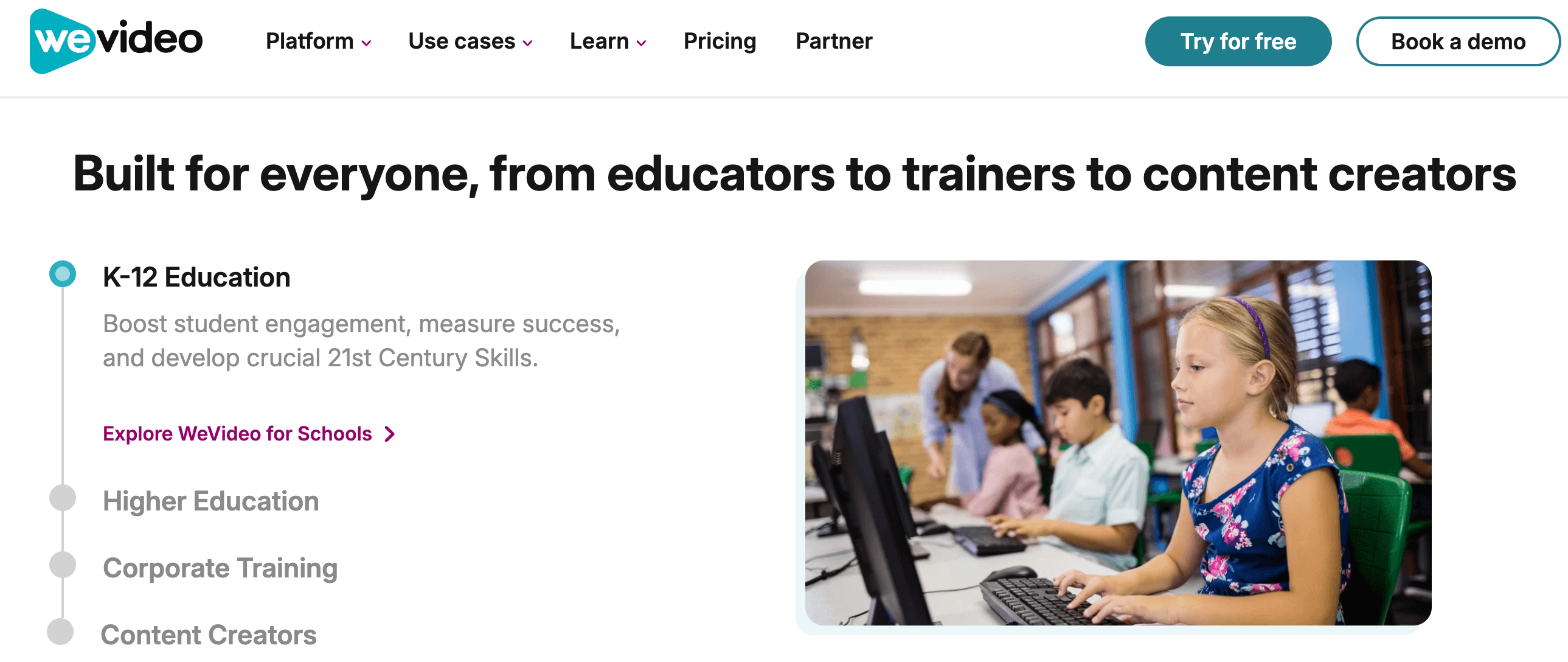
WeVideo started life as a straightforward browser-based video editor and has since split into several distinct product lines under one brand: a consumer/creator editor, a business suite with white-label and hosting options, and an education platform (which also incorporates the interactive-video tool PlayPosit) built around quizzes, polls, discussions, and analytics layered directly onto video content. The company’s current homepage messaging leans heavily into “active learning” and interactivity rather than pure editing, which reflects where a large share of its customer base — schools and districts — actually sits.
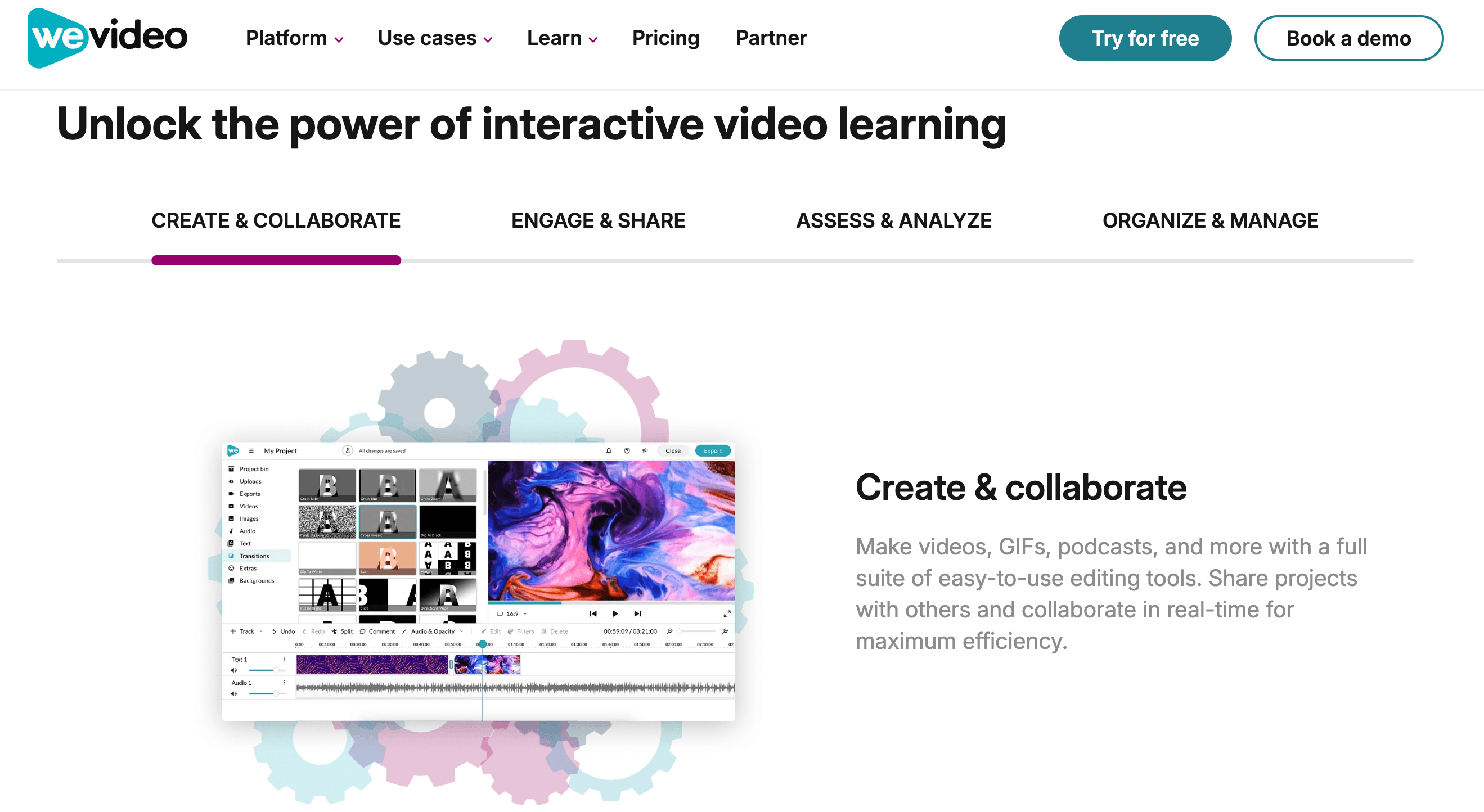
The core editor itself is a timeline-based, non-linear video tool that runs entirely in a browser (with companion iOS, Android, and Chromebook apps), meaning there’s nothing to install and projects sync automatically to the cloud. On top of that base, WeVideo layers screen recording, green screen, AI-assisted editing tools, motion titles, and — for education and business accounts — interactive elements that turn a passive video into something closer to a short course or an interactive presentation.
It’s worth understanding upfront that “WeVideo” today is really an umbrella covering several distinct offerings rather than a single product with one price tag. Individuals and small businesses shop from a Creator/Power/Unlimited/Professional/Business ladder; schools and universities shop from a separate education catalog (Single Teacher, Classroom, Instructor, Organization); and larger enterprises negotiate custom deployments that bundle in dedicated rendering resources and account management. This structure makes sense given how differently a hobbyist editor, a corporate L&D team, and a school district actually use video — but it also means the “right” WeVideo plan looks very different depending on who’s buying, and pricing pages can be genuinely confusing to navigate on a first visit.
Why WeVideo Stands Out in 2026
Truly cross-device editing: Because the editor lives in the browser, the same project can be opened and continued on a Chromebook at school, a Mac at home, or a Windows laptop at the office, with cloud sync handling the handoff. For institutions standardized on Chromebooks, this is a genuine differentiator over desktop-only editors.
Interactivity is a first-class feature, not a bolt-on: Layering multiple-choice questions, polls, discussion prompts, and fill-in-the-blank elements directly onto a video timeline is not something most general-purpose editors (Canva, Adobe Express, CapCut) offer out of the box. For instructional design and corporate training, this closes the gap between “watched the video” and “actually engaged with the content.”
Built-in classroom and district administration: WeVideo for Schools includes domain-level sync with Google Workspace and Microsoft 365, Google Classroom integration, roster-based logins that don’t require students to have personal email addresses, and a documented commitment to COPPA and FERPA compliance — details that matter far more to IT administrators than editing horsepower alone.
Analytics that go beyond view counts: On education and business plans, WeVideo can report per-user engagement data — who answered which question, who dropped off, and where — which is a meaningfully different value proposition than a plain video host.
A genuinely deep media library: Education plans include unlimited use of a stock library that WeVideo lists at over 460,000 videos, 125,000 music tracks, and 415,000 images, while personal/business tiers get access to a separate 1M+ asset library — useful for anyone who doesn’t want to source their own b-roll and music.
White-label and API options for product teams: WeVideo offers a white-label video creation API, letting SaaS companies embed editing and hosting capability into their own product rather than building it from scratch — a niche but valuable option for platforms that need video tools without owning that engineering problem.
Long operating history and enterprise trust signals: WeVideo states its tools are used by two-thirds of the top 100 U.S. school districts, and the platform has accessibility review certification from Accessible360, which matters for public-sector and district procurement decisions.
Key Features and Technology
WeVideo’s feature set spans four broad categories: the core editing suite, interactivity and assessment tools, AI-assisted creation, and collaboration/hosting/LMS integrations. Which of these you actually get access to depends heavily on which product line — Creator, Business, or Education — and which tier within it, you subscribe to. It’s a genuinely wide toolkit on paper, but the practical experience depends heavily on matching the feature list against your actual workflow rather than assuming every plan includes everything described on the homepage.
Cloud-Based Video Editing Suite
The core editor supports a standard multi-track timeline with trimming, transitions, motion titles, and templates, plus more specialized tools like green screen keying, slow motion, audio boosting, cropping, and GIF creation. Higher tiers unlock 4K Ultra HD export, unlimited stock media usage, and the ability to build and save custom templates for brand consistency. WeVideo supports import and export across more than 600 audio, video, and graphics formats, so compatibility with existing footage is rarely an issue.
The Quick Recorder browser extension is one of the more practical additions here — it lets users capture screen, webcam, or both simultaneously with no separate download, and on paid tiers there’s no cap on recording length. Combined with the built-in voiceover tool, this covers a large share of what tutorial creators, trainers, and educators actually need without leaving the WeVideo environment to record footage elsewhere and re-upload it.
Interactive Video and Assessment Tools
This is where WeVideo diverges most from a typical editor. Business and education accounts can embed multiple-choice questions, open-ended prompts, polls, and discussion points directly into the video timeline, then pull real-time analytics on how viewers responded. For classrooms, this supports flipped-learning models and self-paced instruction; for corporate training, it turns a passive onboarding video into something closer to a trackable compliance module.
AI Assist and Automation
WeVideo’s “AI Assist” suite is aimed at cutting down repetitive editing work — automating tasks like caption generation, scene selection, and rough-cut assembly so creators spend less time on manual timeline work. It’s positioned as a time-saver layered on top of the existing editor rather than a full generative-video replacement, which is a reasonable and honest scope for this category.
Collaboration, Hosting, and LMS Integrations
Team and business plans support real-time collaborative editing, shared project libraries, and permission management. WeVideo also functions as a video host, letting organizations build a searchable library of internally produced content. On the integrations side, it connects with Google Classroom, Canvas, Schoology, ClassLink, and Google Drive/Microsoft OneDrive, and supports single sign-on deployment through G Suite/Google Workspace or Office 365 for education and enterprise accounts.
Pricing, Plans, and Package Structure
WeVideo runs three separate pricing tracks — Individuals & Small Businesses, Education, and Enterprise/Organization — each with its own tiers. The table below covers the individual/creator pricing, which is what most reviewers and casual buyers will land on first. All prices below are billed annually unless noted; WeVideo also offers month-to-month billing at a meaningfully higher rate.
| Plan | Price | What It Is | Best For |
|---|---|---|---|
| Free | $0 | 5 min publishing/month, 1GB storage, 480p export | Trying the editor before buying |
| Power | $4.99/mo (billed $59.88/yr) | 30 min/month publishing, 720p export, 20GB storage | Occasional single-project creators |
| Unlimited | $7.99/mo (billed $95.88/yr) | Unlimited storage/publishing, 4K export, advanced stock | Regular personal creators, vloggers |
| Professional | $19.99/mo (billed $239.88/yr) | Unlimited stock, premium templates, brand management | Freelancers and solo content businesses |
| Business | $36.99/mo (billed $443.88/yr) | Custom templates, real-time collaboration, up to 3 seats | Small teams producing branded content together |
| Enterprise / Education | Custom quote (Education from $89/yr per teacher, 30-seat Classroom from $374/yr) | Dedicated rendering, district/organization licensing, LMS SSO | Schools, districts, and large organizations |
How WeVideo Compares to Alternatives
| Factor | WeVideo | Canva Pro | Adobe Express Premium |
|---|---|---|---|
| Starting paid price* | ~$7.99/mo (annual) | ~$15/mo (varies by region/promo) | $9.99/mo |
| Core focus | Timeline video editing + interactivity | Graphic design, with basic video | Quick graphics/social templates, with basic video |
| Interactive quizzes/polls in video | Yes (Business/Education tiers) | No | No |
| Screen recording | Yes, unlimited on most paid tiers | Limited | Limited |
| LMS / classroom integrations | Google Classroom, Canvas, Schoology, ClassLink | Limited/none native | Limited/none native |
| Template/asset library depth | Large (1M+ personal, 460K+ education video assets) | Very large (140M+ assets) | Large (200M+ assets), Adobe ecosystem |
| Best for | Video editing + engagement tracking | Graphics-first content, quick social posts | Adobe-ecosystem users, quick branded graphics |
*Competitor prices are approximate, vary by region and promotion, and are subject to change — always verify current rates directly with each vendor.
WeVideo vs. Canva Pro: Canva’s strength is breadth — a single subscription covers graphic design, presentations, and light video editing across a massive template library, and it’s generally easier to pick up for non-editors. WeVideo goes deeper specifically on video: a real multi-track timeline, screen recording, and interactivity that Canva simply doesn’t offer. If your output is mostly social graphics with occasional short clips, Canva likely fits better; if video is the actual deliverable, WeVideo’s dedicated tooling wins.
WeVideo vs. Adobe Express: Adobe Express is fast, template-driven, and a natural fit for teams already inside the Adobe Creative Cloud ecosystem, but its video capabilities are lighter than a purpose-built editor. WeVideo’s timeline-based editing, unlimited screen recording on paid tiers, and classroom/business interactivity give it a clearer edge for anyone whose core need is structured video production rather than quick branded graphics.
Pros and Cons
What Users Love
Genuinely easy onboarding: G2 reviewers give WeVideo a strong 9.7/10 “ease of setup” score, and multiple independent reviews describe the editor as approachable for people with no prior editing background, even when producing fairly polished output.
Solid overall satisfaction on G2: Verified business reviewers rate WeVideo 4.6 out of 5 across 95 reviews on G2, with particular praise for its built-in media library, audio mixing tools, and its usefulness for educator-created video content.
Cross-device flexibility: Because the editor is cloud-based, reviewers consistently highlight being able to move between Chromebook, desktop, and mobile without losing project data — a practical win for schools and remote teams.
Genuinely useful interactivity for education: Reviewers in education roles specifically call out the ability to splice questions, polls, and discussion prompts into existing video as a standout feature that few competitors replicate.
Limitations Worth Knowing
A significant rating gap across review platforms: While WeVideo scores well on G2 (4.6/5), Trustpilot currently rates it “Average” at roughly 2.9 out of 5 across around 655 reviews, and Sitejabber shows an even lower 1.4 out of 5 from 18 reviews. This split is worth taking seriously — G2’s audience skews toward verified business/education buyers, while Trustpilot and Sitejabber capture a broader mix of free-tier and consumer users, many of whom report billing frustrations.
A recurring billing complaint pattern: A meaningful share of negative reviews on Trustpilot and Sitejabber describe being charged immediately after starting a free trial, difficulty finding cancellation options, or being billed after cancellation. WeVideo’s own FAQ confirms all fees are non-refundable and that cards are charged immediately on purchase — so read the trial and billing terms closely before entering payment details.
Free and entry-tier limits are tight: 5 minutes of monthly publish time and 480p export on the free plan, and just 30 minutes at 720p on the entry Power tier, will frustrate anyone expecting to complete more than one small project without upgrading.
Rendering and processing speed complaints: Several independent reviews mention slow upload/render times for longer or higher-resolution projects, and occasional timeline lag — worth testing on the free plan with your own footage before committing to a paid tier.
Feature fragmentation across product lines: Because WeVideo splits Creator, Business, and Education pricing into separate structures with different feature sets, it can be genuinely confusing to figure out which specific plan includes interactivity, collaboration, or higher resolution — double-check the comparison chart for your specific use case rather than assuming.
Who Should Use WeVideo
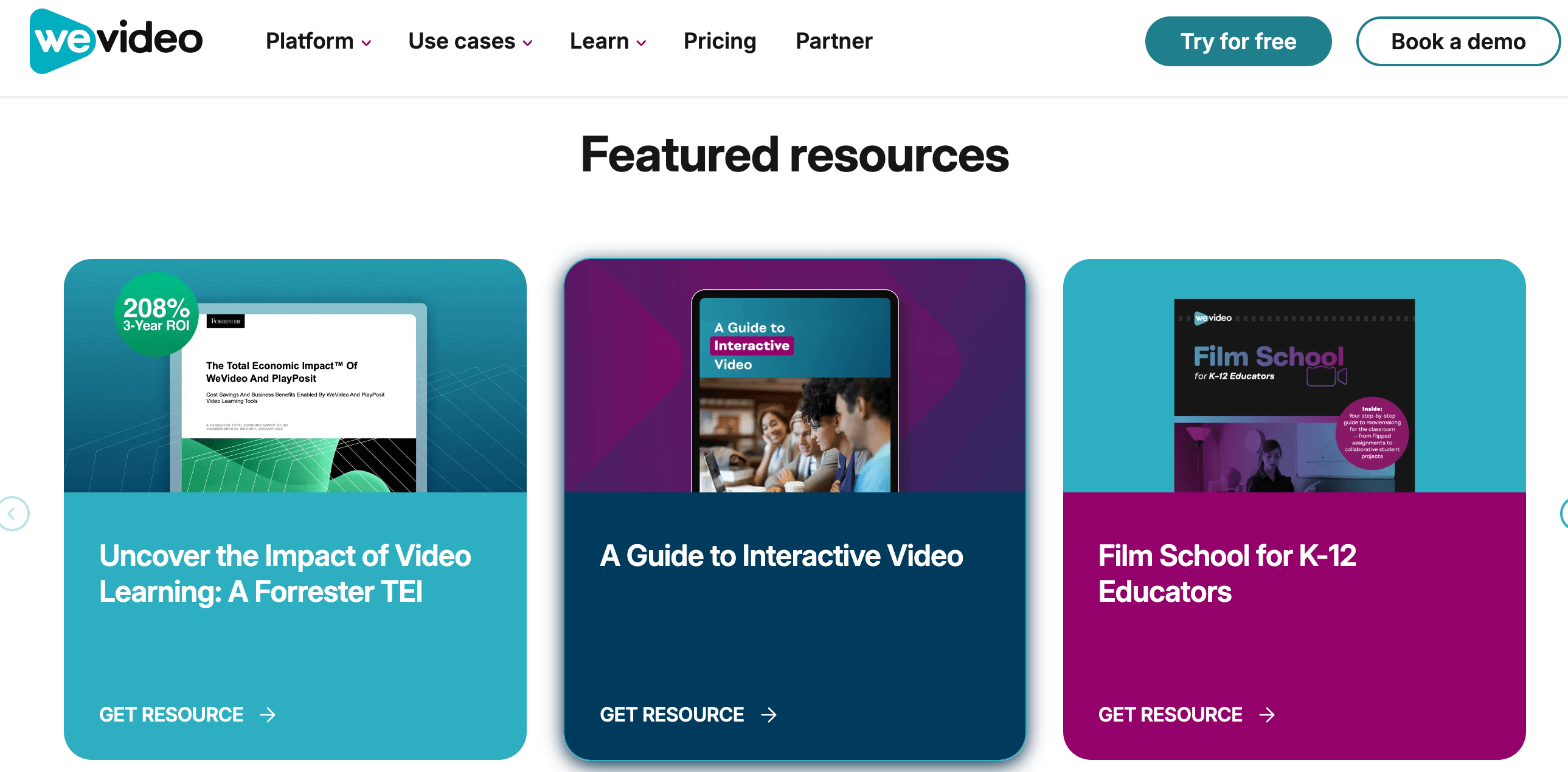
Teachers and instructional designers: If your goal is to build video-based lessons with embedded assessment, WeVideo’s Classroom and Instructor tiers offer a combination of editing, interactivity, and LMS integration that’s hard to replicate by stitching together separate tools.
School IT administrators and districts: The COPPA/FERPA compliance posture, domain-level SSO, roster-based logins, and volume licensing make WeVideo for Schools a realistic option for large-scale deployment, not just a classroom novelty.
Corporate trainers building onboarding or compliance content: The ability to track who engaged with which part of a training video, combined with real-time collaboration for content teams, is a meaningful upgrade over a plain hosted video.
Casual and hobbyist creators on a budget: The Unlimited personal tier at roughly $8/month gets you unlimited publishing and 4K export, which is competitive for someone making occasional YouTube or social content without needing collaboration or interactivity features.
Who should look elsewhere: If you need heavy color grading, advanced motion graphics, or professional-grade audio mixing, a desktop NLE like DaVinci Resolve or Premiere Pro will outperform any browser-based editor, WeVideo included. And if your need is purely quick social graphics with occasional short clips rather than structured video projects, Canva or Adobe Express may get you there faster and cheaper.
Getting Started: Step by Step
- Choose the right product line first. Decide whether you need the Individual/Creator plans, the Business track, or Education pricing — the feature sets and pricing structures are genuinely different, so don’t just pick based on price.
- Start on the free plan. Upload real footage you’d actually use and test render speed, interface responsiveness, and export quality before entering any payment information.
- Map your monthly publish-time needs. Estimate the total minutes of finished video you expect to export each month, then match that against the plan comparison chart rather than guessing — this is the single most common source of buyer’s remorse in user reviews.
- Set up your media library. Import your brand assets, logo, and any existing footage, and explore the built-in stock library so you’re not starting every project from a blank timeline.
- Build your first interactive element (Business/Education only). If your plan includes interactivity, add a simple poll or multiple-choice question to an existing video to see how the analytics dashboard reports engagement before rolling it out to a full class or team.
- Confirm your billing settings before the trial ends. Given the pattern of billing complaints in user reviews, set a calendar reminder to review your subscription status and cancellation options ahead of any trial-to-paid conversion date.
Tips for Getting Maximum Value
Get the most out of WeVideo by treating publish time as a budget rather than an afterthought — batch your edits and only render final exports once you’re confident in the cut, since re-publishing after small tweaks eats into monthly caps on entry-tier plans. If you’re on an education or business account, lean into the interactivity tools even for content you didn’t originally plan to make interactive; retrofitting a single poll or comprehension question onto an existing training or lecture video is often enough to meaningfully lift engagement data without a full re-edit. For teams, take advantage of custom templates on Professional and Business tiers to keep intros, lower-thirds, and calls-to-action consistent across everyone’s output rather than rebuilding them project by project. And if cost is a concern, remember that annual billing on personal plans is roughly half the monthly-billed rate — worth locking in once you know WeVideo fits your workflow, since switching from monthly to annual later won’t retroactively refund the difference.
It’s also worth periodically clearing out unused media and old published exports from your cloud storage, especially on tiers with capped storage — this is a common source of unexpected “storage full” errors that reviewers report right before a deadline. And if you’re evaluating WeVideo for a school or organization, request a sandbox account or trial seat before committing to a 30-seat minimum purchase, so your team can validate LMS integration and interactivity workflows against your specific curriculum or training content ahead of a full rollout.
Future Outlook and Final Assessment
WeVideo’s public positioning has shifted noticeably toward “active learning” and interactive video rather than pure editing, and that direction looks set to continue — the company’s recent product messaging, its integration with PlayPosit, and its investment in classroom analytics all point toward education and corporate training as the primary growth engine, with the consumer editor increasingly playing a secondary role. Expect continued investment in AI-assisted editing (auto-captioning, rough-cut automation) as a way to reduce the manual editing burden across all tiers, following the same trend as most of its competitors.
For buyers evaluating WeVideo today, the honest picture is a platform with real, differentiated strengths in a specific niche — interactive video for education and training — paired with a consumer editing tier that’s competent but not best-in-class, and a billing/support reputation that varies sharply depending on which review platform you check. It’s not a universal Canva or Premiere Pro replacement, and it isn’t trying to be.
Conclusion
WeVideo isn’t just another cloud video editor — its interactive video and classroom-management tools genuinely set it apart for education and corporate training use cases, backed by a strong G2 track record among verified business users. But the sizable gap between its G2 rating and its scores on Trustpilot and Sitejabber, driven largely by billing complaints and tight free-tier limits, means it’s worth going in with clear eyes: test the free plan with real footage, understand exactly which tier unlocks the features you actually need, and confirm your billing terms before you commit.
Ready to see if WeVideo fits your video workflow?
Explore more honest reviews, tutorials and tech comparisons to find the right gear for the way you work, travel and live — at World Of Tech, where we make everything easy.
👉 Shop WeVideo: https://worldoftech.space/wevideo
👉 Our YouTube Channel: youtube.com/@world_tech79
👉 Our Facebook Fanpage: Facebook
👉 Our X (Twitter): @worldoftech79
Pricing, specifications and policy details in this review were verified against wevideo.com and independent review sources (Trustpilot, G2, Sitejabber) as of July 2026. Video editing software pricing and features change frequently, so confirm current details on the official site before purchasing. Competitor prices are approximate and subject to change.





