
Most small businesses do not have a design department. They have one overworked owner, maybe a part-time helper, and a phone full of half-finished marketing ideas. The flyer for Friday’s event, the Instagram post for the weekend sale, the email blast for the new menu — all of it lands on the same person, usually at 10 PM. PosterMyWall was built for exactly that person. Launched back in 2010 by California-based 250 Mils LLC, it has quietly grown into an all-in-one design and marketing platform that claims more than 25 million users, and unlike most design tools it does not stop at the download button: it also publishes to social media, sends email campaigns, and promotes events from a single dashboard.
But an all-in-one pitch always raises the same question — does it do everything well, or everything halfway? And with a Premium plan at just $13 per month against heavyweights like Canva and Adobe Express, is PosterMyWall a genuine bargain or a compromise? We dug into the platform’s features, live pricing, third-party ratings, and real user feedback, and found a tool that earns stellar 4.8/5 scores on Capterra and G2 alongside a surprisingly weak Trustpilot profile that deserves a closer look. This 2026 review walks through everything you should know before signing up.
PosterMyWall Review 2026: The Budget All-in-One Marketing Studio for Small Businesses
Overview and Background
PosterMyWall is a web-based design and marketing platform operated by 250 Mils LLC, headquartered in Carlsbad, California. The company has been running the product since 2010, which makes it one of the longest-standing players in the template-driven design space — it actually predates Canva by roughly three years. What started as a simple poster and flyer maker has evolved into a broader marketing suite: today the platform combines a drag-and-drop design editor with over 3 million templates, a stack of AI tools (image generation, background removal, subtitles, voiceovers, and an AI writer), social media scheduling across nine platforms, email marketing with trackable campaigns, and a dedicated event promotion module with shareable landing pages and embeddable calendars.
The target audience is unambiguous. PosterMyWall is not chasing design agencies or enterprise creative teams — it is built for small and local businesses, restaurants, bars, churches, nonprofits, bands, schools, and real estate agents. Browse the template gallery and you will see it immediately: church flyers, band posters, restaurant menus, trivia night announcements, and fundraiser graphics dominate the library. The editor is deliberately simple, the pricing is deliberately low, and the whole product is engineered around one promise printed right on the homepage: easy marketing for busy people.
On independent review platforms, PosterMyWall performs remarkably well where volume exists. It holds a 4.8/5 overall rating on Capterra from roughly 183 verified reviews, with sub-scores of 4.7 for ease of use, 4.5 for customer service, 4.7 for features, and 4.6 for value for money, and it carried Capterra’s Best Ease of Use badge in 2024. On G2 it scores an identical 4.8/5 from around 70 reviews, where it actually outpointed Canva on ease of use, ease of setup, and meeting requirements in head-to-head comparison data. The picture is murkier on Trustpilot, where the platform sits at a low score in the 2.5–2.8 range — but from only about two dozen reviews, a sample so thin it mostly captures billing complaints rather than a representative user base. We unpack that divergence honestly in the limitations section below.
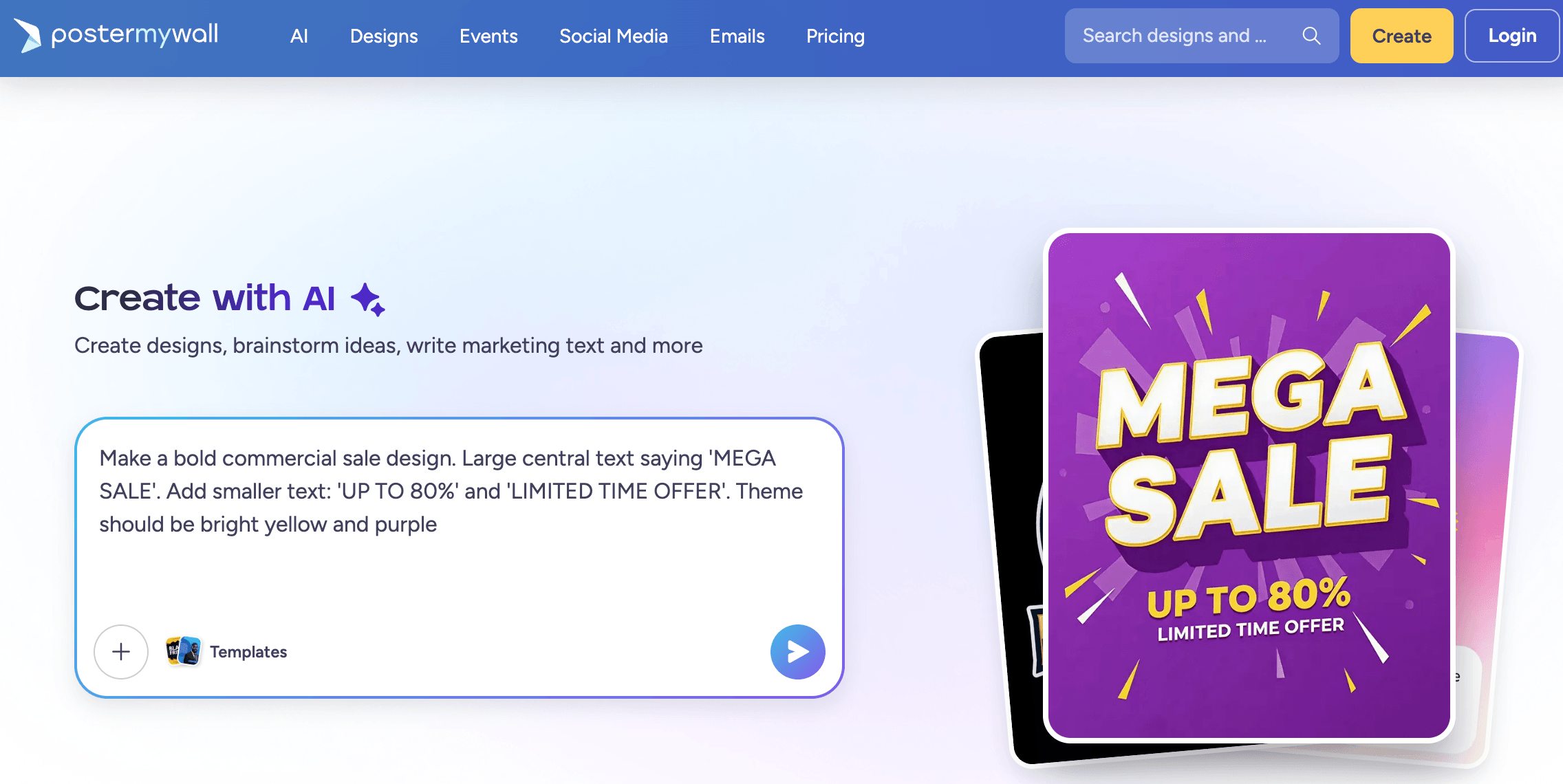
PosterMyWall bundles design, social scheduling, email, and event promotion into one affordable dashboard.
Why PosterMyWall Stands Out in 2026
It replaces four or five subscriptions with one: This is the core economic argument, and PosterMyWall leans into it hard. The company’s own pricing page tallies what a typical small business might pay separately — a design tool, a social scheduler like Buffer, an email platform like Mailchimp, an AI assistant, and event ticketing — at over $130 per month, versus $13 for Premium. Even discounting the self-serving math, the point stands: for a solo operator, consolidating design, publishing, email, and events into one login is a real workflow and budget win.
A template library built for main-street businesses: The 3 million+ template count is self-reported, but the composition of the library is what matters. Where Canva’s catalog skews toward presentations and corporate content, PosterMyWall’s gallery is saturated with exactly what local businesses post every week: happy hour flyers, church service announcements, band gig posters, restaurant menus, school event notices, and sale banners. If you run that kind of organization, you will find a usable starting point in seconds rather than adapting a generic corporate layout.
Event marketing is a genuine differentiator: Almost no design tool handles events, and almost no event platform handles design. PosterMyWall does both: you design a flyer, then convert it into a shareable event landing page with RSVP collection, automated reminder emails, one-click promotion to socials and email lists, and an embeddable calendar for your website. For venues, churches, and bands that live and die by event turnout, this pipeline alone can justify the subscription.
The AI stack is broad and practical: Rather than one flashy generator, PosterMyWall spreads AI across the whole workflow: Create with AI turns a text prompt into an editable design, an AI image generator produces custom graphics and stickers, the background remover works in one click, AI Writer drafts captions and email copy, AI Subtitles captions videos automatically, and AI Voice generates voiceovers. In 2026 the platform also pushed into AI video generation. None of these individually beats a dedicated specialist tool, but having all of them inside the editor where you actually work is the practical advantage.
Genuinely low pricing with a usable free tier: Premium at $13/month — or $109/year, a 30% saving — is roughly half to two-thirds the cost of Canva Pro’s monthly rate, and it bundles email sends and social scheduling that Canva charges nothing extra for but handles less completely. The free plan is not a demo: you get the full editor, 1M+ templates, free standard downloads, one connected social account, and email design and export, with high-resolution downloads available pay-as-you-go from $5.99 if you never want a subscription at all.
Top-tier ease of use, verified by reviewers: Ease of use is the single most consistent theme across PosterMyWall’s independent reviews. Capterra users rate it 4.7/5 for ease of use, the platform won Capterra’s Best Ease of Use badge in 2024, and in G2’s comparison data it scored 9.9/10 on ease of use — ahead of Canva’s 9.4. Reviewers repeatedly describe non-designers, volunteers, and older staff producing professional-looking output on their first session.
Fifteen years of continuity: In a category littered with startups that pivot or vanish, PosterMyWall has been operating and shipping since 2010 under the same company. The 25 million user figure is self-reported, but the sustained template output, the steady feature cadence (Content Planner, Brand Kits, AI tools, event pages), and the mobile apps on both stores point to a stable, profitable business rather than a venture-fueled experiment.
Key Features and Technology
PosterMyWall’s feature set breaks into four pillars — design, social media, email, and events — with AI tools woven through all of them. Here is what each pillar actually delivers.
Design Editor and Template Library
The heart of the platform is a browser-based drag-and-drop editor covering posters, flyers, banners, menus, invitations, business cards, logos, certificates, and every common social media size from Instagram reels to YouTube thumbnails. The template library — over 3 million designs by the company’s count, with 1M+ accessible on the free plan — is searchable by theme, industry, and size. Beyond static graphics, the editor handles video: there are video templates, a built-in video recorder and editor, slideshow animations, and digital signage formats for in-store screens. Supporting tools include one-click resize to repurpose a flyer into every social format, Brand Kits that store your colors, fonts, and logos, custom font uploads, a stock asset library, a QR code generator, and a spellchecker — a small feature that saves real embarrassment on printed flyers. Notably, templates are community-contributed as well: designers can sell their own templates through the platform, which explains both the library’s volume and its occasionally uneven quality.
The AI Toolkit
Create with AI is the flagship: describe what you want in a chat-style prompt and the platform generates an editable design, pulling from templates and generated imagery. Around it sit the specialist tools — AI Images for text-to-image generation of custom graphics, logos, and stickers; AI Background Remover for one-click subject isolation; AI Writer for captions, headlines, and email copy; AI Subtitles for automatic video captioning; AI Voice for realistic voiceovers; AI Email Redesign, which restyles an existing email from a text description; and AI Video, which turns text into short promotional videos. Usage is metered by a credit system: Premium subscribers receive 100 fresh credits monthly and Premium Plus subscribers get 250, with top-up packs available and unused credits rolling over for active subscribers. Free users can trial the AI tools with tight limits.
Social Media Publishing and Content Planner
PosterMyWall connects directly to Facebook, Instagram, TikTok, YouTube, LinkedIn, X, Pinterest, Google Business Profile, and Threads — a wider native integration list than many dedicated schedulers. You design a post, write or AI-generate the caption, and schedule it across connected accounts from the Content Planner, a unified calendar that also holds your email campaigns and events so your entire marketing month is visible in one view. Post performance tracking is included on paid plans. The tier limits are the main constraint: free accounts connect just one social account, Premium allows three, and only Premium Plus unlocks unlimited connections — worth checking against your channel list before subscribing.
Email Campaigns and Event Promotion
The email module ships with 3,000+ templates across newsletter, sale, invitation, menu, and product showcase formats. Paid users send campaigns to mailing lists directly from the platform — 3,000 emails per month on Premium, 10,000 on Premium Plus, with top-ups available — plus open and click tracking, signup forms to grow lists, and scheduling through the Content Planner. Premium Plus adds branded sending addresses. The events module is the sleeper feature: any design becomes an event landing page that collects registrations (up to 100 on the free tier, unlimited on paid), sends automated reminder emails, supports recurring events, tracks page performance, and pushes one-click promotion across your socials and email lists. An embeddable calendar widget keeps your website’s event listings updated automatically. Free accounts get one event page monthly, Premium five, and Premium Plus unlimited watermark-free pages.
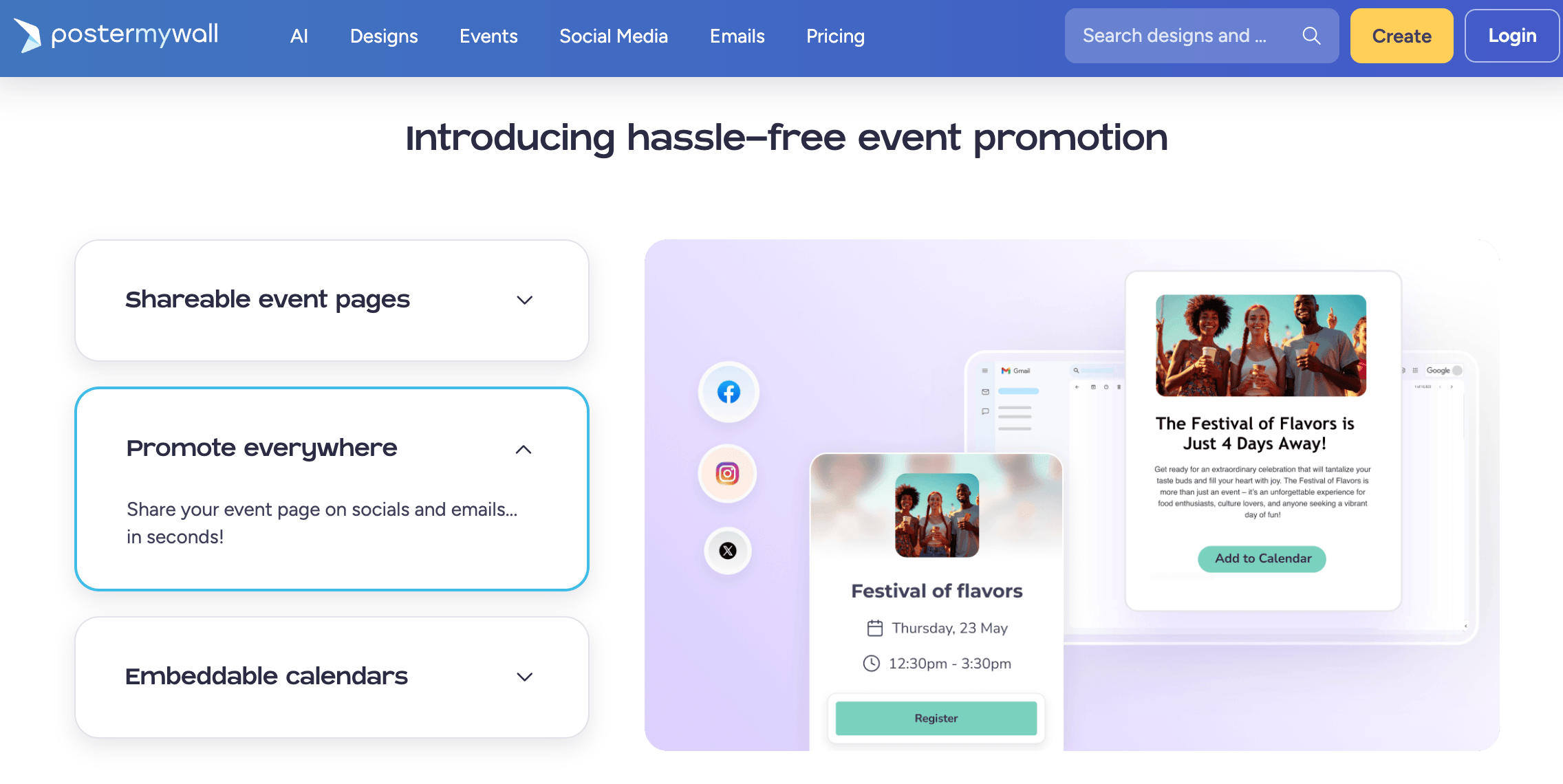
AI design tools, a nine-platform social scheduler, and email campaigns live inside the same editor.
Pricing, Plans, and Package Structure
PosterMyWall keeps pricing refreshingly simple: three individual tiers plus team seat discounts. Annual billing cuts the Premium price by about 30%, and a 14-day free trial lets you test Premium before paying. Prices below were verified on the official pricing page in July 2026 and are subject to change.
| Plan | Price | What It Is | Best For |
|---|---|---|---|
| Free | $0 | Full editor, 1M+ templates, free standard downloads, 1 social account, email design/export, 1 event page monthly; high-res downloads pay-as-you-go from $5.99 | Occasional flyer makers and anyone testing the platform |
| Premium | $13/month or $109/year | Unlimited watermark-free downloads, 100 AI credits/month, 3 social accounts, 3,000 email sends/month, 5 event pages/month, 1 Brand Kit, Content Planner | Solo marketers and small businesses — the sweet spot for most users |
| Premium Plus | $30/month or $319/year | Everything in Premium plus 250 AI credits/month, unlimited social accounts, 10,000 email sends/month, unlimited event pages, unlimited Brand Kits, branded email addresses | Multi-channel businesses, venues, and heavy event promoters |
| Teams | Per-seat pricing, up to ~70–77% off added seats | Premium or Premium Plus shared across 2+ seats with team collaboration | Small teams, franchises, schools, and nonprofits |
A few mechanics worth understanding before you buy. First, the credit system: AI features (image generation, background removals, extra email sends, and similar) draw from your monthly credit allowance, and heavy AI users may need top-up packs — credits do not expire while your subscription stays active. Second, the free plan’s pay-per-download route: high-resolution image downloads run $5.99 (up to 9 pages, $14.95 for 10+), and video downloads are a flat $14.95, which can actually be the cheapest option if you only need a few polished files per year. Third, multi-page downloads at standard quality are always free.
How PosterMyWall Compares to Alternatives
The obvious rivals are Canva, the category giant, and Adobe Express, the budget arm of the Adobe ecosystem. Competitor prices below are approximate, current as of July 2026, and subject to change.
| Factor | PosterMyWall | Canva | Adobe Express |
|---|---|---|---|
| Paid entry price | $13/mo ($109/yr) | ~$15/mo (~$120/yr) for Pro | ~$9.99/mo for Premium |
| Templates | 3M+ claimed, focused on local business, events, churches, bands | Millions, broadest range incl. presentations and docs | 100K+, backed by 200M+ Adobe Stock assets |
| Email marketing | Built in — 3,000–10,000 sends/mo with tracking and signup forms | Email design only; no native list sending | Email design only; no native list sending |
| Event promotion | Landing pages, RSVPs, reminders, embeddable calendars | Not offered | Not offered |
| Social scheduling | 9 platforms incl. Google Business and Threads | Yes, major platforms via Content Planner | Yes, core platforms with scheduler |
| Advanced design depth | Basic-to-intermediate; simplicity first | Deeper: docs, whiteboards, websites, richer effects | Firefly AI, 30K+ fonts, Creative Cloud integration |
| Third-party ratings | Capterra 4.8/5 (~183) · G2 4.8/5 (~70) | G2 ~4.7/5 (6,800+) | Generally strong across review platforms |
| Best for | Local businesses, venues, churches, nonprofits needing design + publishing + events in one | Teams and generalists wanting the deepest design ecosystem | Existing Adobe users wanting a fast, cheap companion tool |
PosterMyWall vs. Canva: Canva is the deeper, more polished design platform — richer effects, documents, whiteboards, video editing, and an enormous ecosystem. But Canva does not send email campaigns to mailing lists and has no event promotion at all, so a small business on Canva still ends up paying for Mailchimp and an event tool on top. PosterMyWall’s counter is breadth of marketing function at a lower price, and reviewer data backs the usability claim: in G2’s head-to-head, PosterMyWall edged Canva on ease of use and ease of setup. Choose Canva for design depth and collaboration; choose PosterMyWall if design is just one part of a weekly marketing routine you want in one place.
PosterMyWall vs. Adobe Express: Adobe Express is slightly cheaper at roughly $9.99/month and taps Firefly AI, 30,000+ fonts, and the massive Adobe Stock library — a compelling deal if you already live in the Adobe ecosystem, where it may even be bundled into your Creative Cloud plan. But like Canva, Express stops at design and social publishing; there is no native email campaign sending and no event marketing. It also has a far smaller template library, which is less tailored to the flyers-and-events world PosterMyWall dominates. If you are Adobe-first, take Express; if you are marketing-first, PosterMyWall covers more of the job.
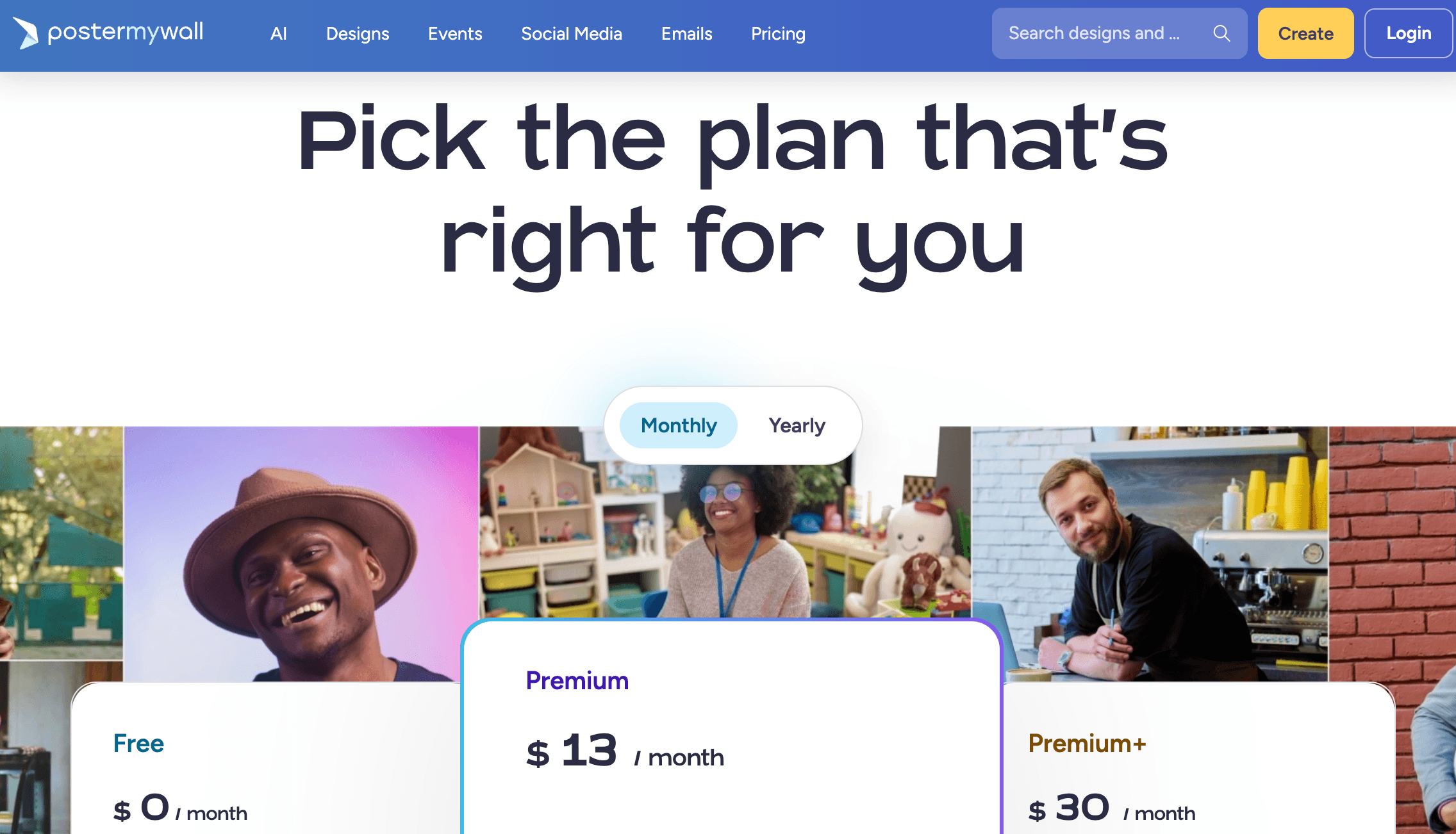
Against Canva and Adobe Express, PosterMyWall wins on bundled email and event marketing at a lower price.
Pros and Cons
What Users Love
Effortless for non-designers: The dominant refrain in Capterra and G2 reviews is how quickly complete beginners produce professional output. Church volunteers, PTA parents, bandleaders, and restaurant managers all describe going from zero to a finished, printable flyer in minutes — reflected in that 4.7/5 Capterra ease-of-use score and G2’s 9.9/10.
Exceptional value for money: Reviewers consistently frame the platform as replacing multiple paid tools, and Capterra’s 4.6/5 value-for-money score supports it. At $109/year for unlimited downloads plus email and social publishing, the cost argument is hard to beat in this category.
Templates that fit real local-business needs: Users repeatedly praise finding templates that match their actual use case — gig posters, service announcements, menu boards, school events — instead of adapting generic corporate layouts.
The event pipeline saves real hours: Venues and organizers highlight the flyer-to-landing-page-to-promotion flow as a genuine time-saver, with one featured case study reporting a 15% lift in event footfall after consolidating tools onto the platform (a company-published figure, so treat it as illustrative).
Responsive support, per most reviewers: Capterra’s 4.5/5 customer service score and repeated mentions of fast, helpful responses suggest the support team performs well for the majority — an important counterweight to the Trustpilot complaints discussed below.
Limitations Worth Knowing
The Trustpilot profile is weak — and worth understanding: PosterMyWall scores only around 2.5–2.8 on Trustpilot, a jarring gap against its 4.8 on Capterra and G2. The mitigating context is sample size: the Trustpilot profile holds only about two dozen reviews, and platforms like it skew heavily toward users with billing grievances. Still, the complaints there — unexpected charges, subscription and refund friction — follow a recognizable freemium-SaaS pattern. Read your billing terms, note your renewal date, and know that the trial converts to a paid subscription if not cancelled.
Design depth hits a ceiling: The editor trades power for simplicity. Reviewers note limited template customization, no advanced layering or effects comparable to Canva’s, and missing basics like image flip/mirror in some workflows. Designers and brands with strict visual standards will feel constrained quickly.
Template quality is uneven: Because the library is partly community-contributed, quality varies more than in curated catalogs. The best templates are excellent; others look dated, and sifting through 3 million designs to find the good ones takes patience.
Credit limits pinch heavy AI users: 100 monthly credits on Premium disappear fast if you lean on AI image generation, background removals, and extra email sends together. Budget for top-up packs or Premium Plus if AI is central to your workflow.
Tier gates on social accounts and event pages: Three connected social accounts on Premium is tight for businesses running Facebook, Instagram, TikTok, and Google Business simultaneously — a common combination that forces the $30/month Premium Plus tier. The five-event-page monthly cap on Premium similarly squeezes busy venues.
Email volumes suit small lists only: 3,000 sends per month (10,000 on Premium Plus) is fine for a local mailing list but nowhere near dedicated email platforms once your list grows into five figures. It is a convenience feature, not a Mailchimp killer at scale.
Who Should Use PosterMyWall
Local businesses and restaurants: If your marketing week consists of a specials flyer, a few social posts, an email to regulars, and the occasional event, PosterMyWall covers the entire loop for $13 a month. The menu makers, digital signage formats, and restaurant-specific templates are a direct fit.
Churches, nonprofits, and schools: These organizations are clearly a core constituency — the template library, volunteer-friendly editor, event pages with RSVP collection, and dedicated nonprofit and school programs make it one of the most practical choices for community organizations on tight budgets.
Bands, venues, and event organizers: The gig-poster-to-event-page-to-promotion pipeline is genuinely unique in this price class. If turnout is your business, the events module alone justifies a serious trial.
Solo marketers and side hustlers: One person managing design, socials, and email for a small brand gets the most from the consolidation. The Content Planner’s single-calendar view of posts, emails, and events is built for exactly this workload.
Budget-conscious occasional users: The free plan plus $5.99 pay-per-download pricing serves people who need two or three polished designs a year better than any subscription on the market.
Who should look elsewhere? Professional designers and brand-strict marketing teams will find the editor too shallow — Canva Pro or the full Adobe suite serve them better. Businesses with large email lists need a dedicated email platform. And if you are already paying for Creative Cloud, Adobe Express may effectively be free for you, which changes the math entirely.
Getting Started: Step by Step
- Create a free account. Sign up at postermywall.com with email or a social login — no credit card required for the free tier, and the full editor unlocks immediately.
- Pick your first template or prompt the AI. Browse the gallery by theme (events, restaurant, church, small business) and size, or open Create with AI and describe the design you want in a sentence.
- Customize in the editor. Swap text, images, and colors with drag-and-drop; use the background remover on your photos, run spellcheck, and set up a Brand Kit with your logo, fonts, and colors so future designs stay consistent.
- Connect your social accounts. Link Facebook, Instagram, or whichever platforms you use (one on Free, three on Premium), then schedule your first post from the Content Planner instead of downloading and uploading manually.
- Test the email and event tools. Import a small mailing list, send a test campaign, and convert a flyer into an event landing page to see the RSVP and reminder flow — these two modules are what separate PosterMyWall from pure design tools.
- Trial Premium for 14 days, then decide. Activate the free trial to unlock unlimited downloads and full features; if it sticks, switch to annual billing at $109/year for the 30% saving — and set a calendar reminder before the trial ends if you decide otherwise.
Tips for Getting Maximum Value
Squeezing the most from PosterMyWall is mostly about using the whole stack instead of just the editor: design once, then let the resize tool spin that single flyer into every social format in one click rather than rebuilding each size; batch your month’s content in one sitting and schedule it all through the Content Planner so posts, emails, and event promotions fire automatically; set up your Brand Kit on day one so every template you touch inherits your colors and fonts instantly; ration AI credits by reserving image generation for hero graphics and using the huge stock library for everything else; grow your mailing list passively by embedding signup forms wherever your audience lands; convert every recurring event into a recurring event page so reminders and promotion run themselves; and if you have any design skill of your own, consider the other side of the marketplace — PosterMyWall lets creators sell templates, turning the platform from a cost into a small income stream. Finally, whichever plan you choose, note your renewal date and review the billing terms up front; nearly all of the platform’s harshest public complaints trace back to subscription surprises that a two-minute settings check prevents.
Future Outlook and Final Assessment
PosterMyWall’s trajectory is easy to read from its recent shipping cadence: deeper AI (the chat-style Create with AI, AI video generation, and AI email redesign all arrived recently), broader publishing integrations (Threads and Google Business Profile joined the scheduler), and a steady march from design tool toward full marketing platform. Fifteen years of continuous operation under the same company suggests the roadmap will keep compounding rather than pivoting. The competitive risk is obvious — Canva and Adobe are pushing down-market with their own AI and publishing features, and both have vastly more resources — but PosterMyWall’s defensible ground is its niche: no major competitor takes the local-business event-marketing use case as seriously, and its price point undercuts both giants for the bundle it offers.
Our assessment: PosterMyWall is one of the best value propositions in small-business marketing software in 2026, with real, verified strengths in ease of use and an event pipeline nobody at this price matches — balanced against a shallow design ceiling, tier gates that push multi-channel users toward the $30 plan, and billing complaints that, while a small minority, are consistent enough to warrant reading the fine print.
Conclusion
PosterMyWall will not win design awards, and it is not trying to. What it does — better than almost anything at its price — is compress a small organization’s entire weekly marketing routine into one $13-a-month tool that a complete beginner can operate on day one. The 4.8/5 consensus across nearly 250 verified Capterra and G2 reviews is earned: the templates fit real local-business needs, the AI tools are practical rather than gimmicky, and the flyer-to-event-page-to-promotion pipeline is genuinely unique in this class. Go in with clear eyes about the design ceiling, the credit and tier limits, and your renewal date, and PosterMyWall delivers exactly what its homepage promises: easy marketing for busy people.
Ready to turn one login into your whole marketing department?
Explore more honest reviews, tutorials and tech comparisons to find the right gear for the way you work, travel and live — at World Of Tech, where we make everything easy.
👉 Shop PosterMyWall: https://worldoftech.space/postermywall
👉 Our YouTube Channel: youtube.com/@world_tech79
👉 Our Facebook Fanpage: Facebook
👉 Our X (Twitter): @worldoftech79
Pricing, specifications and policy details in this review were verified against postermywall.com and independent review sources as of July 2026. Design and marketing software pricing and features change frequently, so confirm current details on the official site before purchasing. Competitor prices are approximate and subject to change.





