
If you own a car with factory CarPlay or Android Auto, you already know the small daily annoyance: every trip starts by digging out a cable, plugging in your phone, and fighting a cord that never sits right. And if your car is older — or came without a smart screen at all — you’re stuck watching everyone else stream, navigate and talk hands-free while your dashboard feels a decade behind. Ottocast was built to fix both problems. It’s a specialist in-car tech brand that turns wired CarPlay and Android Auto into fully wireless connections, and — through its AI Box line — layers a complete Android system, app store and streaming apps like Netflix and YouTube on top of the screen your car already has. Founded in 2009 as Cartizan in Hong Kong and now trusted by more than 300,000 drivers worldwide, Ottocast has grown from a niche CarPlay-decoder maker into a broad ecosystem spanning $39 plug-in dongles, $219 AI boxes, HDMI multimedia adapters and standalone smart screens, with coverage from PCMag, CNET, 9to5Mac and AppleInsider along the way.
For commuters, families, road-trippers and anyone tired of cables or an outdated dashboard, the pitch is simple: a cleaner, smarter, more connected car for the price of a nice dinner or two. But Ottocast isn’t flawless, and an honest look surfaces real trade-offs — a notably low Trustpilot score driven by shipping, returns and support complaints, compatibility that isn’t universal, and a sprawling product lineup that’s genuinely confusing until you understand it. This 2026 review walks through Ottocast’s full range — the wireless adapters, the AI boxes, the media and screen products — plus the underlying technology, transparent pricing, head-to-head comparisons against Carlinkit and AAWireless, the genuine pros and cons, and exactly who should (and shouldn’t) buy in.
Ottocast Review 2026: Wireless CarPlay, Android Auto and AI Boxes That Modernize Almost Any Car
Overview and Background
Ottocast (operated by Cartizan Corporation Limited) is a specialist automotive-electronics brand focused on one idea: making the connection between your phone and your car wireless and smarter, without asking you to replace the whole vehicle or rip apart the dashboard. It isn’t a general gadget maker or an installer of aftermarket head units — its products are plug-in devices you set up yourself in a few minutes. The core concept is simple but effective. You plug a small unit into your car’s USB-A or USB-C port; it pairs with your phone over Bluetooth and creates a private 5GHz Wi-Fi link, so your phone connects automatically every time you start the car — no cable, no fuss.
The brand’s roots go back to 2009, when it launched in Hong Kong as Cartizan and pioneered decoder products for CarPlay integration. In 2019 it pivoted to the wireless CarPlay and Android Auto adapters it’s now known for, and has since built out branches in the US and Hong Kong with manufacturing in Shenzhen. Ottocast has genuine visibility in the industry: it exhibits at major shows including CES 2025 and CES 2026 in Las Vegas, IFA Berlin, Automechanika Frankfurt and SEMA, and its products have been featured and reviewed by PCMag, CNET, 9to5Mac, iMore and AppleInsider. This is not an anonymous marketplace dropshipper — it’s an established company competing on breadth of range and features.
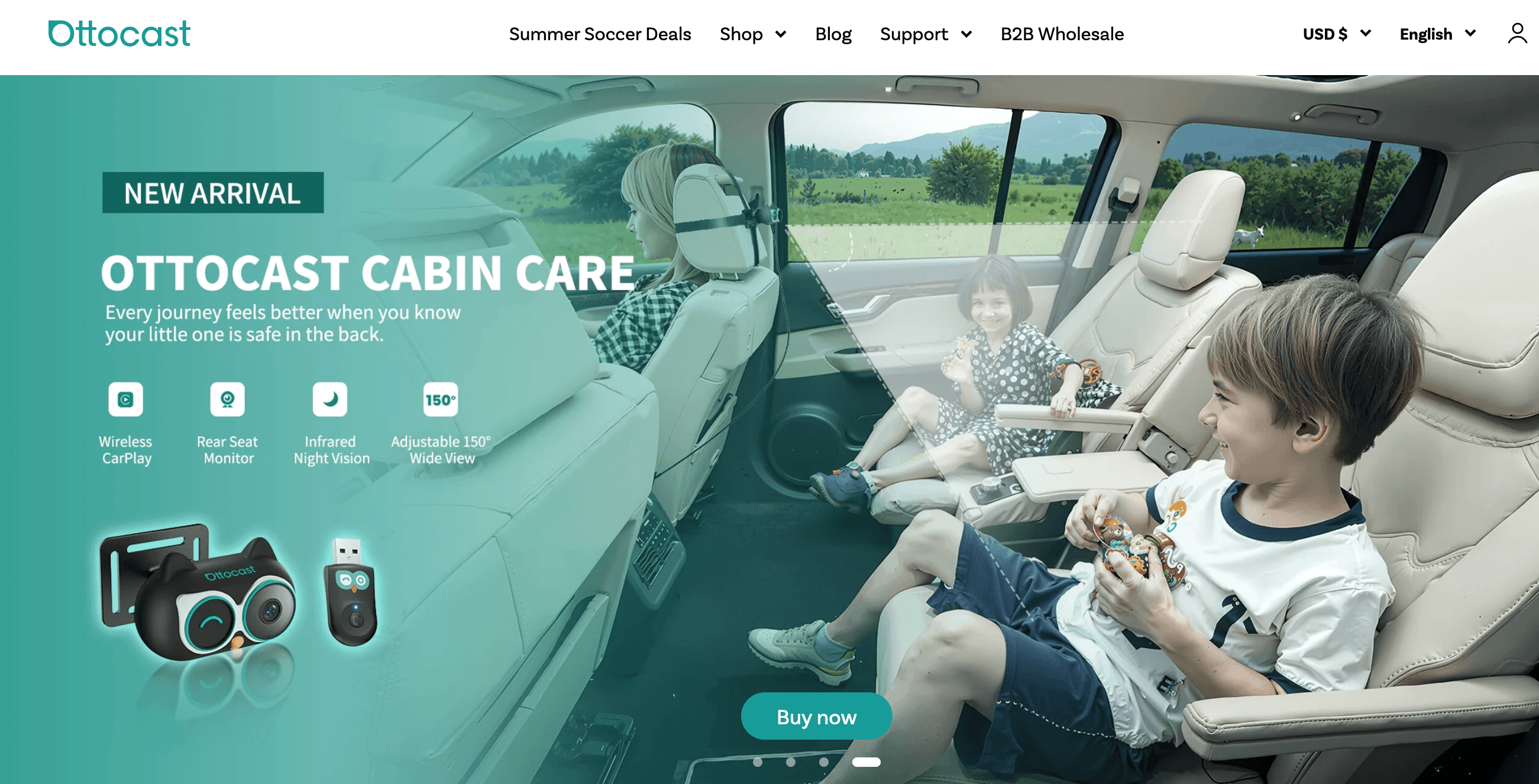
What separates Ottocast from most rivals is how wide its lineup runs. Rather than selling one dongle, it organizes into five families: Otto Wireless (simple wired-to-wireless adapters), Otto Plus / AI Boxes (adapters that add a full Android system, apps and streaming), Otto Media (HDMI multimedia and phone-mirroring adapters), Otto Screen (standalone smart displays for cars without CarPlay), and Otto Safe (dash-cam and rear-seat-monitor hybrids). Every purchase carries a 12-month warranty and a 30-day return window, and orders ship worldwide.
Why Ottocast Stands Out in 2026
The widest lineup in the category: Most competitors sell one or two dongles. Ottocast covers the whole spectrum — from the $39 Mini Cube 3.0 adapter up to the $219 OttoAibox P3 Pro and standalone smart screens. Whatever your car, budget and ambition, there’s a matching device, which is a big part of why the brand has become a default recommendation for in-car upgrades.
True wireless, get-in-and-go convenience: This is the entire reason the category exists. You pair once, and from then on your phone connects automatically the moment you start the car, over a 5GHz Wi-Fi link that keeps working even with the phone in your pocket or bag. No more digging for a cable or leaving your phone tethered to the console.
AI Boxes turn your dashboard into a tablet: The flagship OttoAibox P3 Pro runs OttoDrive OS 3.0 (based on Android 13), so you can download apps directly to the box — Netflix, YouTube, Disney+, games, a browser — alongside wireless CarPlay and Android Auto. It adds an AI voice assistant, an HDMI output and CloudSIM for its own data connection, effectively bolting a smart tablet onto your existing car screen.
Both CarPlay and Android Auto on most models: Unlike some rivals that lock to one ecosystem, most current Ottocast adapters (Mini Cube 3.0, Mini NOVA, Mini Pico and others) support wireless CarPlay and wireless Android Auto in the same unit — ideal for mixed iPhone-and-Android households sharing a single car.
Solutions for cars with no CarPlay at all: If your vehicle never shipped with a smart screen, the Otto Screen line (Ottoscreen AI and the portable ScreenFlow) adds a plug-and-play display with wireless CarPlay/Android Auto — and even front and rear cameras — to older cars and motorcycles. That’s a problem most adapter brands simply can’t solve.
Real press recognition and a huge review base: Ottocast has been covered by PCMag, CNET, 9to5Mac and AppleInsider, exhibits at CES and IFA, and its individual products carry hundreds to thousands of on-store reviews each (the Mini alone has over 800). For a category full of no-name clones, that track record matters.
Frequent, aggressive sales: Ottocast runs near-constant promotions — Prime Day, summer and holiday events — and many products sit 30-50% below their list price for long stretches. The Mini Cube 3.0 regularly drops to $39 from $78, and the i3 BMW box has been listed at $199 from $325. Timing a purchase around a sale can dramatically change the value equation.
Ottocast plugs into your car’s USB port and links to your phone over Bluetooth and 5GHz Wi-Fi — so wireless CarPlay or Android Auto connects automatically every time you start the car, with no cable to plug in.
Key Features and Technology
Ottocast’s catalog is broad, but it breaks down cleanly into a handful of technology pillars. Here’s how the platform actually works, and what each part does.
Wireless CarPlay and Android Auto Conversion
The foundation of the whole range. A small adapter plugs into your factory USB port, establishes a Bluetooth handshake with your phone, then hands data traffic to a fast 5GHz Wi-Fi connection for smooth navigation, calls and music. Once you’ve paired the first time, reconnection is automatic on every start. Boot times vary by model and car — independent testers have measured Ottocast adapters connecting in as little as 7 seconds on some vehicles and closer to 18-21 seconds on others. The critical requirement: your car must already have factory wired CarPlay or Android Auto for these adapters to work, since they convert an existing wired system to wireless rather than adding it from scratch.
Ottocast AI Boxes and OttoDrive OS
The AI Box line (OttoAibox P3 Pro, P3, P3 Lite, E2 and the BMW-specific i3) is where Ottocast goes beyond simple mirroring. These boxes run a full Android operating system — OttoDrive OS, up to version 3.0 on Android 13 — so you can install apps directly onto the box from an app store: streaming services, browsers, games and more. You then switch between wireless CarPlay, wireless Android Auto and the native Android desktop with a tap. The P3 Pro adds an AI voice assistant, an HDMI output, FOTA (firmware-over-the-air) updates, and CloudSIM, which lets the box carry its own cellular data so it can stream without leaning on your phone’s hotspot.
Streaming, HDMI and Multimedia
Ottocast’s Media line expands what your screen can display. The Mirror Touch adapter mirrors your phone and lets you control its apps directly from the car’s touchscreen. The Car TV Mate Pro and Max add an HDMI input, so you can plug in a Fire TV Stick, a game console or another HDMI device and put it on your car screen. Combined with the AI boxes’ built-in streaming apps, this is how owners turn long drives, camp stops and waiting time into an in-car entertainment setup — with the important safety caveat that video playback is generally limited to when the car is parked.
Otto Screen: Adding a Display to Any Car
For vehicles that never had a smart screen, the Otto Screen family is Ottocast’s answer. The Ottoscreen AI and the portable ScreenFlow are plug-and-play displays that bring a full wireless CarPlay/Android Auto dashboard to older cars — and, in ScreenFlow’s case, to motorcycles — with built-in front and rear cameras and GPS. It’s a genuinely different product class from the adapters: instead of upgrading an existing screen, it adds one, which opens the brand up to a much older slice of the car market.
Setup, Updates and Compatibility
Installation on the adapters is deliberately trivial — plug it in, pair once, done — and Ottocast supports over-the-air firmware updates plus a compatibility checker and an Ottopilot companion app. The compatibility question is the one to take seriously: while most factory-CarPlay cars from roughly 2016 onward are supported, a real minority of vehicles and aftermarket head units aren’t, and BMW models that use a wireless-only factory setup can be problematic. Ottocast’s on-site checker helps, but reviewers stress verifying your exact make, model and year — and ideally confirming factory wired CarPlay yourself — before ordering.
Pricing, Plans, and Package Structure
There’s no subscription here — every Ottocast product is a one-time purchase, and pricing spans from budget adapters to premium AI boxes and screens. The figures below reflect Ottocast’s current listed prices at the time of writing, many of which are active sale prices (the brand runs frequent Prime Day, summer and holiday promotions, so list prices and discounts move constantly). Treat these as a guide and always confirm the live price and any coupon on the official product page before checkout.
| Product | Price (USD) | What It Is | Best For |
|---|---|---|---|
| Mini Cube 3.0 | ~$39 (reg. $78) | Compact 2-in-1 wireless CarPlay & Android Auto adapter | Best-value entry into wireless |
| Mini Pico / Mini NOVA | ~$44–$49 | Ultra-small 2-in-1 adapters with heat-dissipating design | Discreet, tucked-away installs |
| U2AIR Pro / Mini | ~$59 | Established wireless adapters with strong review histories | A proven, reliable everyday dongle |
| Play2Video Pro | ~$50 (reg. $84) | All-in-one wireless adapter with built-in streaming apps | Streaming on a budget |
| OttoAibox E2 | ~$149 | Entry CarPlay AI box with Android OS and apps | First step into a smart dashboard |
| OttoAibox P3 | ~$189 (reg. $209) | Popular AI box with wireless CarPlay/AA + Android system | The mainstream AI-box choice |
| OttoAibox P3 Pro | ~$219 | Flagship: AI voice, OttoDrive OS 3.0, CloudSIM, HDMI | The full smart-car experience |
| Car TV Mate Pro / Max | ~$64–$74 | HDMI multimedia + wireless CarPlay adapter | Fire TV Stick & console on your screen |
| Ottoscreen AI / ScreenFlow | ~$159–$179 | Standalone smart screen with cameras for any car/bike | Cars with no factory CarPlay |
| Cabin Care / OttoSafe Cam | ~$109–$149 | Rear-seat monitor / 2-in-1 dash cam + wireless CarPlay | Families & added safety |
How Ottocast Compares to Alternatives
| Factor | Ottocast | Carlinkit | AAWireless / Motorola MA1 |
|---|---|---|---|
| Product range | Widest: dongles, AI boxes, screens, dash cams | Broad: dongles + AI boxes | Narrow: mostly single adapters |
| CarPlay + Android Auto | Both, on most current models | Both (model dependent) | AAWireless: AA-focused; MA1: CarPlay-only |
| AI box / Android + streaming | Yes — P3 Pro, P3, E2, etc. | Yes — T-Box / Ambox line | No — adapters only |
| Connection / boot speed | ~7–21s (varies by model/car) | Mini Ultra ~9–12s; older units slower | Generally fast & stable |
| Compatibility breadth | Good, but some cars/head units unsupported | Very broad (near-all cars + aftermarket) | Broad; MA1 very plug-and-play |
| Entry price | From ~$39 | From ~$50–70 | ~$60–90 |
| Warranty / returns | 1-year + 30-day (direct returns can be slow) | 1-year worldwide | 1-year; MA1 backed by Motorola |
| Best for | Widest lineup + AI/streaming ambitions | Fastest, broadest-compatibility dongles | Simple, set-and-forget adapters |
vs. Carlinkit: Carlinkit is Ottocast’s closest and most direct rival — the category veteran, with dongles like the CarlinKit 3.0, 5.0 and the very fast Mini Ultra. In independent testing, Carlinkit’s newest units generally boot faster (the Mini Ultra connects in around 9 seconds) and are praised for exceptionally broad compatibility, including many aftermarket head units. Ottocast counters with a wider overall lineup — screens, dash cams and a deeper AI-box range — and often lower entry prices. If raw connection speed and universal compatibility are your top priorities, Carlinkit edges ahead; if you want the broadest menu of in-car upgrades from one brand, Ottocast wins.
vs. AAWireless and Motorola MA1: AAWireless (including the TWO+) is the enthusiast pick for Android Auto, with deep customization and a dedicated phone-switching button for shared cars — but its focus is Android, and setup can be fiddlier. The Motorola MA1 is the opposite philosophy: a simple, reliable, CarPlay-only adapter backed by a big-name brand that many owners simply plug in and forget. Neither offers Ottocast’s AI-box streaming or its cars-without-CarPlay screens, so they’re better if all you want is a clean, no-frills wireless dongle.
vs. buying a new car or head unit: A brand-new car with a modern infotainment system, or a professionally installed aftermarket head unit, will always be more integrated than a plug-in device — but at vastly higher cost and effort. Ottocast’s entire appeal is getting most of that modern-dashboard experience for a fraction of the price, with no installer and no wiring. For the vast majority of drivers with a serviceable car, a $39–$219 Ottocast device is the far more sensible upgrade path.
The OttoAibox P3 Pro runs a full Android system (OttoDrive OS 3.0) on top of your car screen — download streaming apps, browse and switch between CarPlay, Android Auto and Android with a tap, with video reserved for when you’re parked.
Pros and Cons
What Owners Love
The cable finally disappears: The most consistent praise is the simplest one — you get in, the car starts, and CarPlay or Android Auto is just there, wirelessly, every time. Owners describe it as a small quality-of-life upgrade they notice on every single drive, and installation on the adapters really is as easy as plugging in a USB stick.
A device for every need and budget: Reviewers appreciate that Ottocast has an answer whether they want a $39 dongle, a streaming AI box, an HDMI adapter for a Fire TV Stick, or a whole screen for a car that never had one. That range means a lot of people find exactly the product they need under one brand.
The AI boxes genuinely transform the dashboard: Owners of the P3, P3 Pro and E2 love turning a basic car screen into something like a tablet — Netflix and YouTube while parked, games, a browser, and an AI assistant. For families on long trips and people who spend a lot of time waiting in the car, it’s the standout feature.
Both ecosystems in one unit: Being able to use wireless CarPlay for an iPhone and wireless Android Auto for an Android phone from the same adapter is a recurring favorite in mixed-device households sharing one car — no need to buy two different products.
Solid hardware, real press backing: When the device works, owners and outlets like PCMag, CNET and 9to5Mac rate the hardware well — compact, decent build (the Mini Pico’s metal heat-dissipating shell gets specific praise), and reliable day to day. The thousands of individual product reviews give buyers more confidence than a typical no-name adapter.
Warranty replacements that come through: Despite the service criticism below, a meaningful number of reviews describe smooth outcomes — a faulty unit reported and replaced under the 12-month warranty, or a helpful regional team (Ottocast Australia is singled out positively) resolving early issues.
Limitations Worth Knowing
A low Trustpilot score for the direct-buy experience: This is the single biggest caveat. Ottocast’s main storefront holds only about 2.1 out of 5 on Trustpilot across roughly 1,300+ reviews, and the complaints cluster tightly: slow shipping (some orders travel from China and take weeks), tracking that stalls, and above all a frustrating returns process — restocking fees, buyers paying return postage, and long waits for refunds. It’s a striking contrast with the generally positive hardware reviews, and it’s the reason many reviewers suggest buying through a retailer with easier returns rather than direct.
Customer support can be hard going: Related complaints describe email replies that take a day or more, an AI chatbot that loops before handing off to a human, and pressure to keep troubleshooting instead of processing an agreed return. Support experiences vary a lot, but a real minority found them genuinely difficult when something went wrong.
Compatibility isn’t universal: The adapters need factory wired CarPlay/Android Auto, and even then some cars, trims and aftermarket head units aren’t supported — several reviewers report the on-site checker saying “compatible” when their specific setup wasn’t. BMW’s wireless-only systems and certain models are recurring trouble spots. Verify your exact make, model and year carefully before ordering.
Connectivity hiccups on some units and cars: While many run flawlessly, others report intermittent problems — the adapter connecting to the phone but not to Android Auto, Bluetooth sync dropping, or a unit that worked for a week or two then became unreliable. Firmware updates are meant to fix these, but the update process itself is sometimes described as finicky.
AI-box caveats and a confusing lineup: On the boxes, video generally plays only when parked, performance varies by model, and some buyers felt a newer unit (for example the Play2Video Ultra) was buggier than an older one they owned. The sheer number of overlapping models and near-identical names also makes it genuinely hard to know which product is right without research.
Occasional dead-on-arrival units and heat: A minority of orders arrive faulty (the classic “red light” no-boot issue), and the very small adapters can warm up during long drives given their compact, unventilated design. Neither is universal, but both show up often enough to mention — keep your order details and buy where returns are painless, just in case.
From a $39 plug-in dongle to a full AI box, Ottocast’s range means most drivers can find a device that fits their car, their budget and how they actually use their screen.
Who Should Use Ottocast
Drivers who hate the cable: This is Ottocast’s core audience. If your car already has factory CarPlay or Android Auto and you’re simply tired of plugging in your phone, a sub-$50 Mini adapter is a genuine everyday upgrade — cleaner, quicker, and one of the best value-for-money tech tweaks you can make to an existing car.
Families and long-distance travelers: If keeping passengers entertained matters, the AI boxes (P3, P3 Pro) and the Cabin Care rear-seat monitor earn their price. Netflix, YouTube and games on the screen while parked, plus a way to keep an eye on kids in the back, make road trips and waiting time far more bearable.
Owners of older cars without a smart screen: If your vehicle never had CarPlay at all, the Otto Screen line (Ottoscreen AI, ScreenFlow) is one of the few plug-and-play ways to add a modern wireless dashboard — cameras included — without a costly professional head-unit install.
Mixed iPhone-and-Android households: Because most current adapters support both wireless CarPlay and wireless Android Auto, a couple or family sharing one car with different phones can use a single device rather than compromising or buying two.
Tech enthusiasts and tinkerers: If you like the idea of an Android desktop in your dash — sideloading apps, HDMI inputs for a Fire TV Stick or console, an AI voice assistant and OTA updates — the higher-end Ottocast boxes give you more to play with than a simple dongle ever could.
Who should look elsewhere: If you want the fastest, most universally compatible dongle and nothing more, Carlinkit or the Motorola MA1 may serve you better. Buyers who value bulletproof, big-brand after-sales support should weigh Ottocast’s mixed service record — and anyone uneasy about slow shipping or a difficult return should strongly consider buying through a retailer with an easy returns policy rather than ordering direct. Finally, if your car lacks factory wired CarPlay, skip the adapters entirely and look only at the Otto Screen products, since a dongle simply won’t work.
Getting Started: Step by Step
- Confirm compatibility first. Check that your car has factory wired CarPlay or Android Auto (plug your phone in with a cable once — if CarPlay/Android Auto appears, you’re set). Use Ottocast’s on-site compatibility checker with your exact make, model and year, and if in doubt, contact support before buying. For cars with no CarPlay at all, look at Otto Screen instead of an adapter.
- Pick the right product for your goal. Choose a Mini adapter (from ~$39) if you only want to go wireless; a Play2Video or AI box (P3 / P3 Pro) if you want streaming and Android; a Car TV Mate if you want to plug in an HDMI device; or an Otto Screen if you’re adding a display. Don’t overspend on capability you won’t use.
- Buy through a channel with easy returns. Given the mixed direct-purchase feedback, consider a retailer with a straightforward returns policy, and time your order around one of Ottocast’s frequent sales. Keep your order confirmation and tracking details.
- Plug in and pair. Insert the device into your car’s USB-A or USB-C port. Turn on Bluetooth on your phone, follow the one-time pairing prompt, and let it establish the Wi-Fi connection. On the AI boxes, complete the initial Android setup and connect to Wi-Fi or CloudSIM.
- Update firmware and set it up. Run any available firmware/OTA update through the Ottopilot app or the device menu — this often resolves early connectivity quirks. On AI boxes, download the apps you want (streaming, navigation, browser) and arrange your home screen.
- Drive and fine-tune. On the next start, your phone should reconnect automatically. If you hit drop-outs, re-pair, check for a newer firmware version, and confirm your specific car is on the supported list. Once it’s dialed in, it should simply work every time you get in.
Tips for Getting Maximum Value
Buy the tier that matches your actual need — most people are happiest with a sub-$50 Mini adapter and don’t need an AI box at all, so only step up if you genuinely want Android and streaming. Whatever you choose, time the purchase around one of Ottocast’s constant sales and check for a coupon, since the list price is rarely the real price. Verify compatibility twice before ordering — your exact make, model and year — and lean on the return-friendly channel you bought from if it doesn’t work. Once it’s installed, keep the firmware current through the Ottopilot app to head off connection drop-outs, and on the AI boxes use CloudSIM or your home Wi-Fi to download apps and updates so you’re not burning phone data. Treat any video features as a parked-car luxury for passengers, not something to use while driving, and keep your order and warranty details on hand in case you need a replacement — the 12-month warranty does come through for many owners when a unit is faulty.
Future Outlook and Final Assessment
The in-car connectivity market in 2026 is moving decisively toward wireless, and increasingly toward Android-powered boxes that bring apps and streaming to the dashboard rather than just mirroring a phone. Ottocast is well positioned at the center of that shift: it has the widest lineup in the category, real press recognition, an active presence at CES and IFA, and it keeps pushing new hardware — smarter AI boxes with voice assistants and CloudSIM, standalone screens, and safety-focused dash-cam hybrids. As long as phones and cars keep evolving, the core promise (a cleaner, smarter, more connected dashboard without buying a new car) only gets more appealing.
The honest caveats are just as real. The hardware is generally good and widely recommended, but the direct-purchase experience — reflected in a low 2.1/5 Trustpilot score — drags the overall picture down, with shipping, returns and support the recurring pain points. Compatibility isn’t universal, the lineup is confusing, and rivals like Carlinkit match or beat Ottocast on raw speed and compatibility. But approached the right way — the correct product for your goal, bought through a return-friendly channel, with compatibility confirmed first — Ottocast delivers one of the most versatile and affordable ways to modernize almost any car in 2026.
Conclusion
Ottocast isn’t trying to reinvent your car — it’s trying to bring the screen you already have up to date, wirelessly, for a fraction of the cost of a new vehicle. At that job, its best products are genuinely effective: cheap Mini adapters that make CarPlay and Android Auto wireless, AI boxes that add streaming and a full Android system, and screens that modernize cars that never had CarPlay at all. It rewards buying the right product for your specific goal and confirming compatibility before you order, and it’s held back by a shaky direct-purchase and support experience that’s worth taking seriously. But for drivers who go in clear-eyed — the correct device, a return-friendly channel, and realistic expectations — Ottocast is one of the most flexible and affordable ways to make everyday driving smarter and more connected. Confirm the current price, check for a sale, verify your car, and Ottocast can make the dated part of your dashboard feel new again.
Ready to cut the cord and give your car’s screen a serious upgrade?
Explore more honest reviews, tutorials and tech comparisons to find the right gear for the way you work, travel and live — at World Of Tech, where we make everything easy.
👉 Shop Ottocast: https://worldoftech.space/ottocast
👉 Our YouTube Channel: youtube.com/@world_tech79
👉 Our Facebook Fanpage: Facebook
👉 Our X (Twitter): @worldoftech79
Pricing, specifications and policy details in this review were verified against ottocast.com and independent review sources (including Trustpilot and hands-on reviewer testing) as of July 2026. In-car tech hardware, pricing and promotions change frequently, so confirm current details on the official site before purchasing. Competitor prices are approximate and subject to change.





