
Picsart 2026 has emerged as one of the most powerful AI-driven creative platforms on the market, consolidating photo editing, video production, graphic design, and AI image generation workflows that used to require multiple separate applications into a single, mobile-first creative suite accessible from any device. Before diving into the detailed feature breakdown and pricing analysis ahead, it’s worth highlighting that Picsart’s leap forward in 2026 — 30+ integrated AI image generation models (including FLUX 2 Pro, GPT Image 1.5, Imagen 4.5, Ideogram 3.0, Runway Gen4, and more), AI-powered Text to Video, AI Replace and AI Enhance tools, brand kit management, a 150 million+ user community, and affordable plans starting at just a few dollars per month — has redefined what a content creator, social media manager, small business owner, or marketing team can accomplish with visual content. Whether you’re an Instagram creator building a consistent aesthetic, an e-commerce operator producing product visuals at scale, a small business designing marketing materials without a graphic designer, or a team managing multi-brand visual workflows, this comprehensive resource walks you through every major capability, plan, and update of Picsart in 2026.
Picsart 2026 Review: The Ultimate AI-Powered Creative Platform for Creators and Businesses
Overview and Major Updates of Picsart in 2026
Picsart has evolved from a mobile sticker-and-filter app into a full AI-powered creative suite trusted by over 150 million monthly active users across mobile (iOS and Android) and web worldwide. Originally launched as a mobile-first photo editor in 2011, Picsart has spent over a decade building the opposite of fragmented creative toolchains: a single platform combining photo editing, AI image generation, video editing, background removal, collage creation, graphic design, brand management, and social sharing into one integrated experience at a price point that dramatically undercuts traditional creative software. In 2026, Picsart’s AI model integration — bundling 30+ leading generation models on a single subscription — has established it as the most comprehensive multi-model AI creative workspace available to non-professional creators.
Major 2026 Updates
- 30+ AI Image Generation Models (Single Subscription): Picsart now bundles over 30 leading AI image generation models in one workspace — including FLUX 2 Pro, Nano Banana Pro, GPT Image 1.5, Imagen 4.5, Ideogram 3.0, Recraft V4, Seedream 4.5, Grok Imagine, Kling, and Runway Gen4 — eliminating the need to maintain separate subscriptions to multiple generation platforms.
- Text to Video (Multi-Model): Generate videos directly from text prompts using a choice of AI video models including Runway, Luma, Pika, Veo 2, and Veo 3 — with advanced settings for camera movement customization and voiceover addition.
- AI Replace (Upgraded): Swap any object in a photo by simply highlighting the area and typing a description — Picsart generates a contextually accurate replacement that blends seamlessly into the existing image composition.
- AI Enhance (Improved): Automatic detail sharpening, lighting correction, and noise cleanup now operates with one click — significantly improving casual and mobile photography without manual adjustment.
- Brand Kit + AI Integration: Brand kits can now directly inform AI tool outputs — the image generator and ad creation tools use your brand’s color palette, fonts, and visual style guidelines to produce on-brand AI content at scale.
- Discover Community Feed: A scrollable community inspiration feed now shows prompts and models used for any image — allowing creators to remix any publicly shared creation with one click as a learning and inspiration tool.
- 48 Style Presets for AI Generation: New style presets covering photorealism, illustration, anime, vector art, and niche aesthetics allow creators to steer AI image output without writing detailed style prompts.
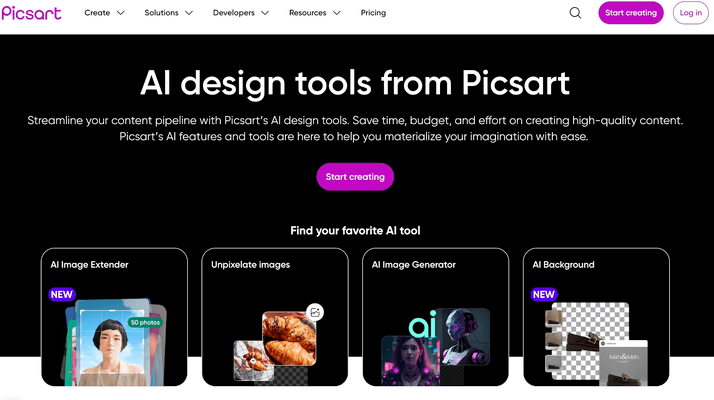
Picsart 2026 bundles 30+ AI image generation models, video editing, photo tools, and brand management into a single subscription — giving creators and businesses a unified creative workspace at an accessible price.
Key Features and AI Capabilities
Picsart’s strongest competitive advantage in 2026 isn’t any single AI tool — it’s the fully integrated creative ecosystem that connects AI generation, photo editing, video production, and brand management in one platform, eliminating the app-switching friction that fragments creative workflows across separate subscriptions.
Core AI Tools
- AI Image Generator (30+ Models): The full-screen AI Image Generator provides access to 30+ leading generation models on one plan — switch between photorealistic, illustrative, anime, and vector styles, with 48 style presets and aspect ratio control for any platform format.
- AI Background Remover: One-click background removal with edge-detection accuracy that handles complex subjects including hair, fur, and transparent objects — delivering clean cutouts for product photography, profile images, and composites.
- AI Replace: Highlight any area in a photo, describe what you want to see, and Picsart’s AI generates a contextually accurate replacement — swap backgrounds, remove objects, change clothing colors, or replace props without manual masking.
- AI Enhance: Automatic photo improvement covering sharpness, noise reduction, lighting balance, and color correction — transforms ordinary mobile shots into professional-quality visuals with a single click.
- AI Face Retouch: Smart facial retouching with controls for skin smoothing, blemish removal, eye brightening, and facial feature adjustment — calibrated for natural results rather than uncanny over-processing.
- AI Style Transfer: Apply the visual style of any reference image to your own photos — recreate painterly effects, artistic filters, or aesthetic styles from any uploaded reference.
- AI Upscaler: Increase image resolution up to 4x without visible quality degradation — essential for preparing mobile-captured images for print, large-format display, or high-resolution digital use.
Video Editing and AI Video Generation
- Text to Video: Generate video clips from text prompts using multiple AI video models — Runway Gen4, Luma, Pika, Veo 2, and Veo 3 — with choice of duration, aspect ratio, and camera movement settings.
- Video Editor: Timeline-based video editing with transitions, music, text overlays, speed controls, and AI-powered filters — supporting all major social formats (Reels, TikTok, YouTube Shorts, Stories).
- AI Video Filters: Apply AI-generated visual effects and style transformations to video clips — creating cinematic looks, animation effects, and genre-specific aesthetics without manual color grading expertise.
- Slideshow and Collage Video: Auto-generate video slideshows from photo collections with music synchronization — ideal for product showcases, event recaps, and social story content.
Photo Editing and Graphic Design
- Full Photo Editor: Comprehensive non-destructive photo editing with layers, masks, brushes, curves, levels, and adjustment tools — more depth than most competing mobile-first platforms while remaining approachable for non-professionals.
- Templates Library: Thousands of professionally designed templates for Instagram posts, Stories, TikTok, YouTube thumbnails, ads, flyers, business cards, presentations, and more — customizable with drag-and-drop simplicity.
- Sticker and Asset Library: A massive built-in library of stickers, overlays, fonts, brushes, and design elements contributed by the Picsart creator community — plus premium curated assets on paid plans.
- Collage Maker: Automated and manual collage layouts with AI-assisted composition suggestions — combining multiple images into polished grid, freeform, or magazine-style layouts.
Brand Kit and Team Management
- Brand Kit: Store your brand’s color palette, typography, logos, and visual guidelines — all accessible across every design tool and, on higher plans, used to inform AI generation outputs for on-brand automated content.
- Team Collaboration: Shared folders, centralized brand kits, collaborative editing, and admin-controlled access — enabling small marketing teams to maintain visual consistency across all content outputs.
- Batch Editing: Edit up to 50 images simultaneously on paid plans — applying filters, backgrounds, or adjustments across entire product catalogs, event photo sets, or content libraries in a single operation.
- Discover Feed: Browse community-created content with visible prompt and model metadata — providing a continuous stream of creative inspiration with one-click remix capability for any shared creation.
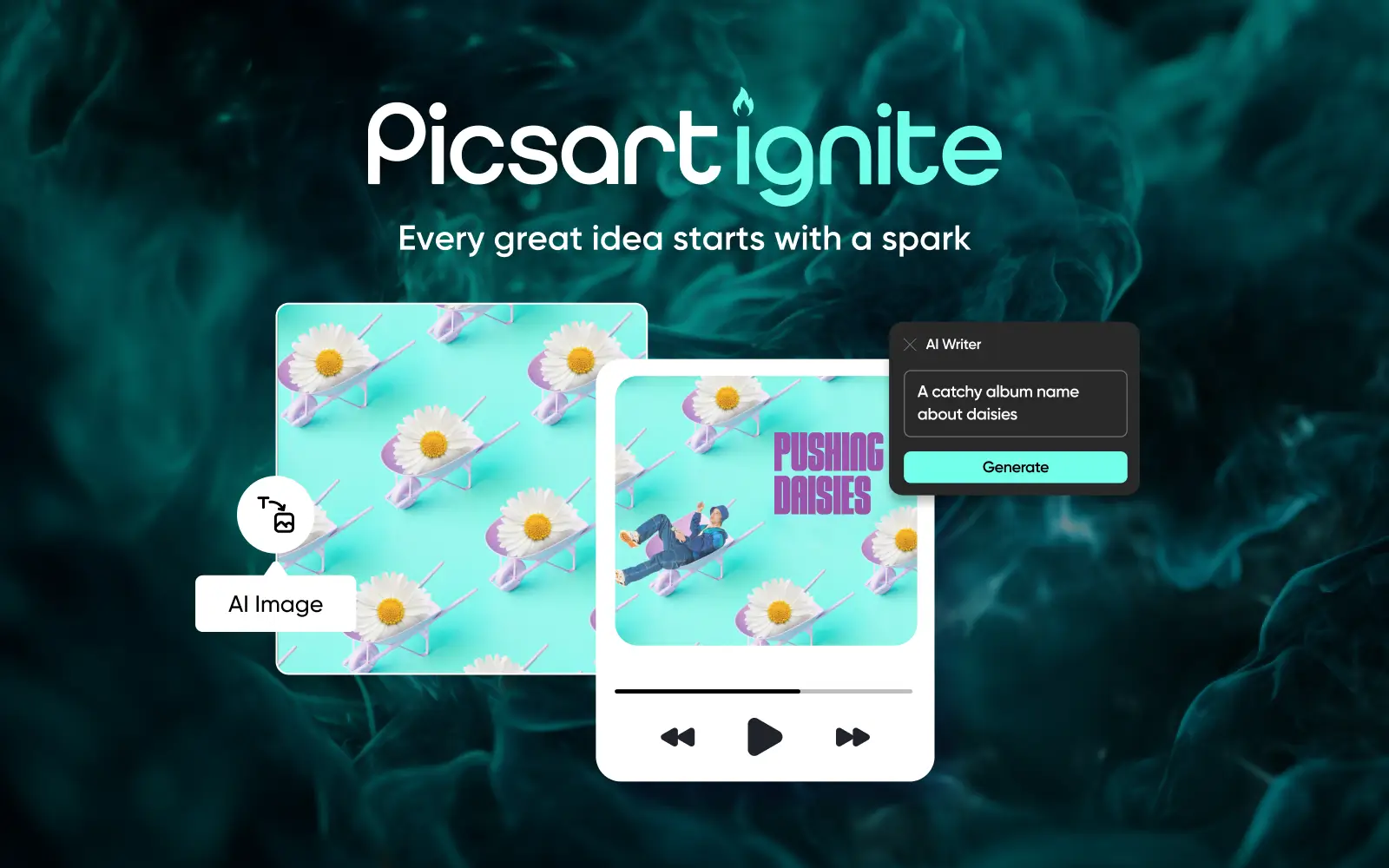
Picsart’s Brand Kit integrates directly with AI generation tools — ensuring every AI-created image, ad, or graphic reflects your brand’s visual identity automatically without post-production adjustments.
Pricing, Accessibility, and User Experience
Picsart uses a credit-based subscription model where AI tool usage draws from a monthly credit allocation — with paid plans providing dramatically expanded access to AI features, commercial licensing, and professional output quality compared to the free tier.
Picsart Pricing Breakdown for 2026
| Plan | Price (USD) | Best For | Key Features |
|---|---|---|---|
| Free | $0 | Casual users, exploration | Core photo editing, limited AI tools (5 generations/day, few background removals), watermarked exports, 2 GB storage, public templates |
| Plus | ~$5/month (annual) / ~$13/month (monthly) | Individual creators, hobbyists | Full premium templates, AI face retouch, expanded sticker library, ad-free experience, no watermarks |
| Pro | ~$7/month (annual) / ~$15/month (monthly) | Active creators, social media managers | All Plus features + 500 AI credits/month, full AI tool access (background removal, AI Replace, Upscaler), HD video exports, commercial license, batch editing |
| Ultra / Gold | ~$24.50/month per seat | Power creators, small teams | All Pro features + access to all 30+ AI generation models, Text to Video, advanced brand kit, 93 AI models, maximum credit allocation |
| Team Plan | ~$13/user/month | Marketing teams, agencies | Multi-user collaboration, shared folders, brand kit & color management, centralized billing and admin tools, team asset library |
| Enterprise / AdMaker Max | Custom / ~$140/month | Large brands, ad agencies | Custom integrations, API access, advanced brand management, dedicated support, high-volume AI ad creation workflows |
Credit system explained: AI operations draw from a monthly credit pool — Text to Video costs approximately 40 credits per generation while simpler operations like background removal cost significantly fewer. The Pro plan’s 500 monthly credits cover active creator workflows comfortably; power users running high-volume AI generation should consider the Ultra plan’s expanded allocation. New users receive complimentary credits and a 7-day free trial of premium features.
Pro tip: Annual billing delivers savings of up to 40–80% depending on plan tier — the Pro plan drops from ~$15/month (monthly) to ~$7/month (annual), making it one of the most cost-efficient AI creative suite subscriptions available. Start with the free tier to evaluate the core editing experience, then upgrade after the 7-day premium trial to confirm the AI tools suit your specific content workflow.
Free vs. Paid: Is the Upgrade Worth It?
The free tier is a functional creative tool for casual exploration — but it is not a production tool for any professional or content creator use case. Upgrade to a paid plan when you need:
- Watermark-free exports for any content intended for public sharing, professional portfolios, or business use.
- Commercial license — the free tier does not permit commercial use of Picsart-edited content; the Pro plan includes full commercial licensing.
- Unlimited AI operations — the free tier’s 5 daily AI generations and limited background removals are exhausted within an hour of professional-volume creative work.
- Batch editing for product catalogs, event photos, or content library updates requiring consistent style application across multiple images.
- Full 30+ model AI image generation access — including Text to Video with Runway Gen4, Veo 2/3, and the most advanced generative models only available on Ultra/Gold plans.
- Brand Kit with AI integration — for teams maintaining visual consistency across AI-generated content for marketing campaigns and social channels.
Cost-saving math: A comparable creative stack — separate subscriptions to an AI image generator ($20+/month), a background removal tool ($9/month), a video editor ($15/month), and a template design tool ($13/month) — easily exceeds $50–$60/month. Picsart’s Pro plan at ~$7/month (annual) consolidates all of these capabilities into one subscription at roughly one-eighth the cost of maintaining separate tools, while the Ultra plan’s 30+ model AI generation access would otherwise require $100+/month across individual model subscriptions.
Interface and Usability: Mobile vs. Desktop vs. Teams
- Mobile (iOS and Android): Picsart was built mobile-first and the app experience remains the most complete and fluid — gesture-based editing, camera integration, and a UI optimized for touch input make it the platform of choice for creators who produce content on the go.
- Web: The web version provides access to most features in a browser-based interface — practical for desktop-based design work and team collaboration, though some mobile-specific camera integration tools are unavailable.
- Beginners: Templates, AI auto-enhance, and one-click tools make professional-quality output achievable without design training — Picsart’s low skill barrier is one of its most consistent community praise points.
- Power Users: Layers, masks, curves, and advanced photo manipulation tools provide genuine creative depth for experienced editors who want professional control alongside AI acceleration.
Comparisons: Picsart vs. Competitors in 2026
The AI creative platform space is intensely competitive in 2026 — but Picsart’s combination of multi-model AI generation, full photo and video editing, mobile-first architecture, and accessible pricing creates a uniquely broad value proposition.
Picsart Strengths vs. Canva, Adobe Express, Midjourney, and CapCut
| Picsart 2026 | Canva | Adobe Express | Midjourney | CapCut | |
|---|---|---|---|---|---|
| AI Image Generation Models | 30+ models (one subscription) | Limited (Adobe Firefly) | Adobe Firefly only | 1 model (proprietary) | No |
| Photo Editing Depth | Advanced (layers, masks, curves) | Basic | Moderate | No | Basic |
| Video Editing | Yes (AI video models included) | Yes (basic) | Yes (basic) | No | Yes (core feature) |
| Mobile App Quality | Excellent (mobile-first) | Good | Good | Web only | Excellent |
| Brand Kit | Yes (AI-informed) | Yes (core feature) | Yes | No | No |
| Community / Discover Feed | Yes (150M+ user community) | Yes (limited) | No | Yes (Discord-based) | Yes |
| Pro Plan Price | ~$7/month (annual) | ~$15/month (annual) | ~$10/month | ~$10/month (basic) | Free / ~$8/month (Pro) |
| Target User | Creators, social media, e-commerce | Designers, marketing teams | Adobe ecosystem users | AI art enthusiasts | Video-first creators |
Picsart’s edge: No competitor at Picsart’s price point bundles 30+ AI image generation models, advanced photo editing with layers and masks, AI-powered video generation, batch editing, brand kit management, and a 150M+ user community in one subscription. Canva wins on template design breadth and graphic design workflow polish, and remains the stronger choice for teams producing primarily slide decks and infographics. Adobe Express serves users embedded in the Creative Cloud ecosystem. Midjourney produces arguably the highest-quality individual AI images but offers no editing environment or video capability. Picsart is the clear choice for creators and businesses whose primary output is photo and video content for social media, e-commerce, and visual marketing — especially at its annual pricing.
Getting Started: Tutorials and Common Use Cases
Picsart’s mobile-first design makes getting started exceptionally fast — no design experience required. Here’s how to move from account creation to polished content in your first session.
Step-by-Step Guide for New Users
- Create Your First AI-Generated Image:
- Open Picsart on web or mobile and navigate to the AI Image Generator.
- Select a generation model from the 30+ available — start with FLUX 2 Pro for photorealism or Ideogram 3.0 for text-embedded designs.
- Choose one of the 48 style presets to guide the visual aesthetic, set your aspect ratio (square for Instagram, 9:16 for TikTok/Reels), and type your prompt.
- Browse the Discover feed to find community prompts in your style — click any image to see the exact prompt and model used, then Remix it as a starting point.
- Remove a Background and Create a Product Visual:
- Upload a product photo to Picsart and select the AI Background Remover tool — the background is extracted automatically in seconds.
- Use AI Replace to swap the background with a generated scene, solid color, or gradient that matches your brand aesthetic.
- Add text, a logo from your brand kit, and any overlay elements from the template library to complete the product visual.
- Export in your required format — square for marketplace listings, 4:5 for Instagram feed, or 9:16 for Stories.
- Generate a Social Video from a Text Prompt:
- Navigate to the Text to Video tool and select your preferred AI video model — Runway Gen4 for cinematic quality or Veo 2/3 for realistic motion.
- Write a descriptive prompt for your scene, set camera movement preferences, and choose clip duration.
- Add a voiceover, music track, and text overlay in the Picsart video editor before exporting your finished clip.
- Set Up Your Brand Kit for Consistent AI Outputs:
- Navigate to Brand Kit in your account settings and upload your logo, define your color palette (hex codes), and select your brand typography.
- On Pro/Ultra plans, enable Brand Kit integration in the AI Image Generator — all generated images will be steered toward your brand’s visual identity automatically.
- Save a set of branded templates for recurring content types (weekly posts, product announcements, promotional graphics) to maintain consistency across all team output.
Tips for Better Content and Credit Efficiency
- Use the Discover feed’s prompt + model metadata to reverse-engineer the style of community images you admire — remix is faster and more instructive than building prompts from scratch.
- For Text to Video, write highly specific prompts describing subject, lighting, camera movement, and mood — vague prompts waste credits on unusable outputs.
- Use batch editing for product catalog updates — apply consistent background removal, color grading, or watermarks to 50 images simultaneously rather than processing individually.
- Save frequently used AI settings as style presets — storing your preferred model, style, and aspect ratio combination eliminates repetitive configuration for recurring content types.
- Teams: assign brand kit management to one admin and share assets via the team folder structure — prevents brand drift across multiple team members creating content simultaneously.
Advanced Use Cases and Expert Analysis
For high-volume content creators, e-commerce brands, marketing agencies, and social media teams, Picsart 2026 enables visual content workflows that previously required significantly more expensive tooling and specialized design expertise.
Expert Reviews on Creative Output and ROI
- E-Commerce Product Photography: Online sellers use Picsart’s AI Background Remover + AI Replace workflow to produce professional product listing images at scale — eliminating studio photography costs for catalog updates, seasonal backgrounds, and marketplace-specific formatting requirements.
- Social Media Content Creators: Instagram and TikTok creators use Picsart’s integrated AI image generation, video editor, and template library to maintain daily posting cadences — compressing a full content production session into 20–30 minutes without sacrificing visual quality.
- Small Business Marketing: Local businesses and entrepreneurs use Picsart to produce flyers, promotional ads, social posts, and product visuals without hiring a designer — the AI tools and template library provide a quality floor that consistently exceeds what non-designers produce with traditional tools.
- Marketing Agency Workflows: Small agencies use the Team Plan with shared brand kits to maintain client brand consistency across multiple team members — batch editing and centralized asset management replacing manual file sharing and style guide distribution.
- Influencer and Creator Monetization: Creators building paid content, merchandise designs, or digital products use Picsart’s commercial license (Pro and above) and AI generation workflow to produce original visual assets at a volume and quality level that would be prohibitively expensive through commissioned illustration or photography.
Community feedback: Picsart consistently earns 4.3–4.6 out of 5 stars across major review platforms including Google Play, the App Store, and G2 — with particular praise for mobile editing fluidity, AI tool accessibility, the breadth of the template library, and the value delivered by annual Pro plan pricing. The most common critiques center on credit consumption rates for AI-intensive workflows, occasional performance issues during complex editing sessions on lower-end devices, and the gating of the most powerful AI generation models behind the Ultra plan tier.
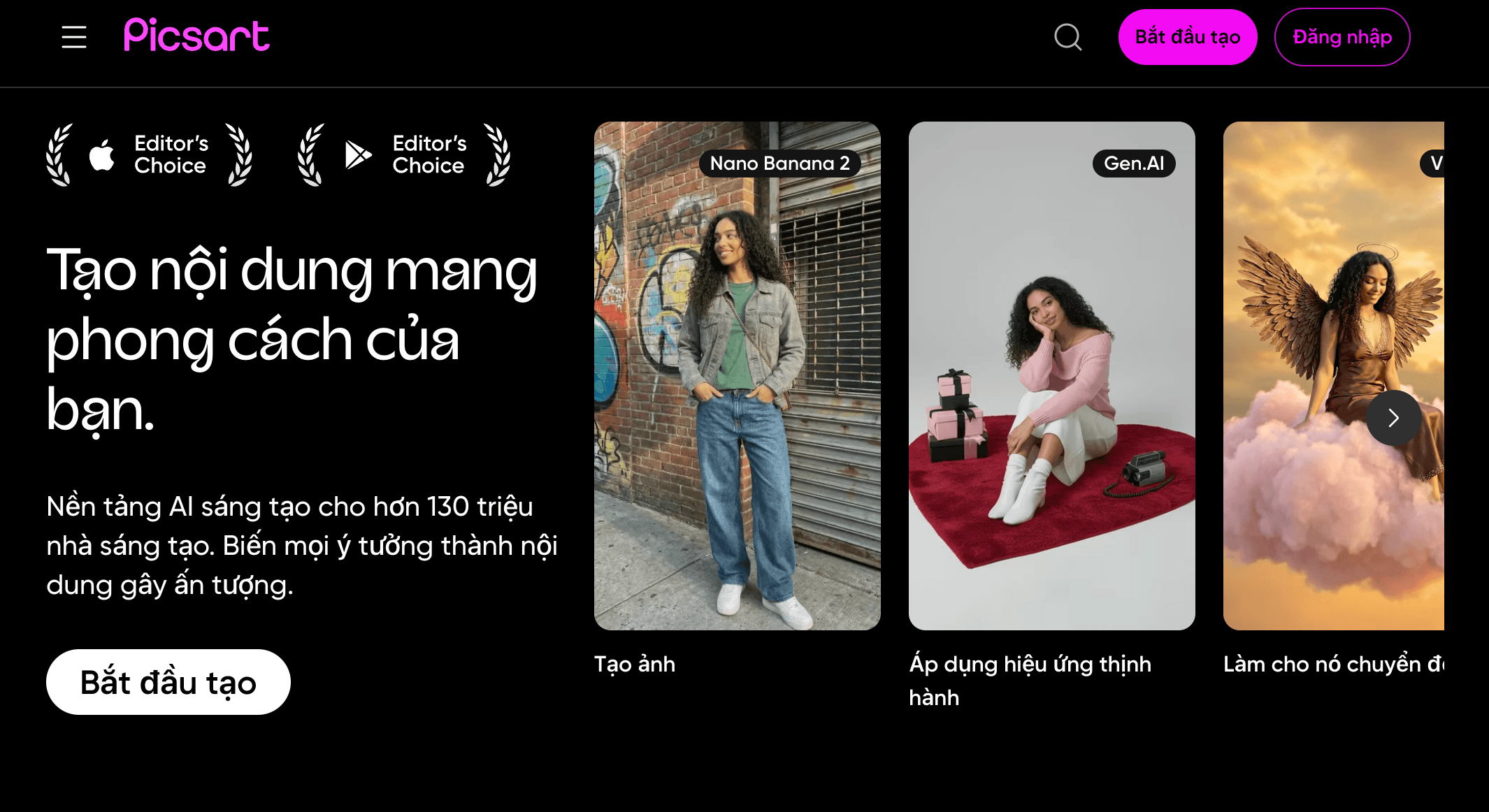
E-commerce operators, content creators, and marketing teams use Picsart’s AI-powered creative suite to produce high-quality visual content at scale — without the cost of separate design tools, photography studios, or freelance designers.
Potential Limitations and Community Feedback
Despite its strengths, Picsart 2026 has clear limitations worth understanding before committing:
- Best AI Models Gated Behind Ultra Plan: The most advanced generation models and Text to Video capabilities require the Ultra/Gold tier — Pro plan users do not have access to the full 30+ model lineup, which can feel limiting once familiar with the platform’s capabilities.
- Credit System Creates Cost Unpredictability: High-volume AI operations — particularly Text to Video at 40 credits per generation — can deplete monthly credit allocations faster than expected, creating unpredictable effective costs for teams scaling AI content workflows.
- Free Tier Watermarks Eliminate Professional Use: Watermarks on free tier AI outputs make the platform unusable for any public-facing professional content — the upgrade to Pro is necessary from day one for any creator or business use case.
- Brand Kit Restrictions on Lower Plans: Brand kit access is restricted on lower tiers — creators managing multiple brands find the limitations significant without upgrading to team or enterprise plans.
- Limited Vector and Print Design Capability: Picsart is optimized for raster-based digital content — creators requiring professional vector illustration, print-ready artwork, or complex typography layouts will find Canva or Adobe Illustrator more appropriate for those specific workflows.
- Occasional Performance Issues: Complex editing sessions with multiple layers, high-resolution images, and simultaneous AI operations can produce lag or crashes on lower-end devices — a known issue that the Picsart team has improved but not fully resolved across all hardware configurations.
The Picsart development team ships regular AI model integrations and feature updates — the 30+ model AI generation workspace and Text to Video capabilities represent substantial 2026 additions — but credit transparency, consistent cross-device performance, and plan tier access balance remain areas of ongoing community discussion.
Future Outlook and Real-World Applications
Picsart isn’t just a photo editor anymore — it’s becoming an all-in-one AI creative operating system for the generation of creators and businesses that produce, publish, and monetize visual content as a core part of their daily work.
Use Cases Across Content Creation, E-Commerce, Marketing, and Branding
- Social Media Creators and Influencers: Maintain visual consistency and publishing cadence across Instagram, TikTok, YouTube, and Pinterest — using AI generation, editing, and video tools in a single workflow without app-switching.
- E-Commerce Sellers: Produce marketplace-ready product images, promotional banners, and lifestyle composites at scale — replacing studio costs and outsourced photo editing with in-house AI-powered workflows.
- Small Business Owners: Design professional marketing materials, social ads, product photography, and promotional content independently — without a graphic design budget or specialized creative software knowledge.
- Marketing and Brand Teams: Maintain brand consistency across high-volume AI-generated content through integrated brand kit management — scaling visual content production without proportionally scaling design team headcount.
- Freelance Designers and Content Agencies: Use the Team Plan and batch editing capabilities to manage multiple client brand workflows simultaneously — reducing per-project production time while maintaining deliverable quality standards.
- Educators and Students: Create visually engaging presentations, digital projects, and educational content using AI generation and editing tools — democratizing high-quality visual communication for academic contexts.
Expert prediction: As AI image and video generation becomes a standard component of every creator and marketer’s toolkit, the platforms that win will be those that eliminate friction between generation, editing, brand management, and publishing — not those that offer the single most powerful individual model. Picsart’s multi-model architecture, integrated editing environment, mobile-first deployment, and accessible pricing put it squarely in position to become the default creative platform for the global community of creators and small businesses building visual-first digital presences in 2026 and beyond. With 150M+ monthly active users and a rapidly expanding AI feature set, Picsart’s momentum is among the strongest in the visual creation software space.
Conclusion
Picsart 2026 delivers one of the most comprehensive, AI-powered, and genuinely accessible visual creation experiences available at its price point. With 30+ AI image generation models on a single subscription, Text to Video powered by Runway, Luma, Veo 2/3, and Pika, advanced photo editing with layers and masks, AI Replace and AI Enhance tools, batch editing for up to 50 images, brand kit integration with AI output, a 150M+ user community with Discover feed remix capability, and a Pro plan at just ~$7/month on annual billing — Picsart has cemented its position as the default all-in-one creative platform for content creators, social media managers, e-commerce operators, and small business marketers. Professional designers requiring vector illustration, complex print workflows, or enterprise-grade design system management will find Canva or Adobe Creative Cloud more appropriate for those specific needs — but for the vast majority of visual content production use cases in 2026, Picsart delivers extraordinary creative capability at a price that redefines what a $7/month software subscription can accomplish.
Ready to supercharge your visual content with AI-powered creative tools? Get started with Picsart today:
👉 Open Picsart Account: https://worldoftech.space/picsart
👉 Our YouTube Channel: https://www.youtube.com/@world_tech79
👉 Our Facebook Fanpage: https://www.facebook.com/profile.php?id=61576258059614
👉 Our X (Twitter): https://x.com/worldoftech79





