
The world of AI-generated video is advancing at a stunning pace, and solutions like InVideo AI 2026 are leading the revolution. Whether you’re an experienced video marketer, a solo creator, or exploring video automation for the first time, staying on top of the latest tools and technologies is vital to remain competitive. This comprehensive review introduces you to InVideo AI’s standout features—including advanced template libraries, instant prompt-to-video workflows, powerful voice cloning, and multilingual dubbing—that collectively lower the technical barrier and leave more room for pure creativity. Read on for deep dives, usage stats, tutorials, and a clear comparison with other leading AI video generators.
InVideo AI 2026: Comprehensive Guide to Next-Gen Video Creation
What Is InVideo AI in 2026? Overview and Market Position
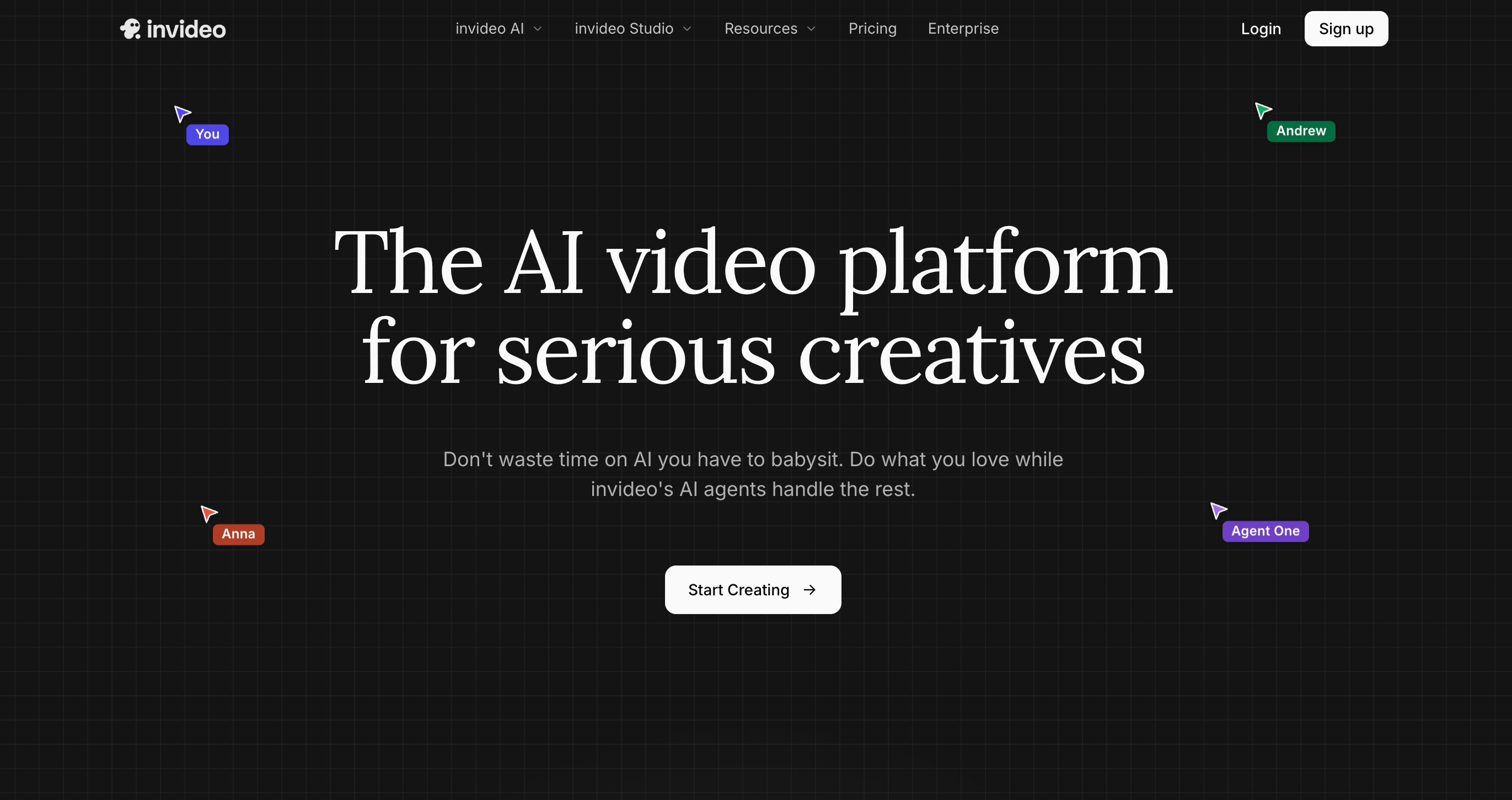
InVideo AI 2026 has cemented itself as a dominant force in the AI video generator arena. Since its inception, the platform’s intuitive workflow, rapid adoption of multimodal AI models, and viral marketing have consistently elevated its market position. In brief, InVideo AI stands as a cloud-based, prompt-driven video creation suite that enables users to transform ideas, scripts, or prompts into polished videos within minutes—no editing experience necessary.
Rapid Market Growth: InVideo AI’s Rise to 1.74M Monthly Visits
According to recent analytics, InVideo AI’s user base surged past 1.74 million monthly visits by Q2 2026. This leap is fueled by several factors:
- The widespread demand for short-form content (e.g., YouTube Shorts, TikTok, Instagram).
- Businesses seeking cost-effective, scalable, and quick video turnaround for marketing and training.
- The platform’s robust integration of multimodal generative AI models (from OpenAI, ByteDance, and others).
- Viral adoption among solopreneurs, agencies, and content creators seeking “prompt-to-video” workflows.
AI Video Generator Innovations: Prompt-to-Video and Multilanguage Support
While the core appeal lies in the ability to generate videos from a simple prompt, InVideo AI 2026 takes it further:
- Supports 50+ languages with automatic voiceover and dubbing.
- Built-in “voice cloning” so creators can generate perfect narrations or replicate brand voices.
- Contextual storyboarding and scene arrangement—just type your idea, and the AI structures your video.
Monthly Stats and Recent Usage Data
| Metric | Value (2026) |
|---|---|
| Monthly Visits | 1.74M+ |
| Paid Subscribers | 230K+ |
| Short-Form Exports/Month | 950,000+ |
| Top Market Segments | Marketing, Education, Entrepreneurs |
InVideo’s popularity is also reflected in its social traffic: agencies, YouTubers, and TikTok creators are consistently pushing the tool’s limits.
Core Features and Capabilities of InVideo AI 2026
Text-to-Video Generation: From Scripts to Automated Videos
Text-to-video remains InVideo AI’s core feature. Users simply provide a prompt, script, or outline—then the AI generates:
- Scene breakdowns
- Visual assets and background videos
- Automated b-roll and overlays
- AI narration (multilingual, with voice cloning)
- Auto-captions and on-video text
This elevates productivity and creativity, allowing creators to focus on the message rather than tedious video editing.
Breakdown: 5,000+ Templates and 50+ Language Support
InVideo’s template library further accelerates production for creators who want a head start on design and structure:
| Feature | Count / Capability |
|---|---|
| Prebuilt Video Templates | 5,000+ |
| Supported Languages | 50+ |
| Stock Media Assets | 12M+ |
| Export Resolutions | 1080p, 4K (Max plan) |
| Voiceover Styles | 250+ (with cloning) |
For businesses and agencies, this means brand consistency and rapid multi-market adaptation are easy to achieve.
Voice Cloning, Dubbing, and Multilanguage Features Explained
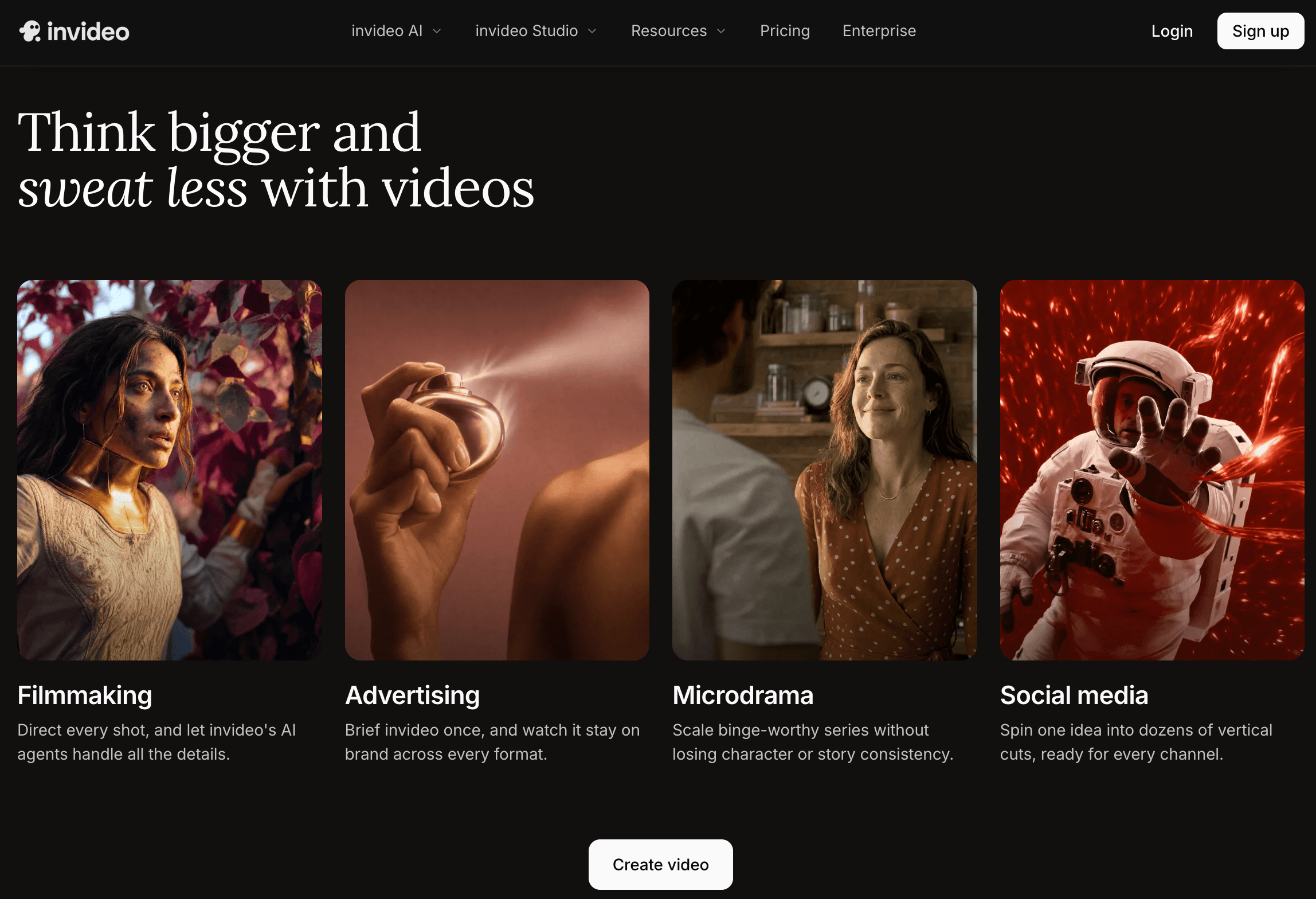
Perhaps the most touted innovation in 2026 is seamless voice cloning and automated dubbing:
- Creators can upload a sample of their (or their brand’s) voice, and InVideo AI accurately clones and applies it.
- Videos are automatically dubbed in 50+ languages, with synced lip movement and native accent rendering.
- Perfect for international expansion, ESL explainer videos, and accessible learning modules.
Why This Matters
- Reduces time and cost for localization by 90%.
- Drives up engagement on global platforms—proven by 2026 case studies of viral multilanguage shorts.
Integrated AI Video Models and 2026 Innovations
InVideo AI 2026’s major leap forward lies in its integrated approach to AI video generation. Instead of relying on just one backend model, the platform seamlessly fuses several top video AI engines.
How Integrated Models Outperform Siloed Workflows
Model Strengths Comparison Table
| Model | Strengths | Typical Use Cases |
|---|---|---|
| Seedance | High-fidelity humans, complex scenes, cinematic | YouTube explainers, ads, story-driven shorts |
| WAN | Rapid prototyping, 3D motion graphics, avatars | Game trailers, virtual events, animated training |
| Kling | Photorealism, environmental effects, VFX | Product demos, sci-fi and fantasy content |
| Sora 2 | Script-to-video with strong logical consistency | Tutorials, presentations, educational shorts |
| Veo | Ultra-fast “prompt-to-short” for YouTube, TikTok | Viral content, social media, meme formats |
While competitors lock users into a single model, InVideo AI allows mid-project switches—for example, you might begin storyboarding with Sora 2, then render the final scene with Kling for premium realism.
Technical Analysis: Switching Between AI Models Mid-Project
- Users can select sub-scenes or clips and assign different AI models.
- Supports advanced multi-agent workflows (ideal for agencies and teams).
- Real-world example: A creator generates a “Best AI video generator 2026” explainer script with Sora, then swaps to Seedance for human presenters, and finishes with WAN avatars for interactive segments.
Pricing Plans and Value Comparison in 2026
Pricing Table: Free, Plus, and Max—What You Get for Each Tier
InVideo AI’s freemium model eliminates entry barriers and scales affordably for pro creators.
| Plan | Monthly Price | Video Length Limit | Export Quality | Multilanguage & Voice Cloning | Commercial Use | Templates |
|---|---|---|---|---|---|---|
| Free | $0 | 5 mins | 720p | No | No | 1,000 |
| Plus | $25 | 15 mins | 1080p | Yes (limited) | Yes | 5,000 |
| Max (Pro) | $60 | 60 mins | 4K | Yes (all voices, 50+ langs) | Yes | 5,000+ |
- Plus is ideal for marketing agencies, social managers, and educators who need frequent, high-quality exports.
- Max unleashes the full suite: 4K exports, unlimited voice cloning, all model access, and priority rendering.
Tip: Yearly subscriptions save 25%—making InVideo AI among the most cost-efficient for “prompt-to-video” workflows.
Step-by-Step InVideo AI Tutorial: How to Create Viral Videos
Want to launch your next viral YouTube Short or automate faceless explainer videos? Here’s a hands-on tutorial with tips at each stage.
Stepwise Guide: From Signing Up to Exporting Your AI-Generated Video
- Sign Up & Dashboard Tour
- Quick sign-in via Google or email.
- Navigate to “Create with AI” or choose “Prompt-to-Video.”
- Choose a Workflow
- Select from “Text Prompt,” “Script Upload,” or pick a prebuilt template.
- Describe Your Idea (Prompt)
- Enter a clear, detailed prompt:
> “Create a 60-second explainer about the best crypto wallets for beginners, with animated avatars and voiceover.” - Tip: Longer prompts yield better scene and logic results.
- Select Your AI Model
- Starter: Use Sora 2 for tutorials, Kling for realistic faces, or Veo for shorts.
- Customize Scenes & Edits
- Auto-generated scenes appear in the storyboard.
- Refine by rearranging, adding overlays, or tweaking music and narration.
- Use voice cloning to upload a short audio sample (for Max plan users).
- Preview and Edit
- Review AI’s draft.
- Use multilanguage preview for international versions.
- Export
- Pick resolution (1080p or 4K for Max).
- Download, or direct-publish to YouTube, TikTok, and Facebook.
Tips and Tricks for Best Prompt Results in InVideo AI
- Be specific with instructions (“Include stats, show happy customers, use upbeat music”).
- Use hashtags and CTAs within on-screen text for shorts virality.
- Apply multilanguage dubbing for global reach—in tests, adding 3+ languages boosted video watch time by 48%.
Comparisons: InVideo AI vs. Competitors (2026 Edition)
As AI video creation platforms surge, how does InVideo stack up against Synthesia, Pictory, and other 2026 leaders?
Feature Comparison Table: InVideo vs. Top AI Video Generators
| Feature | InVideo AI 2026 | Synthesia 2026 | Pictory 2026 |
|---|---|---|---|
| Prompt-to-Video | Yes | Partial (script) | Yes |
| Multimodal Model Switching | Yes | No | No |
| 4K Exports | Yes (Max plan) | No | No |
| Voice Cloning | Yes, custom voices | Studio voices only | No |
| Automatic Dubbing (50+ Langs) | Yes | 20+ languages | 10+ languages |
| Free Plan | Yes | Limited trial | Trial |
| YouTube Shorts Integration | Yes | Midsize, limited | Yes |
| Commercial Rights | Yes (Plus/Max) | Pro plan | Paid plans |
How Does InVideo Stack Up Against Synthesia and Pictory?
- InVideo leads in multilingual dubbing, model flexibility, and affordability.
- Synthesia’s strength lies in lifelike avatars, but lacks model diversity.
- Pictory offers social video structuring but falls short in advanced prompt-to-video and voice cloning.
For a deeper dive into the competitive landscape and adjacent AI-powered tools, Watch more Walmart SEO 2026: AI-Powered Strategies Rank Higher Marketplace Sales under the phrase “Watch more”, dofollow, title=”Watchmore: Walmart SEO 2026: AI-Powered Strategies Rank Higher Marketplace Sales”.
Expert Analysis, Limitations, and 2026 Video Trends
Expert Tips on Maximizing Results and Avoiding Common Pitfalls
Leading YouTubers, agency owners, and AI researchers recommend these pro tactics:
- Split complex scripts into smaller prompts for logical storyboarding.
- Use your own voice clone to maintain brand identity.
- Leverage A/B testing: export multiple prompt variants, then test which generates higher engagement and CTR.
- Master “multilanguage shorts”—worldwide audiences reward local content.
- Mix “Veo” for viral meme videos with “Kling” for polished product demos.
Best Uses for Viral Shorts, YouTube Automation, and Faceless Video Creation
InVideo AI 2026 has become the platform of choice for:
- Content automation: Daily explainer shorts for YouTube, TikTok, Snapchat.
- Faceless channels (finance, tech, travel) leveraging avatars, AI characters, and cloned voices.
- Brand campaigns: Launching multilanguage social ads, product launches, and interactive reels in record time.
Limitations & Where Human Editing Still Matters
- AI-driven visuals may lack “soul”—hybrid human+AI editing yields the best creative results.
- New, niche, or highly technical prompts sometimes need manual tweaking.
- Fast-evolving platforms (like InVideo) require staying current—join user forums, follow new model releases.
Frequently Asked Questions (FAQs): InVideo AI Usage and Pricing
- Can I use my own voice for narration?
Yes—on Plus/Max plans via voice cloning upload. - Does the free plan limit exports?
Yes, free users have lower export quality and watermark. - Is InVideo AI suitable for business training content?
Absolutely; its localization and brand tools are ideal for HR, onboarding, and customer training. - Does it support API integration?
Yes, for enterprise/agency accounts. - Are exports copyright-safe for commercial use?
On paid plans—with commercial rights and royalty-free assets.
Future Video Trends for 2026: Where Is InVideo Headed?
- AI-led content automation will redefine what’s possible for digital brands, educators, and filmmakers.
- Voice cloning and real-time dubbing (100+ languages) are expected by end of 2026.
- Prompt-to-multimedia: merging video with AI-generated images, docs, and presentations in one workflow.
Suggested Next Read
To extend your mastery in content automation and generative AI, Watch more Master Skillshare Classes 2026: Learning Paths, AI Tools, Pricing under the phrase “Watch more”, dofollow, title=”Watchmore: Master Skillshare Classes 2026: Learning Paths, AI Tools, Pricing”.
Conclusion: Why InVideo AI 2026 Outpaces the Competition
InVideo AI 2026 is not just a fleeting trend—it’s a cornerstone for future-ready video creators, remote solopreneurs, and global businesses. With its advanced AI model integration, template power, multilanguage dubbing, and industry-shaping voice cloning, it offers unmatched flexibility, speed, and creative freedom. As video consumption and AI tech accelerate, InVideo empowers you to unleash world-class content, whether for YouTube, client reels, or global ad campaigns. Don’t just keep up—leap ahead with InVideo AI 2026.
👉 Open InVideo Account: https://worldoftech.space/invideo
👉 Our YouTube Channel: https://www.youtube.com/@world_tech79
👉 Our Facebook Fanpage: https://www.facebook.com/profile.php?id=61576258059614
👉 Our X (Twitter): https://x.com/worldoftech79





