
Desktop laser engraving used to mean either a toy that barely marked a piece of plywood or an industrial machine that cost as much as a used car. AtomStack sits in the middle of that gap. The brand sells diode laser engravers and cutters that range from a $99 starter unit to a 70W cutter that handles thick hardwood, and it ships them from warehouses in the US and Germany with a 12 month warranty.
That breadth is exactly why choosing can feel confusing, and why the brand’s mixed customer service record deserves a straight look before you spend money. Based on the official store at atomstack.com, current listed prices, and independent customer feedback, this 2026 review walks through what AtomStack makes, what each machine costs today, how it compares with rivals, and who should and should not buy.
AtomStack Review 2026: Diode Laser Engravers From Starter to Workshop Class
Overview and Background
AtomStack is a laser equipment brand that describes itself as an innovator in laser engraving and cutting. On its homepage the company says it serves more than 200,000 creators and businesses, has sold over 300,000 products, and is available in over 40 countries. Those are self-reported figures and we could not verify them independently, but the size of the on-site review base (more than 2,000 reviews on the store’s own widget) suggests a real and active customer pool.
The catalog is organized into families. The Diode Laser A Series covers the A10, A20, A24, A40 and A70 machines, which are open frame engravers sized for hobby benches and small workshops. The P1 and Atelier are compact, enclosed machines aimed at beginners and gift makers. The Swift and Swift Mini are ultra low cost entry units. Beyond diode lasers, AtomStack also lists fiber (1064nm) machines, the Kraft dual laser line, a water cooled Glacier engraver, a Hurricane 55W CO2 cutter, and the C4 Pro CNC router, plus a large range of accessories such as honeycomb tables, rotary rollers, enclosures, air assist kits and air purifiers.
Why AtomStack Stands Out in 2026
A genuine price ladder: few laser brands cover every budget on one store. You can start at $99 with the Swift Mini, step up to $219 for the enclosed P1, reach $769 for the A40 Pro V2, and go all the way to $1,639 for the A70 Max without leaving the ecosystem or relearning the software.
Real cutting power for the money: the A70 Max uses a 70W switchable diode laser and the brand states it cuts wood up to 25 mm and acrylic up to 26 mm. The A40 Pro V2 offers a switchable 48W or 24W output and a stated 18 mm single pass cut in wood. Those numbers put serious projects within reach of a home workshop.
Large work areas: the A40 Pro V2 gives you 385 x 400 mm, expandable to 385 x 850 mm with an extension kit, and the A70 Max reaches 850 x 800 mm. That is enough for signs, furniture parts and batch production of smaller items.
Beginner friendly enclosed options: the P1 is a fully enclosed Class 1 design weighing about 3 kg, and the Atelier adds a built in HD camera, a galvo scanning system with stated engraving speeds up to 4,000 mm/s, and FDA Class 1 and IEC 60825-1 Class 1 certification. For anyone nervous about open beam lasers, these are the safer way in.
Open software support: the larger machines work with LightBurn, LaserGRBL and AtomStack’s own Studio software, so you are not locked into a single application.
Safety features built in: the A40 Pro V2 lists flame detection, tilt detection, limit switches, power loss resume and red dot positioning. These matter more than speed numbers when a laser runs for hours.
Local shipping and a price guarantee: orders ship from US and German warehouses in roughly 3 to 7 days, shipping is free over $50, and the store advertises a 30 day price guarantee that refunds the difference if you find a lower price.
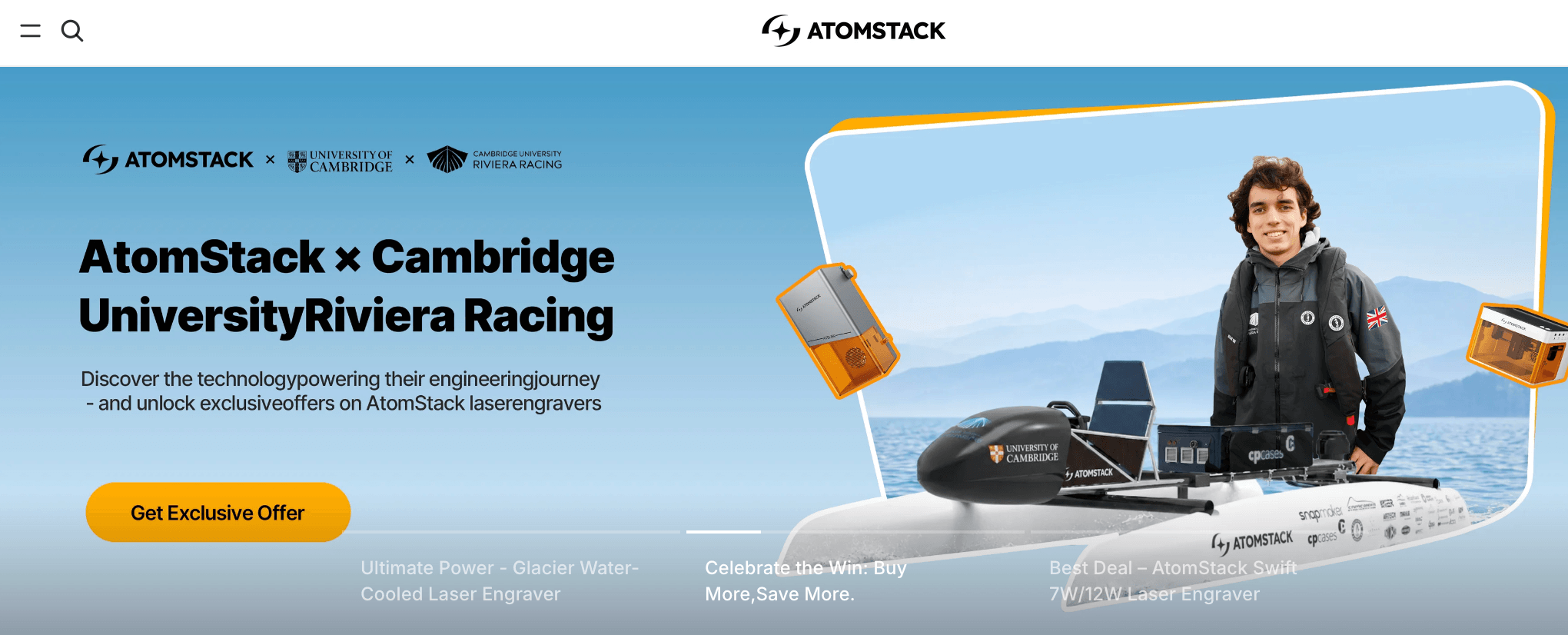
AtomStack’s A Series open frame engravers bring large work areas and serious cutting power to home workshops.
Key Features and Technology
All of the main AtomStack machines share the same core idea: a blue diode laser module mounted on a motion system, controlled by a 32 bit board, with air assist to keep cuts clean. The differences are in power, motion type and enclosure. Understanding these three things will tell you which model fits your work.
Diode Power and Switchable Output
The A40 Pro V2 runs a 48W or 24W diode laser that you can switch between, with a stated laser spot of 0.08 x 0.1 mm. The lower setting gives finer engraving detail, while the higher setting is for cutting. The A70 Max follows the same logic at 70W and 35W. Note that diode wattage figures are optical or “labelled” outputs, so treat them as a guide for class rather than a direct comparison with CO2 tube wattage.
Frame Laser vs Galvo Motion
Most AtomStack machines are frame lasers, where the head travels on rails across the whole bed. The Atelier is different. It uses a galvo system that steers the beam with mirrors, which allows very fast engraving over a small 120 x 120 mm area. That makes it excellent for jewelry, tags and personalized gifts, but it is not a tool for large panels.
Air Assist, Camera and Safety
Air assist blows smoke and flame away from the cut and is essential for clean edges in wood. The A40 Pro V2 and A70 Max include air assist features, and the A70 Max pairs it with infrared assisted alignment and one key auto focus. A camera is available only on select models such as the Atelier, and neither the A40 Pro V2 nor the A70 Max has one built in. Enclosed models like the P1 and Atelier add door interlocks and tilt stops.
Pricing, Plans, and Package Structure
AtomStack does not sell subscriptions. You pay once for the machine and choose a bundle if you want accessories. Each product page offers a “Machine Only” option plus bundles that add honeycomb tables, rotary rollers, enclosures or purifiers. The table below shows the machine only price listed on the official store when we checked in October 2026.
| Product | Price (USD) | What It Is | Best For |
|---|---|---|---|
| Swift Mini | $99 (bundles $139 to $329) | 3.5W pre-assembled diode engraver, 135 x 145 mm area, 2.6 kg | First laser, light craft work |
| P1 | $219 (bundles $299 to $559) | 5W enclosed Class 1 engraver, 110 x 110 mm, optional 1.2W IR module | Safe indoor starter, small gifts |
| Atelier | $599 | 12W galvo diode engraver with built-in HD camera, 120 x 120 mm | Fast personalization, small business |
| A40 Pro V2 | $769 (Basic $819, Pro $989) | 48W/24W switchable frame laser, 385 x 400 mm, up to 500 mm/s | Serious hobbyists and side businesses |
| A70 Max | $1,639 (bundles up to $3,029) | 70W/35W switchable frame laser, 850 x 800 mm work area, 19 kg | Workshops, large panels, thick wood |
A few pricing details are worth understanding. The A70 Max shows an original price of $2,099 against the current $1,639 on its pricing panel, and the page advertises “save up to $340” through automatic checkout discounts. The A40 Pro V2 lists $769 as the machine only price, though the purchase block displayed $729 with a “saved $40” note when we looked, so the page was not fully consistent. Swift Mini and P1 pages likewise showed higher “regular” prices ($149 and $299) next to the lower sale prices. In short, sale pricing on this store moves often, and the price guarantee only helps if you check at the moment you buy.
How AtomStack Compares to Alternatives
The consumer diode laser market is crowded. The two names most often shopped against AtomStack are xTool and Sculpfun. Figures for those brands are approximate and rounded, because their prices change with promotions.
| Factor | AtomStack | xTool | Sculpfun |
|---|---|---|---|
| Price range | $99 to $1,639 (diode, listed) | Roughly $400 to $2,000+ (approximate) | Roughly $150 to $900 (approximate) |
| Top diode power | 70W (A70 Max) | 40W class on mainstream diode models | Up to roughly 40W class |
| Enclosed, camera options | P1 and Atelier (camera on Atelier) | Strong enclosed and camera lineup | Mostly open frame, accessories optional |
| Software | LightBurn, LaserGRBL, AtomStack Studio | xTool Creative Space, LightBurn on many models | LightBurn, LaserGRBL |
| Support reputation | Mixed (see Limitations) | Generally more polished ecosystem | Value focused, community driven |
| Best for | Big work area and cutting power per dollar | Buyers who want a polished all in one system | Tight budgets and tinkerers |
vs. xTool: xTool generally wins on ecosystem polish, software and accessories that talk to each other, and it usually costs more for the same laser class. AtomStack tends to win when you want a larger bed and higher stated power for the money and are comfortable with a more do it yourself approach.
vs. Sculpfun: Sculpfun is aggressive on price and has a loyal community. AtomStack’s advantage is the broader catalog, including enclosed and camera equipped models, while Sculpfun’s advantage is often a lower sticker price on comparable open frame machines. Check current promotions on both before you decide.
Pros and Cons
What Users Love
Cutting power and size: on both the store’s own review widget and Trustpilot, the A70 Max earns praise for its large work area and ability to cut thick material. Reviewers describe it as strong and capable.
Quick setup: many buyers say their machine was assembled and running soon after unboxing, and the store lists the Swift Mini and P1 as pre-assembled or enclosed ready to use designs.
Value against CO2: customers often point out that diode machines avoid the consumable and maintenance costs of CO2 tubes, which makes the upfront price look more reasonable.
Clean detail: users and hands-on video reviewers cite the small laser spot and precise results on wood, acrylic and coated metals, with the A24 Pro and A40 line frequently singled out.
Useful accessories: the air purifier gets credit for making indoor engraving more tolerable, and the broad range of rollers, honeycomb tables and enclosures lets you grow a setup over time.
Some excellent support experiences: a number of customers, on Trustpilot and on the store widget, specifically thank support agents who solved a problem or explained a fix with a video.
Limitations Worth Knowing
Weak Trustpilot scores: on Trustpilot, the atomstack.com profile sits at roughly 2.3 to 2.5 out of 5 from only about a dozen reviews, and the separate atomstack.net profile shows 1.9 out of 5 from 58 reviews. Meanwhile AtomStack’s own on-site review widget shows about 4.6 out of 5 from more than 2,000 reviews. This divergence is a material finding. The company controls its own widget, and Trustpilot itself notes that the profiles are unclaimed and that the company has not recently invited customers to review, so neither sample is perfectly representative. Read both, and weight the independent platform accordingly.
Support and warranty complaints: the recurring negative themes on Trustpilot are slow or unanswered emails, difficult warranty or refund outcomes, and being asked to do repairs yourself, such as swapping a board by following a video. Some reviewers also say there is no phone number or physical mailing address, which makes escalation hard.
Hardware reliability reports: reviewers describe laser modules that lost power and units that failed shortly after purchase. One on-site reviewer reports a wobbly autofocus mechanism that needed replacement. These are a minority of reports, but they are consistent enough to take seriously.
Shipping and stock issues: a few buyers report delays, out of stock parts and unreliable tracking, even though the store advertises 3 to 7 day shipping from local warehouses.
Software rough edges: AtomStack Studio draws criticism for text input and bed size handling, and some users want factory material presets for LightBurn. Wi-Fi connection troubles also appear in the reviews.
Inconsistent pricing displays and thin independent testing: we saw conflicting regular, sale and MSRP numbers on several product pages, and the “expert reviews” the brand hosts are AtomStack curated video summaries rather than independent lab tests. We found few detailed hands-on reviews from large independent publications.
Who Should Use AtomStack
Curious beginners on a tight budget: the Swift Mini at $99 or the enclosed P1 at $219 let you learn the craft without a major commitment, as long as you accept small work areas and modest power.
Gift and personalization sellers: the Atelier’s galvo speed, camera alignment and Class 1 enclosure suit people engraving names, tags and small gifts for local markets and online shops.
Makers who want to cut, not just mark: the A40 Pro V2 and A70 Max give you cutting capacity and bed size that are hard to match at their prices, which fits sign makers, furniture hobbyists and small production runs.
Experienced DIY users: if you are comfortable with LightBurn, tuning settings and troubleshooting by video, the do it yourself aspects will feel normal rather than frustrating.
Who should look elsewhere: if you need guaranteed fast, hand holding support, a tightly integrated software and accessory ecosystem, or a machine for continuous commercial production with strict uptime, a more established premium brand or a CO2 or fiber system is a safer choice. Buyers who dislike the risk of dealing with warranty disputes should also consider buying from a major retailer with its own return policy.

Compact models like the Atelier suit fast personalization of small items and gifts.
Getting Started: Step by Step
- Choose by work, not by watts. Decide the largest piece you will make and the thickest material you will cut. Small gifts point to the P1 or Atelier, while panels and thick wood point to the A40 Pro V2 or A70 Max.
- Buy from the correct domain. Order from atomstack.com or an authorized retailer and double check the address, since similar domains such as atomstack.net, atomstack.eu and atomstack3d.com are separate or look alike.
- Pick the bundle that includes what you need. A honeycomb table is almost always worth having, and the Pro bundles add a rotary roller. Price the extras separately before deciding.
- Set up safe space first. Prepare ventilation or a purifier, a non flammable surface, a fire extinguisher nearby and certified laser safety glasses before the first burn.
- Install your software. LightBurn is the most flexible option, and AtomStack Studio or LaserGRBL are alternatives. Connect by USB first, since some users report Wi-Fi issues.
- Run material tests. Use scrap material and a power and speed test grid before real projects. Record the settings that work, because AtomStack presets may not match your material.
Tips for Getting Maximum Value
Keep screenshots, order numbers and serial numbers from day one so any warranty claim goes smoothly, and test the machine thoroughly inside the first weeks, because the 30 day price guarantee and early return windows are your strongest protection if something is wrong. Use the lower power setting on switchable models for detailed engraving and save the higher output for cutting, which reduces wear on the diode. Always run air assist, clean the window lens regularly because smoke residue steals power, and keep the machine on a stable surface to avoid vibration marks. Buy accessories during sale periods, ask about student or military discounts, and join the LightBurn community or user groups for material settings, since shared presets will save you more time than waiting for support replies.
Future Outlook and Final Assessment
AtomStack is expanding well beyond entry level diode lasers. Its catalog now includes fiber engravers, a dual laser Kraft line, a water cooled Glacier machine, a CO2 cutter and even a CNC router, which signals ambition to be a full workshop brand. The trend toward enclosed, camera equipped and AI assisted machines like the Atelier also fits where the market is going, since beginners want safety and easy alignment.
The company’s biggest challenge is not the hardware but the experience around it: consistent support, clearer warranty handling, steadier pricing pages and independent proof of reliability. If it fixes those, its price to power ratio is a real strength. Until then, the machines are better judged as capable tools sold by a brand whose service quality is uneven.
Conclusion
AtomStack is a sensible pick if you want more laser for your money and you are comfortable being your own troubleshooter. The A40 Pro V2 and A70 Max are the standouts for makers who need real cutting capacity, while the P1 and Atelier are accessible ways into the hobby with built in safety. Be realistic about the support risk, buy during a sale, check the price on the day, and you can get a very capable machine at a price few competitors match.
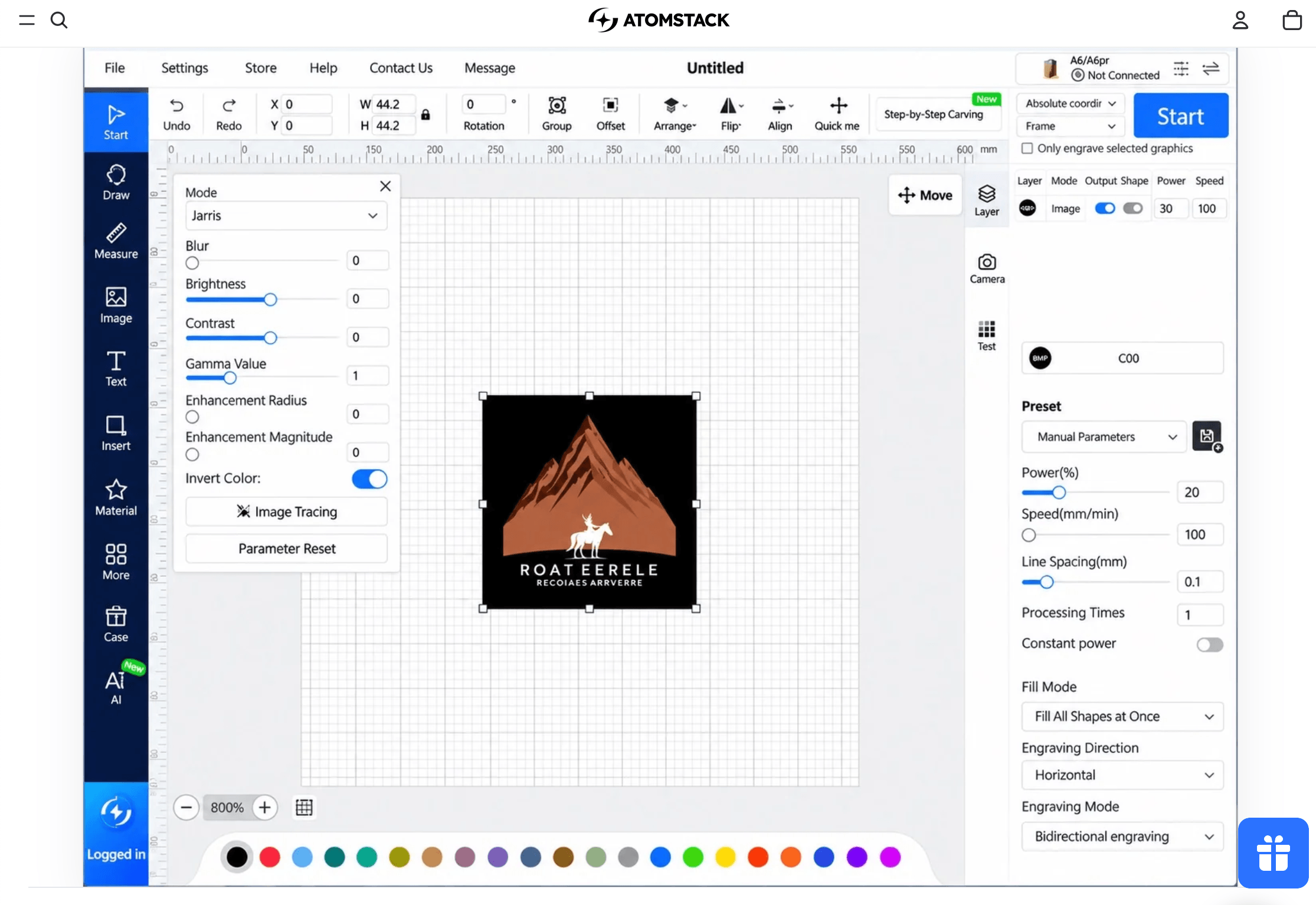
From small gifts to full sheets of plywood, AtomStack covers a wide range of maker projects.
Ready to turn your ideas into engraved and cut creations?
Explore more honest reviews, tutorials and tech comparisons to find the right gear for the way you work, travel and live, at World Of Tech, where we make everything easy.
👉 Shop AtomStack: https://worldoftech.space/atomstack
👉 Our YouTube Channel: youtube.com/@world_tech79
👉 Our Facebook Fanpage: Facebook
👉 Our X (Twitter): @worldoftech79
Pricing, specifications and policy details in this review were verified against atomstack.com and independent review sources (Trustpilot and customer review widgets) as of October 2026. Laser engraver pricing and promotions change frequently, so confirm current details on the official site before purchasing. Competitor prices are approximate and subject to change.