Running social media for a brand, a client or yourself is a never ending loop of captions, calendars, comments and approval emails, and a lot of tools only help with one slice of it. Verlynk takes a different route. Instead of another scheduler with a few AI buttons bolted on, it positions itself as an AI agent platform that plans campaigns, writes and schedules posts, answers comments and DMs, and sends drafts to clients for one click approval. It plugs into Claude, ChatGPT and Cursor through MCP, and it now ships a second product, Verlynk Studio, that generates AI video from twelve different models. Verlynk Social starts free, with paid plans at $9.99 and $29.99 per month, while Studio runs from $12 to $80 per month.
For freelancers, small agencies, creators and lean marketing teams, that mix is genuinely interesting: a low priced social suite, an agent layer on top, and a video generator under the same login. But Verlynk is also a young product from a small company, with very few independent reviews, a short free trial and a strict refund policy, and an honest look at all of that matters before you subscribe. This 2026 review walks through what Verlynk actually does, how the plans and credits are structured, how it compares with Buffer and Hootsuite, the real strengths and weaknesses, and exactly who should and should not sign up.
Verlynk Review 2026: The AI Agent Platform That Runs Your Social Media and Generates Video in One Place
Overview and Background
Verlynk is operated by Verlynk LLC, a company registered in Sheridan, Wyoming, in the United States. Its core product, Verlynk Social, is an AI powered social media management platform for publishing, engaging with and analyzing content across networks such as Instagram, Facebook, LinkedIn, TikTok and Pinterest. The pitch on the official site is blunt: an AI agent that actually runs your social media, with agents that think, create, engage and work for your brand, while you stay in control and approve what goes out.
Social media tools are a crowded market, so it helps to be precise about where Verlynk sits. It is not an enterprise suite like Sprout Social, and it is not a bare bones scheduler like the free tiers of older tools. It sits in the new middle ground of agent based marketing software, where the interface is a calendar and an inbox, but the real work of drafting, replying and optimizing is handed to AI. Third party directories describe it as a platform built for creators, startups and agencies, and one directory lists it as operating since 2021, although that date comes from a listing site and not from the company itself.
The newest chapter is Verlynk Studio, a separate creator focused web app for AI video. Studio gathers twelve video models in one place, including Kling 3.0 Pro, Veo 3.1, Sora 2, Seedance 2.5 and Wan 2.1, and sells them through a credit based subscription. Social and Studio share the Verlynk brand but are priced, billed and refunded separately, which is worth understanding before you pay for either.
Why Verlynk Stands Out in 2026
Agents, not just a scheduler: Most social tools still ask you to write every post yourself. Verlynk organizes its AI into four agents, covering content, engagement, brand knowledge and client approvals. You can give it a goal, an idea, or nothing at all, and it proposes posts, campaigns and reels that fit your brand.
It plugs into the AI tools you already use: Verlynk speaks MCP, the Model Context Protocol, so Claude, ChatGPT and Cursor can call it directly. Install the command line tool with a single npm command, then ask your assistant to create a TikTok about a pricing launch and have it drafted, scheduled and published through Verlynk. Very few social tools offer this, and almost none at this price.
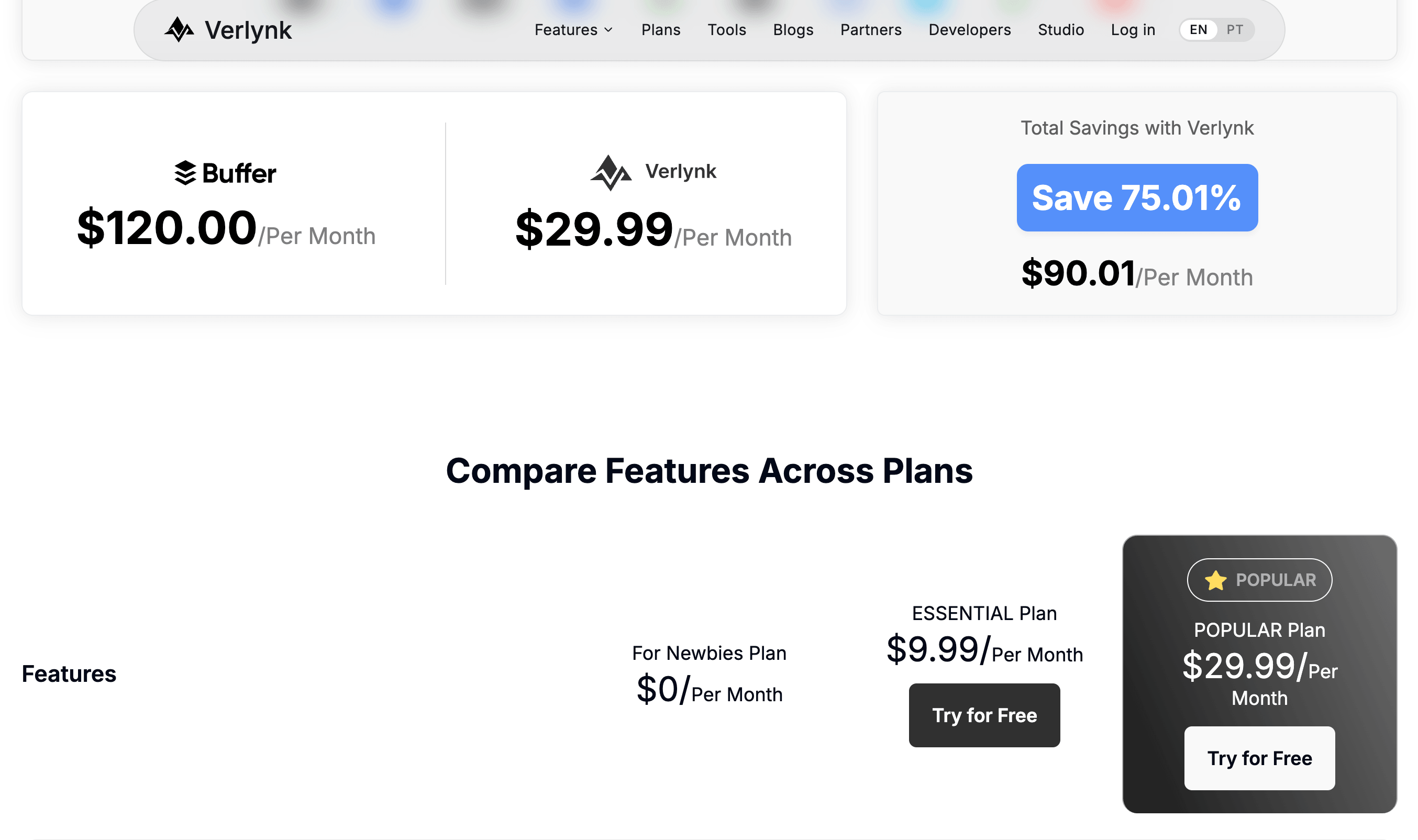
Pricing that undercuts the category: Verlynk Social costs $9.99 per month for the Individual plan and $29.99 per month for Team, with a genuinely free Starter plan. Compare that with Hootsuite, which starts around $99 per month, and the value gap is obvious on paper.
Inbox and DM automation: Comments and messages from Instagram, TikTok and other networks land in one stream, and the engagement agent reads them, works out what people need and drafts replies in your voice. The demo shows a reply landing in two seconds, which is the kind of response time a human team cannot match overnight.
A Social Health score: Instead of a wall of charts, Verlynk gives each brand a single score out of 100, with followers, engagement and reach trends underneath. It is a simple way to see whether your channels are improving, and it makes reporting to clients easier.
Client approvals built in: Agencies lose hours to screenshots in chat apps and “any update?” emails. Verlynk sends posts to clients for approval inside the product, where they can approve, reject or comment in one click, and nothing goes out without sign off.
A video studio under the same brand: Verlynk Studio gives creators access to Kling, Veo, Sora, Seedance and Wan from one interface, with first and last frame control, video editing, motion control and commercial rights on paid plans. Having social publishing and AI video together is a real workflow advantage for short form content.
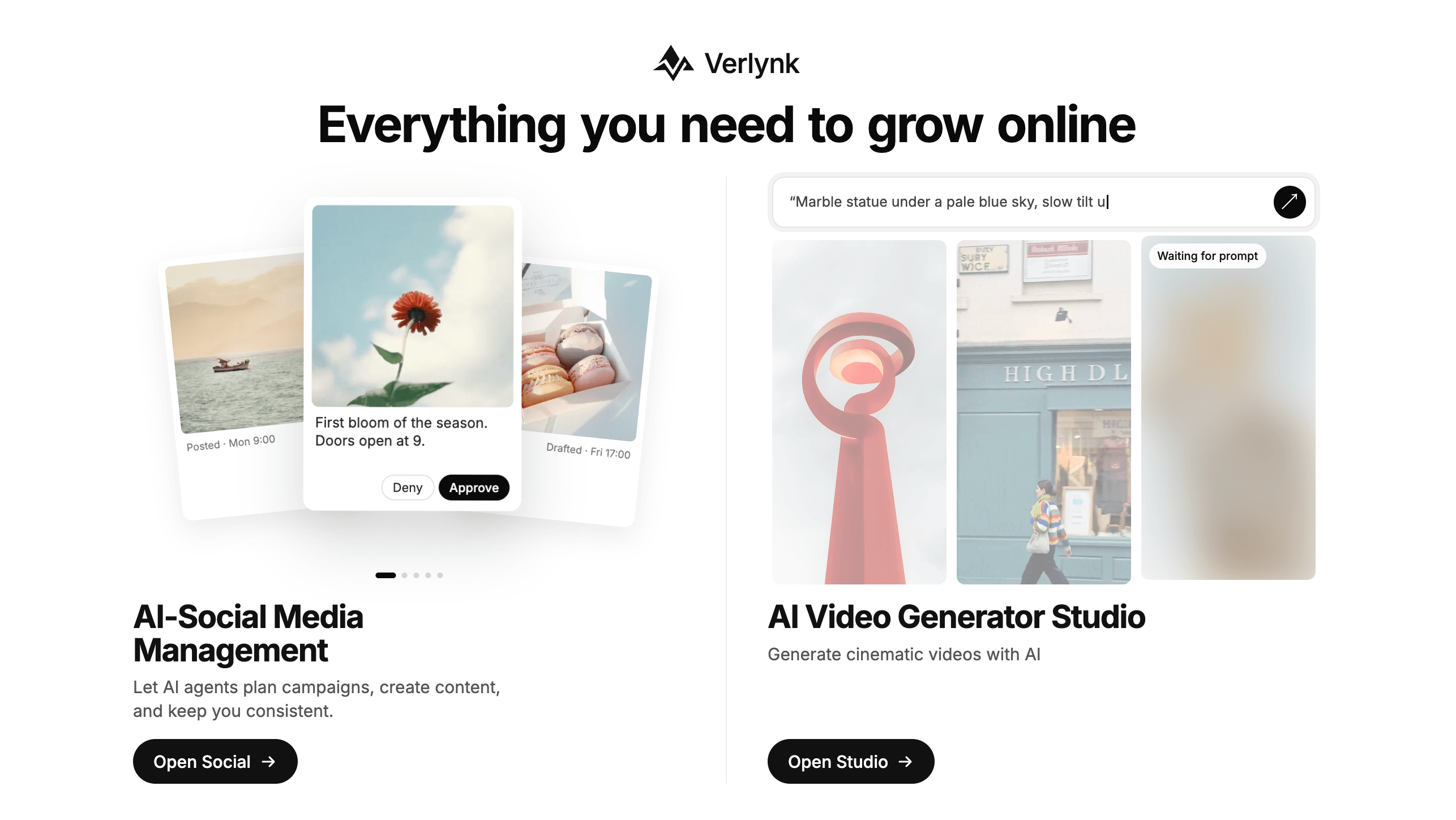
Verlynk combines a content calendar, a unified inbox and AI agents in one workspace, so campaigns can be planned, approved and published without switching tools.
Key Features and Technology
Verlynk spans two products and a long feature list, but it organizes cleanly into a handful of pillars. Here is how the platform actually breaks down.
AI Agents for Content, Engagement and Brand Voice
The content agent generates captions, images, campaign ideas and reels, and it supports bulk scheduling so a week of posts can be queued in one session. The engagement agent watches comments and direct messages, and it can run DM automations that send a link or answer a common question automatically. The brand AI is the memory layer: you describe your business once, and Verlynk learns your voice, products, audience and style, so you do not have to re explain yourself in every prompt. In practice, the quality of everything depends on how well you complete that brand setup, which is why the first hour in the product matters more than the tenth.
Scheduling, Calendar and Smart Send Times
The foundation is a visual content calendar with scheduling, publishing queues and a smart send time suggestion that estimates when your audience is most reachable. The official demo claims a recommended posting window can reach 38 percent more of an audience, which is a marketing figure and should be treated as an illustration, not a guarantee. A mobile app lets you draft, approve and reply from a phone, which is useful for managers who approve content between meetings.
Client Approvals, Teams and Workspaces
Each client or brand lives in its own tidy workspace, with its own accounts and assets. Team members can be invited, assigned posts for review and chat internally without leaving the product. On the Individual plan you get client approvals and team roles for up to three brands, while the Team plan removes the limits on brands and channels. For a freelancer who manages a handful of small clients, this structure is exactly what is needed.
MCP Integration for Claude, ChatGPT and Cursor
This is the most forward looking feature in the product. Verlynk exposes a public MCP endpoint and a command line tool, so an AI assistant can create, schedule and publish posts on your behalf. Your assistant drafts, Verlynk handles channels and publishing, and you approve. On the pricing page, MCP access is listed on the Team plan, so check which plan your workflow requires before committing.
Verlynk Studio: AI Video With Twelve Models
Studio is a separate web app where you describe a scene in plain words, direct the camera and characters, and download the result. It lists twelve models, including Kling 3.0 Pro, Kling O3 Standard, Veo 3.1 and Veo 3.1 Fast, Gemini Omni Flash 1.1, Seedance 2.0, 2.0 Fast and 2.5, Sora 2 Standard and Pro, and Wan 2.1 Standard and Pro. Features include first and last frame anchoring, editing and restyling of existing footage, motion control, and long takes that the company says can stretch to minutes. Outputs are watermark free on paid plans, and exports can be sized for 9:16, 1:1 and 16:9 from one generation. Everything runs on a monthly credit allowance, so how far a plan goes depends on which model and which clip length you choose.
Pricing, Plans, and Package Structure
Verlynk sells two separate subscription products, so there are two price ladders to understand. Verlynk Social is priced per month by tier, with a free Starter plan and a limited time offer that currently gives two extra months free on monthly plans and six extra months free on yearly plans. Verlynk Studio is credit based, with a monthly and a yearly toggle that saves up to 20 percent. The prices below were read directly from the official Verlynk pages in November 2026, and they differ from several older review articles that list previous account limits and trial lengths, so always confirm the live page before checkout.
| Product | Price (USD) | What It Is | Best For |
|---|---|---|---|
| Social Starter | $0 per month | 1 brand, 5 channels, AI captions and images, calendar and scheduling | Testing the platform or a single small brand |
| Social Individual | $9.99 per month | 3 brands, all 10 platforms, inbox automation, Social Health, client approvals and team roles | Freelancers and creators with a few brands |
| Social Team | $29.99 per month | Unlimited brands and channels, MCP for Claude, ChatGPT and Cursor, priority support | Agencies and growing marketing teams |
| Studio Starter | $12 per month ($120 per year) | 750 credits per month, 720p, all 12 models, watermark free, commercial rights | Trying AI video on a small budget |
| Studio Creator | $30 per month ($299 per year) | 2,400 credits per month, 1080p HD, priority queue | Solo creators publishing regularly |
| Studio Studio | $80 per month ($799 per year) | 6,400 credits per month, 1080p plus 4K upscale, fastest queue | Teams and agencies with volume |
How Verlynk Compares to Alternatives
| Factor | Verlynk (Social) | Buffer | Hootsuite |
|---|---|---|---|
| Core approach | AI agents plus scheduler, inbox and approvals | Simple, clean publishing and scheduling | Full social suite for larger teams |
| AI assistance | Agents for content, replies and brand voice | AI assistant for writing posts | AI writing assistant (OwlyWriter) |
| MCP for Claude, ChatGPT, Cursor | Yes (Team plan) | Not a headline feature | Not a headline feature |
| Free plan | Yes, 1 brand and 5 channels | Yes, limited channels | Typically trial only |
| Entry price (approx.) | $9.99 per month (Individual) | From about $6 per channel per month | From about $99 per month |
| AI video generation | Yes, via Verlynk Studio (separate plan) | No | No |
| Track record | Young, few independent reviews | Long established, large user base | Long established, enterprise ready |
| Best for | Budget agents, creators and AI native workflows | Solo users who want simplicity | Large teams needing deep reporting |
vs. Buffer: Buffer is the well known incumbent for simple scheduling, with a clean interface, a long track record and a reputation for reliability. It charges per channel, which can add up quickly as you grow. Verlynk bundles several brands and ten platforms into a flat monthly price and adds agents, inbox automation and approvals. If you want the calmest, most proven scheduler, Buffer is the safer pick. If you want AI to do more of the work for less money, Verlynk is the more ambitious one.
vs. Hootsuite and Sprout Social: These are the enterprise grade options, starting at roughly $99 and $199 per month respectively, with deep analytics, social listening, security reviews and large support teams. Verlynk does not try to match that depth, and one third party review noted that it had not found SOC 2 or similar security certifications. For regulated industries or large corporate teams, that gap matters. For freelancers and small agencies, the price difference is large enough to make Verlynk worth a trial.
vs. Publer and SocialPilot: Budget schedulers such as Publer (around $5 per user per month) and SocialPilot (around $25 per month) are the closest rivals on price. They are mature and solid at bulk scheduling and basic collaboration. Verlynk counters with agent based drafting, DM automation, the Social Health score and MCP, and it is the only one in this group that also sells a multi model AI video studio.
Pros and Cons
What Users Love
Low entry price for a big feature list: At $9.99 per month for three brands and all ten platforms, Verlynk Individual undercuts almost every comparable tool, and the free Starter plan lets you try the interface before paying. Reviewers consistently describe the value as strong for creators, freelancers and small teams.
A working unified inbox: Independent testers who ran live calendars on Instagram, X and LinkedIn praised the inbox, including sentiment filtering, tagging and canned replies. The single stream for comments and messages saves real time every day.
MCP integration is a genuine differentiator: Letting Claude, ChatGPT or Cursor operate your social channels through a command line tool and an MCP endpoint is something most rivals simply do not offer yet. For people who already live in AI assistants, it is a natural fit.
Clean interface and a short learning curve: Reviewers describe a tidy dashboard that is quick to learn, and the one verified Capterra reviewer, a marketing specialist, gave it five stars across ease of use, value, support and features, and said it improved their social workflow.
Client approvals and workspaces: Agencies get a proper approval flow, separate workspaces and team roles at a price point where competitors still charge extra for them.
Two products, one login: Social publishing plus a twelve model AI video studio under one brand makes short form content production much more streamlined, and Studio plans include watermark free output and commercial rights.
Limitations Worth Knowing
Very thin independent reputation: We could not find a Trustpilot profile for Verlynk, and the Capterra listing shows a 5.0 rating from a single review. The site also claims ratings of 4.9 to 5.0 across review platforms, but with so few reviews that number is self reported and statistically meaningless. Judge the product by your own trial, not by the stars.
Short trial and strict refund terms: Older articles mention 7 or 14 day trials, but the current Social page advertises 3 days. The refund policy contains a No Refunds section, Studio fees are non refundable except where the law requires, and plans renew automatically. If you forget to cancel, you may not get that money back.
Pricing information is inconsistent across the web: Third party directories list different account limits, extra account fees, trial lengths and even prices in other currencies. The official page is the only reliable source, and it can change. Always screenshot the plan details you agreed to.
AI output still needs a human editor: Reviewers found that generated captions can be generic and need rewriting, which is true of every AI writing tool. The brand AI helps, but only if you invest time teaching it your voice.
Studio credits are opaque: The video plans advertise monthly credits and model access, but the public page does not show how many credits a given clip costs. Heavy video users could burn through 750 or 2,400 credits faster than expected, and long takes in particular deserve a careful test.
Young company, limited compliance information: A few reviewers flagged the lack of published security certifications and the small social following of the brand. That is normal for a startup, but it is a real consideration for larger organizations handling sensitive client data.
Practical caveats: Platform coverage has changed over time, and earlier reviews noted no support for Threads or Snapchat, so verify your must have networks on the live site. MCP access appears under the Team plan, and the promotional offer of extra free months is described as limited time.
Who Should Use Verlynk
Freelancers and solo social managers: If you handle two or three small brands and want drafting, replies and scheduling handled at a low monthly price, the Individual plan is the sweet spot. You get client approvals, roles and ten platforms for less than the cost of a lunch.
Small agencies: The Team plan at $29.99 per month gives unlimited brands and channels, approval flows and priority support. For agencies tired of paying per seat or per channel elsewhere, it is a very attractive price on paper.
Creators and short form video makers: Combining the Social scheduler with Studio means you can generate clips, size them for vertical, square and wide formats, and publish from one account. The commercial rights on paid Studio plans make it usable for ads and client work.
AI native marketers and developers: If you already use Claude, ChatGPT or Cursor, the MCP integration lets you manage social channels by conversation instead of clicking through a dashboard.
Small businesses that want to test AI marketing: The free Starter plan with one brand and five channels is a low risk way to see whether agent based posting suits your brand.
Who should look elsewhere: Large enterprises that need social listening, security certifications and dedicated account teams are better served by Sprout Social or Hootsuite. Anyone who needs a long public track record, deep paid ad management, or a guaranteed refund policy should look at established schedulers such as Buffer. And if you plan to produce AI video in bulk, price out dedicated video tools first, because Studio credits can be consumed quickly.
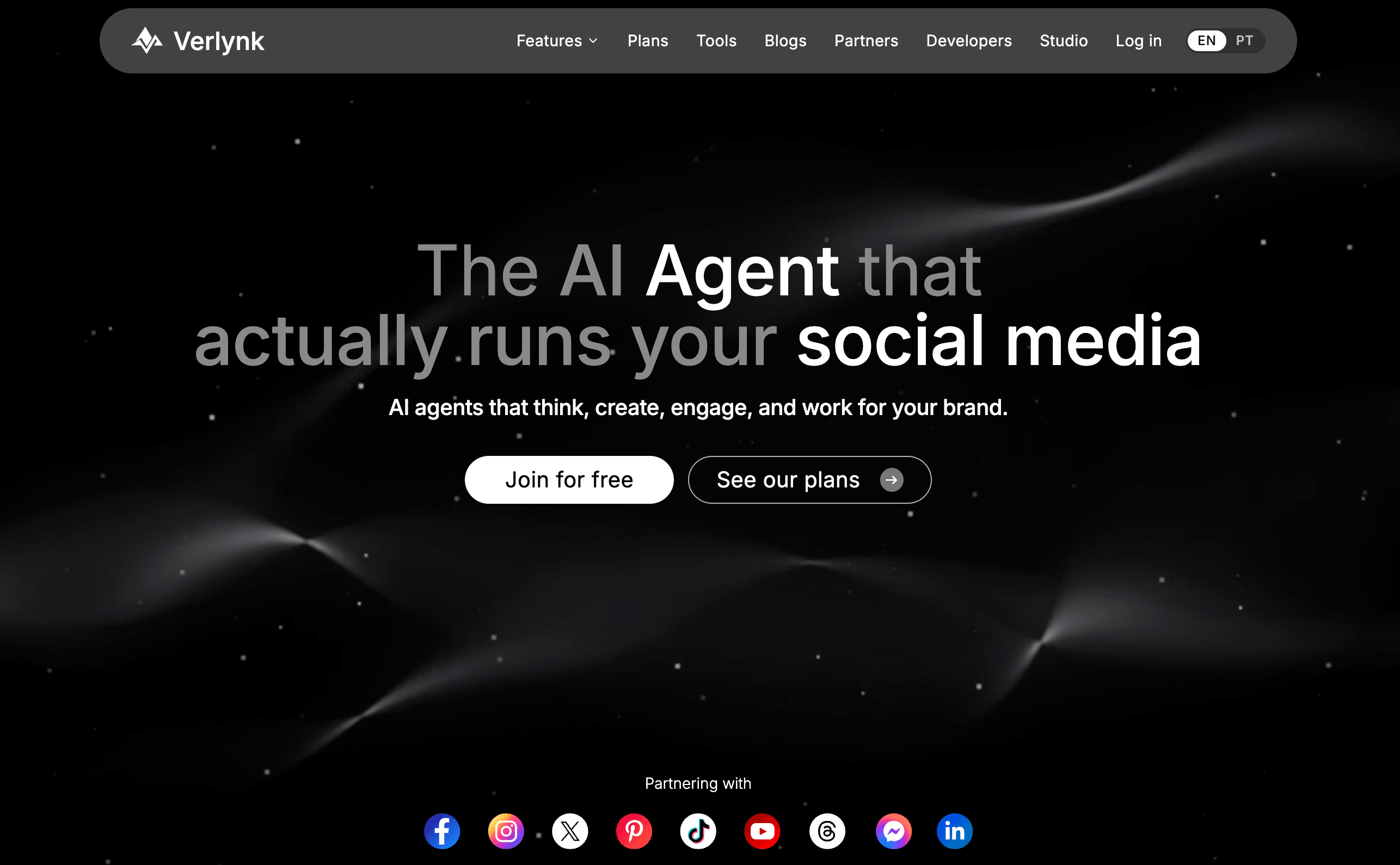
Verlynk is built for lean teams: freelancers, creators and small agencies that want AI to handle the repetitive work of planning, posting and replying.
Getting Started: Step by Step
- Pick the right product. Choose Verlynk Social for scheduling, inbox and agents, or Verlynk Studio for AI video. They are billed separately, so you can start with one and add the other later.
- Start on the free plan. Create an account from the official site and begin with the Starter plan. The Social page states a 3 day free trial on every plan with no credit card required, so set a reminder before it ends.
- Complete your brand setup. Tell Verlynk about your business, products, audience and tone. This is the information the brand AI uses to write in your voice, and skipping it is the fastest way to get generic captions.
- Connect your channels. Link Instagram, Facebook, LinkedIn, TikTok, Pinterest or any other supported network, and confirm that every platform you depend on is available on your plan.
- Generate and schedule a week of content. Ask the content agent for a campaign, edit the drafts, use bulk scheduling and smart send times, and send anything client facing through the approval flow before it goes live.
- Turn on inbox automation and test MCP. Set up reply and DM automations for common questions, then install the command line tool and try a prompt from Claude, ChatGPT or Cursor. Decide before the trial ends whether to upgrade, and cancel if it does not fit.
Tips for Getting Maximum Value
Treat the first week as a structured test. Spend real time on the brand setup, because the quality of every caption, reply and campaign idea depends on it, and review every AI draft before it goes out, since a short human edit turns generic copy into something that sounds like you. Use bulk scheduling to batch a full week of posts in one sitting, and let the smart send time suggestions guide your calendar while you compare your own analytics to see whether they help. If you manage clients, route everything through the approval flow so there is a clear record of sign off. On the Studio side, run the same prompt through two or three models to learn which one gives the best results per credit before you commit to a larger plan, and consider the yearly option only after you have confirmed the product fits your workflow. Finally, take a screenshot of the plan limits and renewal date when you subscribe, because pricing, trial lengths and promotions change often and refunds are restricted.
Future Outlook and Final Assessment
Social media management is moving from manual scheduling toward agent based workflows, where the human sets the goal and approves the result while software drafts, posts and replies. Verlynk is clearly built for that shift. Its MCP support, its four agent structure and its decision to add an AI video studio all point to a company that wants to be the place where AI assistants meet publishing channels. If it keeps shipping at this pace, and if independent reviews begin to confirm the claims, it could become a serious budget alternative to the established names.
The caveats are equally clear. The company is young, public reviews are scarce, the trial is short, the refund policy is strict, and a few details such as Studio credit costs and platform coverage need to be verified directly. Established competitors still win on proven reliability, reporting depth and compliance. But within those boundaries, Verlynk offers an unusually generous mix of features for the price, and for freelancers, creators and small agencies it is one of the more interesting tools to test in 2026.
Conclusion
Verlynk is not trying to be the most established social media suite. It is trying to be the one where AI agents do the repetitive work, your favorite assistants can plug in through MCP, and a video studio sits one click away. At $9.99 and $29.99 per month for Social, and $12 to $80 per month for Studio, the pricing is hard to ignore, and the feature list is genuinely ahead of many older tools. It rewards careful setup and realistic expectations, and it asks you to accept the risks of a young company, a short trial and limited refunds. If that trade off suits you, test it on the free plan, confirm the current prices on the official site, and see whether Verlynk can take the hardest part of social media off your plate.
Verlynk Studio brings twelve AI video models into one workspace, so creators can generate, edit and size clips for every social platform.
Ready to let AI agents run your social media?
Explore more honest reviews, tutorials and tech comparisons to find the right tools for the way you work, create and grow, at World Of Tech, where we make everything easy.
👉 Try Verlynk: https://worldoftech.space/verlynk
👉 Our YouTube Channel: youtube.com/@world_tech79
👉 Our Facebook Fanpage: Facebook
👉 Our X (Twitter): @worldoftech79
Pricing, specifications and policy details in this review were verified against verlynk.com and independent review sources (including Capterra and third party hands-on reviewers) as of November 2026. Social media software and AI video pricing and features change frequently, so confirm current details on the official site before purchasing. Competitor prices are approximate and subject to change.