
If you build WordPress sites for a living, you already know the frustration of outgrowing the free custom-fields plugin the moment a project gets even slightly complex. Meta Box was built to solve exactly that problem. It’s a developer-first custom fields and content framework that lets you create custom post types, taxonomies, fields, forms and relationships — then display all of that dynamic data anywhere on the front end without fighting WordPress’s native limitations. Built and maintained by eLightUp since 2010, Meta Box has grown from a niche coder’s toolkit into one of the most trusted custom-fields solutions in the WordPress ecosystem, with 500,000+ active installs, a 4.8/5 rating across 160+ reviews on WordPress.org, and more than 24 million total downloads.
For developers, agencies and technically comfortable site builders who need real control over their content structure — custom post types, complex relationships, custom database tables for performance — Meta Box offers a depth that few plugins match, all built on a genuinely free, unrestricted core. But it isn’t the right tool for everyone: it leans developer-oriented, its 25+ extensions are sold as tiered bundles rather than one flat price, and non-coders may find the learning curve steeper than a pure drag-and-drop builder. This 2026 review walks through Meta Box’s full framework — the free core plugin and Meta Box AIO, the 50+ field types and extensions, current pricing and licensing tiers, head-to-head comparisons against Advanced Custom Fields (ACF) and Toolset, the genuine pros and cons, and exactly who should (and shouldn’t) build with it.
Meta Box Review 2026: The Developer-Grade Custom Fields Framework for Dynamic WordPress Sites
Overview and Background
Meta Box is a WordPress custom-fields plugin from eLightUp, the same team behind Slim SEO, Falcon and GretaThemes. It launched in 2010 with a simple mission: give developers a cleaner, faster way to create custom meta boxes than hand-coding them, and it has been actively updated ever since — the current version supports WordPress 6.5 and up and is regularly tested against the newest release. It isn’t a single plugin so much as a modular framework: a free core (available as either the classic Meta Box plugin or the newer Meta Box Lite UI) that you extend with paid extensions only when you actually need them.
That philosophy shows up directly in the numbers. Meta Box sits at #118 out of roughly 59,000 plugins in the WordPress.org directory, with 500,000+ active installs and over 24 million lifetime downloads. Its rating has stayed remarkably stable at 4.8 out of 5 across 162–164 reviews, with roughly 150 of those being five-star — a strong independent trust signal for a tool aimed squarely at technical users who tend to leave more critical feedback than average. Support-thread resolution on WordPress.org is reported at 100% for recently opened tickets, and the plugin was last updated within the past three months at the time of writing, so it’s clearly not an abandoned project.
What separates Meta Box from a simple “add a text field” plugin is scope. Under one framework, it covers custom post types and taxonomies, 50+ field types, custom database tables for performance, frontend submission forms, user-profile fields, settings pages, a templating system called MB Views, and a REST API — all addressable through free hooks or a visual builder. Meta Box AIO packages every free and premium extension into a single all-in-one plugin for people who’d rather install one thing than manage two dozen; Meta Box Lite is the lightweight, fully visual entry point for people who want the framework without touching code.
Why Meta Box Stands Out in 2026
A genuinely free, full-featured core — not a stripped-down teaser: Unlike plugins that gate almost everything useful behind a paywall, the free Meta Box plugin already supports custom post types, taxonomies, dozens of field types, relationships and REST API access on unlimited sites. The paid extensions add convenience, UI and advanced capability on top — they aren’t required just to make the core framework functional.
Native custom database tables for real performance: Most custom-fields plugins, including the market leader, store everything in WordPress’s default meta tables, which get slow as a site’s content grows. Meta Box’s MB Custom Table extension lets you save data to dedicated, indexed tables instead — a documented case study in the plugin’s own materials found a WooCommerce term-update that took 15 minutes with the standard approach dropped to under 20 seconds using Meta Box’s custom tables.
50+ field types and 25+ mix-and-match extensions: From basic text and image fields to relationships, oEmbed, taxonomy pickers, date/time and fully custom field types, Meta Box’s field library is one of the deepest in the WordPress ecosystem. You add only the extensions you actually need — tabs, columns, conditional logic, groups, custom tables — rather than loading a monolithic plugin with features you’ll never touch.
Deep page builder and plugin integrations: Meta Box connects natively with Elementor, Bricks, Divi and Oxygen for displaying dynamic fields, and ships dedicated integrations for Yoast SEO, Rank Math and FacetWP so custom-field content feeds directly into SEO analysis and faceted search — rather than living in a silo only accessible through custom code.
Built for developers, but increasingly accessible to non-coders: The MB Builder extension and Meta Box Lite give you a drag-and-drop interface for creating field groups and post types without writing PHP, while the free online generators (post type, taxonomy and block generators on the Meta Box site) spit out ready-to-use code for anyone comfortable pasting a snippet.
Dedicated migration tools from the competition: Meta Box ships MB ACF Migration and MB Toolset Migration extensions specifically for developers moving an existing site off Advanced Custom Fields or Toolset — a genuine differentiator that removes a lot of the friction of switching platforms mid-project.
Fourteen years of active, independent maintenance: Added to the WordPress repository in 2011 and still shipping regular updates from a team of 14+ contributors, Meta Box has outlasted a long list of competing custom-fields plugins — a track record that matters when you’re choosing infrastructure a client site will depend on for years.
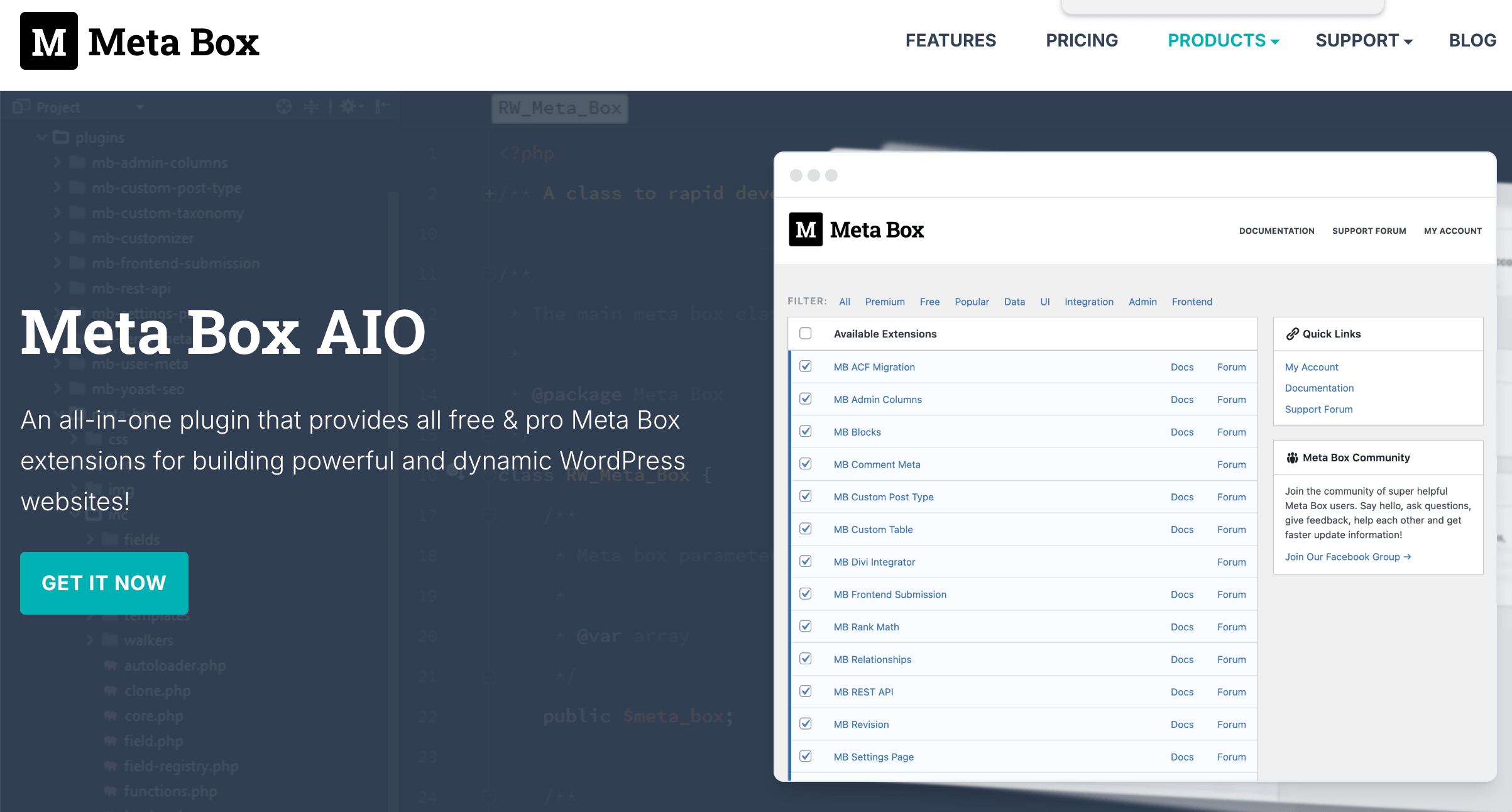 Meta Box’s MB Builder gives developers and site builders a visual way to create custom post types, taxonomies and field groups without hand-coding every meta box from scratch.
Key Features and Technology
Meta Box’s feature set is broad, but it organizes cleanly into a handful of pillars that cover the full lifecycle of dynamic WordPress content — from defining the data model to displaying it on the front end.
Custom Post Types, Taxonomies and Relationships
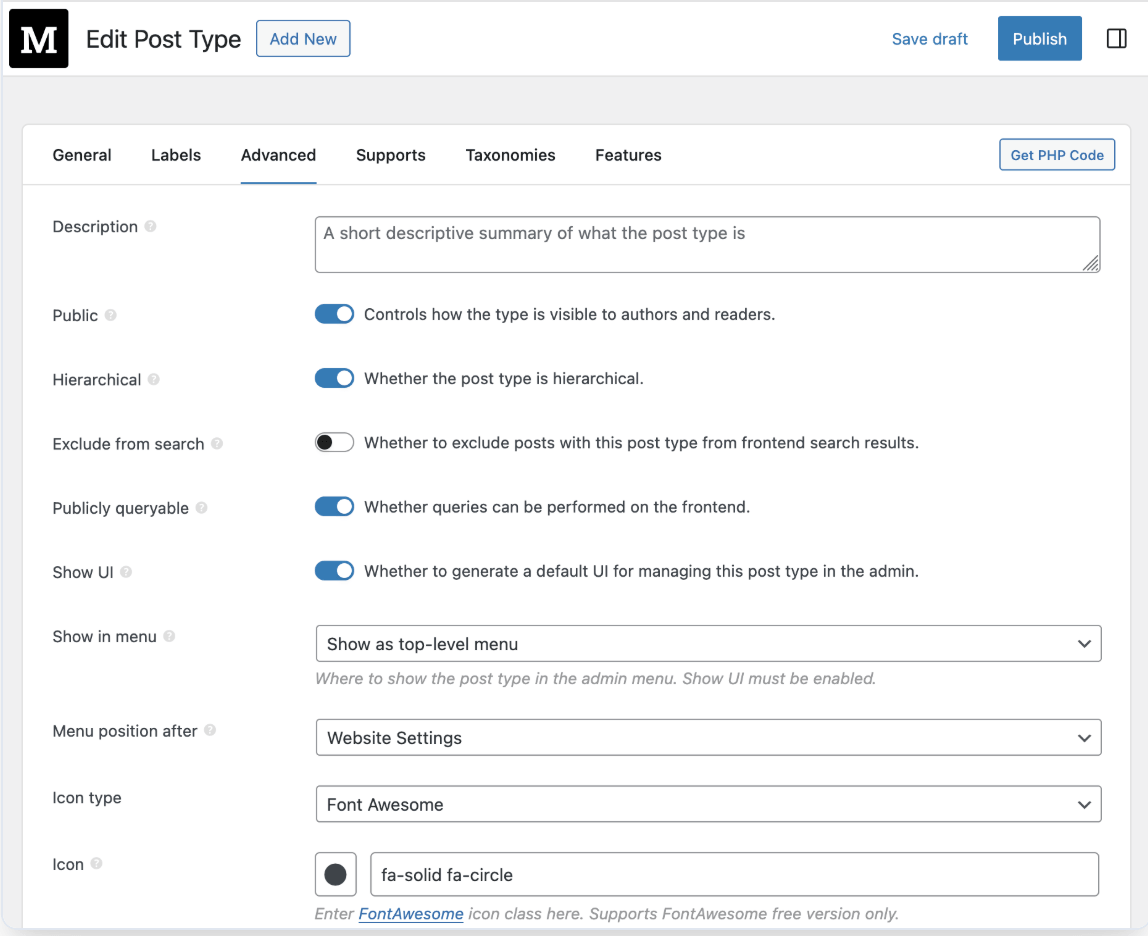
Create unlimited custom post types and taxonomies with full control over labels, icons, menu position, sorting and REST API exposure — either through the visual generator or the MB Builder UI. The MB Relationships extension adds true many-to-many connections between posts, terms and users, which is the backbone of anything from a real-estate directory to a course catalog with linked lessons and instructors.
50+ Field Types and the MB Builder Interface
Meta Box ships 50+ field types out of the box — text, WYSIWYG, image, file upload, post select, checkbox, radio, date/time, taxonomy, user, oEmbed, maps and more — most of which support cloning and repeatable groups via the MB Group extension. The MB Builder extension turns field-group creation into a drag-and-drop process, so you can assemble and preview a complex field group without writing a line of PHP.
Custom Database Tables and Performance
By default, Meta Box saves data to WordPress’s standard meta tables for maximum compatibility. For high-traffic or data-heavy post types, the MB Custom Table extension moves storage into dedicated, purpose-built tables instead, cutting query overhead significantly — a meaningful advantage for e-commerce catalogs, directories or any site with thousands of entries and complex filtering.
Frontend Forms, User Profiles and Settings Pages
MB Frontend Submission lets logged-in (or even anonymous) users submit and edit posts from the front end using the same field groups defined in the admin — ideal for directories, job boards or community-submitted content. MB User Profile and MB Settings Page extend the same field-building approach to registration/login forms and theme or plugin settings screens, so you’re not learning a separate system for each use case.
MB Views: Templating Without Touching Theme Files
MB Views is Meta Box’s answer to “how do I actually display this data?” It supports the Twig templating language and lets you build singular and archive-page templates, pull in CSS/JS, and render field values anywhere — all from the WordPress admin, without editing theme files. It’s the piece that turns Meta Box from a data-modeling tool into a complete way to build dynamic pages.
Developer API, REST and Hooks
Every field created in Meta Box is automatically readable and writable through the WordPress REST API via MB REST API, which makes the plugin a natural fit for headless WordPress or any project pulling content into a separate front end. On top of that, Meta Box exposes an extensive set of PHP hooks and filters, uses Composer for modern dependency management, and follows WordPress coding standards throughout — details that matter far more to an agency’s dev team than to a typical end user, but materially affect long-term maintainability.
Pricing, Plans, and Package Structure
The core Meta Box plugin and Meta Box Lite are completely free on unlimited sites via the WordPress.org repository. Paid tiers exist purely to unlock the 25+ PRO extensions, Composer support and priority support, and are split into Personal plans (1–3 sites) and Agency plans (unlimited sites), each available as an annual subscription or a one-time Lifetime purchase. All paid plans come with a 14-day, 100% money-back refund policy, and renewals are billed at the regular price rather than an inflated “surprise” rate.
| Plan | Price (USD) | What It Is | Best For |
|---|---|---|---|
| Meta Box / Meta Box Lite | Free | Full framework core: CPTs, taxonomies, 40+ field types, REST API, unlimited sites | Getting started, hobby projects, simple builds |
| Personal Basic Bundle | $49/year | 1 site, 12 PRO extensions, Composer support | Solo developers on a single project |
| Personal Ultimate Bundle | $99/year | 3 sites, all current + future PRO extensions, Meta Box AIO | Freelancers juggling a few client sites |
| Personal Lifetime Bundle | $299 one-time | 3 sites, all extensions + all Solutions, lifetime updates & support | Buyers who want to skip renewals entirely |
| Agency Ultimate Bundle | $229/year | Unlimited sites*, all current + future PRO extensions, Meta Box AIO | Agencies and multi-site developers |
| Agency Lifetime Bundle | $699 one-time | Unlimited sites*, all extensions + all Solutions, lifetime updates & support | High-volume agencies avoiding renewal costs |
How Meta Box Compares to Alternatives
| Factor | Meta Box | ACF PRO | Toolset |
|---|---|---|---|
| License model | Annual subscription or one-time lifetime | Annual subscription only | Annual subscription or one-time lifetime |
| Entry price (1 site) | $49/year | $49/year | $69/year |
| Unlimited-site annual price | $229/year (Agency Ultimate) | $249/year (Agency) | $149/year (or $399 lifetime) |
| Free core available | Yes — full framework, unlimited sites | Yes, but repeater/flexible/block fields are PRO-only | Types plugin only — limited without paid components |
| Custom database tables | Yes, native extension | No — standard meta tables only | No |
| Page builder integrations | Elementor, Bricks, Divi, Oxygen | Native Gutenberg blocks; manual setup elsewhere | Own drag-and-drop Layouts builder |
| Migration tools | Yes — dedicated ACF and Toolset migration extensions | No official migration tool | No |
| Best for | Developers wanting performance & modular extensions | Simplicity and the largest plugin/community ecosystem | No-code builders wanting one all-in-one visual toolkit |
vs. Advanced Custom Fields (ACF): ACF is Meta Box’s closest and most-searched-for rival, and single-site pricing is nearly identical — both charge $49/year to unlock PRO-level fields. The real difference shows up at scale and under the hood: ACF stores everything in WordPress’s standard meta tables, which can slow down large, field-heavy sites, while Meta Box’s custom-table extension moves storage to dedicated tables for materially faster queries. ACF’s advantage is sheer size — over 2 million active installs and the biggest plugin-compatibility footprint in the space — but Meta Box now ships an official ACF migration extension for developers who decide to move on.
vs. Toolset: Toolset takes a different philosophy entirely: instead of a lean fields framework, it bundles content types, front-end display and its own Layouts page builder into one no-code package aimed at people who want to build an entire site without a separate page builder. That convenience comes with an unlimited-site annual price about a third lower than Meta Box’s ($149 vs. $229), but Toolset’s free tier is far thinner and it lacks Meta Box’s custom database tables or the flexibility to plug into Elementor, Bricks or Divi instead of its own builder.
vs. Pods (free): Pods, WordPress.org’s other major free custom-fields plugin (4.8/5 rating, 414 reviews, 100,000+ installs), is Meta Box’s closest free-to-free comparison. Pods stays entirely free and open-source with no paid tier at all, which is attractive for budget-constrained projects, but it ships fewer field types out of the box, no official page-builder integrations, and no premium support channel — trade-offs that become obvious the moment a project needs frontend forms, conditional logic, or custom tables at scale.
Pros and Cons
What Users Love
A free core that’s an actual framework, not a teaser: Users repeatedly point out that the free Meta Box plugin already handles custom post types, taxonomies and dozens of field types on unlimited sites — a sharp contrast to competitors that gate nearly everything useful behind a paywall from day one.
Real performance headroom: Developers specifically call out the custom-table extension as a differentiator, citing documented speed gains on large or high-traffic post types that standard meta-table storage struggles with.
Lightweight, modular and well-engineered: WordPress.org reviewers and developer testimonials consistently describe the codebase as clean, well-organized and “stays out of your way” — high praise for a plugin that touches nearly every part of a WordPress build.
Consistently high satisfaction over 14 years: A 4.8/5 rating held across 162+ reviews, 500,000+ active installs and 24 million-plus downloads is a hard track record to fake — roughly 150 of those reviews are five-star, with only a handful of one- and two-star outliers.
Responsive, honest support team: Support-forum threads show the team actively troubleshooting compatibility issues and processing refund requests without friction — one reviewer who found the plugin too advanced for their skill level received a 100% refund with no pushback, exactly as promised.
Flexible licensing that fits different budgets: The mix of Personal/Agency tiers and annual/lifetime options means a solo freelancer and a busy agency can both find a plan that fits their site count and how they prefer to pay.
Limitations Worth Knowing
A real learning curve for non-developers: Meta Box is genuinely developer-oriented. At least one documented support-forum case shows a self-described WordPress newbie purchasing the Developer Bundle expecting a fully automated experience, then requesting a refund after finding that getting real value required a medium-to-high level of coding knowledge — a fair warning for anyone without at least basic HTML/PHP comfort.
Support runs through a public forum, not live chat: Premium support is handled via the support forum and a contact form rather than real-time chat, and at least one user publicly expressed frustration that sensitive debugging data (like a New Relic performance capture) couldn’t be shared privately without going through the contact form first.
Occasional compatibility friction with other premium plugins: Support threads document at least one instance of meta boxes breaking entirely when used alongside Yoast SEO Premium, requiring back-and-forth debugging with the Meta Box team to resolve — not common, but worth testing on staging before deploying to a production site with a heavy plugin stack.
Extensions are sold in bundles, not à la carte: If your project only needs one or two premium extensions, you’ll still typically need to buy a full Basic or Ultimate bundle to unlock them — there’s no simple “buy just this one extension” checkout on the main pricing page.
Renewals are required to keep updates and support: Unless you buy a Lifetime bundle, annual plans need to be renewed at the regular price to keep receiving updates and support — a real ongoing cost for agencies managing many sites, even though the Lifetime tiers offer a way around it for a larger upfront payment.
No built-in page builder of its own: Unlike Toolset’s bundled Layouts builder, Meta Box focuses purely on the data layer — you’ll need a theme, Elementor, Bricks or MB Views/Twig to actually design how that data displays, which is an extra step (and potentially an extra plugin) most all-in-one competitors skip.
Who Should Use Meta Box
WordPress developers and agencies building custom content models: If your work regularly involves custom post types, taxonomies and relationships beyond what a theme provides out of the box, Meta Box’s framework approach — pay only for the extensions you use — fits a professional workflow better than an all-in-one bundle.
Sites with large or fast-growing content volumes: Directories, marketplaces, real-estate listings and WooCommerce-heavy stores that will eventually strain default meta-table storage benefit directly from Meta Box’s custom database table extension in a way most competitors simply can’t match.
Teams migrating off ACF or Toolset: The dedicated MB ACF Migration and MB Toolset Migration extensions specifically target developers who’ve outgrown their current plugin or want the custom-table performance advantage without rebuilding a site’s content model from scratch.
Freelancers and small studios managing multiple client sites: The Personal Ultimate Bundle (3 sites, all extensions, $99/year) and the various Agency tiers scale cleanly as a client roster grows, without forcing a jump to enterprise pricing.
Who should look elsewhere: Complete non-coders who want one plugin to visually design an entire site — content, layout and all — will likely be happier with Toolset’s bundled Layouts builder. Hobbyists or single-page-site owners who only need one or two basic fields may find the free Pods plugin or ACF’s free tier sufficient without needing Meta Box’s deeper (and paid) capabilities at all.
Personal and Agency bundles scale from a single freelance site up to unlimited-site agency licensing, each available as an annual subscription or a one-time lifetime purchase.
Getting Started: Step by Step
- Install the free plugin first. Add Meta Box or Meta Box Lite from the WordPress.org repository and explore the free framework before spending anything — it already covers custom post types, taxonomies and dozens of field types.
- Plan your content model. Sketch out the custom post types, taxonomies and relationships your project actually needs (products, listings, team members, events) before building any fields — this avoids rebuilding field groups later.
- Build your first field group. Use the MB Builder drag-and-drop interface, or the free online post type and taxonomy generators on metabox.io, to create and preview your first field group without writing PHP.
- Choose the right bundle. Match your site count and extension needs to a Personal or Agency plan, and decide between an annual subscription and a one-time Lifetime purchase based on how long you expect to maintain the site.
- Install extensions and activate your license. Download the extensions included in your bundle (or install Meta Box AIO for everything at once), then activate your license key to start receiving updates and support.
- Connect fields to your front end. Display your data using your theme’s template tags, a supported page builder like Elementor or Bricks, or MB Views/Twig for a no-theme-file-editing approach.
MB Custom Table moves field data into dedicated database tables for large or high-traffic custom post types, trimming query time on data-heavy sites.
Tips for Getting Maximum Value
Lean on the free online generators (post type, taxonomy and block generators) on metabox.io before writing anything by hand — they produce ready-to-paste code and are a fast way to learn Meta Box’s conventions. If you’re not comfortable with PHP, spend time with MB Views and its Twig templates instead of theme files; it’s a gentler learning curve and keeps your customizations update-safe. Turn on the custom-table extension selectively — only for post types that are actually large or query-heavy, since the default meta-table storage is perfectly fine for smaller content. If you’re migrating an existing site, try the dedicated ACF or Toolset migration extensions before attempting a manual rebuild of your field groups. And because Meta Box runs seasonal promotions (a Black Friday banner is a recurring fixture on the pricing page), it’s worth timing a purchase around an active sale rather than buying at full price the moment you decide you need a bundle.
Future Outlook and Final Assessment
The custom-fields category in WordPress is consolidating around a handful of proven names, and Meta Box has spent 14 years earning a place among the top tier alongside ACF and Toolset — with the added distinction of pairing a genuinely free core with real performance engineering most competitors don’t offer. As headless WordPress and REST-API-driven builds become more common, Meta Box’s native REST support and modular architecture position it well for that shift, and its active migration tooling suggests the team is actively courting developers currently on rival platforms rather than resting on its existing install base.
The honest caveats remain: it’s a developer-first tool that expects some coding comfort, support runs through a forum rather than live chat, and premium extensions come bundled rather than sold individually. But within those boundaries, Meta Box delivers one of the most capable, best-value custom-fields frameworks available for WordPress in 2026 — and for anyone who has hit the performance ceiling of a meta-table-based competitor, it remains one of the few plugins that actually solves that problem natively.
Conclusion
Meta Box isn’t trying to be the flashiest custom-fields plugin on the market — it’s trying to be the most solid one underneath the hood, and after 14 years and 24 million-plus downloads, that approach has clearly worked. By pairing a genuinely free, full-featured core with modular paid extensions, native custom database tables, and dedicated migration tools from ACF and Toolset, it gives developers real flexibility instead of locking them into one all-or-nothing bundle. It rewards a bit of coding comfort and isn’t the right pick for someone wanting a single no-code page builder — but for developers and agencies building serious, data-heavy WordPress sites, few custom-fields frameworks deliver more control for the price. Confirm the current pricing and check for an active promotion, and Meta Box can become the structural backbone of your next WordPress project.
Ready to build faster, more flexible WordPress sites?
Explore more honest reviews, tutorials and tech comparisons to find the right gear for the way you work, travel and live — at World Of Tech, where we make everything easy.
👉 Shop Meta Box: https://worldoftech.space/metabox
👉 Our YouTube Channel: youtube.com/@world_tech79
👉 Our Facebook Fanpage: Facebook
👉 Our X (Twitter): @worldoftech79
Pricing, specifications and policy details in this review were verified against metabox.io and independent review sources (including WordPress.org plugin ratings and support-forum records) as of September 2026. WordPress plugin pricing and promotions change frequently, so confirm current details on the official site before purchasing. Competitor prices are approximate and subject to change.





