
Most people only look for PDF software when something has already gone wrong: a contract that needs one line changed, a scan that will not merge, a form that refuses to be signed. Most people only look for a screen recorder when a tutorial is due. AWZWARE (awzware.com) sells software for exactly those moments. The company runs a storefront for a small family of Windows and Mac desktop tools, led by the SwifDoo PDF editor and the AWZ Screen Recorder, with an AWZ Media Player, an AWZ PC Cleaner and a free online PDF converter alongside them. The pitch is simple and attractive: pay once, own the software, and skip the monthly Adobe bill. Right now the store lists SwifDoo PDF at a $96.75 perpetual license, and the Screen Recorder, Media Player and PC Cleaner at roughly $40 each.
The appeal is real, but so are the questions. AWZWARE claims more than 100 million installs across 160 countries, yet its storefront shows no ratings, no named reviewers and no pricing detail beyond the buy buttons. Independent ratings for SwifDoo PDF are mixed, and refund terms are described differently on different pages. This 2026 review walks through what AWZWARE actually sells, how the products work, the current prices and license types, how SwifDoo PDF compares with Adobe Acrobat, Foxit and PDFelement, the genuine strengths and weaknesses, and exactly who should (and should not) buy.
AWZWARE Review 2026: SwifDoo PDF, Screen Recorder and Utilities Sold on Perpetual Licenses
Overview and Background
AWZWARE is a software publisher whose main website, awzware.com, works as a product hub and store rather than a single application. The homepage presents five product families: SwifDoo PDF for editing, converting, compressing, signing and annotating PDFs; the AWZ Screen Recorder for capturing screen, audio and webcam; a Free Screen Recorder for PC and a separate Mac Screen Recorder; AWZ Media Player in Windows and Mac editions (both tagged as new); and AWZ PC Cleaner for clearing junk and tuning Windows machines. A free browser-based Online PDF Converter and a utility called AWZ AnyPorter appear in the navigation as well, though AnyPorter has no description on the homepage.
The site also links out to a few things worth knowing about. The PDF blog and the full SwifDoo product pages live on a separate domain, swifdoo.com, and that is where the most detailed pricing, the free trial and the AI assistant are documented. Support, a download center, FAQs, an affiliate program, a refund policy, terms, a privacy policy and an EULA are all linked from the footer. The company line is “detail-oriented,” “trustworthy products,” a “professional team” and “quick support,” all of which are general claims with no specifics behind them.
The business model is the most interesting part. Instead of selling everything by subscription, AWZWARE leans on one-time licenses: perpetual for SwifDoo PDF and PC Cleaner, lifetime for the Screen Recorder and Media Player. In a market where Adobe, Foxit and Wondershare push yearly plans, that is a deliberate positioning against subscription fatigue. SwifDoo PDF also offers monthly, quarterly, yearly and two-year subscriptions on its own pricing page for people who would rather pay less up front.
Why AWZWARE Stands Out in 2026
You can actually own the software: The headline advantage is the license model. SwifDoo PDF is listed at a one-time $96.75 on the store (down from a listed $129), and the Screen Recorder and Media Player are one-time lifetime purchases at $39.90. For anyone who has watched a monthly PDF subscription quietly add up to hundreds of dollars over a few years, owning the tool outright is a genuine selling point.
A broad PDF toolkit in one app: SwifDoo PDF handles editing text, merging, splitting and organizing pages, highlighting, comments, stamps, inserted images, conversion to and from Microsoft Office formats, compression, password protection, watermarks and e-signatures. That is the checklist most office users, students and freelancers actually need, without paying for the long tail of enterprise features.
A free way to test before paying: SwifDoo PDF advertises a 7-day free trial, after which a limited free version remains. The AWZ Screen Recorder also has a free version. Trying the real software first is the best protection against the mixed ratings discussed below.
Screen recording with more than the basics: The AWZ Screen Recorder covers full-screen, custom-region and auto-region capture, scheduled recordings (including live streams), webcam capture with background blur or replacement, microphone and system audio with gain and noise reduction, and automatic detection of game processes. A built-in editor adds trimming, text, audio commentary and compression, and recordings can be shared straight to YouTube, TikTok and Vimeo.
Light system requirements: The Screen Recorder lists support from Windows 7 up to Windows 11, a 1 GHz CPU, 256 MB of RAM at minimum (1 GB recommended) and Intel HD Graphics 5000 or later. SwifDoo PDF lists Windows from Vista and XP through Windows 11. Older office PCs are not left behind.
Cross-platform options for PDF work: SwifDoo PDF is offered as a single-platform license (Windows or Mac) or a cross-platform plan that adds Android and iOS plus 10 GB of cloud storage, so a document edited on a laptop can follow you to a phone.
An AI assistant on top: The SwifDoo site documents an AI PDF assistant with a free tier (a few files and chat questions per month on small documents) and paid tiers with much higher limits. It is an add-on rather than a core selling point, and the AWZWARE homepage itself barely mentions it, but it shows the product is still being developed.
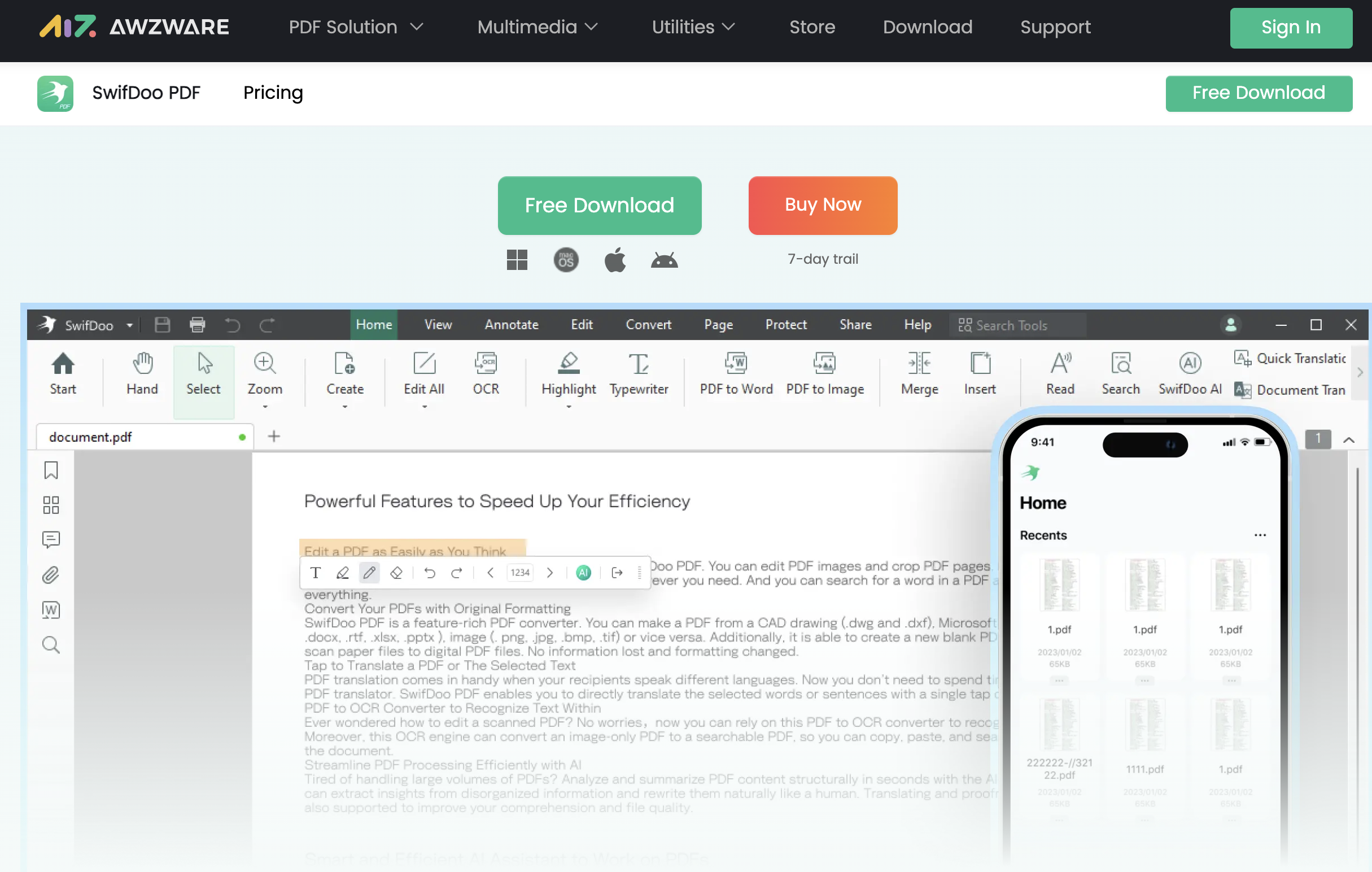
AWZWARE bundles everyday PDF editing, conversion, compression and signing into SwifDoo PDF, sold as a one-time perpetual license instead of a monthly subscription.
Key Features and Technology
AWZWARE’s catalog is small enough to understand quickly. Most buyers will care about two products, so the breakdown below focuses on those and then covers the supporting tools.
SwifDoo PDF: Editing, Converting and Organizing
SwifDoo PDF is the flagship. The editor lets you change text and insert pictures directly in a PDF, merge and split files, reorder and delete pages, and annotate with highlights, comments and stamps. Conversion runs both ways with Microsoft Office formats, and the compression tool shrinks files for email. Security tools include password protection and watermarks, and the signing feature adds e-signatures. The AWZWARE homepage calls it “all-in-one,” and for ordinary document work that description is fair. Where it falls behind the big names is at the edges: reviewers on Trustpilot report no built-in Microsoft Office add-in, missing OCR for some scripts such as Urdu, and no way to create fillable form fields.
AWZ Screen Recorder: Capture, Webcam and Light Editing
The Screen Recorder is aimed at tutorials, meetings, gameplay and streams. You choose full screen, a custom region or automatic region selection, mix microphone and system audio, and add a webcam feed with background blur or replacement and green-screen recognition. A scheduler can start recordings for you, which is handy for live streams. Output formats named on the product page are MP4, WMV and MOV at HD quality, and screenshots can be saved in any image format with an annotation toolbar. The store and homepage both advertise 4K game recording “without any lag,” but no benchmarks back that claim, so treat it as marketing until you have tested it on your own hardware.
What the Free Versions Actually Give You
The Screen Recorder’s free version is capped at three minutes per recording, and the product page lists “no watermark” as a Pro feature, which implies the free build stamps one on. Scheduled recording, compression, background and green-screen tools, gain and noise reduction and the on-screen virtual keyboard are also Pro only. SwifDoo PDF has a 7-day trial, and the free version that remains afterward is limited. In other words, the free versions are for testing, not for real work.
Media Player, PC Cleaner and the Online Converter
The AWZ Media Player is a multimedia video and audio player available separately for Windows and Mac. AWZ PC Cleaner cleans, frees up space on and optimizes Windows PCs; as with any “cleaner” utility, set modest expectations and keep a backup before deleting anything. The Online PDF Converter is a free web tool for converting PDFs to and from many formats, which is useful for one-off jobs when you do not want to install anything.
Pricing, Plans, and Package Structure
AWZWARE’s store lists a small set of one-time purchases with no subscription tiers. The prices below were checked against the live awzware.com store and the swifdoo.com pricing page in November 2026. The store shows original prices struck through, so the discounts look large, but treat those as promotional framing and judge the offer by the price you actually pay. Promotions change often, so confirm the live price at checkout.
| Product | Price (USD) | What It Is | Best For |
|---|---|---|---|
| SwifDoo PDF (store, perpetual) | $96.75 (listed original $129) | One-time perpetual license for the PDF editor, with lifetime upgrades and support | Individuals who want to own a PDF editor |
| SwifDoo PDF Perpetual, 2 PCs | $119.25 (listed original $159) | Perpetual license covering two computers (swifdoo.com) | Home and office, or two work machines |
| SwifDoo PDF subscriptions | Monthly listed at $16.99; yearly and 2-year shown as low monthly equivalents | Auto-renewing plans for one or two devices (swifdoo.com) | Short projects or low upfront cost |
| AWZ Screen Recorder (Windows) | $39.90 lifetime (listed original $89.90) | Pro license, unlimited recording time, no watermark | Tutorials, gameplay, meetings |
| AWZ Screen Recorder (Mac) | $39.90 lifetime (listed original $79.90) | Mac edition of the recorder | Mac creators and teachers |
| AWZ Media Player (Windows or Mac) | $39.90 lifetime | Video and audio player, separate Windows and Mac editions | Local media playback |
| AWZ PC Cleaner | $39.99 perpetual (listed original $129) | Windows cleanup and optimization utility | Older Windows PCs |
| SwifDoo AI add-on | Free tier; paid listed at $7.90 per month or $49.90 per year | AI PDF assistant with higher monthly limits on paid plans | Heavy users of PDF Q&A and summaries |
A few details matter before you click buy. The store describes the license types only as “perpetual” (SwifDoo PDF, PC Cleaner) and “lifetime” (Screen Recorder, Media Player) without defining the difference. The store FAQ says buying unlocks the Pro features automatically, and volume discounts are available only by contacting support. SwifDoo’s subscription plans renew automatically, can be cancelled in your account settings or through support, and switch off paid features at the end of the billing period, while the perpetual plans are one-time fees with lifetime upgrades. On the store, the Mac and Windows labels for the Screen Recorder and Media Player appear to be paired with the opposite product pages, so confirm the platform on the product page before purchasing.
How AWZWARE Compares to Alternatives
Because SwifDoo PDF is the product most buyers will choose, the comparison below measures it against the three PDF editors people most often shop alongside it. Competitor prices are approximate and based on publicly listed US prices around mid and late 2026.
| Factor | AWZWARE (SwifDoo PDF) | Adobe Acrobat Pro | Wondershare PDFelement |
|---|---|---|---|
| Pricing model | Perpetual license plus optional subscriptions | Subscription only | Yearly, 2-year and perpetual options |
| Typical price | $96.75 one-time (1 PC) | About $19.99 per month (Standard about $14.99) | About $79.99 per year or about $129.99 to $159 one-time |
| Free trial | 7 days, then limited free version | 7 day trial on most plans | 14-day trial with limited uses |
| Platforms | Windows, Mac; cross-platform adds Android and iOS | Desktop, web and mobile | Windows, Mac, iOS, Android, web |
| Independent rating | About 3.1 to 3.2 on Trustpilot (about 80 reviews) | Large review base, generally strong on features | About 4.4 out of 5 on Software Advice (440 reviews) |
| Ecosystem | Small, with an optional AI assistant | Deepest: e-sign, AI, cloud, enterprise admin | Broad, with cloud storage and AI tools |
| Best for | Budget buyers who want to own a basic editor | Professionals and teams who need the full ecosystem | Buyers who want a polished all-rounder with a perpetual option |
vs. Adobe Acrobat Pro: Acrobat is the benchmark for compatibility, OCR, redaction, e-signature workflows and enterprise controls, and it is priced for that. At about $19.99 per month on an annual commitment, it costs roughly $240 a year, which is more than SwifDoo’s one-time perpetual price after the first year. If your documents travel through legal, government or enterprise workflows that demand Adobe fidelity, Acrobat remains the safer choice. If you simply edit, merge and sign ordinary files, SwifDoo covers the work for far less.
vs. Wondershare PDFelement: PDFelement is the closest rival on pricing structure because it also sells a perpetual license, at about $129.99 to $159 depending on the source and edition, alongside yearly plans around $79.99 to $89.99. Its review base is far larger and its ratings are higher. SwifDoo undercuts it on upfront cost, but PDFelement’s support record and polish are the reasons many buyers pay extra.
vs. Foxit PDF Editor: Foxit sits between the two. Directory listings show monthly pricing around $10.99 to $13.99 per user, and Foxit’s own page positions its Editor+ plan at about $159.99 per user per year for teams, with a perpetual option also offered. It is the more mature, business-oriented tool, while SwifDoo is the cheaper, lighter alternative.
Pros and Cons
What Users Love
Real ownership at a low price: Reviewers who like SwifDoo repeatedly mention that it delivers most of what they need from a PDF editor at a fraction of Adobe’s cost, and one happy buyer on Trustpilot said it performs much the same as Adobe for far less money. For a one-time payment, that is the core of the value proposition.
Covers everyday PDF tasks well: Editing, merging, splitting, compressing, converting and signing are all there, and users who simply needed to produce a PDF resume or convert a file describe the software as a quick fix for their problem.
Easy to start with: The interface is described by users as straightforward, and the 7-day trial means you can confirm that on your own files before spending anything.
Useful screen recorder feature set: Scheduling, webcam background tools, noise reduction and direct sharing to YouTube, TikTok and Vimeo go well beyond a bare-bones capture tool, especially at a $39.90 lifetime price.
Runs on modest hardware: The listed requirements are low, which suits older office computers, school laptops and secondary machines that cannot run heavier software comfortably.
Flexible purchase options: SwifDoo lets you choose between perpetual and subscription plans, single-platform and cross-platform licenses, and a one- or two-PC license, so buyers can match the plan to their situation.
Limitations Worth Knowing
Mixed independent ratings: SwifDoo PDF holds about 3.1 to 3.2 out of 5 on Trustpilot across roughly 80 reviews, with a clear split between enthusiastic five-star reviews and angry one-star ones. Smaller directories show higher scores, such as 4.5 on G2 from only three reviews and 4.9 on Product Hunt from 67, but those samples are thin or promotional in nature. Both pictures are real, and readers should weigh the larger and less curated Trustpilot sample.
Refund and license complaints: Recurring negative reviews describe license keys that did not work after purchase, refund requests that went unanswered and a perception of poor value, including one buyer who said the product was not worth it after only six months. The company replies to only about 60 percent of negative Trustpilot reviews, and typically takes more than a month to respond. Support speed is the biggest red flag in the independent feedback.
Inconsistent policies and pricing: The store promises a 7-day refund window while other pages mention 30 days, and third-party directories still list old figures such as $8 per month, which do not match the official pages. Product labels on the store may also be mismatched between Mac and Windows. None of this is fatal, but it signals a site that needs careful reading.
Feature gaps at the edges: Users report no way to create fillable form fields, missing OCR for some languages, no built-in Microsoft Office add-in and limited highlight color controls. Power users in legal, finance or publishing will find Acrobat or Foxit more complete.
Marketing claims without proof: The 100 million installs, 160 countries, “Editor’s Choice Awards” and four unnamed testimonials on the homepage are self-reported and unsupported by named sources, and the 4K lag-free recording claim has no benchmarks. The page title says “AI-powered,” yet the product copy barely mentions AI features. Treat these as marketing.
Free versions are limited by design: The Screen Recorder’s free build stops at three minutes and appears to add a watermark, and the free PDF version after the trial is restricted. You will need to pay for any serious use.
Who Should Use AWZWARE
Budget-conscious freelancers and students: If you edit, merge, convert and sign PDFs a few times a month, a $96.75 perpetual license beats years of subscription payments, and the trial lets you verify it works on your documents.
Small offices and home offices on older PCs: The light system requirements and the 2-PC perpetual option suit small businesses that want predictable costs and do not need enterprise administration.
Tutorial makers, teachers and casual streamers: At $39.90 lifetime, the Screen Recorder offers scheduling, webcam effects and sharing options that would cost more elsewhere, which fits creators who record regularly but do not need studio-grade software.
People tired of subscriptions: If the main reason you are shopping is to escape recurring billing, AWZWARE’s perpetual and lifetime licenses are the point of the whole line-up.
Who should look elsewhere: Large teams, legal and financial departments, publishers and anyone whose PDFs must open flawlessly in Adobe’s ecosystem should choose Acrobat or Foxit. Buyers who place a high value on fast, reliable customer support, or who would be unable to absorb a stuck refund, should be cautious given the independent complaints. Anyone who needs fillable form creation, extensive multi-language OCR or enterprise controls will outgrow SwifDoo quickly.
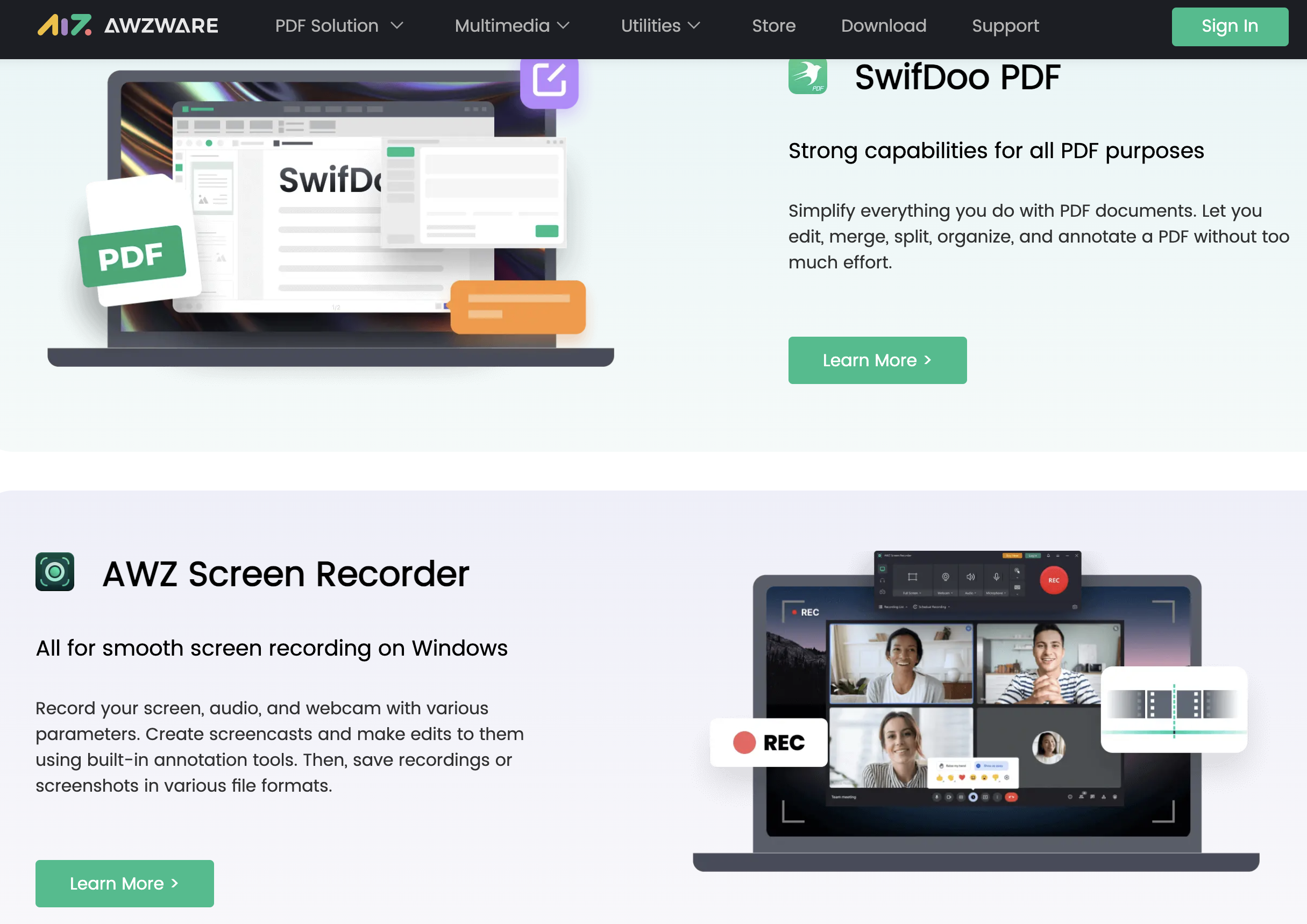
The AWZ Screen Recorder adds scheduling, webcam background tools and light editing, with a Pro license sold as a one-time lifetime purchase.
Getting Started: Step by Step
- Pick the product and platform. Decide whether you need the PDF editor, the Screen Recorder or both, and confirm Windows or Mac on the product page itself, since store labels may be mismatched.
- Download the free trial first. Install SwifDoo PDF or the free Screen Recorder from the Download Center and test them on your own real documents or recordings before paying.
- Check the current price and plan type. Compare the store price with the swifdoo.com pricing page, and choose between perpetual, subscription, single-platform and cross-platform licenses.
- Read the refund policy at checkout. Note whether the page says 7 or 30 days, save a screenshot of it and remember the deadline in your calendar.
- Buy and activate the license. After purchase, sign in to the installed program with your account so the Pro features unlock, and test activation immediately rather than weeks later.
- Register your license and keep your records. Save your order email, license key and account login in a safe place, and contact support early if anything fails to activate.
Tips for Getting Maximum Value
Start with the cheapest option that fits: if you only need a PDF editor for a few weeks, a monthly subscription can cost less than a perpetual license, but remember that subscriptions auto-renew and you must cancel in your account settings or through support before the next billing date. If you plan to use the software for years, the perpetual license pays for itself against Adobe within the first year or so. Test the exact features you need during the trial, especially OCR in your language, form filling and Office conversion on your real files, because those are where reviewers report gaps. Keep your invoice and license key, activate immediately, use the 2-PC license if you work on a desktop and laptop, and use the free Online PDF Converter for quick one-off conversions rather than installing anything. For the Screen Recorder, test your target resolution and frame rate on your own hardware before trusting the 4K claim, and record a short clip to make sure Pro mode has removed the watermark. Finally, ask support about volume discounts if you are buying for a team, since the store only offers them on inquiry.
Future Outlook and Final Assessment
AWZWARE looks like a company still investing in its catalog. The Media Player editions are new, the homepage is current for 2026, SwifDoo has added an AI assistant and cross-platform plans, and the pricing options have broadened beyond the original perpetual license. If it keeps adding features while tightening support response times and clearing up its refund wording, the value proposition will get stronger.
Today the picture is balanced. The products are affordable, the license model is genuinely consumer-friendly, and the feature lists are broad enough for everyday work. Against that, the independent rating is mediocre, support speed is a documented weakness, policies are described inconsistently, and the headline claims are self-reported. The sensible approach is to treat AWZWARE as a low-cost tool you verify before you commit, not a brand you trust blindly.
Conclusion
AWZWARE gives budget-minded users a credible way out of subscription software: SwifDoo PDF at a $96.75 perpetual license, and the Screen Recorder, Media Player and PC Cleaner at about $40 each, with free trials or free versions to test first. The software covers everyday editing, conversion and recording needs, but mixed independent ratings, slow support and inconsistent refund wording mean you should buy carefully, test thoroughly and keep your paperwork. For individuals, students and small offices, that trade-off can be worth it. For teams that depend on flawless compatibility and responsive support, Adobe, Foxit or PDFelement are the safer, if costlier, picks.
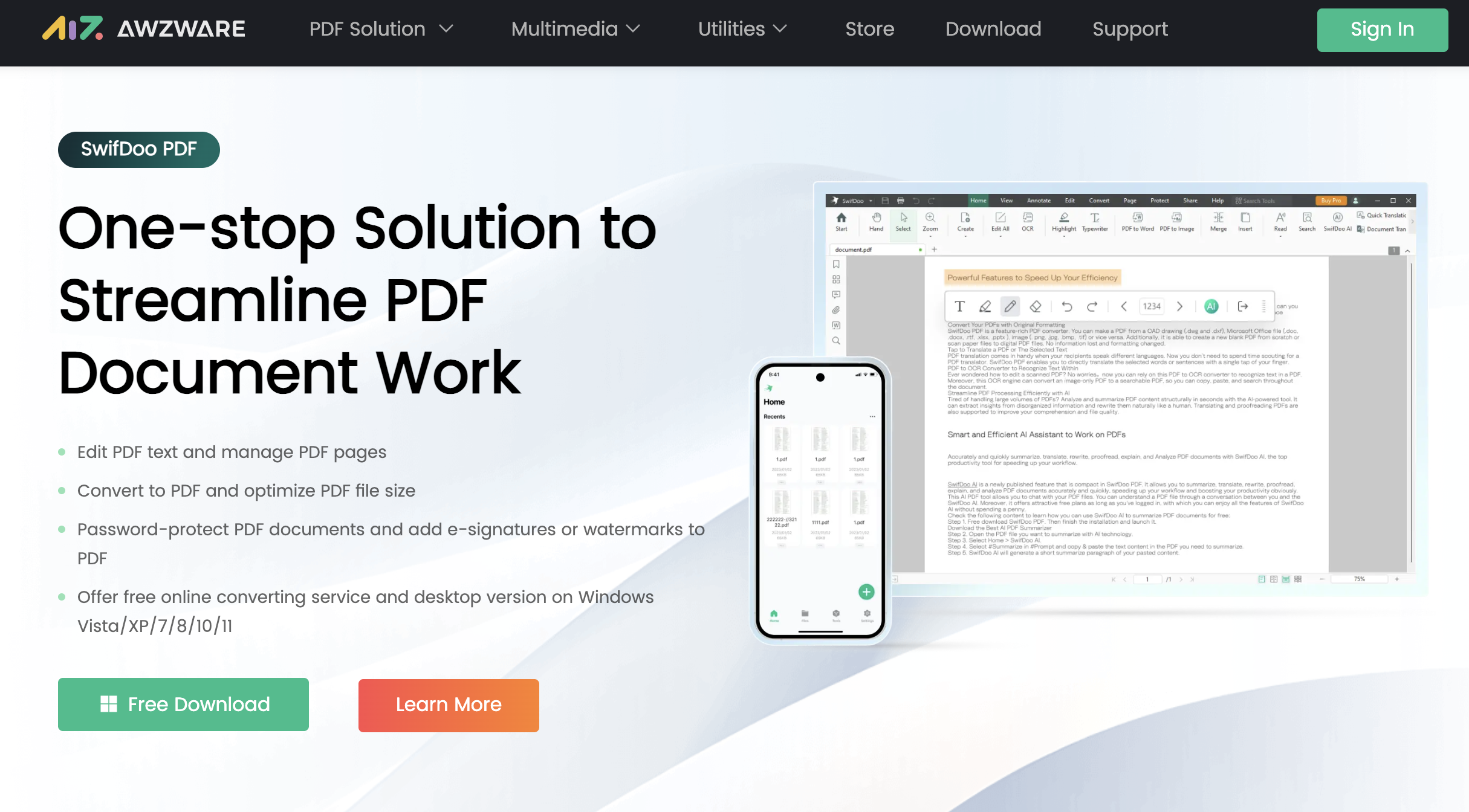
AWZWARE’s one-time license line-up: a PDF editor, a screen recorder, a media player and a PC cleaner, each with a free trial or free version to test first.
Ready to edit PDFs and record your screen without another monthly bill?
Explore more honest reviews, tutorials and tech comparisons to find the right software for the way you work, create and live, at World Of Tech, where we make everything easy.
👉 Shop AWZWARE: https://www.awzware.com/
👉 Our YouTube Channel: youtube.com/@world_tech79
👉 Our Facebook Fanpage: Facebook
👉 Our X (Twitter): @worldoftech79
Pricing, specifications and policy details in this review were verified against awzware.com, swifdoo.com and independent review sources as of November 2026. Software pricing and features change frequently, so confirm current details on the official site before purchasing. Competitor prices are approximate and subject to change.