
If you have ever installed an antivirus and then spent the next week fighting pop-ups, slowdowns and upsells, F-Secure is built as the opposite experience. F-Secure is a Finnish cybersecurity company that has been protecting home users since the early days of the internet, and today it sells a clean, focused lineup: F-Secure Total (antivirus, VPN, password manager and identity monitoring), Internet Security, a standalone VPN, ID Protection and the new Scam Protection add-on. Prices on the official site start at $49.99 per year for Internet Security and $69.99 per year for Total, with a 30-day money-back guarantee and a free trial on every product.
What makes F-Secure interesting in 2026 is the gap between its lab results and its customer reputation. Independent labs keep awarding it top marks: AV-TEST named F-Secure Total a Top Product for Windows in 2026 with a perfect 6 out of 6 in protection, performance and usability. Yet its Trustpilot score sits around 2.0 out of 5, driven almost entirely by support, billing and renewal complaints rather than by malware failures. This 2026 review walks through what F-Secure actually does, the latest pricing from the official site, how it compares with Norton and Bitdefender, the genuine pros and cons, and exactly who should (and shouldn’t) buy it.
F-Secure Review 2026: Lightweight Finnish Antivirus, VPN and Scam Protection in One Subscription
Overview and Background
F-Secure is a Helsinki-based cybersecurity company founded in 1988. It is widely credited with building one of the first heuristic antivirus scanners in 1991, and it spent three decades serving both consumers and businesses. In 2022 the company split: the enterprise side became WithSecure, while the F-Secure name stayed with the consumer business. That means today’s F-Secure is a company that does one thing, protecting individuals and families, rather than a large enterprise vendor with a side consumer product.
The product philosophy is simple and visible the moment you open the app. Instead of a dashboard crowded with dozens of toggles, F-Secure gives you a small number of clear protections: malware and ransomware blocking, safe browsing and banking protection, scam and phishing filtering, a VPN, a password manager and dark web monitoring. The scanning engine leans on cloud intelligence, which is why independent tests keep rating its performance impact as extremely low. The apps cover Windows, macOS, iOS and Android, and a single subscription can protect multiple devices.
F-Secure’s most recent push is against scams rather than classic viruses. Fake shops, phishing links and fraudulent text messages now cause more everyday damage than traditional malware, and the company has built banking protection, shopping checks, SMS scam filtering and a deepfake detector into its lineup. It also offers a set of free tools (an online scanner, a link checker, an identity theft checker and an online shopping checker) that anyone can use without buying anything.
Why F-Secure Stands Out in 2026
Consistently strong lab results: AV-TEST certified F-Secure Total as a Top Product for Windows in 2026, and the August 2026 test of version 26.6 on Windows 11 scored 6 out of 6 for protection, performance and usability. The company also holds a Best Usability award for Windows consumers and AV-TEST certifications for macOS and Android. Very few consumer suites can match that across so many platforms.
Very light on system resources: Because much of the scanning logic runs in the cloud, F-Secure rarely slows games, video calls or large file transfers. Reviewers who benchmarked it describe the performance impact as negligible, and a first full scan that takes around twenty minutes drops to a few minutes on later runs because known-safe files are skipped.
A modern, scam-focused feature set: Banking protection, shopping scam alerts, phishing site blocking and SMS scam filtering reflect where real-world fraud happens in 2026. AV-Comparatives certified F-Secure for anti-phishing in 2026 and named it a top performer in its fake-shop detection test.
Clean, beginner-friendly interface: Setup takes minutes and the app is easy to understand. There is no maze of advanced settings, which is exactly what less technical family members need.
Everything in one subscription: Total bundles antivirus, an unlimited-data VPN, a password manager with auto-fill, and 24/7 dark web monitoring for $69.99 per year on the official site. Buying those pieces separately usually costs far more.
Finnish privacy credentials: F-Secure is an EU-based company operating under GDPR, and its VPN is marketed with a no-logs policy. For privacy-conscious buyers who prefer a European vendor, that matters.
A generous try-before-you-buy path: Every product offers a free trial, there is a 30-day money-back guarantee, and the free online tools let you test the company’s technology before spending anything.
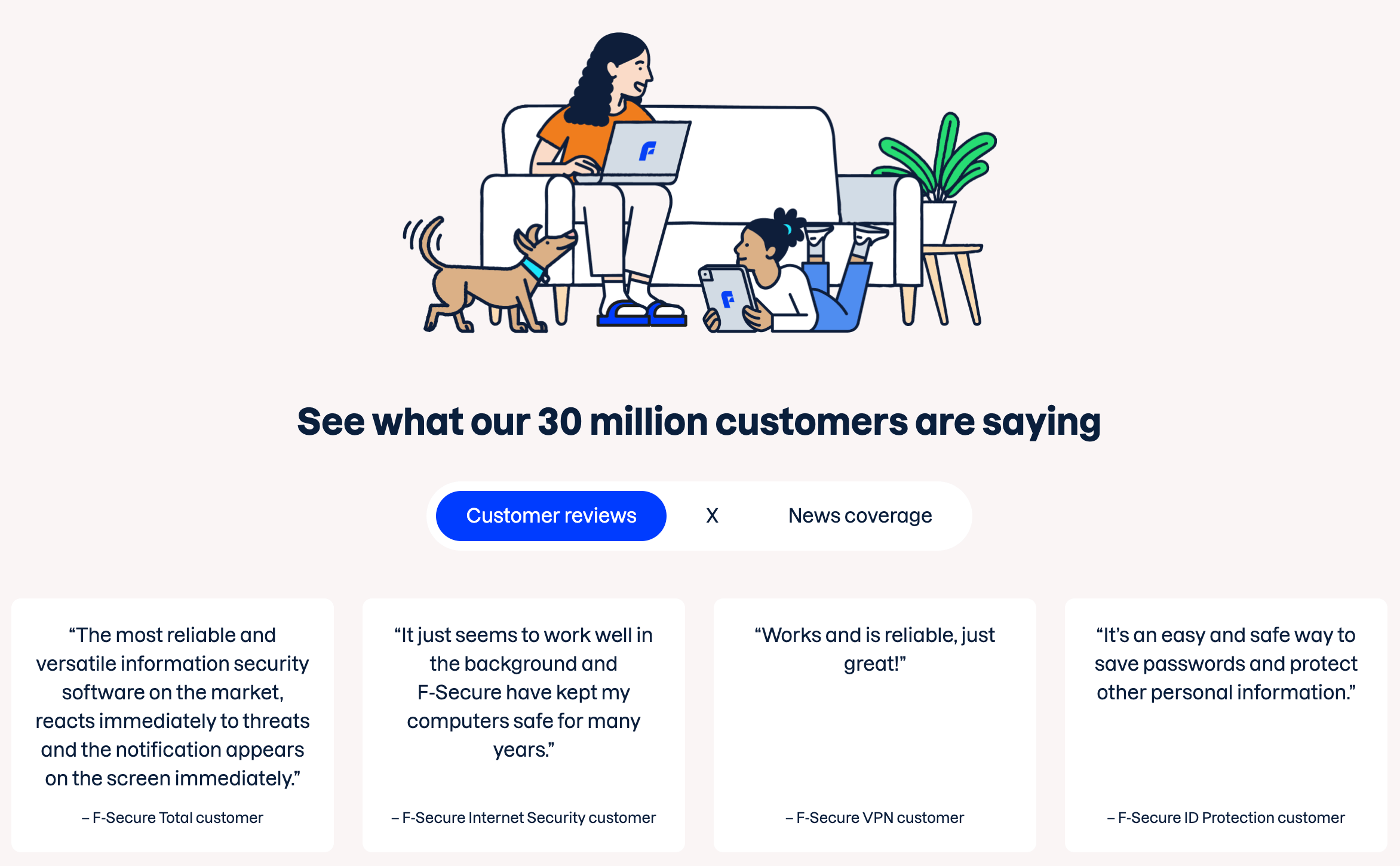
F-Secure Total combines antivirus, scam protection, a VPN, a password manager and dark web monitoring in one lightweight app across Windows, Mac, iOS and Android.
Key Features and Technology
F-Secure’s lineup is easy to understand once you see the pillars. Here is how the platform breaks down in practice.
Antivirus, Ransomware and Browsing Protection
The core engine blocks viruses, trojans, spyware and ransomware, and it checks downloads and apps before they run. Browsing protection blocks malicious and phishing sites in real time across the major browsers (Chrome, Edge, Firefox and Safari). In one independent hands-on test, the software detected about 97.8% of a 1,000-file malware set, caught all 900 ransomware samples in a simulator and blocked 19 of 20 phishing sites. Treat those as one reviewer’s results rather than a lab benchmark, but they line up with the strong AV-TEST scores.
Banking, Shopping and Scam Protection
This is F-Secure’s most distinctive area. Banking protection flags risky connections when you log into financial sites, shopping protection warns you about fake stores before you pay, and SMS scam filtering on mobile screens suspicious text messages. The new standalone Scam Protection add-on packages these tools for $4.99 per month, and the free Link Checker and Online Shopping Checker let anyone vet a suspicious link without installing anything. One honest caveat: banking protection does not run in an isolated secure browser the way some rivals’ safe-banking features do.
VPN with Unlimited Data
The VPN included in Total uses AES-256 encryption with modern protocols (IKEv2 and OpenVPN), supports split tunneling, and has unlimited data. It works for public Wi-Fi protection, hiding your IP address and, in tests, for torrenting and several major streaming services. The trade-offs are real, though. Independent reviewers count a fairly small network of roughly 30 servers across about 25 countries (exact figures vary by source), the kill switch is not enabled by default, and some users report that the VPN’s IP addresses get blocked or challenged by websites. It is a solid privacy tool for everyday use, not a replacement for a dedicated streaming VPN.
Password Manager and ID Protection
The password manager offers auto-save and auto-fill, a generator for long random passwords and imports from other managers and browsers. Reviewers find it reliable but basic: it lacks passkey support. ID Protection adds 24/7 dark web monitoring and breach alerts, and the plan includes identity theft assistance. Compared with the identity services from Norton or Aura, the monitoring is limited, so think of it as a useful alert system rather than complete identity insurance.
Parental Controls and Device Protection
Internet Security and Total include parental controls that block web categories, set bedtime and daily usage limits, and restrict apps on supported platforms. The category filtering is simpler than what Norton Family offers, and some controls work more fully on Windows and Mac than on iOS. Lost-device tools such as locate, lock and wipe round out the mobile apps.
Pricing, Plans, and Package Structure
F-Secure sells annual subscriptions, with two-year options for extra savings, and every plan comes with a 30-day money-back guarantee and a free trial. The prices below are the latest figures shown on the official f-secure.com US site in October 2026, listed as “starting from” prices for one device. Per-device tiers for Total come from independent price trackers and are approximate, because the official site adjusts the quote once you choose the number of devices and the plan length.
| Product | Price (USD) | What It Is | Best For |
|---|---|---|---|
| F-Secure Total | From $69.99/year (1 device). Approx. $79.99 (3 devices) and $84.99 (5 devices) for 1 year; 2-year plans from approx. $124.99 | Antivirus, banking and scam protection, unlimited VPN, password manager, dark web monitoring | Families and anyone who wants one all-in-one subscription |
| F-Secure Internet Security | From $49.99/year | Antivirus, ransomware, safe browsing and banking, scam protection, parental controls | Users who only need strong core protection |
| F-Secure VPN | From $49.99/year | Standalone VPN with unlimited data, IP hiding and public Wi-Fi protection | Privacy-focused users who already have an antivirus |
| F-Secure ID Protection | From $49.99/year | Password manager, identity theft alerts and 24/7 dark web monitoring | People worried about data breaches and weak passwords |
| F-Secure Scam Protection | $4.99/month | Shopping and banking scam alerts, phishing blocking and SMS scam filtering | Online shoppers and less tech-savvy relatives |
| Free online tools | $0 | Online Scanner, Link Checker, Deepfake Detector, Identity Theft Checker, Online Shopping Checker | Quick one-off safety checks with no purchase |
A few pricing details are worth understanding before checkout. The official page does not publish renewal prices, and the site lists a free trial without stating its exact length on the homepage, while independent reviews describe a 30-day trial that converts to a paid plan unless you cancel. Reports on what happens at renewal also vary across review sites, so confirm the renewal amount on your order page and turn on a calendar reminder. Prices also differ by country and currency, and promotions change often.
How F-Secure Compares to Alternatives
| Factor | F-Secure Total | Norton 360 Deluxe | Bitdefender Total Security |
|---|---|---|---|
| Entry price (approx.) | From $69.99/year (1 device) | Promotional first-year price, higher at renewal | Promotional first-year price, higher at renewal |
| Lab test record | AV-TEST Top Product 2026, 6/6/6 scores | Consistently strong in major labs | Consistently strong in major labs |
| Performance impact | Very low (cloud-based scanning) | Low to moderate | Low |
| Built-in firewall | No (uses OS firewall) | Yes | Yes |
| VPN | Unlimited data, small network | Unlimited data, larger network | Limited daily data on base plan |
| Password manager | Included, basic, no passkeys | Included | Included |
| Identity protection | Dark web monitoring and breach alerts | Broader identity monitoring (varies by region) | Digital identity protection (varies by plan) |
| Parental controls | Basic category filtering and time limits | Strong (Norton Family) | Included |
| Customer support | Weak reputation on Trustpilot | Mixed; larger support organization | Generally better rated |
| Best for | Simple, light, scam-focused protection | Feature-rich all-in-one with identity services | Top detection plus many extras |
vs. Norton 360: Norton offers a much larger feature set, with a firewall, bigger VPN network, cloud backup and deeper identity protection. If you want everything under one roof and want the strongest identity services, Norton is the more complete package. F-Secure is lighter, simpler and usually quieter, and its scam protection is competitive, but it does not try to match Norton feature for feature.
vs. Bitdefender: Bitdefender is the closest rival on detection quality and typically offers more tools, including a firewall and extras for performance tuning. Both are strong in the labs, so the choice comes down to interface and extras. F-Secure’s advantage is simplicity and its EU-based privacy positioning. Bitdefender’s advantage is breadth and a stronger reputation for support.
vs. free options like Microsoft Defender: Windows’ built-in protection has become genuinely good for basic malware defense, and many users never need to pay. F-Secure’s paid value lies in anti-phishing, banking and shopping protection, SMS scam filtering, the VPN and cross-platform coverage of Mac, iPhone and Android. If you only use one Windows PC and are careful, Defender may be enough. If your family shares multiple devices and falls for scam messages, F-Secure earns its price.
Pros and Cons
What Users Love
Top-tier protection in independent labs: AV-TEST gave F-Secure Total a Top Product certification with perfect 6/6/6 scores in 2026, and long-time users on Trustpilot repeatedly describe it as effective and trustworthy over many years.
Barely noticeable on your device: Reviewers consistently say it does not slow their PCs, games or workflows, and scans finish quickly once the first full scan is done.
Excellent scam and phishing defenses: Anti-phishing certification from AV-Comparatives, fake-shop detection, banking protection and SMS filtering target the threats ordinary people actually meet.
Simple to set up and use: The clean interface is the most common praise from non-technical users and family members who just want to install it and forget about it.
Good bundle value and multi-device coverage: Total packages antivirus, VPN with unlimited data and a password manager for one price, and several reviewers note that multi-device plans, including ISP-bundled versions, are good value.
Free tools and a real refund window: The free online scanner and checkers cost nothing, and the 30-day money-back guarantee, which reviewers report is honored in about a week when the process goes smoothly, lowers the risk of trying it.
Limitations Worth Knowing
Weak Trustpilot reputation: This is the most important divergence in the research. The main Trustpilot profile shows roughly 2.0 out of 5 from 133 reviews, with about two thirds being 1-star. Other regional F-Secure Trustpilot profiles show similarly poor scores. The complaints cluster around support, billing and renewals rather than malware detection, and Trustpilot does not verify every claim, but the pattern is consistent enough to take seriously.
Support is slow or hard to reach: Reviewers describe long waits, unanswered escalations and difficulty reaching a human. Independent reviewers do note 24/7 live chat, but that contrasts sharply with what many unhappy customers report, so do not assume quick help when something goes wrong.
Auto-renewal and billing frustrations: Several reviewers say they were charged for renewals they did not expect, and some report problems cancelling or accessing their account. One reviewer claimed that a late renewal led to account deletion and loss of stored passwords. Always check your renewal date, export your passwords regularly and cancel auto-renewal if you do not plan to continue.
No built-in firewall and a limited feature set: Total relies on your operating system’s firewall, there is no cloud backup, the ad blocker only blocks part of the ads in tests, and phone support is limited to business hours.
The VPN is modest: A smaller server network, a kill switch that is off by default, and reports of blocked IP addresses or failures after updates mean the VPN is better for privacy on public Wi-Fi than for unblocking content abroad.
Occasional software issues: Some users report over-blocking that interfered with other apps (including on Mac), password vault lockouts and VPN problems after updates. These are not universal, but they appear often enough in reviews to note.
Who Should Use F-Secure
Families and non-technical users: If you want a quiet, easy tool that protects parents, kids and grandparents across phones, tablets and computers without constant fiddling, F-Secure Total is a strong fit. The scam and banking protections are especially valuable for older relatives.
Online shoppers and frequent bankers: Shopping checks, fake-store detection, phishing blocking and banking protection address the most common ways ordinary people lose money online.
Laptop users who hate slowdowns: Because the scanning engine is light, F-Secure suits older machines, work laptops and gamers who dislike security software eating resources.
Privacy-aware buyers who prefer a European vendor: A Finnish company under EU data rules with a no-logs VPN is an appealing combination for people who want privacy-minded tools without a big US security brand.
Who should look elsewhere: Power users who want a built-in firewall, deep customization or dedicated tools should consider Norton or Bitdefender. People who stream foreign libraries daily need a dedicated VPN with a larger network. Anyone who values responsive customer service above all else, or who tends to forget auto-renewals, should be cautious given the Trustpilot pattern. And if you only use one Windows PC and browse carefully, the free built-in Microsoft Defender may already be enough.
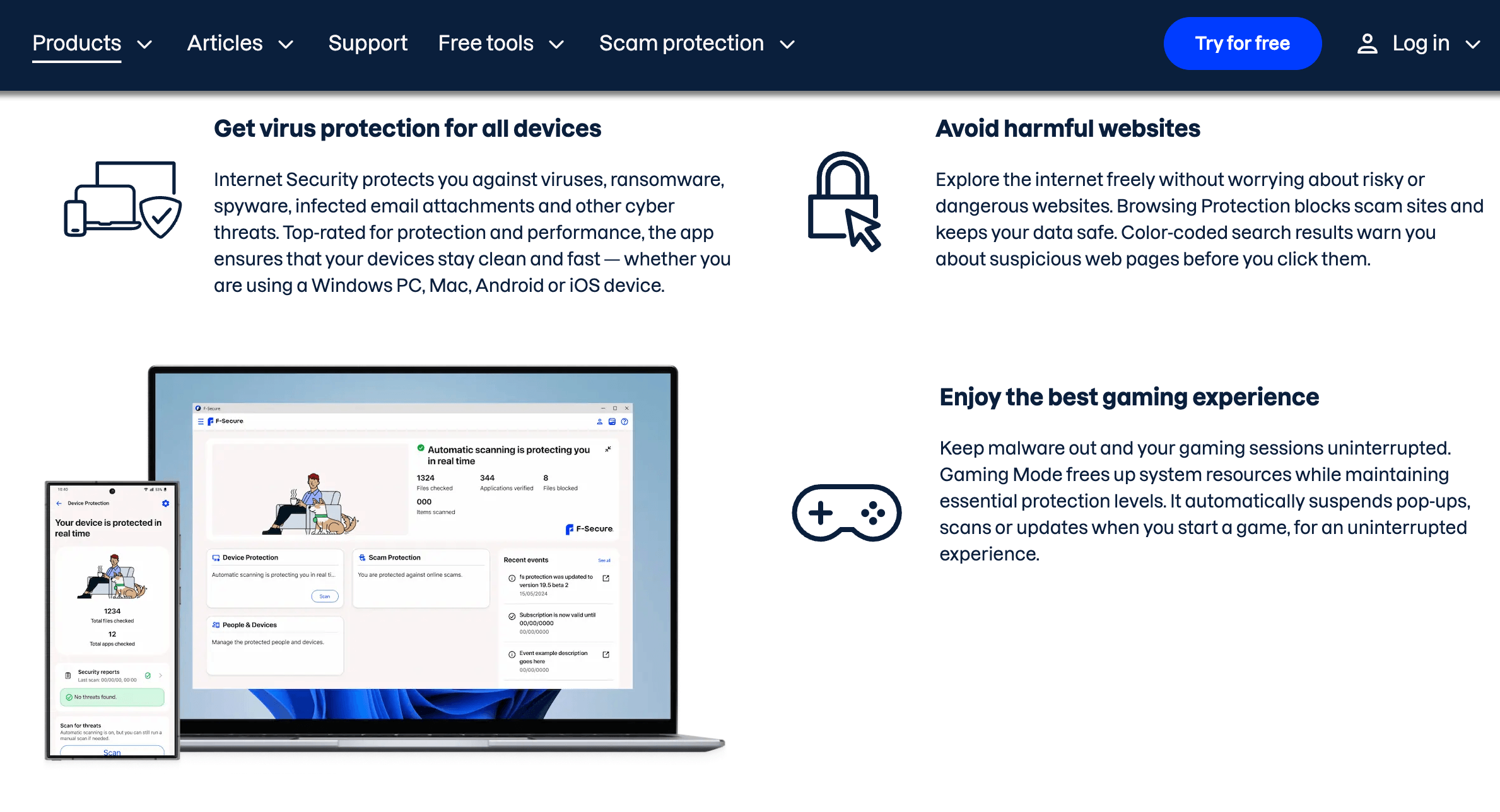
F-Secure’s scam and banking protection is aimed at everyday users and families who want strong protection without complicated settings.
Getting Started: Step by Step
- Choose the right product. Pick Internet Security if you want strong antivirus, banking and scam protection with parental controls. Pick Total if you also want the VPN, password manager and dark web monitoring, and choose the number of devices that matches your household.
- Start the free trial. Use the trial to test the app on your own devices before paying. Read the trial terms on the checkout page, and put a reminder in your calendar a few days before it ends so you are not surprised by the first charge.
- Install and sign in on every device. Download the app for Windows, Mac, Android and iOS from your F-Secure account, sign in and run the first full scan. It takes the longest the first time and is much quicker afterwards.
- Turn on the key protections. Enable browsing protection and banking protection, install the browser extension, allow SMS scam filtering on your phone, and switch on the VPN kill switch manually, since it is not on by default.
- Set up the password manager and monitoring. Import your saved passwords from your browser, create a strong master password and store the recovery option safely. Add your email addresses to dark web monitoring so you get breach alerts.
- Review your renewal settings. Check the renewal date and price in your account, decide whether to keep auto-renewal on, and keep a record of your order number and the 30-day refund deadline in case you change your mind.
Tips for Getting Maximum Value
Use the free trial and the 30-day money-back guarantee as a safety net, and note your refund deadline on day one. Compare the three-device and five-device price before you buy, because covering the whole household is often only a few dollars more than covering a single device. Run the free Link Checker, Online Shopping Checker and Identity Theft Checker for suspicious messages even when you do not need the full suite. Export a backup of your passwords from the password manager every few months, so a billing or account issue can never lock you out of your logins. Turn on the VPN automatically whenever you join public Wi-Fi, and enable the kill switch in settings. Finally, keep your operating system’s firewall on, since F-Secure relies on it, and set a calendar reminder a week before renewal so you can decide whether to renew, switch plans or cancel.
Future Outlook and Final Assessment
The consumer security market in 2026 is moving away from pure virus scanning and toward scam, fraud and identity defense, and F-Secure is positioned well for that shift. Its focus on scam protection, deepfake detection, fake-shop checks and SMS filtering reflects where everyday users now lose money, and its cloud-based engine keeps devices fast. Continued strong results from AV-TEST and AV-Comparatives suggest the underlying technology remains competitive with much larger rivals.
The honest caveats remain. The Trustpilot picture is poor, customer support and renewal handling draw repeated complaints, the VPN network is modest, there is no firewall, and the feature set is narrower than Norton’s or Bitdefender’s. If F-Secure improves its support and makes renewals more transparent, it would be an easy recommendation. Until then, it is best viewed as an excellent engine wrapped in an average customer experience.
Conclusion
F-Secure is not trying to be the biggest security suite on the market. It is trying to be the one that protects you well, stays out of your way and focuses on the scams that actually hurt people, and on that job it performs impressively, with top lab scores, very low performance impact and a clean interface. It falls short on customer support, billing transparency and extras like a firewall, and the Trustpilot reviews are a warning worth heeding. If you approach it with realistic expectations, use the trial, watch your renewal date and check the live price on the official site, F-Secure can be one of the simplest and most effective ways to protect your family’s devices in 2026.
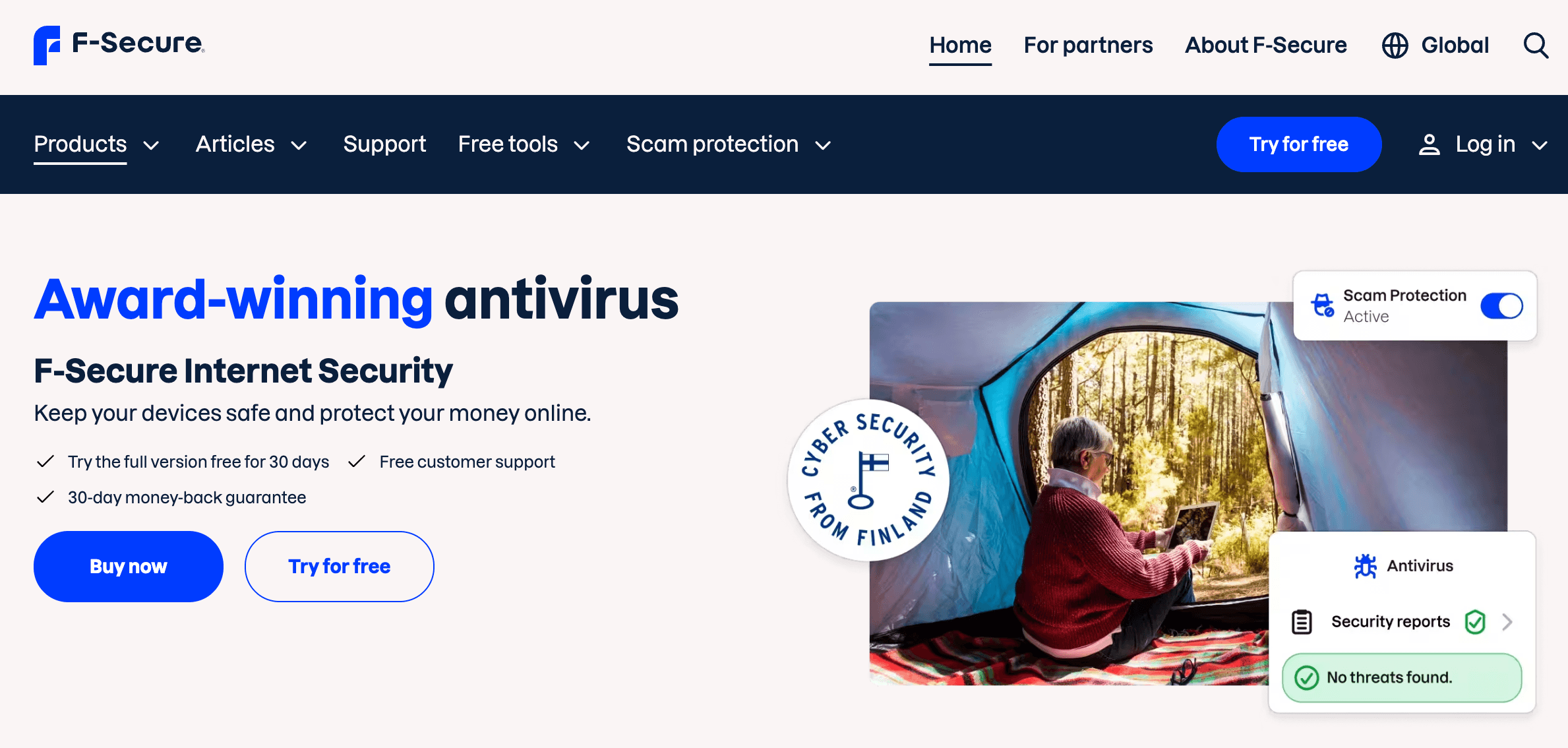
From antivirus to VPN and scam protection, F-Secure Total keeps everyday users safer across all of their devices in one subscription.
Ready to stop scams and malware before they reach your family?
Explore more honest reviews, tutorials and tech comparisons to find the right gear for the way you work, travel and live, at World Of Tech, where we make everything easy.
👉 Shop F-Secure: https://worldoftech.space/f-secure
👉 Our YouTube Channel: youtube.com/@world_tech79
👉 Our Facebook Fanpage: Facebook
👉 Our X (Twitter): @worldoftech79
Pricing, specifications and policy details in this review were verified against f-secure.com and independent review sources (including Trustpilot, AV-TEST, AV-Comparatives and hands-on reviewer testing) as of October 2026. Cybersecurity software pricing and features change frequently, so confirm current details on the official site before purchasing. Competitor prices are approximate and subject to change.